
UNDER THE HOOD OF THE NEW AZURE PORTAL
http://jbeckwith.com/2014/09/20/how-the-azure-portal-works/
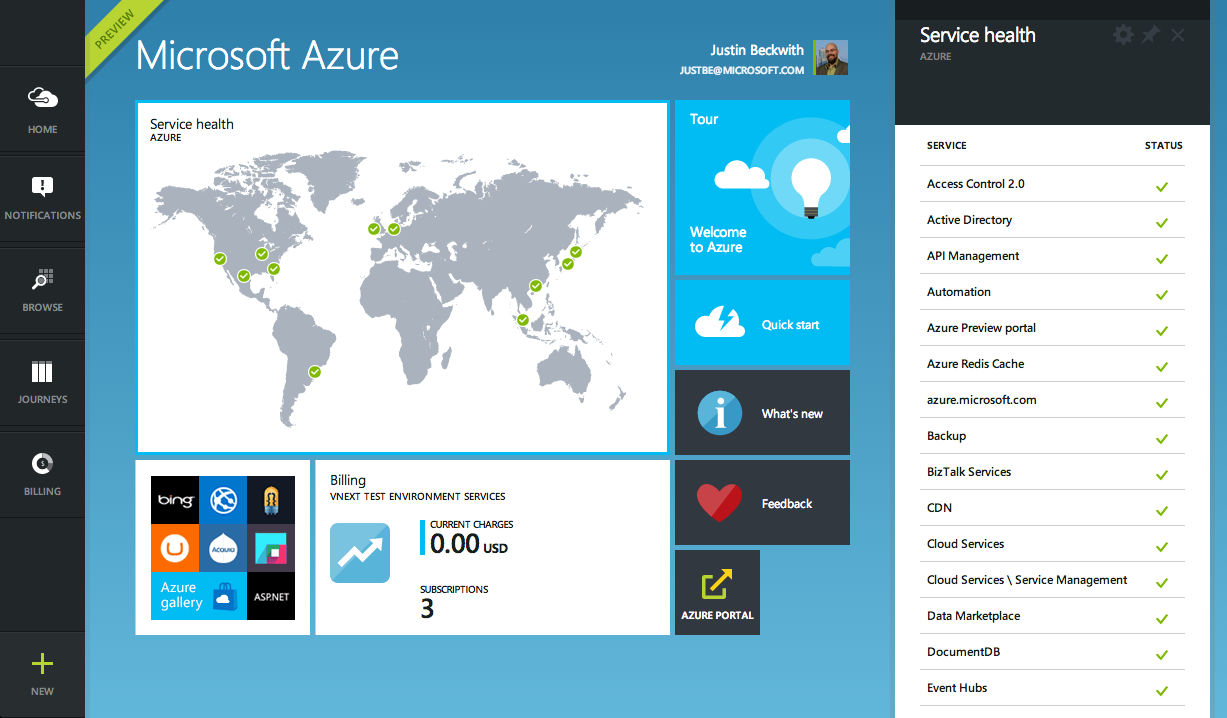
So - I haven’t been doing much blogging or speaking on WebMatrix or node recently. For the last year and a half, I’ve been part of the team that’s building the new Azure portal - and it’s been quite an experience. A lot has been said about the end to end experience, theintegration of Visual Studio Online, and even some of the new services that have been released lately. All of that’s awesome, but it’s not what I want to talk about today. As much as those things are great (and I mean, who doesn’t like the design), the real interesting piece is the underlying architecture. Let’s take a look under the hood of the new Azure portal.
A LITTLE HISTORY
To understand how the new portal works, you need to know a little about the current management portal. When the current portal was started, there were only a handful of services in Azure. Off of the top of my head, I think they were:
- Cloud Services
- Web sites
- Storage
- Cache
- CDN
Out of the gate - this was pretty easy to manage. Most of those teams were all in the same organization at Microsoft, so coordinating releases was feasible. The portal team was a single group that was responsible for delivering the majority of the UI. There was little need to hand off responsibility to the individual experiences to the teams which wrote the services, as it was easier to keep everything in house. There is a single ASP.NET MVC application, which contains all of the CSS, JavaScript, and shared widgets used throughout the app.
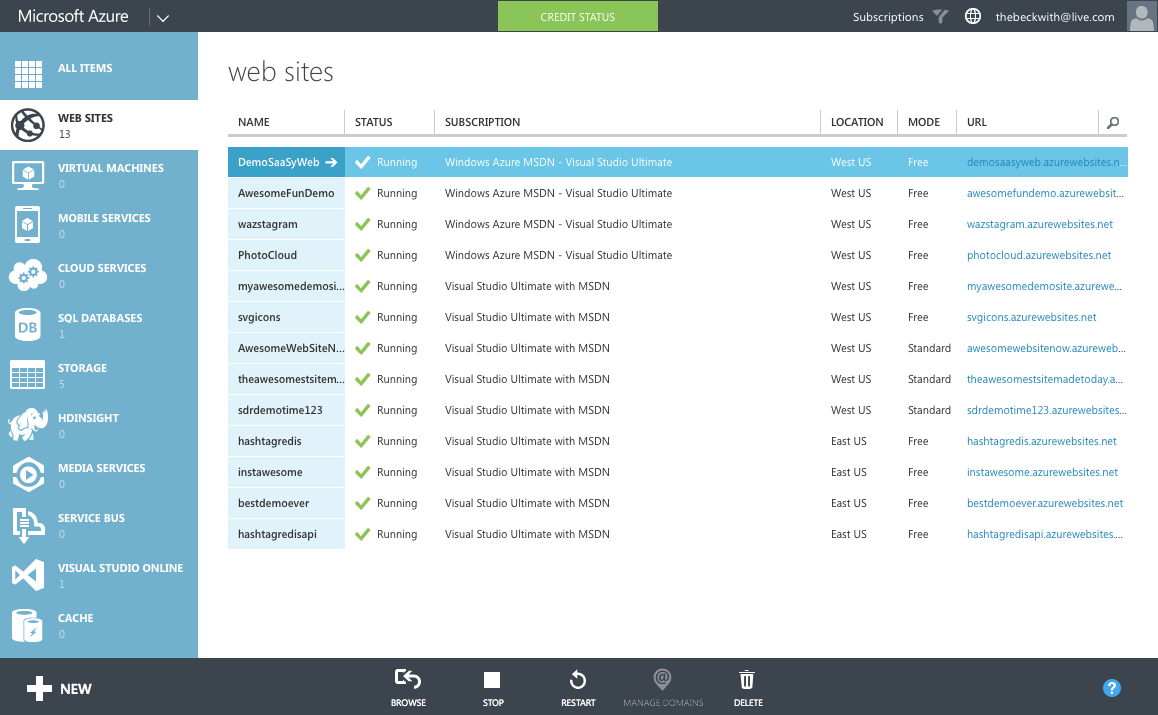
The team shipped every 3 weeks, tightly coordinating the schedule with each service team. It works … pretty much as one would expect a web application to work.
And then everything went crazy.
As we started ramping up the number of services in Azure, it became infeasible for one team to write all of the UI. The teams which owned the service were now responsible (mostly) for writing their own UI, inside of the portal source repository. This had the benefit of allowing individual teams to control their own destiny. However - it now mean that we had hundreds of developers all writing code in the same repository. A change made to the SQL Server management experience could break the Azure Web Sites experience. A change to a CSS file by a developer working on virtual machines could break the experience in storage. Coordinating the 3 week ship schedule became really hard. The team was tracking dependencies across multiple organizations, the underlying REST APIs that powered the experiences, and the release cadence of ~40 teams across the company that were delivering cloud services.
SCALING TO ∞ SERVICES
Given the difficulties of the engineering and ship processes with the current portal, scaling to 200 different services didn’t seem like a great idea with the current infrastructure. The next time around, we took a different approach.
The new portal is designed like an operating system. It provides a set of UI widgets, a navigation framework, data management APIs, and other various services one would expect to find with any UI framework. The portal team is responsible for building the operating system (or the shell, as we like to call it), and for the overall health of the portal.
SANDBOXING IN THE BROWSER
To claim we’re an OS, we had to build a sandboxing model. One badly behaving application shouldn’t have the ability to bring down the whole OS. In addition to that - an application shouldn’t be able to grab data from another, unless by an approved mechanism. JavaScript by default doesn’t really lend itself well to this kind of isolation - most web developers are used to picking up something like jQuery, and directly working against the DOM. This wasn’t going to work if we wanted to protect the OS against badly behaving (or even malicious) code.
To get around this, each new service in Azure builds what we call an ‘extension’. It’s pretty much an application to our operating system. It runs in isolation, inside of an IFRAME. When the portal loads, we inject some bootstrapping scripts into each IFRAME at runtime. Those scripts provide the structured API extensions use to communicate with the shell. This API includes things like:
- Defining parts, blades, and commands
- Customizing the UI of parts
- Binding data into UI elements
- Sending notifications
The most important aspect is that the extension developer doesn’t get to run arbitrary JavaScript in the portal’s window. They can only run script in their IFRAME - which does not project UI. If an extension starts to fault - we can shut it down before it damages the broader system. We spent some time looking into web workers - but found some reliability problems when using > 20 of them at the same time. We’ll probably end up back there at some point.
DISTRIBUTED CONTINUOUS DEPLOYMENT
In this model, each extension is essentially it’s own web application. Each service hosts their own extension, which is pulled into the shell at runtime. The various UI services of Azure aren’t composed until they are loaded in the browser. This lets us do some really cool stuff. At any given point, a separate experience in the portal (for example, Azure Websites) can choose to deploy an extension that affects only their UI - completely independent of the rest of the portal.
IFRAMEs are not used to render the UI - that’s all done in the core frame. The IFRAME is only used to automate the JavaScript APIs that communicate over window.postMessage().
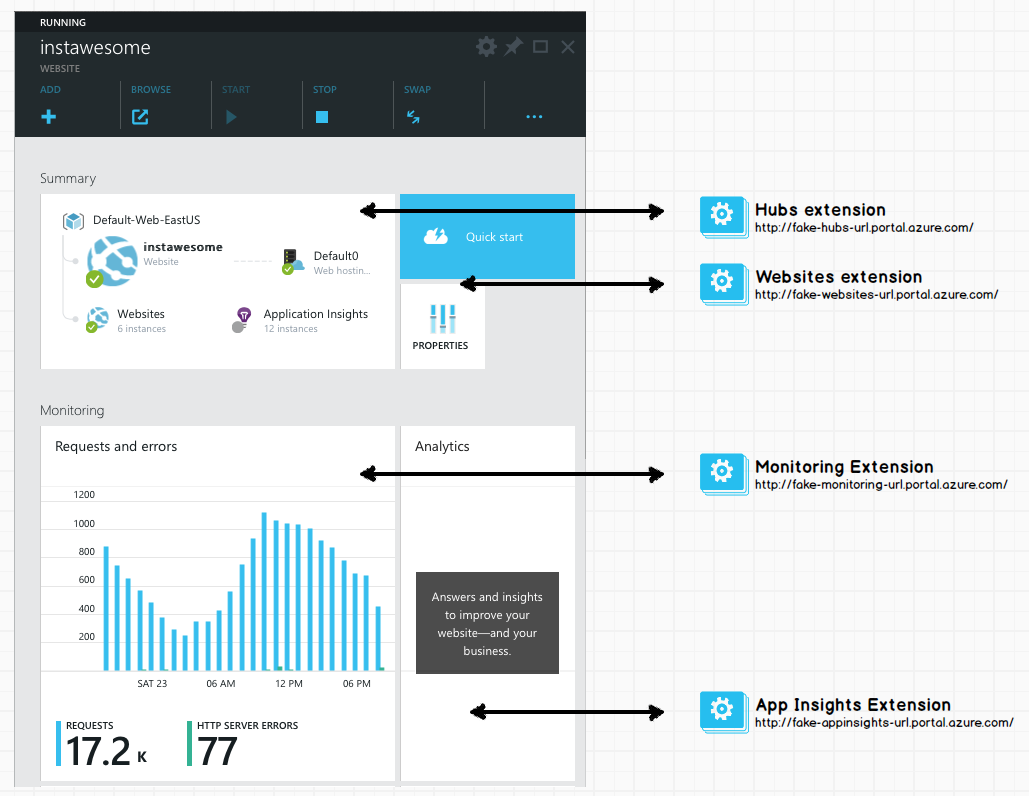
This architecture allows us to scale to ∞ deployments in a given day. If the media services team wants to roll out a new feature on a Tuesday, but the storage team isn’t ready with updates they’re planning - that’s fine. They can each deploy their own changes as needed, without affecting the rest of the portal.
STUFF WE’RE USING
Once you start poking around, you’ll notice the portal is big single page application. That came with a lot of challenges - here are some of the technologies we’re using to solve them.
TYPESCRIPT
Like any single page app, the portal runs a lot of JavaScript. We have a ton of APIs that run internal to the shell, and APIs that are exposed for extension authors across Microsoft. To support our enormous codebase, and the many teams using our SDK to build portal experiences, we chose to use TypeScript.
- TypeScript compiles into JavaScript. There’s no runtime VM, or plug-ins required.
- The tooling is awesome. Visual Studio gives us (and partner teams) IntelliSense and compile time validation.
- Generating interfaces for partners is really easy. We distribute d.ts files which partners use to program against our APIs.
- There’s great integration for using AMD module loading. This is critical to us for productivity and performance reasons. (more on this in another post).
- JavaScript is valid TypeScript - so the learning curve isn’t so high. The syntax is also largely forward looking to ES6, so we’re actually getting a jump on some new concepts.
LESS
Visually, there’s a lot going on inside of the portal. To help organize our CSS, and promote usability, we’ve adopted {LESS}. Less does a couple of cool things for us:
- We can create variables for colors. We have a pre-defined color palette - less makes it easy to define those up front, and re-use the same colors throughout our style sheets.
- The tooling is awesome. Similar to TypeScript, Visual Studio has great Less support with full IntelliSense and validation.
- It made theming easier.
KNOCKOUT
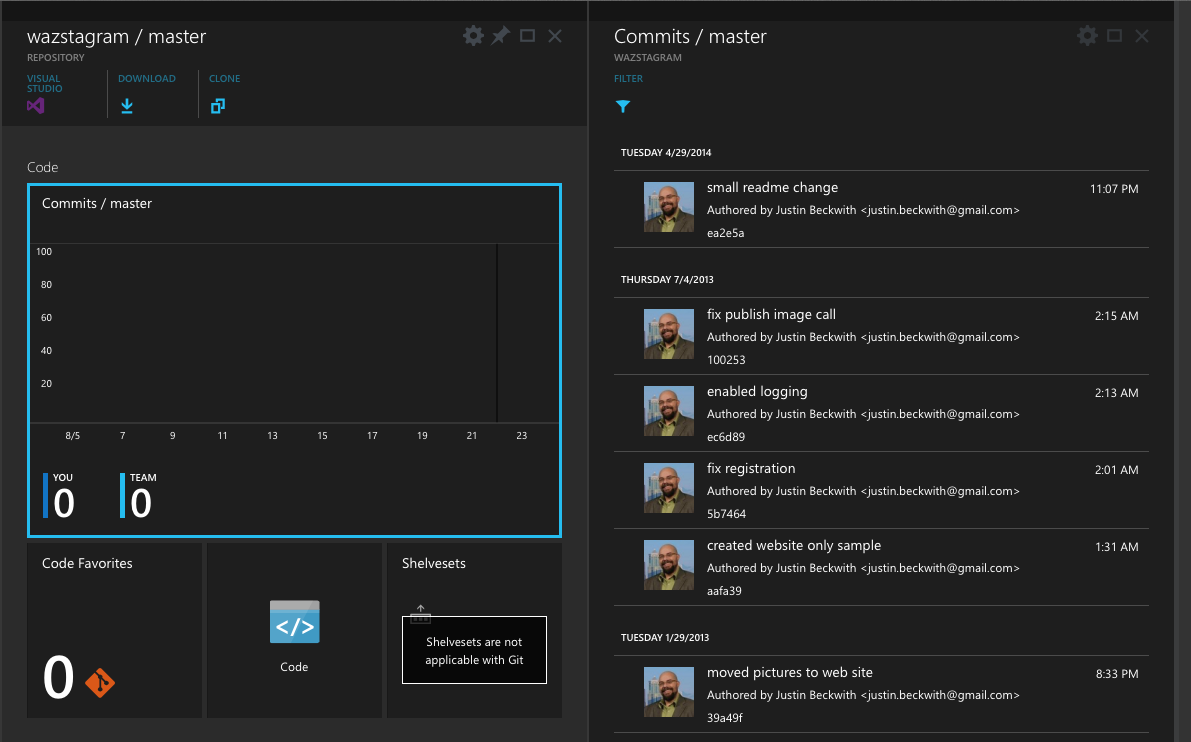
With the new design, we were really going for a ‘live tile’ feel. As new websites are added, or new log entries are available, we wanted to make sure it was easy for developers to update that information. Given that goal, along with the quirks of our design (extension authors can’t write JavaScript that runs in the main window), Knockout turned out to be a fine choice. There are a few reasons we love Knockout:
- Automatic refreshing of the UI - The data binding aspect of Knockout is pretty incredible. We make changes to underlying model objects in TypeScript, and the UI is updated for us.
- The tooling is great. This is starting to be a recurring theme :) Visual Studio has some great tooling for Knockout data binding expressions (thanks Mads).
- The binding syntax is pure - We’re not stuck putting invalid HTML in our code to support the specifics of the binding library. Everything is driven off of data-* attributes.
I’m sure there are 100 other reasons our dev team could come up with on why we love Knockout. Especially the ineffable Steve Sanderson, who joined our dev team to work on the project. He even gave an awesome talk on the subject at NDC:
Steve Sanderson - Architecting large Single Page Applications with Knockout.js from NDC Conferences on Vimeo.
WHAT’S NEXT
I’m really excited about the future of the portal. Since our first release at //build, we’ve been working on new features, and responding to a lot of the customer feedback. Either way - we really want to know what you think.
UNDER THE HOOD OF THE NEW AZURE PORTAL的更多相关文章
- Create an Azure SQL database in the Azure portal
Create a SQL database An Azure SQL database is created with a defined set of compute and storage res ...
- Azure Key Vault (2) 使用Azure Portal创建和查看Azure Key Vault
<Windows Azure Platform 系列文章目录> 请注意: 文本仅简单介绍如何在Azure Portal创建和创建Key Vault,如果需要结合Application做二次 ...
- 使用Azure portal Create Virtual Machine
使用简单快速的方式穿件的Virtual Machine 这个步骤隐藏的了很多步骤,例如的创建的云服务(Cloud Service) 创建存储(Storage) 存储名为系统自动产生 可以通过存储看到含 ...
- [New Portal]Windows Azure Virtual Machine (11) 在本地使用Hyper-V制作虚拟机模板,并上传至Azure (1)
<Windows Azure Platform 系列文章目录> 本章介绍的内容是将本地Hyper-V的VHD,上传到Azure数据中心,作为自定义的虚拟机模板. 注意:因为在制作VHD的最 ...
- [New Portal]Windows Azure Virtual Machine (12) 在本地使用Hyper-V制作虚拟机模板,并上传至Azure (2)
<Windows Azure Platform 系列文章目录> 本章介绍的内容是将本地Hyper-V的VHD,上传到Azure数据中心,作为自定义的虚拟机模板. 注意:因为在制作VHD的最 ...
- [New Portal]Windows Azure Virtual Machine (18) Azure Virtual Machine内部IP和外部IP
<Windows Azure Platform 系列文章目录> 在开始本章内容之前,请读者熟悉以下2篇博文: [New Portal]Windows Azure Virtual ...
- [New Portal]Windows Azure Virtual Machine (19) 关闭Azure Virtual Machine与VIP Address,Internal IP Address的关系(1)
<Windows Azure Platform 系列文章目录> 默认情况下,通过Azure Management Portal创建的Public IP和Private IP都是随机分配的. ...
- 【初码干货】【Azure系列】1、再次感受Azure,体验Windows Server 2016并部署BlogEngine.NET
上个月末,在某人的建议下,重新注册了一个1元试用账户(包含1个月期限的1500元订阅),并充值了1000元转为了正式账户,相当于1000元得到了2500的订阅,于是又一次开启了Azure之旅. 在这不 ...
- 迁移 SQL Server 数据库到 Azure SQL 实战
最近有个维护的项目需要把 SQL Server 2012 的数据库迁移到 Azure SQL 上去,迁移过程可谓一波三折,故在此分享这次迁移中碰到的点点滴滴,希望对朋友们有所帮助. 文章来源:葡萄城产 ...
随机推荐
- Javascript函数重载,存在呢—还是存在呢?
1.What's is 函数重载? );//Here is int 10 print("ten");//Here is string ten } 可以发现在C++中会根据参数的类型 ...
- ArcGIS 10与ArcEngine 10安装及破解
1 2 3 4 5 分步阅读 一键约师傅 百度师傅高质屏和好师傅,拯救你的碎屏机 百度经验:jingyan.baidu.com 现在常见的破解方法在下面的地址中已经详细附图说明了,但是这种破解方法,想 ...
- BZOJ3069: [Pa2011]Hard Choice 艰难的选择
Description Byteasar是一个很纠结的人.每次他经过Bytetown的时候都知道有至少2条不同的路径可以选择,这导致他必须花很长时间来决定走哪条路.Byteasar最近听说了Bytet ...
- html 之input标签height设置问题
今天针对这个问题纠结了很久 <input type="button" value="xx" style="height:99px;" ...
- iOS-Runtime知识点整理
本文目录 1.Runtime简介 2.Runtime相关的头文件 3.技术点和应用场景 3_1.获取属性\成员变量列表 3_2.交换方法实现 3_3.类\对象的关联对象,假属性 3_4.动态添加方法, ...
- jquery.UI.tabs
今天对jquery UI的tabs进行了进一步的了解,目的是想把死板的切换效果变得动感点,不过经过这进一步的了解,发现它并不合适或都说并不能实现我想要的效果,我想要的效果就是类似淘宝商城的banner ...
- ECMAScript 6(ES6)有什么新东西
你可能已经听说过ECMAScript 6,JavaScript的下一个版本,它有一些非常棒的新功能.这些功能略微复杂,在简单的脚本和复杂的应用中都可以使用.在这篇文章中,我们将挑选一些ES6的功能进行 ...
- [IOS]Swift使用SVGKit的记录
最近打算使用swift和SVGkit做一个app,遇到了好多状况,对于初学者的几个概念,一个是静态库,第二个是oc和swift混编,第三个是xcode6b4的类库不齐全. 首先是SVGKit的GitH ...
- Unity学习疑问记录之保卫伦敦塔学习体会
1.生成的prefab如果要产生反向: Instantiate(Rocket, rocketPosition.position, Quaternion.Euler(new Vector3(0,0,18 ...
- 开源战棋 SLG 游戏框架设计思考(一)简介和游戏引擎
战棋 SLG 游戏 SLG(Simulation Game)游戏是模拟游戏的简称.战棋类的SLG有两种:一种是 War Game 中的兵棋推演分支,常见的游戏有战争艺术3(TOAW3 — The Op ...