
peripheralStateNotificationCB
 /*********************************************************************

  * @fn      peripheralStateNotificationCB 外围设备 状态 通知 回调函数

  *

  * @brief   Notification from the profile of a state change. 通知来自于profile的状态改变!

  *

  * @param@param   newState - new state 形参:新状态,类型是一个枚举变量

  *

  * @return@return  none

  */

 static void peripheralStateNotificationCB( gaprole_States_t newState )

 {

 #ifdef PLUS_BROADCASTER //暂时不知 不作任何处理,2016年12月16日15:14:51

   static uint8 first_conn_flag = ;

 #endif // PLUS_BROADCASTER

   switch ( newState )

   {

     case GAPROLE_STARTED: //GAP 任务 开始,但 并不广播 的状态

       {

         uint8 ownAddress[B_ADDR_LEN]; //定义一个 存放 设备 地址的 buffer

         uint8 systemId[DEVINFO_SYSTEM_ID_LEN];//定义一个存放 设备ID buffer

         //GAP 任务获取 设备 地址放到 ownAddress 临时 buffer中

         GAPRole_GetParameter(GAPROLE_BD_ADDR, ownAddress);

         // use 6 bytes of device address for 8 bytes of system ID value

         systemId[] = ownAddress[];

         systemId[] = ownAddress[];

         systemId[] = ownAddress[];

         // set middle bytes to zero

         systemId[] = 0x00;

         systemId[] = 0x00;

         // shift three bytes up

         systemId[] = ownAddress[];

         systemId[] = ownAddress[];

         systemId[] = ownAddress[];

         //设备信息设置参数 系统ID  为 设备 地址的 前三个字节+00+后三个字节

         DevInfo_SetParameter(DEVINFO_SYSTEM_ID, DEVINFO_SYSTEM_ID_LEN, systemId);

         #if (defined HAL_LCD) && (HAL_LCD == TRUE)

           // Display device address

           HalLcdWriteString( bdAddr2Str( ownAddress ),  HAL_LCD_LINE_2 );

           HalLcdWriteString( "Initialized",  HAL_LCD_LINE_3 );

         #endif // (defined HAL_LCD) && (HAL_LCD == TRUE)

       }

       break;

     case GAPROLE_ADVERTISING://GAP 任务 开始广播 的状态

       {

         #if (defined HAL_LCD) && (HAL_LCD == TRUE)

           HalLcdWriteString( "Advertising",  HAL_LCD_LINE_3 );

         #endif // (defined HAL_LCD) && (HAL_LCD == TRUE)

       }

       break;

 #ifdef PLUS_BROADCASTER   //暂时不知 不作任何处理,2016年12月16日15:14:51

     /* After a connection is dropped a device in PLUS_BROADCASTER will continue

      * sending non-connectable advertisements and shall sending this change of

      * state to the application.  These are then disabled here so that sending

      * connectable advertisements can resume.

      */

     case GAPROLE_ADVERTISING_NONCONN:

       {

         uint8 advertEnabled = FALSE;

         // Disable non-connectable advertising.

         GAPRole_SetParameter(GAPROLE_ADV_NONCONN_ENABLED, sizeof(uint8),

                            &advertEnabled);

         // Reset flag for next connection.

         first_conn_flag = ;

       }

       break;

 #endif //PLUS_BROADCASTER

     case GAPROLE_CONNECTED://GAP 任务 已经连接的状态

       {

         #if (defined HAL_LCD) && (HAL_LCD == TRUE)

           HalLcdWriteString( "Connected",  HAL_LCD_LINE_3 );

         #endif // (defined HAL_LCD) && (HAL_LCD == TRUE)

 #ifdef PLUS_BROADCASTER

         // Only turn advertising on for this state when we first connect

         // otherwise, when we go from connected_advertising back to this state

         // we will be turning advertising back on.

         if ( first_conn_flag ==  )

         {

             uint8 advertEnabled = FALSE; // Turn on Advertising

             // Disable connectable advertising.

             GAPRole_SetParameter(GAPROLE_ADVERT_ENABLED, sizeof(uint8),

                                  &advertEnabled);

             // Set to true for non-connectabel advertising.

             advertEnabled = TRUE;

             // Enable non-connectable advertising.

             GAPRole_SetParameter(GAPROLE_ADV_NONCONN_ENABLED, sizeof(uint8),

                                  &advertEnabled);

             first_conn_flag = ;

         }

 #endif // PLUS_BROADCASTER

       }

       break;

     case GAPROLE_CONNECTED_ADV://GAP 任务连接状态下 进行广播 的状态

       {

         #if (defined HAL_LCD) && (HAL_LCD == TRUE)

           HalLcdWriteString( "Connected Advertising",  HAL_LCD_LINE_3 );

         #endif // (defined HAL_LCD) && (HAL_LCD == TRUE)

       }

       break;

     case GAPROLE_WAITING://GAP 任务 等待进行 周期性广播的  状态

       {

         #if (defined HAL_LCD) && (HAL_LCD == TRUE)

           HalLcdWriteString( "Disconnected",  HAL_LCD_LINE_3 );

         #endif // (defined HAL_LCD) && (HAL_LCD == TRUE)

 #ifdef PLUS_BROADCASTER

         uint8 advertEnabled = TRUE;

         // Enabled connectable advertising.

         GAPRole_SetParameter(GAPROLE_ADVERT_ENABLED, sizeof(uint8),

                              &advertEnabled);

 #endif //PLUS_BROADCASTER

       }

       break;

     case GAPROLE_WAITING_AFTER_TIMEOUT://GAP 任务  处于连接超时状态, 等待 执行 进行 周期性广播的  状态

       {

         #if (defined HAL_LCD) && (HAL_LCD == TRUE)

           HalLcdWriteString( "Timed Out",  HAL_LCD_LINE_3 );

         #endif // (defined HAL_LCD) && (HAL_LCD == TRUE)

 #ifdef PLUS_BROADCASTER

         // Reset flag for next connection.

         first_conn_flag = ;

 #endif //#ifdef (PLUS_BROADCASTER)

       }

       break;

     case GAPROLE_ERROR://GAP 任务处于 无效的状态,暂时不太理解,2016年12月16日15:18:39

       {

         #if (defined HAL_LCD) && (HAL_LCD == TRUE)

           HalLcdWriteString( "Error",  HAL_LCD_LINE_3 );

         #endif // (defined HAL_LCD) && (HAL_LCD == TRUE)

       }

       break;

     default://传入的GAP 状态参数有错

       {

         #if (defined HAL_LCD) && (HAL_LCD == TRUE)

           HalLcdWriteString( "",  HAL_LCD_LINE_3 );

         #endif // (defined HAL_LCD) && (HAL_LCD == TRUE)

       }

       break;

   }

   gapProfileState = newState;

 #if !defined( CC2540_MINIDK )

   VOID gapProfileState;     // added to prevent compiler warning with 添加编译器 警告 事件

                             // "CC2540 Slave" configurations

 #endif

 }
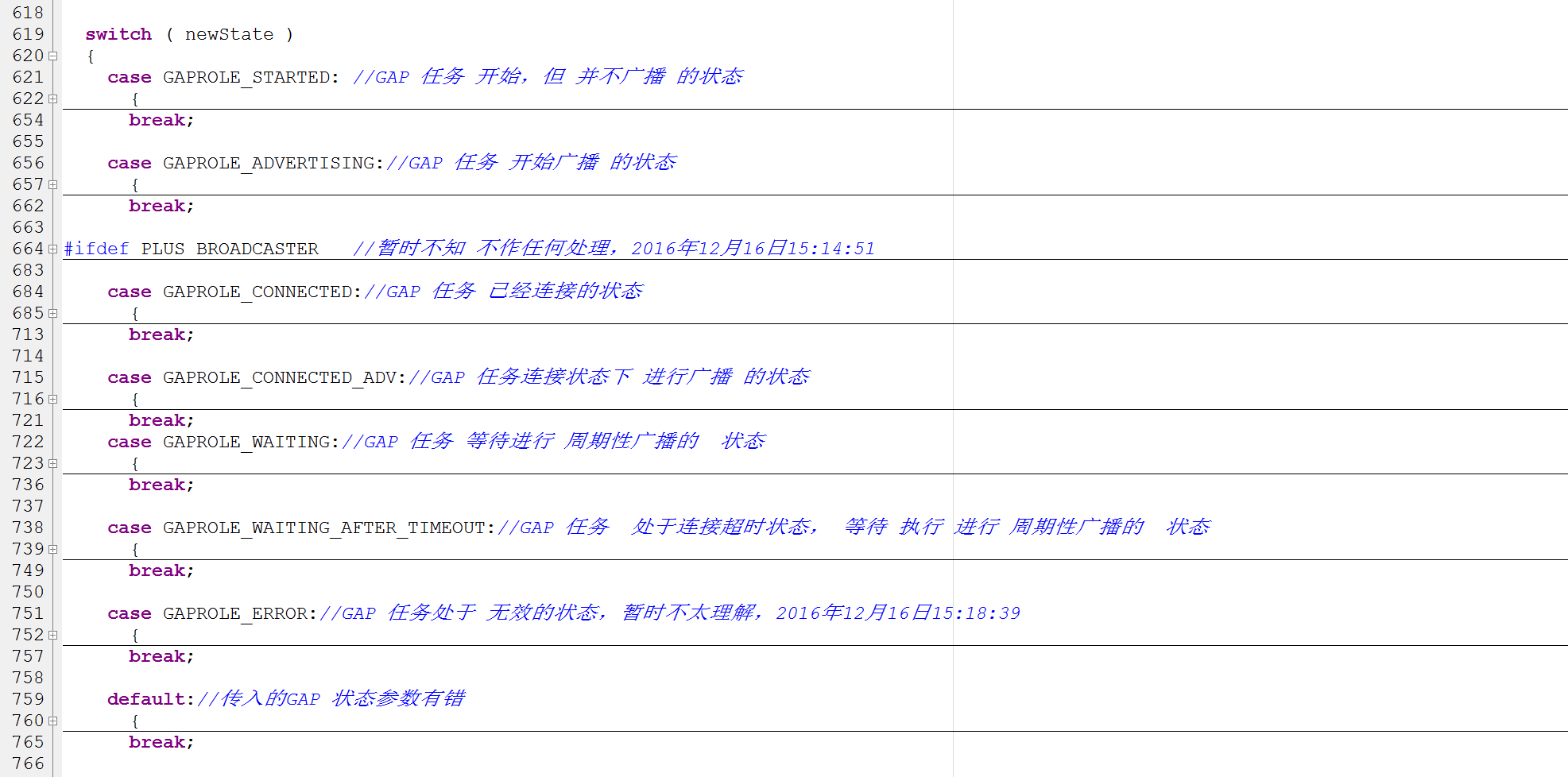
截图 比较好看一点:
peripheralStateNotificationCB的更多相关文章
- simpleBLEPeripheral.c 文件分析
这个配置或者说任务, 让这个蓝牙设备成为了一个简单的BLE外设. 这里定义了外设的广播数据, 以及最重要, char被改变之后的回调, 引出后来的coreHandler里面的, ack 以及写e2pr ...
- 蓝牙(BLE)应用框架接口设计和应用开发——以TI CC2541为例
本文从功能需求的角度分析一般蓝牙BLE单芯片的应用框架(SDK Framework)的接口设计过程,并以TI CC2541为例说明BLE的应用开发方法. 一.应用框架(Framework) 我们熟知的 ...
- 用蓝牙芯片CC2541/CC2540实现一个智能恒温箱
最近突然想自己做一个智能小冰箱玩一玩,于是决定动手试一试. 成品效果图 原材料 半导体制冷片一只 散热风扇 12V电源一台 智能恒温箱电路板 控制板的PCB图 原理图 供电部分原理图 制冷片控制部分原 ...
- 6、CC2541修改按键调节广播发送功率例程为持续发送4DB的蓝牙基站
一.目的 在 OSAL操作系统-实验31 从机广播功率修改-(20141029更新).zip 基础上进行修改,该工程是通过5向按键的上下按键来控制广播功率的加减,总共有4个档位.我们的目的是直接用最高 ...
随机推荐
- 模拟Springboot一:(零xml配置搭建SSM项目)
在spring官网文档中无论是spring的基础文档,还是spring-mvc文档都推荐我们使用javaconfig的方式来搭建项目 间接说明 (优点:javaconfig配置>xml配置) 其 ...
- Heka 的编译
Heka是Mozilla开源的,基于Go语言实现的,插件式log收集和分析系统. 已经编译好的 release 版本可以在下面地址下载: https://github.com/mozilla-serv ...
- Hibernate 性能优化一对一关联映射
概述: hibernate提供了两种映射一对一关联的方式:按照外键映射和按照主键映射. 下面以员工账号和员工档案为例 ,介绍两种映射方式,并使用这两种映射方式分别完成以下持久化操作: (1)保存员工档 ...
- python垃圾回收机制(Garbage collection)
由于面试中遇到了垃圾回收的问题,转载学习和总结这个问题. 在C/C++中采用用户自己管理维护内存的方式.自己管理内存极其自由,可以任意申请内存,但也为大量内存泄露.悬空指针等bug埋下隐患. 因此在现 ...
- VC编程操作word2010生成表格
作者:朱金灿 来源:http://blog.csdn.net/clever101 一. 右键单击工程节点,然后选择添加类,如下图: 二. 添加TypeLib中的MFC类,如下图: 三. 选 ...
- 【Web crawler】simulated DFS web crawler
Finish crawl web learned from udacity 提示:在某些时候,你必须在page上调用get_page.这似乎违反直觉,但是我们用 page 这个词时,指的网页的网址 ( ...
- angular2 遗留问题
1.angular build [2017-07-26] a.改写js/css的引用目录的前缀(比如统一增加 /abc/xxx/*.js) b.build时,可以控制index/js/css的生成 ...
- python filter&sorted
filter filter()接收一个函数和一个序列和map()不同的是,filter()把传入的函数依次作用于每个元素,然后根据返回值是True还是False决定保留还是丢弃该元素在一个list中, ...
- 允许远程链接mysql,开放3306端口
首先查看端口是否打开 netstat -an|grep 3306 此图为开启3306端口的截图,之前显示为. . . 127.0.0.1:3306 . . . 打开mysql配置文件vi /etc/m ...
- with优化妙用
--语法: /*with alias_name1 as (subquery1), alias_name2 as (subQuery2), …… alias_nameN as ...