
前端技术Bootstrap的hello world
----对于用户来说,界面就是程序本身。那么一个漂亮的web一定是你继续使用这个应用的前题。
这一节我们来一起写个Bootstrap的hello wrold。
Bootstrap
Bootstrap 是最受欢迎的 HTML、CSS 和 JS 框架,用于开发响应式布局、移动设备优先的 WEB 项目。
如何使用Bootstrap?
Bootstrap的使用一般有两种方法。一种是引用在线的Bootstrap的样式,一种是将Bootstrap下载到本地进行引用。
引用在线样式:
引用在线样式的好处就是不用本地安装Bootstrap,也是不用考虑引用时的路径问题。缺点是担心性能问题,一旦在线样式挂了,那么自己的网站页面样式也就乱掉了。
http://v3.bootcss.com/getting-started/#download
Bootstrap中文网为 Bootstrap 专门构建了自己的免费 CDN 加速服务。
使用方法非常简单:
<!DOCTYPE html>

<html lang="en">

  <head>

    <meta charset="utf-8">

    <title>Hello Bootstrap</title>

    <!-- Bootstrap core CSS -->

    <link href="http://cdn.bootcss.com/bootstrap/3.2.0/css/bootstrap.min.css" rel="stylesheet">

    </head>

    <body>

        <h1>hello Bootstrap<h1>

    </body>

</html>
<link href="http://cdn.bootcss.com/bootstrap/3.2.0/css/bootstrap.min.css" rel="stylesheet"> 这一行已经将在线的样式引进来了。注意本文使用的是当前最新的Bootstrap3.2.0。
使用本地的Bootstrap
下载Bootstrap到本地进行解压,解压完成,你将得到一个Bootstrap目录,结构如下:
bootstrap/

├── css/

│   ├── bootstrap.css

│   ├── bootstrap.min.css

│   ├── bootstrap-theme.css

│   └── bootstrap-theme.min.css

├── js/

│   ├── bootstrap.js

│   └── bootstrap.min.js

└── fonts/

    ├── glyphicons-halflings-regular.eot

    ├── glyphicons-halflings-regular.svg

    ├── glyphicons-halflings-regular.ttf

    └── glyphicons-halflings-regular.woff
本地调用如下:
<!DOCTYPE html>

<html lang="en">

  <head>

    <meta charset="utf-8">

    <title>Hello Bootstrap</title>

    <!-- Bootstrap core CSS -->

    <link href="./bootstrap-3.2.0-dist/css/bootstrap.min.css" rel="stylesheet">

    <style type='text/css'>

      body {

        background-color: #CCC;

      }

    </style>

    </head>

    <body>

        <h1>hello Bootstrap<h1>

    </body>

</html>
<link href="./bootstrap-3.2.0-dist/css/bootstrap.min.css" rel="stylesheet"> --表示引入当前目录下的Bootstrap样式。
<link href="D:/bootstrap-3.2.0-dist/css/bootstrap.min.css" rel="stylesheet"> --当然也可以使用绝对路径。
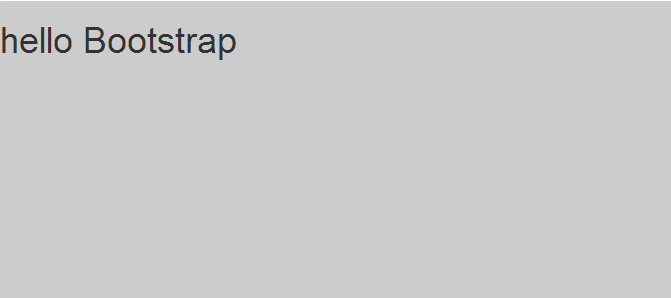
我们多加了一个背景色效果如下:
下面利用Bootstrap的样式编写一个网站出来。
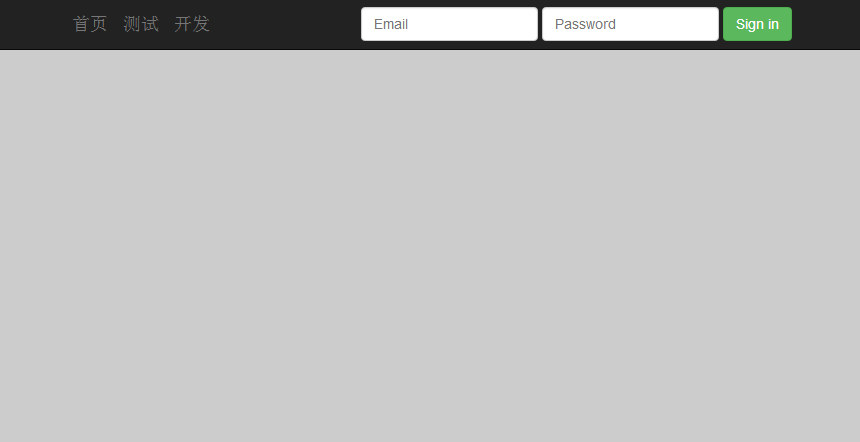
添加导航行栏和登录框
<nav class="navbar navbar-inverse navbar-fixed-top" role="navigation">

      <div class="container">

        <div class="navbar-header">

          <button type="button" class="navbar-toggle collapsed" data-toggle="collapse" data-target="#navbar" aria-expanded="false" aria-controls="navbar">

            <span class="sr-only">Toggle navigation</span>

            <span class="icon-bar"></span>

            <span class="icon-bar"></span>

            <span class="icon-bar"></span>

          </button>

          <a class="navbar-brand" href="#">首页</a>

          <a class="navbar-brand" href="#">测试</a>

          <a class="navbar-brand" href="#">开发</a>

        </div>

        <div id="navbar" class="navbar-collapse collapse">

          <form class="navbar-form navbar-right" role="form">

            <div class="form-group">

              <input type="text" placeholder="Email" class="form-control">

            </div>

            <div class="form-group">

              <input type="password" placeholder="Password" class="form-control">

            </div>

            <button type="submit" class="btn btn-success">Sign in</button>

          </form>

        </div><!--/.navbar-collapse -->

      </div>

    </nav>
浏览器效果如下:
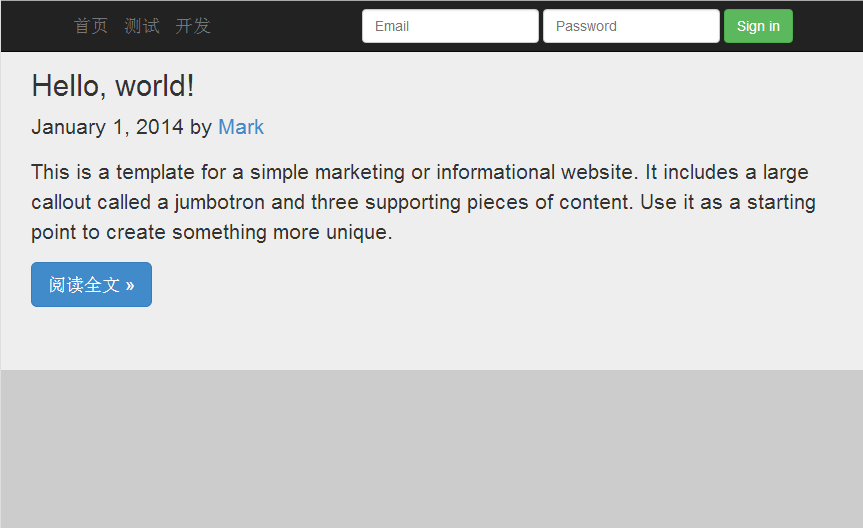
添加一篇文章
<div class="jumbotron">
<div id='content' class='row-fluid'>
<h2>Hello, world!</h2>
<p class="blog-post-meta">January 1, 2014 by <a href="#">Mark</a></p>
<p>This is a template for a simple marketing or informational website. It includes a large callout called a jumbotron and three supporting pieces of content. Use it as a starting point to create something more unique.</p>
<p><a class="btn btn-primary btn-lg" role="button">阅读全文 »</a></p>
</div>
</div>
浏览器效果如下:
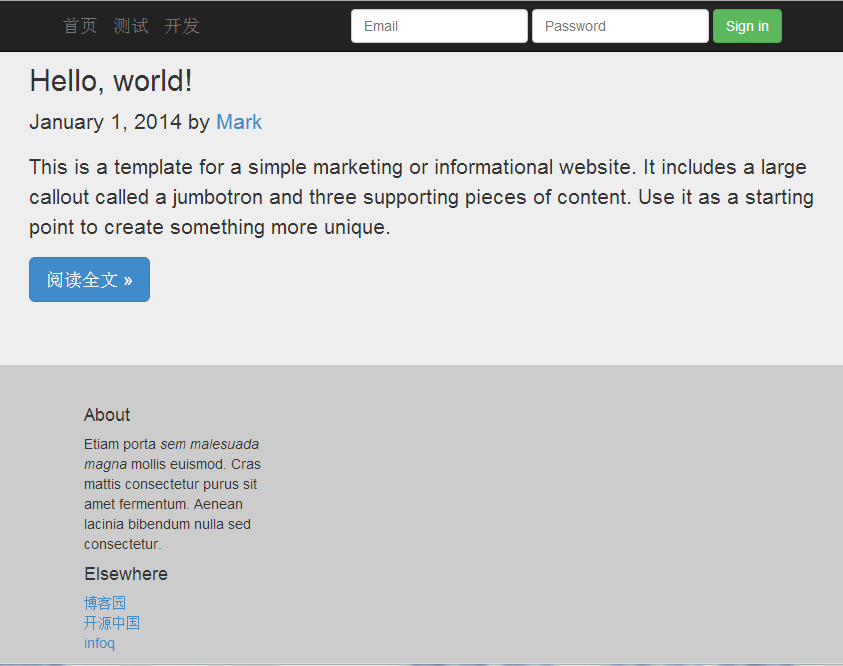
添加底部介绍与友情链接
<div class="col-sm-3 col-sm-offset-1 blog-sidebar">

          <div class="sidebar-module sidebar-module-inset">

            <h4>About</h4>

            <p>Etiam porta <em>sem malesuada magna</em> mollis euismod. Cras mattis consectetur purus sit amet fermentum. Aenean lacinia bibendum nulla sed consectetur.</p>

          </div>

          <div class="sidebar-module">

            <h4>Elsewhere</h4>

            <ol class="list-unstyled">

              <li><a href="#">博客园</a></li>

              <li><a href="#">开源中国</a></li>

              <li><a href="#">infoq</a></li>

            </ol>

          </div>

    </div>
最终效果如下:
完整代码:
<!DOCTYPE html>
<html lang="en">
<head>
<meta charset="utf-8">
<title>Hello Bootstrap</title>
<!-- Bootstrap core CSS -->
<link href="./bootstrap-3.2.0-dist/css/bootstrap.min.css" rel="stylesheet">
<style type='text/css'>
body {
background-color: #CCC;
}
</style>
</head>
<body>
<nav class="navbar navbar-inverse navbar-fixed-top" role="navigation">
<div class="container">
<div class="navbar-header">
<button type="button" class="navbar-toggle collapsed" data-toggle="collapse" data-target="#navbar" aria-expanded="false" aria-controls="navbar">
<span class="sr-only">Toggle navigation</span>
<span class="icon-bar"></span>
<span class="icon-bar"></span>
<span class="icon-bar"></span>
</button>
<a class="navbar-brand" href="#">首页</a>
<a class="navbar-brand" href="#">测试</a>
<a class="navbar-brand" href="#">开发</a>
</div>
<div id="navbar" class="navbar-collapse collapse">
<form class="navbar-form navbar-right" role="form">
<div class="form-group">
<input type="text" placeholder="Email" class="form-control">
</div>
<div class="form-group">
<input type="password" placeholder="Password" class="form-control">
</div>
<button type="submit" class="btn btn-success">Sign in</button>
</form>
</div><!--/.navbar-collapse -->
</div>
</nav> <div class="jumbotron">
<div id='content' class='row-fluid'>
<h2>Hello, world!</h2>
<p class="blog-post-meta">January 1, 2014 by <a href="#">Mark</a></p>
<p>This is a template for a simple marketing or informational website. It includes a large callout called a jumbotron and three supporting pieces of content. Use it as a starting point to create something more unique.</p>
<p><a class="btn btn-primary btn-lg" role="button">阅读全文 »</a></p>
</div>
</div> <div class="col-sm-3 col-sm-offset-1 blog-sidebar">
<div class="sidebar-module sidebar-module-inset">
<h4>About</h4>
<p>Etiam porta <em>sem malesuada magna</em> mollis euismod. Cras mattis consectetur purus sit amet fermentum. Aenean lacinia bibendum nulla sed consectetur.</p>
</div>
<div class="sidebar-module">
<h4>Elsewhere</h4>
<ol class="list-unstyled">
<li><a href="#">博客园</a></li>
<li><a href="#">开源中国</a></li>
<li><a href="#">infoq</a></li>
</ol>
</div>
</div> </body>
</html>
样式的继承
你一定很好奇,这些样式是怎么玩的?如何你细心的就会留意到div 标签的class属性。
通过class的属性值去继承Bootstrap的样式定义,那么就达到了某种样式效果。
<!DOCTYPE html>

<html xmlns="http://www.w3.org/1999/xhtml">

<head>

    <meta charset="utf-8" />

    <title>自定义样式</title>

    <!--自定义侧边栏样式-->

    <style>

        .divcss5-right{width:320px; height:120px;border:1px solid #F00;float:right}

    </style>

</head>

<body>

    <!--class属性引用自定义样式-->

    <div class="divcss5-right">

        <h4>友情链接:</h4>

            <ol class="list-unstyled">

              <li><a href="#">博客园</a></li>

              <li><a href="#">开源中国</a></li>

              <li><a href="#">infoq</a></li>

            </ol>

    </div>

</body>

</html>
玩前端就是要不断的修改里面的属性或信息,然后看浏览器上的展示效果。
前端技术Bootstrap的hello world的更多相关文章
- 百度前端技术学院—-小薇学院(HTML+CSS课程任务)
任务一:零基础HTML编码 课程概述 作业提交截止时间:04-24 重要说明 百度前端技术学院的课程任务是由百度前端工程师专为对前端不同掌握程度的同学设计.我们尽力保证课程内容的质量以及学习难度的合理 ...
- 使用前端技术和MySQL+PHP制作自己的一个个人博客网站
源代码地址:https://github.com/YauCheun/BlogCode 我的博客网站地址:http://www.yublog.fun/ 制作前景: 想拥有一个自己独自开发的一个小型博客网 ...
- web前端技术体系大全
一.前端技术框架 1.Vue.js 官网:https://cn.vuejs.org/ Vue CLI:https://cli.vuejs.org/ 菜鸟教程:http://www.runoob.com ...
- 绝版珍珍藏:web前端技术学习指南
绝版珍珍藏:web前端技术学习指南 优秀的Web前端开发工程师要在知识体系上既要有广度和深度!应该具备快速学习能力. 前端开发工程师不仅要掌握基本的Web前端开发技术,网站性能优化.SEO和服务器端的 ...
- [转] React风格的企业前端技术
亲爱的各位朋友们,大家下午好! 首先祝大家国庆节快乐! 很高兴可以在国庆前夕,可以为大家分享一下React风格的企业前端技术. 谈到前端,可能以前大家的第一感觉就是,前端嘛,无非就是做做页面切图,顶多 ...
- 前端技术Jquery与Ajax使用总结
前端技术Jquery与Ajax使用总结 虽然主要是做的后端,但是由于有些时候也要写写前台的界面,因此也就学习了下Jquery和Ajax的一些知识,虽说此次写的这些对于前端大神来说有些班门弄斧的感觉,但 ...
- Web前端技术体系大全搜索
一.前端技术框架 1.Vue.js 官网:https://cn.vuejs.org/ Vue CLI:https://cli.vuejs.org/ 菜鸟教程:http://www.runoob.com ...
- 2019年一半已过,这些大前端技术你都GET了吗?- 上篇
一晃眼2019年已过大半,年初信誓旦旦要学习新技能的小伙伴们立的flag都完成的怎样了?2019年对于大前端技术领域而言变化不算太大,目前三大技术框架日趋成熟,短期内不大可能出现颠覆性的前端框架(内心 ...
- 一文读懂前端技术演进:盘点Web前端20年的技术变迁史
本文原文由作者“司徒正美”发布于公众号“前端你别闹”,即时通讯网收录时有改动,感谢原作者的分享. 1.引言 1990 年,第一个Web浏览器的诞生:1991 年,WWW诞生,这标志着前端技术的开始. ...
随机推荐
- SVN仓库删除最近的提交,还原到某日期以前的版本(svn仓库 删除最近几次更改)
由于某日删除了SVN仓库的大量内容,现在突然想恢复,又要保留LOG的连贯性(恢复出来的已删除文件,会是新增,没有之前的历史Log了),所以才有了这需求. Dump版本库的版本(457以后版本不要) - ...
- jackson readTree
String jsonstr = "{\"msg\":{\"head\":{\"version\":\"1.0\&quo ...
- Scala 深入浅出实战经典 第81讲:Scala中List的构造是的类型约束逆变、协变、下界详解
王家林亲授<DT大数据梦工厂>大数据实战视频 Scala 深入浅出实战经典(1-97讲)完整视频.PPT.代码下载:百度云盘:http://pan.baidu.com/s/1c0noOt6 ...
- Scala 深入浅出实战经典 第75讲:模式匹配下的For循环
王家林亲授<DT大数据梦工厂>大数据实战视频 Scala 深入浅出实战经典(1-87讲)完整视频.PPT.代码下载: 百度云盘:http://pan.baidu.com/s/1c0noOt ...
- Android定位&地图&导航——自定义公交路线代码
一.问题描述 基于百度地图实现检索指定城市指定公交的交通路线图,效果如图所示 二.通用组件Application类,主要创建并初始化BMapManager public class App exten ...
- mediawiki的安装与配置
apache的配置: 1. 开启php module 查看mods-enabled/php5.load 是否存在,不存在的话, 就从mods-avaliable中复制一个到mods-enabled中. ...
- IP和端口的意义
百科说明 在网络技术中,端口(Port)包括逻辑端口和物理端口两种类型.物理端口指的是物理存在的端口,如ADSL Modem.集线器.交换机.路由器上用 于连接其他网络设备的接口,如RJ-45端口.S ...
- JVM 参数翻译汉化解释
博客搬家,新地址:http://www.zicheng.net/article/38.htm Behavioral Options(行为参数) Option and Default Value Des ...
- PLSQL登录弹出空白框如何解决
转自:http://jingyan.baidu.com/article/066074d6760959c3c21cb0d6.html 出现登录弹出空白框这是由于win7的安全性提高了,在PLSQL ...
- T-SQL 公用表表达式(CTE)
公用表表达式(CTE) 在编写T-SQL代码时,往往需要临时存储某些结果集.前面我们已经广泛使用和介绍了两种临时存储结果集的方法:临时表和表变量.除此之外,还可以使用公用表表达式的方法.公用表表达式( ...