
前端技术Bootstrap的hello world
----对于用户来说,界面就是程序本身。那么一个漂亮的web一定是你继续使用这个应用的前题。
这一节我们来一起写个Bootstrap的hello wrold。
Bootstrap
Bootstrap 是最受欢迎的 HTML、CSS 和 JS 框架,用于开发响应式布局、移动设备优先的 WEB 项目。
如何使用Bootstrap?
Bootstrap的使用一般有两种方法。一种是引用在线的Bootstrap的样式,一种是将Bootstrap下载到本地进行引用。
引用在线样式:
引用在线样式的好处就是不用本地安装Bootstrap,也是不用考虑引用时的路径问题。缺点是担心性能问题,一旦在线样式挂了,那么自己的网站页面样式也就乱掉了。
http://v3.bootcss.com/getting-started/#download
Bootstrap中文网为 Bootstrap 专门构建了自己的免费 CDN 加速服务。
使用方法非常简单:
<!DOCTYPE html>

<html lang="en">

  <head>

    <meta charset="utf-8">

    <title>Hello Bootstrap</title>

    <!-- Bootstrap core CSS -->

    <link href="http://cdn.bootcss.com/bootstrap/3.2.0/css/bootstrap.min.css" rel="stylesheet">

    </head>

    <body>

        <h1>hello Bootstrap<h1>

    </body>

</html>
<link href="http://cdn.bootcss.com/bootstrap/3.2.0/css/bootstrap.min.css" rel="stylesheet"> 这一行已经将在线的样式引进来了。注意本文使用的是当前最新的Bootstrap3.2.0。
使用本地的Bootstrap
下载Bootstrap到本地进行解压,解压完成,你将得到一个Bootstrap目录,结构如下:
bootstrap/

├── css/

│   ├── bootstrap.css

│   ├── bootstrap.min.css

│   ├── bootstrap-theme.css

│   └── bootstrap-theme.min.css

├── js/

│   ├── bootstrap.js

│   └── bootstrap.min.js

└── fonts/

    ├── glyphicons-halflings-regular.eot

    ├── glyphicons-halflings-regular.svg

    ├── glyphicons-halflings-regular.ttf

    └── glyphicons-halflings-regular.woff
本地调用如下:
<!DOCTYPE html>

<html lang="en">

  <head>

    <meta charset="utf-8">

    <title>Hello Bootstrap</title>

    <!-- Bootstrap core CSS -->

    <link href="./bootstrap-3.2.0-dist/css/bootstrap.min.css" rel="stylesheet">

    <style type='text/css'>

      body {

        background-color: #CCC;

      }

    </style>

    </head>

    <body>

        <h1>hello Bootstrap<h1>

    </body>

</html>
<link href="./bootstrap-3.2.0-dist/css/bootstrap.min.css" rel="stylesheet"> --表示引入当前目录下的Bootstrap样式。
<link href="D:/bootstrap-3.2.0-dist/css/bootstrap.min.css" rel="stylesheet"> --当然也可以使用绝对路径。
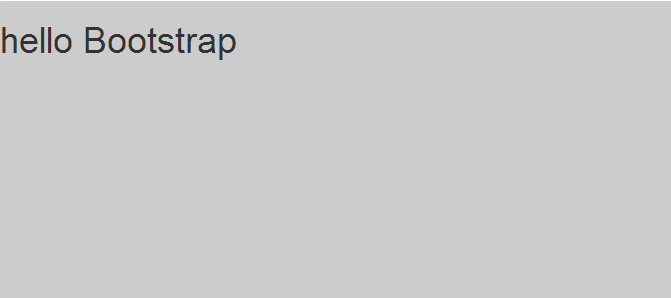
我们多加了一个背景色效果如下:
下面利用Bootstrap的样式编写一个网站出来。
添加导航行栏和登录框
<nav class="navbar navbar-inverse navbar-fixed-top" role="navigation">

      <div class="container">

        <div class="navbar-header">

          <button type="button" class="navbar-toggle collapsed" data-toggle="collapse" data-target="#navbar" aria-expanded="false" aria-controls="navbar">

            <span class="sr-only">Toggle navigation</span>

            <span class="icon-bar"></span>

            <span class="icon-bar"></span>

            <span class="icon-bar"></span>

          </button>

          <a class="navbar-brand" href="#">首页</a>

          <a class="navbar-brand" href="#">测试</a>

          <a class="navbar-brand" href="#">开发</a>

        </div>

        <div id="navbar" class="navbar-collapse collapse">

          <form class="navbar-form navbar-right" role="form">

            <div class="form-group">

              <input type="text" placeholder="Email" class="form-control">

            </div>

            <div class="form-group">

              <input type="password" placeholder="Password" class="form-control">

            </div>

            <button type="submit" class="btn btn-success">Sign in</button>

          </form>

        </div><!--/.navbar-collapse -->

      </div>

    </nav>
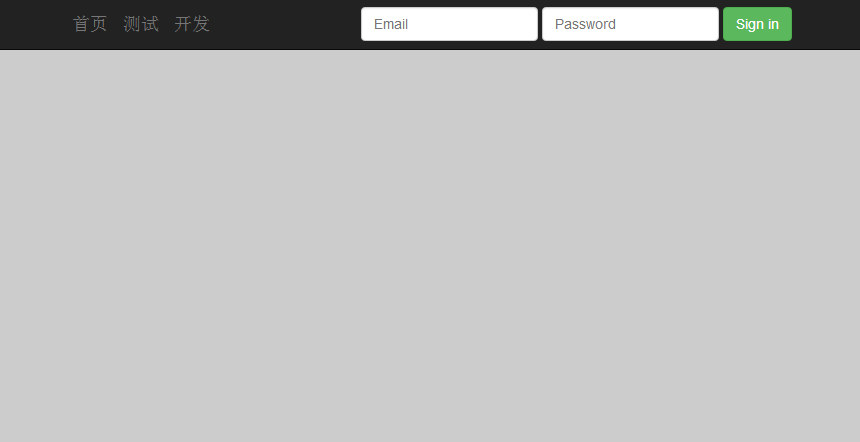
浏览器效果如下:
添加一篇文章
<div class="jumbotron">
<div id='content' class='row-fluid'>
<h2>Hello, world!</h2>
<p class="blog-post-meta">January 1, 2014 by <a href="#">Mark</a></p>
<p>This is a template for a simple marketing or informational website. It includes a large callout called a jumbotron and three supporting pieces of content. Use it as a starting point to create something more unique.</p>
<p><a class="btn btn-primary btn-lg" role="button">阅读全文 »</a></p>
</div>
</div>
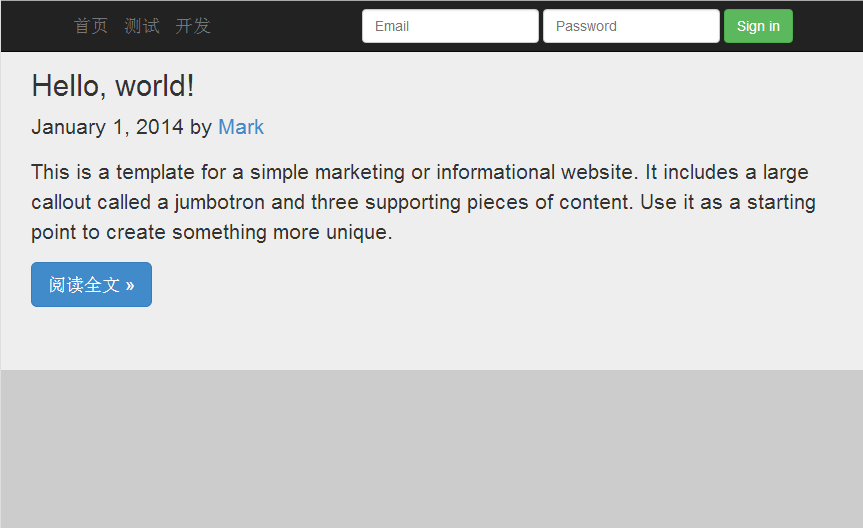
浏览器效果如下:
添加底部介绍与友情链接
<div class="col-sm-3 col-sm-offset-1 blog-sidebar">

          <div class="sidebar-module sidebar-module-inset">

            <h4>About</h4>

            <p>Etiam porta <em>sem malesuada magna</em> mollis euismod. Cras mattis consectetur purus sit amet fermentum. Aenean lacinia bibendum nulla sed consectetur.</p>

          </div>

          <div class="sidebar-module">

            <h4>Elsewhere</h4>

            <ol class="list-unstyled">

              <li><a href="#">博客园</a></li>

              <li><a href="#">开源中国</a></li>

              <li><a href="#">infoq</a></li>

            </ol>

          </div>

    </div>
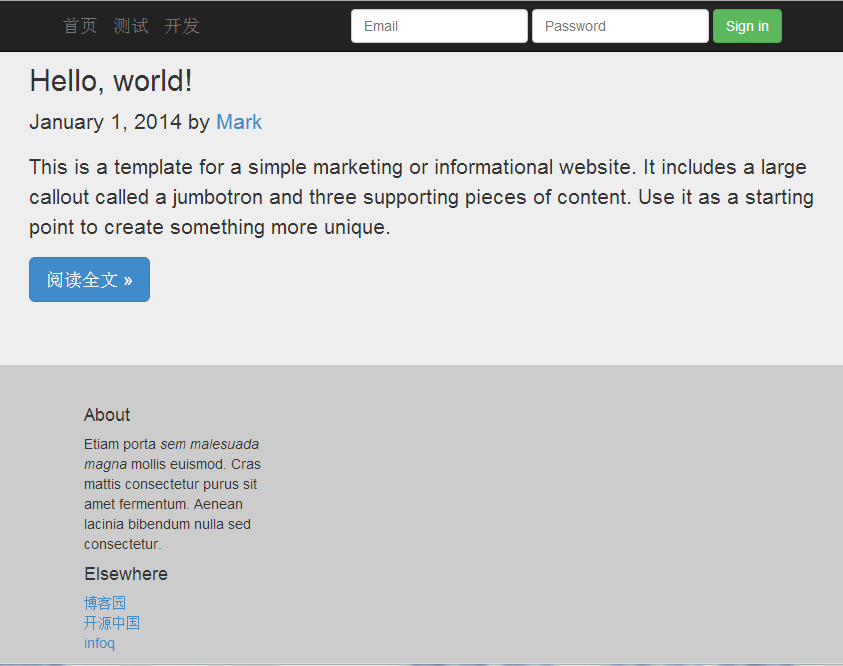
最终效果如下:
完整代码:
<!DOCTYPE html>
<html lang="en">
<head>
<meta charset="utf-8">
<title>Hello Bootstrap</title>
<!-- Bootstrap core CSS -->
<link href="./bootstrap-3.2.0-dist/css/bootstrap.min.css" rel="stylesheet">
<style type='text/css'>
body {
background-color: #CCC;
}
</style>
</head>
<body>
<nav class="navbar navbar-inverse navbar-fixed-top" role="navigation">
<div class="container">
<div class="navbar-header">
<button type="button" class="navbar-toggle collapsed" data-toggle="collapse" data-target="#navbar" aria-expanded="false" aria-controls="navbar">
<span class="sr-only">Toggle navigation</span>
<span class="icon-bar"></span>
<span class="icon-bar"></span>
<span class="icon-bar"></span>
</button>
<a class="navbar-brand" href="#">首页</a>
<a class="navbar-brand" href="#">测试</a>
<a class="navbar-brand" href="#">开发</a>
</div>
<div id="navbar" class="navbar-collapse collapse">
<form class="navbar-form navbar-right" role="form">
<div class="form-group">
<input type="text" placeholder="Email" class="form-control">
</div>
<div class="form-group">
<input type="password" placeholder="Password" class="form-control">
</div>
<button type="submit" class="btn btn-success">Sign in</button>
</form>
</div><!--/.navbar-collapse -->
</div>
</nav> <div class="jumbotron">
<div id='content' class='row-fluid'>
<h2>Hello, world!</h2>
<p class="blog-post-meta">January 1, 2014 by <a href="#">Mark</a></p>
<p>This is a template for a simple marketing or informational website. It includes a large callout called a jumbotron and three supporting pieces of content. Use it as a starting point to create something more unique.</p>
<p><a class="btn btn-primary btn-lg" role="button">阅读全文 »</a></p>
</div>
</div> <div class="col-sm-3 col-sm-offset-1 blog-sidebar">
<div class="sidebar-module sidebar-module-inset">
<h4>About</h4>
<p>Etiam porta <em>sem malesuada magna</em> mollis euismod. Cras mattis consectetur purus sit amet fermentum. Aenean lacinia bibendum nulla sed consectetur.</p>
</div>
<div class="sidebar-module">
<h4>Elsewhere</h4>
<ol class="list-unstyled">
<li><a href="#">博客园</a></li>
<li><a href="#">开源中国</a></li>
<li><a href="#">infoq</a></li>
</ol>
</div>
</div> </body>
</html>
样式的继承
你一定很好奇,这些样式是怎么玩的?如何你细心的就会留意到div 标签的class属性。
通过class的属性值去继承Bootstrap的样式定义,那么就达到了某种样式效果。
<!DOCTYPE html>

<html xmlns="http://www.w3.org/1999/xhtml">

<head>

    <meta charset="utf-8" />

    <title>自定义样式</title>

    <!--自定义侧边栏样式-->

    <style>

        .divcss5-right{width:320px; height:120px;border:1px solid #F00;float:right}

    </style>

</head>

<body>

    <!--class属性引用自定义样式-->

    <div class="divcss5-right">

        <h4>友情链接:</h4>

            <ol class="list-unstyled">

              <li><a href="#">博客园</a></li>

              <li><a href="#">开源中国</a></li>

              <li><a href="#">infoq</a></li>

            </ol>

    </div>

</body>

</html>
玩前端就是要不断的修改里面的属性或信息,然后看浏览器上的展示效果。
前端技术Bootstrap的hello world的更多相关文章
- 百度前端技术学院—-小薇学院(HTML+CSS课程任务)
任务一:零基础HTML编码 课程概述 作业提交截止时间:04-24 重要说明 百度前端技术学院的课程任务是由百度前端工程师专为对前端不同掌握程度的同学设计.我们尽力保证课程内容的质量以及学习难度的合理 ...
- 使用前端技术和MySQL+PHP制作自己的一个个人博客网站
源代码地址:https://github.com/YauCheun/BlogCode 我的博客网站地址:http://www.yublog.fun/ 制作前景: 想拥有一个自己独自开发的一个小型博客网 ...
- web前端技术体系大全
一.前端技术框架 1.Vue.js 官网:https://cn.vuejs.org/ Vue CLI:https://cli.vuejs.org/ 菜鸟教程:http://www.runoob.com ...
- 绝版珍珍藏:web前端技术学习指南
绝版珍珍藏:web前端技术学习指南 优秀的Web前端开发工程师要在知识体系上既要有广度和深度!应该具备快速学习能力. 前端开发工程师不仅要掌握基本的Web前端开发技术,网站性能优化.SEO和服务器端的 ...
- [转] React风格的企业前端技术
亲爱的各位朋友们,大家下午好! 首先祝大家国庆节快乐! 很高兴可以在国庆前夕,可以为大家分享一下React风格的企业前端技术. 谈到前端,可能以前大家的第一感觉就是,前端嘛,无非就是做做页面切图,顶多 ...
- 前端技术Jquery与Ajax使用总结
前端技术Jquery与Ajax使用总结 虽然主要是做的后端,但是由于有些时候也要写写前台的界面,因此也就学习了下Jquery和Ajax的一些知识,虽说此次写的这些对于前端大神来说有些班门弄斧的感觉,但 ...
- Web前端技术体系大全搜索
一.前端技术框架 1.Vue.js 官网:https://cn.vuejs.org/ Vue CLI:https://cli.vuejs.org/ 菜鸟教程:http://www.runoob.com ...
- 2019年一半已过,这些大前端技术你都GET了吗?- 上篇
一晃眼2019年已过大半,年初信誓旦旦要学习新技能的小伙伴们立的flag都完成的怎样了?2019年对于大前端技术领域而言变化不算太大,目前三大技术框架日趋成熟,短期内不大可能出现颠覆性的前端框架(内心 ...
- 一文读懂前端技术演进:盘点Web前端20年的技术变迁史
本文原文由作者“司徒正美”发布于公众号“前端你别闹”,即时通讯网收录时有改动,感谢原作者的分享. 1.引言 1990 年,第一个Web浏览器的诞生:1991 年,WWW诞生,这标志着前端技术的开始. ...
随机推荐
- Windows系统补丁KB2962872导致InstallShield无法启动(解决方案已更新)
20140717最新更新: Flexera Software发布了临时补丁包,该补丁包暂时禁止了InstallShield Trialware功能(中国区用户很少有用此功能)两种安装方法: 方法1. ...
- SqlServer2008R2用Windows身份登录18456错误解决
// 重装系统后发现SqlServer2008R2使用Windows身份验证不能进行连接,如下图: 以前经常会碰到SqlServer 身份验证连接失败,Windows身份验证的连接失败还是第一次,试了 ...
- Python:IOError: image file is truncated 的解决办法
代码如下: #coding:utf-8 from PIL import Image import pytesseract def test(): im = Image.open(r"pic. ...
- wireshark如何过滤 http数据包
http.host==magentonotes.com http.host contains magentonotes.com //过滤经过指定域名的http数据包,这里的host值不一定是请求中的域 ...
- 用于主题检测的临时日志(b2d5c7b3-e3f6-4b0f-bfa4-a08e923eda9b - 3bfe001a-32de-4114-a6b4-4005b770f6d7)
这是一个未删除的临时日志.请手动删除它.(1c773d57-4f35-40cf-ad62-bd757d5fcfae - 3bfe001a-32de-4114-a6b4-4005b770f6d7)
- Imagick总结及反思
2014-08-23 今天安装Imagick出现了很多问题,自己也有些着急,以下为各版本信息: ImageMagick: 安装版本:ImageMagick-6.5.8-Q16 安装目录:E:/PHPS ...
- Python中使用自定义类class作为海量数据结构时内存占用巨大的问题
最近碰到处理一个二十多兆的文件时内存蹭蹭的吃掉四百多兆,吓死宝宝了. 无奈毕竟接触python时间有限,还没有完整的看过python的一些基础知识,我想一个合格的pythoner应该不会碰到这个问题. ...
- 浏览器 CSS Hack 收集
所谓的Hack就是只有特定浏览器才能识别这段hack代码.Hack 不是什么好东西,除非没有办法,我们尽量还是不要用着玩意. 下面是各个浏览器的CSS Hack 列表. Firefox 浏览器 @-m ...
- 1.什么是泛型和C#中泛型在Class上的实现
阅读目录 一:什么是泛型? 二:C#中泛型在Class上的实现 一:什么是泛型? 我们在编程的时候需要一个数据类型,但是在刚开始的时候还不确定这个数据类型是怎么样的,或者说对于不同的多个数据类型有 ...
- [emacs org-mode小技巧] org-indent-mode 让文档更容易阅读
刚发现Emacs的org-mode里面一个叫做 org-indent-mode 的minor mode对于阅读org-mode文档很不错,版面看起来清晰多了: 从上图可以看到,org-indent-m ...