
XAF-通知模块概述 web+win
通知模块概述
1.支持 WinForms和ASP.NET程序.
2.支持调度模块或自定义业务对象.
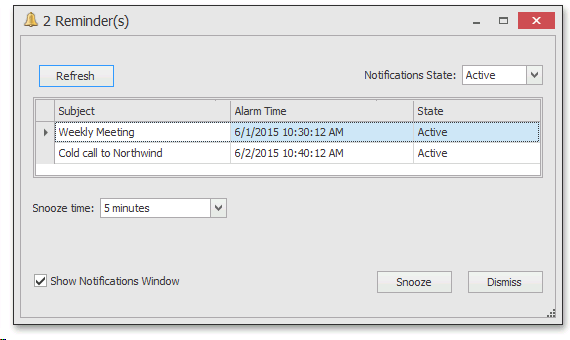
3.功能:在指定的时间,弹出一个窗口,用户可以查看提醒.也可以取消或推迟.
如需演示项目的源码,可以在留言中留下邮箱!
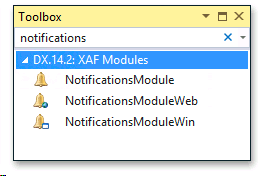
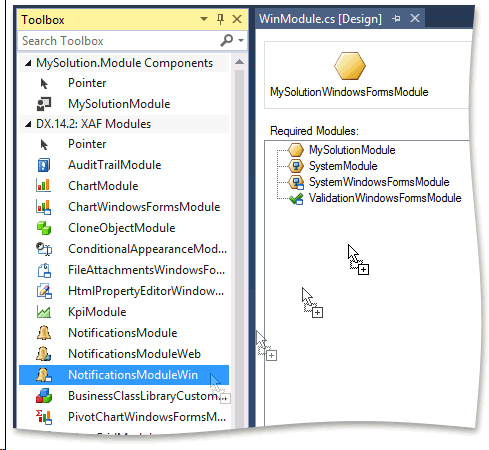
要使用通知模块,需要使用下面的模块.
第一步:
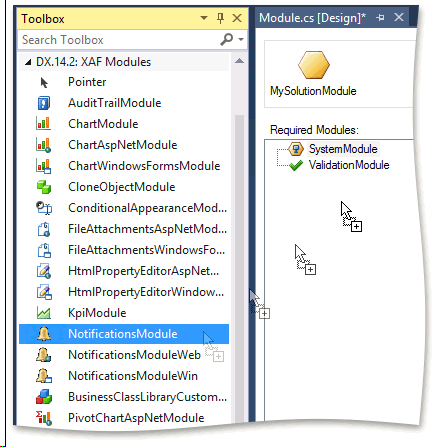
第二步:
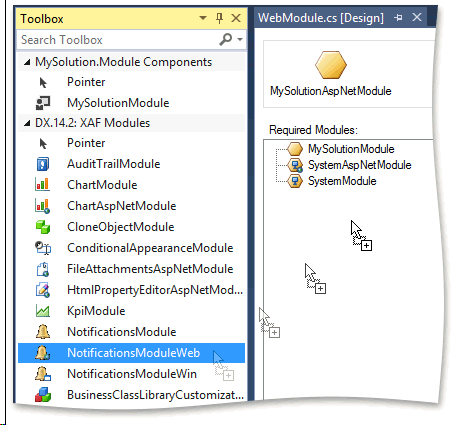
第三步:
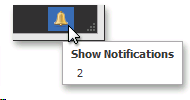
Windows Form下面的效果,在底部,出现下图所示的小图标:
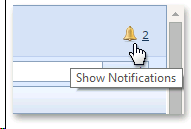
在ASP.NET下效果如下:
如何使用自定义类实现通知?
1.假如下面是你的业务类:
[DefaultClassOptions]

 public class Task {

    [Browsable(false)]

    public int Id { get; private set; }

    public string Subject { get; set; }

    public DateTime DueDate { get; set; }

}
先来实现ISupportNotifications 接口:
[DefaultClassOptions]

public class Task : ISupportNotifications {

    // ...

    #region ISupportNotifications members

    private DateTime? alarmTime;

    [Browsable(false)]

    public DateTime? AlarmTime {

        get { return alarmTime; }

        set {

            alarmTime = value;

            if (value == null) {

                RemindIn = null;

                IsPostponed = false;

            }

        }

    }

    [Browsable(false)]

    public bool IsPostponed { get; set; }

    [Browsable(false), NotMapped]

    public string NotificationMessage {

        get { return Subject; }

    }

    public TimeSpan? RemindIn { get; set; }

    [Browsable(false), NotMapped]

    public object UniqueId {

        get { return Id; }

    }

    #endregion

}
再来实现IXafEntityObject,在保存时设置AlarmTime
[DefaultClassOptions]

public class Task : ISupportNotifications, IXafEntityObject {

    // ...

    #region IXafEntityObject members

    public void OnCreated() { }

    public void OnLoaded() { }

    public void OnSaving() {

        if (RemindIn.HasValue) {

            AlarmTime = DueDate - RemindIn.Value;

        }

        else {

            AlarmTime = null;

        }

        if (AlarmTime == null) {

            RemindIn = null;

            IsPostponed = false;

        }

    }

    #endregion

}
运行,输入数据:
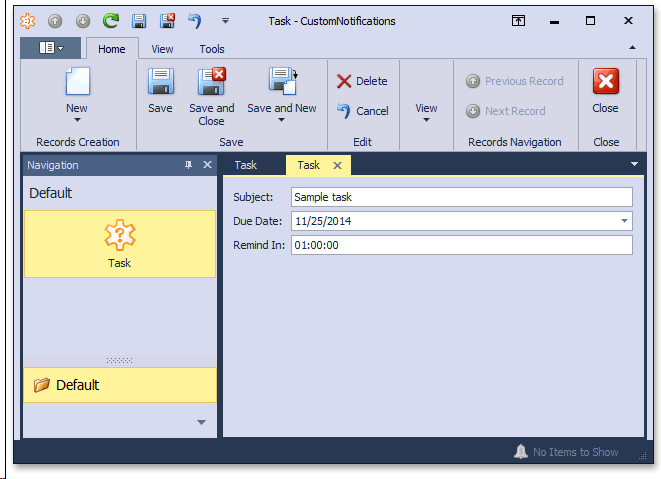
效果:
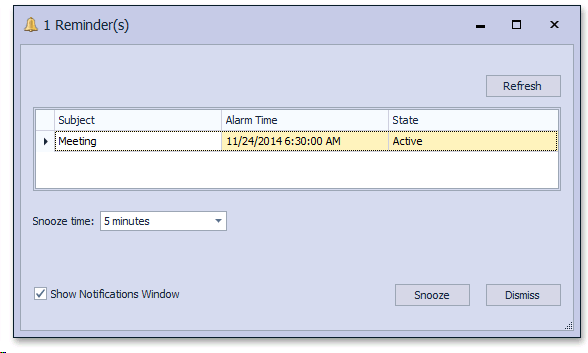
如何让为指定的用户指定通知?
[DefaultClassOptions]

public class Task : ISupportNotifications, IXafEntityObject {

    // ...

    public virtual Employee AssignedTo { get; set; }

}
下面是员工对象,下面是EF的例子,xpo区别的也不大:
using System.ComponentModel;

using DevExpress.Persistent.Base;

// ...

[DefaultClassOptions, DefaultProperty("UserName")]

public class Employee : DevExpress.Persistent.BaseImpl.EF.User {

    public Employee() {

        Tasks = new List<Task>();

    }

    public virtual IList<Task> Tasks { get; set; }

}
using DevExpress.Data.Filtering;

using DevExpress.ExpressApp.Notifications;

using DevExpress.Persistent.Base.General;

// ...

public override void Setup(XafApplication application) {

    base.Setup(application);

    application.LoggedOn += new EventHandler<LogonEventArgs>(application_LoggedOn);

}

void application_LoggedOn(object sender, LogonEventArgs e) {

   NotificationsModule notificationsModule = Application.Modules.FindModule<NotificationsModule>();

   DefaultNotificationsProvider notificationsProvider = notificationsModule.DefaultNotificationsProvider;

   notificationsProvider.CustomizeNotificationCollectionCriteria += notificationsProvider_CustomizeNotificationCollectionCriteria;

}

void notificationsProvider_CustomizeNotificationCollectionCriteria(

    object sender, CustomizeCollectionCriteriaEventArgs e) {

    if (e.Type == typeof(Task)) {

        e.Criteria = CriteriaOperator.Parse("AssignedTo is null || AssignedTo.Id == CurrentUserId()");
    //可以看到,这里有个过滤条件,即,通知时,使用什么条件进行过滤.

    }

}
如果使用调度模块,则可以使用下面的代码:
using DevExpress.ExpressApp.Scheduler;

// ...

void application_LoggedOn(object sender, LogonEventArgs e) {

    SchedulerModuleBase schedulerModule = Application.Modules.FindModule<SchedulerModuleBase>();

    NotificationsProvider notificationsProvider = schedulerModule.NotificationsProvider;

    notificationsProvider.CustomizeNotificationCollectionCriteria += notificationsProvider_CustomizeNotificationCollectionCriteria;

}
默认情况下,通知刷新间隔是 5 分钟。出于测试目的,可以减少此时间间隔。
双击WIN应用程序项目的 WinApplication.cs(vb) 文件,在模块部分的模块设计器中选择NotificationsModule。在属性窗口中,将 NotificationsModule.NotificationsRefreshInterval 设置为 10 秒。
同样的,在WEB项目的WebApplication.cs(vb) 文件中也需要做这个。
如需演示项目的源码,可以在留言中留下邮箱!
XAF-通知模块概述 web+win的更多相关文章
- XAF-BI.Dashboard模块概述 web/win
Dashboard模块介绍了在ASP.NET XAF 和 WinForms 应用程序中简单的集成 DevExpress Dashboard控件的方法. 其实不仅仅是控件,利用了现有的XAF数据模型,这 ...
- openstack七大模块概述
前言 OpenStack主要由七部分组成,分别是Identify, Image, Network, Compute, Block Storage, Object Storage, Dashboard, ...
- 使用nodejs的http模块创建web服务器
使用nodejs的http模块创建web服务器 laiqun@msn.cn Contents 1. web服务器基础知识 2. Node.js的Web 服务器 3. 代码实现 1. web服务器基础知 ...
- spark概念、编程模型和模块概述
http://blog.csdn.net/pipisorry/article/details/50931274 spark基本概念 Spark一种与 Hadoop 相似的通用的集群计算框架,通过将大量 ...
- Java开源生鲜电商平台-通知模块设计与架构(源码可下载)
Java开源生鲜电商平台-通知模块设计与架构(源码可下载) 说明:对于一个生鲜的B2B平台而言,通知对于我们实际的运营而言来讲分为三种方式: 1. 消息推送:(采用极光推送) ...
- eclipse中创建多模块maven web项目
本文讲述在eclipse中创建分模块maven web项目. 暂时将一个项目分为controller:service:dao以及父类模块四部分. 1.创建父类模块. 创建一个简单的maven proj ...
- 用 requests 模块从 Web 下载文件
用 requests 模块从 Web 下载文件 requests 模块让你很容易从 Web 下载文件,不必担心一些复杂的问题,诸如网络错误.连接问题和数据压缩.requests 模块不是 Python ...
- [HeadFrist-HTMLCSS学习笔记]第三章构建模块:Web页面建设
[HeadFrist-HTMLCSS学习笔记]第三章构建模块:Web页面建设 敲黑板!! <q>元素添加短引用,<blockquote>添加长引用 在段落里添加引用就使用< ...
- IIS7 404 模块 IIS Web Core 通知 MapRequestHandler 处理程序 StaticFile 错误代码 0x80070002
<system.webServer> <!--添加--> <modules runAllManagedModulesForAllRequests="true&q ...
随机推荐
- 关于jquery尺寸的总结
以前总是对jquery的尺寸稀里糊涂,有需要的可以看下下面的代码: ①页面布局如下: <!doctype html> <html> <head> <meta ...
- 初始化css样式的原因
不同的浏览器对有些标签属性的默认值是不同的,如果没有做初始化处理,往往会出现不同浏览器页面表现的差异
- BZOJ 1834: [ZJOI2010]network 网络扩容(网络流+费用流)
一看就知道是模板题= = ,不说什么了= = PS:回去搞期末了,暑假再来刷题了 CODE: #include<cstdio> #include<iostream> #incl ...
- 关于C语言中变量类型转换
今天在工作中遇到一个问题,而在解决问题的过程中,发现一段关于int 型变量(a)和char型(b)变量间类型转换的代码存在问题:一个值为255的int型变量a,强制类型转换并赋值给char型变量b后, ...
- Javascript正则表达式(上)
正则表达式一般用于验证客户端的用户输入,而服务器端的PHP.ASP.NET等脚本无须再进行验证,节约了后台开销. 1.两种创建方法 var box=new RegExp("Box" ...
- 深度神经网络(DNN)的正则化
和普通的机器学习算法一样,DNN也会遇到过拟合的问题,需要考虑泛化,这里我们就对DNN的正则化方法做一个总结. 1. DNN的L1&L2正则化 想到正则化,我们首先想到的就是L1正则化和L2正 ...
- Linux 下查看CPU的使用情况
1.top使用权限:所有使用者使用方式:top [-] [d delay] [q] [c] [S] [s] [i] [n] [b]说明:即时显示process的动态d :改变显示的更新速度,或是在交谈 ...
- C#中获取不同的日期时间格式
通过调用类中的各种方法我们可以获取不同的时间: 如:日期(2008-09-04).时间(12:12:12).日期+时间(2008-09-04 12:11:10)等. //获取日期+时间 DateTim ...
- 【新建项目&使用viewPager】实现一个Android电子书阅读APP
本章结尾处已放出应用DEMO,已经实现所有本文及后续文章所述全部功能,大家可以先下载下来玩玩看,欢迎在本文下方评论,小方很需要鼓励支持!!! 新建一个项目 呼-我们即将步入安卓开发之旅了,首先要新建一 ...
- lxd-启动篇分析
lxd是什么:lxd是基于lxc构筑的容器管理进程,提供镜像,网络,存储,以及容器的能力,对外暴漏restfull API.其与docker的区别是docker更切近与app container,以应 ...