
RedHat6.2 x86手动配置LNMP环境
因为公司要求用RedHat配,顺便让我练习一下Linux里面的操作什么的。
折腾来折腾去终于搞好了,其实也没那么难嘛。但是也要记录一下。
首先,是在服务器里面用VMware搭建的RedHat6.2 x86系统。在RedHat里面yum里面的源基本是收费的。CentOS呢,是RedHat的衍生版,目的就是打破redhat的收费,所以两者也没啥区别。直接就用CentOS6的yum包来配置了。
首先,在终端里输入:
cd /etc/yum.repos.d/
这里面是放yum源的地方。默认里面会有一个rhel-source.repo后缀的文件,咱们把他删了或者重命名成.bak
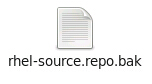
然后下一步就是添加centos的源了。新建一个centos.base.repo文件。在里面输入:
# CentOS-Base.repo

#

# The mirror system uses the connecting IP address of the client and the

# update status of each mirror to pick mirrors that are updated to and

# geographically close to the client.  You should use this for CentOS updates

# unless you are manually picking other mirrors.

#

# If the mirrorlist= does not work for you, as a fall back you can try the

# remarked out baseurl= line instead.

#

[base]

name=CentOS-6 - Base - mirrors.aliyun.com

baseurl=http://mirrors.aliyun.com/centos/6/os/$basearch/

#mirrorlist=http://mirrorlist.centos.org/?release=6&arch=$basearch&repo=os

gpgcheck=0

gpgkey=http://mirrors.aliyun.com/centos/RPM-GPG-KEY-CentOS-6

#released updates

[updates]

name=CentOS-6 - Updates - mirrors.aliyun.com

baseurl=http://mirrors.aliyun.com/centos/6/updates/$basearch/

#mirrorlist=http://mirrorlist.centos.org/?release=6&arch=$basearch&repo=updates

gpgcheck=0

gpgkey=http://mirrors.aliyun.com/centos/RPM-GPG-KEY-CentOS-6

#additional packages that may be useful

[extras]

name=CentOS-6 - Extras - mirrors.aliyun.com

baseurl=http://mirrors.aliyun.com/centos/6/extras/$basearch/

#mirrorlist=http://mirrorlist.centos.org/?release=6&arch=$basearch&repo=extras

gpgcheck=0

gpgkey=http://mirrors.aliyun.com/centos/RPM-GPG-KEY-CentOS-6

#additional packages that extend functionality of existing packages

[centosplus]

name=CentOS-6 - Plus - mirrors.aliyun.com

baseurl=http://mirrors.aliyun.com/centos/6/centosplus/$basearch/

#mirrorlist=http://mirrorlist.centos.org/?release=6&arch=$basearch&repo=centosplus

gpgcheck=0

enabled=0

gpgkey=http://mirrors.aliyun.com/centos/RPM-GPG-KEY-CentOS-6

#contrib - packages by Centos Users

[contrib]

name=CentOS-6 - Contrib - mirrors.aliyun.com

baseurl=http://mirrors.aliyun.com/centos/6/contrib/$basearch/

#mirrorlist=http://mirrorlist.centos.org/?release=6&arch=$basearch&repo=contrib

gpgcheck=0

enabled=0

gpgkey=http://mirrors.aliyun.com/centos/RPM-GPG-KEY-CentOS-6
保存之后,我们就有一个centos的源了。执行一下:yum -y update 试一下吧!
下面是安装Nginx了。我们需要执行:
yum -y --enablerepo=remi,remi-test install nginx
有些朋友可能会遇到:No Nginx package!,这很简单就能解决。
在刚才创建源的yum.repos.d文件夹里面,再创建一个nginx.repo文件。输入以下内容:
[nginx]

name=nginx repo

baseurl=http://nginx.org/packages/centos/6/$basearch/

gpgcheck=0

enabled=1
OK,这是单独添加一个Nginx的源。再执行一次上面的安装Nginx的命令就Ok了!
继续,安装php以及php-fpm:
yum -y --enablerepo=remi,remi-test install php php-fpm php-common
安装PHP5.4.4模块扩展,有些会提示No package,这些都是没用的,不要管它!
yum -y --enablerepo=remi,remi-test install php-pecl-apc php-cli php-pear php-pdo php-mysql php-pgsql php-pecl-mongo php-sqlite php-pecl-memcache php-pecl-memcached php-gd php-mbstring php-mcrypt php-xml
这样就OK了。运行下面的命令,如果出现错误,说明你上面的步骤出错了。
启动Nginx:

service nginx start

启动php-fpm:

service php-fpm start
下面是配置Nginx使用php-fpm,进入:
/etc/nginx/conf.d/
打开:default.conf 文件。找到:
location / {

       root   /usr/share/nginx/html;  #这一行是网站的根目录,你的网站文件就放在这个里面!

       index  index.html index.htm;  #这一行是添加网站的默认主页的。当然,你也可以添加一个index.php!

   }
再找到下面的内容,把它们前面的#去掉:
#location ~ \.php$ {

#       root           html;

#       fastcgi_pass   127.0.0.1:9000;

#       fastcgi_index  index.php;

#       fastcgi_param  SCRIPT_FILENAME /usr/share/nginx/html$fastcgi_script_name;

#        include        fastcgi_params;

#}
然后把redhat的防火墙文件打开,把80端口添加进白名单:
cd /etc/sysconfig/
打开iptables文件,输入以下内容:
-A INPUT -m state --state NEW -m tcp -p tcp --dport 80 -j ACCEPT
重启防火墙:
service iptables restart
到此为止,php与Nginx已经搭建好了。我们来试一下。先重启Nginx与php-fpm:
service nginx restart

service php-fpm restart
在你RedHat网页里输入:http://localhost/,成功出现 Welcome to nginx!则Nginx安装成功。
然后进入你网站的根目录:/usr/share/nginx/html
新建一个phpinfo.php文件:
<?php

phpinfo();

?>
然后访问http://localhost/phpinfo.php
看是不是出现php配置的页面了。如果出现就说明php安装成功了。
开始安装mysql!!!!!在终端里输入:
yum -y --enablerepo=remi,remi-test install mysql mysql-server
启动mysql and 设置自启动:
service mysqld start

chkconfig --levels 235 mysqld on
然后,进入/usr/bin/文件夹,运行mysql_secure_installation文件:
cd /usr/bin/

./mysql_secure_installation
这是配置mysql的安全模式。第一次装mysql最好都配置一下。增加安全性!
执行上面的文件之后,会出现一些配置问题。
1、Enter current password for root (enter for none): (输入当前的root密码) 当前的密码是空,所以直接回车。
2、Set root password? [Y/n] (是否设置密码)输入Y 回车。
3、New password: (新密码)
4、Re-enter new password: (再输一次)
5、Remove anonymous users? [Y/n] (删除匿名账户)
6、Disallow root login remotely? [Y/n] (禁止root用户远程登录)
7、Remove test database and access to it? [Y/n] (删除默认创建的test数据库)
8、Reload privilege tables now? [Y/n] (重载权限表)
安全模式配置完毕!
然后把redhat的防火墙文件打开,把3306端口添加进白名单:
cd /etc/sysconfig/
打开iptables文件,输入以下内容:
-A INPUT -m state --state NEW -m tcp -p tcp --dport 3306 -j ACCEPT
重启防火墙:
service iptables restart
OK!LNMP配置完毕!
RedHat6.2 x86手动配置LNMP环境的更多相关文章
- LNMP笔记:阿里云32位 CentOS 5.4 配置 LNMP环境
最近比较郁闷的是 WordPress大学 服务器故障,由于诸多原因没及时处理,导致10多天无法访问.倡萌也是刚接触服务器环境配置,维护的确力不从心,没办法排查出错误根源,所以只好重置系统盘,重新配置L ...
- 手动部署LNMP环境(CentOS 7)
手动部署LNMP环境(CentOS 7) 一.修改 yum 源 [root@localhost ~]# rpm -Uvh https://dl.fedoraproject.org/pub/epel/e ...
- 新手配置LNMP环境教程
回顾一下这几天自己配置LNMP环境踩得坑,希望帮助更多人 前期准备:VMtool.Linux.Nginx.Mysql.PHP.cmake 版本如下:Centos6.nginx1.6.0.mysql5. ...
- c++篇 cad.grx 入门,手动配置编译环境
安装vs2010+sp1补丁; 安装浩辰2018(64位版本); 下载浩辰Grx开发的SDK,注意对应版本年份., 解压到E盘目录下, E:\grxsdk 在他们的官方用户群下载,搜sdk, 找到gr ...
- Hibernate3.3.2 手动配置annotation环境
简单记录Hibernate3.3.2如何快速配置环境 一.下载hibernate-distribution-3.3.2.GA-dist.zip文件,建立User libraries. 打开window ...
- Ubuntu环境下手动配置Java环境
/×××××××××××××××××××××××××××××××××××××××××/ Author:xxx0624 HomePage:http://www.cnblogs.com/xxx0624/ ...
- Linux的学习--配置LNMP环境
最近,回到公司,发现电脑都换成linux系统了...很无力... 配置环境,跑起项目来就花了一天...额...在这里记录一下-- 系统是ubuntu 12.04. 一.安装nginx1:ubuntu因 ...
- CentOS中配置LNMP环境打开提示File not found
在centos系统中配置好php环境了,但是发现能运行html页面并不能运行php文件了,这样我就在gg的帮助下一步不解决了,下面来看问题的具体解决过程. 安装之后测试发现,怎么Html能运行 ...
- centos下配置LNMP环境(源码安装)
准备工作,安装依赖库 yum -y install gcc automake autoconf libtool make gcc-c++ glibc libxslt-devel libjpeg lib ...
随机推荐
- qt中字符串转换
11.各种数据类型的相互转换char * 与 const char *的转换char *ch1="hello11";const char *ch2="hello22&qu ...
- python基本数据类型——list
一.创建列表: li = [] li = list() name_list = ['alex', 'seven', 'eric'] name_list = list(['alex', 'seven', ...
- stl_config.h基本宏
四.宏: (其实呢, 我们所有的宏都包含在了 "stl_config.h"头文件中.) //这些宏是怎么判断是否需要定义:是否有指定的宏,还有一些特定的编译器也可能支持. 4.1. ...
- DFB系列 之 Clear清空surface缓存
1. 函数原型解析 函数声明: DFBResult Clear ( IDirectFBSurface * thiz, u8 r, u8 g, ...
- Angular简易分页设计(二):封装成指令
(首先声明本文来自博客园本人原创,转载请说明出处.欢迎关注:http://www.cnblogs.com/mazhaokeng/) 之前我们讲过,Angular分页代码确实不难实现,但是由于在多个路由 ...
- Docker学习总结(一)
<认识Docker> 不定期更新~~~~~~~ 历史区别: 13年之前:网络大多使用"协议栈堆叠"的形式进行开发,需要部署单一专有的服务器进行操作.包括(中间件,运行时 ...
- 分针网——每日分享: jquery选择器的用法
jQuery选择器是jQuery库的一大特色,用这些选择器不但可以省去繁琐的JavaScript 书写方式,还可以节省时间和效率,正是有这些jQuery选择器,才让我们更容易的操作JavaScript ...
- Android获取状态栏高度、标题栏高度、编辑区域高度
一.Activity界面的划分 简单说明一下(上图Activity采用默认Style,状态栏和标题栏都会显示):最大的草绿色区域是屏幕界面,红色次大区域我们称之为"应用程序界面区域" ...
- Docker - 手动迁移镜像
在没有Docker Registry时,可以通过docker save和docker load命令完成镜像迁移的过程,先将镜像保存为压缩包,然后在其他位置再加载压缩包. 将镜像保存为压缩包文件 [ro ...
- 仿中关村win8频道(win8.zol.com.cn)下的tab效果
最近觉得中关村win8频道下的那个Tab效果很好看. 一时兴起就自己做了一个.觉得还蛮不错的,特地来给大家分享一下.以下是相关的HTML页面写法: <div class="popula ...