
配置json-server
1.全局安装json-server【可能需要管理员权限】
npm i -g json-server
2.创建文件夹jsonerver,初始化package.json文件
npm init
3.局部安装json-server
npm i json-server --save
4.修改package.json文件,配置启动方式
"scripts":{
"json:server":"json-server --watch db.json"
}
5.创建db.json文件
{

	"users":[

		{

			"name":"zs",

			"phone":"123",

			"email":"zs@qq.com",

			"id":1,

			"age":12,

			"companyId":1           // 这个companyId 使用驼峰命名的,不然是查询不到的

		},

		{

			"name":"ls",

			"phone":"234",

			"email":"ls@qq.com",

			"id":2,

			"age":13,

			"companyId":2

		},

		{

			"name":"ww",

			"phone":"345",

			"email":"ww@qq.com",

			"id":3,

			"age":14,

			"companyId":3

		},

		{

			"name":"cl",

			"phone":"456",

			"email":"cl@qq.com",

			"id":4,

			"age":15,

			"companyId":3

		}

	],

	"companies":[

		{

			"id":1,

			"name":"Apple",

			"des":"apple is good"

		},

		{

			"id":2,

			"name":"ms",

			"des":"ms is good"

		},

		{

			"id":3,

			"name":"gg",

			"des":"gg is good"

		}

	]

}
6.运行
npm run json:server
localhost:3000/xxx
只能运行一个3000的端口,如果含有另一个3000端口,会运行不成功
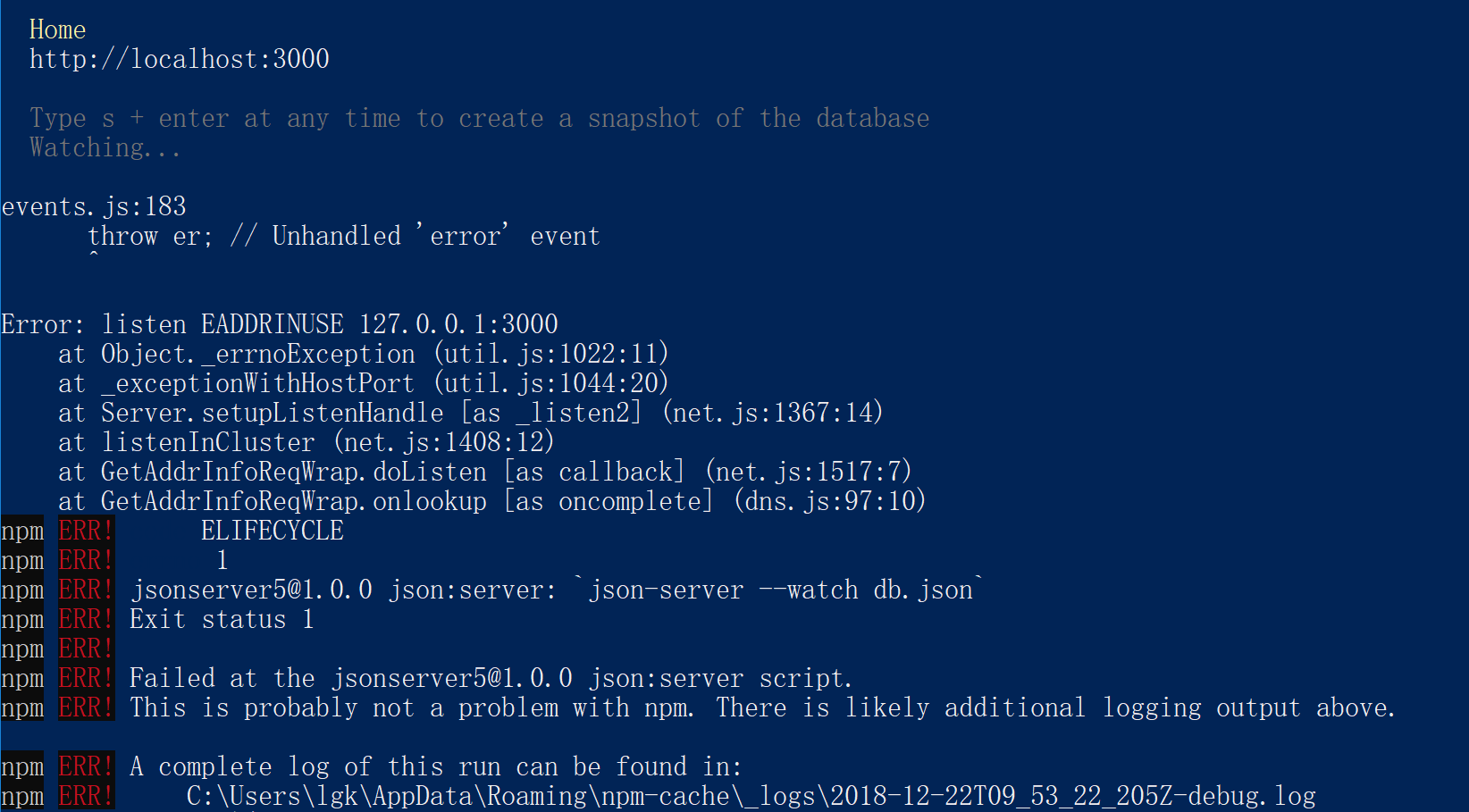
7.运行后,可以查询如下信息
 "scripts": {

    "json:server": "json-server --watch db.json",

    "json:server:remote": "json-server http://jsonplaceholder.typicode.com/db"     //添加这行

  },
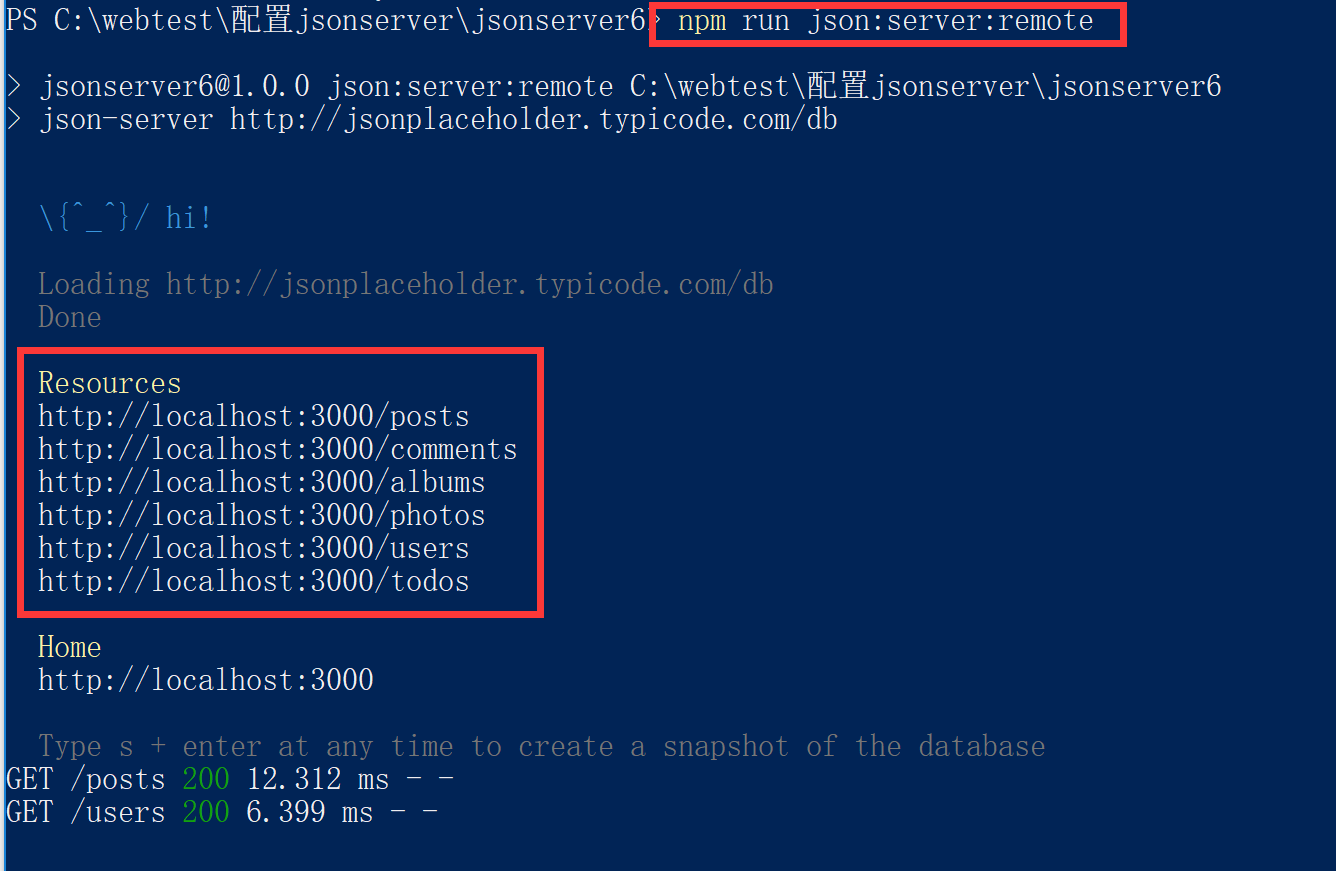
重新运行,npm run json:server:remote,可以访问到jsonplaceholder中的数据
配置json-server的更多相关文章
- Apache 配置ArcGIS server/portal 反向代理
背景 处于安全,负载均衡,访问加速等原因会对服务器启用反向代理.arcgis for server的默认的访问地址为http://server:6080/arcgis.这个时候端口和实例名都暴露了.可 ...
- json:server 本地搭建
做个记录, 第一步,我们新建一个文件夹. 第二步,打开文件夹,执行git,没有git可以下载一个.或者用命令行工具进入到这个文件夹! 第三步,初始化json 在git里执行npm init --ye ...
- Postgresql 简单配置 (ubuntu server 14.04.3)
安装和配置 ubuntu server 已经自动安装了progresql,故安装步骤就省略 初始postgresql没有密码,不能使用,需要先设置密码,命令(从网上随意找的)如下: sudo su p ...
- springMVC配置Json
步骤1:将json包引入工程中,分别是:jackson-annotations-2.7.0.jar,jackson-core-2.7.0.jar,jackson-databind-2.7.0.jar ...
- 配置SQL Server去使用 Windows的 Large-Page/Huge-Page allocations
配置SQL Server去使用 Windows的 Large-Page/Huge-Page allocations 目录表->页表->物理内存页 看这篇文章之前可以先看一下下面这篇文章 ...
- 配置sql server 2000以允许远程访问 及 连接中的四个最常见错误
地址:http://www.cnblogs.com/JoshuaDreaming/archive/2010/12/01/1893242.html 配置sql server 2000以允许远程访问适合故 ...
- 配置SQL Server 2008 R2 Reporting Services
记录如何在本地配置SQL Server 2008 R2 Reporting Services,笔者环境为Windows 7 64位 + SQL Server 2008 R2 一.准备工作 其实准备工作 ...
- Ubuntu配置ssh server
SSH-Server配置指南 一.SSH简介 SSH (Secure Shell)是一个应用程序中提供安全通信的协议,通过SSH协议可以安全地访问服务器,因为SSH 具有成熟的公钥加密体系,在数据进行 ...
- 配置SQL Server 2008服务器
怎么配置SQL Server 2008服务器_百度经验 http://jingyan.baidu.com/article/9faa7231a922c1473c28cb23.html 1.验证安装是否成 ...
- 第三篇——第二部分——第五文 配置SQL Server镜像——域环境SQL Server镜像日常维护
本文接上面两篇搭建镜像的文章: 第三篇--第二部分--第三文 配置SQL Server镜像--域环境:http://blog.csdn.net/dba_huangzj/article/details/ ...
随机推荐
- 用word发布CSDN文章
目前大部分的博客作者在用Word写博客这件事情上都会遇到以下3个痛点: 1.所有博客平台关闭了文档发布接口,用户无法使用Word,Windows Live Writer等工具来发布博客.使用Word写 ...
- 团队作业5——《Spring_Four》项目需求改进与系统设计
团队项目需求分析改进: 任务1: a.分析<基于Jsoup的大学生考试信息展示系统项目需求规格说明书>初稿的不足,特别是文档需求描述建模不完整的内容. 通过软件工程更深入的学习发现我们的需 ...
- 计算系统中互联设备Survey
Survey of Inter-connects in computer system 姚伟峰 http://www.cnblogs.com/Matrix_Yao/ https://github.co ...
- Models中字段的参数
(1)null 如果为True,Django 将用NULL 来在数据库中存储空值. 默认值是 False. (1)blank 如果为True,该字段允许不填.默认为False. 要注意,这与 null ...
- R语言-饼图
1.饼图 > browsers<-read.table("browsers.txt",header=TRUE) > browsers<-browsers[o ...
- 云主机中毒 cpu爆满解决日志
在上一篇博文Linux系统发现占用CPU达100%的进程并处理 里面以为已经把挖矿程序sustse处理干净了,可是没过两天又收到阿里云短信提醒,说服务器有问题,难道还有后门吗?也多亏阿里云给出提示“出 ...
- spring项目启动时执行任务
https://www.jianshu.com/p/745868a34379
- Systemd 教程
目录 Systemd 教程 sshd.service配置模板 开机启动 启动服务 停止服务 配置文件 [Unit] 区块:启动顺序与依赖关系 [Service] 区块:启动行为 1.启动命令 2.启动 ...
- tensorflow源码阅读(c++)(一)
root/tensorflow/core |--common_runtime # 公共运行库 |--distributed_runtime # 分布式执行模块,含有grpc session, grpc ...
- 51单片机学习笔记(郭天祥版)(6)——键盘的作业题、AD、DA、DS18B20(这里之后看清翔的补一下好了)
A:analog,D:digital AD,就是模拟量转换为数字量,DA就是数字量转换为模拟量 为什么要转换? 单片机是数字芯片,内部只有0和1,没法表示模拟量 比如我们如果需要2.5V怎么办?其实是 ...