
配置json-server
1.全局安装json-server【可能需要管理员权限】
npm i -g json-server
2.创建文件夹jsonerver,初始化package.json文件
npm init
3.局部安装json-server
npm i json-server --save
4.修改package.json文件,配置启动方式
"scripts":{
"json:server":"json-server --watch db.json"
}
5.创建db.json文件
{

	"users":[

		{

			"name":"zs",

			"phone":"123",

			"email":"zs@qq.com",

			"id":1,

			"age":12,

			"companyId":1           // 这个companyId 使用驼峰命名的,不然是查询不到的

		},

		{

			"name":"ls",

			"phone":"234",

			"email":"ls@qq.com",

			"id":2,

			"age":13,

			"companyId":2

		},

		{

			"name":"ww",

			"phone":"345",

			"email":"ww@qq.com",

			"id":3,

			"age":14,

			"companyId":3

		},

		{

			"name":"cl",

			"phone":"456",

			"email":"cl@qq.com",

			"id":4,

			"age":15,

			"companyId":3

		}

	],

	"companies":[

		{

			"id":1,

			"name":"Apple",

			"des":"apple is good"

		},

		{

			"id":2,

			"name":"ms",

			"des":"ms is good"

		},

		{

			"id":3,

			"name":"gg",

			"des":"gg is good"

		}

	]

}
6.运行
npm run json:server
localhost:3000/xxx
只能运行一个3000的端口,如果含有另一个3000端口,会运行不成功
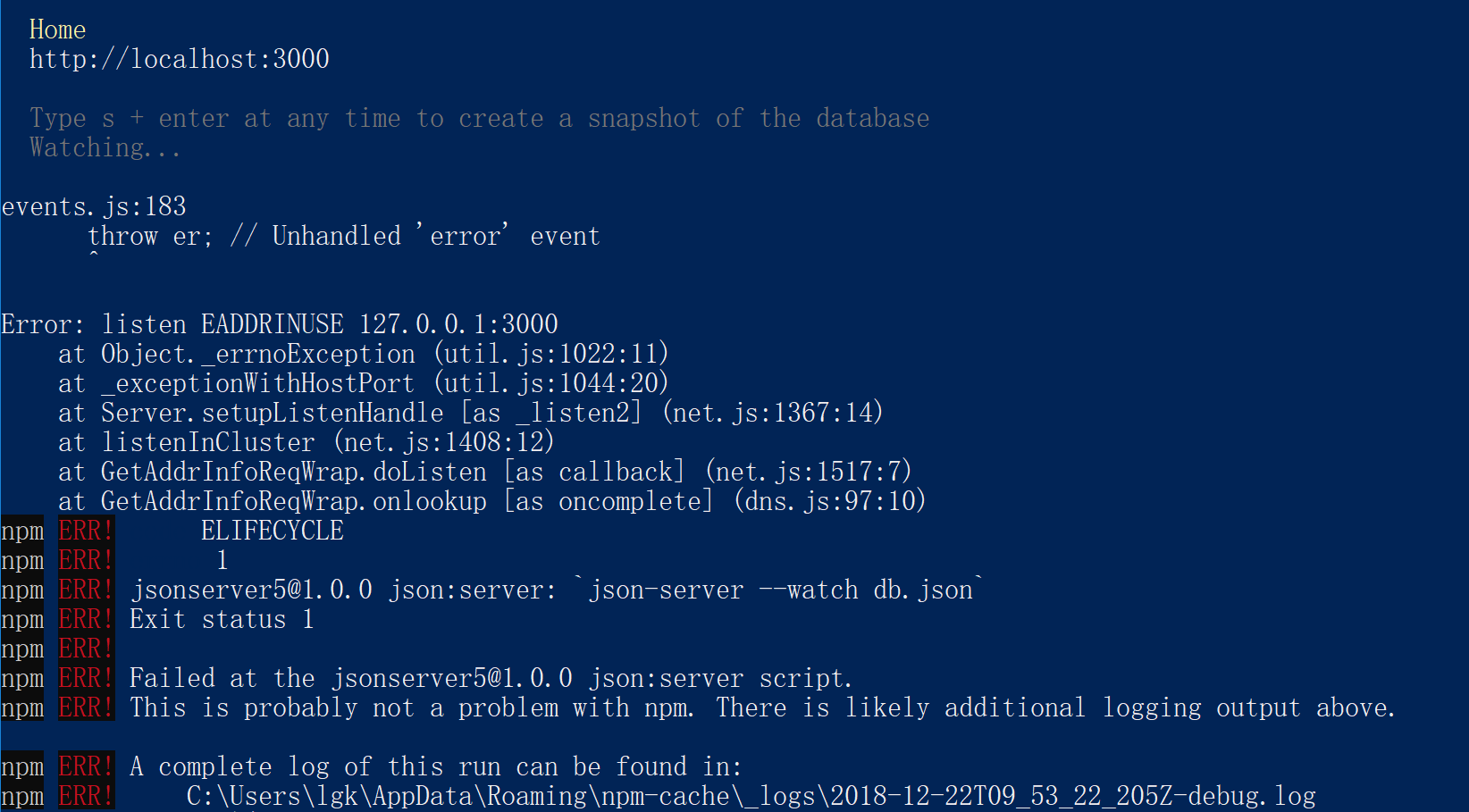
7.运行后,可以查询如下信息
 "scripts": {

    "json:server": "json-server --watch db.json",

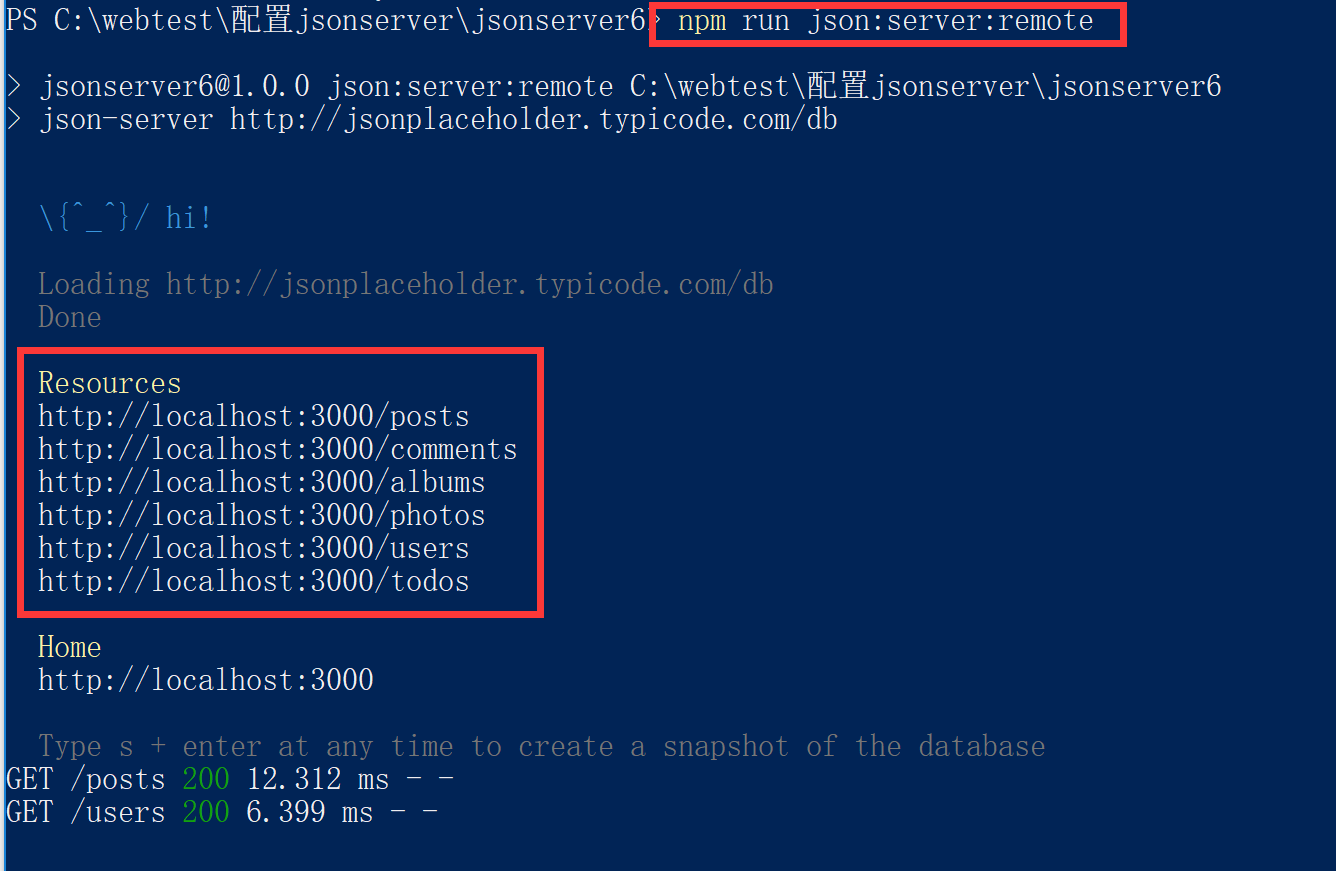
    "json:server:remote": "json-server http://jsonplaceholder.typicode.com/db"     //添加这行

  },
重新运行,npm run json:server:remote,可以访问到jsonplaceholder中的数据
配置json-server的更多相关文章
- Apache 配置ArcGIS server/portal 反向代理
背景 处于安全,负载均衡,访问加速等原因会对服务器启用反向代理.arcgis for server的默认的访问地址为http://server:6080/arcgis.这个时候端口和实例名都暴露了.可 ...
- json:server 本地搭建
做个记录, 第一步,我们新建一个文件夹. 第二步,打开文件夹,执行git,没有git可以下载一个.或者用命令行工具进入到这个文件夹! 第三步,初始化json 在git里执行npm init --ye ...
- Postgresql 简单配置 (ubuntu server 14.04.3)
安装和配置 ubuntu server 已经自动安装了progresql,故安装步骤就省略 初始postgresql没有密码,不能使用,需要先设置密码,命令(从网上随意找的)如下: sudo su p ...
- springMVC配置Json
步骤1:将json包引入工程中,分别是:jackson-annotations-2.7.0.jar,jackson-core-2.7.0.jar,jackson-databind-2.7.0.jar ...
- 配置SQL Server去使用 Windows的 Large-Page/Huge-Page allocations
配置SQL Server去使用 Windows的 Large-Page/Huge-Page allocations 目录表->页表->物理内存页 看这篇文章之前可以先看一下下面这篇文章 ...
- 配置sql server 2000以允许远程访问 及 连接中的四个最常见错误
地址:http://www.cnblogs.com/JoshuaDreaming/archive/2010/12/01/1893242.html 配置sql server 2000以允许远程访问适合故 ...
- 配置SQL Server 2008 R2 Reporting Services
记录如何在本地配置SQL Server 2008 R2 Reporting Services,笔者环境为Windows 7 64位 + SQL Server 2008 R2 一.准备工作 其实准备工作 ...
- Ubuntu配置ssh server
SSH-Server配置指南 一.SSH简介 SSH (Secure Shell)是一个应用程序中提供安全通信的协议,通过SSH协议可以安全地访问服务器,因为SSH 具有成熟的公钥加密体系,在数据进行 ...
- 配置SQL Server 2008服务器
怎么配置SQL Server 2008服务器_百度经验 http://jingyan.baidu.com/article/9faa7231a922c1473c28cb23.html 1.验证安装是否成 ...
- 第三篇——第二部分——第五文 配置SQL Server镜像——域环境SQL Server镜像日常维护
本文接上面两篇搭建镜像的文章: 第三篇--第二部分--第三文 配置SQL Server镜像--域环境:http://blog.csdn.net/dba_huangzj/article/details/ ...
随机推荐
- Centos 7 安装composer和Laravel
composer安装 我安装了lnmp到Centos7里,所以可以直接运行curl -sS https://getcomposer.org/installer | php把安装的composer.ph ...
- loadrunner 关联函数web_reg_save_param
当我们每次访问网站都需要提交从服务器获取的动态文本时就会需要用到关联函数,就好像每次乘坐火车票我们都需要用最新的火车票,如果用旧车票就不能做火车,如果我们采用了录制时的旧动态码如usersession ...
- 用 ghostscript 转化PDF文件为图片 的参数设置
example: gswin32 -dSAFER -dBATCH -dNOPAUSE -r300 -dTextAlphaBits=4 -dGraphicsAlphaBits=4 -sDEVICE=jp ...
- 【转】WPS word 文档中的插入对象 为什么打不开
点击桌面左下角开始按钮--所有程序,找到wps office文件夹--wps office工具--配置工具--高级--兼容设置,否选兼容第三方软件.
- 20175213 2018-2019-2 《Java程序设计》第8周学习总结
教材学习内容总结 1:泛型主要目的是建立具有类型安全的集合框架,如链表,散列映射等数据结构. 泛型类的声明: class People<E> People是泛型类的名称,E是其中泛型,E可 ...
- JS创建一个数组1.求和 2.求平均值 3.最大值 4.最小值 5.数组逆序 6.数组去重 0.退出
rs = require("readline-sync"); let arr = []; console.log("请输入数组的长度:"); let arr_l ...
- 7、...arg ...[1,2,3] 数组扩展
1.将离散的参数转成数组 2.将数组拆成单个离散的值 https://blog.csdn.net/qq_30100043/article/details/53391308 箭头函数写法 函数名 -&g ...
- 阿里云-CentOS如何挂载硬盘
阿里云CentOS挂载硬盘 查看当前未挂载的硬盘 # fdisk -l 创建硬盘分区 # fdisk /dev/vdb 根据提示,依次输入"n","p" &qu ...
- SpringCloud Hystrix熔断之线程池
服务熔断 雪崩效应:是一种因服务提供者的不可用导致服务调用者的不可用,并导致服务雪崩的过程. 服务熔断:当服务提供者无法调用时,会通过断路器向调用方直接返回一个错误响应,而不是长时间的等待,避免服务雪 ...
- B/S架构与C/S架构
一,概念: 首先软件体系结构定义了软件的局部和总体计算的构成,以及这些部件之间的相互作用关系.部件包括诸如服务器,客户,数据库,过滤器,程序包,过程,子程序等一切软件的 组成成分. C/ ...