
php给图片加文字
在图片上加文字是论坛,博客,新闻网站上最喜欢用的功能,防止盗图。这里看看代码是如何实现的。
首先还是upload_image.php这个文件,注意这里的caption文本框中输入的内容最终会写到图片上面
<?php

//修改图片效果

$db = mysql_connect('localhost','root','Ctrip07185419') or die('can not connect to database');

mysql_select_db('moviesite',$db) or die(mysql_error($db));

//上传文件的路径

$dir = 'D:\Serious\phpdev\test\images';

//设置环境变量

//putenv('GDFONTPATH='.'C:\Windows\Fonts');

$font = "C:\Windows\Fonts\arial.ttf";

//upload_image.php页面传递过来的参数,如果是上传图片

if($_POST['submit'] == 'Upload')

{

    if($_FILES['uploadfile']['error'] != UPLOAD_ERR_OK)

    {

        switch($_FILES['uploadfile']['error'])

        {

            case UPLOAD_ERR_INI_SIZE:

                die('The uploaded file exceeds the upload_max_filesize directive');

            break;

            case UPLOAD_ERR_FORM_SIZE:

                die('The upload file exceeds the MAX_FILE_SIZE directive that was specified in the HTML form');

            break;

            case UPLOAD_ERR_PARTIAL:

                die('The uploaded file was only partially uploaded');

            break;

            case UPLOAD_ERR_NO_FILE:

                die('No file was uploaded');

            break;

            case UPLOAD_ERR_NO_TMP_DIR:

                die('The server is missing a temporary folder');

            break;

            case UPLOAD_ERR_CANT_WRITE:

                die('The server fail to write the uploaded file to the disk');

            break;

            case UPLOAD_ERR_EXTENSION:

                die('The upload stopped by extension');

            break;

        }

    }

    $image_caption = $_POST['caption'];

    $image_username = $_POST['username'];

    $image_date = date('Y-m-d');

    list($width,$height,$type,$attr) = getimagesize($_FILES['uploadfile']['tmp_name']);

    $error = 'The file you upload is not a supported filetype';

    switch($type)

    {

        case IMAGETYPE_GIF:

            $image = imagecreatefromgif($_FILES['uploadfile']['tmp_name']) or die($error);

        break;

        case IMAGETYPE_JPEG:

            $image = imagecreatefromjpeg($_FILES['uploadfile']['tmp_name']) or die($error);

        break;

        case IMAGETYPE_PNG:

            $image = imagecreatefrompng($_FILES['uploadfile']['tmp_name']) or die($error);

        break;

        default:

        break;

    }

    $query = 'insert into images(image_caption,image_username,image_date) values("'.$image_caption.'" , "'.$image_username.'","'.$image_date.'")';

    $result = mysql_query($query,$db) or die(mysql_error($db));

    $last_id = mysql_insert_id();

    // $imagename = $last_id.'.jpg';

    // imagejpeg($image,$dir.'/'.$imagename);

    // imagedestroy($image);

    $image_id = $last_id;

    imagejpeg($image , $dir.'/'.$image_id.'.jpg');

    imagedestroy($image);

}

else  //如果图片已经上传,则从数据库中取图片名字

{

    $query = 'select image_id,image_caption,image_username,image_date from images where image_id='.$_POST['id'];

    $result = mysql_query($query,$db) or die(mysql_error($db));

    extract(mysql_fetch_assoc($result));

    list($width,$height,$type,$attr) = getimagesize($dir.'/'.$image_id.'.jpg');

}

//如果是保存图片

if($_POST['submit'] == 'Save')

{

    if(isset($_POST['id']) && ctype_digit($_POST['id']) && file_exists($dir.'/'.$_POST['id'].'.jpg'))

    {

        $image = imagecreatefromjpeg($dir.'/'.$_POST['id'].'.jpg');

    }

    else

    {

        die('invalid image specified');

    }

    $effect = (isset($_POST['effect'])) ? $_POST['effect'] : -1;

    switch($effect)

    {

        case IMG_FILTER_NEGATE:

            imagefilter($image , IMG_FILTER_NEGATE);     //将图像中所有颜色反转

        break;

        case IMG_FILTER_GRAYSCALE:

            imagefilter($image , IMG_FILTER_GRAYSCALE);  //将图像转换为灰度的

        break;

        case IMG_FILTER_EMBOSS:

            imagefilter($image , IMG_FILTER_EMBOSS);     //使图像浮雕化

        break;

        case IMG_FILTER_GAUSSIAN_BLUR:

            imagefilter($image , IMG_FILTER_GAUSSIAN_BLUR); //用高斯算法模糊图像

        break;

    }

    if(isset($_POST['emb_caption']))

    {

        imagettftext($image , 12 , 0 , 20 , 20 , 0 , $font , $image_caption);

    }

    imagejpeg($image , $dir.'/'.$_POST['id'].'.jpg' , 100);

    ?>

    <html>

        <head>

            <title>Here is your pic!</title>

        </head>

        <body>

            <h1>Your image has been saved!</h1>

            <img src="data:images/<?php echo $_POST['id'];?>.jpg" alt="" />

        </body>

    </html>

<?php

}

else

{

?>

    <html>

        <head>

            <title>Here is your pic!</title>

        </head>

        <body>

            <h1>So how does it feel to be famous?</h1>

            <p>Here is the picture you just uploaded to your servers:</p>

            <!--<img src="data:images/<?php echo $imagename;?>" alt="" style="float:left;" />-->

        </body>

    </html>

    <?php

        if($_POST['submit'] == 'Upload')

        {

            $imagename = 'images/'.$image_id.'.jpg';

        }

        else

        {

            $imagename = 'image_effect.php?id='.$image_id.'&e='.$_POST['effect'];

            if(isset($_POST['emb_caption']))

            {

                $imagename .= '&capt='.urlencode($image_caption);

            }

        }

    ?>

    <img src="<?php echo $imagename;?>" style="float:left;" alt="" />

    <table>

        <tr>

            <td>Image save as:</td>

            <td><?php $image_id?></td>

        </tr>

        <tr>

            <td>Height:</td>

            <td><?php echo $height;?></td>

        </tr>

        <tr>

            <td>Widht:</td>

            <td><?php echo $width;?></td>

        </tr>

        <tr>

            <td>Upload date:</td>

            <td><?php echo $image_date;?></td>

        </tr>

    </table>

    <p>You may apply a special effect to your image from the list of option below.

    Note:saving an image with any of the filters applied <em>can be undone</em>

    </p>

    <form action="<?php echo $_SERVER['PHP_SELF'];?>" method="post">

        <div>

            <input type="hidden" name="id" value="<?php echo $image_id;?>"/>

            Filter:<select name="effect" id="">

                <option value="-1">None</option>

                <?php

                    echo '<option value="'.IMG_FILTER_GRAYSCALE.'" ';

                    if(isset($_POST['effect']) && $_POST['effect'] == IMG_FILTER_GRAYSCALE)

                    {

                        echo 'selected="selected"';

                    }

                    echo ' >Black and white</option>';

                    echo '<option value="'.IMG_FILTER_GAUSSIAN_BLUR.'"';

                    if(isset($_POST['effect']) && $_POST['effect'] == IMG_FILTER_GAUSSIAN_BLUR)

                    {

                        echo ' selected="selected"';

                    }

                    echo '>Blur</option>';

                    echo '<option value="'.IMG_FILTER_EMBOSS.'"';

                    if(isset($_POST['effect']) && $_POST['effect'] == IMG_FILTER_EMBOSS)

                    {

                        echo 'selected="selected"';

                    }

                    echo '>Emboss</option>';

                    echo '<option value="'.IMG_FILTER_NEGATE.'"';

                    if(isset($_POST['effect']) && $_POST['effect'] == IMG_FILTER_NEGATE)

                    {

                        echo 'selected="selected"';

                    }

                    echo '>Negative</option>';

                ?>

            </select><br />

            <?php

                echo '<input type="checkbox" name="emb_caption"';

                if(isset($_POST['emb_caption']))

                {

                    echo ' checked="checked"';

                }

                echo ' />Embed caption in image?';

            ?>

            <input type="submit" value="Preview" name="submit" /><br /><br />

            <input type="submit" value="Save" name="submit" />

        </div>

    </form>

<?php

}

?>
注意这里有个问题,选择字体的时要加上绝对路径并且带上后缀.tff,否则的话是看不到图片的,下面的代码是image_effect.php
<?php

//修改图片效果

$db = mysql_connect('localhost','root','Ctrip07185419') or die('can not connect to database');

mysql_select_db('moviesite',$db) or die(mysql_error($db));

//上传文件的路径

$dir = 'D:\Serious\phpdev\test\images';

//设置环境变量

//putenv('GDFONTPATH='.'C:\Windows\Fonts');

$font = "C:\Windows\Fonts\arial.ttf";

//upload_image.php页面传递过来的参数,如果是上传图片

if($_POST['submit'] == 'Upload')

{

    if($_FILES['uploadfile']['error'] != UPLOAD_ERR_OK)

    {

        switch($_FILES['uploadfile']['error'])

        {

            case UPLOAD_ERR_INI_SIZE:

                die('The uploaded file exceeds the upload_max_filesize directive');

            break;

            case UPLOAD_ERR_FORM_SIZE:

                die('The upload file exceeds the MAX_FILE_SIZE directive that was specified in the HTML form');

            break;

            case UPLOAD_ERR_PARTIAL:

                die('The uploaded file was only partially uploaded');

            break;

            case UPLOAD_ERR_NO_FILE:

                die('No file was uploaded');

            break;

            case UPLOAD_ERR_NO_TMP_DIR:

                die('The server is missing a temporary folder');

            break;

            case UPLOAD_ERR_CANT_WRITE:

                die('The server fail to write the uploaded file to the disk');

            break;

            case UPLOAD_ERR_EXTENSION:

                die('The upload stopped by extension');

            break;

        }

    }

    $image_caption = $_POST['caption'];

    $image_username = $_POST['username'];

    $image_date = date('Y-m-d');

    list($width,$height,$type,$attr) = getimagesize($_FILES['uploadfile']['tmp_name']);

    $error = 'The file you upload is not a supported filetype';

    switch($type)

    {

        case IMAGETYPE_GIF:

            $image = imagecreatefromgif($_FILES['uploadfile']['tmp_name']) or die($error);

        break;

        case IMAGETYPE_JPEG:

            $image = imagecreatefromjpeg($_FILES['uploadfile']['tmp_name']) or die($error);

        break;

        case IMAGETYPE_PNG:

            $image = imagecreatefrompng($_FILES['uploadfile']['tmp_name']) or die($error);

        break;

        default:

        break;

    }

    $query = 'insert into images(image_caption,image_username,image_date) values("'.$image_caption.'" , "'.$image_username.'","'.$image_date.'")';

    $result = mysql_query($query,$db) or die(mysql_error($db));

    $last_id = mysql_insert_id();

    // $imagename = $last_id.'.jpg';

    // imagejpeg($image,$dir.'/'.$imagename);

    // imagedestroy($image);

    $image_id = $last_id;

    imagejpeg($image , $dir.'/'.$image_id.'.jpg');

    imagedestroy($image);

}

else  //如果图片已经上传,则从数据库中取图片名字

{

    $query = 'select image_id,image_caption,image_username,image_date from images where image_id='.$_POST['id'];

    $result = mysql_query($query,$db) or die(mysql_error($db));

    extract(mysql_fetch_assoc($result));

    list($width,$height,$type,$attr) = getimagesize($dir.'/'.$image_id.'.jpg');

}

//如果是保存图片

if($_POST['submit'] == 'Save')

{

    if(isset($_POST['id']) && ctype_digit($_POST['id']) && file_exists($dir.'/'.$_POST['id'].'.jpg'))

    {

        $image = imagecreatefromjpeg($dir.'/'.$_POST['id'].'.jpg');

    }

    else

    {

        die('invalid image specified');

    }

    $effect = (isset($_POST['effect'])) ? $_POST['effect'] : -1;

    switch($effect)

    {

        case IMG_FILTER_NEGATE:

            imagefilter($image , IMG_FILTER_NEGATE);     //将图像中所有颜色反转

        break;

        case IMG_FILTER_GRAYSCALE:

            imagefilter($image , IMG_FILTER_GRAYSCALE);  //将图像转换为灰度的

        break;

        case IMG_FILTER_EMBOSS:

            imagefilter($image , IMG_FILTER_EMBOSS);     //使图像浮雕化

        break;

        case IMG_FILTER_GAUSSIAN_BLUR:

            imagefilter($image , IMG_FILTER_GAUSSIAN_BLUR); //用高斯算法模糊图像

        break;

    }

    if(isset($_POST['emb_caption']))

    {

        imagettftext($image , 12 , 0 , 20 , 20 , 0 , $font , $image_caption);

    }

    imagejpeg($image , $dir.'/'.$_POST['id'].'.jpg' , 100);

    ?>

    <html>

        <head>

            <title>Here is your pic!</title>

        </head>

        <body>

            <h1>Your image has been saved!</h1>

            <img src="data:images/<?php echo $_POST['id'];?>.jpg" alt="" />

        </body>

    </html>

<?php

}

else

{

?>

    <html>

        <head>

            <title>Here is your pic!</title>

        </head>

        <body>

            <h1>So how does it feel to be famous?</h1>

            <p>Here is the picture you just uploaded to your servers:</p>

            <!--<img src="data:images/<?php echo $imagename;?>" alt="" style="float:left;" />-->

        </body>

    </html>

    <?php

        if($_POST['submit'] == 'Upload')

        {

            $imagename = 'images/'.$image_id.'.jpg';

        }

        else

        {

            $imagename = 'image_effect.php?id='.$image_id.'&e='.$_POST['effect'];

            if(isset($_POST['emb_caption']))

            {

                $imagename .= '&capt='.urlencode($image_caption);

            }

        }

    ?>

    <img src="<?php echo $imagename;?>" style="float:left;" alt="" />

    <table>

        <tr>

            <td>Image save as:</td>

            <td><?php $image_id?></td>

        </tr>

        <tr>

            <td>Height:</td>

            <td><?php echo $height;?></td>

        </tr>

        <tr>

            <td>Widht:</td>

            <td><?php echo $width;?></td>

        </tr>

        <tr>

            <td>Upload date:</td>

            <td><?php echo $image_date;?></td>

        </tr>

    </table>

    <p>You may apply a special effect to your image from the list of option below.

    Note:saving an image with any of the filters applied <em>can be undone</em>

    </p>

    <form action="<?php echo $_SERVER['PHP_SELF'];?>" method="post">

        <div>

            <input type="hidden" name="id" value="<?php echo $image_id;?>"/>

            Filter:<select name="effect" id="">

                <option value="-1">None</option>

                <?php

                    echo '<option value="'.IMG_FILTER_GRAYSCALE.'" ';

                    if(isset($_POST['effect']) && $_POST['effect'] == IMG_FILTER_GRAYSCALE)

                    {

                        echo 'selected="selected"';

                    }

                    echo ' >Black and white</option>';

                    echo '<option value="'.IMG_FILTER_GAUSSIAN_BLUR.'"';

                    if(isset($_POST['effect']) && $_POST['effect'] == IMG_FILTER_GAUSSIAN_BLUR)

                    {

                        echo ' selected="selected"';

                    }

                    echo '>Blur</option>';

                    echo '<option value="'.IMG_FILTER_EMBOSS.'"';

                    if(isset($_POST['effect']) && $_POST['effect'] == IMG_FILTER_EMBOSS)

                    {

                        echo 'selected="selected"';

                    }

                    echo '>Emboss</option>';

                    echo '<option value="'.IMG_FILTER_NEGATE.'"';

                    if(isset($_POST['effect']) && $_POST['effect'] == IMG_FILTER_NEGATE)

                    {

                        echo 'selected="selected"';

                    }

                    echo '>Negative</option>';

                ?>

            </select><br />

            <?php

                echo '<input type="checkbox" name="emb_caption"';

                if(isset($_POST['emb_caption']))

                {

                    echo ' checked="checked"';

                }

                echo ' />Embed caption in image?';

            ?>

            <input type="submit" value="Preview" name="submit" /><br /><br />

            <input type="submit" value="Save" name="submit" />

        </div>

    </form>

<?php

}

?>
这里如果我们写成下面这样
putenv('GDFONTPATH='.'C:\Windows\Fonts');

$font = "arial";
是看不到效果的,这里顺便提一下,火狐是最佳的开发工具,怎么讲呢,看看下面的对比吧。
火狐的提示是这样的:
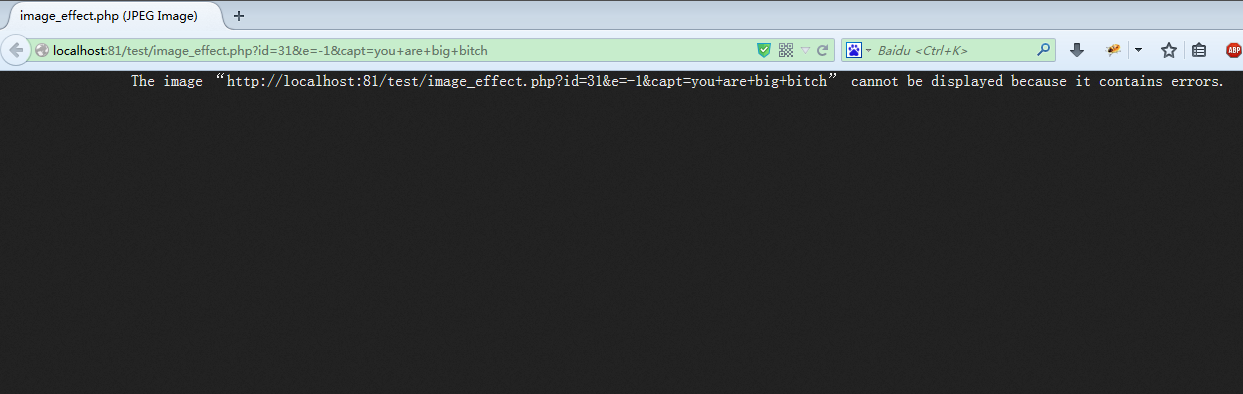
图片没有截完整提示是:The image “http://localhost:81/test/image_effect.php?id=31&e=-1&capt=you+are+big+bitch” cannot be displayed because it contains errors.
谷歌浏览器的显示如下:

一个未能正确显示的图片,什么信息都没有。
再来看看大IE的,如下:
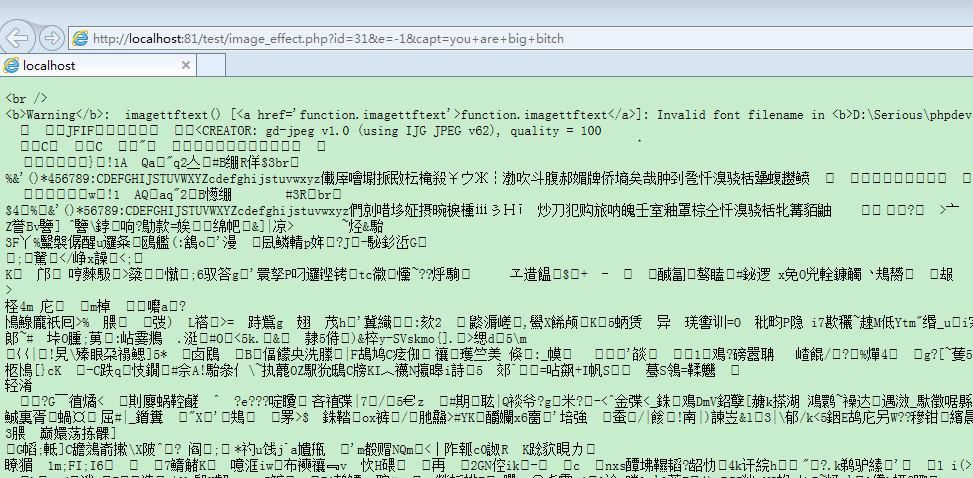
也能看到错误信息,但是一大堆乱码啊!
所以说开发人员好帮手还是火狐。
php给图片加文字的更多相关文章
- PHP给图片加文字水印
<?php /*给图片加文字水印的方法*/ $dst_path = 'http://f4.topitme.com/4/15/11/1166351597fe111154l.jpg'; $dst = ...
- Java图片加文字水印
Java图片加文字水印 import java.awt.Color; import java.awt.Font; import java.awt.Graphics; import java.awt.I ...
- C#给图片加文字水印
public class TxtWaterMark { public enum WaterPositionMode { LeftTop,//左上 LeftBottom,//左下 RightTop,// ...
- ASP.NET(C#)图片加文字、图片水印,神啊,看看吧
ASP.NET(C#)图片加文字.图片水印 一.图片上加文字: //using System.Drawing; //using System.IO; //using System.Drawing.Im ...
- C#给图片加文字和图片的水印
/// <summary> /// WaterMark 的摘要说明 /// </summary> /// 图片加水印 /// <param name="strC ...
- Android给图片加文字和图片水印
我们在做项目的时候有时候需要给图片添加水印,水寒今天就遇到了这样的问题,所以搞了一个工具类,贴出来大家直接调用就行. /** * 图片工具类 * @author 水寒 * 欢迎访问水寒的个人博客:ht ...
- 安卓使用TextView实现图片加文字说明
背景:通讯录列表,每个单元格显示头像+名字,且头像显示圆形 方案一:ImageView + TextView 方案二:只用TextView + drawableLeft 属性 <TextView ...
- PHP图片加文字水印和图片水印方法(鉴于李老师博客因没加水印被盗,特搜集的办法。希望能有用!)
$dst_path = 'dst.jpg'; //创建图片的实例 $dst = imagecreatefromstring(file_get_contents($dst_path)); //打上文字 ...
- PHP给图片加文字(水印)
准备工作: 代码: <?php header("Content-type: image/jpeg"); //浏览器输出,如不需要可去掉此行 $im = @imagecreat ...
随机推荐
- spring data 自定义接口
1 spring data jpa 虽然说spring data 提供了很多DAO 接口,但是依然可能不能满足我们日常的使用,所以,有时我们需要自定义接口方法.自定义接口方法步骤如下: 1. 创建自 ...
- HighChart 体验之旅 (后台传递JSON参数和数据的方法)
转自:http://www.cnblogs.com/daviddai/archive/2013/04/12/Highchart.html 官网:http://www.highcharts.com/ 中 ...
- Idea软件Vim插件问题
人家说用webstorm是纯前端,用Idea是java+前端,好,那就用Idea,装上试试,全选所有插件安装,奇迹出现了,选中一行代码,backspace,删不了,我的天,好吧,复制粘贴的快捷键也不行 ...
- EntityFramework CodeFirst 学习
个人学习笔记仅供分享,如有错误还请指出 demo结构:models类库和控制台程序 1.首先在model中建立,ADO.NET 实体数据模型---空模型,然后新建数据实体,并且生成数据库 2.控制台想 ...
- K:线性表的实现—顺序表
所谓顺序表,就是顺序存储的线性表.顺序存储就是用一组地址连续的存储单元依次存放线性表中各个数据元素的存储结构. 线性表中所有数据元素的类型是相同的,所以每一个数据元素在存储器中占用相同的大小的空间.假 ...
- Inter网关做Team的方法
1.到Inter官网上找到相关驱动程序 2.在安装过程中,要求勾选高级网络 3.驱动安装完成后,打开网卡的属性窗口,在“分组”选项卡中,勾中,并输入Team名称 4.选择需要做Team的网卡 5.选择 ...
- C#迭代器、装箱/拆箱、重载等
迭代器 迭代器是什么? 迭代器是作为一个容器,将要遍历的数据放入,通过统一的接口返回相同类型的值. 为什么要用迭代器? 为何了为集合提供统一的遍历方式,迭代器模式使得你能够获取到序列中的所有元素而不用 ...
- PostgreSQL Metadata
http://www.devart.com/dotconnect/postgresql/docs/MetaData.html In this overload first parameter is ...
- MSSQL中的表变量
最近在看<Microsoft SQL Server2005技术内幕:T-SQL程序设计> 1.表变量的事务上下文中提到,表变量不受外部事务回滚影响. 举个例子: DECLARE @TA ...
- MySQL mysqldump数据导出基本操作
mysqldump mysqldump命令是mysql数据库中备份工具,用于将MySQL服务器中的数据库以标准的sql语言的方式导出,并保存到文件中. 选项 --all-databases, -A:导 ...