
5、AngularJS 直接绑定显示html ($sce、$sanitize服务)
1、直接使用$sce服务(angularjs中:$sce.trustAsHtml($scope.snippet)。html:ng-bind-html="snippet")
以下代码输出: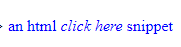
 <div ng-bind-html="snippet"></div>

 <script>

   angular.module('sanitizeExample', [])

   .controller('ExampleController', ['$scope', '$sce', function($scope, $sce) {

         //测试用字符串

              $scope.snippet =

                '<p style="color:blue">an html\n' +

                '<em onmouseover="this.textContent=\'PWN3D!\'">click here</em>\n' +

                'snippet</p>';

         //$sce 服务trustAsHtml 进行编译

              $scope.deliberatelyTrustDangerousSnippet = function() {

                return $sce.trustAsHtml($scope.snippet);

              };

      }]);

 </script>
2、使用angular-sanitize.js 模块中的$sanitize服务,信任字符串,直接显示html
以下代码输出: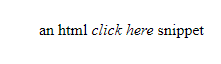
 <div ng-bind-html="snippet"></div>

 <script>

   angular.module('sanitizeExample', ['ngSanitize'])

   .controller('ExampleController', ['$scope', function($scope) {

         //测试用字符串

              $scope.snippet =

                '<p style="color:blue">an html\n' +

                '<em onmouseover="this.textContent=\'PWN3D!\'">click here</em>\n' +

                'snippet</p>';

      }]);

 </script>
3、整体demo代码:
<!DOCTYPE html>
<html lang="en">
<head>
<meta charset="UTF-8">
<meta name="viewport" content="width=device-width, initial-scale=1.0">
<meta http-equiv="X-UA-Compatible" content="ie=edge">
<title>Document</title>
</head>
<body ng-app="sanitizeExample">
<div ng-controller="ExampleController">
Snippet: <textarea ng-model="snippet" cols="60" rows="3"></textarea>
<table>
<tr>
<td>Directive</td>
<td>How</td>
<td>Source</td>
<td>Rendered</td>
</tr>
<tr id="bind-html-with-sanitize">
<td>ng-bind-html</td>
<td>Automatically uses $sanitize</td>
<td><pre><div ng-bind-html="snippet"><br/></div></pre></td>
<td><div ng-bind-html="snippet"></div></td>
</tr>
<tr id="bind-html-with-trust">
<td>ng-bind-html</td>
<td>Bypass $sanitize by explicitly trusting the dangerous value</td>
<td>
<pre><div ng-bind-html="deliberatelyTrustDangerousSnippet()"></div></pre>
</td>
<td><div ng-bind-html="deliberatelyTrustDangerousSnippet()"></div></td>
</tr>
<tr id="bind-default">
<td>ng-bind</td>
<td>Automatically escapes</td>
<td><pre><div ng-bind="snippet"><br/></div></pre></td>
<td><div ng-bind="snippet"></div></td>
</tr>
</table>
</div>
<script>
angular.module('sanitizeExample', ['ngSanitize'])
.controller('ExampleController', ['$scope', '$sce', function($scope, $sce) {
$scope.snippet =
'<p style="color:blue">an html\n' +
'<em onmouseover="this.textContent=\'PWN3D!\'">click here</em>\n' +
'snippet</p>';
$scope.deliberatelyTrustDangerousSnippet = function() {
return $sce.trustAsHtml($scope.snippet);
};
}]);
</script>
</body>
//修改为本地angular.js 相对地址
<script src="angular.min.js" type="text/javascript"></script>
<script src="angular-sanitize.js" type="text/javascript"></script>
</html>
5、AngularJS 直接绑定显示html ($sce、$sanitize服务)的更多相关文章
- angularjs 指令—— 绑定策略(@、=、&)
angularjs 指令—— 绑定策略(@.=.&) 引入主题背景:angular 的指令配置中的template可以直接使用硬编码写相应的代码,不过也可以根据变量,进行动态更新.那么需要用到 ...
- AngularJS进阶(十)AngularJS改变元素显示状态
AngularJS改变元素显示状态 前言 本文描述使用AngularJS提供的ng-show和ng-hide指令实现自动监听某布尔型变量来改变元素显示状态. 控制html元素显示和隐藏有n种方法:ht ...
- AngularJS参数绑定 --AngularJS
AngularJS参数绑定有三种方式.第一种插值表达式“{{}}”表示,第二种在标签中使用ng-bind属性表示,第三种针对input框(标签)的ng-module属性表示.针对三种参数绑定方式,设定 ...
- angular-ngSanitize模块-$sanitize服务详解
本篇主要讲解angular中的$sanitize这个服务.此服务依赖于ngSanitize模块. 要学习这个服务,先要了解另一个指令: ng-bing-html. 顾名思义,ng-bind-html和 ...
- 【AngularJS学习笔记】01 指令、服务和过滤器
AngularJS 指令是扩展的 HTML 属性,带有前缀 ng-. 比如: ng-app 指令初始化一个 AngularJS 应用程序.注意ng-app一般为空,如果值不为空,就得加这样一句代码va ...
- AngularJS进阶(四十)创建模块、服务
AngularJS进阶(四十)创建模块.服务 学习要点 使用模块构架应用 创建和使用服务 为什么要使用和创建服务与模块? 服务允许你打包可重用的功能,使之能在此应用中使用. 模块允许你打包可重用的功能 ...
- AngularJS路由系列(4)-- UI-Router的$state服务、路由事件、获取路由参数
本系列探寻AngularJS的路由机制,在WebStorm下开发.主要包括: ● UI-Router的$state服务● UI-Router的路由事件● UI-Router获取路由参数 Angular ...
- AngularJS事件绑定的使用详解
本文和大家分享的主要是AngularJS中事件绑定相关知识点,希望通过本文的分享,对大家学习和使用AngularJS有所帮助. 1.绑定事件:表达式.事件方法名: 2.绑定点击事件实例:显示.隐藏页面 ...
- AngularJS中实现显示或隐藏动画效果的3种方式
本篇体验在AngularJS中实现在"显示/隐藏"这2种状态切换间添加动画效果. 通过CSS方式实现显示/隐藏动画效果 思路: →npm install angular-anima ...
随机推荐
- POJ1192最优连通子串----树形dp
中文题面,目的很明显,把相邻的两个点看成是两个点之间有一条边,就能当成树形dp来做了. 用一遍dfs可以找出最大的子树权值和. #include<iostream> #include< ...
- 使用NVM管理Node - Windows
安装 NVM NVM 下载:https://github.com/coreybutler/nvm-windows 安装 Node 注意:如果没有FQ默认源可能安装npm失败,请参考下一节“安装 NPM ...
- 【BUAA-OO】第一单元作业总结
#OO第一单元作业总结 #确认存活,爱学习,爱北航,爱OO 一.三次作业分析 1.第一次作业 1.1 程序结构 对方法的度量: 类的内聚和相互间的耦合情况: 类图: 优缺点: 优点大概没什么优点,毕竟 ...
- 多邻国学英语 tips
来源: https://www.cnblogs.com/daysme整理了一分多邻国学英语中的相关语法文档. 地方 null 现在完成时 null 反身代词 浓缩的精华:反身代词就是 “XX 自己” ...
- 实现img图片不能被拖动的两种简单方法
1,在img标签中添加属性 draggable="false" 2,通过css样式设置 img { -webkit-user-drag: none; }
- fail to resolve com.umeng.analytics:analytics:latest.integration
今天友盟接入的时候,他娘的居然提示我这个友盟jar包拉不下来 明明之前还好好的,而且别的什么东西都没问题,就这个有问题 原来使用的是 compile "com.umeng.analytics ...
- Git更改用户名与回退操作
1. 更改本地用户名和邮箱 git config --global user.name "Your_username" git config --global user.email ...
- Spring的事务初见
一.事务的特性 原子性: 事务是最小的执行单位,不允许分割.事务的原子性确保动作要么全部完成,要么完全不起作用: 一致性: 执行事务前后,数据保持一致: 隔离性: 并发访问数据库时,一个用户的事物不被 ...
- java中JScrollPane不显示水平滚动条的解决办法
在JPanel中添加了表格,表格中对东西太多,需要水平滚动条滑动才能够完全找到所有数据,如果没有水平滚动条的话,数据堆积在一起,无法分开 做法是: 第一步:先将表格自动调整的状态给关闭掉:table. ...
- 微信小程序onlaunch异步,首页onLoad先执行?
按照原理是小程序初始化时会先触发APP里的onLaunch事件,之后再执行页面Page里的onLoad事件.但实际请求时在onLaunch事件中请求获取数据,等待返回值的时候Page里的onLoad事 ...