
.net core 入门一
官网教程:https://docs.microsoft.com/zh-cn/aspnet/core/getting-started/?view=aspnetcore-3.0&tabs=windows
目录:
1.新建项目.NET CORE API
2.连接mysql(使用EF)
3.部署到windows-IIS
一 新建项目.NET CORE API
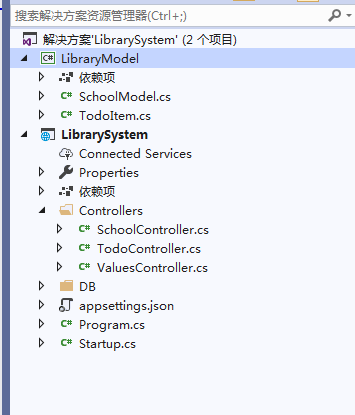
二 连接mysql(使用EF)
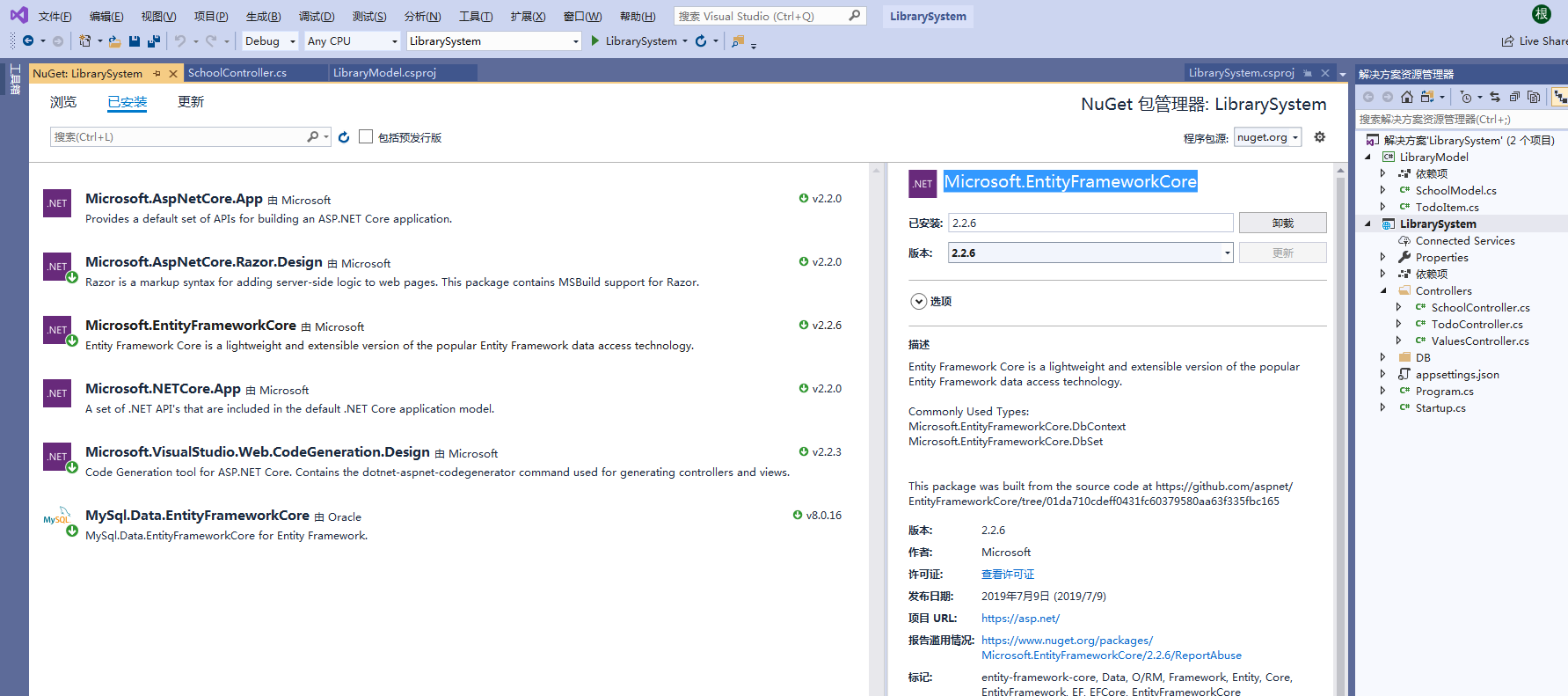
1.nuget:MySql.Data.EntityFrameworkCore Microsoft.EntityFrameworkCore
using System;

using System.ComponentModel;

using System.ComponentModel.DataAnnotations;

using System.ComponentModel.DataAnnotations.Schema;

namespace LibraryModel

{

    [Table("School")]

    public class SchoolModel

    {

        [Key]

        public int Id { get; set; }

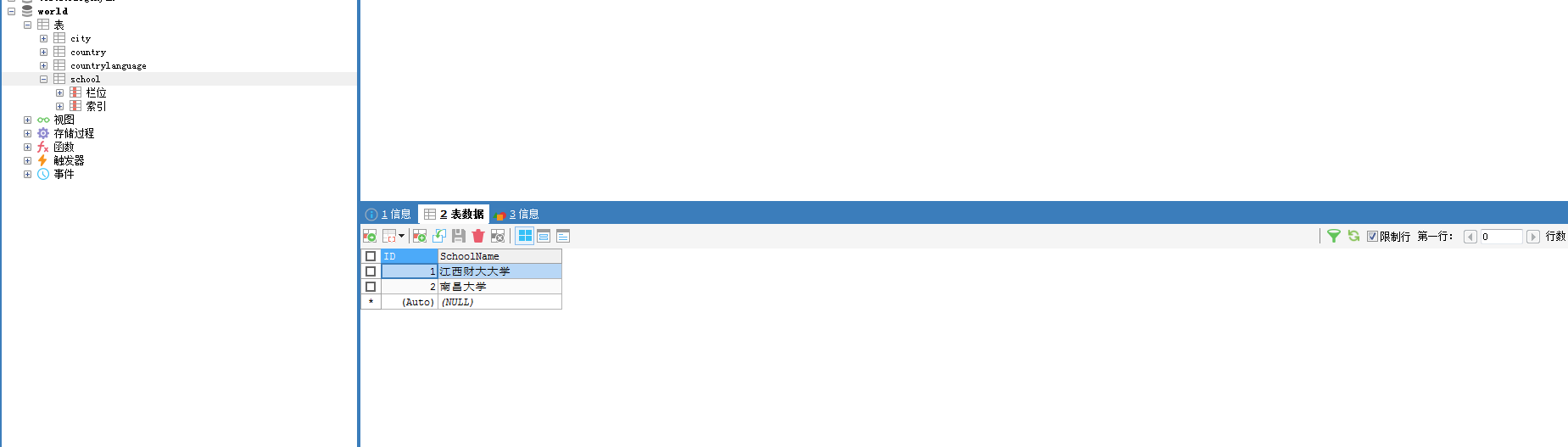
        public string SchoolName { get; set; }

    }

}
using LibraryModel;

using Microsoft.EntityFrameworkCore;

using System;

using System.Collections.Generic;

using System.Linq;

using System.Threading.Tasks;

namespace LibrarySystem.DB

{

    public class LibraryContext : DbContext

    {

        public LibraryContext(DbContextOptions<LibraryContext> options) : base(options) { }

        public DbSet<SchoolModel> School { get; set; }

    }

}
using System;

using System.Collections.Generic;

using System.Configuration;

using System.Linq;

using System.Threading.Tasks;

using LibrarySystem.DB;

using Microsoft.AspNetCore.Builder;

using Microsoft.AspNetCore.Hosting;

using Microsoft.AspNetCore.HttpsPolicy;

using Microsoft.AspNetCore.Mvc;

using Microsoft.EntityFrameworkCore;

using Microsoft.Extensions.Configuration;

using Microsoft.Extensions.DependencyInjection;

using Microsoft.Extensions.Logging;

using Microsoft.Extensions.Options;

namespace LibrarySystem

{

    public class Startup

    {

        public Startup(IConfiguration configuration)

        {

            Configuration = configuration;

        }

        public IConfiguration Configuration { get; }

        // This method gets called by the runtime. Use this method to add services to the container.

        public void ConfigureServices(IServiceCollection services)

        {

            var conn = Configuration.GetSection("ConnectionString:Default").Value;

            services.AddDbContext<LibraryContext>(options => options.UseMySQL(conn));

            services.AddDbContext<TodoContext>(opt =>

                opt.UseInMemoryDatabase("TodoList"));

            services.AddMvc().SetCompatibilityVersion(CompatibilityVersion.Version_2_2);

        }

        // This method gets called by the runtime. Use this method to configure the HTTP request pipeline.

        public void Configure(IApplicationBuilder app, IHostingEnvironment env)

        {

            if (env.IsDevelopment())

            {

                app.UseDeveloperExceptionPage();

            }

            else

            {

                // The default HSTS value is 30 days. You may want to change this for production scenarios, see https://aka.ms/aspnetcore-hsts.

                app.UseHsts();

            }

            app.UseHttpsRedirection();

            app.UseMvc();

        }

    }

}
{

  "Logging": {

    "LogLevel": {

      "Default": "Warning"

    }

  },

  "ConnectionString": {

    "Default": "server=127.0.0.1;userid=root;password=xxxx;port=3306;database=world;allowuservariables=True;"

  },

  "AllowedHosts": "*"

}
using System;

using System.Collections.Generic;

using System.Linq;

using System.Threading.Tasks;

using LibraryModel;

using LibrarySystem.DB;

using Microsoft.AspNetCore.Http;

using Microsoft.AspNetCore.Mvc;

namespace LibrarySystem.Controllers

{

    [Route("api/[controller]")]

    [ApiController]

    public class SchoolController : ControllerBase

    {

        LibraryContext context;

        public SchoolController(LibraryContext _context)

        {

            context = _context;

        }

        [HttpGet]

        [Route("Query")]

        public dynamic Query(int id)

        {

            var data = context.School.FirstOrDefault();

            return data;

        }

        [HttpGet]

        [Route("dosome")]

        public dynamic Dosome()

        {

            return "";

        }

        [HttpGet]

        public dynamic GetList()

        {

            var data = context.School.ToList();

            return data;

        }

    }

}
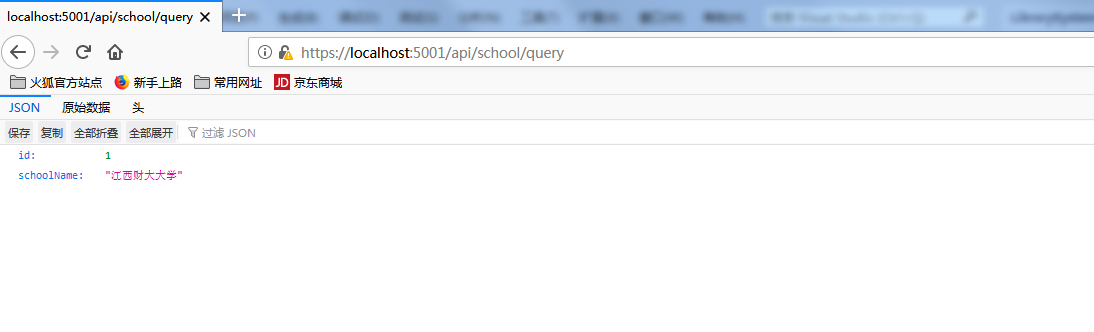
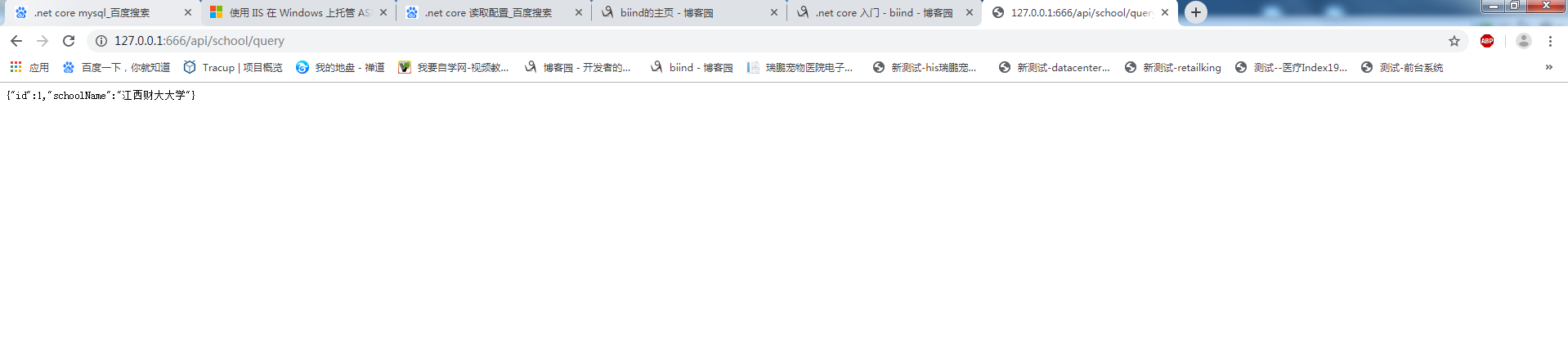
2.浏览器访问:https://localhost:5001/api/school/query
三 部署到windows-IIS
官网教程:https://docs.microsoft.com/zh-cn/aspnet/core/host-and-deploy/iis/?view=aspnetcore-3.0
1.安装 .NET Core 托管捆绑包 dotnet-hosting-2.2.6-win.exe ,地址:https://download.visualstudio.microsoft.com/download/pr/a9bb6d52-5f3f-4f95-90c2-084c499e4e33/eba3019b555bb9327079a0b1142cc5b2/dotnet-hosting-2.2.6-win.exe
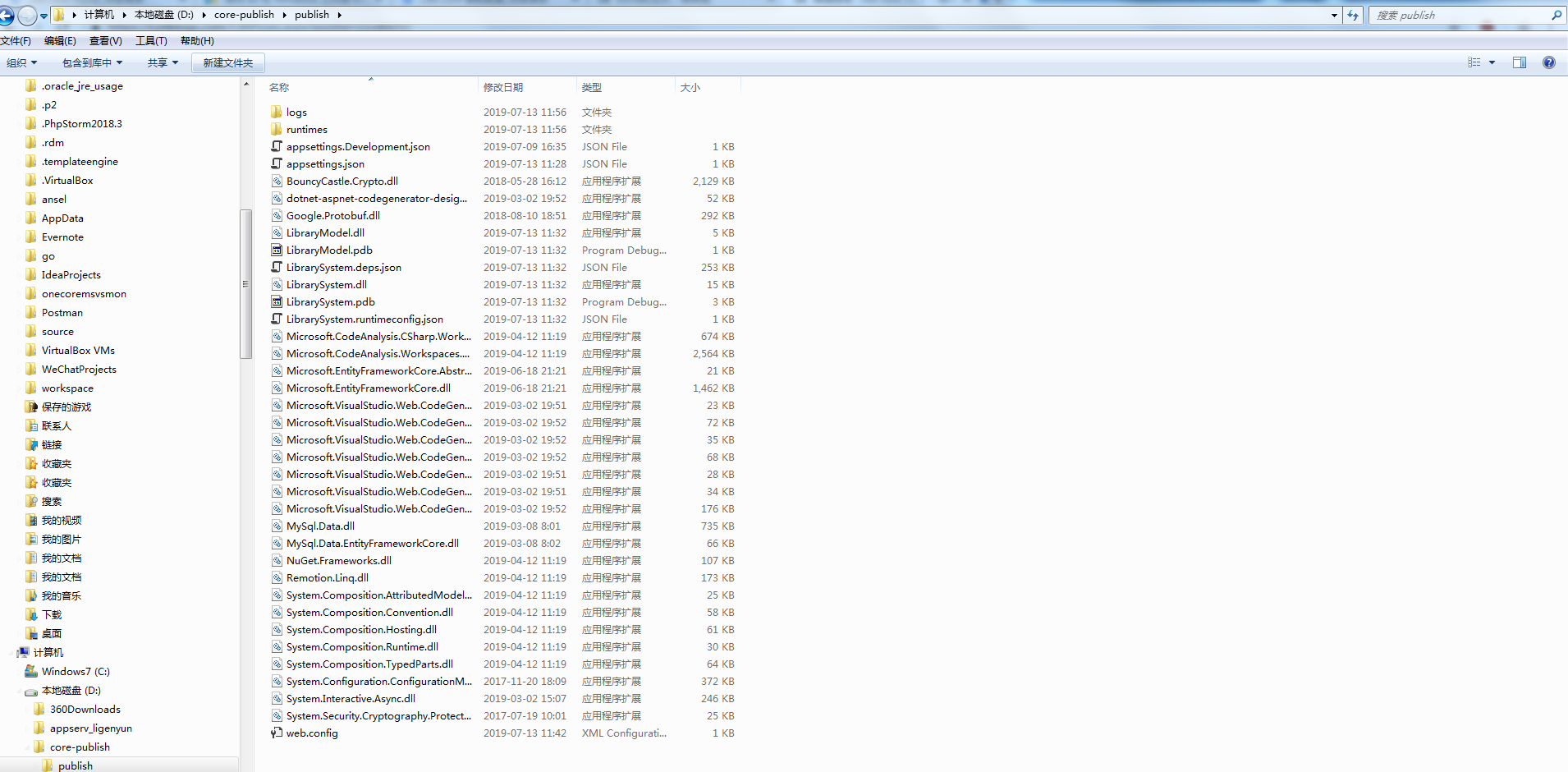
2.项目发布。存在地址:D:\core-publish\publish
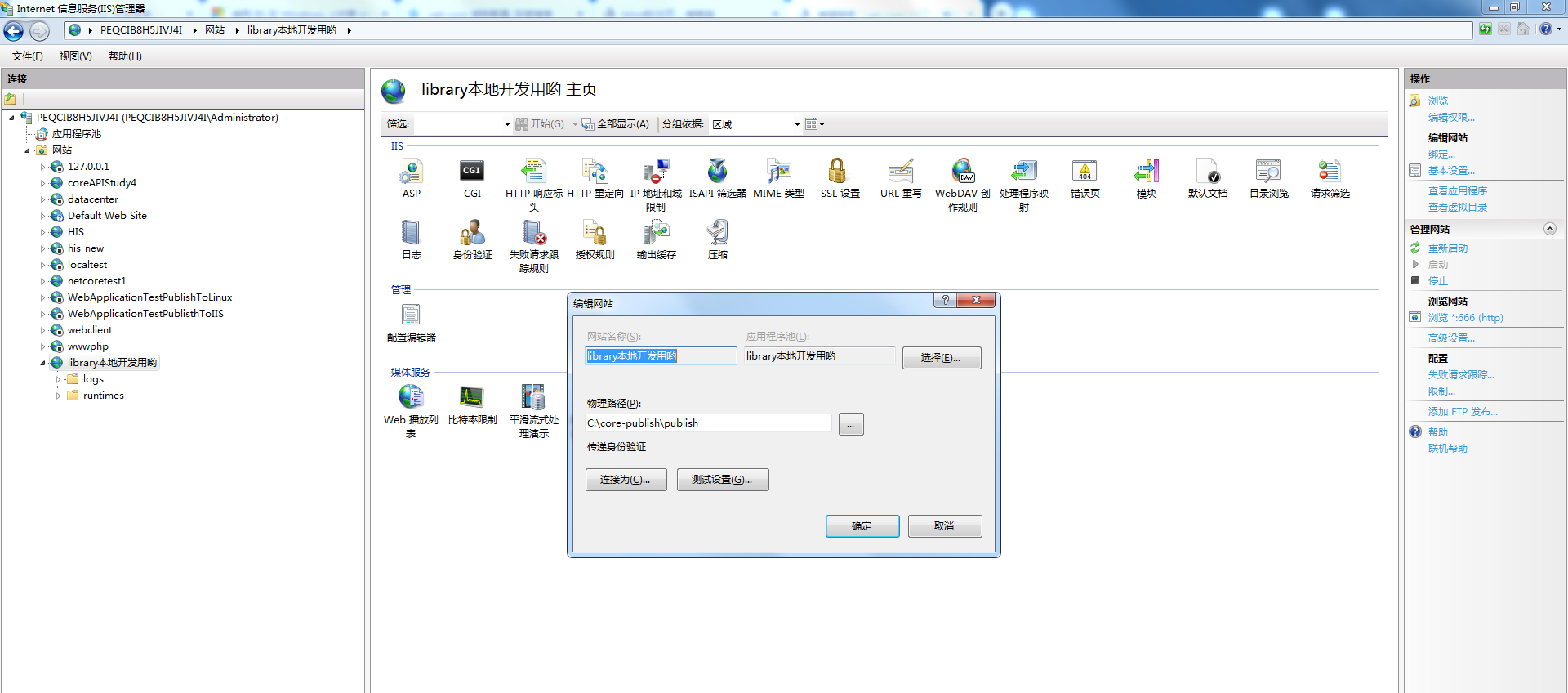
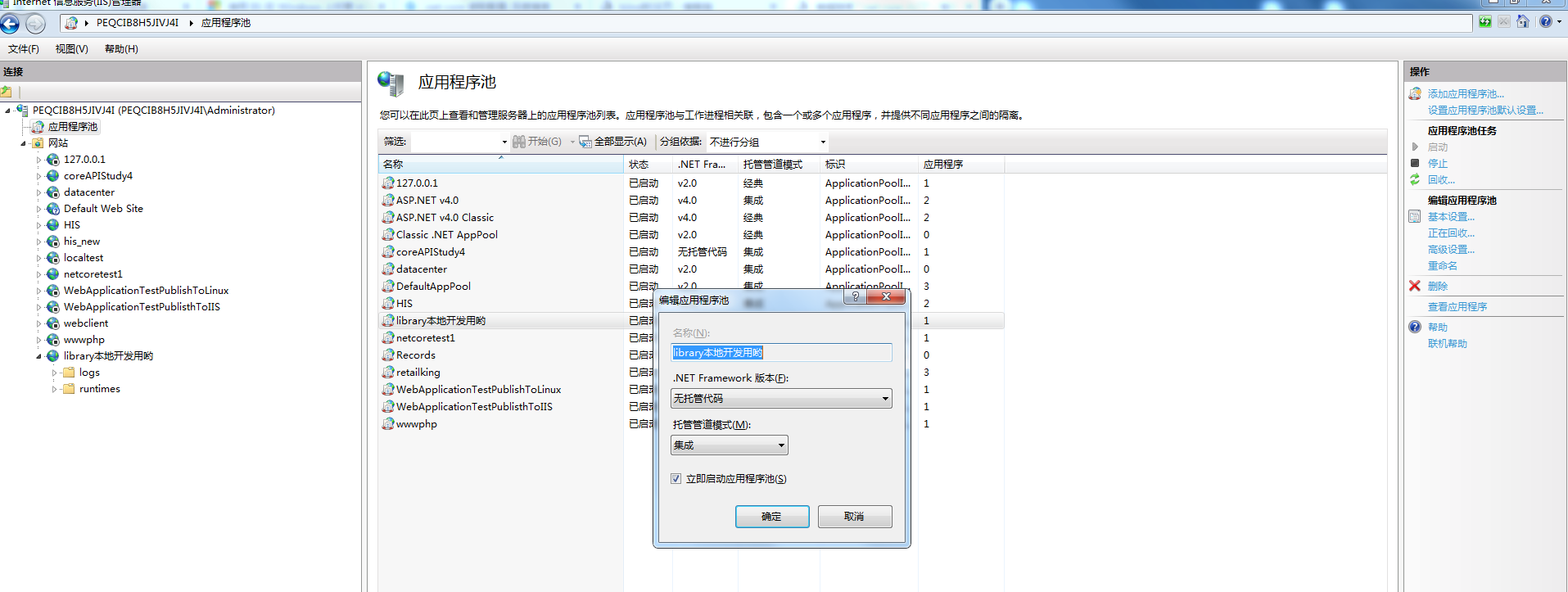
3.新建IIS网站
.net core 入门一的更多相关文章
- CentOS开发ASP.NET Core入门教程
作者:依乐祝 原文地址:https://www.cnblogs.com/yilezhu/p/9891346.html 因为之前一直没怎么玩过CentOS,大多数时间都是使用Win10进行开发,然后程序 ...
- ASP.NET Core 入门教程 10、ASP.NET Core 日志记录(NLog)入门
一.前言 1.本教程主要内容 ASP.NET Core + 内置日志组件记录控制台日志 ASP.NET Core + NLog 按天记录本地日志 ASP.NET Core + NLog 将日志按自定义 ...
- ASP.NET Core入门(一)
大家好,很荣幸您点了开此篇文章,和我一起来学习ASP.NET Core,此篇文字为<ASP.NET Core入门>系列中的第一篇,本系列将以一个博客系统为例,从第一行代码,到系统发布上线( ...
- 【翻译】ASP.NET Core 入门
ASP.NET Core 入门 原文地址:Introduction to ASP.NET Core 译文地址:asp.net core 简介 翻译:ganqiyin ...
- net Core 入门实战
Asp.net Core 入门实战 Asp.Net Core 是开源,跨平台,模块化,快速而简单的Web框架. Asp.net Core官网的一个源码合集,方便一次性Clone 目录 快速入门 安 ...
- ASP.NET CORE 入门教程(附源码)
ASP.NET CORE 入门教程 第一课 基本概念 基本概念 Asp.Net Core Mvc是.NET Core平台下的一种Web应用开发框架 符合Web应用特点 .NET Core跨平台解决方案 ...
- Docker系列之.NET Core入门(三)
前言 在Docker生态系统中除了上一节所讲解的基本概念,还有其他专业术语,本文我们将一笔带过,同时会开始陆续进入到在.NET Core中使用Docker. 专业术语 Docker Engine(Do ...
- Asp.Net SignalR 使用记录 技术回炉重造-总纲 动态类型dynamic转换为特定类型T的方案 通过对象方法获取委托_C#反射获取委托_ .net core入门-跨域访问配置
Asp.Net SignalR 使用记录 工作上遇到一个推送消息的功能的实现.本着面向百度编程的思想.网上百度了一大堆.主要的实现方式是原生的WebSocket,和SignalR,再次写一个关于A ...
- Orchard Core入门配方和主题
包含Orchard Core入门配方和主题 可以通过两个不同的NuGet包使用Orchard Core. OrchardCore.Application.Cms.Core.Targets Orchar ...
- Asp.net Core 入门实战
Asp.Net Core 是开源,跨平台,模块化,快速而简单的Web框架. Asp.net Core官网的一个合集,方便一次性Clone 目录 快速入门 安装 一个最小的应用 项目模板 路由 静态文件 ...
随机推荐
- 8.2.ZooKeeper应用场景
7.ZooKeeper应用举例 为了方便大家理解ZooKeeper,在此就给大家举个例子,看看ZooKeeper是如何实现的他的服务的,我以ZooKeeper提供的基本服务分布式锁为例. 7.1 分布 ...
- DBSCAN算法及sklearn实现
基本概念:(Density-Based Spatial Clustering of Application with Noiso) 1.核心对象: 若某个点的密度达到算法设定的阈值则其为核心点.(即r ...
- 搭建单机版伪分布zookeeper集群
一.下载zookeeper http://mirrors.shu.edu.cn/apache/zookeeper/stable/ 我下载的是3.4.13版本 上传到liunx虚拟机上,解压 再复制出2 ...
- 网络资源url转化为file对象下载文件
注:只测试过网络图片资源. 一.使用org.apache.commons.io.FileUtils 二. 三.httpURLConnection.disconnect(); 四. import org ...
- 卸载nginx
sudo apt-get remove nginx nginx-common # 卸载删除除了配置文件以外的所有文件. sudo apt-get purge nginx nginx-common # ...
- Java-五种线程池,四种拒绝策略,三种阻塞队列(转)
Java-五种线程池,四种拒绝策略,三种阻塞队列 三种阻塞队列: BlockingQueue<Runnable> workQueue = null; workQueue = n ...
- HDU 6034 - Balala Power! | 2017 Multi-University Training Contest 1
/* HDU 6034 - Balala Power! [ 大数进位,贪心 ] 题意: 给一组字符串(小写英文字母),将上面的字符串考虑成26进制数,每个字母分配一个权值,问这组数字加起来的和最大是多 ...
- Blade 模板
在Laravel 5.3中,@foreach指令提供了更加强大的功能,在每一个@foreach循环体中都可以调用一个新的$loop变量.该变量是一个stdClass实例,包含了当前循环的元数据信息,让 ...
- poj 3050 Hopscotch DFS+暴力搜索+set容器
Hopscotch Time Limit: 1000MS Memory Limit: 65536K Total Submissions: 2774 Accepted: 1940 Description ...
- codevs 1013 求先序排列 2001年NOIP全国联赛普及组 x
题目描述 Description 给出一棵二叉树的中序与后序排列.求出它的先序排列.(约定树结点用不同的大写字母表示,长度<=8). 输入描述 Inpu ...