
使用IDEA 搭建一个 SpringBoot + Hibernate + Gradle 项目
现在创建个项目:
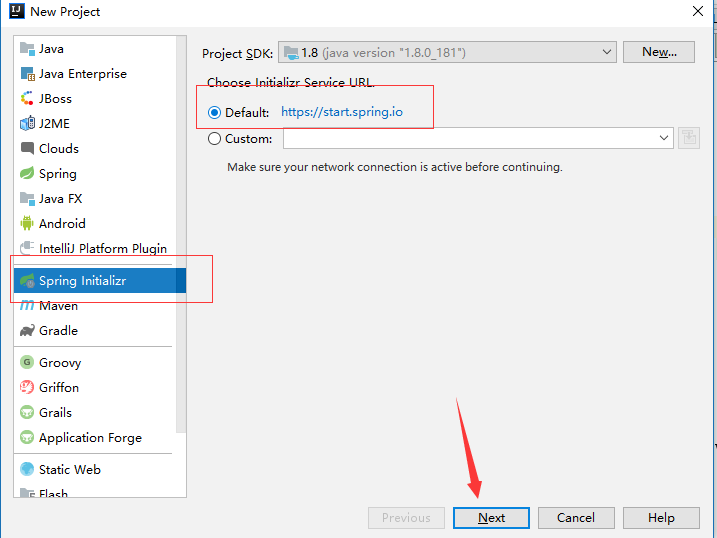
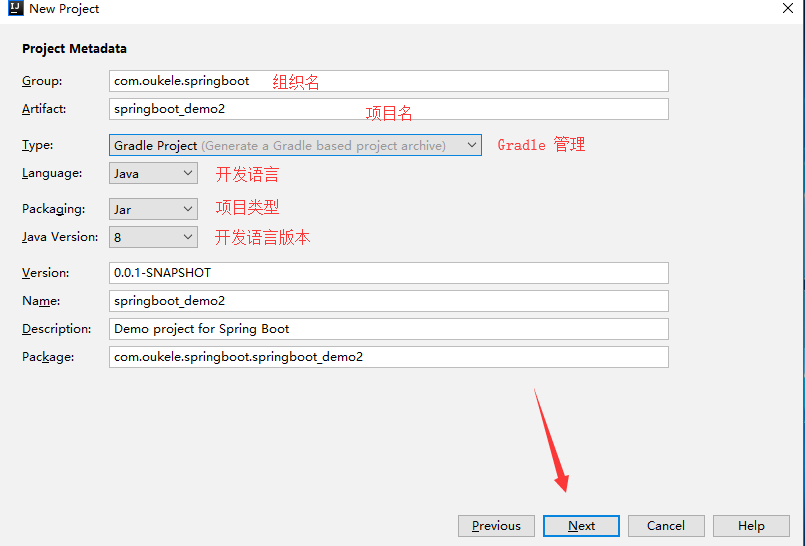
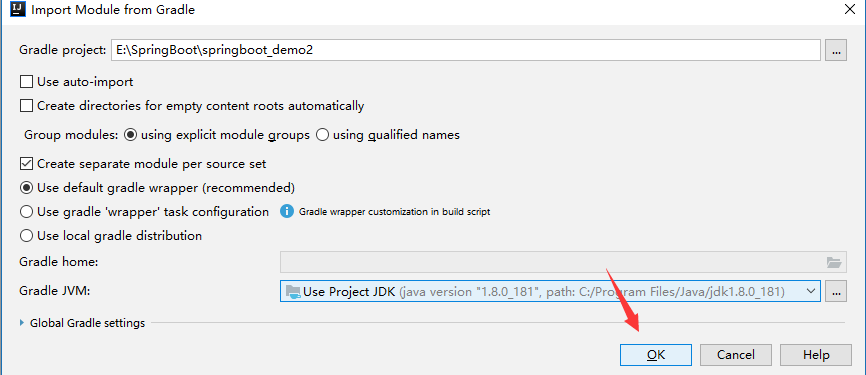
勾上 自已 需要东西。(这里作为演示)

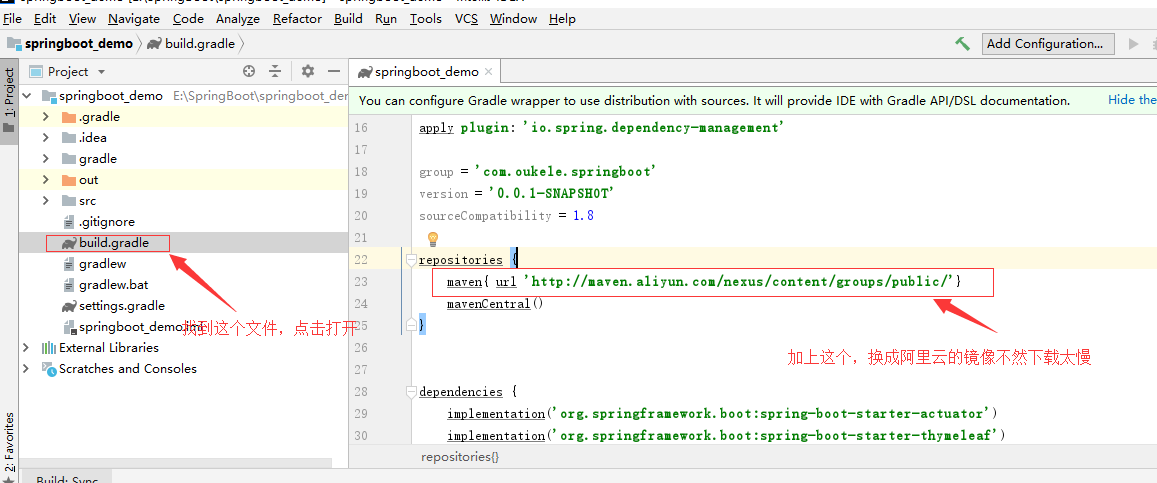
maven{ url 'http://maven.aliyun.com/nexus/content/groups/public/'}
关闭项目,重新打开。
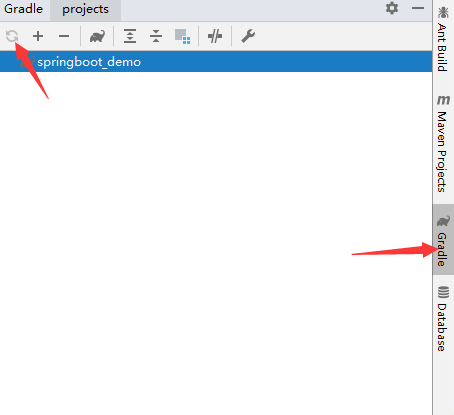
等待,依赖下载完成。

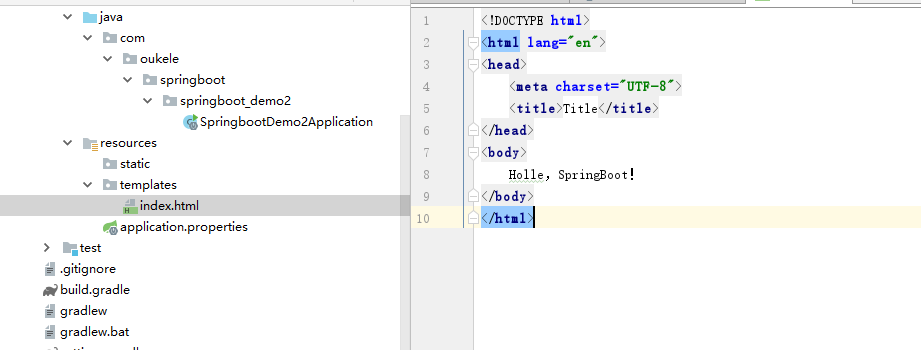
在 templates 文件夹 中 加入 一个 index.html 的文件
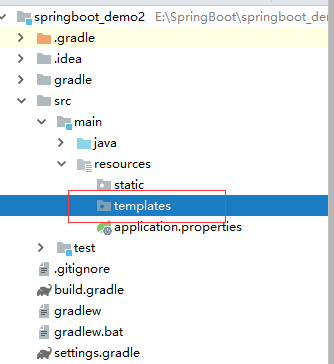
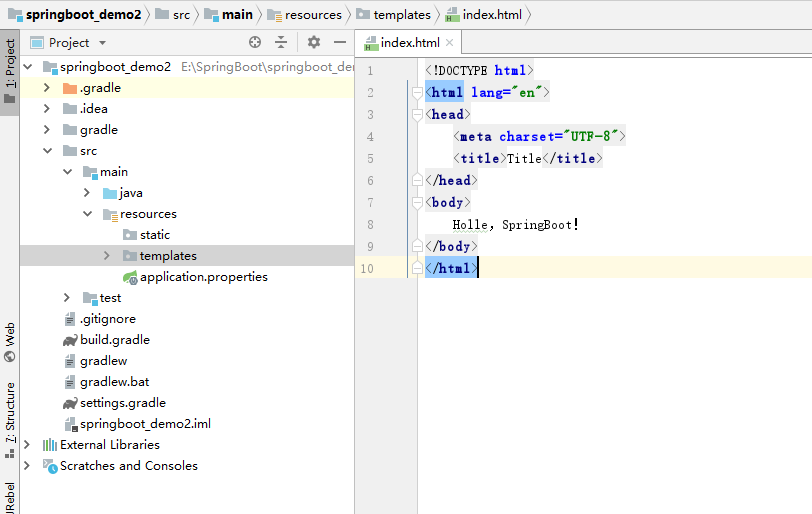
到这里,还要配置一下 数据库连接(刚刚加了 jpa),我这里作为演示使用的是 Mariadb数据库
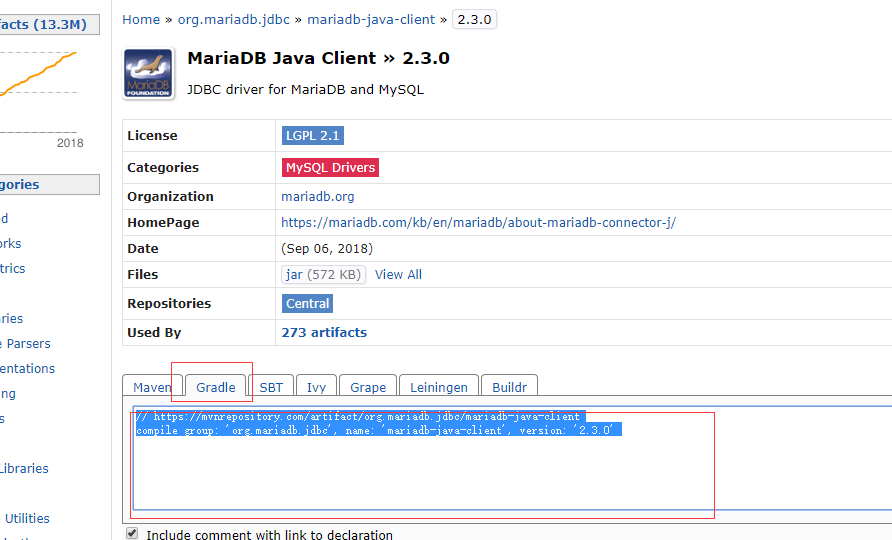
增加,依赖...
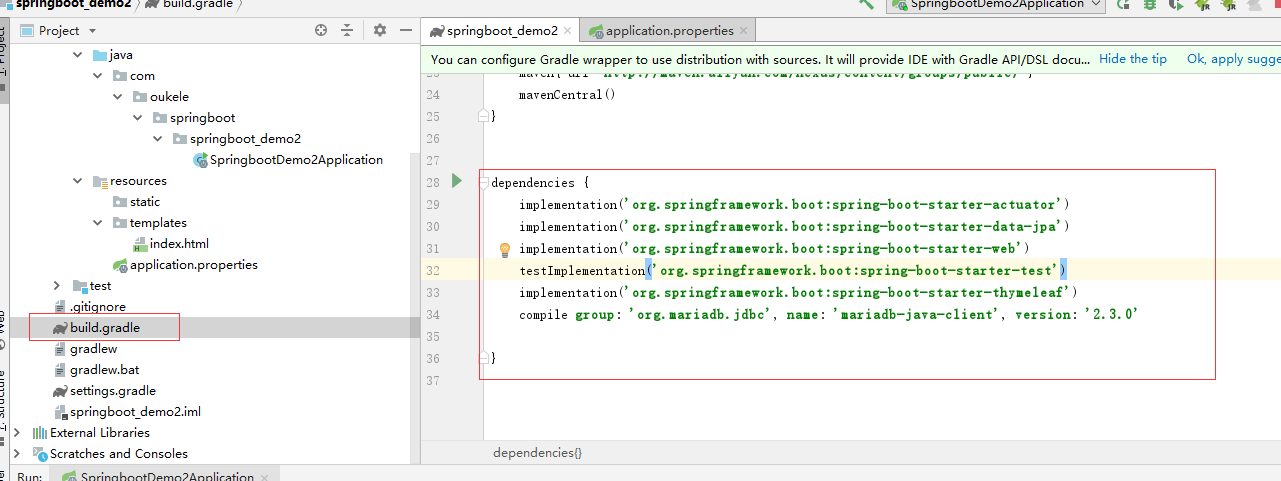
     implementation('org.springframework.boot:spring-boot-starter-actuator')

     implementation('org.springframework.boot:spring-boot-starter-data-jpa')

     implementation('org.springframework.boot:spring-boot-starter-web')

     testImplementation('org.springframework.boot:spring-boot-starter-test')

     implementation('org.springframework.boot:spring-boot-starter-thymeleaf')//视图引擎

     compile group: 'org.mariadb.jdbc', name: 'mariadb-java-client', version: '2.3.0'
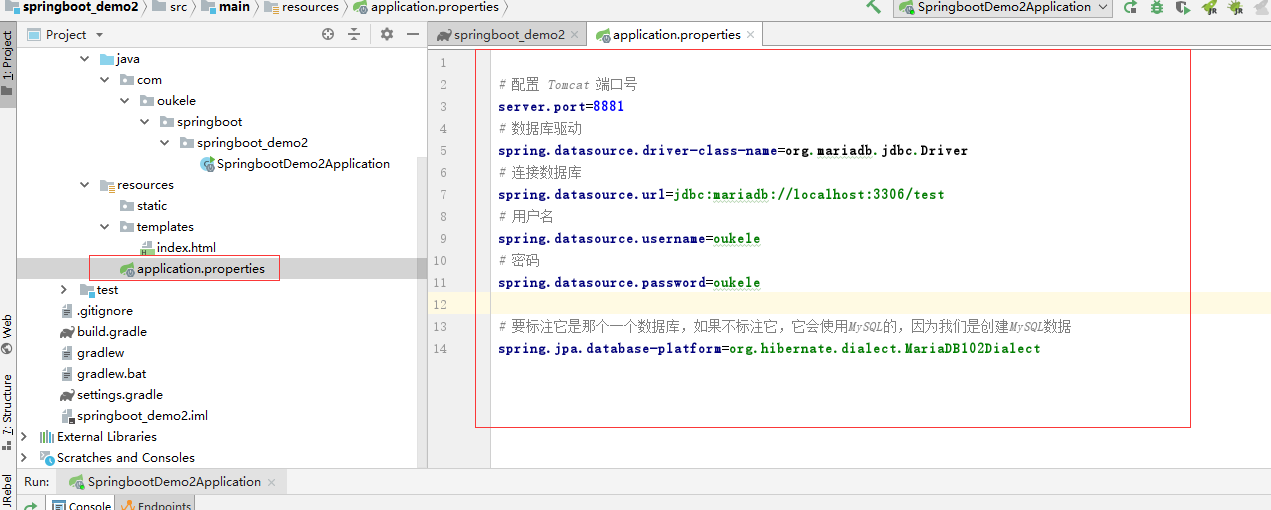
 # 配置 Tomcat 端口号

 server.port=8881

 # 数据库驱动

 spring.datasource.driver-class-name=org.mariadb.jdbc.Driver

 # 连接数据库

 spring.datasource.url=jdbc:mariadb://localhost:3306/test

 # 用户名

 spring.datasource.username=oukele

 # 密码

 spring.datasource.password=oukele

 # 要标注它是那个一个数据库,如果不标注它,它会使用MySQL的,因为我们是创建MySQL数据

 spring.jpa.database-platform=org.hibernate.dialect.MariaDB102Dialect
在 templates 文件夹 中 新建一个 index.html 页面
然后,启动。。
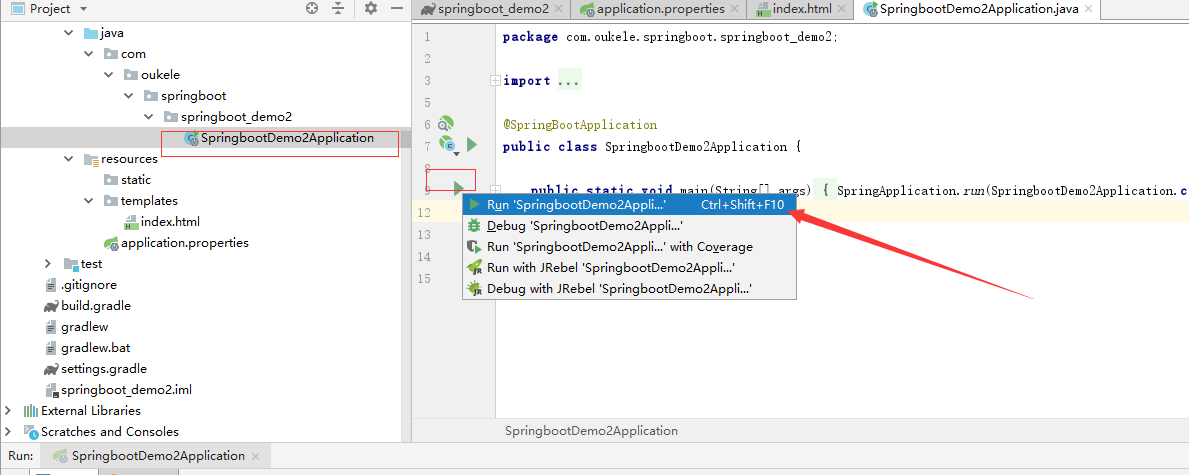
启动,成功

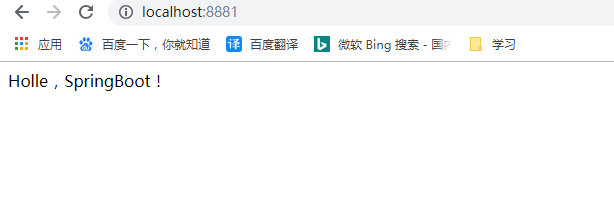
OK啦。
现在,我们去访问数据库,拿到数据吧。
项目结构:
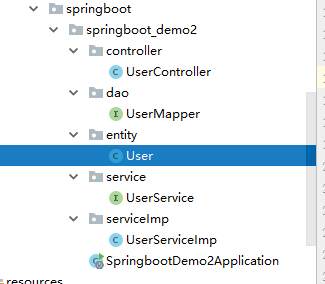
entity包中的User 类
 package com.oukele.springboot.springboot_demo2.entity;

 import javax.persistence.*;

 @Entity

 @Table(name = "user")//数据库的表名

 public class User {

     @Id

     @GeneratedValue(strategy = GenerationType.IDENTITY)//自动增长主键

     private int id;

     @Column(name = "username")//数据库的字段名,数据库 不区分大小写 这个 要注意

     private String name;

     private String password;

     public int getId() {

         return id;

     }

     public void setId(int id) {

         this.id = id;

     }

     public String getName() {

         return name;

     }

     public void setName(String name) {

         this.name = name;

     }

     public String getPassword() {

         return password;

     }

     public void setPassword(String password) {

         this.password = password;

     }

 }
dao 包中的 UserMapper 接口
package com.oukele.springboot.springboot_demo2.dao;

import com.oukele.springboot.springboot_demo2.entity.User;

import org.springframework.data.jpa.repository.JpaRepository;

import org.springframework.stereotype.Repository;

public interface UserMapper extends JpaRepository<User,Integer> {

}
service包中的 UserService 接口
package com.oukele.springboot.springboot_demo2.service;

import com.oukele.springboot.springboot_demo2.entity.User;

import java.util.List;

public interface UserService {

    List<User> listAll();

}
serviceImp 包中的 UserServiceImp 类
package com.oukele.springboot.springboot_demo2.serviceImp;

import com.oukele.springboot.springboot_demo2.dao.UserMapper;

import com.oukele.springboot.springboot_demo2.entity.User;

import com.oukele.springboot.springboot_demo2.service.UserService;

import org.springframework.beans.factory.annotation.Autowired;

import org.springframework.stereotype.Service;

import java.util.List;

@Service

public class UserServiceImp implements UserService {

    @Autowired

    private UserMapper userMapper;

    @Override

    public List<User> listAll() {

        return userMapper.findAll();

    }

}
controller 包 中 的 UserController 类
 package com.oukele.springboot.springboot_demo2.controller;

 import com.oukele.springboot.springboot_demo2.entity.User;

 import com.oukele.springboot.springboot_demo2.serviceImp.UserServiceImp;

 import org.springframework.beans.factory.annotation.Autowired;

 import org.springframework.web.bind.annotation.RequestMapping;

 import org.springframework.web.bind.annotation.RequestMethod;

 import org.springframework.web.bind.annotation.RestController;

 import java.util.List;

 @RestController

 public class UserController {

     @Autowired

     private UserServiceImp userServiceImp;

     @RequestMapping(path = "list",method = RequestMethod.GET)

     public List<User> getList(){

         return userServiceImp.listAll();

     }

 }
重新启动,运行结果:
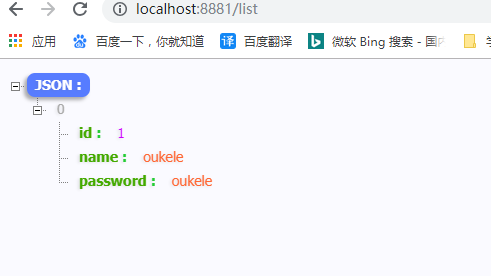
。这样就快速完成了一个 SpringBoot项目。
示例源码下载地址:https://github.com/oukele/SpringBoot-demo1
使用IDEA 搭建一个 SpringBoot + Hibernate + Gradle 项目的更多相关文章
- 使用IDEA 搭建一个SpringBoot + Hibernate + Gradle
---恢复内容开始--- 打开IDEA创建一个新项目: 第一步: 第二步: 第三步: 最后一步: 如果下载的时候时间太久.可以找到build.gradle文件,添加以下代码.如下图 maven{ ur ...
- 手把手搭建一个完整的javaweb项目
手把手搭建一个完整的javaweb项目 本案例使用Servlet+jsp制作,用MyEclipse和Mysql数据库进行搭建,详细介绍了搭建过程及知识点. 下载地址:http://download.c ...
- 小记如何有顺序的搭建一个Spring的web项目
如何有顺序的搭建一个Spring的web项目 一.新建一个简单的maven,war工程 eclipse下如有报错,右键 Deployment 单击 Generate 生成web.xml后可解决报错 二 ...
- 快速搭建一个基于react的项目
最近在学习react,快速搭建一个基于react的项目 1.创建一个放项目文件夹,用编辑器打开 2.打开集成终端输入命令: npm install -g create-react-app 3. cre ...
- react全家桶从0搭建一个完整的react项目(react-router4、redux、redux-saga)
react全家桶从0到1(最新) 本文从零开始,逐步讲解如何用react全家桶搭建一个完整的react项目.文中针对react.webpack.babel.react-route.redux.redu ...
- 5分钟快速搭建一个springboot的项目
现在开发中90%的人都在使用springboot进行开发,你有没有这样的苦恼,如果让你新建一个springboot开发环境的项目,总是很苦恼,需要花费很长时间去调试.今天来分享下如何快速搭建. 一 ...
- 用Eclipse 搭建一个Maven Spring SpringMVC 项目
1: 先创建一个maven web 项目: 可以参照之前的文章: 用Maven 创建一个 简单的 JavaWeb 项目 创建好之后的目录是这样的; 2: 先配置maven 修改pom.xml & ...
- springboot入门(一)--快速搭建一个springboot框架
原文出处 前言在开始之前先简单介绍一下springboot,springboot作为一个微框架,它本身并不提供Spring框架的核心特性以及扩展功能,只是用于快速.敏捷地开发新一代基于Spring框架 ...
- 带你搭建一个简单的mybatis项目:IDEA+spring+springMVC+mybatis+Mysql
最近小编有点闲,突发奇想想重温一下mybatis,然后在脑海中搜索了一下,纳尼,居然不太会用了,想到这里都是泪啊!!现在我所呆的的公司使用的是springboot+hebinate,编程都是使用的JP ...
随机推荐
- 常用小功能js函数-函数防抖
函数防抖:在事件被触发n秒后再执行回调,如果在这n秒内又被触发,则重新计时.这个我经常用到/** * 函数防抖 * fun 需要延时执行的函数 * delayTime 延时时间 * **/export ...
- Redis基础与持久化
Redis介绍 软件说明 Redis是一款开源的,ANSI C语言编写的,高级键值(key-value)缓存和支持永久存储NoSQL数据库产品. Redis采用内存(In-Memory)数据集(Dat ...
- vsphere6.7-虚拟机与ESXI时间同步
环境介绍 esxi 6.7+vsphere6.7 需求配置 设置虚拟机时间与esxi时间同步.esxi时间与NTP服务器同步 配置方式 在esxi上开启NTP服务器时间同步,如下图: 修改虚拟服务器的 ...
- [转帖]mysql8.0忘记密码如何操作?
mysql8.0忘记密码如何操作? https://www.cnblogs.com/gspsuccess/p/11245314.html mark 一下 上次竟然不知道怎么弄. 很不幸,刚安装了MYS ...
- java集合List解析
作为一个Developer,Java集合类是我们在工作中运用最多的.最频繁的类.相比于数组(Array)来说,集合类的长度可变,更加适合于现代开发需求: Java集合就像一个容器,可以存储任何类型的数 ...
- #import "msado15.dll" no_namespace rename("EOF","adoEOF")
引入动态链接库msado15.dll的信息, no_namespace--无命名空间 rename(“EOF”,“adoEOF”)--把文件结束符“EOF”,更换成“adoEOF”
- JavaScript - 过滤敏感字符
目录 before 源码示例 before 本篇博客展示了如何是在前端对铭感字符及一些特殊的命令做过滤. 好处是,少发一次请求,减少服器校验压力. 源码示例 <!DOCTYPE html> ...
- poj 1064 求解最大化问题
对于二分而言,如果判断条件比较简单的话,在求解最大化或者最小化问题的时候就比较适用但是这道题目吖的卡精度.. #include<cstdio> #include<iostream&g ...
- 学生管理系统利用arrayList第二次优化
package StuManage; public class Student { private String name;//姓名 private String stuNum;//学号 privat ...
- Guava动态调用方法
前言 大家在Coding的时候,经常会遇到这样一个情况,根据不同的条件去执行对应的代码.我们通常的处理方式是利用if-else判断,或者直接switch-case,特别是jdk1.6之后,swith开 ...