
Microsoft Dynamics CRM 2011 面向Internet部署 (IFD) CRM 登录出现会话超时的解决办法
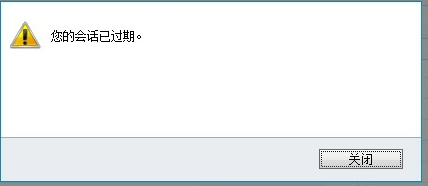
一、IFD 登录的时候,过了一段时间,会马上出现“您的会话已过期”,怎么解决这个问题呢,可以通过改变这个时间。具体图如二
Link to Dynamics CRM Wiki Home Page
二、Setting the ADFS Timeout for CRM 2011 Internet Facing Deployments (IFD)
Once you deploy ADFS in a functional environment, the users will generally receive timeout requests, or requests to log back in, which can quickly become an issue within an 8 hour shift (480 minutes).
The solution is to set the ADFS Timeout. The ADFS timeout determines how long the claims token will live in the system before requiring a re-authentication or signin from the user. This can be set on the internal and external sides of ADFS. You will need to know the names of your ADFS relying party trusts.
To begin, open the ADFS Management Console:

Open the left hand navigation, expand relying parting trusts to find the display names:
Now, run the Windows Powershell from the machine with ADFS installed.

Now from the powershell, start the PSSnapin for ADFS:
说明:注意大小写空格Add-PSSnapin Microsoft.Adfs.Powershell

Using the Internal Relying Party Trust Display Name from the ADFS wizard above, enter this command where the dev.mydomain.com is the name of your internalcrm ADFS Relying Party Trust Display Name.
注意:Get-ADFSRelyingPartyTrust –Name "dev.mydomain.com": dev为组织名,后面的为域名。

The last line of the results specific TokenLifetime will say how long the current time out is set.

Set the timeout to 480 for 8 hours ( minute increments). Example below is (240).
Set-ADFSRelyingPartyTrust -TargetName "dev.mydomain.com" -TokenLifetime 240(分钟)

Now, set the timeout is set. You can follow the same steps to review or set your external timeout as well. It's not a good security practice to set your external lifetime greater than 1 hour, as somebody who logins in remotely and forgets to logout, the session will be active until that timeout period is reached.
If you find my support topics interesting, please read more on www.cognettacloud.com  .
.
Microsoft Dynamics CRM 2011 面向Internet部署 (IFD) CRM 登录出现会话超时的解决办法的更多相关文章
- Microsoft Dynamics CRM 2011 面向Internet部署 (IFD) ADFS虚拟机环境搭建的步骤(CRM与ADFS装在同一台服务器上) 摘自网络
1: 安装windows server 2008 R2 中文版 (过程略) 安装完成后设置机器名和IP地址, 本过程机器名 crm5dev,192.168.0.110 dns: 192.168.0.1 ...
- 20190713_(转)IIS上部署MVC网站,打开后ExtensionlessUrlHandler-Integrated-4.0解决办法 (转)
此文为转载; 原文链接地址: https://www.cnblogs.com/mrma/p/3529859.html ----------------------------------------- ...
- 未能加载文件或程序集"Microsoft.Web.Infrastructure, Version=1.0.0.0, Culture=neutral, PublicKeyToken=31bf3856ad的真正解决办法
未能加载文件或程序集"Microsoft.Web.Infrastructure, Version=1.0.0.0, Culture=neutral, PublicKeyToken=31bf3 ...
- Dynamics Customer Engagement V9版本配置面向Internet的部署时候下一步按钮不可点击的解决办法
微软动态CRM专家罗勇 ,回复299或者20190120可方便获取本文,同时可以在第一间得到我发布的最新博文信息,follow me!我的网站是 www.luoyong.me . Dynamics 3 ...
- 为做了面向互联网部署(IFD)的Dynamics 365定制登录账号格式
我是微软Dynamics 365 & Power Platform方面的工程师罗勇,也是2015年7月到2018年6月连续三年Dynamics CRM/Business Solutions方面 ...
- IIS上部署MVC网站,打开后ExtensionlessUrlHandler-Integrated-4.0解决办法
IIS上部署MVC网站,打开后ExtensionlessUrlHandler-Integrated-4.0解决方法 IIS上部署MVC网站,打开后500错误:处理程序“ExtensionlessUrl ...
- struts2使用Convention Plugin在weblogic上以war包部署时,找不到Action的解决办法
环境: struts 2.3.16.3 + Convention Plugin 2.3.16.3 实现零配置 现象:以文件夹方式部署在weblogic(10.3.3)上时一切正常,换成war包部署,运 ...
- Microsoft Dynamics CRM 2011 配置好的IFD环境 怎么制作证书?
一.CRM2011 IFD怎么制作证书? 配置好的IFD环境里面:打开开始—运行 1.输入: mmc(微软管理控制台) 出现: 2. 出现: 3.添加/删除管理单元,如图: 4.添加证书 5. 6. ...
- 在IIS下部署Thinkphp项目,验证码不能显示的解决办法
由于公司租用的是虚拟空间,而且用的是IIS服务器,所以部署PHP的时候就出现很多问题:比如昨天就碰到这个问题:在IIS下部署Thinkphp项目,验证码不能显示 这是生成验证码的方法: // 制作专门 ...
随机推荐
- 折叠菜单slideUp
<!DOCTYPE html PUBLIC "-//W3C//DTD XHTML 1.0 Transitional//EN" "http://www.w3.org/ ...
- OC 内存管理之自动内存管理ARC
一.基本简介 ARC是自iOS 5之后增加的新特性,完全消除了手动管理内存的烦琐,编译器会自动在适当的地方插入适当的retain.release.autorelease语句.你不再需要担心内存管理,因 ...
- adb命令(笔记)
1.adb shell su 进入root管理员权限(前提是手机已root) 2.chmod 可以修改文件夹的权限: $ adb shell $ su # chmod -R 777 /data/ ...
- httpclient cookie使用介绍
COOKIE的处理 session的保持是通过cookie来维持的,所以如果用户有勾选X天免登陆,这个session就X天内一直有效,就是通过这个cookie来维持. 如果没有选中x天免登陆,基本上就 ...
- POJ 3295 Tautology 构造 难度:1
Tautology Time Limit: 1000MS Memory Limit: 65536K Total Submissions: 9580 Accepted: 3640 Descrip ...
- System.Web.Caching
System.Web.Caching简单封装类: using System; using System.Collections.Generic; using System.Web.Caching; u ...
- 什么是 SSO 与 CAS?
SSO SSO 是英文 Single Sign On 的缩写,翻译过来就是单点登录.顾名思义,它把两个及以上个产品中的用户登录逻辑抽离出来,达到只输入一次用户名密码,就能同时登录多个产品的效果. 打个 ...
- vue + element-ui Table的数据多选,多页选择数据回显,分页记录保存选中的数据。
业务的需要:我要对与会人员勾选,记录所选的与会人员,并且点击到别的页面上时也要记录所勾选的.第一次尝试,每次点击下一页数据都会清空.然后我就去element ui官网查看了api.实现如下: 在tab ...
- redis 五大数据类型之string篇
一: 1:string(字符串) string是redis最基本的类型,你可以理解成与Memcached一模一样的类型,一个key对应一个value. string类型是二进制安全的.意思是redis ...
- ZooKeeper客户端原生API的使用以及ZkClient第三方API的使用
这两部分内容的介绍主要讲的是节点及节点内容和子节点的操作,并且讲解的节点的事件监听以及ACL授权 ZooKeeper客户端原生API的使用 百度网盘地址: http://pan.baidu.com/s ...