
【心有猛虎】react-lesson
这个项目标识:构建一套适合 React、ES6 开发的脚手架
项目地址为:https://github.com/ZengTianShengZ/react-lesson
运行的是第一课,基本上可以当作是一个小型的项目,毕竟路由还有组件目录挺全的,不过,没有深入,记一下
//lesson-1/index.html

<!doctype html>

<html>

<head>

   <meta charset="utf-8">

   <meta name="viewport" content="width=device-width, initial-scale=1.0, maximum-scale=1.0, minimum-scale=1.0, user-scalable=no, minimal-ui">

   <meta name="format-detection" content="telephone=no">

   <title>react - lession</title>

   <link href="/build/static/app.css" rel="stylesheet">

</head>

<body>

   <script type="text/javascript" src="/build/static/app.js"></script>

</body>

</html>
//lesson-1/src/App.jsx

import ReactDOM, {render} from 'react-dom';

import React, {Component, PropTypes} from 'react';

import {Router,Route,hashHistory} from 'react-router';

import Main from './Component/Main.jsx'

//import Page1 from './Component/Page1.jsx'

import './Style/comm.scss'

const Page1 = (location, cb) => {

    require.ensure([], require => {

        cb(null, require('./Component/Page1').default)

    },'Page1')

}

render(

    <Router history={hashHistory}>

      <Route path='/' component={Main} />

      <Route path='/page1' getComponent={Page1} />

    </Router>,

    document.body.appendChild(document.createElement('div'))

);

//lesson-1/src/Component/Main.jsx

import React, {Component, PropTypes} from 'react';

import {Link} from 'react-router';

class Main extends Component {

  constructor() {

      super();

  }

  render(){

    return(

        <div>

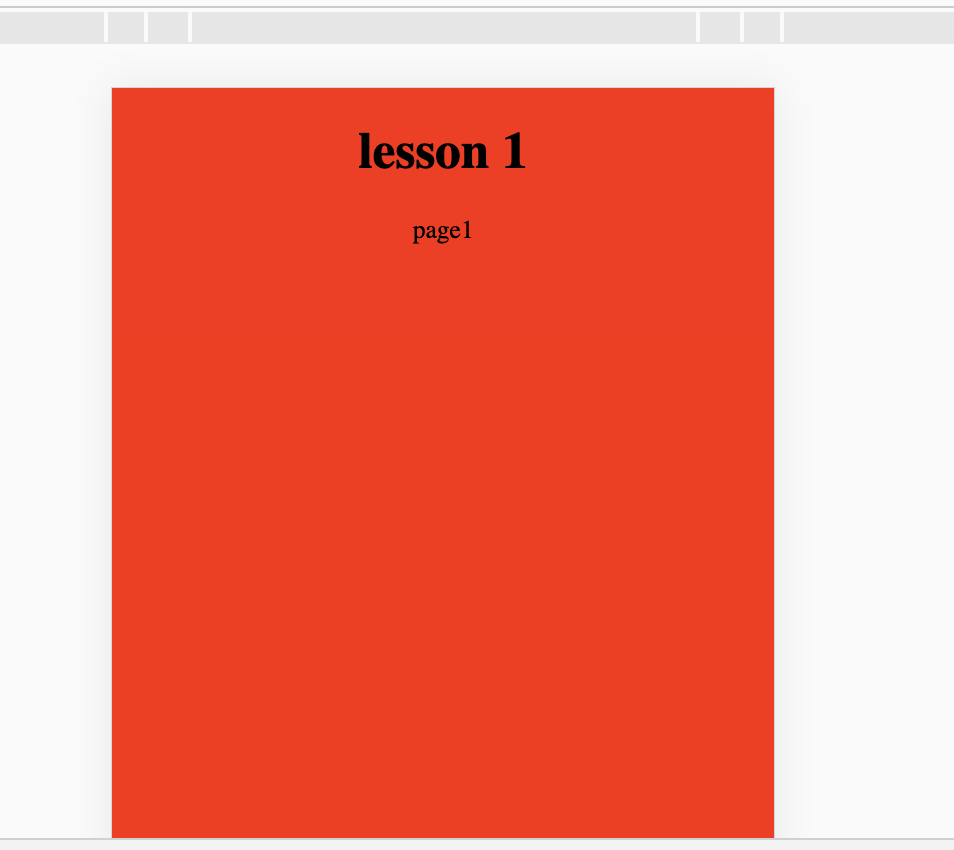
          <h1>lesson 1 </h1>

          <p>webpack 构建一套适合 React、ES6 开发的脚手架 </p>

          <Link to="/page1" activeStyle={{color: 'blue'}}>page1</Link>

        </div>

    )

  }

}

export default Main;
//lesson-1/src/Component/page1.jsx

import React, {Component, PropTypes} from 'react';

class Page1 extends Component {

  constructor() {

      super();

  }

  render(){

    return(

        <div>

          <h1>lesson 1 </h1>

          <p>page1</p>

        </div>

    )

  }

}

export default Page1;
项目中的第二个例子就是老生常谈了
太冗杂了,我都不愿意去看,一般都会抽分reducer,action,store
//lesson-2/src/App.jsx

import React,{Component,PropTypes} from 'react';

import ReactDOM, {render} from 'react-dom';

import {Provider,connect} from 'react-redux';

import {createStore, combineReducers, applyMiddleware} from 'redux';

import Index from './Component/Main.jsx';

import './Style/comm.scss'

// reducer

const reducer = (state = {count: 0}, action) => {

    switch (action.type){

        case 'INCREASE': return {count: state.count + 1};

        case 'DECREASE': return {count: state.count - 1};

        default: return state;

    }

}

const store = createStore(reducer);

//监听state变化

store.subscribe(() => {

    //console.log(store.getState())

});

render(

    <Provider store={store}>

        <Index></Index>

    </Provider>,

    document.body.appendChild(document.createElement('div'))

);
//lesson-2/src/Component/Main.jsx

import React, {Component, PropTypes} from 'react';

import {connect} from 'react-redux';

/**

* 定义一个 Main组件

*/

class Main extends Component{

    constructor(){

        super();

        this.pClick =() =>{

            console.log('sssssssss');

        };

        this.state = {

            num:0,

            age:666

        }

    }

    render(){

        // 拿到 this.props 参数

        const {count, increase, decrease} = this.props;

        return(

            <div>

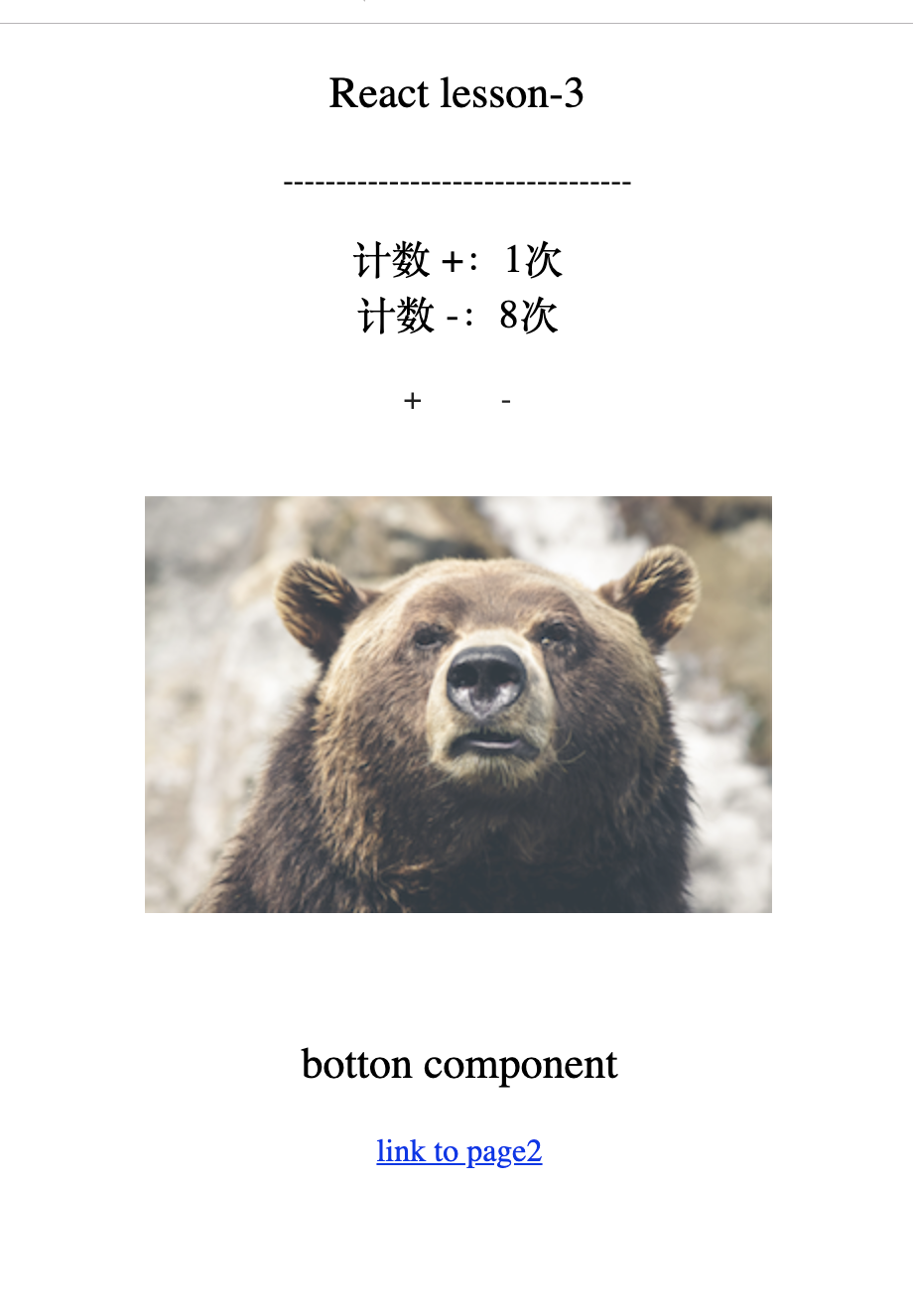
                <p className="lesson-2">React lesson-2</p>

                <p>

                    ---------------------------------

                </p>

                <div className="count">

                    <div>计数:{this.props.count}次</div>

                    <span className="btn" onClick={increase}>+</span>

                    <span className="btn" onClick={decrease}>-</span>

                </div>

            </div>

        )

    }

}

/**

* 用来给 组件传递数据

* @param state

*/

const mapStateToProps = (state) => {

    return {

        count: state.count

    }

};

/**

*用来组件给 容器组件派发数据

* @param dispatch 派发 Action

* @param ownProps 组件自身的 props参数

*/

const mapDispatchToProps = (dispatch, ownProps) => {

    return {

        increase: (...args) => dispatch(actions.increase(...args)),

        decrease: (...args) => dispatch(actions.decrease(...args))

    }

};

/**

* actions

*/

const actions ={

    increase:() => {

      return {type: 'INCREASE'}

    },

    decrease: () => {

      return {type: 'DECREASE'}

    }

};

/**

* 连接 UI组件 和 容器组件

* @param mapStateToProps     输入逻辑

* @param mapDispatchToProps  输出逻辑

*/

const Comp = connect(mapStateToProps, mapDispatchToProps)(Main);

/**

*  输出一个容器组件

*/

export default Comp;
哎,第三节也是简单的项目
不过 服务是nodejs起的
//lesson-3/server.js

var express = require('express');

var app = express();

var dataJson = require('./dataJson.json');

app.use(express.static('build'))

/**

* get: 请求

* url: http://127.0.0.1:8088/getData

*/

app.get('/getData',function(req,res){

	  var resData = {

			err:0,

			data:dataJson

		}

		res.end(JSON.stringify(resData));

})

app.get('/', function (req, res) {

	res.sendFile(__dirname + '/build/index.html')

})

var server = app.listen(8088, function () {

	console.log('正常打开8088端口');

})
//lesson-3/server_hot.js

var webpack = require('webpack');

var express = require('express');

var config = require('./webpack.config.hot');

var dataJson = require('./dataJson.json');

var app = express();

var compiler = webpack(config);

app.use(require('webpack-dev-middleware')(compiler, {

	publicPath: config.output.publicPath,

	hot: true,

	historyApiFallback: true,

	inline: true,

	progress: true,

	stats: {

	colors: true,

	}

}));

app.use(require('webpack-hot-middleware')(compiler));

/**

* get: 请求

* url: http://127.0.0.1:8088/getData

*/

app.get('/getData',function(req,res){

	  var resData = {

			err:0,

			data:dataJson

		}

		res.end(JSON.stringify(resData));

})

/**

* 将其他路由,全部返回index.html

*/

app.get('/*', function(req, res) {

	res.sendFile(__dirname + '/index.html')

});

app.listen(8088, function() {

	console.log('正常打开8088端口')

});
//lesson-3/src/App.jsx

import React,{Component,PropTypes} from 'react';

import {Provider,connect} from 'react-redux';

import ReactDOM, {render} from 'react-dom';

import store from './Redux/store'

import router from './Router/router'

import './Style/comm.scss'

store.subscribe(() => {

});

render(

    <Provider store={store}>

      {router}

    </Provider>,

    document.getElementById('root')

);
//lesson-3/src/Router/router.jsx

// 有用到懒加载

import React, {Component, PropTypes} from 'react';

import { Router, Route, Redirect, IndexRoute, browserHistory, hashHistory } from 'react-router';

import Index from '../Component/Index.jsx';

/*=================

   router.jsx 组件

  专门用来管理路由的

==================*/

/**

Page2 组件按需加载

*/

const page2 = (location, cb) => {

    require.ensure([], require => {

        cb(null, require('../Component/Page2').default)

    },'page2')

}

const RouteConfig =(

  <Router history={hashHistory}>

     <Route path='/' component={Index}/>

     <Route path='/page2' getComponent={page2}/>

  </Router>

)

export default RouteConfig
//lesson-3/src/Component/Loading.jsx

import React, {Component, PropTypes} from 'react';

import {connect} from 'react-redux';

import template from './common/template'

/*=================

  BottonView.jsx 子组件

==================*/

class LoadingView extends Component{

    constructor(){

        super();

    }

    render(){

        let{fData} = this.props;

        let loadingStyle;

        if(fData.loading){

          loadingStyle = {

              opacity: 1

          }

        }else{

          loadingStyle = {

                opacity: 0

          }

        }

        return(

            <div id='LoadingView' style={loadingStyle}>

            </div>

        )

    }

    shouldComponentUpdate(nextProps, nextState){

       return  true;

    }

}

export default template({

  id:'',

  url:'',

  subscribeData:['fData'],

  component:LoadingView

})
//lesson-3/src/Redux/action.jsx

import fetch from 'isomorphic-fetch'

/*=================

    action.jsx

    派发 action

==================*/

 export const increase = data => {

   return {type: 'INCREASE',data:data}

 }

 export const decrease = data => {

   return {type: 'DECREASE',data:data}

 }

const dispathData = (path,json) => {

  return {

    type: 'DISPATHDATA',

    path:path,

    json:json

  }

}

export const fetchData = (url ,data) => {

   return dispatch =>{

     // 先派发一个 LOADING action

     dispatch({type:'LOADING'});

     fetch(url,{

        mode: 'cors',

        "Content-Type": "application/json"

     })

      .then(function(response) {

          if (response.status >= 400) {

              throw new Error("Bad response from server");

          }

          return response.json();

      })

      .then(function(data){

          // 这里延时只是为了演示效果,实际开发中需要把延时去掉

          setTimeout(function(){

              // 数据请求成功 再派发一个 getData  action

              return dispatch(dispathData('getData',data));

          },3000);

       })

      .catch(function(error) {

          console.log('Request failed', error)

      });

   }

}
//lesson-3/src/Redux/reducer.jsx

import Immutable from 'immutable'

/*=================

    reducer.jsx

接收Action 并作出处理

==================*/

export const increaseData =  (state =Immutable.fromJS({ count: 0}), action={}) => {

    switch (action.type){

              case 'INCREASE':

              return Immutable.Map({count:action.data+1});

        default: return state;

    }

};

export const decreaseData =  (state = Immutable.fromJS({ count: 8}), action={}) => {

    switch (action.type){

              case 'DECREASE':

              return Immutable.Map({count:action.data-1});

        default: return state;

    }

};

export const fData = (state = {data:{},loading:false}, action={}) => {

  switch (action.type){

            case 'LOADING':

              return {

                data:{},

                loading:true

              };

            case 'DISPATHDATA':

              return {

                data: action.json,

                loading:false

              };

      default: return state;

  }

}
//lesson-3/src/Redux/store.jsx

import {createStore, combineReducers, applyMiddleware} from 'redux';

import thunk from 'redux-thunk';

import * as reducer from './reducer'

/*=================

    store.jsx

  中央数据处理器

==================*/

var store = createStore(

    combineReducers(reducer),

    applyMiddleware(thunk)

);

export default store;
【心有猛虎】react-lesson的更多相关文章
- [React] React Fundamentals: Mixins
Mixins will allow you to apply behaviors to multiple React components. Components are the best way t ...
- [React] React Fundamentals: Component Lifecycle - Updating
The React component lifecycle will allow you to update your components at runtime. This lesson will ...
- [React] React Fundamentals: Component Lifecycle - Mounting Basics
React components have a lifecycle, and you are able to access specific phases of that lifecycle. Thi ...
- [React] React Fundamentals: transferPropsTo
the transferPropsTo method lets you easily push properties into your components to easily customize ...
- [React] React Fundamentals: Accessing Child Properties
When you're building your React components, you'll probably want to access child properties of the m ...
- [React] React Fundamentals: Using Refs to Access Components
When you are using React components you need to be able to access specific references to individual ...
- [React] React Fundamentals: Owner Ownee Relationship
The owner-ownee relationship is used to designate a parent-child relationship with React components ...
- [React] React Fundamentals: State Basics
State is used for properties on a component that will change, versus static properties that are pass ...
- [React] React Fundamentals: First Component
<!DOCTYPE html> <html> <head lang="en"> <meta charset="UTF-8&quo ...
- [React] React Fundamentals: with-addons - ReactLink
It can be tedious to type out all the boilerplate needed to get the DOM and states in React to synch ...
随机推荐
- SyntaxError: Non-ASCII character ‘xe5’ in file 04.py on line 4, but no encoding declared
出现问题的原因:程序中的编码错误,python默认是acii模式,没有支持utf8,代码中需要输出汉字,所以报错. 解决办法:源代码文件第一行添加:#coding:utf-8 -- coding: U ...
- light oj 1037 状压dp
#include <iostream> #include <cstdlib> #include <cstring> #include <queue> # ...
- tmux连接时多个显示器分别显示不同的窗口大小
如果两个电脑连接同一个tmux,但是他们各自的显示器大小不同,那么就会在一个显示器部分会显示灰色区.在tmux里面有个设置可以更改,在tmux里面输入命令 tmux set-window-opti ...
- 使用jstl el表达式对form表单的功能进行区分 比如新建和修改共用一个form
新建一个专栏,修改这个专栏信息 完全可以做在一个jsp的一个form中 但是,需要注意的是,使用mvc的对象属性自动封装的话 如果id为空,将会报错,无法进入controller中的 所以要在页面上判 ...
- win7安装mysql8提示one more product requirements have not been satisified
点击否 然后查看一下到底缺啥,系统版本不一样,缺少的东西也不一定一样 去微软下就是了https://www.microsoft.com/en-us/download/details.aspx?id=4 ...
- Maven实战02_Maven的安装和配置
1:在Windows上安装Maven 本人系统环境:win10 + JDK1.8 + apache-maven-3.3.9 在安装Maven之前,首先要确定你的Java环境是否已经配置好了,你是否已 ...
- webstorm 2017.3.5之后 激活
选择"license server" 输入:http://idea.codebeta.cn
- 前端路由的实现(三) —— History的pushState和replaceState用法
HTML5中history提供的pushState, replaceState这两个API.它们提供了操作浏览器历史栈的方法. pushState能够在不加载页面的情况下改变浏览器的URL.这个方法接 ...
- Hdu 4965(矩阵快速幂)
题目链接 Fast Matrix Calculation Time Limit: 2000/1000 MS (Java/Others) Memory Limit: 131072/131072 K ...
- Dockerfile 编写
转: https://blog.fundebug.com/2017/05/15/write-excellent-dockerfile/如何编写最佳的Dockerfile 译者按: Dockerfile ...