
[UG 二次开发 python] 生成略缩图并保存
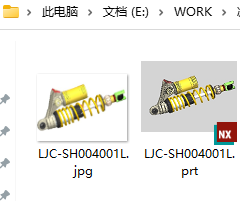
保存到零件同名的文件夹下,名称相同,类型是 jpg
用到 numpy,PIL,cv2
blockstyler 文件略
# nx: threaded

__version__ = "0.0.1"

__author__ = "unmht"

__blog__ = "https://www.cnblogs.com/unm001/"

from dlx.截图制作 import 截图制作

import os

import NXOpen

import NXOpen.BlockStyler

import NXOpen.UF

import cv2

import numpy as np

from PIL import Image

from support import info

os.chdir(os.path.dirname(os.path.abspath(__file__)))

class myclass(截图制作):

    dwa: NXOpen.BlockStyler.DrawingArea

    bt0: NXOpen.BlockStyler.Button

    bt1: NXOpen.BlockStyler.Button

    def __init__(self):

        super().__init__()

        self.work = self.theSession.Parts.Work

        self.partpath = self.work.FullPath

        self.dirpath = os.path.dirname(self.partpath)

        self.imgpath = os.path.join(self.dirpath, f"{self.work.Name}.jpg")

        self.readimgok = False

        self.tmpimg = os.path.join(self.dirpath, "_tmp.jpg")

        self.imgdata = None

        if os.path.exists(self.tmpimg):

            os.remove(self.tmpimg)

    def dialogShown_cb(self):

        try:

            if os.path.exists(self.imgpath):

                self.dwa.Image = self.imgpath

                self.readimgok = True

        except Exception as ex:

            self.theUI.NXMessageBox.Show(

                "Block Styler", NXOpen.NXMessageBox.DialogType.Error, str(ex)

            )

    def update_cb(self, block):

        try:

            if block == self.dwa:

                # ---- Enter your code here -----

                pass

            elif block == self.bt0:

                if self.imgdata is not None:

                    cv2.imencode(".jpg", self.imgdata)[1].tofile(self.imgpath)

            elif block == self.bt1:

                r = False

                try:

                    r = self.capture()

                except Exception as e:

                    info(e)

                if r:

                    self.dwa.Image = self.tmpimg

        except Exception as ex:

            # ---- Enter your exception handling code here -----

            self.theUI.NXMessageBox.Show(

                "Block Styler", NXOpen.NXMessageBox.DialogType.Error, str(ex)

            )

        return 0

    def capture(self):

        self.imgdata = None

        imgbuilder = self.theUI.CreateImageExportBuilder()

        imgbuilder.RegionMode = False

        imgbuilder.FileFormat = NXOpen.Gateway.ImageExportBuilder.FileFormats.Jpg

        imgbuilder.FileName = self.tmpimg

        imgbuilder.BackgroundOption = (

            NXOpen.Gateway.ImageExportBuilder.BackgroundOptions.CustomColor

        )

        imgbuilder.SetCustomBackgroundColor([1.0, 1.0, 1.0])

        imgbuilder.EnhanceEdges = True

        imgbuilder.Commit()

        imgbuilder.Destroy()

        if os.path.exists(self.tmpimg):

            img = Image.open(self.tmpimg)

            img.load()

            imgtmp = np.asanyarray(img)

            img.close()

            os.remove(self.tmpimg)

            imgtmp = cv2.cvtColor(imgtmp, cv2.COLOR_RGB2BGR)

            imggray = cv2.cvtColor(imgtmp, cv2.COLOR_BGR2GRAY)

            imggray = 255 - imggray

            cts, hirs = cv2.findContours(

                imggray, cv2.RETR_EXTERNAL, cv2.CHAIN_APPROX_SIMPLE

            )

            ct = max(cts, key=cv2.contourArea)

            rct = cv2.boundingRect(ct)

            x, y, width, height = rct

            imgCut = imgtmp[y : y + height, x : x + width]

            h2 = int(max(width * 2 / 3, height) + 0.1) + 4

            if h2 % 2 == 1:

                h2 = h2 + 1

            if h2 % 4 != 0:

                h2 = h2 + 2

            w2 = int(h2 * 1.5)

            dw = int((w2 - width) / 2)

            dh = int((h2 - height) / 2)

            imgret = np.full((h2, w2, 3), 255).astype(np.uint8)

            # info([imgCut.shape, imgret.shape])

            imgret[dh : dh + height, dw : dw + width] = imgCut

            # info([width, height, w2, h2, dw, dh])

            imgret2 = cv2.resize(imgret, (320, 240))

            cv2.imencode(".jpg", imgret2)[1].tofile(self.tmpimg)

            self.imgdata = imgret2

            return True

def main():

    thecls: myclass

    try:

        thecls = myclass()

        #  The following method shows the dialog immediately

        thecls.Show()

    except Exception as ex:

        # ---- Enter your exception handling code here -----

        NXOpen.UI.GetUI().NXMessageBox.Show(

            "Block Styler", NXOpen.NXMessageBox.DialogType.Error, str(ex)

        )

    finally:

        try:

            if thecls != None:

                if os.path.exists(thecls.tmpimg):

                    os.remove(thecls.tmpimg)

            if thecls != None:

                thecls.Dispose()

            thecls = None

        except Exception as e:

            pass

if __name__ == "__main__":

    main()

[UG 二次开发 python] 生成略缩图并保存的更多相关文章
- java自动生成略缩图
当你要做一个图库的项目时,对图片大小.像素的控制是首先需要解决的难题. 本篇文章,在前辈的经验基础上,分别对单图生成略缩图和批量生成略缩图做个小结. 一.单图生成略缩图 单图经过重新绘制,生成新的图片 ...
- php 制作略缩图
一.需求 最近公司的项目中有个需求,就是用户上传自己的微信二维码,然后系统会自动将用户的微信二维码合并到产品中 二.分析 因为该系统是手机端的,所以从用户端的体验出发,用户当然是直接在微信上保存二维码 ...
- Bootstrap-CL:略缩图
ylbtech-Bootstrap-CL:略缩图 1.返回顶部 1. Bootstrap 缩略图 本章将讲解 Bootstrap 缩略图.大多数站点都需要在网格中布局图像.视频.文本等.Bootstr ...
- appium-desktop录制脚本二次开发,生成我司自动化脚本
目的 通过对appium-desktop脚本录制功能进行二次开发,使录制的java脚本符合我司自动化框架要求. 实现步骤 1.增加元素名称的输入框 由于ATK(我司自动化测试框架)脚本中元素是以“ap ...
- 【转】Jenkins 二次开发 - Python
马克,备用: Jenkins 二次开发 https://testerhome.com/topics/14988?locale=zh-TW python-jenkins api 文档:https://p ...
- python生成组织架构图(网络拓扑图、graph.editor拓扑图编辑器)
Graph.Editor是一款基于HTML5技术的拓补图编辑器,采用jquery插件的形式,是Qunee图形组件的扩展项目,旨在提供可供扩展的拓扑图编辑工具, 拓扑图展示.编辑.导出.保存等功能,此外 ...
- Python生成GIF动态图
python生成摸头GIF 本篇教程演示了如何使用python的PIL库生成GIF图片 源码已经贴在文中,自行取用 效果演示 运行代码,会让你选择要制作的图片 运行完成后,会在同路径下生成dem.gi ...
- UG二次开发-CAM-获取修改路径参数
项目中要获取路径参数,网上大多是C++的例子,而本项目是用C#写的,探索了下,记录下. 以获取某条路径的刀具号为例,其他参数依此类推. using System; using System.Colle ...
- sitemap.xml 静态和动态生成页面 shopnc二次开发 动态生成sitemap.xml
Sitemap 可方便网站管理员通知搜索引擎他们网站上有哪些可供抓取的网页.最简单的 Sitemap 形式,就是XML 文件,在其中列出网站中的网址以及关于每个网址的其他元数据(上次更新的时间.更改的 ...
- 【UG二次开发】获取系统信息UF_ask_system_info
获取系统信息可以使用这个函数UF_ask_system_info 下面是例子: 1 extern DllExport void ufsta(char *param, int *returnCode, ...
随机推荐
- 一键接入大模型:One-Api本地安装配置实操
前言 最近准备学习一下 Semantic Kernel, OpenAI 的 Api 申请麻烦,所以想通过 One-api 对接一下国内的在线大模型,先熟悉一下 Semantic Kernel 的基本用 ...
- 应急响应--windows入侵排查
- Python的国内安装源(也称为镜像源)
Python的国内安装源(也称为镜像源)数量会随着时间而增加或减少,因为新的镜像源可能会建立,而一些旧的镜像源可能会停止服务或不再更新.以下是一些常用的Python国内安装源(也称为PyPI镜像源): ...
- Windows 上安装 PostgreSQL详细图文教程
转载于微信公众号:SQL数据库运维,如需转载请注明出处,谢谢! PostgreSQL 的 Slogan 是 "世界上最先进的开源关系型数据库". 这里使用 Enterprise D ...
- Prompt提示词助力AI写作
AI以极高的效率和还可以的输出质量,得到了许多写作人的青睐,Prompt作为AI写作的核心,通过简短的提示来引导AI生成文本,让写作新手也能轻松自如. 1. 看不下去的行业乱状 让人不禁遗憾的是,国外 ...
- linux源码编译安装软件原理
目录 一.关于软件包 二.软件编译过程 三.编译安装常用参数 四.源码编译出错的解决思路 五.各种软件安装方法的特点 一.关于软件包 在linux中安装软件是需要安装包的,软件的安装包有各种类型: ...
- 【C#】使用WebHttpRequest调用Restful带token接口500 返回401 未授权错误
测试对方的接口,发现单个调用对方接口是可以的,但是多个连续的调用对方接口时,会出现第一条调用一般是200,随后的调用就会报500,401未授权的错误,除了第一条后面的请求数据几乎都不得行. 我于是用f ...
- CSS——选择器的优先级
所谓CSS优先级,即是指CSS样式在浏览器中被解析的先后顺序.样式表中的特殊性描述了不同规则的相对权重. !important > 行内样式>ID选择器 > 类选择器 > 标签 ...
- statefulset有状态应用管理
statefulset介绍 StatefulSet(有状态集,缩写为sts)常用于部署有状态的且需要有序启动的应用程序,比如在进行SpringCloud项目容器化时,Eureka的部署是比较适合用St ...
- Xcode 最近使用的一些问题
1.上架的App如何测试推送? 苹果的证书分为开发证书和发布证书,上架AppStore的App应该使用发布证书进行配置,但是发布证书编译出包的App无法安装到手机上 只有一种方式,采用Ad hoc p ...