
8.SpringBoot 模板引擎 Thymeleaf
1.模板引擎原理
JSP、Velocity、Freemarker、Thymeleaf 都是模板引擎。SpringBoot推荐的Thymeleaf;语法更简单,功能更强大;
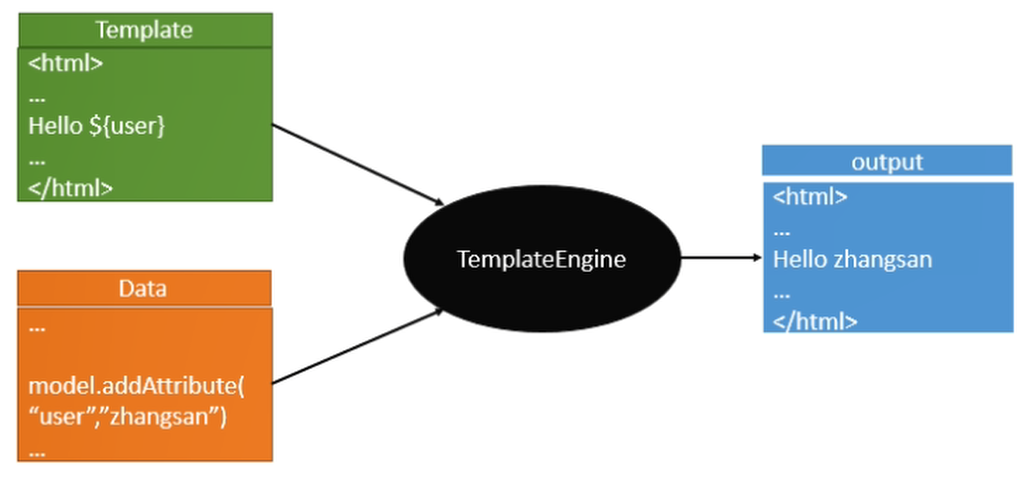
Thymeleaf模板引擎
Thymeleaf是一款用于渲染XML/XHTML/HTML5内容的模板引擎。类似JSP, Velocity,FreeMaker等,它也可以轻易的与Spring MVC等Web框架进行集成 作为Web应用的模板引擎。与其它模板引擎相比,Thymeleaf最大的特点是能够 直接在浏览器中打开并正确显示模板页面,而不需要启动整个Web应用
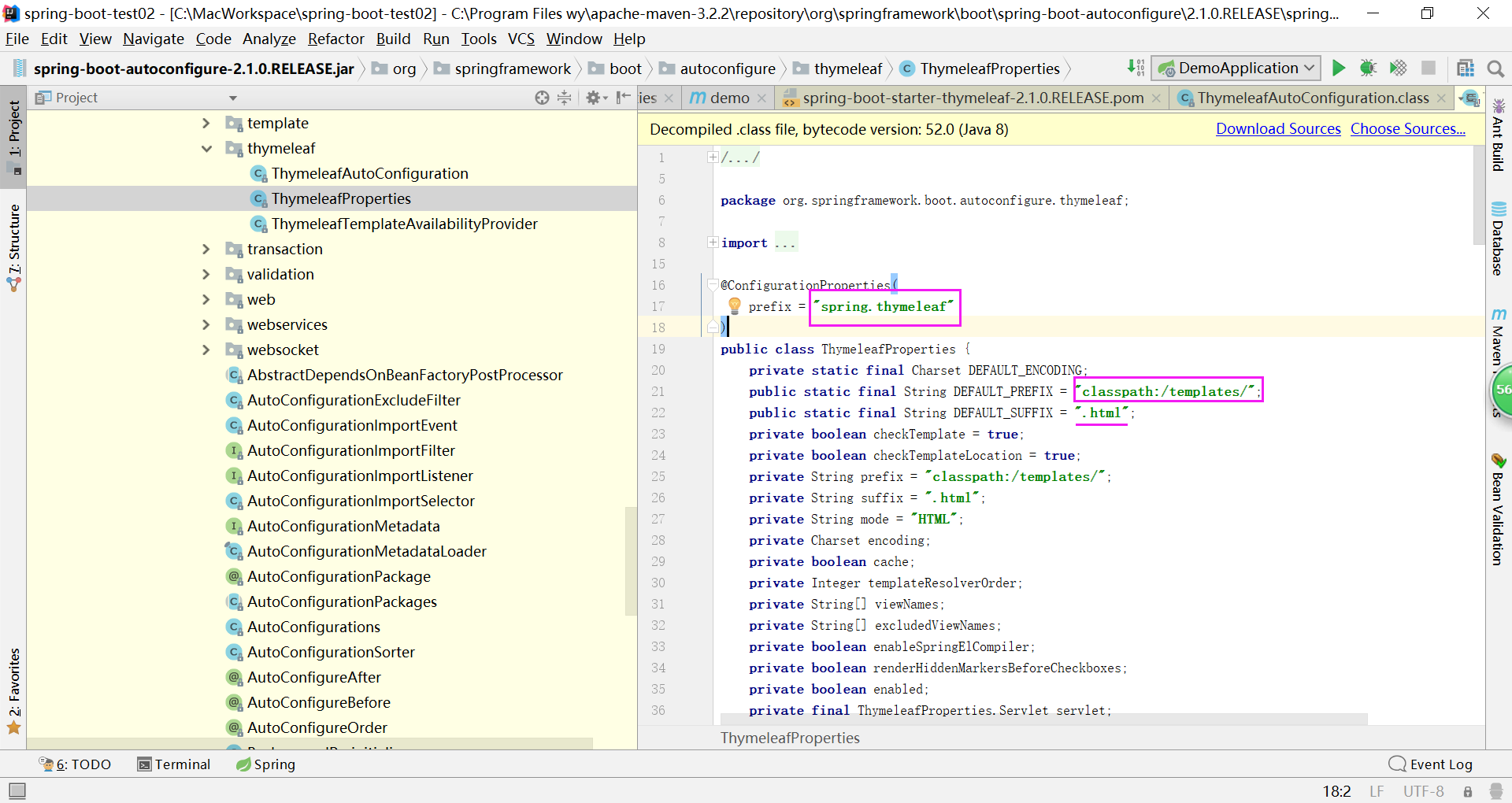
Spring Boot推荐使用Thymeleaf、Freemarker等后现代的模板引擎技术;一但导入相 关依赖,会自动配置ThymeleafAutoConfiguration、FreeMarkerAutoConfiguration。
2.引入依赖
<dependency>

    <groupId>org.springframework.boot</groupId>

    <artifactId>spring-boot-starter-thymeleaf</artifactId>

</dependency>
@Controller

@RequestMapping("/hello")

public class HelloWorldController

{

    @RequestMapping("/success")

    public String success() {

        return "success";

    }

}
只要我们把HTML页面放在classpath:/templates/,thymeleaf就能自动渲染;
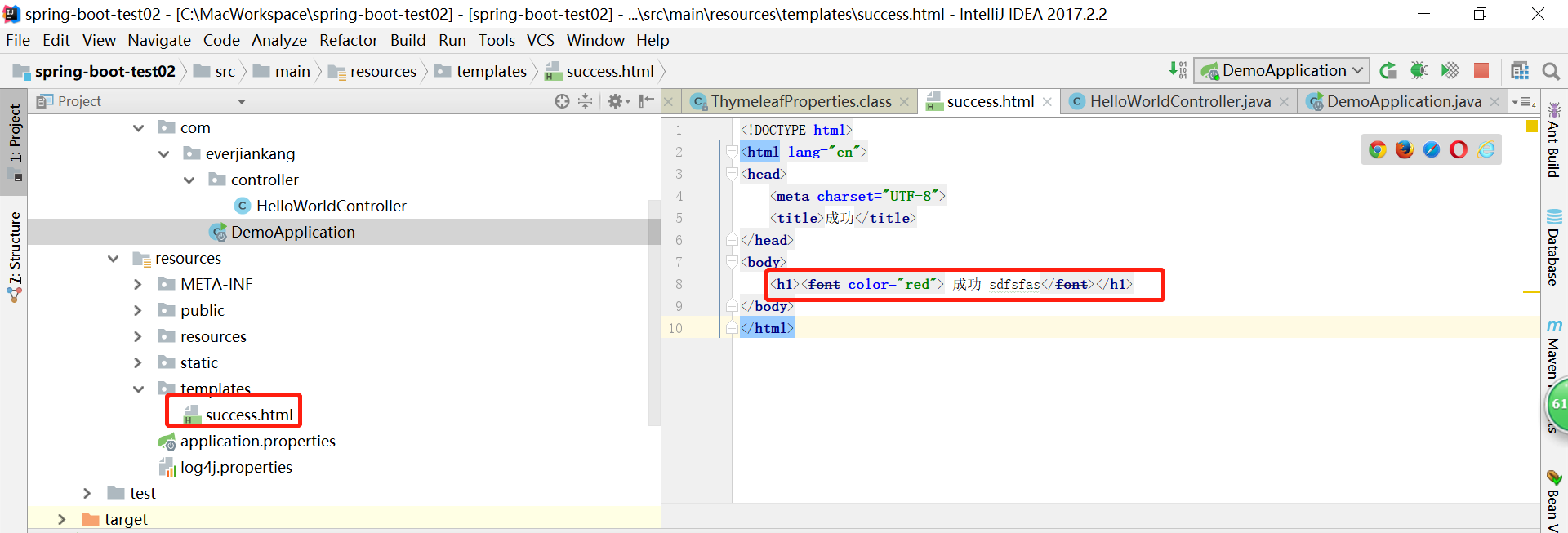
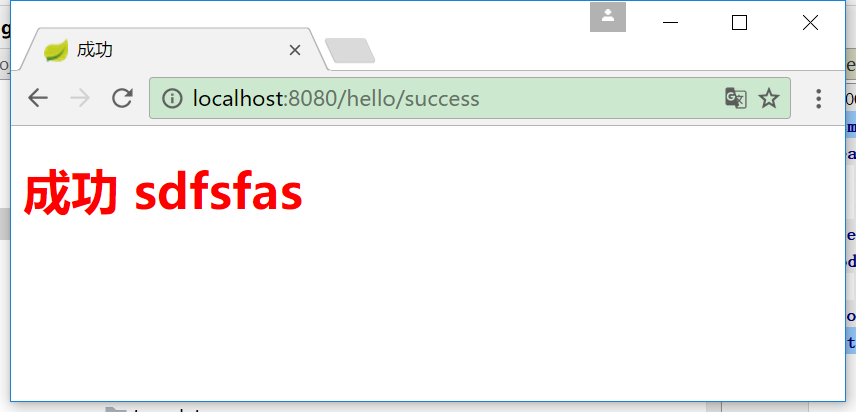
但是每次改动html代码都需要重新启动项目,太不方便
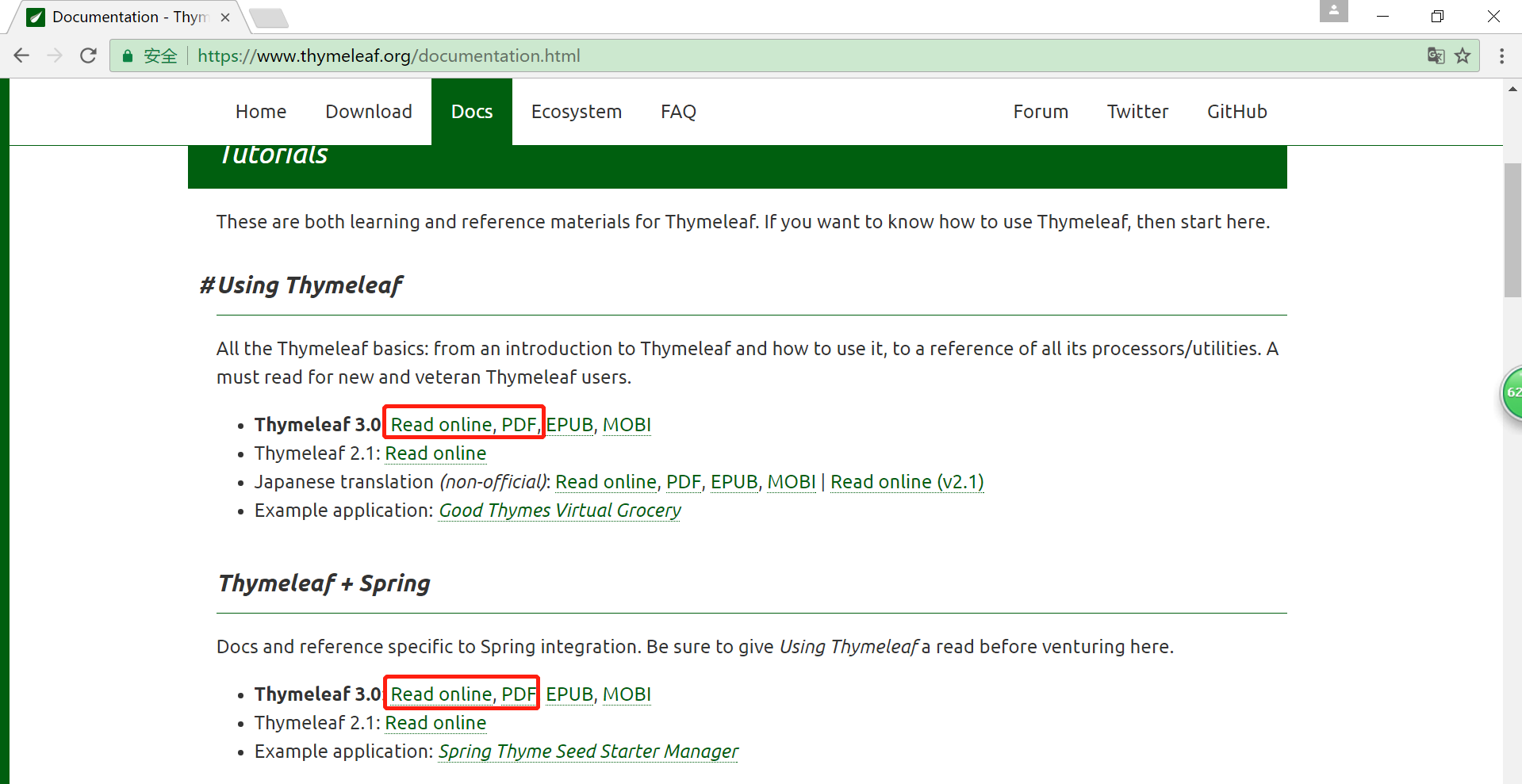
Thyme leaf官方文档:https://www.thymeleaf.org/
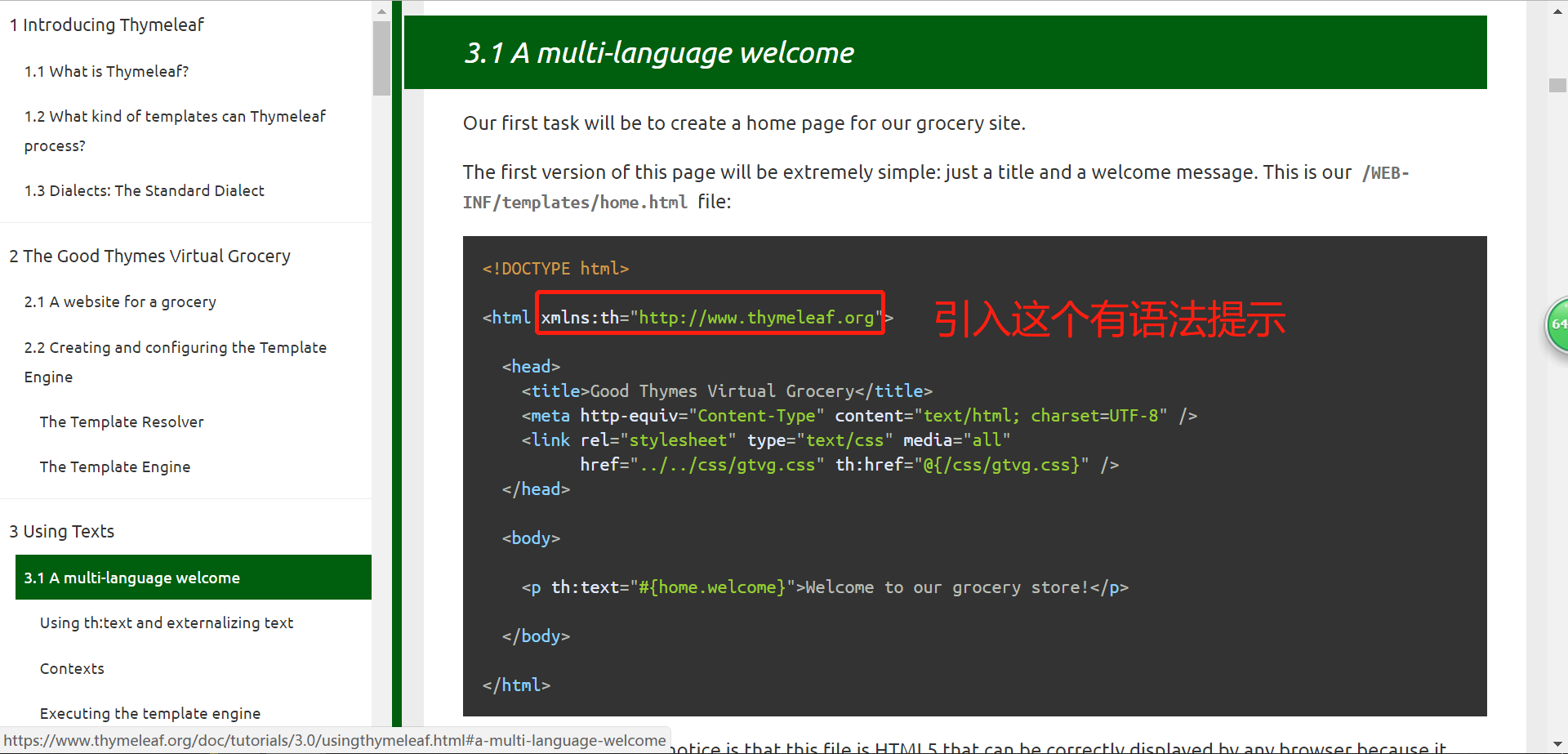
<!DOCTYPE html>

<html xmlns:th="http://www.thymeleaf.org">

  <head>

    <title>Good Thymes Virtual Grocery</title>

    <meta http-equiv="Content-Type" content="text/html; charset=UTF-8" />

    <link rel="stylesheet" type="text/css" media="all"

          href="../../css/gtvg.css" th:href="@{/css/gtvg.css}" />

  </head>

  <body>

    <p th:text="#{home.welcome}">Welcome to our grocery store!</p>

  </body>

</html>
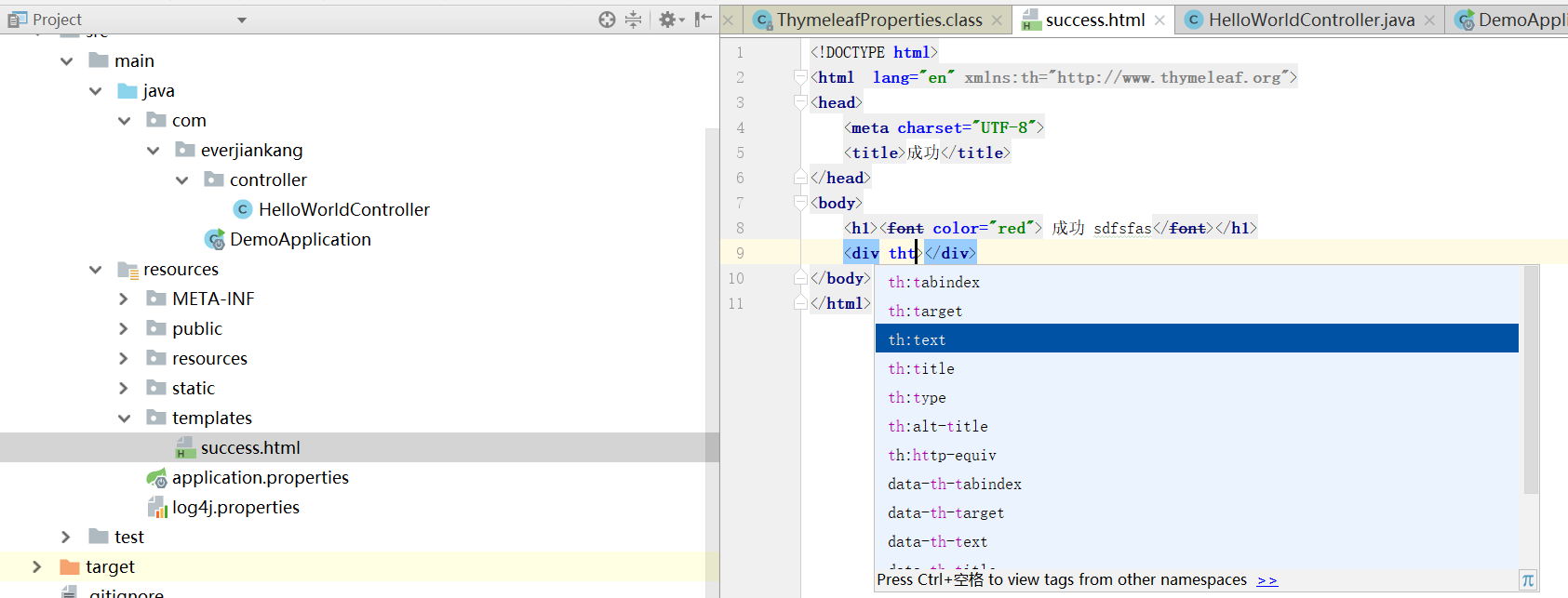
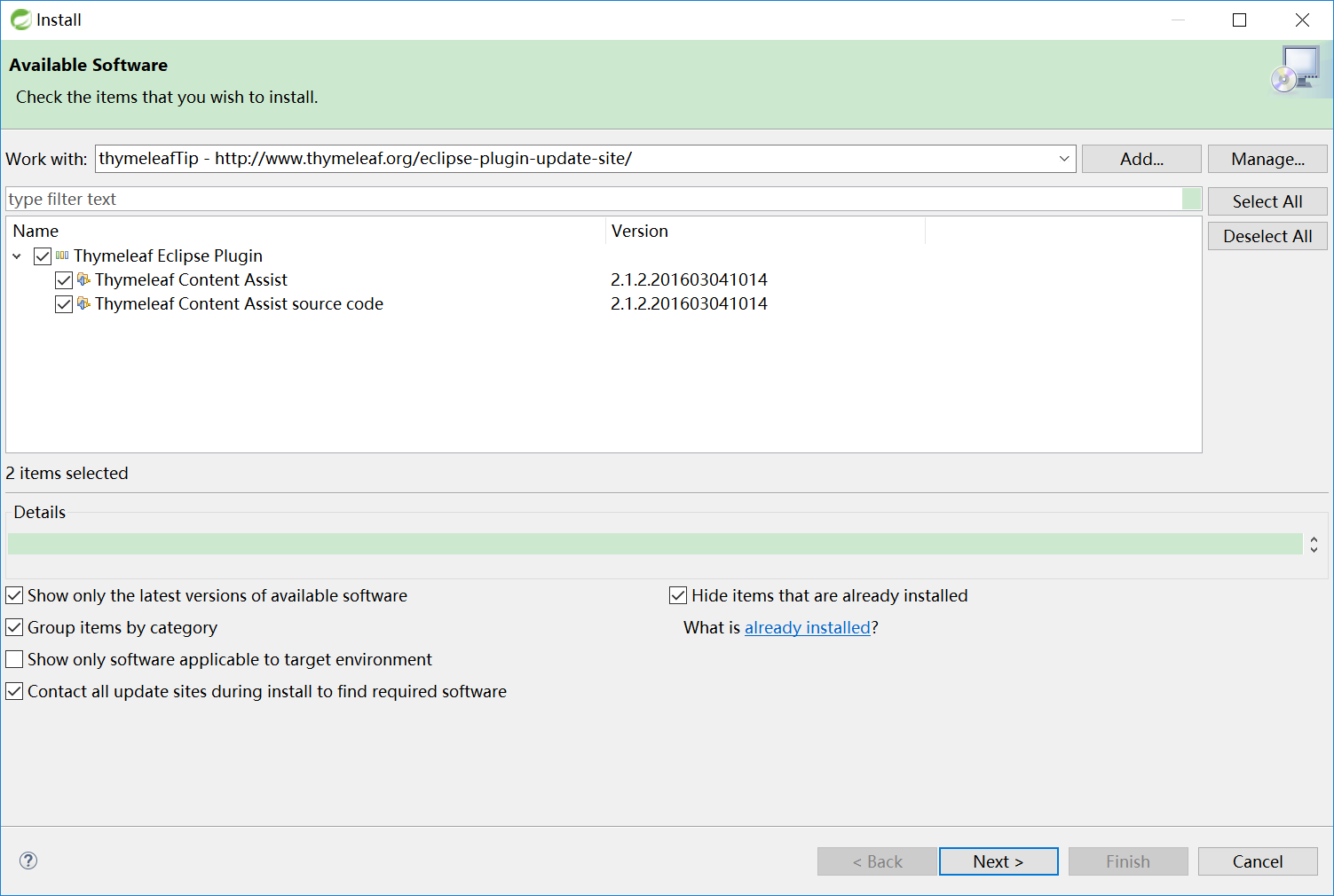
IDEA会有提示,但是eclipse没有,eclipse需要安装插件才能提示
插件地址为: http://www.thymeleaf.org/eclipse-plugin-update-site/
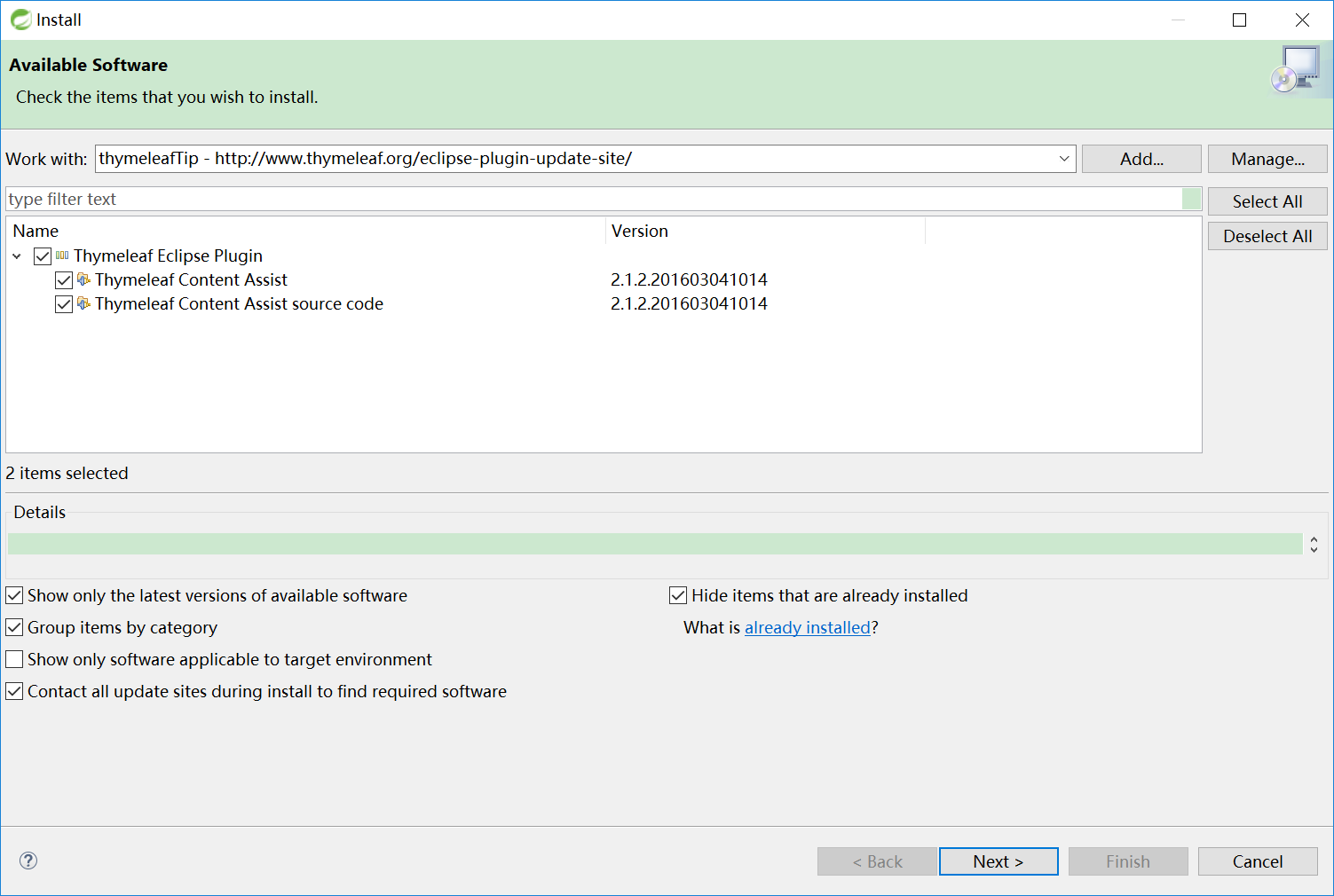
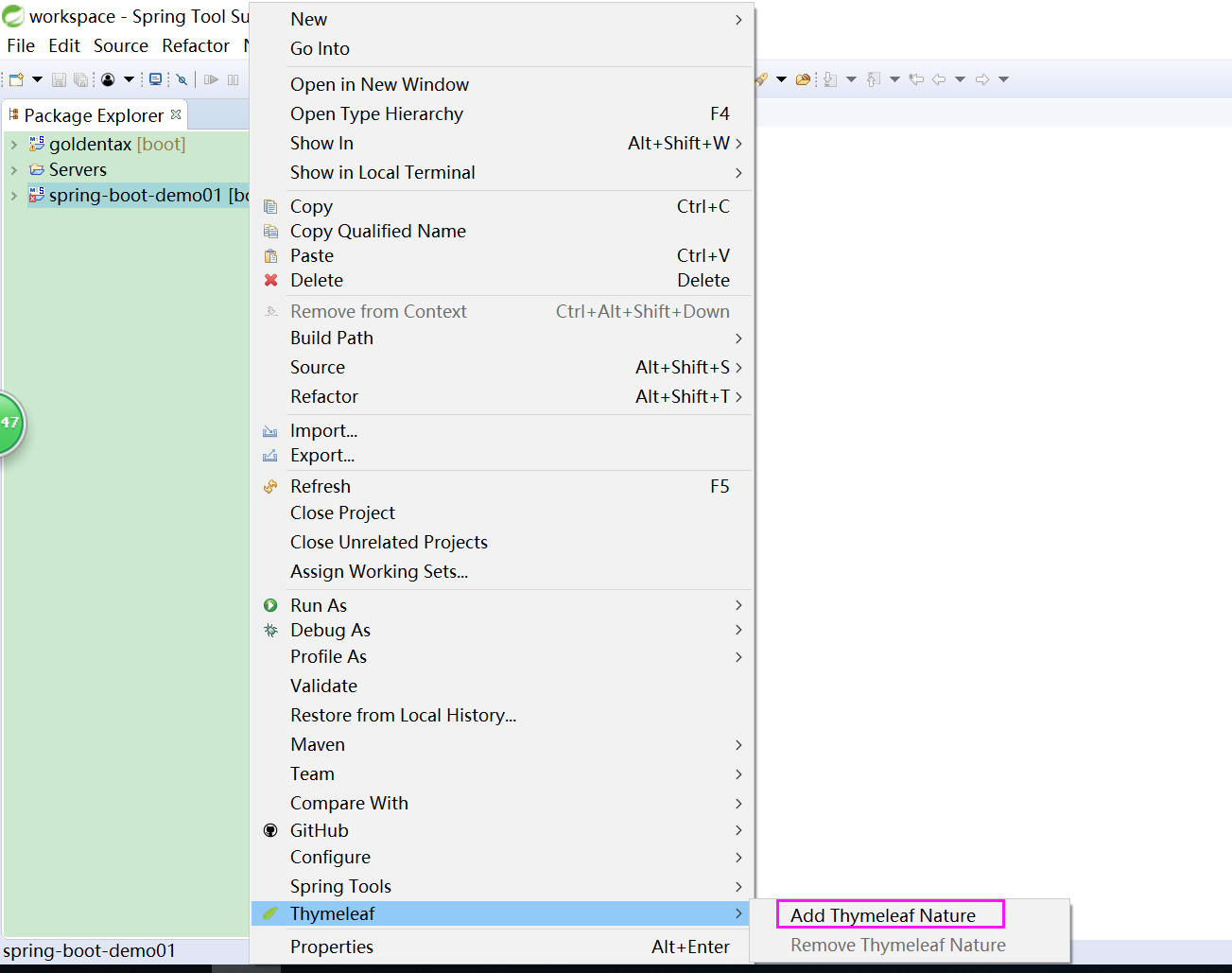
最后:右键项目 >> Thymeleaf >> Add Thymeleaf Nature.
使用:
1、导入thymeleaf的名称空间
<html lang="en" xmlns:th="http://www.thymeleaf.org">
2.类中设置变量
@RequestMapping("/success")

 public String success(Map<String,Object> map) {

      map.put("result","hello world");

      return "success";

 }
3.页面取值
<!DOCTYPE html>

<html lang="en" xmlns:th="http://www.thymeleaf.org">

  <head>

      <meta charset="UTF-8">

      <title>Title</title>

  </head>

  <body>

     <h1>成功!</h1>

     <!--th:text 将div里面的文本内容设置为${hello}变量的值,覆盖 文本内容:“这是显示欢迎信息”-->
    <div th:text="${result}">这是显示欢迎信息</div>
  </body>
</html>
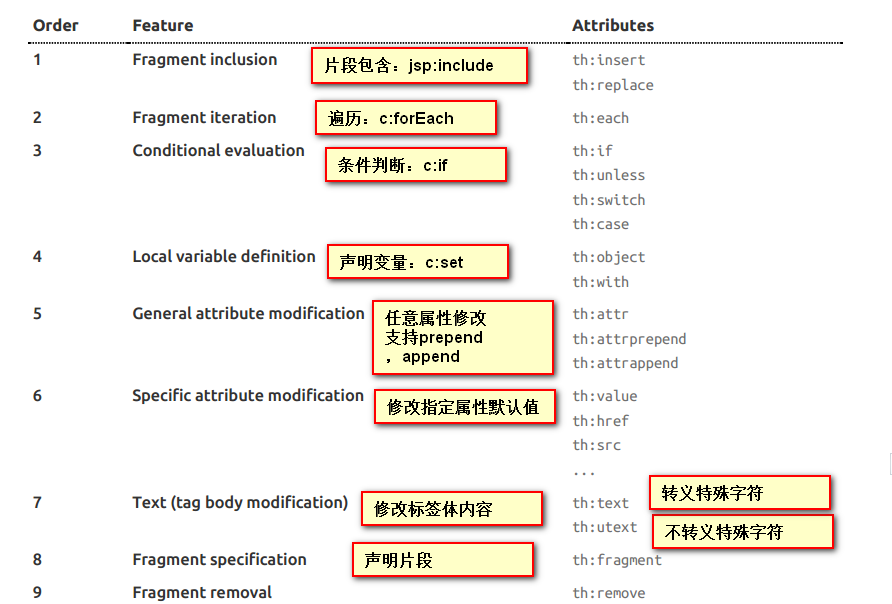
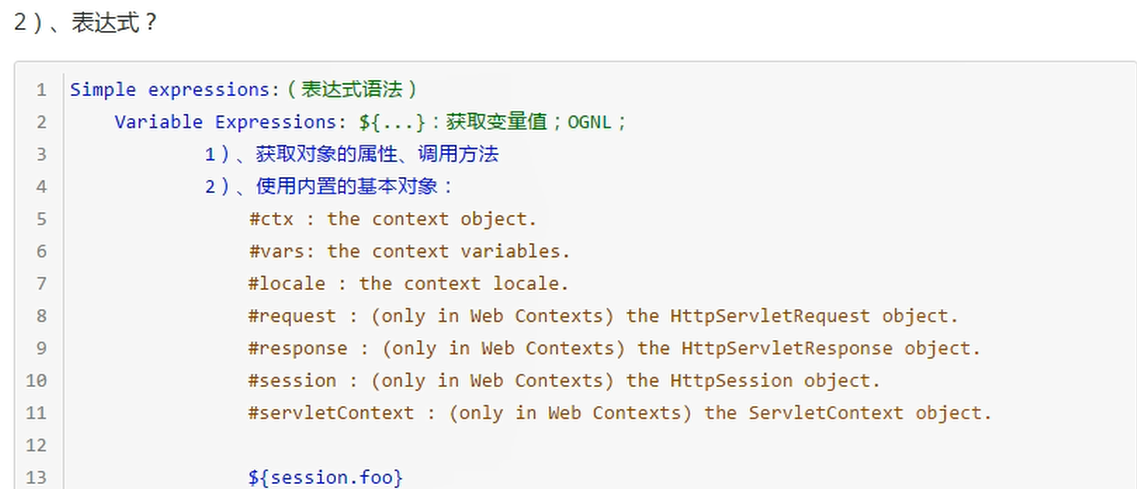
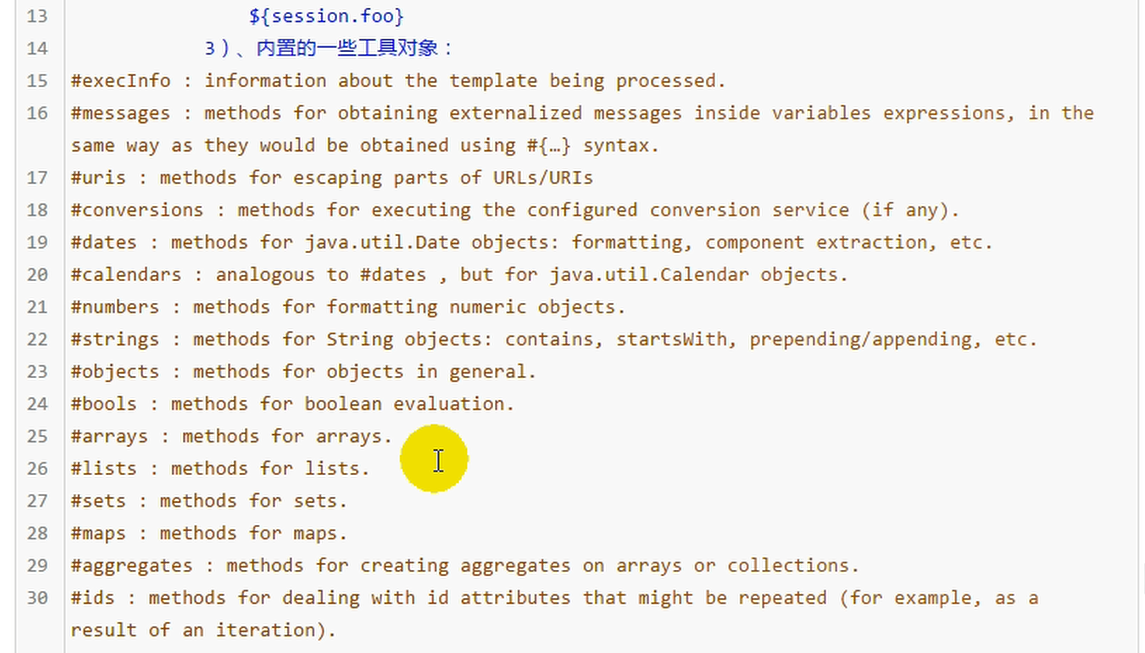
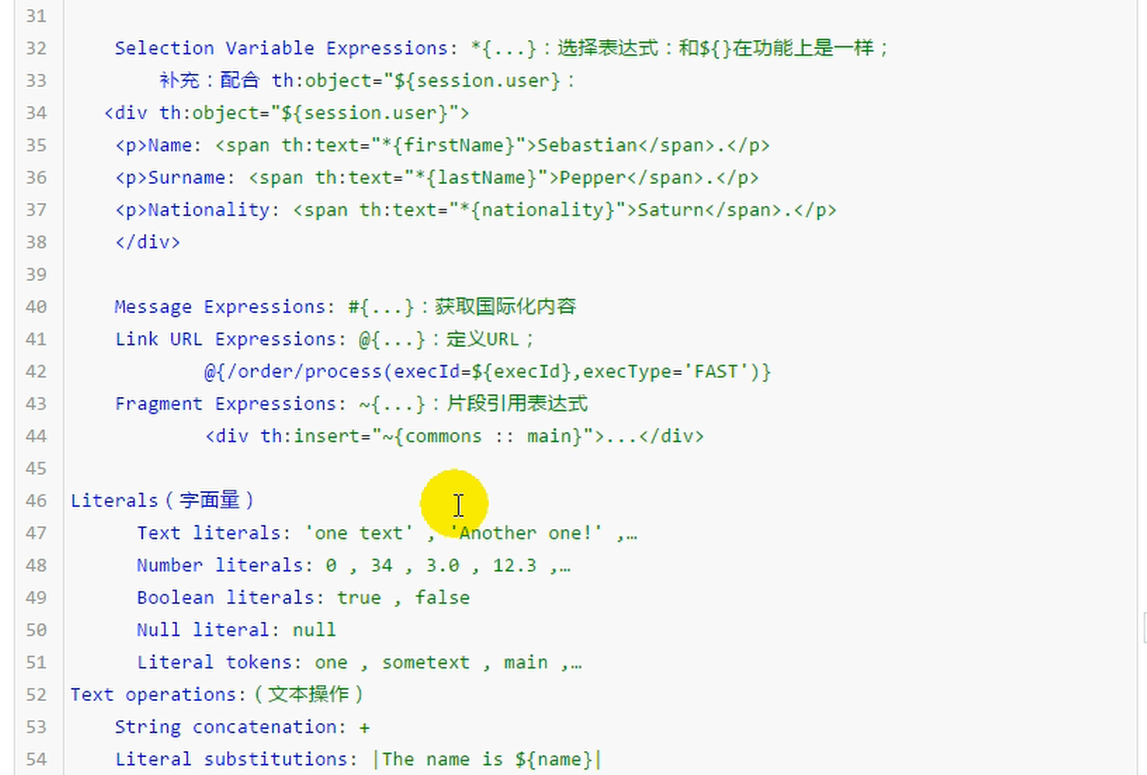
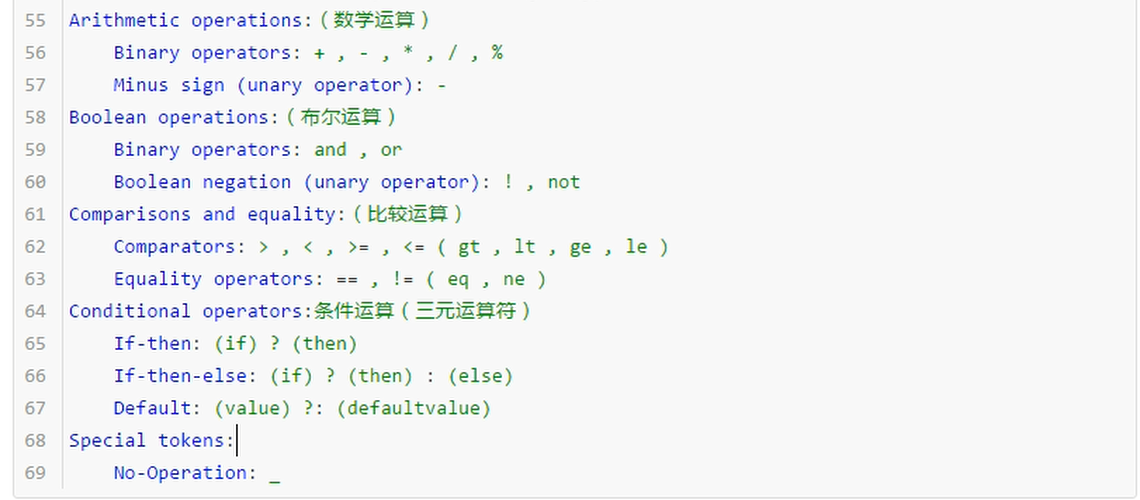
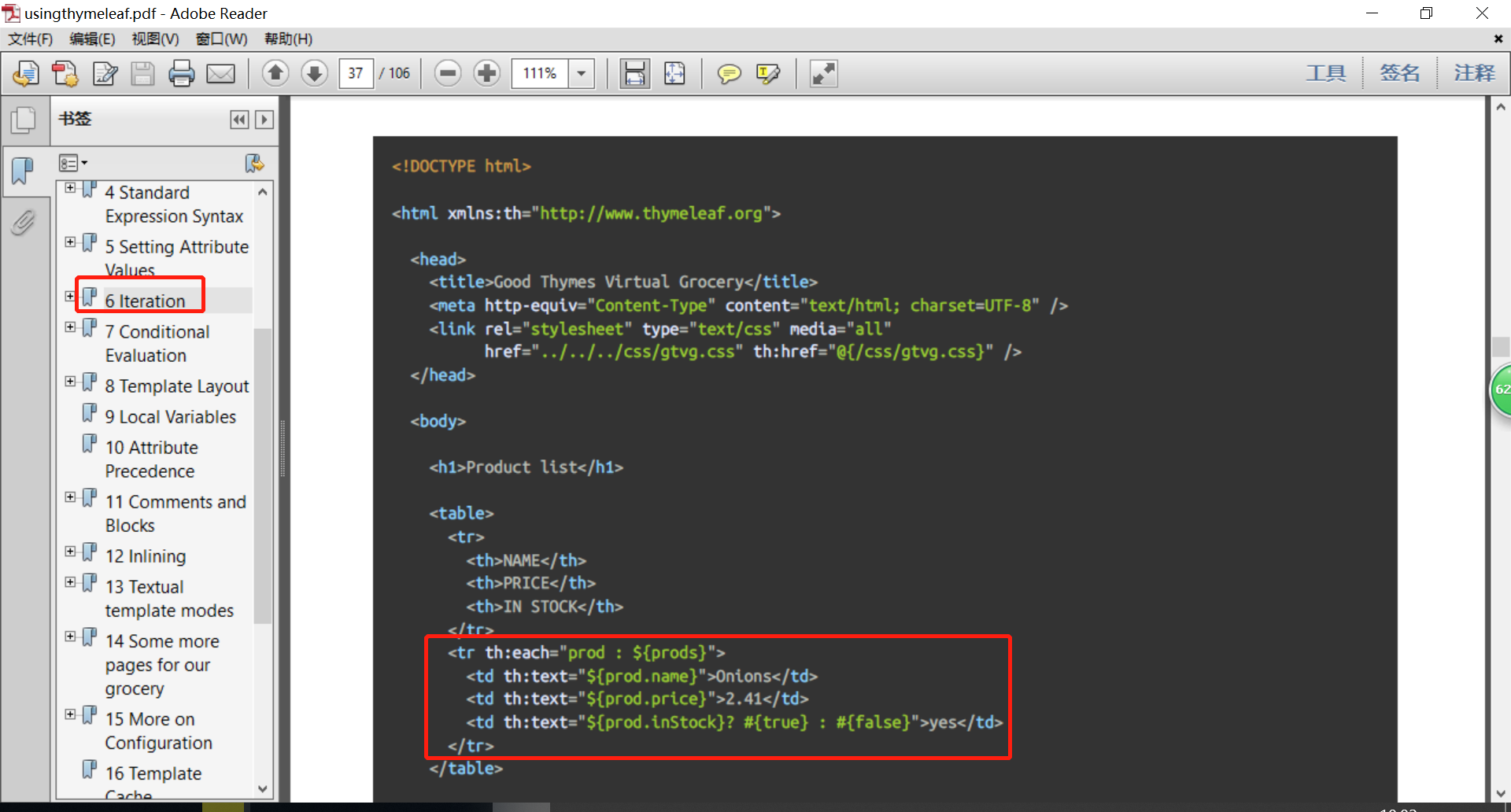
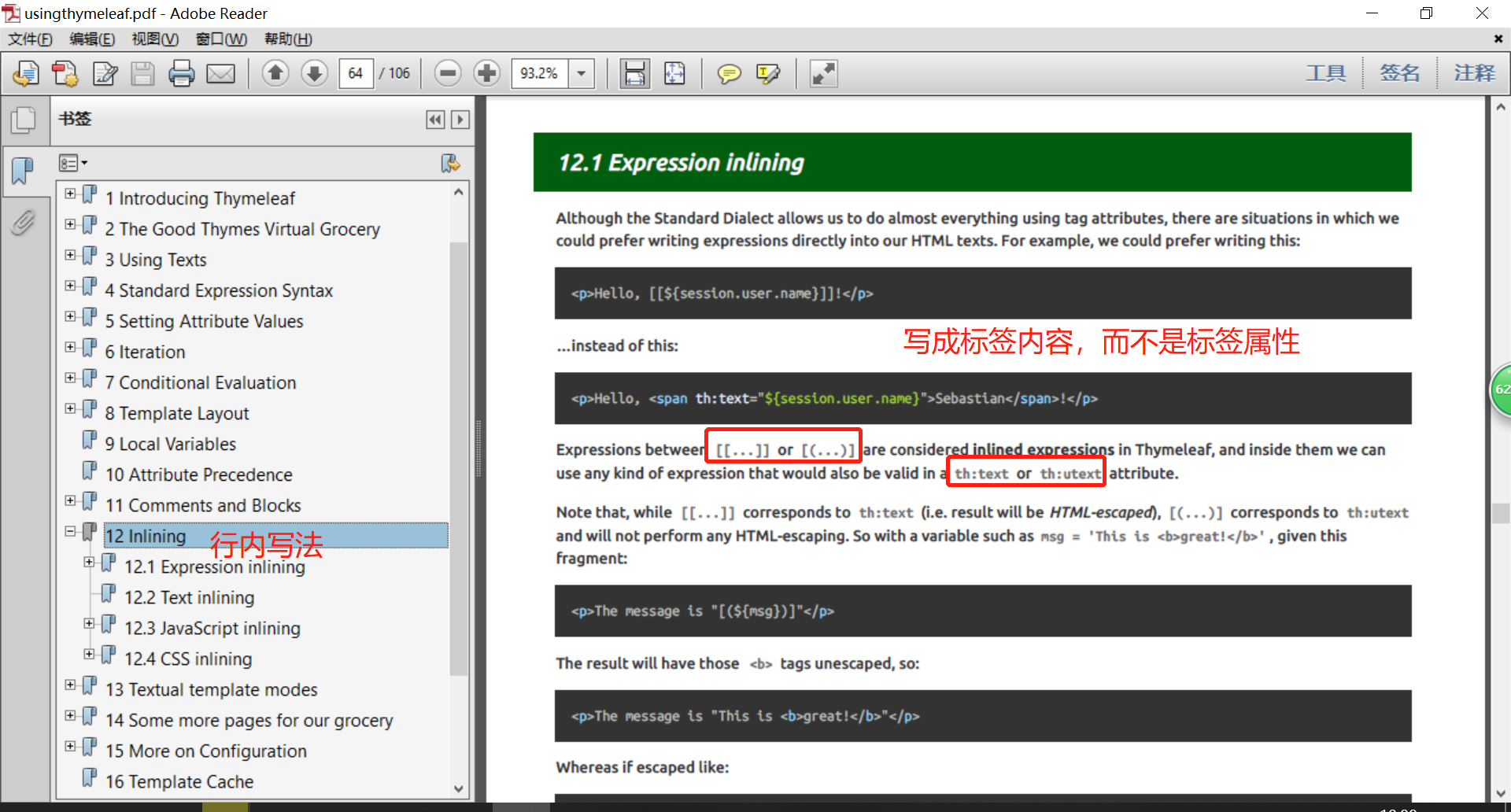
Thymeleaf官方文档:属性优先级
<!DOCTYPE html>

<html  lang="en" xmlns:th="http://www.thymeleaf.org">

<head>

    <meta charset="UTF-8">

    <title>成功</title>

</head>

<body>

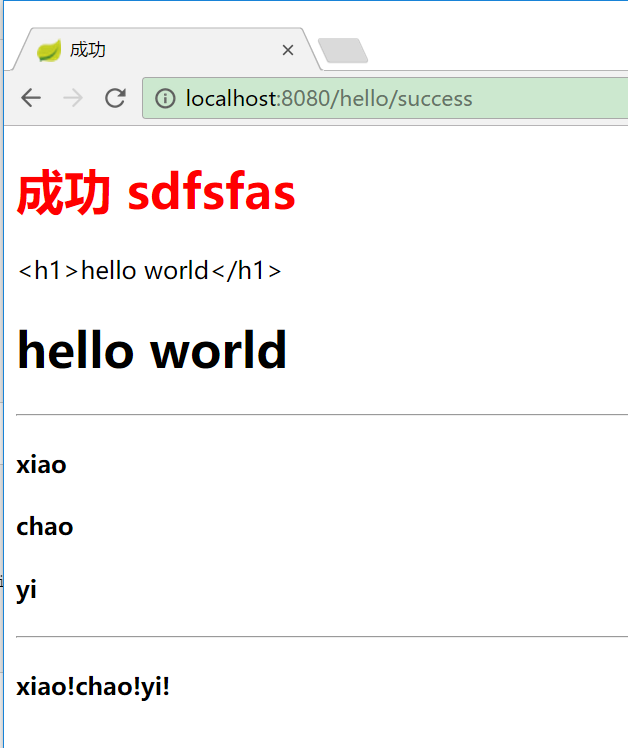
    <h1><font color="red"> 成功 sdfsfas</font></h1>

    <div th:text="${result}"></div>

    <div th:utext="${result}"></div>

<hr>

    <!-- 生成4个h4标签-->

<h4 th:text="${user}" th:each="user:${users}"></h4>

<hr>

<h4>

    <!-- 生产3个span标签-->

   <span th:each="user:${users}">[[${user}]]!</span>

</h4>

</body>

</html>
    @RequestMapping("/success")

    public String success(Map<String,Object> map) {

        map.put("result","<h1>hello world</h1>");

        map.put("users", Arrays.asList("xiao","chao","yi"));

        return "success";

    }
IDEA 会有提示
8.SpringBoot 模板引擎 Thymeleaf的更多相关文章
- SpringBoot:模板引擎 thymeleaf、ContentNegotiatingViewResolver、格式化转换器
目录 模板引擎 thymeleaf ContentNegotiatingViewResolver 格式化转换器 模板引擎 thymeleaf.ContentNegotiatingViewResolve ...
- Spring Boot (四)模板引擎Thymeleaf集成
一.Thymeleaf介绍 Thymeleaf是一种Java XML / XHTML / HTML5模板引擎,可以在Web和非Web环境中使用.它更适合在基于MVC的Web应用程序的视图层提供XHTM ...
- 新一代Java模板引擎Thymeleaf
新一代Java模板引擎Thymeleaf-spring,thymeleaf,springboot,java 相关文章-天码营 https://www.tianmaying.com/tutorial/u ...
- SpringBoot系列:Spring Boot使用模板引擎Thymeleaf
一.Java模板引擎 模板引擎(这里特指用于Web开发的模板引擎)是为了使用户界面与业务数据(内容)分离而产生的,它可以生成特定格式的文档,用于网站的模板引擎就会生成一个标准的HTML文档. 在jav ...
- SpringBoot入门系列(四)整合模板引擎Thymeleaf
前面介绍了Spring Boot的优点,然后介绍了如何快速创建Spring Boot 项目.不清楚的朋友可以看看之前的文章:https://www.cnblogs.com/zhangweizhong/ ...
- SpringBoot入门:新一代Java模板引擎Thymeleaf(理论)
Spring Boot 提供了spring-boot-starter-web来为Web开发予以支持,spring-boot-starter-web为我们提供了嵌入的Tomcat以及SpringMVC的 ...
- springboot:Java模板引擎Thymeleaf介绍
Thymeleaf是一款用于渲染XML/XHTML/HTML5内容的模板引擎.类似JSP,Velocity,FreeMaker等,它也可以轻易的与Spring MVC等Web框架进行集成作为Web应用 ...
- 模板引擎Thymeleaf
1.Thymeleaf简介 Thymeleaf 是一个跟 Velocity.FreeMarker 类似的模板引擎,它可以完全替代 JSP .相较与其他的模板引擎,它有如下三个极吸引人的特点 Thyme ...
- Spring Boot中使用模板引擎Thymeleaf
一.Thymeleaf简介 Thymeleaf[taɪm lif],百里香叶,是一个流行的模板引擎,该模板引擎采用Java语言开发.Java中常见的模板引擎有Velocity.Freemaker.Th ...
随机推荐
- C++ 动态内存分配(6种情况,好几个例子)
1.堆内存分配 : C/C++定义了4个内存区间: 代码区,全局变量与静态变量区,局部变量区即栈区,动态存储区,即堆(heap)区或自由存储区(free store). 堆的概念: 通常定义变量(或对 ...
- Fantacy团队周二站立会议
词频分析模型 1.这次站会是周二开的,但是由于我个人的疏忽,哎,不说了. 2.会议时间:2016年3月29日12:03~12:30. 持续时长:27分钟 会议参加成员:组长:杨若鹏 http://ww ...
- matplotlib绘图2
fig=plt.figure() fig.add_subplot(3,3,1)#3行3列 第一个图 n=128 X=np.random.normal(0,1,n) Y=np.random.normal ...
- GlusterFS 增删节点及改变复制份数
一.增加节点 1.需要主机添加到主机池中 gluster peer probe server3 gluster peer probe server4 2.查看状态 3.添加节点并复制2份(增加复制 ...
- delphi DBGRID 刷新定位问题 [问题点数:0分]
我程序是 adoquery+datasource+dbgrid 做的我有一个窗体:有四个按钮.分别是新建,修改,删除,刷新. 新建第一条记录,dbgrid显示一条记录,新建第二条记录.DBGRID总共 ...
- js 錯誤
try{ //需要被檢測是否拋出錯誤 } catch(err) { //錯誤處理代碼 } try.catch成對出現 throw:拋出錯誤 當錯誤發生時,javascript引擎停止運行,并生成一個錯 ...
- docker --Dockerfile--一些语法
环境更换 环境变量(与声明的ENV声明),也可以在特定指令作为变量用来被解释 Dockerfile.转义也被处理,从字面上包含类似于变量的语法. 环境变量Dockerfile用 $variable_n ...
- BZOJ1497[NOI2006]最大获利——最大权闭合子图
题目描述 新的技术正冲击着手机通讯市场,对于各大运营商来说,这既是机遇,更是挑战.THU集团旗下的CS&T通讯公司在新一代通讯技术血战的前夜,需要做太多的准备工作,仅就站址选择一项,就需要完成 ...
- Java若不为空则取其值的lambda表达式
原本的写法是: Map<String, Object> map = new HashMap<>(); String text = ""; if(map. ...
- 自学Python4.6-迭代器
自学Python之路-Python基础+模块+面向对象自学Python之路-Python网络编程自学Python之路-Python并发编程+数据库+前端自学Python之路-django 自学Pyth ...