
使用jframe编写一个base64加密解密工具
该工具可以使用exe4j来打包成exe工具(如何打包自己百度)
先上截图功能
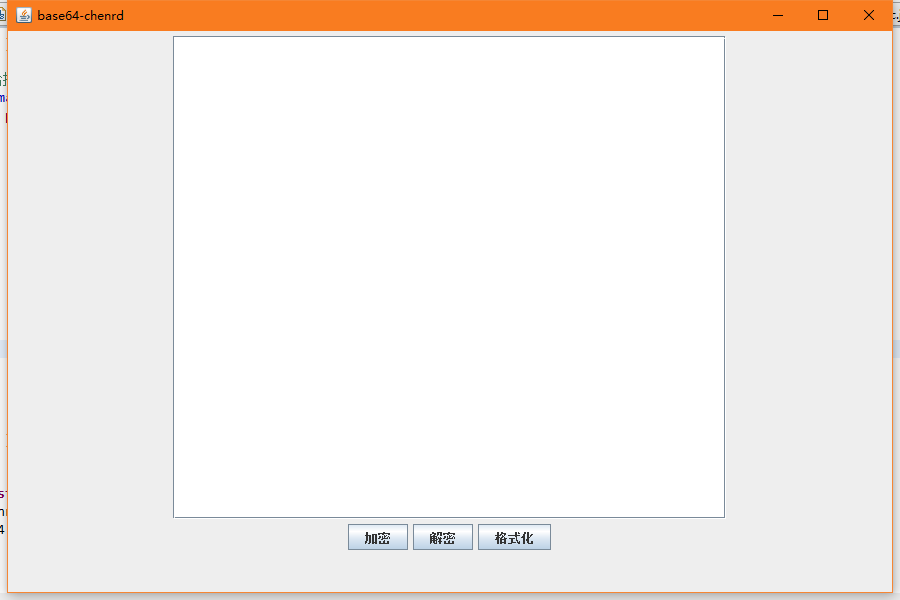
运行main方法后,会弹出如下窗口
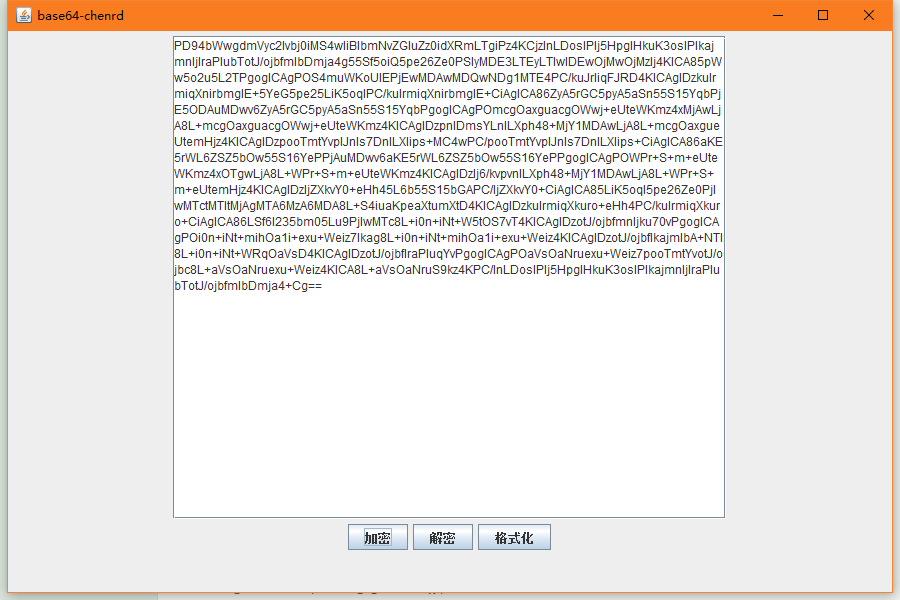
输入密文
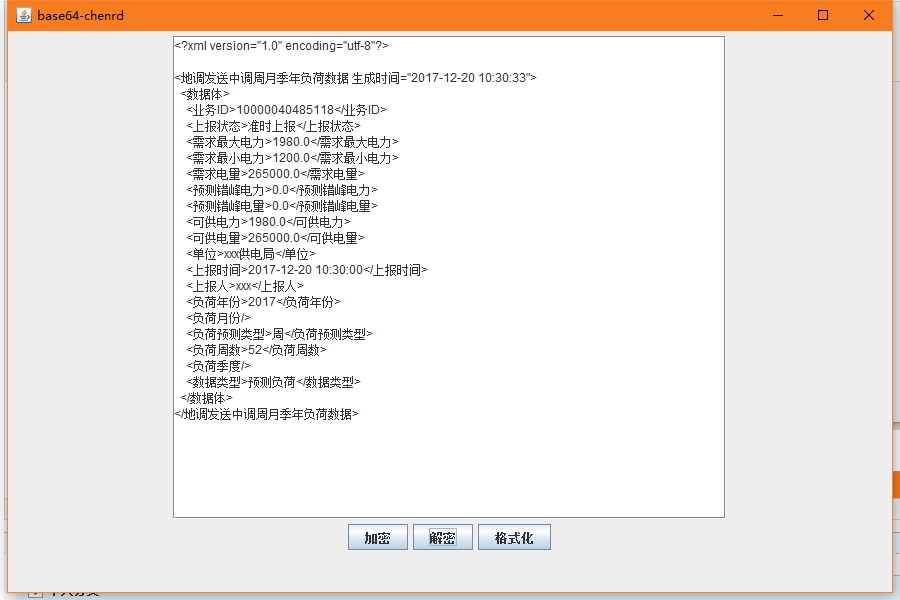
然后点击解密,在点格式化
代码分享
package tools;
import java.awt.BorderLayout;
import java.awt.Color;
import java.awt.event.ActionEvent;
import java.awt.event.ActionListener;
import java.io.StringWriter;
import java.io.UnsupportedEncodingException;
import javax.swing.JButton;
import javax.swing.JFrame;
import javax.swing.JPanel;
import javax.swing.JScrollPane;
import javax.swing.JTextArea;
import org.apache.commons.codec.binary.Base64;
import org.dom4j.Document;
import org.dom4j.DocumentHelper;
import org.dom4j.io.OutputFormat;
import org.dom4j.io.XMLWriter;
/** TODO(用一句话描述这个类做什么用)。
*
* <pre>
* 构建组:toJar
* 作者:chenrd
* 邮箱:1658219123@qq.com
* 日期:2019-3-7-下午3:06:58
* 版权:个人所有
* </pre>
* Base64 加密解密工具
*/
public class ChenrdBase64 extends JFrame {
private static final long serialVersionUID = 1L;
Base64 base64 = new Base64();
JPanel desktop = new JPanel();
JPanel jfr1 = new JPanel();
JPanel btnAllPanel = new JPanel();
JButton incodeBtn = new JButton("加密");
JButton decodeBtn = new JButton("解密");
JButton formatBtn = new JButton("格式化");
JTextArea inputMsg = new JTextArea("",30,50);
public ChenrdBase64() {
super("base64-chenrd");
this.add(desktop);
this.setBounds(0, 0, 900, 600);
this.setLocationRelativeTo(null);
//关闭该窗口的时候不用关闭主窗口,所以要注释下行代码
// this.setDefaultCloseOperation(JFrame.EXIT_ON_CLOSE);
//按平台默认的方式把添加的窗口有序的排列,不然子窗口挡住了父窗口
this.setLocationByPlatform(true);
this.setVisible(true);
init();
}
public void init() {
inputMsg.setLineWrap(true);//激活自动换行功能
inputMsg.setWrapStyleWord(true);//激活断行不断字功能
JScrollPane js = new JScrollPane(inputMsg);
jfr1.setLayout(new BorderLayout());
jfr1.add(js,BorderLayout.NORTH);
//设置组件垂直排列
// btnAllPanel.setLayout(new BoxLayout(btnAllPanel, BoxLayout.X_AXIS));
btnAllPanel.add(incodeBtn);
btnAllPanel.add(decodeBtn);
btnAllPanel.add(formatBtn);
jfr1.add(btnAllPanel,BorderLayout.SOUTH);
desktop.add(jfr1, 0);
// 换行
inputMsg.setSelectedTextColor(Color.BLUE);
// 激活自动换行功能
inputMsg.setLineWrap(true);
// 激活断行不断字功能
inputMsg.setWrapStyleWord(true);
//给按钮添加点击事件
incodeBtn.addActionListener(new ActionListener() {
public void actionPerformed(ActionEvent e) {
try {
String msg = inputMsg.getText();
inputMsg.setText(new String(Base64.encodeBase64(msg.getBytes("utf-8"))));
} catch (UnsupportedEncodingException e1) {
e1.printStackTrace();
}
}
});
//给按钮添加点击事件
decodeBtn.addActionListener(new ActionListener() {
public void actionPerformed(ActionEvent e) {
String msg = inputMsg.getText();
try {
inputMsg.setText(new String(base64.decode(msg.getBytes("utf-8"))));
} catch (UnsupportedEncodingException e1) {
e1.printStackTrace();
}
}
});
//给按钮添加点击事件
formatBtn.addActionListener(new ActionListener() {
public void actionPerformed(ActionEvent e) {
// 格式化输出格式(使用dom4j格式化)
OutputFormat format = OutputFormat.createPrettyPrint();
format.setEncoding("utf-8");
StringWriter writer = new StringWriter();
// 格式化输出流
XMLWriter xmlWriter = new XMLWriter(writer, format);
// 将document写入到输出流
try {
String text = inputMsg.getText();
Document doc = DocumentHelper.parseText(text);
xmlWriter.write(doc);
inputMsg.setText(writer.toString());
System.out.println(writer.toString());
xmlWriter.close();
} catch (Exception e1) {
e1.printStackTrace();
}
}
});
}
public static void main(String[] args) {
ChenrdBase64 my64 = new ChenrdBase64();
my64.validate();//刷新所有子组件
}
}
使用jframe编写一个base64加密解密工具的更多相关文章
- Base64加密解密工具类
使用Apache commons codec类Base64进行加密解密 maven依赖 <dependency> <groupId>commons-codec</grou ...
- Base64加密解密原理以及代码实现(VC++)
Base64加密解密原理以及代码实现 转自:http://blog.csdn.net/jacky_dai/article/details/4698461 1. Base64使用A--Z,a--z,0- ...
- password学3——Java BASE64加密解密
Base64是网络上最常见的用于传输8Bit字节代码的编码方式之中的一个,大家能够查看RFC2045-RFC2049.上面有MIME的具体规范.Base64编码可用于在HTTP环境下传递较长的标识信息 ...
- Java android DES+Base64加密解密
服务器与客户端加密解密传输, 中间遇到各种坑,客户端无论用AES还是DES解密时都会出现错误,后来才看到好多人说要用AES/DES加完密后还要BASE64加密,照做时发现android和java的Ba ...
- django删除表重建&修改用户密码&base64加密解密字符串&ps aux参数说明&各种Error例子
1.django的queryset不支持负索引 AssertionError: Negative indexing is not supported. 2.django向前端JavaScript传递列 ...
- Java语言实现 Base64 加密 & 解密
Java语言实现 Base64 加密 & 解密 Base64是网络上最常见的用于传输8Bit字节码的编码方式之一,Base64就是一种基于64个可打印字符来表示二进制数据的方法. Base64 ...
- JS实现base64加密解密
JS实现base64加密解密 转载自http://blog.csdn.net/fengzheng0306/archive/2006/04/25/676055.aspx 方法一: <HTML> ...
- 【代码笔记】iOS-3DES+Base64加密解密
一,工程目录. 二,代码. RootViewController.m #import "RootViewController.h" #import "NSString+T ...
- 实现Base64加密解密
using System; using System.Text; namespace Common { /// <summary> /// 实现Base64加密解密 /// </ ...
随机推荐
- SpringBoot Docker Mysql安装,Docker安装Mysql
SpringBoot Docker Mysql安装,Docker安装Mysql ================================ ©Copyright 蕃薯耀 2018年4月8日 ht ...
- php实现多域名共享session会话
php会话机制参考:我的随笔 缘起 网站,通常会有多个服务器,多个子域名,每个节点运行着不同模块.有时为了整体体验,用户用同一个用户名.密码浏览整站,不用重复登录.这时候就需要多服务器共享sessio ...
- iOS 判断两个日期之间的间隔
本文转载至 http://www.cnblogs.com/Ewenblog/p/3891791.html 两个时间段,判断之间的相差,做一些时间范围限制使用 NSDateFormatter * d ...
- mysql5.5 报Can't open and lock privilege tables: Table 'mysql.host' doesn't exist
通过yum 的webstatic源安装的mysql55w-server,然后用service mysqld start启动时报 MySQL Daemon failed to start.Startin ...
- android基础---->SQLite数据库的使用
SQLite 一个非常流行的嵌入式数据库,它支持 SQL 语言,并且只利用很少的内存就有很好的性能.此外它还是开源的,任何人都可以使用它.许多开源项目((Mozilla, PHP, Python)都使 ...
- 新装的MySQL没有密码怎么办
新装的mysql没有密码怎么办 [root@localhost log]# mysql -u root -p Enter password: Welcome to the MySQL monitor. ...
- position 有五个值:static、relative、absolute、fixed、inherit。
position 有五个值:static.relative.absolute.fixed.inherit. static 是默认值.就是按正常的布局流从上到下从左到右布局,平常我们做网页时,没有指定 ...
- css学习_css复合选择器
css复合选择器 a.交集选择器 (即...又...:选择器之间不能有空格) p.one{color:red;] b.并集选择器(中间由逗号隔开) p,div{color:red;} c.后代选择器 ...
- {MySQL数据库初识}一 数据库概述 二 MySQL介绍 三 MySQL的下载安装、简单应用及目录介绍 四 root用户密码设置及忘记密码的解决方案 五 修改字符集编码 六 初识sql语句
MySQL数据库初识 MySQL数据库 本节目录 一 数据库概述 二 MySQL介绍 三 MySQL的下载安装.简单应用及目录介绍 四 root用户密码设置及忘记密码的解决方案 五 修改字符集编码 六 ...
- [No0000F1]js获取喜马拉雅和荔枝FM电台专辑音频
荔枝FM小书签.txt javascript: (function() { if ($('#down_url')) { $('#down_url').remove(); }; $(document.b ...