
npm ERR! code 1 npm ERR! path E:\20231213\vue-element-admin\node_modules\node-sass npm ERR! command failed npm ERR! command C:\WINDOWS\system32\cmd.exe /d /s /c node scripts/build.js
执行npm install报错,根据下面报错信息可知,是由于nodejs和node-sass版本不一致造成的,也就是当前项目比较旧,而我安装的nodejs比较新。
PS E:\20231213\vue-element-admin>

PS E:\20231213\vue-element-admin>

PS E:\20231213\vue-element-admin>

PS E:\20231213\vue-element-admin> npm install

npm WARN deprecated source-map-url@0.4.1: See https://github.com/lydell/source-map-url#deprecated

npm WARN deprecated urix@0.1.0: Please see https://github.com/lydell/urix#deprecated

npm WARN deprecated har-validator@5.1.5: this library is no longer supported

npm WARN deprecated source-map-resolve@0.5.3: See https://github.com/lydell/source-map-resolve#deprecated

npm WARN deprecated chokidar@2.1.8: Chokidar 2 does not receive security updates since 2019. Upgrade to chokidar 3 with 15x fewer dependencies

npm WARN deprecated resolve-url@0.2.1: https://github.com/lydell/resolve-url#deprecated

npm WARN deprecated circular-json@0.3.3: CircularJSON is in maintenance only, flatted is its successor.

npm WARN deprecated flatten@1.0.3: flatten is deprecated in favor of utility frameworks such as lodash.

npm WARN deprecated acorn-dynamic-import@2.0.2: This is probably built in to whatever tool you're using. If you still need it... idk

npm WARN deprecated consolidate@0.14.5: Please upgrade to consolidate v1.0.0+ as it has been modernized with several long-awaited fixes implemented. Maintenance is supported by Forward Email at https://forwardemail.net ; follow/watch https://github.com/ladjs/consolidate for updates and release changelog

npm WARN deprecated uuid@3.4.0: Please upgrade  to version 7 or higher.  Older versions may use Math.random() in certain circumstances, which is known to be problematic.  See https://v8.dev/blog/math-random for details.

npm WARN deprecated request@2.88.2: request has been deprecated, see https://github.com/request/request/issues/3142

npm WARN deprecated eslint-loader@1.9.0: This loader has been deprecated. Please use eslint-webpack-plugin

npm WARN deprecated nomnom@1.8.1: Package no longer supported. Contact support@npmjs.com for more info.

npm WARN deprecated browserslist@2.11.3: Browserslist 2 could fail on reading Browserslist >3.0 config used in other tools.

npm WARN deprecated html-webpack-plugin@2.30.1: out of support

npm WARN deprecated browserslist@1.7.7: Browserslist 2 could fail on reading Browserslist >3.0 config used in other tools.

npm WARN deprecated babel-eslint@8.0.3: babel-eslint is now @babel/eslint-parser. This package will no longer receive updates.

npm WARN deprecated extract-text-webpack-plugin@3.0.2: Deprecated. Please use https://github.com/webpack-contrib/mini-css-extract-plugin

npm WARN deprecated browserslist@1.7.7: Browserslist 2 could fail on reading Browserslist >3.0 config used in other tools.

npm WARN deprecated uglify-es@3.3.9: support for ECMAScript is superseded by `uglify-js` as of v3.13.0

npm WARN deprecated chokidar@1.7.0: Chokidar 2 will break on node v14+. Upgrade to chokidar 3 with 15x less dependencies.

npm WARN deprecated browserslist@1.7.7: Browserslist 2 could fail on reading Browserslist >3.0 config used in other tools.

npm WARN deprecated uuid@2.0.3: Please upgrade  to version 7 or higher.  Older versions may use Math.random() in certain circumstances, which is known to be problematic.  See https://v8.dev/blog/math-random for details.

npm WARN deprecated axios@0.17.1: Critical security vulnerability fixed in v0.21.1. For more information, see https://github.com/axios/axios/pull/3410

npm WARN deprecated svgo@0.7.2: This SVGO version is no longer supported. Upgrade to v2.x.x.

npm WARN deprecated tar@2.2.2: This version of tar is no longer supported, and will not receive security updates. Please upgrade asap.

npm WARN deprecated vue@2.5.10: Vue 2 has reached EOL and is no longer actively maintained. See https://v2.vuejs.org/eol/ for more details.

npm WARN deprecated core-js@2.3.0: core-js@<3.23.3 is no longer maintained and not recommended for usage due to the number of issues. Because of the V8 engine whims, feature detection in old core-js versions could cause a slowdown up to 100x even if nothing is polyfilled. Some versions have web compatibility issues. Please, upgrade your dependencies to the actual version of core-js.

npm WARN deprecated core-js@2.6.12: core-js@<3.23.3 is no longer maintained and not recommended for usage due to the number of issues. Because of the V8 engine whims, feature detection in old core-js versions could cause a slowdown up to 100x even if nothing is polyfilled. Some versions have web compatibility issues. Please, upgrade your dependencies to the actual version of core-js.

npm WARN cleanup Failed to remove some directories [

npm WARN cleanup   [

npm WARN cleanup     'E:\\20231213\\vue-element-admin\\node_modules',

npm WARN cleanup     [Error: EPERM: operation not permitted, rmdir 'E:\20231213\vue-element-admin\node_modules\sockjs-client\node_modules\faye-websocket\lib'] {

npm WARN cleanup       errno: -4048,

npm WARN cleanup       code: 'EPERM',

npm WARN cleanup       syscall: 'rmdir',

npm WARN cleanup       path: 'E:\\20231213\\vue-element-admin\\node_modules\\sockjs-client\\node_modules\\faye-websocket\\lib'

npm WARN cleanup     }

npm WARN cleanup   ]

npm WARN cleanup ]

npm ERR! code 1

npm ERR! path E:\20231213\vue-element-admin\node_modules\node-sass

npm ERR! command failed

npm ERR! command C:\WINDOWS\system32\cmd.exe /d /s /c node scripts/build.js

npm ERR! Building: D:\nodejs\node.exe E:\20231213\vue-element-admin\node_modules\node-gyp\bin\node-gyp.js rebuild --verbose --libsass_ext= --libsass_cflags= --libsass_ldflags= --libsass_library=

npm ERR! gyp info it worked if it ends with ok

npm ERR! gyp verb cli [

npm ERR! gyp verb cli   'D:\\nodejs\\node.exe',

npm ERR! gyp verb cli   'E:\\20231213\\vue-element-admin\\node_modules\\node-gyp\\bin\\node-gyp.js',

npm ERR! gyp verb cli   'rebuild',

npm ERR! gyp verb cli   '--verbose',

npm ERR! gyp verb cli   '--libsass_ext=',

npm ERR! gyp verb cli   '--libsass_cflags=',

npm ERR! gyp verb cli   '--libsass_ldflags=',

npm ERR! gyp verb cli   '--libsass_library='

npm ERR! gyp verb cli ]

npm ERR! gyp info using node-gyp@3.8.0

npm ERR! gyp info using node@20.10.0 | win32 | x64

npm ERR! gyp verb command rebuild []

npm ERR! gyp verb command clean []

npm ERR! gyp verb clean removing "build" directory

npm ERR! gyp verb command configure []

npm ERR! gyp verb check python checking for Python executable "python2" in the PATH

npm ERR! gyp verb `which` failed Error: not found: python2

npm ERR! gyp verb `which` failed     at getNotFoundError (E:\20231213\vue-element-admin\node_modules\which\which.js:13:12)

npm ERR! gyp verb `which` failed     at F (E:\20231213\vue-element-admin\node_modules\which\which.js:68:19)

npm ERR! gyp verb `which` failed     at E (E:\20231213\vue-element-admin\node_modules\which\which.js:80:29)

npm ERR! gyp verb `which` failed     at E:\20231213\vue-element-admin\node_modules\which\which.js:89:16

npm ERR! gyp verb `which` failed     at E:\20231213\vue-element-admin\node_modules\isexe\index.js:42:5

npm ERR! gyp verb `which` failed     at E:\20231213\vue-element-admin\node_modules\isexe\windows.js:36:5

npm ERR! gyp verb `which` failed     at FSReqCallback.oncomplete (node:fs:199:21)

npm ERR! gyp verb `which` failed  python2 Error: not found: python2

npm ERR! gyp verb `which` failed     at getNotFoundError (E:\20231213\vue-element-admin\node_modules\which\which.js:13:12)

npm ERR! gyp verb `which` failed     at F (E:\20231213\vue-element-admin\node_modules\which\which.js:68:19)

npm ERR! gyp verb `which` failed     at E (E:\20231213\vue-element-admin\node_modules\which\which.js:80:29)

npm ERR! gyp verb `which` failed     at E:\20231213\vue-element-admin\node_modules\which\which.js:89:16

npm ERR! gyp verb `which` failed     at E:\20231213\vue-element-admin\node_modules\isexe\index.js:42:5

npm ERR! gyp verb `which` failed     at E:\20231213\vue-element-admin\node_modules\isexe\windows.js:36:5

npm ERR! gyp verb `which` failed     at FSReqCallback.oncomplete (node:fs:199:21) {

npm ERR! gyp verb `which` failed   code: 'ENOENT'

npm ERR! gyp verb `which` failed }

npm ERR! gyp verb check python checking for Python executable "python" in the PATH

npm ERR! gyp verb `which` failed Error: not found: python

npm ERR! gyp verb `which` failed     at getNotFoundError (E:\20231213\vue-element-admin\node_modules\which\which.js:13:12)

npm ERR! gyp verb `which` failed     at F (E:\20231213\vue-element-admin\node_modules\which\which.js:68:19)

npm ERR! gyp verb `which` failed     at E (E:\20231213\vue-element-admin\node_modules\which\which.js:80:29)

npm ERR! gyp verb `which` failed     at E:\20231213\vue-element-admin\node_modules\which\which.js:89:16

npm ERR! gyp verb `which` failed     at E:\20231213\vue-element-admin\node_modules\isexe\index.js:42:5

npm ERR! gyp verb `which` failed     at E:\20231213\vue-element-admin\node_modules\isexe\windows.js:36:5

npm ERR! gyp verb `which` failed     at FSReqCallback.oncomplete (node:fs:199:21)

npm ERR! gyp verb `which` failed  python Error: not found: python

npm ERR! gyp verb `which` failed     at getNotFoundError (E:\20231213\vue-element-admin\node_modules\which\which.js:13:12)

npm ERR! gyp verb `which` failed     at F (E:\20231213\vue-element-admin\node_modules\which\which.js:68:19)

npm ERR! gyp verb `which` failed     at E (E:\20231213\vue-element-admin\node_modules\which\which.js:80:29)

npm ERR! gyp verb `which` failed     at E:\20231213\vue-element-admin\node_modules\which\which.js:89:16

npm ERR! gyp verb `which` failed     at E:\20231213\vue-element-admin\node_modules\isexe\index.js:42:5

npm ERR! gyp verb `which` failed     at E:\20231213\vue-element-admin\node_modules\isexe\windows.js:36:5

npm ERR! gyp verb `which` failed     at FSReqCallback.oncomplete (node:fs:199:21) {

npm ERR! gyp verb `which` failed   code: 'ENOENT'

npm ERR! gyp verb `which` failed }

npm ERR! gyp verb could not find "python". checking python launcher

npm ERR! gyp verb could not find "python". guessing location

npm ERR! gyp verb ensuring that file exists: C:\Python27\python.exe

npm ERR! gyp ERR! configure error

npm ERR! gyp ERR! stack Error: Can't find Python executable "python", you can set the PYTHON env variable.

npm ERR! gyp ERR! stack     at PythonFinder.failNoPython (E:\20231213\vue-element-admin\node_modules\node-gyp\lib\configure.js:484:19)

npm ERR! gyp ERR! stack     at PythonFinder.<anonymous> (E:\20231213\vue-element-admin\node_modules\node-gyp\lib\configure.js:509:16)

npm ERR! gyp ERR! stack     at callback (E:\20231213\vue-element-admin\node_modules\graceful-fs\polyfills.js:306:20)

npm ERR! gyp ERR! stack     at FSReqCallback.oncomplete (node:fs:199:21)

npm ERR! gyp ERR! System Windows_NT 10.0.22621

npm ERR! gyp ERR! command "D:\\nodejs\\node.exe" "E:\\20231213\\vue-element-admin\\node_modules\\node-gyp\\bin\\node-gyp.js" "rebuild" "--verbose" "--libsass_ext=" "--libsass_cflags=" "--libsass_ldflags=" "--libsass_library="

npm ERR! gyp ERR! cwd E:\20231213\vue-element-admin\node_modules\node-sass

npm ERR! gyp ERR! node -v v20.10.0

npm ERR! gyp ERR! node-gyp -v v3.8.0

npm ERR! gyp ERR! not ok

npm ERR! Build failed with error code: 1

npm ERR! A complete log of this run can be found in: D:\nodejs\node_cache\_logs\2024-01-22T01_46_53_225Z-debug-0.log
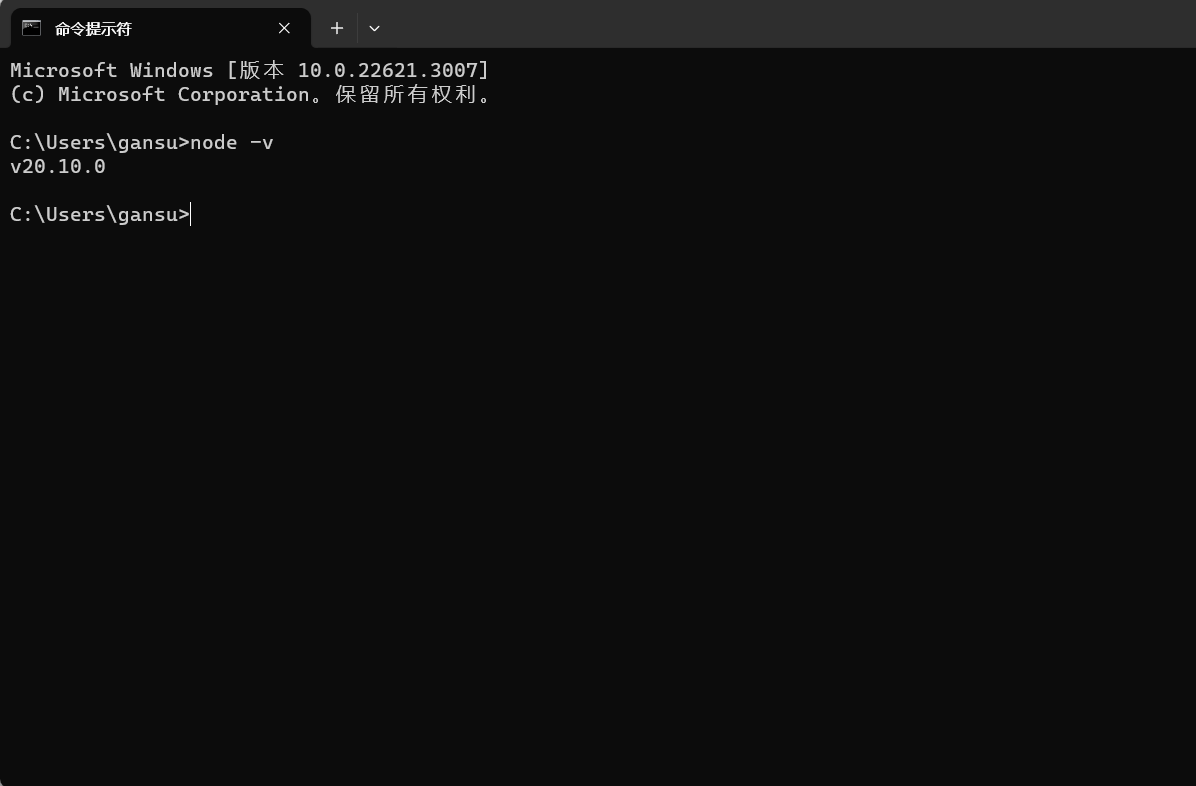
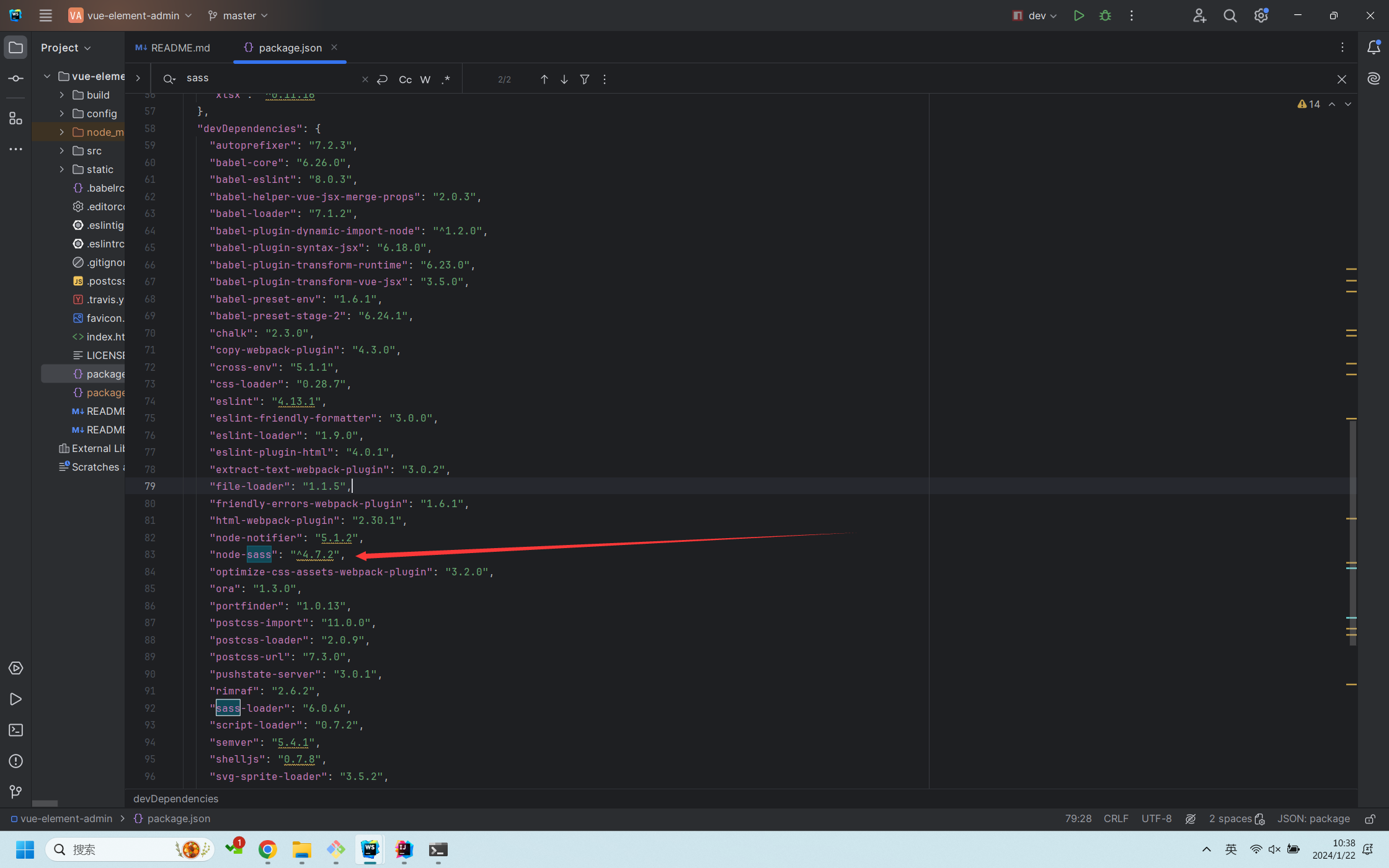
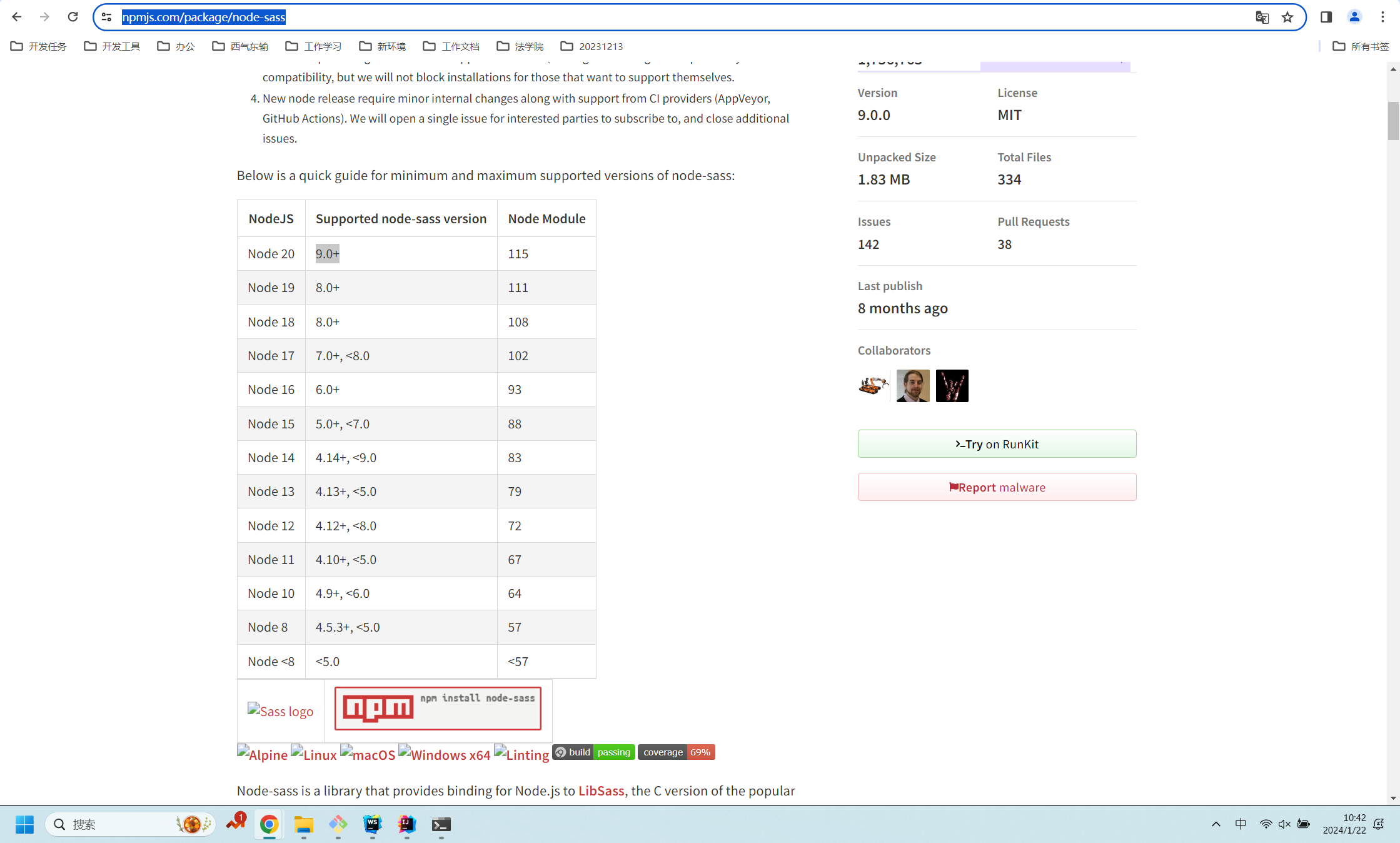
查看本地node版本是V20.10.0,而项目里node-sass版本是4.7.2, 到https://www.npmjs.com/package/node-sass上查看两者的版本对照信息,
执行如下命令:npm uninstall node-sass

              npm install sass --save-dev

              npm install node_sass --save-dev(执行这个命令可能会报错,如下图,那就执行npm install --save node-sass --registry=https://registry.npm.taobao.org --disturl=https://npm.taobao.org/dist --sass-binary-site=http://npm.taobao.org/mirrors/node-sass)
              npm uninstall node-loader

              npm install sass_loader --save-dev

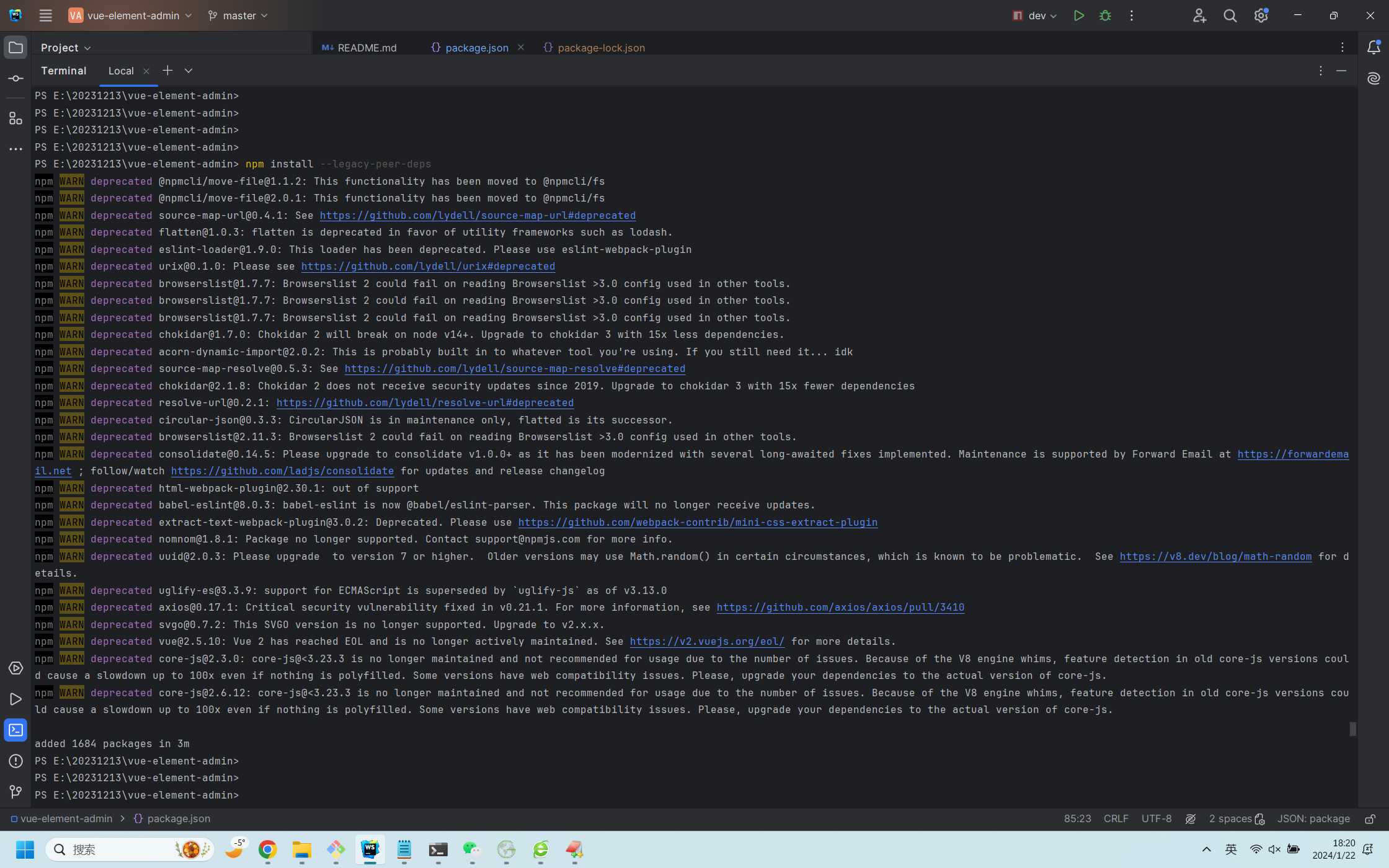
              最后执行:npm install --legacy-peer-deps成功
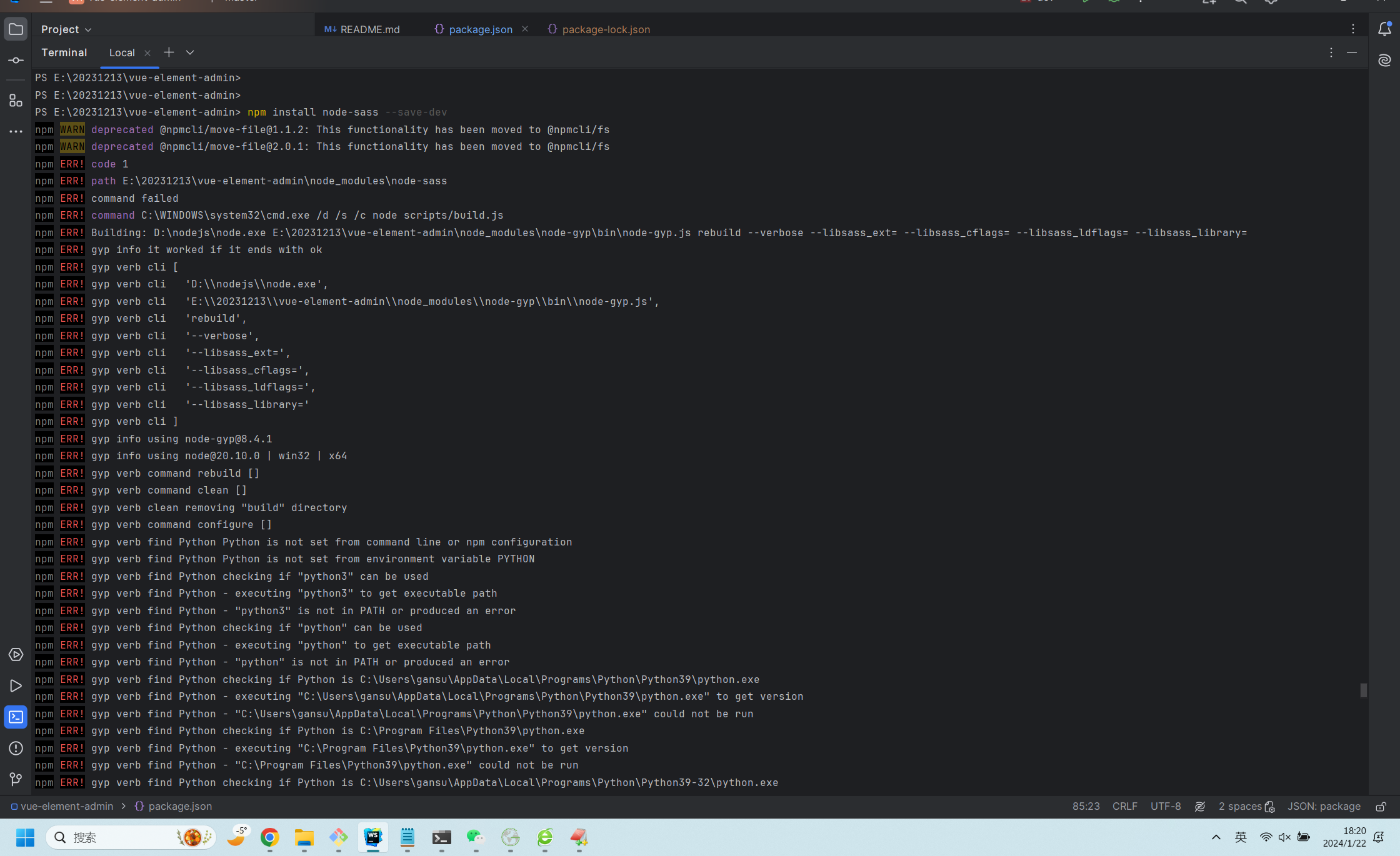
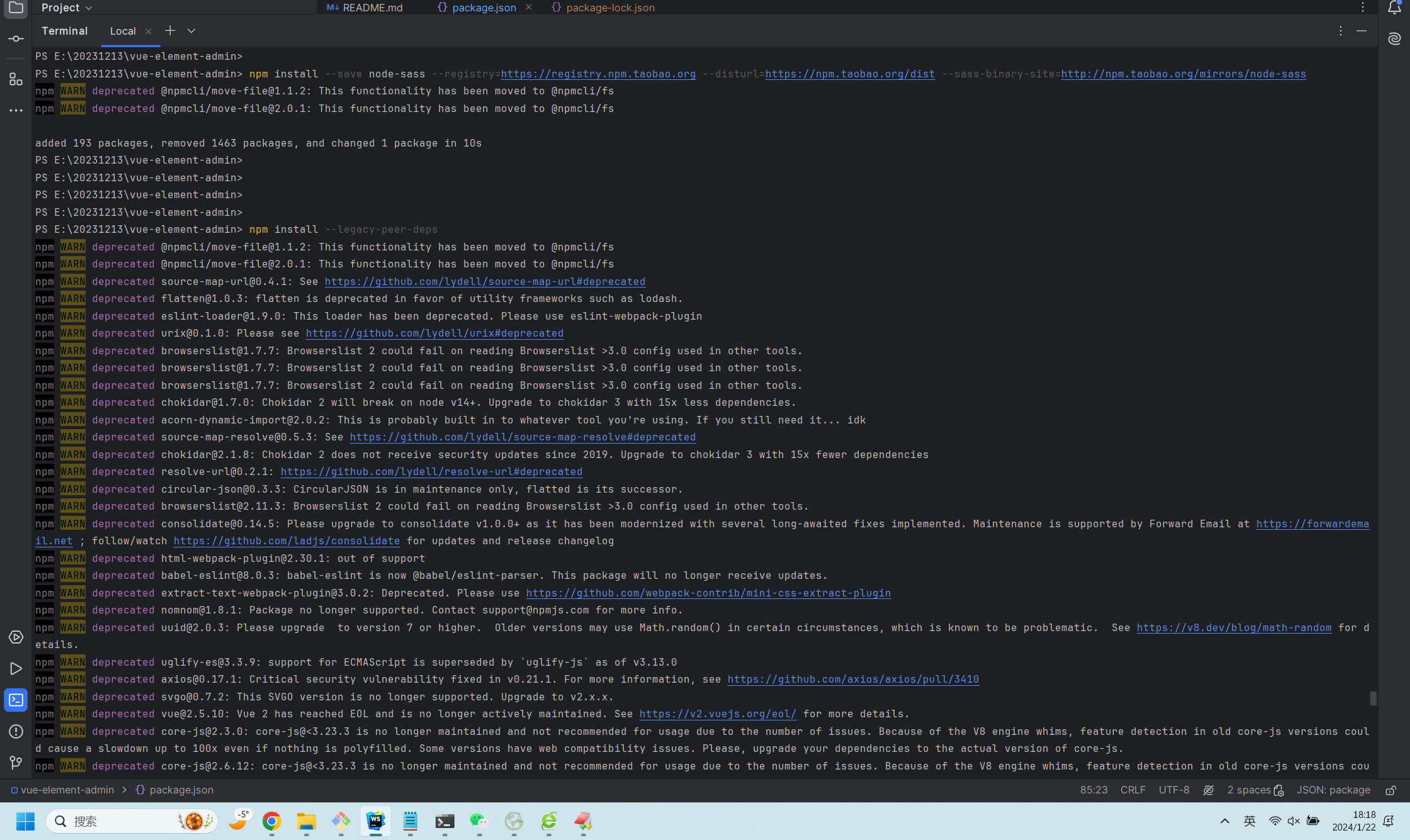
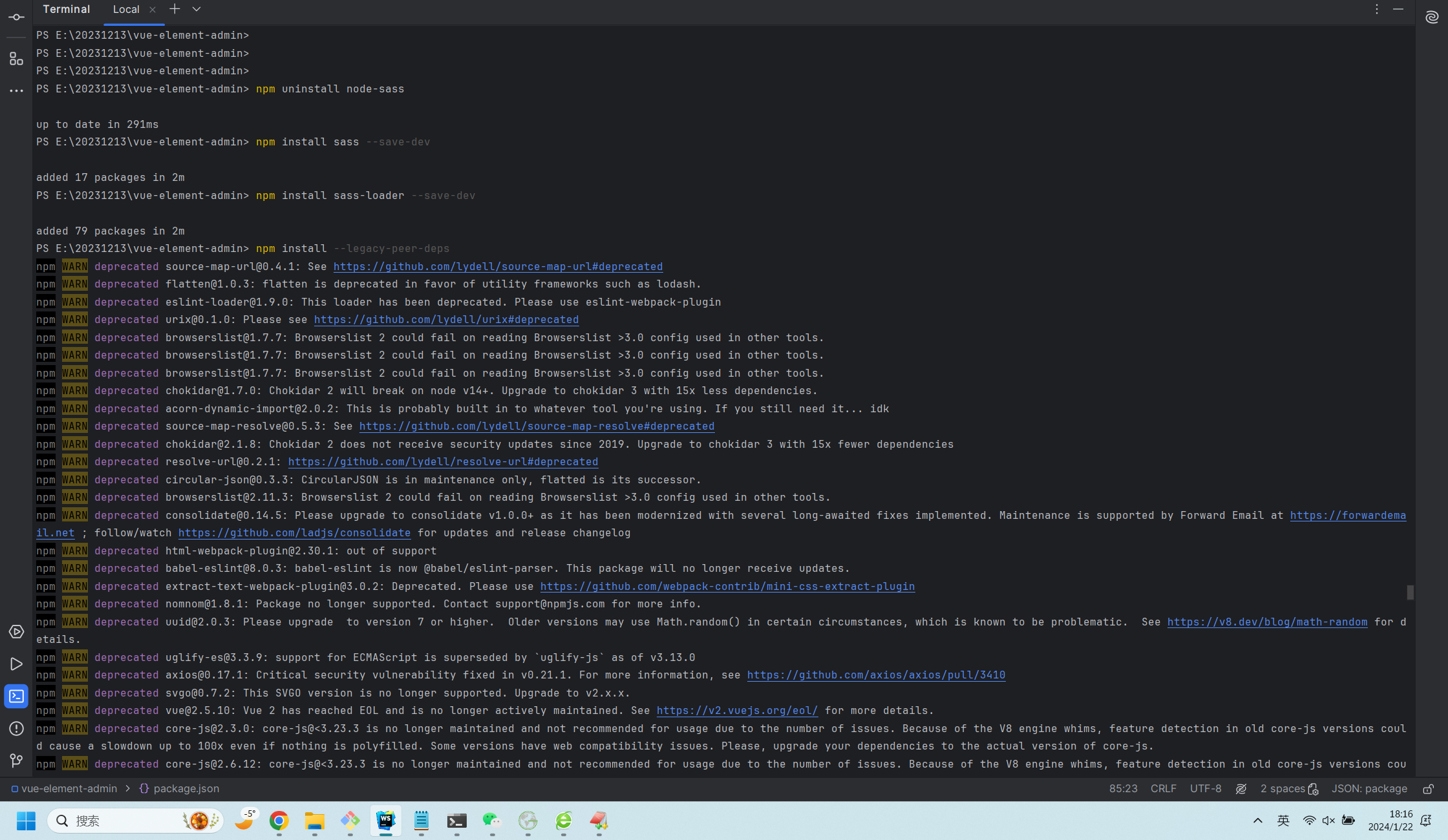
这是最后执行成功的截图:
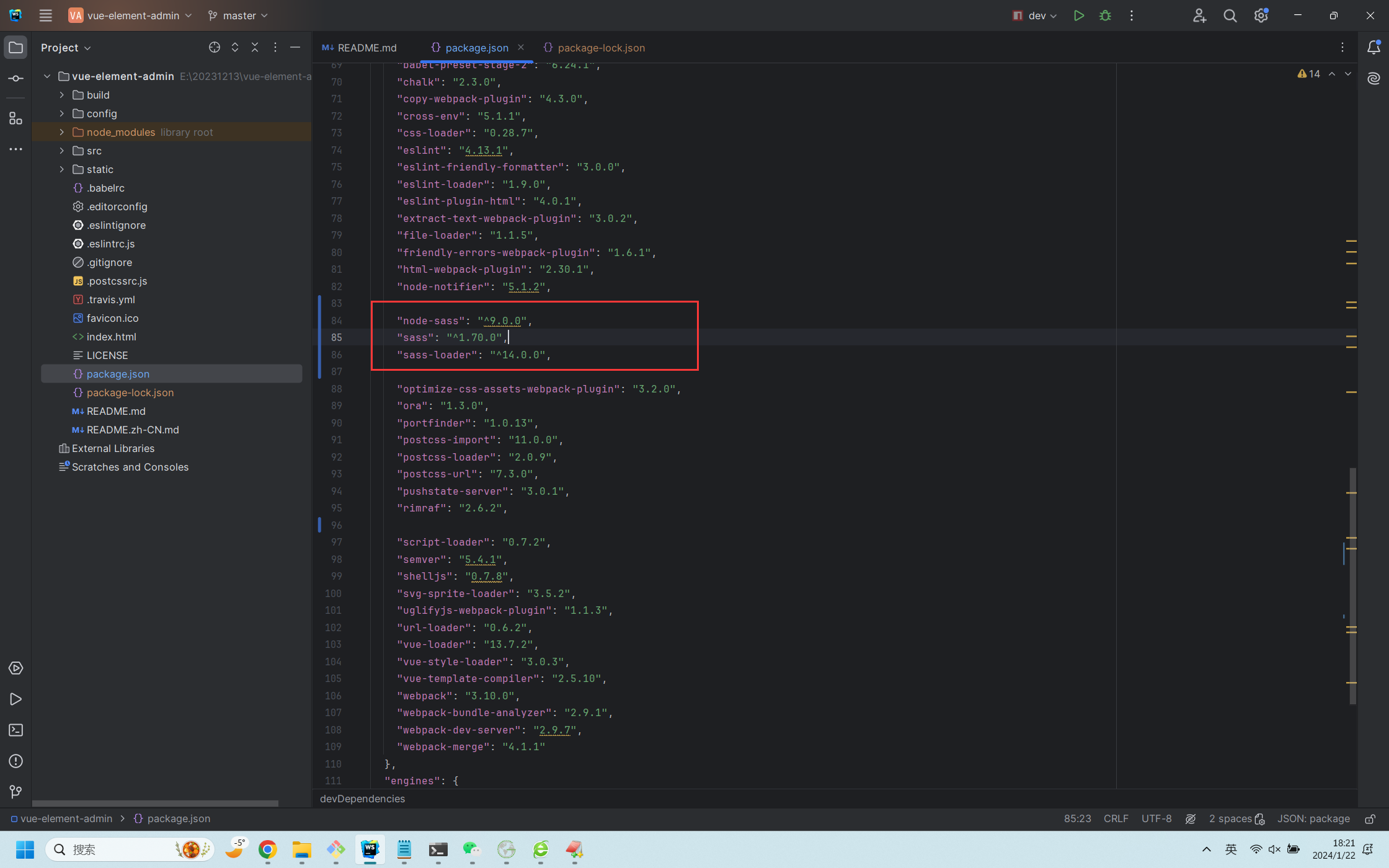
在package.json中devDependencies里生成最新的版本号:
最后总结一下,对于这个报错,网上大部分的解决方案是把node版本降低,我感觉此方法实为大缪也,我们总不成有几个前端项目node-sass版本不同就卸载node?, 最好的解决方案是让项目适配你的电脑上的配置,而不是动不动就卸载呀,降级呀。
npm ERR! code 1 npm ERR! path E:\20231213\vue-element-admin\node_modules\node-sass npm ERR! command failed npm ERR! command C:\WINDOWS\system32\cmd.exe /d /s /c node scripts/build.js的更多相关文章
- Windows2008 – Task Scheduler – ‘Action “C:\Windows\SYSTEM32\cmd.exe” with return code 1’
Remediation Edit Task Let us make the necessary changes, which is to specify the Start folder. Here ...
- 输入npm install 报错npm ERR! code ELIFECYCLE npm ERR! errno 1 npm ERR! node-sass@4.13.1 postinstall: `node scripts/build.js`
输入npm install 报以下错误 npm ERR! code ELIFECYCLE npm ERR! errno 1 npm ERR! node-sass@4.13.1 postinstall: ...
- command failed: npm install --loglevel error --registry=https://registry.npm 用vue-cli 4.0 新建项目总是报错
昨天新买的本本,今天布环境,一安装vue-cli发现都4.0+的版本了,没管太多,就开始新建个项目感受哈,一切运行顺利,输入 "vue create app" 的时候,一切貌似进展 ...
- 输入npm install 报错node-sass@4.13.0 postinstall:`node scripts/build.js` Failed at the node-sass@4.13.0
这个是因为sass安装时获取源的问题,先修改sass安装的源,再运行npm install就成功了 npm config set sass_binary_site=https://npm.taobao ...
- @vue-cli3创建项目报错:ERROR command failed: npm install --loglevel error --registry=https://registry.npm.taobao.org --di
使用@vue-cli3时 在你感觉所以配置都搞好开始创建项目时,不停的报错,就是创建不成功 清npm缓存也不行 改淘宝镜像也不行 就快奔溃了,最后最终(其实我在凑150字,为了能发到首页给更多采坑的兄 ...
- node_modules/canvas npm ERR! command failed
Installing packages. This might take a couple of minutes.Installing react, react-dom, and react-scri ...
- [NPM] Create a node script to replace a complex npm script
In this lesson we will look at pulling out complex npm script logic into an external JavaScript file ...
- npm ERR! code ENOENT
npm ERR! path F:\VsCodeWorkspace\labWeb\front\LabWebAdminFrontEnd\node_modules\core-jsnpm ERR! code ...
- npm ERR! code: 'EPERM' (权限问题 errro permit)
PS C:\Users\user\Desktop\test\my-project> npm run iview --save npm ERR! missing script: iview npm ...
- 安装Vue2的devtools发生错误npm ERR! code EINTEGRITY npm ERR! sha1-HTFDXrRzR2Ew8Bv9zlMSCVgPsS0= integrity checksum failed when using sha1: wanted sha1-HTFDXrRzR2Ew8Bv9zlMSCVgPsS0= but got sha1-Z6BeTMF4nhAO6h5A
1.github下载地址:https://github.com/vuejs/vue-devtools 2.下载好后进入vue-devtools-master工程 执行npm install ---- ...
随机推荐
- 关于DbgridEh滚动从表一起跟着滚动的分析
我的实现:
- Go 之烧脑的接口
基本定义 Go 官方对于接口的定义是一句话:An interface type is defined as a set of method signatures. 翻译过来就是,一个接口定义了一组方法 ...
- Power BI 8 DAY
目录 DAX 表达式扩展 IN NOT IN 时间智能函数 List.Dates TOTALMTD PREVIOUSMONTH DATEADD DAX 表达式扩展 IN in:属于在...中的...( ...
- SP34020 ADAPET - Ada and Pet 题解
题目传送门 前置知识 前缀函数与 KMP 算法 解法 经检验 样例,我们发现 \(|S|k\) 并不是最优答案. 考虑利用 luogu P4391 [BOI2009] Radio Transmissi ...
- NC19910 [CQOI2007]矩形RECT
题目链接 题目 题目描述 给一个a*b矩形,由a*b个单位正方形组成.你需要沿着网格线把它分成分空的两部分,每部分所有格子连通,且至少有一个格子在原矩形的边界上."连通"是指任两个 ...
- 在PL/SQL中使用日期类型
在PL/SQL中使用日期类型 之前的文章介绍了在PL/SQL中使用字符串和数字了下.毫无疑问,字符串和数字很重要,但是可以确定的是没有哪个应用不依赖于日期的. 你需要记录事件的发生事件,人们的出生日期 ...
- Ubuntu 安装 Python3.6.7
注意: 不要卸载ubuntu自带的python版本: ubuntu下不同版本的python可以共存,可直接安装python3.6. 1.升级包索引和软件 sudo apt update sudo ap ...
- 【Azure 应用服务】如何查看App Service Java堆栈JVM相关的参数默认配置值?
问题描述 如何查看App Service Java堆栈JVM相关的参数默认配置值? 问题解答 可以通过App Service的高级管理工具(kudu:)来查看JVM的相关参数,使用命令:java -X ...
- 【Azure 媒体服务】记录使用Java调用Media Service API时候遇见的一些问题
问题一:java.lang.IllegalArgumentException: Parameter this.client.subscriptionId() is required and canno ...
- [java] Tomcat 启动失败 Error: error while reading constant pool for .class: unexpected tag at #
表现 公司服务器今天启动tomcat失败, 看catalina.out文件里面报错 java.lang.ClassFormatError: Unknown constant tag 101 in cl ...