
Flutter移动电商实战 --(23)分类页_左侧类别导航制作
自动生成dart类
https://javiercbk.github.io/json_to_dart/
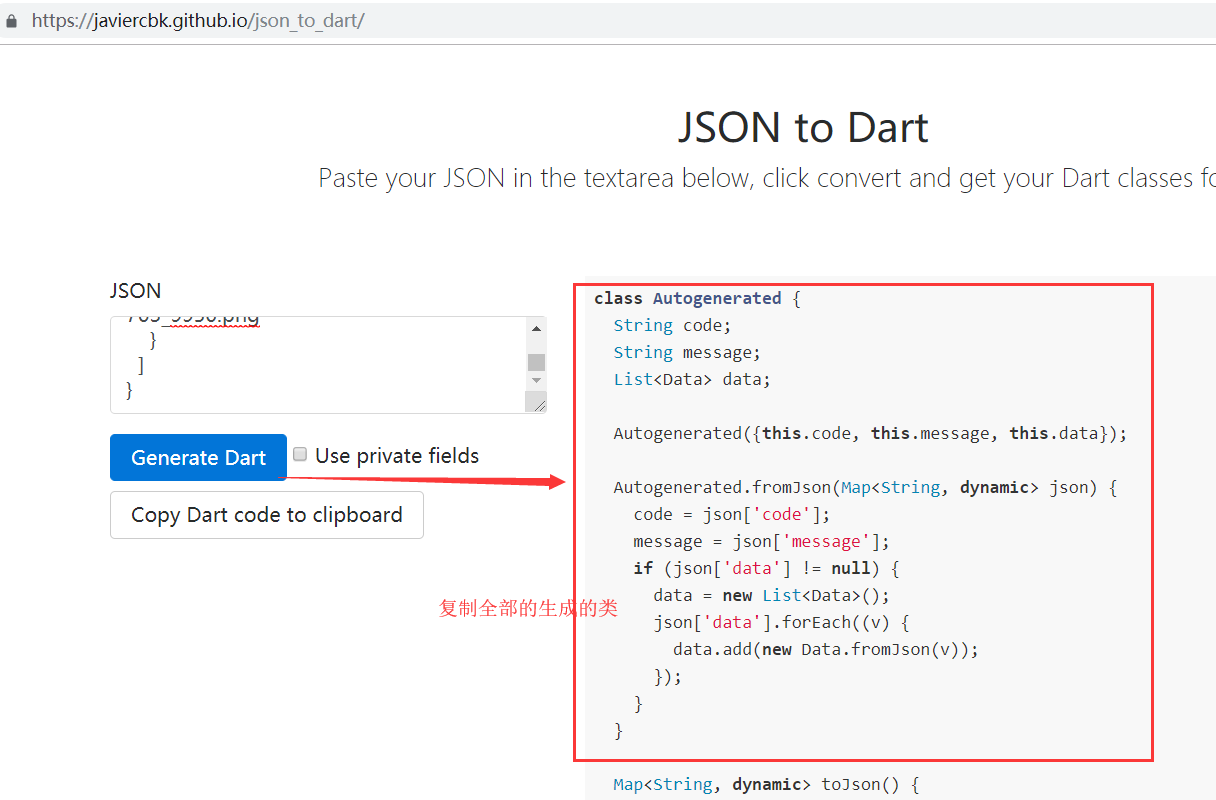
生成的代码
class Autogenerated {

  String code;

  String message;

  List<Data> data;

  Autogenerated({this.code, this.message, this.data});

  Autogenerated.fromJson(Map<String, dynamic> json) {

    code = json['code'];

    message = json['message'];

    if (json['data'] != null) {

      data = new List<Data>();

      json['data'].forEach((v) {

        data.add(new Data.fromJson(v));

      });

    }

  }

  Map<String, dynamic> toJson() {

    final Map<String, dynamic> data = new Map<String, dynamic>();

    data['code'] = this.code;

    data['message'] = this.message;

    if (this.data != null) {

      data['data'] = this.data.map((v) => v.toJson()).toList();

    }

    return data;

  }

}

class Data {

  String mallCategoryId;

  String mallCategoryName;

  List<BxMallSubDto> bxMallSubDto;

  Null comments;

  String image;

  Data(

      {this.mallCategoryId,

      this.mallCategoryName,

      this.bxMallSubDto,

      this.comments,

      this.image});

  Data.fromJson(Map<String, dynamic> json) {

    mallCategoryId = json['mallCategoryId'];

    mallCategoryName = json['mallCategoryName'];

    if (json['bxMallSubDto'] != null) {

      bxMallSubDto = new List<BxMallSubDto>();

      json['bxMallSubDto'].forEach((v) {

        bxMallSubDto.add(new BxMallSubDto.fromJson(v));

      });

    }

    comments = json['comments'];

    image = json['image'];

  }

  Map<String, dynamic> toJson() {

    final Map<String, dynamic> data = new Map<String, dynamic>();

    data['mallCategoryId'] = this.mallCategoryId;

    data['mallCategoryName'] = this.mallCategoryName;

    if (this.bxMallSubDto != null) {

      data['bxMallSubDto'] = this.bxMallSubDto.map((v) => v.toJson()).toList();

    }

    data['comments'] = this.comments;

    data['image'] = this.image;

    return data;

  }

}

class BxMallSubDto {

  String mallSubId;

  String mallCategoryId;

  String mallSubName;

  String comments;

  BxMallSubDto(

      {this.mallSubId, this.mallCategoryId, this.mallSubName, this.comments});

  BxMallSubDto.fromJson(Map<String, dynamic> json) {

    mallSubId = json['mallSubId'];

    mallCategoryId = json['mallCategoryId'];

    mallSubName = json['mallSubName'];

    comments = json['comments'];

  }

  Map<String, dynamic> toJson() {

    final Map<String, dynamic> data = new Map<String, dynamic>();

    data['mallSubId'] = this.mallSubId;

    data['mallCategoryId'] = this.mallCategoryId;

    data['mallSubName'] = this.mallSubName;

    data['comments'] = this.comments;

    return data;

  }

}
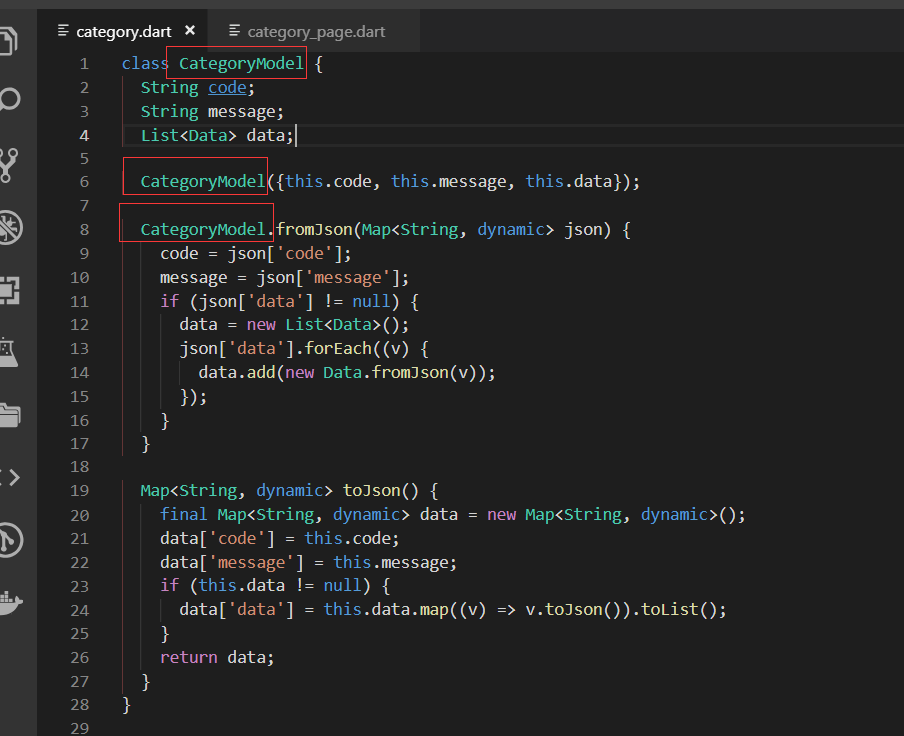
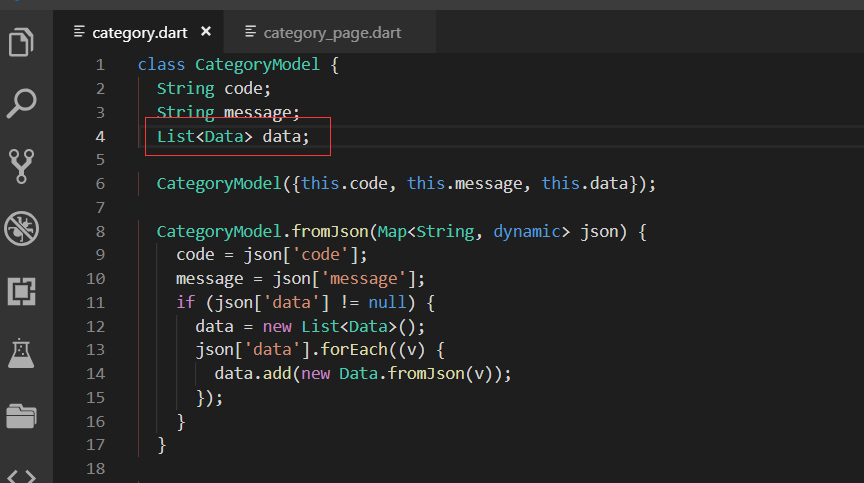
复制过来以后,改改类的名字
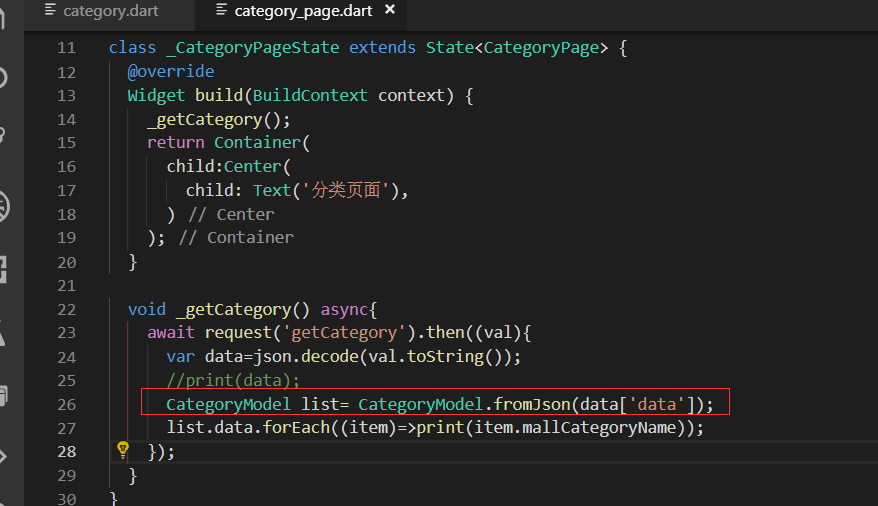
这里就是用我们新生成的model类
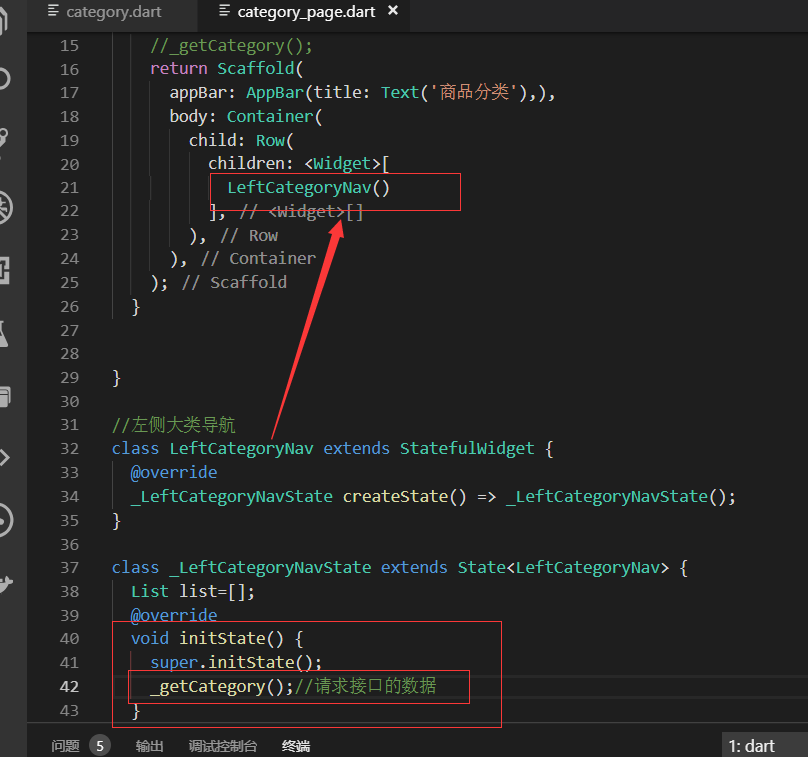
开始做左侧类别导航
快速生成动态类LeftCategoryNav

把获取接口数据的方法移动到 左侧导航内
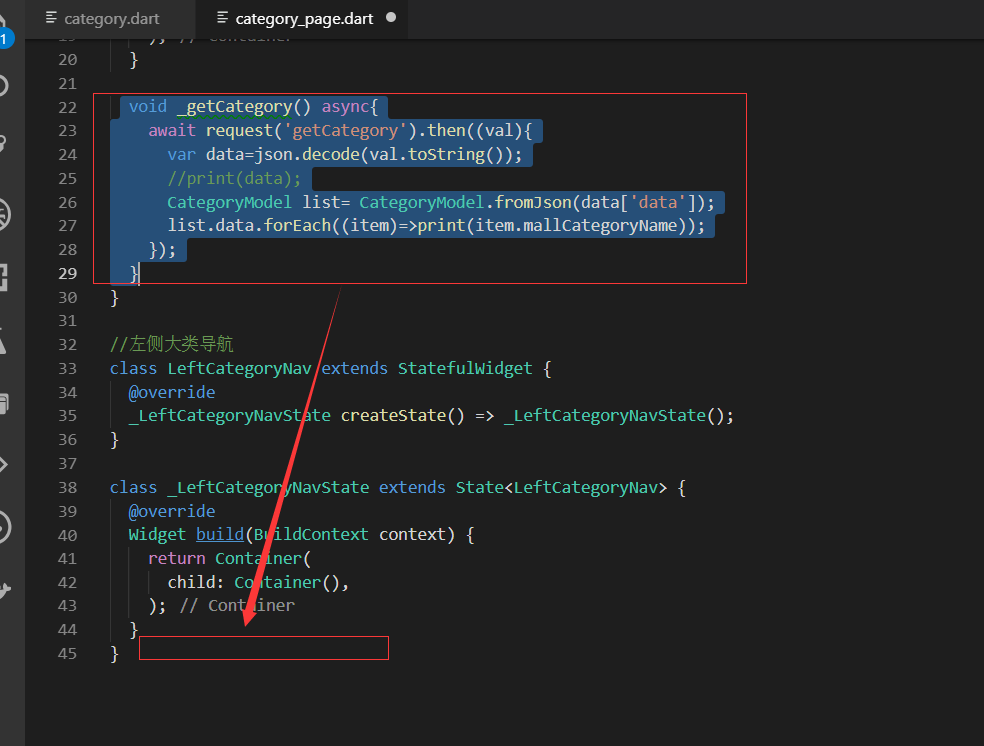
解析json的时候
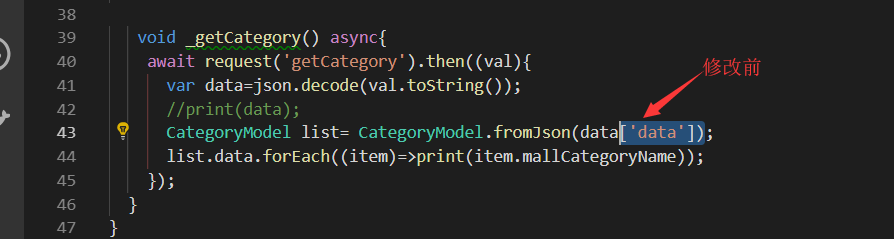
修改后
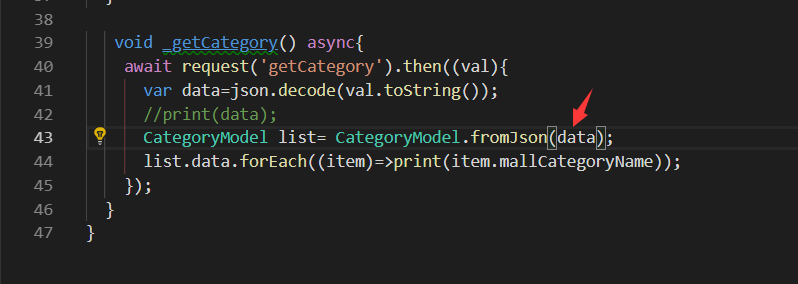
主要是因为我们生成的实体类里面也包含了 code、message、data这些。所以直接把data这个json对象转换成实体类CategoryModel就可以了。
声明一个变量List。因为我们是动态的widget所以需要用setState去赋值
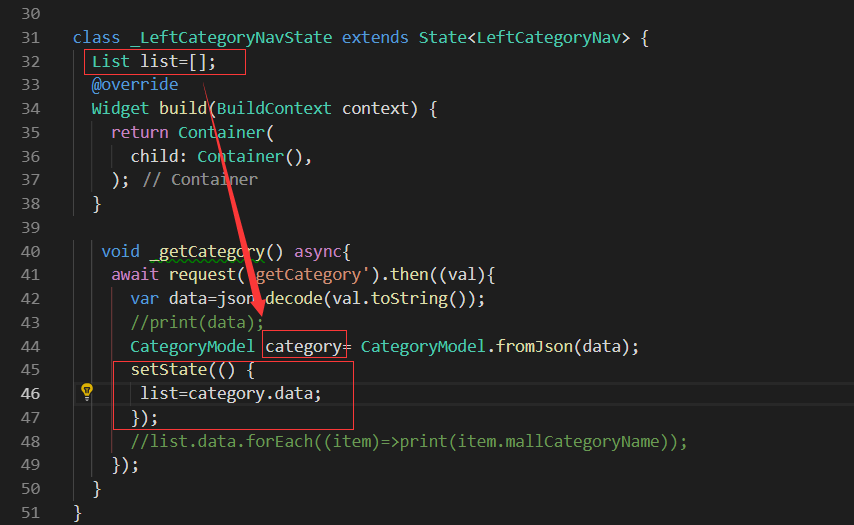
这样我们就把我们的list数据准备好了
布置页面
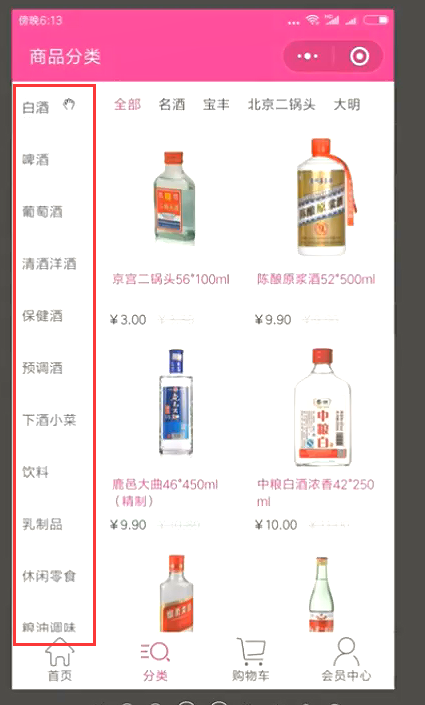
再定义一个内部的方法 返回InkWell部件
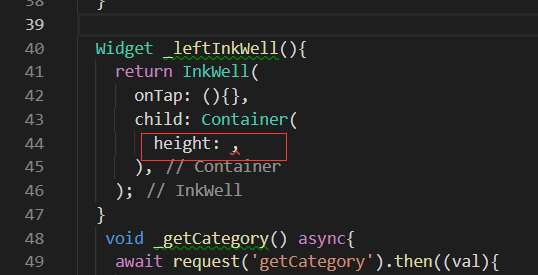
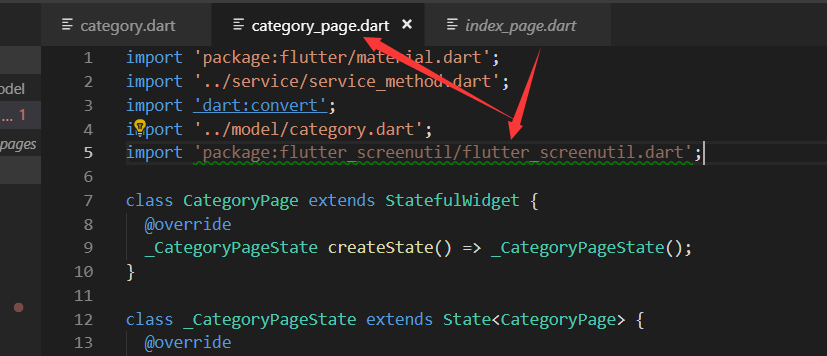
设置高度我们需要用到ScreenUtil的widget。从index_page里面把相关的引用复制过来。
import 'package:flutter_screenutil/flutter_screenutil.dart';
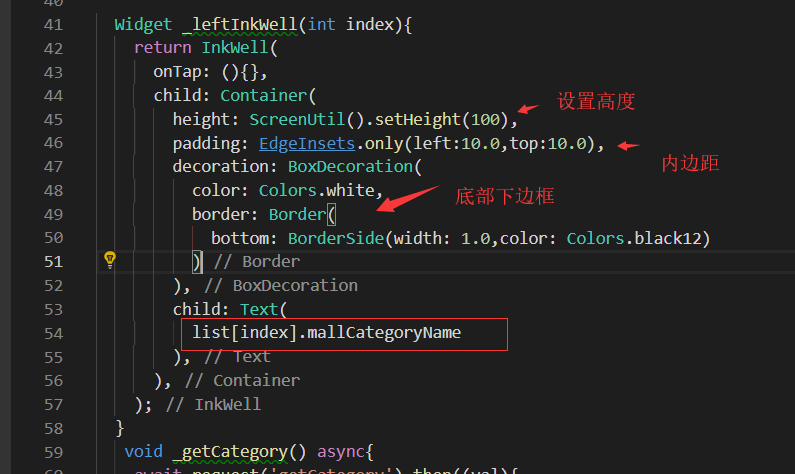
写LeftCategoryNav的build代码
写build代码。用listView外层再套一个container,因为要右边有一个边
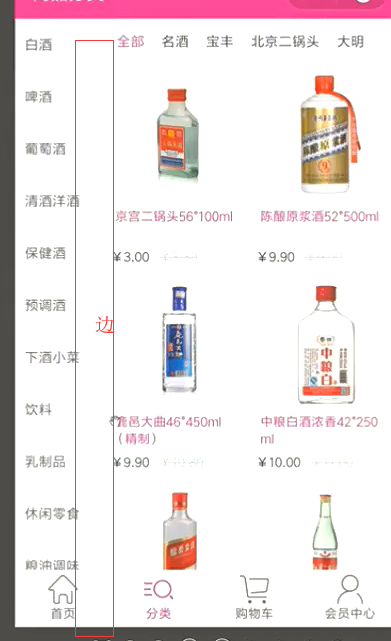
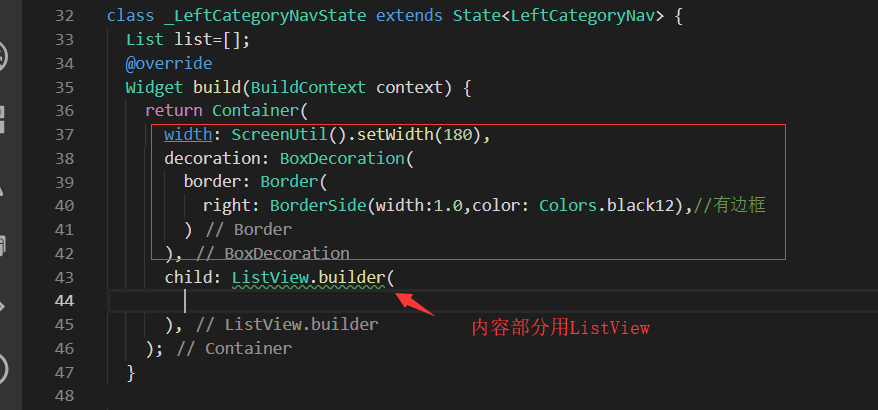
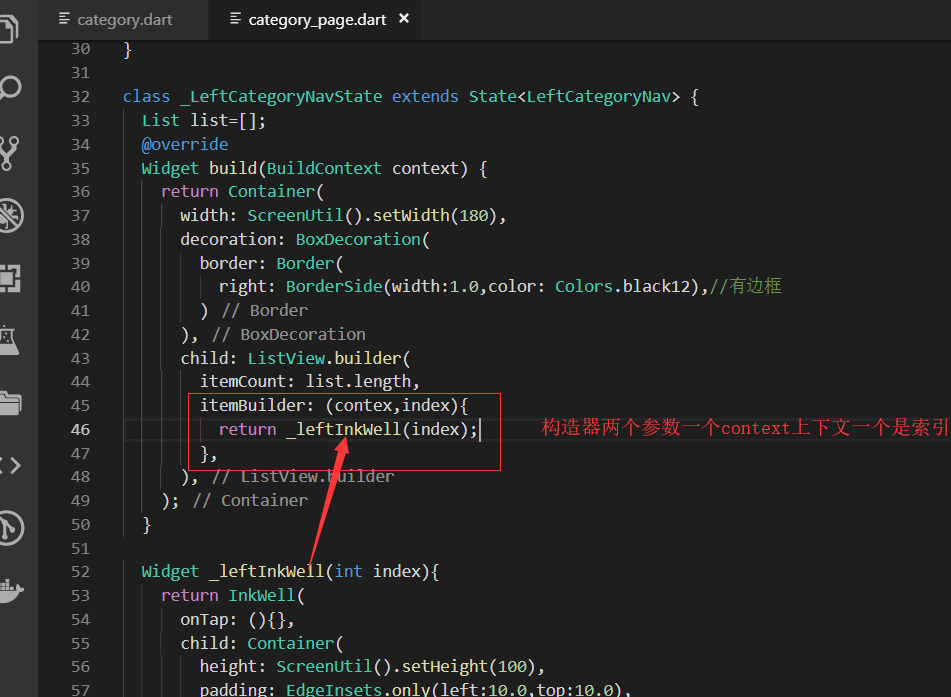
写主页面的build
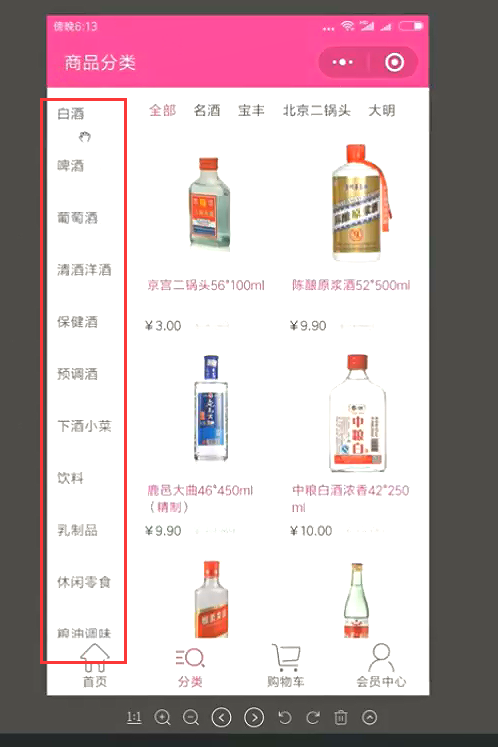
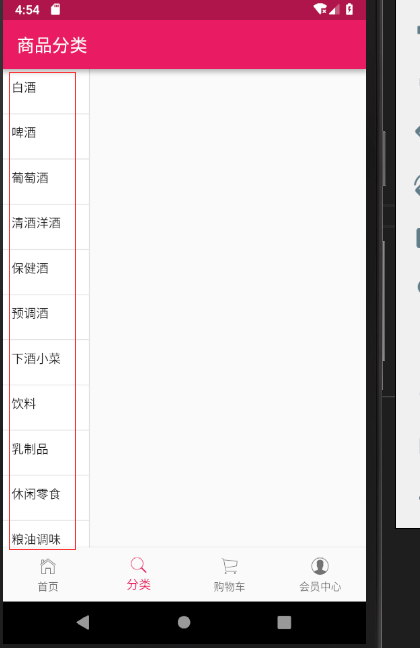
效果展示
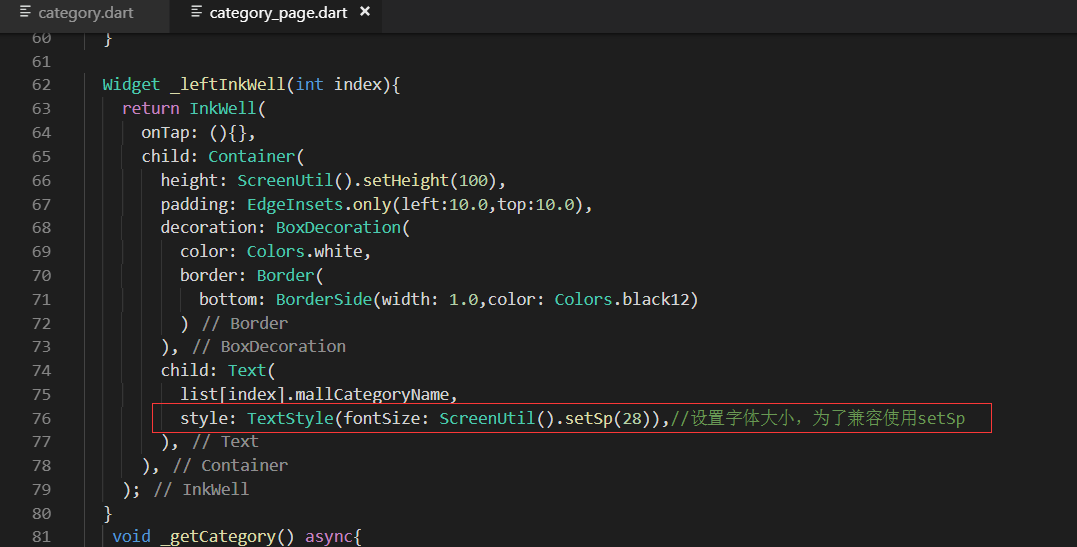
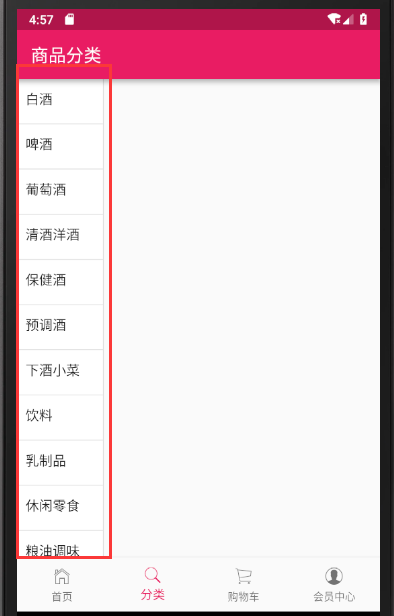
最终代码
import 'package:flutter/material.dart';

import '../service/service_method.dart';

import 'dart:convert';

import '../model/category.dart';

import 'package:flutter_screenutil/flutter_screenutil.dart';

class CategoryPage extends StatefulWidget {

  @override

  _CategoryPageState createState() => _CategoryPageState();

}

class _CategoryPageState extends State<CategoryPage> {

  @override

  Widget build(BuildContext context) {

    //_getCategory();

    return Scaffold(

      appBar: AppBar(title: Text('商品分类'),),

      body: Container(

        child: Row(

          children: <Widget>[

            LeftCategoryNav()

          ],

        ),

      ),

    );

  }

}

//左侧大类导航

class LeftCategoryNav extends StatefulWidget {

  @override

  _LeftCategoryNavState createState() => _LeftCategoryNavState();

}

class _LeftCategoryNavState extends State<LeftCategoryNav> {

  List list=[];

  @override

  void initState() {

    super.initState();

    _getCategory();//请求接口的数据

  }

  @override

  Widget build(BuildContext context) {

    return Container(

      width: ScreenUtil().setWidth(180),

      decoration: BoxDecoration(

        border: Border(

          right: BorderSide(width:1.0,color: Colors.black12),//有边框

        )

      ),

      child: ListView.builder(

        itemCount: list.length,

        itemBuilder: (contex,index){

          return _leftInkWell(index);

        },

      ),

    );

  }

  Widget _leftInkWell(int index){

    return InkWell(

      onTap: (){},

      child: Container(

        height: ScreenUtil().setHeight(100),

        padding: EdgeInsets.only(left:10.0,top:10.0),

        decoration: BoxDecoration(

          color: Colors.white,

          border: Border(

            bottom: BorderSide(width: 1.0,color: Colors.black12)

          )

        ),

        child: Text(

          list[index].mallCategoryName,

          style: TextStyle(fontSize: ScreenUtil().setSp(28)),//设置字体大小,为了兼容使用setSp

        ),

      ),

    );

  }

   void _getCategory() async{

    await request('getCategory').then((val){

      var data=json.decode(val.toString());

      //print(data);

      CategoryModel category= CategoryModel.fromJson(data);

      setState(() {

       list=category.data;

      });

      //list.data.forEach((item)=>print(item.mallCategoryName));

    });

  }

}
.
Flutter移动电商实战 --(23)分类页_左侧类别导航制作的更多相关文章
- Flutter移动电商实战 --(40)路由_Fluro的全局注入和使用方法
路由注册到顶层,使每个页面都可以使用,注册到顶层就需要在main.dart中 main.dart注册路由 注入 onGenerateRoute是MaterialApp自带的路由配置项, 首页跳转到详细 ...
- Flutter移动电商实战 --(24)Provide状态管理基础
Flutter | 状态管理特别篇 —— Provide:https://juejin.im/post/5c6d4b52f265da2dc675b407?tdsourcetag=s_pcqq_aiom ...
- Flutter移动电商实战 --(21)分类页_类别信息接口调试
先解决一个坑 取消上面的GridVIew的回弹效果.就是在拖这个gridview的时候有一个滚动的效果 physics: NeverScrollableScrollPhysics(), 大R刷新后,点 ...
- Flutter移动电商实战 --(28)列表页_商品列表后台接口调试
主要调试商品列表页的接口 这个接口是最难的因为有大类.小类还有上拉加载 先配置接口 config/service_url.dart //const serviceUrl='http://test.ba ...
- Flutter移动电商实战 --(49)详细页_Stack制作底部工具栏
一直悬浮在最下面的 Stack层叠组件.里面用Row 可以横向布局 开始 stack如果想定位就要用position去定位. 修改return返回值的这个地方 大R刷新查看效果,可以看到固定的在左下角 ...
- Flutter移动电商实战 --(48)详细页_详情和评论的切换
增加切换的效果,我们主要是修改这个地方 这样我们的评论的内容就显示出来了 最终代码 details_web.dart import 'package:flutter/material.dart'; i ...
- Flutter移动电商实战 --(47)详细页_Flutter_html插件的使用
详情里面是hemlt和图片组成的,但是flutter是不支持html的所以需要其他插件 flutter webview plugin:这个不太好用 flutter_html:用这个插件 先解决之前一个 ...
- Flutter移动电商实战 --(46)详细页_自定义TabBar Widget
主要实现详情和评论的tab provide定义变量 自己做一个tab然后用provide去控制 定义两个变量来判断是左侧选中了还是右侧选中了.并定义一个方法来接受参数,修改是左侧还是右侧选中的状态值 ...
- Flutter移动电商实战 --(45)详细页_说明区域UI编写
pages/details_page/details_expain.dart 详情页面引用组件 效果展示: 最终代码: import 'package:flutter/material.dart'; ...
随机推荐
- FastDFS高可用集群架构配置搭建及使用
一,概述FastDFS 是一个开源的高性能分布式文件系统(DFS). 它的主要功能包括:文件存储,文件同步和文件访问,以及高容量和负载平衡.FastDFS 系统有三个角色:跟踪服务器(Tracker ...
- h5 安卓/IOS长按图片、文字禁止选中或弹出系统菜单 的解决方法
最近在做IM的语音功能,发现当长按录音的时候手机会弹出来系统菜单, IOS下bug形式:1)长按的标签设置为css background的形式:不会弹出菜单: 2)但是当设置为img时,系统默认识别为 ...
- 用java代码实现
用java代码实现(1)珠穆朗玛峰高度为8848米,有一张足够大的纸,厚度为0.001米. (2)请问,我折叠多少次,可以折成珠穆朗玛峰的高度/** * @author 18269 * @date 2 ...
- InnoDB全文索引
### 如果想了解全文索引,可以直接将本文复制到mysql的新建查询中,依次执行,即可了解全文索引的相关内容及特性. -- InnoDB全文索引 -- 建表 CREATE TABLE fts_a ( ...
- MySQL全同步复制基于GR集群架构实现(Centos7)
目录 一. 理论概述 概述 二. 部署 向组加入新节点 测试 三.总结 一. 理论概述 概述 本案例操作的是针对于MySQL的复制类型中的全同步复制,对几种复制类型简单总结下: 异步复制:MySQL默 ...
- jmeter——参数化、关联、断言
1.jmeter——参数化 三种方式: ${变量名} 1.1用户定义的变量 比如注册,登录都得用到手机号码,那就把手机号码自定义为变量 1)添加一个线程组--注册.登录HTTP请求--察看结果树--用 ...
- gojs Diagram Events(图表事件)
GoJS涵盖了三种基本事件:DiagramEvents(图表事件).InputEvents(输入事件)以及ChangedEvents(变更事件).这一页我们讨论前两种事件:至于最后一种事件请见 Cha ...
- 搭建nginx文件服务器
一.安装nginx服务 apt install nginx 二.修改nginx配置文件 cd /etc/nginx/conf.d/ vim download_server.conf server { ...
- Maven打包Web项目成war包——4
1. 需要安装maven 的war插件支持 在pom.xml里面配置war插件 2. 运行命令: mvn clean package 3.部署到Tomcat下面发布,并访问!
- windows7重置网卡命令
点击windows左下角菜单键,输入cmd 然后鼠标右键 cmd 以管理员身份运行,并输入命令 netsh winsock reset, 然后回车执行. 系统会提示要求重启计算机. 重启后即重置网卡成 ...