
asp.net MVC 使用PagedList.MVC实现分页
在上一篇的EF之DB First中,存在以下的两个问题:
1. 添加/编辑页面显示的是属性名称,而非自定义的名称(如:姓名、专业...)
2. 添加/编辑时没有加入验证
另外数据展示使用分页
@Html.LabelFor(model => model.Name, htmlAttributes: new { @class = "control-label col-md-2" }) 是显示属性Name的“标签”,如果没有指定Display特性,则直接显示属性名Name
通过数据库生成的实体模型文件与代码一般不直接修改(防止下次生成时覆盖),这里要使用验证与实体分离
添加一个验证类,代码如下 :
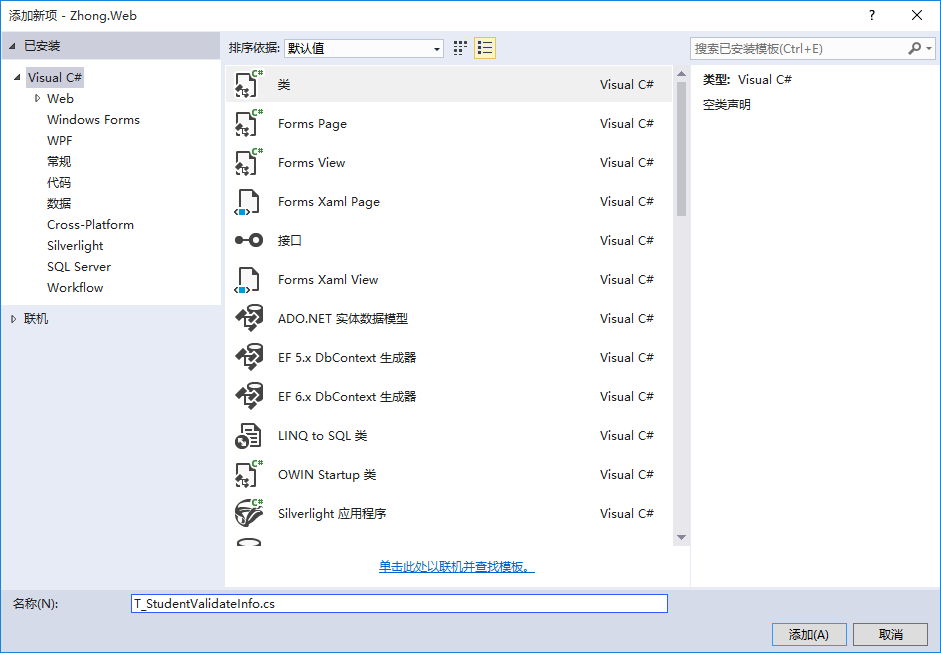
using System.ComponentModel.DataAnnotations;

namespace Zhong.Web.Models

{

    [MetadataType(typeof(T_StudentValidateInfo))]

    public partial class T_Student

    {

    }

    public class T_StudentValidateInfo

    {

        [Display(Name="姓名")]

        [Required(ErrorMessage ="姓名不能为空")]

        [StringLength(,ErrorMessage ="姓名长度超出限制")]

        public string Name { get; set; }

        [Display(Name="学号")]

        [Required]

        [StringLength(,MinimumLength =,ErrorMessage ="长度为10-20")]

        public string StudentId { get; set; }

    }

}
此时前台访问并提交:

从上图可以发现Name变成了“姓名”,StudentsId变成了“学号”,点击Create按钮后,出现了验证提示信息。
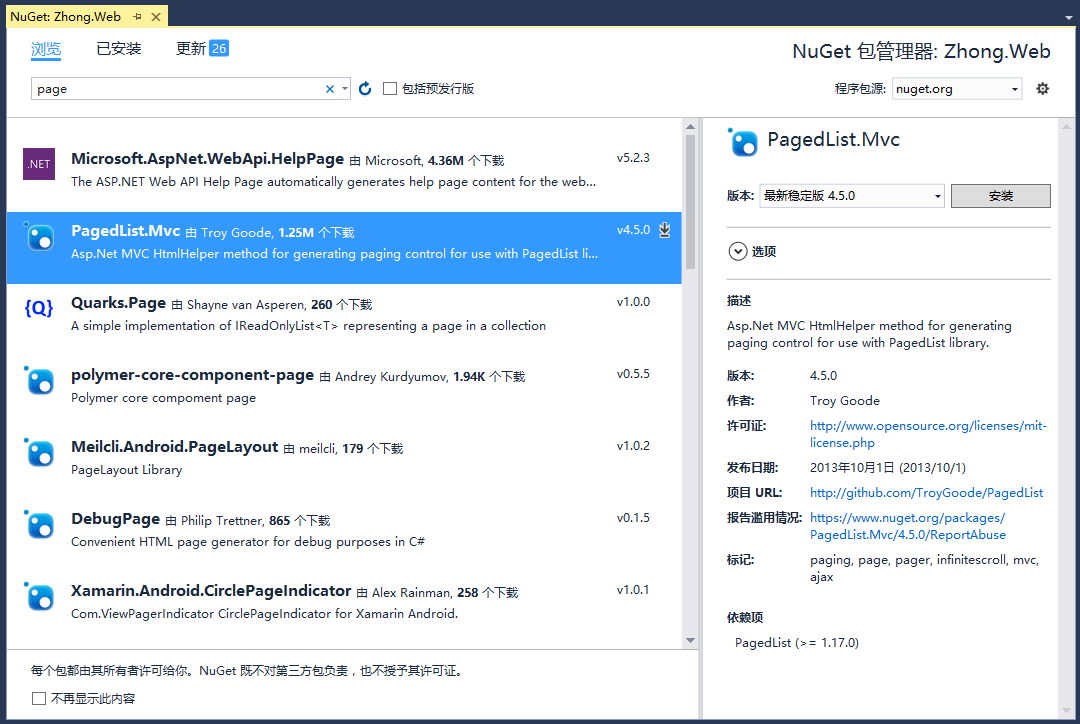
分页的实时使用PagedList.MVC插件,可以nuget添加引用

StudentsController中增加一个List的控制器方法:
        public ActionResult List(int page = )

        {

            //var students = entities.T_Student.OrderBy(s => s.Id).Skip((page - 1) * 2).Take(2);

            var students = entities.T_Student.OrderBy(s => s.Id);

            return View(students.ToPagedList(page, ));

        }
视图代码如下:
@using PagedList.Mvc

@model PagedList.IPagedList<Zhong.Web.Models.T_Student>

@{

    ViewBag.Title = "List";

}

<h2>List</h2>

<p>

    @Html.ActionLink("Create New", "Create")

</p>

<table class="table">

    <tr>

        <th>

            姓名

        </th>

        <th>

            学号

        </th>

        <th>

            专业

        </th>

        <th></th>

    </tr>

@foreach (var item in Model) {

    <tr>

        <td>

            @Html.DisplayFor(modelItem => item.Name)

        </td>

        <td>

            @Html.DisplayFor(modelItem => item.StudentId)

        </td>

        <td>

            @Html.DisplayFor(modelItem => item.T_Major.Name)

        </td>

        <td>

            @Html.ActionLink("Edit", "Edit", new { id=item.Id }) |

            @Html.ActionLink("Details", "Details", new { id=item.Id }) |

            @Html.ActionLink("Delete", "Delete", new { id=item.Id })

        </td>

    </tr>

}

</table>

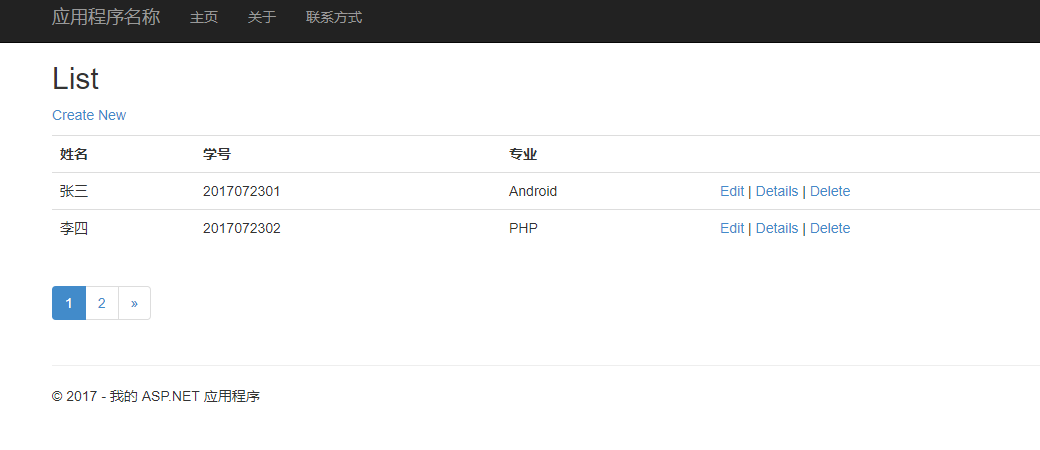
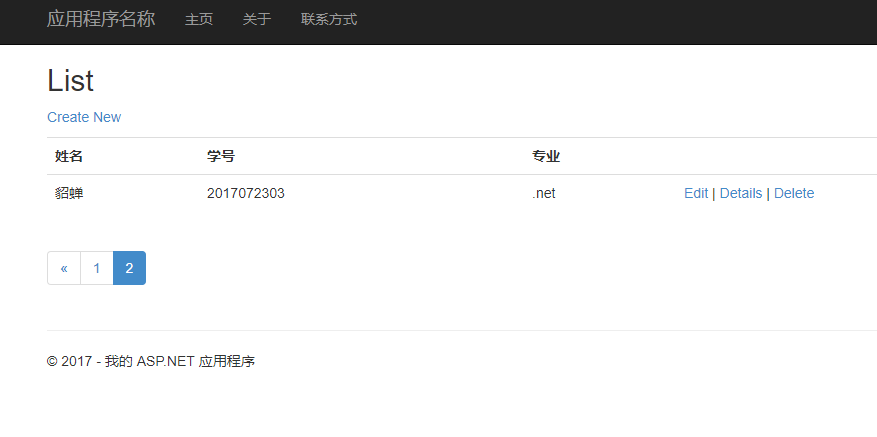
@Html.PagedListPager(Model,page => Url.Action("List",new { page}))
asp.net MVC 使用PagedList.MVC实现分页的更多相关文章
- ASP.NET MVC 4使用PagedList.Mvc分页
ASP.NET MVC中进行分页的方式有多种,在NuGet上有提供使用PagedList.PagedList.Mvc进行分页. 1. 通过NuGet引用PagedList.Mvc 在安装引用Paged ...
- ASP.NET MVC利用PagedList分页(二)PagedList+Ajax+JsRender
(原文) 昨天在ASP.NET MVC利用PagedList分页(一)的 最后一节提到,一个好的用户体验绝对不可能是点击下一页后刷新页面,所以今天来说说利用Ajax+PagedList实现无刷新(个人 ...
- ASP.NET MVC利用PagedList分页(一)
前几天看见博客园上有人写ASP.NET MVC的分页思想,这让我不禁想起了PagedList.PagedList是NuGet上提供的一个分页的类库,能对任何IEnumerable<T>进行 ...
- 再谈使用X.PagedList.Mvc 分页(ASP.NET Core 2.1)
在以前的博文中写过使用X.PagedList.Mvc组件来对ASP.NET MVC应用程序进行分页,可以参考此篇随笔:Asp.net MVC 使用PagedList(新的已更名 为X.PagedLis ...
- Asp.net MVC 使用PagedList(新的已更名 为X.PagedList.Mvc) 分页
在asp.net mvc 中,可以bootstrap来作为界面,自己来写分页程序.也可以使用PagedList(作者已更名为 X.PagedList.Mvc)来分页. 1.首先,在NuGet程序包管理 ...
- Asp.net Mvc使用PagedList分页
git:https://github.com/troygoode/PagedList 1. Nuget 安装package watermark/2/text/aHR0cDovL2Jsb2cuY3Nkb ...
- 如何使用 PagedList.Mvc 分页
刚开始找PagedList分页不是例子太复杂,就是写的过于简略,由于对于MVC的分页不太了解,之前使用的都是Asp.Net 第三方控件 + 数据库存储过程分页.还是老外写的例子简捷,https://g ...
- ASP.NET MVC之PagedList使用
ASP.NET MVC之PagedList使用 ---由于最近项目中用到了分页这里也来记录一下,一方面给自己一个记录,另一方面给后来者一些帮助! 一.首先大家先来看一下效果
- 基于ASP.NET的MVC框架下的MvcPaper分页控件的使用技术
using System; using System.Collections.Generic; using System.Linq; using System.Web; using Webdiyer. ...
随机推荐
- Web自动化 - 选择操作元素 1
文章转自 白月黑羽教Python 所有的 UI (用户界面)操作 的自动化,都需要选择界面元素. 选择界面元素就是:先让程序能找到你要操作的界面元素. 先找到元素,才能操作元素. 选择元素的方法 程序 ...
- Chapter 3 Phenomenon——4
My truck seemed to have no problem with the black ice that covered the roads. 看起来我的卡车在结冰的路面上面行驶没什么问题 ...
- PHP PSR 标准
引用他人文章:http://www.cnblogs.com/52php/p/5852572.html PHP中PSR-[0-4]代码规范 PHP-FIG 在说啥是PSR-[0-4]规范的之前,我觉得我 ...
- [学习笔记] Miller-Rabin质数测试 & Pollard-Rho质因数分解
目录 Miller-Rabin质数测试 & Pollard-Rho质因数分解 Miller-Rabin质数测试 一些依赖的定理 实现以及正确率 Pollard-Rho质因数分解 生日悖论与生日 ...
- 再springMVC中自定义文件上传处理解决与原spring中MultipartResolve冲突问题
相信很多朋友再用springmvc时都遇见了一个问题,那就是自带的获取上传的东西太慢,而且不知道如何修改,其实不然,spring框架既然给我们开放了这个接口,就一定遵从了可扩展性的原则,经过查看org ...
- 本地git关联远程github
0. 前言 我们开发的项目,均在本地开发:为了保证项目进度的一致性和公开性等,我们通常将开发过程代码或成品放置到github中,本文就讲述如何使得本地git与远程github同步! PS:以下两个名称 ...
- DOM (文档对象模型(Document Object Model))
文档对象模型(Document Object Model,简称DOM),是W3C组织推荐的处理可扩展标志语言的标准编程接口.在网页上,组织页面(或文档)的对象被组织在一个树形结构中,用来表示文档中对象 ...
- SQL语句的增删改查(详细)--转载
转载源: http://blog.csdn.net/a88055517/article/details/6736284/ 一.增:有2种方法 1.使用insert插入单行数据: 语法:insert [ ...
- 现代 C++ 编译时 结构体字段反射
基于 C++ 14 原生语法,不到 100 行代码:让编译器帮你写 JSON 序列化/反序列化代码,告别体力劳动.
- POJ3126(KB1-F BFS)
Prime Path Description The ministers of the cabinet were quite upset by the message from the Chief ...