
asp.net MVC 使用PagedList.MVC实现分页
在上一篇的EF之DB First中,存在以下的两个问题:
1. 添加/编辑页面显示的是属性名称,而非自定义的名称(如:姓名、专业...)
2. 添加/编辑时没有加入验证
另外数据展示使用分页
@Html.LabelFor(model => model.Name, htmlAttributes: new { @class = "control-label col-md-2" }) 是显示属性Name的“标签”,如果没有指定Display特性,则直接显示属性名Name
通过数据库生成的实体模型文件与代码一般不直接修改(防止下次生成时覆盖),这里要使用验证与实体分离
添加一个验证类,代码如下 :
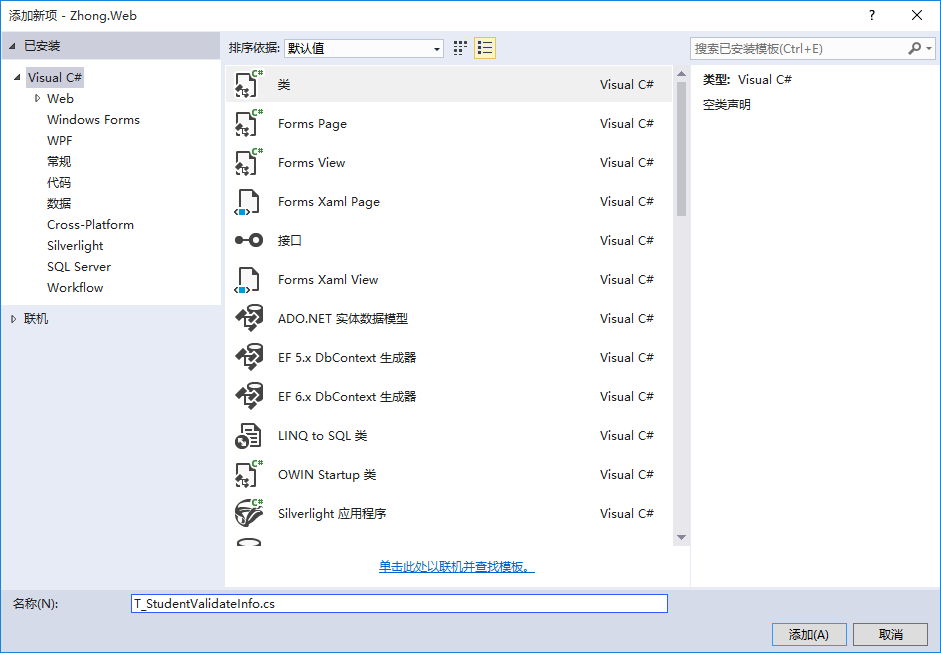
using System.ComponentModel.DataAnnotations;

namespace Zhong.Web.Models

{

    [MetadataType(typeof(T_StudentValidateInfo))]

    public partial class T_Student

    {

    }

    public class T_StudentValidateInfo

    {

        [Display(Name="姓名")]

        [Required(ErrorMessage ="姓名不能为空")]

        [StringLength(,ErrorMessage ="姓名长度超出限制")]

        public string Name { get; set; }

        [Display(Name="学号")]

        [Required]

        [StringLength(,MinimumLength =,ErrorMessage ="长度为10-20")]

        public string StudentId { get; set; }

    }

}
此时前台访问并提交:

从上图可以发现Name变成了“姓名”,StudentsId变成了“学号”,点击Create按钮后,出现了验证提示信息。
分页的实时使用PagedList.MVC插件,可以nuget添加引用
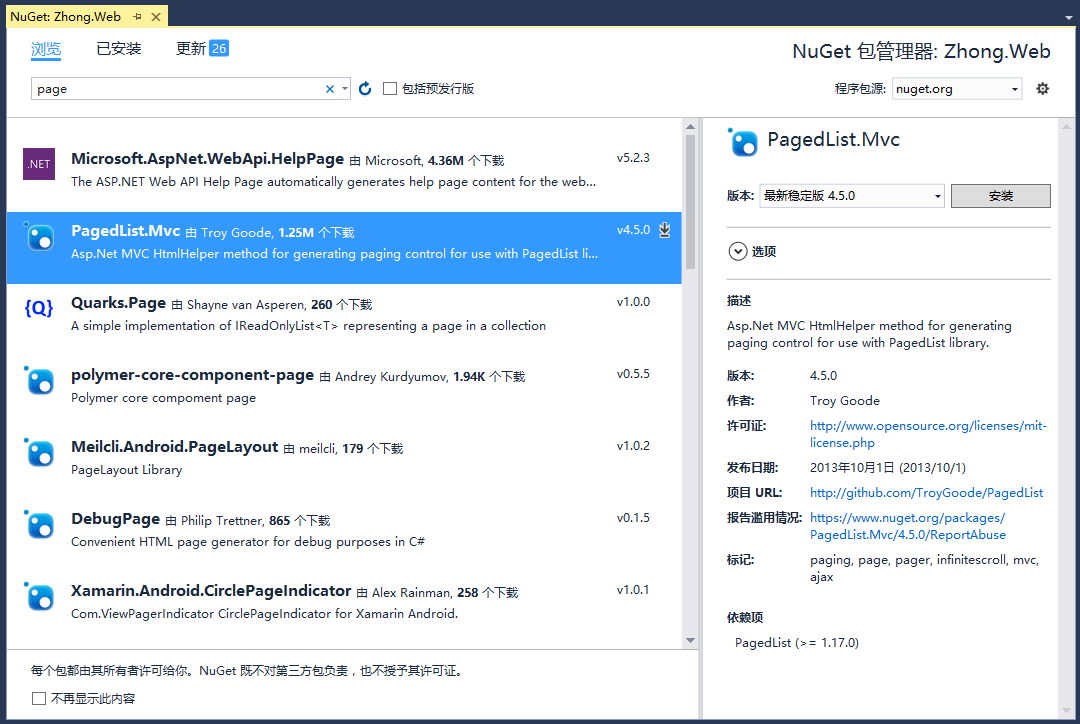

StudentsController中增加一个List的控制器方法:
        public ActionResult List(int page = )

        {

            //var students = entities.T_Student.OrderBy(s => s.Id).Skip((page - 1) * 2).Take(2);

            var students = entities.T_Student.OrderBy(s => s.Id);

            return View(students.ToPagedList(page, ));

        }
视图代码如下:
@using PagedList.Mvc

@model PagedList.IPagedList<Zhong.Web.Models.T_Student>

@{

    ViewBag.Title = "List";

}

<h2>List</h2>

<p>

    @Html.ActionLink("Create New", "Create")

</p>

<table class="table">

    <tr>

        <th>

            姓名

        </th>

        <th>

            学号

        </th>

        <th>

            专业

        </th>

        <th></th>

    </tr>

@foreach (var item in Model) {

    <tr>

        <td>

            @Html.DisplayFor(modelItem => item.Name)

        </td>

        <td>

            @Html.DisplayFor(modelItem => item.StudentId)

        </td>

        <td>

            @Html.DisplayFor(modelItem => item.T_Major.Name)

        </td>

        <td>

            @Html.ActionLink("Edit", "Edit", new { id=item.Id }) |

            @Html.ActionLink("Details", "Details", new { id=item.Id }) |

            @Html.ActionLink("Delete", "Delete", new { id=item.Id })

        </td>

    </tr>

}

</table>

@Html.PagedListPager(Model,page => Url.Action("List",new { page}))
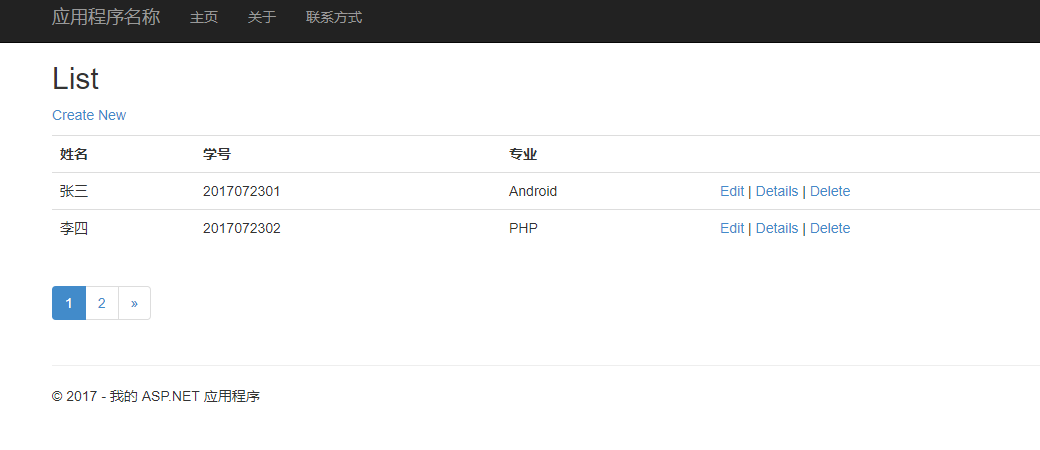
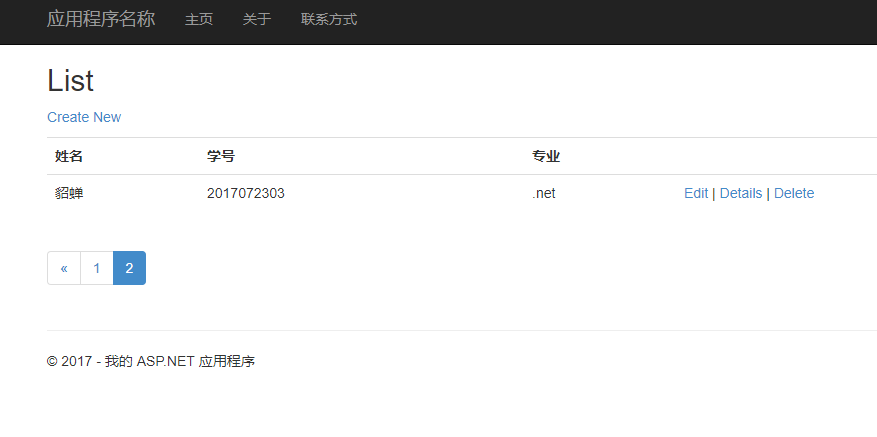
asp.net MVC 使用PagedList.MVC实现分页的更多相关文章
- ASP.NET MVC 4使用PagedList.Mvc分页
ASP.NET MVC中进行分页的方式有多种,在NuGet上有提供使用PagedList.PagedList.Mvc进行分页. 1. 通过NuGet引用PagedList.Mvc 在安装引用Paged ...
- ASP.NET MVC利用PagedList分页(二)PagedList+Ajax+JsRender
(原文) 昨天在ASP.NET MVC利用PagedList分页(一)的 最后一节提到,一个好的用户体验绝对不可能是点击下一页后刷新页面,所以今天来说说利用Ajax+PagedList实现无刷新(个人 ...
- ASP.NET MVC利用PagedList分页(一)
前几天看见博客园上有人写ASP.NET MVC的分页思想,这让我不禁想起了PagedList.PagedList是NuGet上提供的一个分页的类库,能对任何IEnumerable<T>进行 ...
- 再谈使用X.PagedList.Mvc 分页(ASP.NET Core 2.1)
在以前的博文中写过使用X.PagedList.Mvc组件来对ASP.NET MVC应用程序进行分页,可以参考此篇随笔:Asp.net MVC 使用PagedList(新的已更名 为X.PagedLis ...
- Asp.net MVC 使用PagedList(新的已更名 为X.PagedList.Mvc) 分页
在asp.net mvc 中,可以bootstrap来作为界面,自己来写分页程序.也可以使用PagedList(作者已更名为 X.PagedList.Mvc)来分页. 1.首先,在NuGet程序包管理 ...
- Asp.net Mvc使用PagedList分页
git:https://github.com/troygoode/PagedList 1. Nuget 安装package watermark/2/text/aHR0cDovL2Jsb2cuY3Nkb ...
- 如何使用 PagedList.Mvc 分页
刚开始找PagedList分页不是例子太复杂,就是写的过于简略,由于对于MVC的分页不太了解,之前使用的都是Asp.Net 第三方控件 + 数据库存储过程分页.还是老外写的例子简捷,https://g ...
- ASP.NET MVC之PagedList使用
ASP.NET MVC之PagedList使用 ---由于最近项目中用到了分页这里也来记录一下,一方面给自己一个记录,另一方面给后来者一些帮助! 一.首先大家先来看一下效果
- 基于ASP.NET的MVC框架下的MvcPaper分页控件的使用技术
using System; using System.Collections.Generic; using System.Linq; using System.Web; using Webdiyer. ...
随机推荐
- Cloudera Manager安装之利用parcels方式安装3或4节点集群(包含最新稳定版本或指定版本的安装)(添加服务)(CentOS6.5)(五)
参考博客 Cloudera Manager安装之利用parcels方式安装单节点集群 Cloudera Manager安装之Cloudera Manager 5.3.X安装(三)(tar方式.rpm ...
- Chapter 3 Phenomenon——13
"Bella, I'm so sorry!""I'm fine, Tyler — you look awful, are you all right?" “Be ...
- 04-python的列表操作
python中列表的使用最多, 常用的方法有: append(value) extend(L) 添加指定列表的所有元素 insert(index, value) 插入 remove(value) po ...
- kibana-1-安装
由于es5.2版本对head的插件支持不如2.4 安装挺麻烦, 于是选用kibana 关于5.2安装head插件可见这个博客 http://www.cnblogs.com/xing901022/p/6 ...
- 笔记四:python乱码深度剖析二
一:学习内容 获取更改系统编码 判断字符的编码类型 文件存储和读取的编码 二:获取更改系统编码 1. 获取系统编码 import sys print sys.getdefaultencoding() ...
- mysql5.0版本下载地址
http://dev.mysql.com/downloads/mysql/5.0.html Other Downloads: Windows (x86, 32-bit), ZIP Archive 5. ...
- [转]SQL Server 2008- Get table constraints
本文转自:https://stackoverflow.com/questions/14229277/sql-server-2008-get-table-constraints You should u ...
- Xamarin学习
慧都视频:http://training.evget.com/video/5384 极客学院视频:http://www.jikexueyuan.com/course/364.html
- Angular建立待办事项应用
建立路由 接前一小节,在src/app/app.component.html把login组件去掉 第一步: 在src/index.html指定基准路径 浏览器会根据这个路径下载css,图像,js文件, ...
- Java 使用new Thread和线程池的区别
本文转至:https://www.cnblogs.com/cnmenglang/p/6273761.html , 孟凡柱的专栏 的博客,在此谢谢博主! 1.new Thread的弊端执行一个异步任务你 ...