
提取网页的markdown表格利器
在线Markdown表格转换器
markdown表格转换器,蛮好用的。偶然发现的开源工具,推荐一波。
这是待提取table项
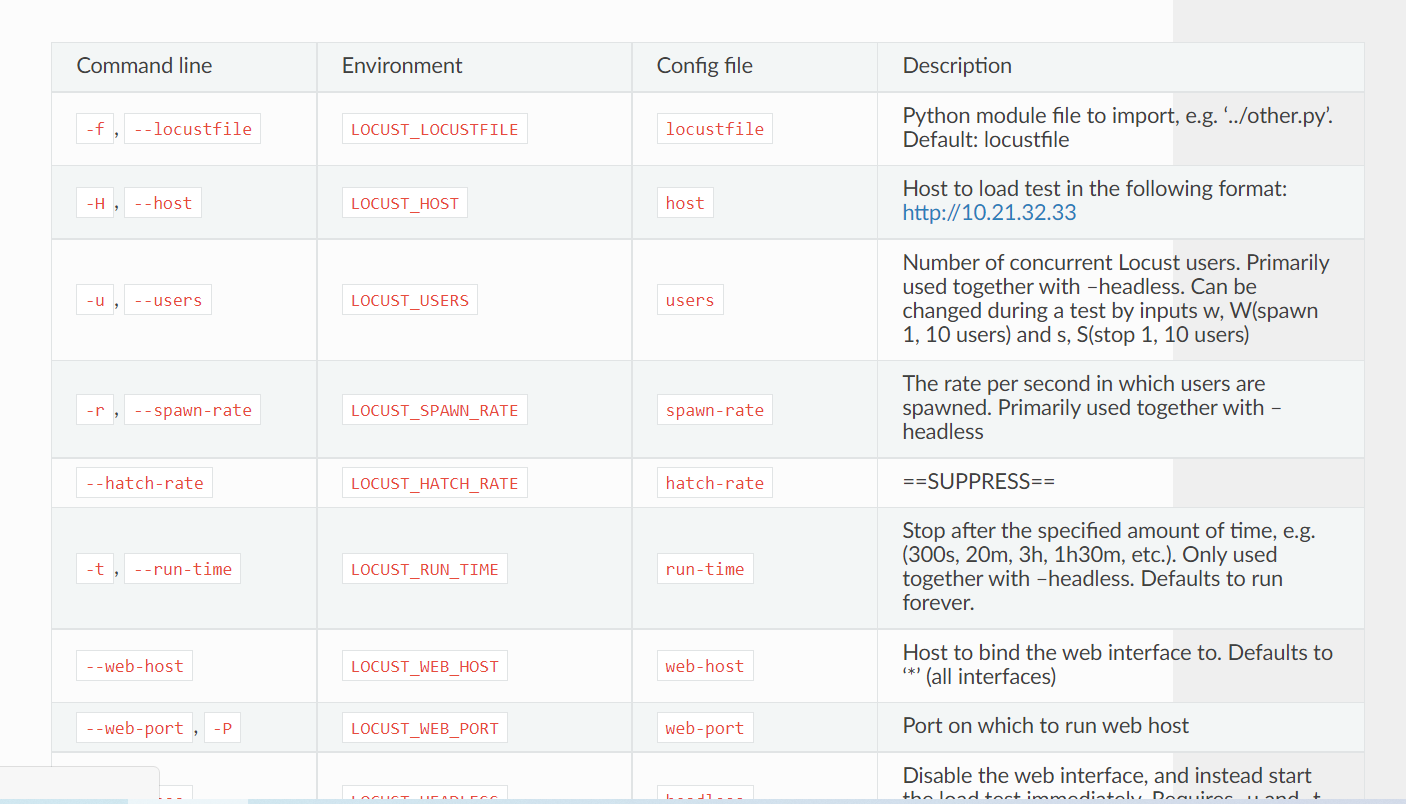
尝试1,直接通过html导入的功能
导入方法
import→URL→贴入复制的url→点击parse→往下拖动点击import data→把结果栏生成的结果copy到markdown
具体可见下面的GIF图嘞
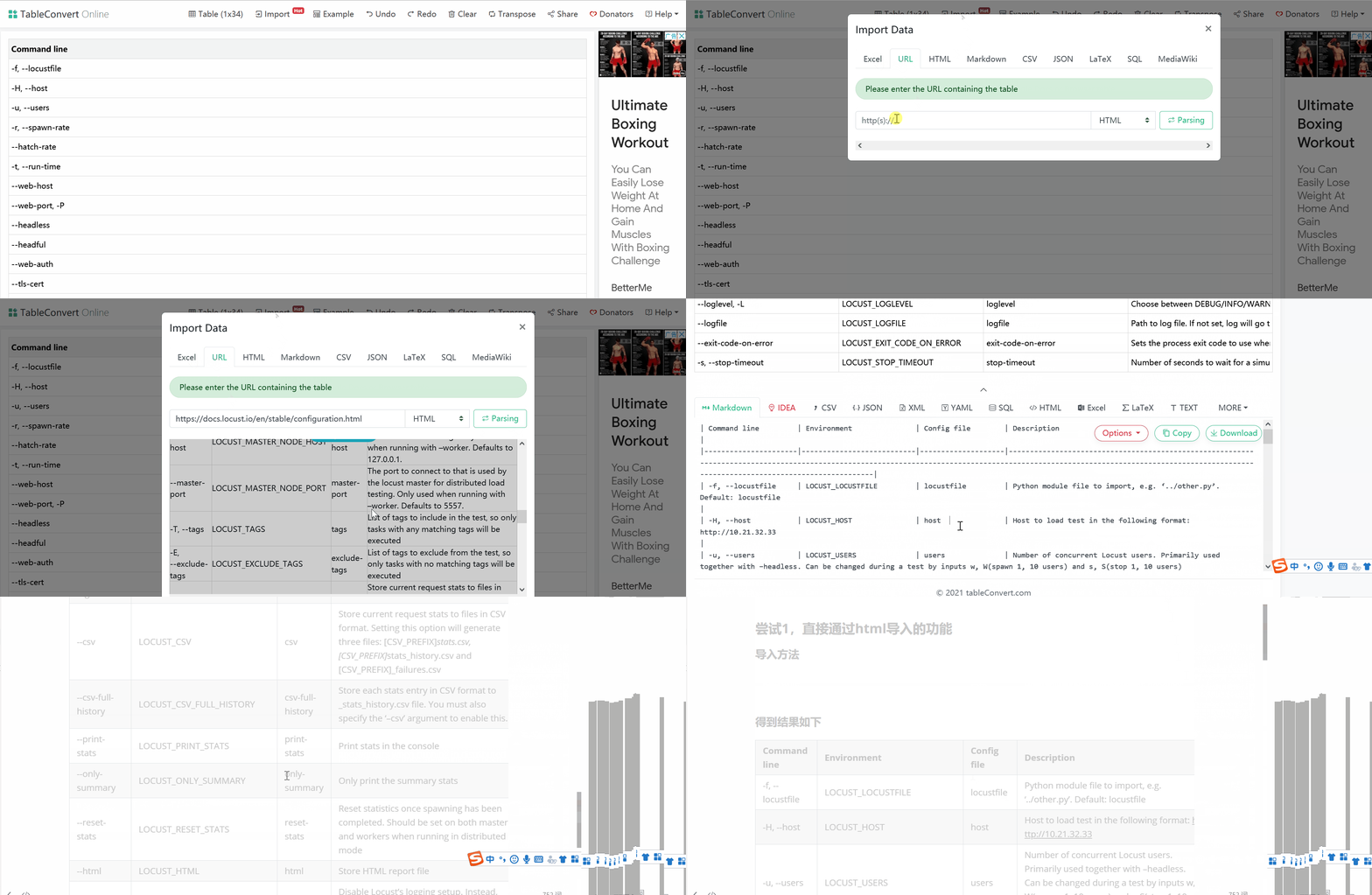
得到结果如下
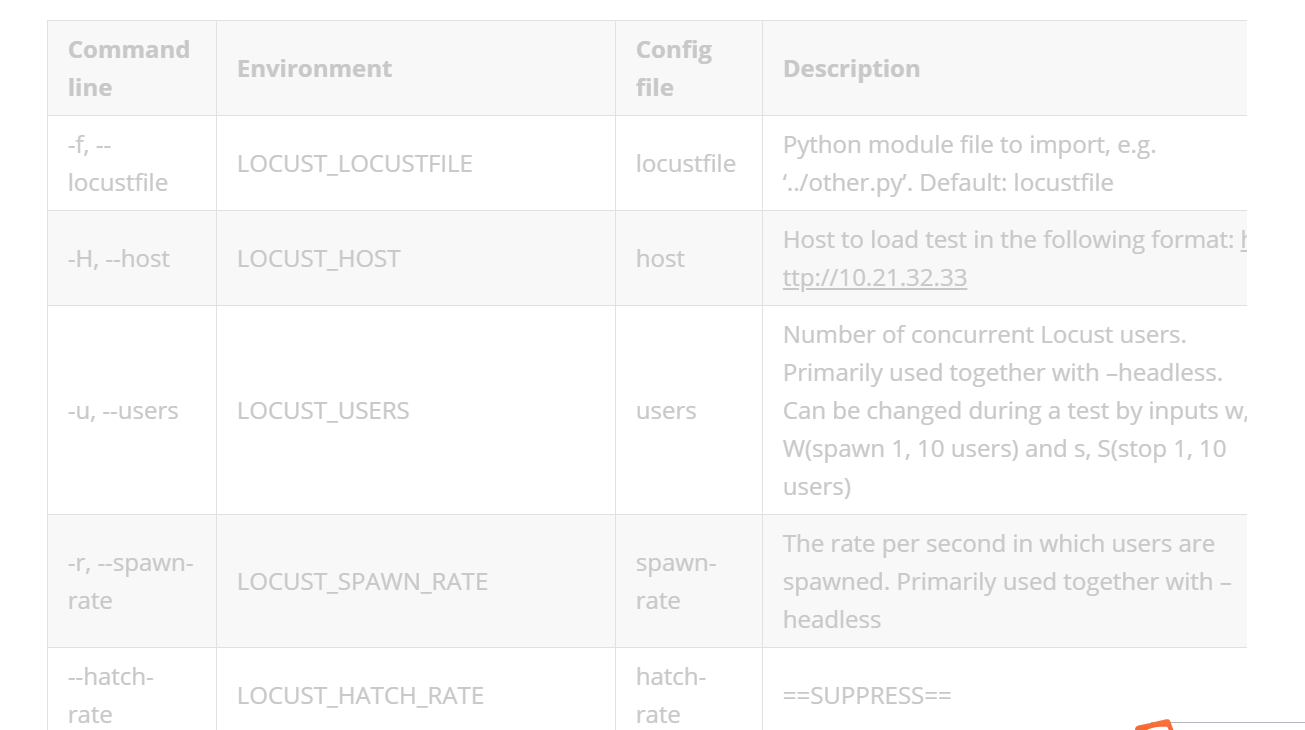
尝试2:通过源码导入
导入方法
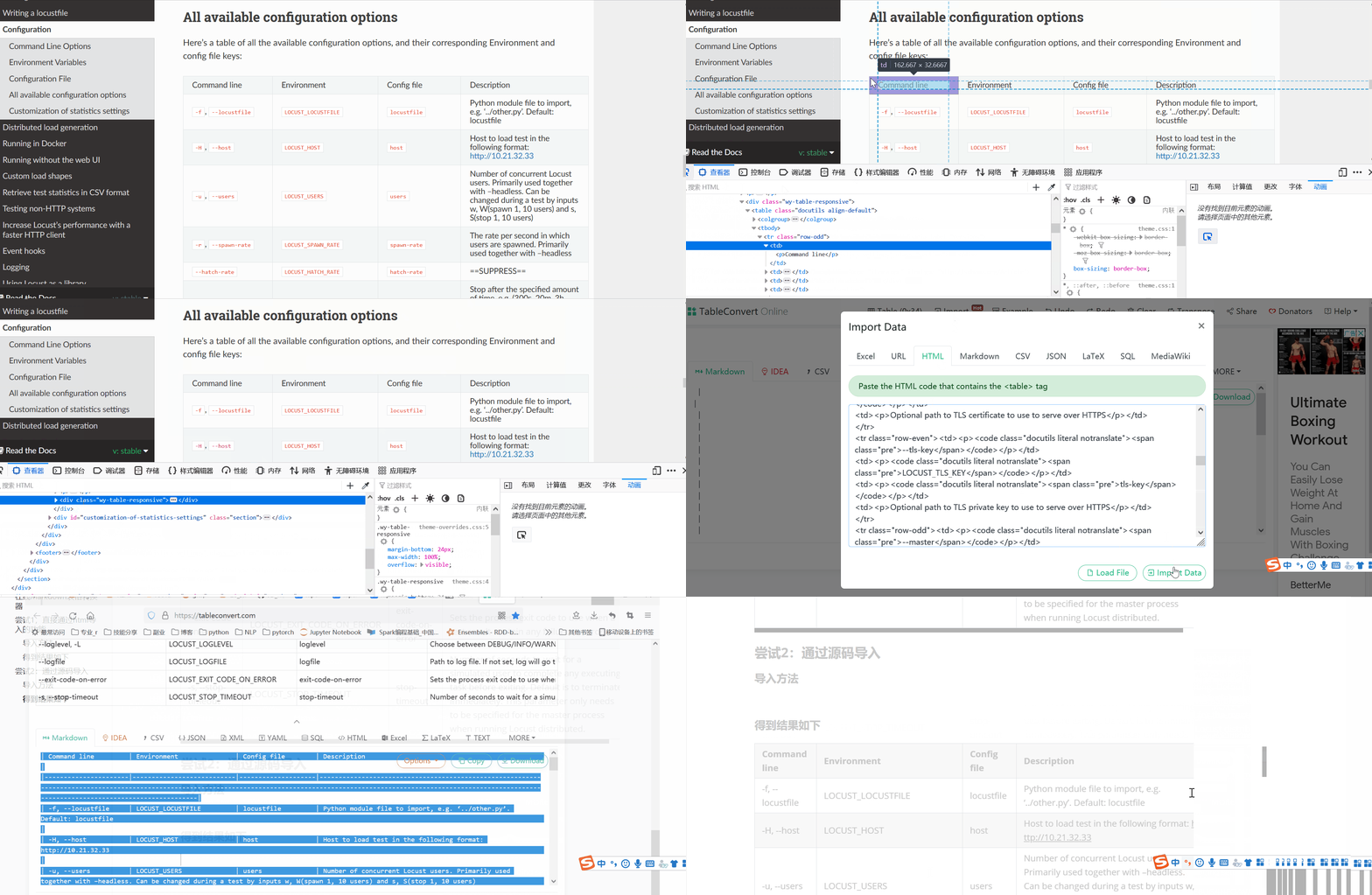
首先点击目标网页,右键→检查→选择页面中的元素(选择到table对应的元素)→复制table对应的html内容
import→HTML→贴入上一步复制的→import data→把结果栏生成的结果copy到markdown
具体可见下面的GIF图嘞
 、
、
得到结果如下
| Command line | Environment | Config file | Description |
|---|---|---|---|
| -f, --locustfile | LOCUST_LOCUSTFILE | locustfile | Python module file to import, e.g. ‘../other.py’. Default: locustfile |
| -H, --host | LOCUST_HOST | host | Host to load test in the following format: http://10.21.32.33 |
| -u, --users | LOCUST_USERS | users | Number of concurrent Locust users. Primarily used together with –headless. Can be changed during a test by inputs w, W(spawn 1, 10 users) and s, S(stop 1, 10 users) |
| -r, --spawn-rate | LOCUST_SPAWN_RATE | spawn-rate | The rate per second in which users are spawned. Primarily used together with –headless |
| --hatch-rate | LOCUST_HATCH_RATE | hatch-rate | ==SUPPRESS== |
| -t, --run-time | LOCUST_RUN_TIME | run-time | Stop after the specified amount of time, e.g. (300s, 20m, 3h, 1h30m, etc.). Only used together with –headless. Defaults to run forever. |
| --web-host | LOCUST_WEB_HOST | web-host | Host to bind the web interface to. Defaults to ‘*’ (all interfaces) |
| --web-port, -P | LOCUST_WEB_PORT | web-port | Port on which to run web host |
| --headless | LOCUST_HEADLESS | headless | Disable the web interface, and instead start the load test immediately. Requires -u and -t to be specified. |
| --headful | LOCUST_HEADFUL | headful | ==SUPPRESS== |
| --web-auth | LOCUST_WEB_AUTH | web-auth | Turn on Basic Auth for the web interface. Should be supplied in the following format: username:password |
| --tls-cert | LOCUST_TLS_CERT | tls-cert | Optional path to TLS certificate to use to serve over HTTPS |
| --tls-key | LOCUST_TLS_KEY | tls-key | Optional path to TLS private key to use to serve over HTTPS |
| --master | LOCUST_MODE_MASTER | master | Set locust to run in distributed mode with this process as master |
| --master-bind-host | LOCUST_MASTER_BIND_HOST | master-bind-host | Interfaces (hostname, ip) that locust master should bind to. Only used when running with –master. Defaults to * (all available interfaces). |
| --master-bind-port | LOCUST_MASTER_BIND_PORT | master-bind-port | Port that locust master should bind to. Only used when running with –master. Defaults to 5557. |
| --expect-workers | LOCUST_EXPECT_WORKERS | expect-workers | How many workers master should expect to connect before starting the test (only when –headless used). |
| --worker | LOCUST_MODE_WORKER | worker | Set locust to run in distributed mode with this process as worker |
| --master-host | LOCUST_MASTER_NODE_HOST | master-host | Host or IP address of locust master for distributed load testing. Only used when running with –worker. Defaults to 127.0.0.1. |
| --master-port | LOCUST_MASTER_NODE_PORT | master-port | The port to connect to that is used by the locust master for distributed load testing. Only used when running with –worker. Defaults to 5557. |
| -T, --tags | LOCUST_TAGS | tags | List of tags to include in the test, so only tasks with any matching tags will be executed |
| -E, --exclude-tags | LOCUST_EXCLUDE_TAGS | exclude-tags | List of tags to exclude from the test, so only tasks with no matching tags will be executed |
| --csv | LOCUST_CSV | csv | Store current request stats to files in CSV format. Setting this option will generate three files: [CSV_PREFIX]stats.csv, [CSV_PREFIX]stats_history.csv and [CSV_PREFIX]_failures.csv |
| --csv-full-history | LOCUST_CSV_FULL_HISTORY | csv-full-history | Store each stats entry in CSV format to _stats_history.csv file. You must also specify the ‘–csv’ argument to enable this. |
| --print-stats | LOCUST_PRINT_STATS | print-stats | Print stats in the console |
| --only-summary | LOCUST_ONLY_SUMMARY | only-summary | Only print the summary stats |
| --reset-stats | LOCUST_RESET_STATS | reset-stats | Reset statistics once spawning has been completed. Should be set on both master and workers when running in distributed mode |
| --html | LOCUST_HTML | html | Store HTML report file |
| --skip-log-setup | LOCUST_SKIP_LOG_SETUP | skip-log-setup | Disable Locust’s logging setup. Instead, the configuration is provided by the Locust test or Python defaults. |
| --loglevel, -L | LOCUST_LOGLEVEL | loglevel | Choose between DEBUG/INFO/WARNING/ERROR/CRITICAL. Default is INFO. |
| --logfile | LOCUST_LOGFILE | logfile | Path to log file. If not set, log will go to stdout/stderr |
| --exit-code-on-error | LOCUST_EXIT_CODE_ON_ERROR | exit-code-on-error | Sets the process exit code to use when a test result contain any failure or error |
| -s, --stop-timeout | LOCUST_STOP_TIMEOUT | stop-timeout | Number of seconds to wait for a simulated user to complete any executing task before exiting. Default is to terminate immediately. This parameter only needs to be specified for the master process when running Locust distributed. |
提取网页的markdown表格利器的更多相关文章
- 如何将Excel转换成Markdown表格[转]
在这篇文章中,我将告诉你如何快速的将Excel转换为markdown表格,以及如何将Google Docs,Numbers,网页中的表格或其他类似Excel的程序数据转换为Markdown表格 你可能 ...
- python笔记之提取网页中的超链接
python笔记之提取网页中的超链接 对于提取网页中的超链接,先把网页内容读取出来,然后用beautifulsoup来解析是比较方便的.但是我发现一个问题,如果直接提取a标签的href,就会包含jav ...
- markdown表格
markdown制作表格 一. 使用原生html表格标签制作 <table> <tr> <td>表头</td> </tr> <tr&g ...
- vim格式化markdown表格
title: vim格式化markdown表格 date: 2017-11-23 15:23:25 tags: vim categories: 开发工具 安装插件 https://github.com ...
- python学习笔记——爬虫中提取网页中的信息
1 数据类型 网页中的数据类型可分为结构化数据.半结构化数据.非结构化数据三种 1.1 结构化数据 常见的是MySQL,表现为二维形式的数据 1.2 半结构化数据 是结构化数据的一种形式,并不符合关系 ...
- 用 Excel 生成和管理 Markdown 表格--转载
Markdown 作为一种轻量级的标记语言,用来进行简单的文本排版,确实方便快捷.但 Markdown 标记语言的属性,也使得其在表格处理上略显繁琐且不直观.而 Excel 几乎就是表格的代名词,借助 ...
- chrome浏览器提取网页视频
http://blog.csdn.net/pipisorry/article/details/37728839 在我们平时上网看视频听音乐时都会产生缓存,可是我们非常难通过一些软件把当中的视频和音乐文 ...
- excel批量提取网页标题
最近时间比较忙,有时候很多网页需要临时保存,以便空闲的时候查看.单纯的保存网页链接会让人很枯燥,所以需要自动批量提取标题. 为了这个小功能去写个小程序有点不划算,所以就利用excel实现了这个功能. ...
- Markdown表格宽度调整
Markdown 表格默认宽度是根据内容来的,如果某一列内容很长的话会将其他列的宽度占用导致显示样式很丑.我们可以在表格前增加 CSS 样式来限制列的宽度: <style> table t ...
随机推荐
- ExtJs4学习(九)读写器reader、writer
Ext.data.reader.Json JSON Reader是用一个代理来读取服务端响应的JSON格式的返回值. 一般用于将结果加载成一个存储集-例如我们将创建一些如下东西: Ext.define ...
- BUU mrctf shit
吐槽:去年没写出的题,现在终于可以上手了,昂哥nb 动调发现直接卡着不动了,怀疑是反调试,果然有好几处反调试 这里选择就不先nop了,先让程序跑起来,然后attach,在输入函数下面下个断点,atta ...
- 从三道题目入门frida
偶然从看雪看到了一篇入门frida的题目,正好苦于没练手的东西,直接上手一波 1.第一题jadx打开,也没有壳和混淆,整体非常清晰,判断的逻辑也很简单 发现其实就是两个输入框,一个用户名一个密码,先拼 ...
- 使用Less/Sass生成Bootstrap格栅样式系统
熟悉Bootstrap的同学应该了解其中的格栅系统,用来排版非常方便.他将页面分为12等分,并且适用不同的尺寸屏幕.超小xs(小于768px),小屏sm(大于等于768px),中屏md(大于等于992 ...
- Ubuntu虚拟机基本环境搭建以及参数设置
# 设置root账户密码 sudo passwd root # 修改源镜像(提高下载更新速度) sudo apt-get update pip install open-vm-tools pip in ...
- js表单插件
参考:https://www.html5tricks.com/category/jquery-plugin/jquery-form
- 微信小程序云开发-数据库-列表页携带id跳转到详情页
一.新建页面 新建列表页"pages/goodslist/goodslist",新建列表详情页"pages/gooddetail/gooddetail" 二. ...
- 八大排序算法~简单选择排序【记录下标k变量的作用】
八大排序算法~简单选择排序[记录下标k变量的作用] 1,思想:打擂台法,数组中的前n-1个元素依次上擂台"装嫩",后边的元素一个挨着一个不服,一个一个上去换掉它 2,优化:通过记录 ...
- bootstrap与vue的区别是什么?(十七)
Bootstrap Bootstrap是美国Twitter公司的设计师Mark Otto和Jacob Thornton合作基于HTML.CSS.JavaScript 开发的简洁.直观.强悍的前端开发框 ...
- 第1天 Mark Down 学习及DOS命令
Markdown学习 标题 "#加空格"几个#就表示几级标题 字体 helloworld!一两个两个*号 helloworld!一边一个*号 helloworld! 一边三个号 h ...