
Install wget in Mac OS X Without Homebrew or MacPorts
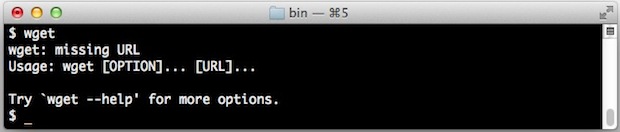
The command line tool wget lets you retrieve a group of files from FTP and HTTP protocols, it’s a very useful utility for web developers and powerusers to have around because it lets you do things like perform quick and dirty site backups and even mirror websites locally.
This approach is going to build and install wget in OS X from source, this means you’ll need Xcode and the Unix dev tools (free @ Mac App Store) installed, but it has the benefit of eliminating the need of a package manager like Homebrew or MacPorts.
For those who don’t have the Command Line Tools package from Xcode installed yet, it’s fairly simple: Open XCode, then go “Preferences” and to the downloads section, and choose “Install Command Line Tools”, or you can get it from the Apple Developer Site as described here. Because the package has to download from Apple, it may take a while depending on your internet connection. Command Line Tools installs a C compiler, GCC, and many other helpful utilities that are commonly used in the unix world.
How to Install wget in OS X
Moving ahead and assuming you have Xcode and the command line tools installed, launch Terminal and enter the following commands as shown.
First, use curl to download the latest wget source:curl -O http://ftp.gnu.org/gnu/wget/wget-1.13.4.tar.gz
(sidenote: a new version of wget is available as 1.15, but 1.13.4 has been confirmed compatible. You can pick whichever one you want from the http://ftp.gnu.org/gnu/wget/ directory if you want a different version)
Next we use tar to uncompress the files you just downloaded:tar -xzf wget-1.13.4.tar.gz
Use cd to change to the directory:cd wget-1.13.4
Configure with the appropriate –with-ssl flag to prevent a “GNUTLS not available” error:./configure --with-ssl=openssl
Build the source:make
Install wget, it ends up in /usr/local/bin/:sudo make install
Confirm everything worked by running wget:wget --help
Clean up by removing wget source files when finished:cd .. && rm -rf wget*
You’re all set, enjoy wget in Mac OS X.
Install wget in Mac OS X Without Homebrew or MacPorts的更多相关文章
- (转)Building MariaDB on Mac OS X using Homebrew
https://kb.askmonty.org/en/building-mariadb-on-mac-os-x-using-homebrew/ Work has been done to provid ...
- Install Docker on Mac OS X(转)
Install Docker on Mac OS X You can install Docker using Boot2Docker to run docker commands at your c ...
- MAC OS系统替换homebrew使用阿里云的镜像源
MAC OS系统替换homebrew使用阿里云的镜像源 2019-03-03 15:13:42 南通SEO 阅读数 2024更多 分类专栏: 解决方案 MAC OS系统替换homebrew使用阿里 ...
- Mac OS X下HomeBrew安装卸载
1.卸载 cd `brew --prefix` rm -rf Cellar brew prune rm `git ls-files` rm -r Library/Homebrew Library/Al ...
- Mac OS X系统 HomeBrew的安装和简单使用
1. 前言 作为linux系统的忠实粉丝,我们都很喜欢 (Debian/Ubuntu)系列的apt包管理系统和(Redhat/Fedora)系列的yum包管理系统. 包括Windows用户都有多种方便 ...
- Install MySQL on Mac OS X——MAC安装MySQL
很多关于如何安装MySQL的教程已经过时了,或者比必须的步骤复杂得多.这篇教程将展示如何安装MySQL,启动MySQL,以root用户进入MySQL,以及创建删除退出数据库. Step 1: 下载My ...
- Install wget for mac
Download: http://ftp.gnu.org/gnu/wget/ Unpack: tar zxvf wget-1.16.tar Configuration: ./configure If ...
- MAC OS系统替换homebrew使用阿里云或中科大的镜像源
阿里云镜像 # 替换brew.git: cd "$(brew --repo)" git remote set-url origin https://mirrors.aliyun.c ...
- How To Fix – Mcrypt PHP extension required in Laravel on Mac OS X (No MAMP)
Laravel PHP web framework requires certain libraries to function properly. One of these libraries is ...
随机推荐
- 网站如何提高PR值
做了站长这些年,积累些经验,记录下来,分享兄弟. 一.商城类型网站 对于商城型的网站站内优化来说,主要是用户咨询和浏览产品时产生的疑问.比如当某用户看到一些自己感兴趣的产品需要咨询的时候,自然就会寻找 ...
- APUE习题8.7
看书的时候发现这个习题没有答案,于是就想把自己做的结果贴上来,和大家分享分享! 首先把题目贴上来吧: /*********** 8.10节中提及POSIX.1要求在调用exec时关闭打开的目录流.按下 ...
- CentOS 7 yum nginx MySQL PHP 简易环境搭建
用centos自带的yum源来安装nginx,mysql和php,超级方便,省去编译的麻烦,省去自己配置的麻烦,还能节省非常多的时间. 我们先把yum源换成国内的阿里云镜像源(当然不换也可以),先备份 ...
- 关于不同进制数之间转换的数学推导【Written By KillerLegend】
关于不同进制数之间转换的数学推导 涉及范围:正整数范围内二进制(Binary),八进制(Octonary),十进制(Decimal),十六进制(hexadecimal)之间的转换 数的进制有多种,比如 ...
- Linux之父Linus Torvalds:讨厌C++
"Linux内核的创始人Linus Torvalds最近在一封邮件中说明了内核开发需要使用C语言而非C++的理由.在庞大的项目中,人们对不是自己开发的模块并不了解,能快速理解其他模块中函数的 ...
- jvm 数据区划分学习
Java virtual machine 运行时数据存储区域划分 2015年1月25日 19:15 Pc 寄存器 Each Java Virtual Machine thread has its o ...
- Gartner2014年魔力象限(商业智能和分析平台)
- ASP.NET Web - 开篇
ASP.NET运行库 服务器系统上需要ASP.NET运行库.如果系统上有IIS,就会在安装.NET Framework时为服务器配置ASP.NET运行库.开发过程中,不需要IIS,因为VS发布了自己的 ...
- SOLVED: GATT callback fails to register
I finally figured this problem out. The device I am using is a Samsung Galaxy S4 and the actual prob ...
- SQL SERVER 強制指定使用索引 -转载 只为学习
今天很高兴 ,有学会了一种数据库优化的方式,哈哈 今天遇到一個查詢逾時的問題:兩段SQL,只差在WHERE,一個是WHERE COLUMN1='AAA',一個是WHERE COLUMN1='BBB', ...