
使用python爬取整本《盗墓笔记》
一、前言
《盗墓笔记》是一本经典的盗墓题材小说,故事情节引人入胜。本文将使用python2.7通过小说网站http://www.daomubiji.com/来爬取整本盗墓笔记并保存,在这一过程中演示了使用python网络库requests实现简单的python爬虫以及使用html文档分析库BeautifulSoup分析网页。
二、准备
在进行下一步之前先要安装两个库:requests以及BeautifulSoup。
pip install requests

pip install beautifulsoup4

# BeautifulSoup的解析器

pip install lxml

pip install html5lib
我们通常都是使用浏览器来访问网页,浏览器发送请求给服务器,服务器根据请求将请求的数据返回给浏览器,浏览器再将这些数据显示出来。而使用爬虫则不再使用浏览器发送请求,而是使用程序发送,并且使用爬虫程序接受服务器返回的数据,requests就是一个能帮助我们发送请求给服务器并得到返回数据的库。得到返回数据后(如HTML),可以使用另一个库BeautifulSoup来对HTML进行解析,提取出我们想要的标签的内容。
requests文档:http://docs.python-requests.org/zh_CN/latest/user/quickstart.html
BeautifulSoup文档:https://www.crummy.com/software/BeautifulSoup/bs4/doc/index.zh.html
三、网页分析
爬虫的基本思想是从网页中找到我们感兴趣的标签或链接,然后使用相关工具(如request和BeautifulSoup)来得到网页和标签的内容。下面对该网站的网页进行分析。
首先打开网站的主页http://www.daomubiji.com/来分析一下网页。我们知道盗墓笔记有很多部,打开后可以看到主页上列出了每一部的入口。
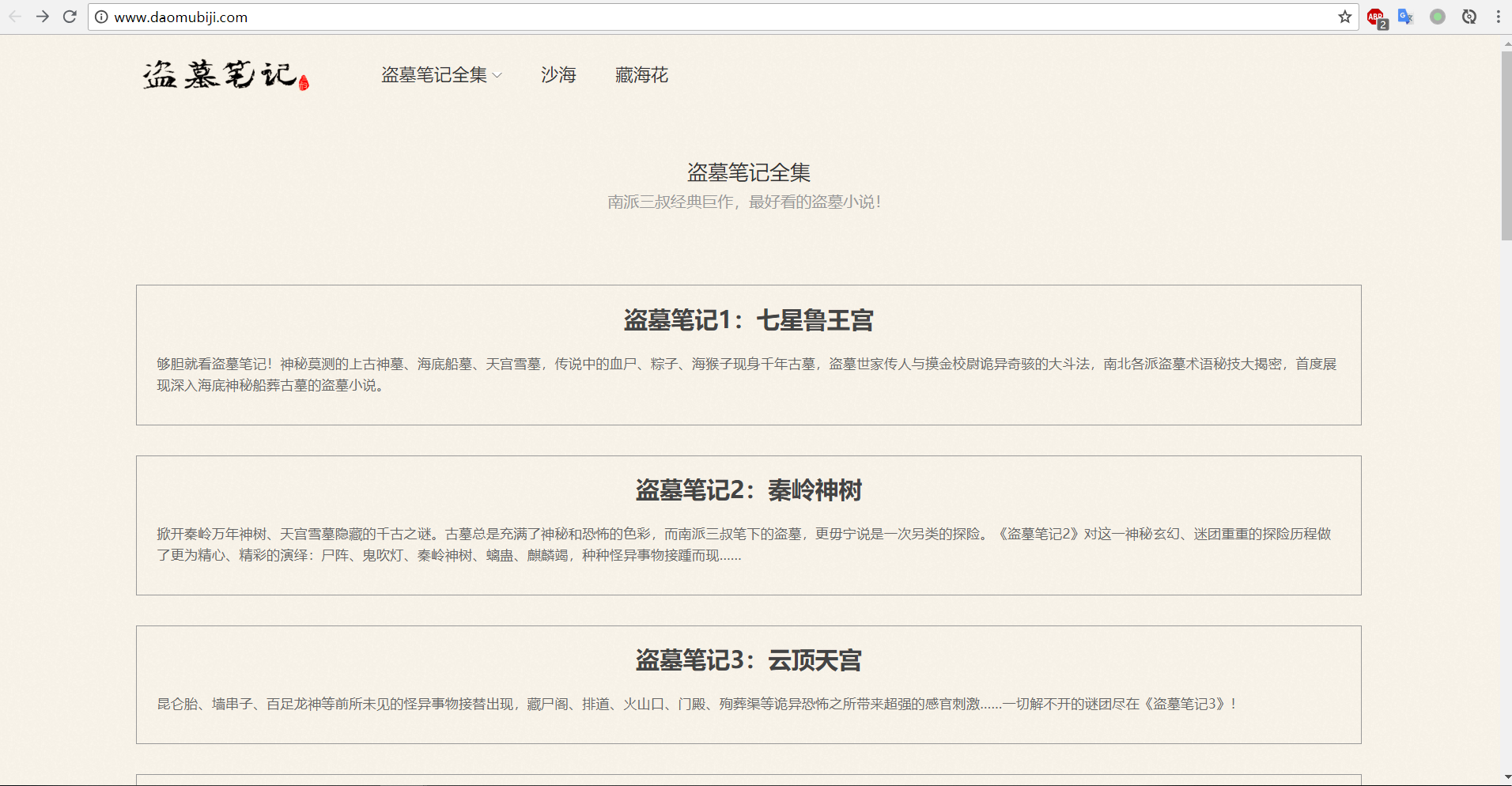
点进去其中的一部:《盗墓笔记1:七星鲁王宫》,我们可以看到该页显示了《盗墓笔记1》的每个章节。
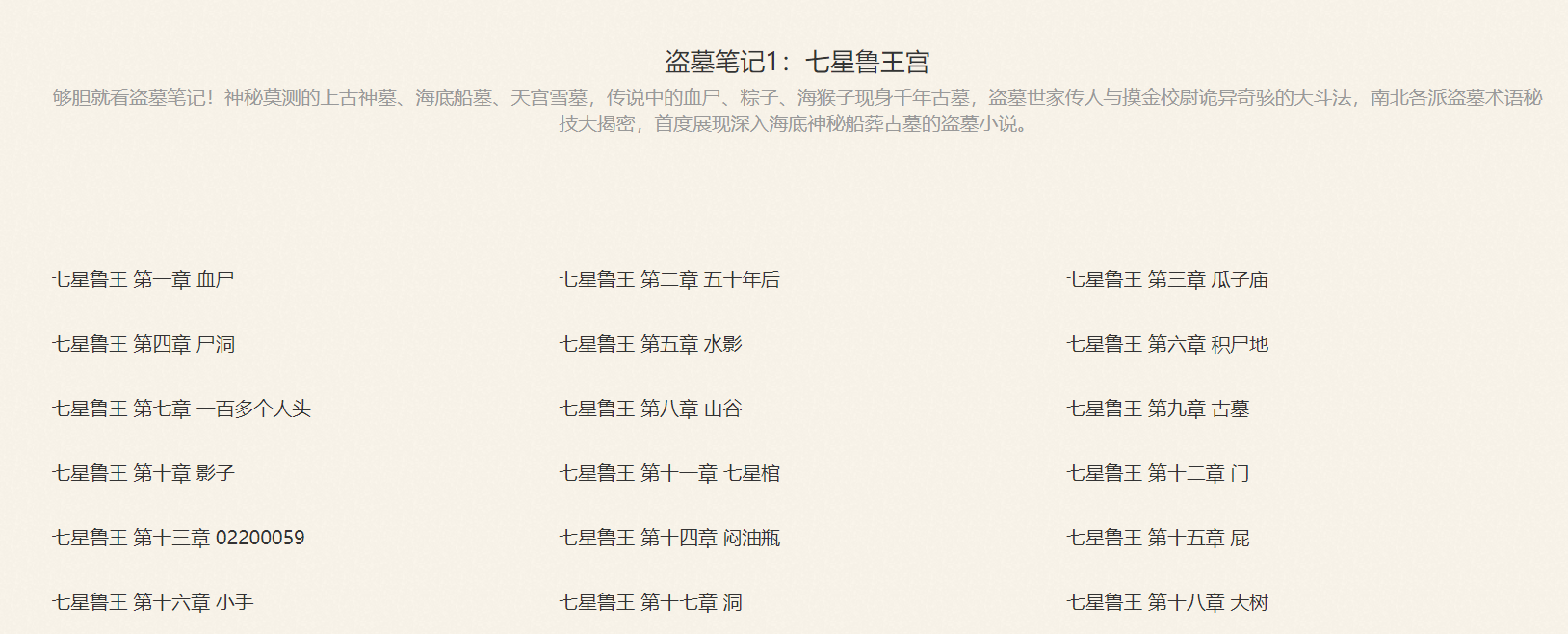
再点进某一章节,就可以看到这一章的内容了。
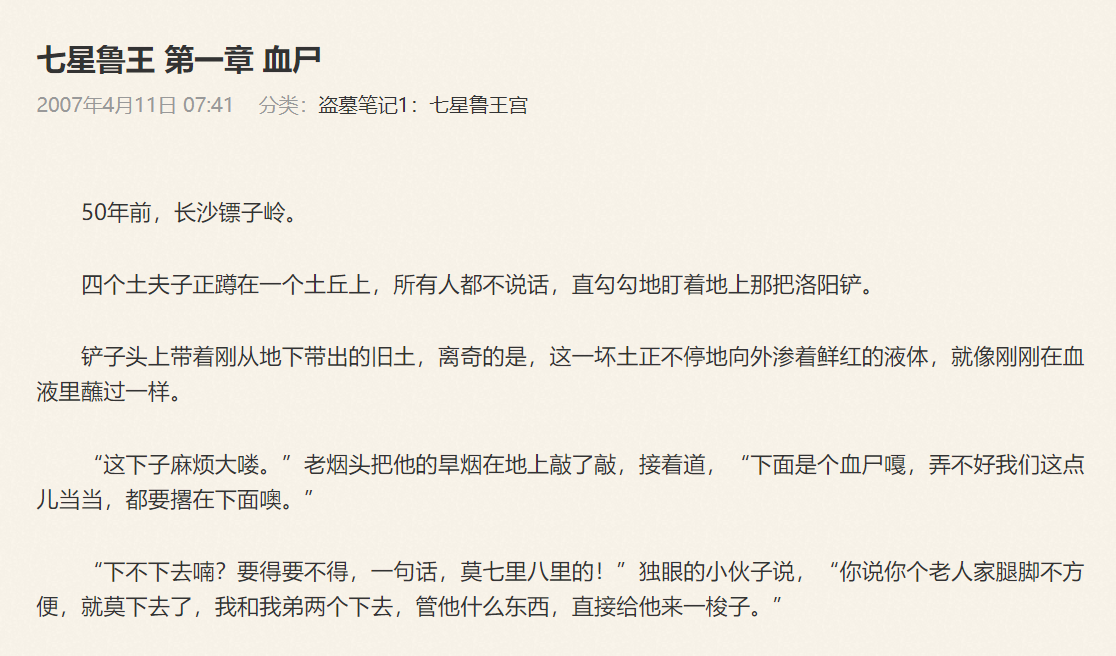
在来分析一下各章的链接,在《盗墓笔记1:七星鲁王宫》中,第一章的链接为http://www.daomubiji.com/qi-xing-lu-wang-01.html,第二章的链接为http://www.daomubiji.com/qi-xing-lu-wang-02.html,以此类推。在浏览器按下F12,选择NetWork后刷新网页,我们可以看到网页请求的文件:
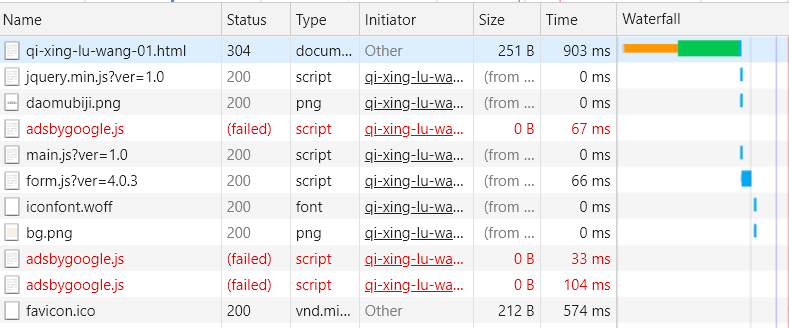
点击第一行,可以看到:
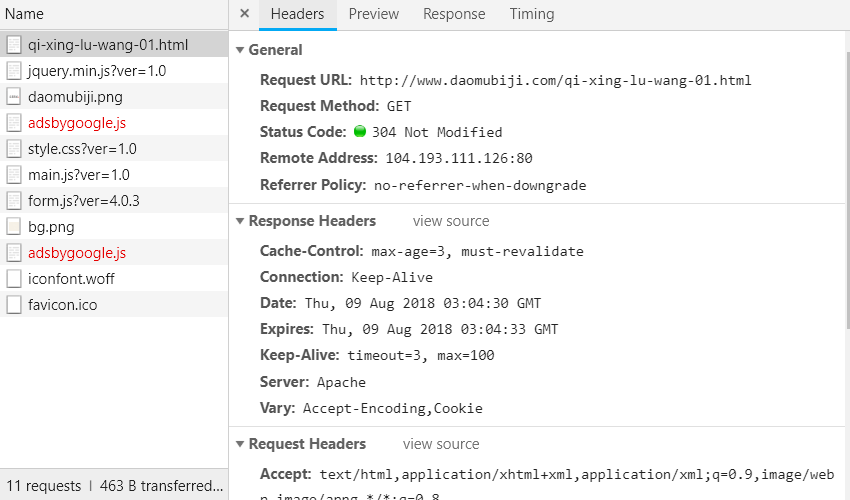
由Headers的内容可以看出该请求为一个简单的GET请求,没有任何参数,翻页是通过链接中的最后一个数字来实现的,比如01代表第一页、02代表第二页,所以只要我们得到所有章节的链接,然后从各章节对应的HTML文档中使用BeautifulSoup提取文章内容即可。总的步骤如下:
- 通过主页获取每本盗墓笔记的链接;
- 通过每本的链接获取每章的链接;
- 通过每章的链接获取每章标题与内容;
- 汇总每章的内容,保存进文件。
以下为各步骤的实现。
四、通过主页获取每本盗墓笔记的链接
打开主页http://www.daomubiji.com/并按下F12,点击左上角的鼠标(或者ctrl+shift+c)来选择元素,然后选择标题《盗墓笔记1:七星鲁王宫》,可以看到下图:
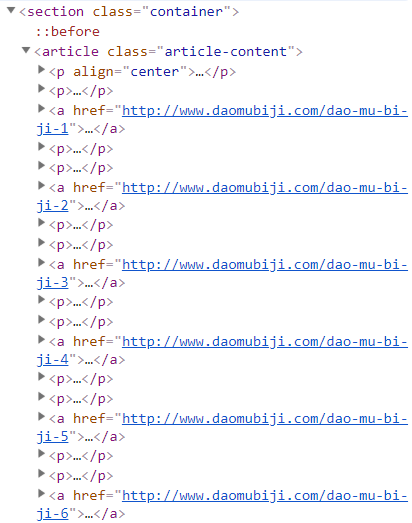
我们发现,每部书的链接都在一个名为article的标签下,由标签a中的href属性指定,所以我们可以使用BeautifulSoup提取出标签a的href属性。我们发现主页还包含两部其他小说:《沙海》和《藏海花》的链接:
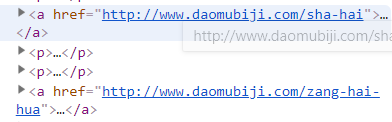
而我们只想获得小说《盗墓笔记》,解决方法是使用BeautifulSoup来将这两个链接排除在外,该小节的代码如下:
from bs4 import BeautifulSoup

import requests

import re

def get_book_urls(url):

    book_urls = []

    #获取主页

    index = requests.get(url)

    soup = BeautifulSoup(index.content.decode("utf8"), 'lxml')

    #从主页中找到所有的article标签

    articles = soup.find_all("article", class_='article-content')

    for article in articles:

        #找到各本盗墓笔记的链接,并排除沙海和藏海花的链接

        links = article.find_all('a', href=re.compile("dao-mu-bi-ji"))

        for link in links:

            book_urls.append(link["href"])

    return book_urls

book_urls = get_book_urls("http://www.daomubiji.com")

print book_urls
输出:

这样我们就得到了每本的链接。
五、通过每本的链接获取每章的链接
点进第一本《七星鲁王宫》http://www.daomubiji.com/dao-mu-bi-ji-1后按F12并选择元素,选择每章的标题:
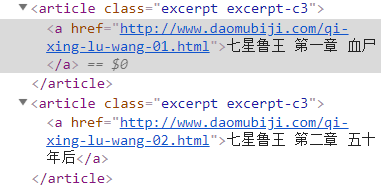
可以看到,每章的链接在article标签(该标签的class为"excerpt excerpt-c3")下,由标签a的href属性指定,使用以下代码获取各章的链接:
def get_chapter_urls(url):

    chapter_urls = []

    #获取每本书对应的页面

    page = requests.get(url)

    soup = BeautifulSoup(page.content.decode("utf8"), "lxml")

    #找到所有类为excerpt excerpt-c3的article标签

    articles = soup.find_all("article", class_="excerpt excerpt-c3")

    #提取article标签下a标签的href属性

    for article in articles:

        chapter_urls.append(article.a["href"])

    return chapter_urls

chapter_urls = get_chapter_urls("http://www.daomubiji.com/dao-mu-bi-ji-1")

print chapter_urls
输出(一部分):

六、通过每章的链接获取每章标题与内容
和前面一样,通过对文章内容进行“选择元素”,可以发现标题的标签如下:

内容的标签如下:
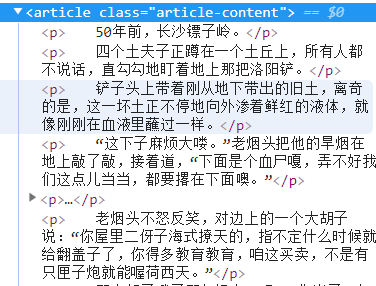
使用BeautifulSoup提取标签内容:
def get_content(url):

    content = ""

    page = requests.get(url)

    soup = BeautifulSoup(page.content.decode("utf8"), "lxml")

    #提取标题

    title = soup.find_all("h1", class_="article-title")[0].string

    content += ("\n"+title+"\n\n")

    #找到包含文章内容的article标签

    articles = soup.find_all("article", class_="article-content")

    for article in articles:

        ps = article.find_all('p')  #找到包含文章每一段的标签p

        for p in ps:

            #print p.string

            for string in p.strings:

                content = content + unicode(string) + "\n"    #获取标签p中的所有内容

    return content

content = get_content("http://www.daomubiji.com/qi-xing-lu-wang-01.html")

print content
输出(一部分):
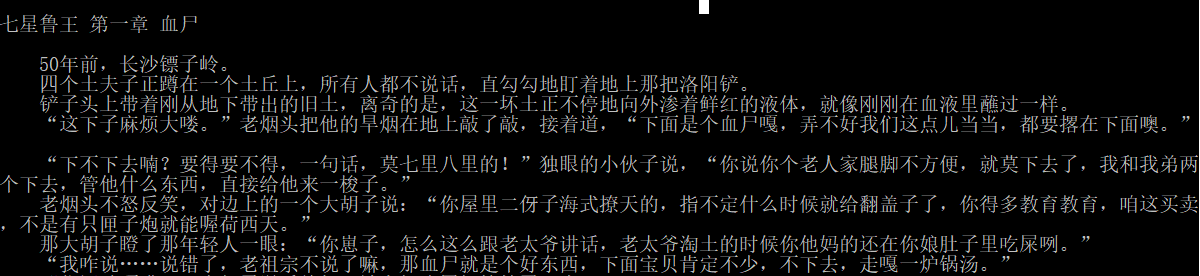
这样我们对每一章的链接都执行以上操作就可以获得每一章的内容,再把每一章的内容汇总保存即可。
七、完整代码
完整代码如下:
from bs4 import BeautifulSoup

import requests

import re

# 获取每本书的链接

def get_book_urls(url):

    book_urls = []

    index = requests.get("http://www.daomubiji.com/")

    soup = BeautifulSoup(index.content.decode("utf8"), 'lxml')

    articles = soup.find_all("article", class_='article-content')

    for article in articles:

        links = article.find_all('a', href=re.compile("dao-mu-bi-ji"))

        for link in links:

            book_urls.append(link["href"])

    return book_urls

# 获取每章的链接

def get_chapter_urls(url):

    chapter_urls = []

    page = requests.get(url)

    soup = BeautifulSoup(page.content.decode("utf8"), "lxml")

    articles = soup.find_all("article", class_="excerpt excerpt-c3")

    for article in articles:

        chapter_urls.append(article.a["href"])

    return chapter_urls

# 获取每章的内容

def get_content(url):

    content = ""

    page = requests.get(url)

    soup = BeautifulSoup(page.content.decode("utf8"), "lxml")

    title = soup.find_all("h1", class_="article-title")[0].string

    content += ("\n"+title+"\n\n")

    articles = soup.find_all("article", class_="article-content")

    for article in articles:

        ps = article.find_all('p')

        for p in ps:

            for string in p.strings:

                content = content + unicode(string) + "\n"

    return content

# 获取全本《盗墓笔记》并保存到文件

def get_article(url):

    book_urls = get_book_urls(url)

    chapter_urls = []

    for url in book_urls:

    #url = "http://www.daomubiji.com/dao-mu-bi-ji-2"

        chapter_urls.extend(get_chapter_urls(url))

    print chapter_urls

    result = ""

    for chapter_url in chapter_urls:

        content = get_content(chapter_url)

        result += content

        print content

    with open("I:\daomubiji\daomubiji.txt", "a") as f:

        f.write(result.encode("utf8"))

get_article("http://www.daomubiji.com/")
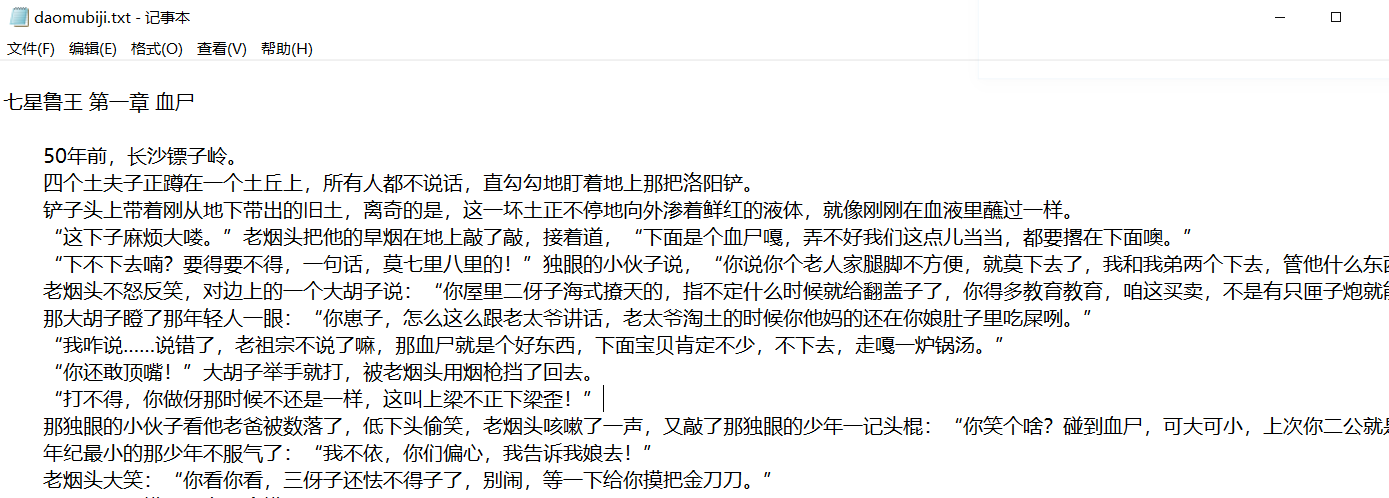
结果:
使用python爬取整本《盗墓笔记》的更多相关文章
- python爬取免费优质IP归属地查询接口
python爬取免费优质IP归属地查询接口 具体不表,我今天要做的工作就是: 需要将数据库中大量ip查询出起归属地 刚开始感觉好简单啊,毕竟只需要从百度找个免费接口然后来个python脚本跑一晚上就o ...
- 用Python爬取B站、腾讯视频、爱奇艺和芒果TV视频弹幕!
众所周知,弹幕,即在网络上观看视频时弹出的评论性字幕.不知道大家看视频的时候会不会点开弹幕,于我而言,弹幕是视频内容的良好补充,是一个组织良好的评论序列.通过分析弹幕,我们可以快速洞察广大观众对于视频 ...
- Python 爬取所有51VOA网站的Learn a words文本及mp3音频
Python 爬取所有51VOA网站的Learn a words文本及mp3音频 #!/usr/bin/env python # -*- coding: utf-8 -*- #Python 爬取所有5 ...
- python爬取网站数据
开学前接了一个任务,内容是从网上爬取特定属性的数据.正好之前学了python,练练手. 编码问题 因为涉及到中文,所以必然地涉及到了编码的问题,这一次借这个机会算是彻底搞清楚了. 问题要从文字的编码讲 ...
- python爬取某个网页的图片-如百度贴吧
python爬取某个网页的图片-如百度贴吧 作者:vpoet mail:vpoet_sir@163.com 注:随意copy,不用告诉我 #coding:utf-8 import urllib imp ...
- Python:爬取乌云厂商列表,使用BeautifulSoup解析
在SSS论坛看到有人写的Python爬取乌云厂商,想练一下手,就照着重新写了一遍 原帖:http://bbs.sssie.com/thread-965-1-1.html #coding:utf- im ...
- 使用python爬取MedSci上的期刊信息
使用python爬取medsci上的期刊信息,通过设定条件,然后获取相应的期刊的的影响因子排名,期刊名称,英文全称和影响因子.主要过程如下: 首先,通过分析网站http://www.medsci.cn ...
- Python爬取豆瓣指定书籍的短评
Python爬取豆瓣指定书籍的短评 #!/usr/bin/python # coding=utf-8 import re import sys import time import random im ...
- python爬取网页的通用代码框架
python爬取网页的通用代码框架: def getHTMLText(url):#参数code缺省值为‘utf-8’(编码方式) try: r=requests.get(url,timeout=30) ...
随机推荐
- sqlserver收缩日志的几种方式
sqlserver收缩日志的几种方式 [sql] --参考 压缩日志及数据库文件大小 /*--特别注意 请按步骤进行,未进行前面的步骤,请不要做后面的步骤 否则可 ...
- Flask-SQLAlchemy 无法创建Sqlite 数据库???
<Flask web 开发>第五章数据库照书中的方法无法创建表,没有python的命令提示符,只是运行程序输入db.create_all()后文件夹里也没有data.sqlite文件 解决 ...
- javascript中的this到底指什么?
来自百度知道解释 JavaScript:this是什么? 定义:this是包含它的函数作为方法被调用时所属的对象.说明:这句话有点咬嘴,但一个多余的字也没有,定义非常准确,我们可以分3部分来理解它!1 ...
- react入门-组件方法、数据和生命周期
react组件也像vue一样,有data和methods,但是写法就很不同了: <!DOCTYPE html> <html lang="en"> <h ...
- Java基础-SSM之Spring和Mybatis整合案例
Java基础-SSM之Spring和Mybatis整合案例 作者:尹正杰 版权声明:原创作品,谢绝转载!否则将追究法律责任. 在之前我分享过mybatis和Spring的配置案例,想必大家对它们的 ...
- bzoj千题计划261:bzoj3294: [Cqoi2011]放棋子
http://www.lydsy.com/JudgeOnline/problem.php?id=3294 如果一个颜色的棋子放在了第i行第j列,那这种颜色就会占据第i行第j列,其他颜色不能往这儿放 设 ...
- SimpleRoundedImage-不使用mask实现圆角矩形图片
1.一张图片是如何显示在屏幕上的 一张图片渲染到unity界面中的大致流程. 2.我们要做什么 我们要做的就是在CPU中将图片的矩形顶点数据修改成圆角矩形的顶点信息,之后Unity会将修改后的顶点数据 ...
- mybatis dao 层开发简易版 非整合 spring
同样老习惯,先上项目结构截图 首先 补充上篇文中缺失的 mysql demo 用的 小脚本 drop database if exists mybatis; CREATE DATABASE `myba ...
- ASP.NET MVC学习笔记-----ControllerFactory
上面这张图是asp.net mvc的工作流程图,我们可以看到当一个http请求来临时,首先需要经过路由系统,路由系统从中获取一些路由信息,然后ControllerFactory根据所得到的路由信息生成 ...
- 解决Winsock2.h和afxsock.h定义冲突的办法
如果我们在工程中使用了afxsock.h,但在其它的地方又加了些 使用winsock2.h,哈哈,VC会告诉你一大堆错误,大意就是有定义重复,该怎么解决? 由于MFC的SOCKET类使用的是Winso ...