
用PopupWindow实现弹出菜单(弹出的菜单采用自定义布局)
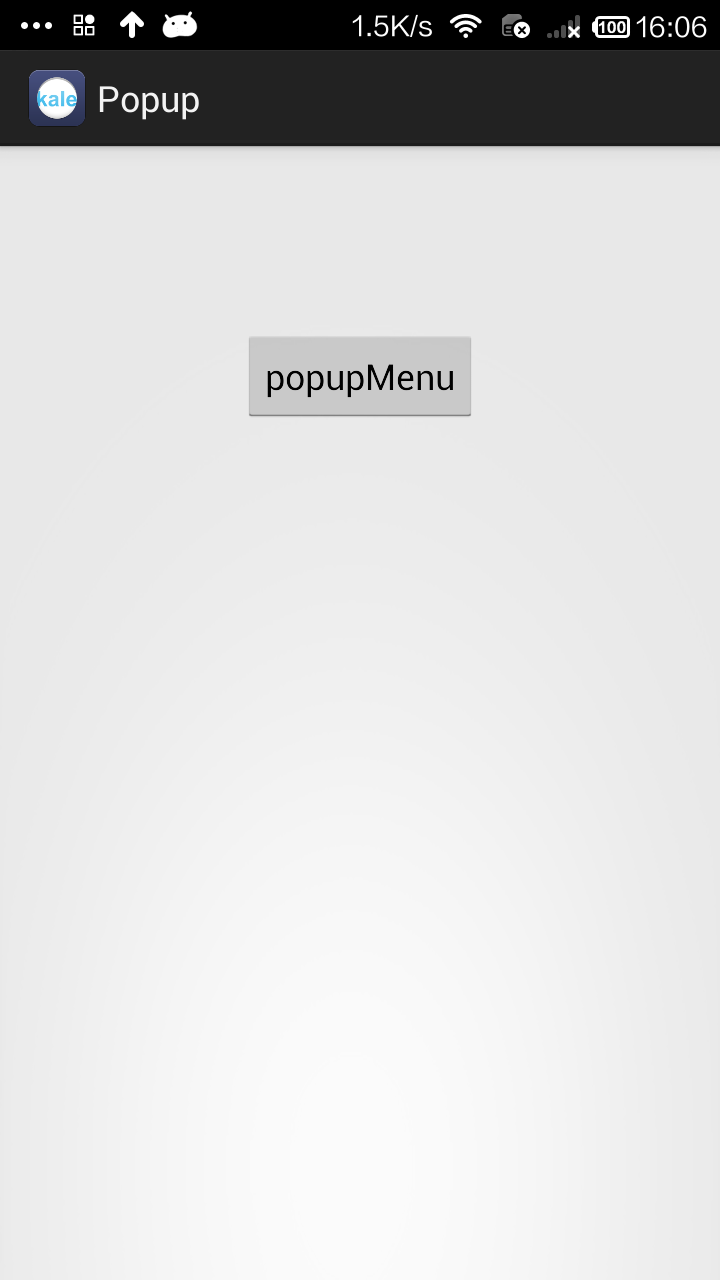
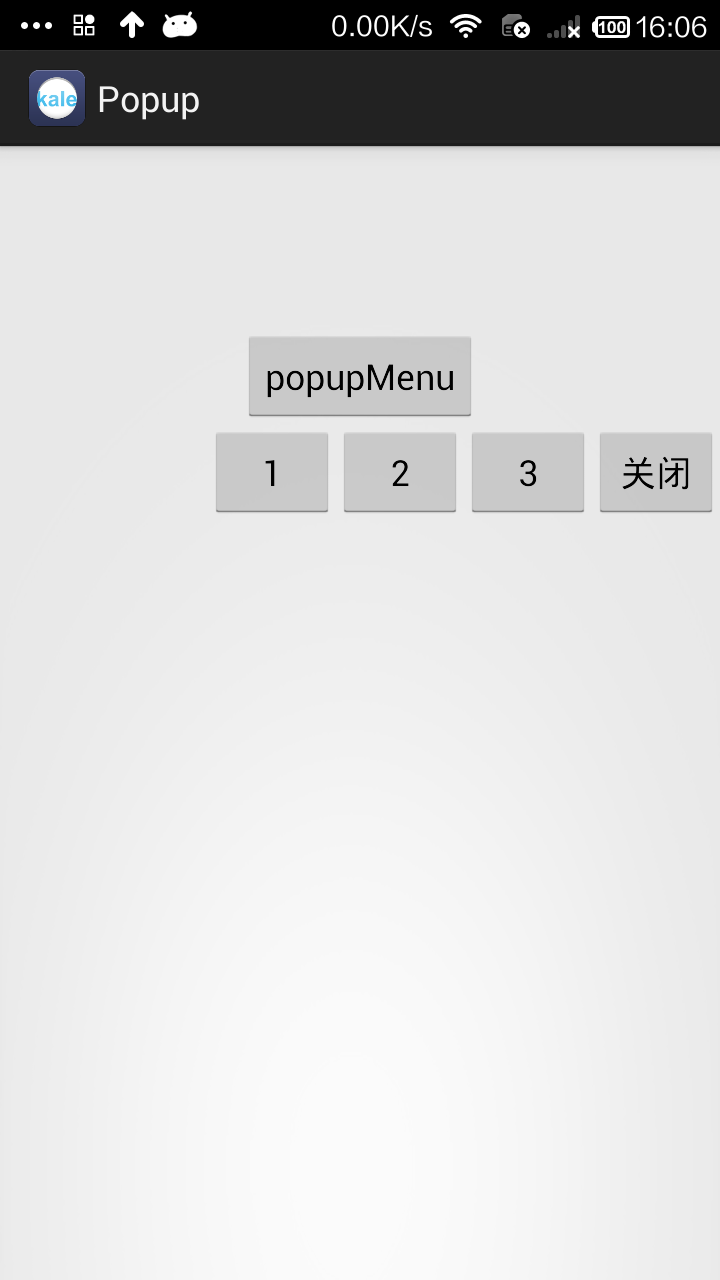
用PopupWindow实现弹出菜单是一个比较好的方式。当然我们还有一个类PopupMenu也能实现弹出菜单,但那个太过于局限了,所以不是很推荐。
这个实例的效果是这样的:点击按钮后,一个菜单从屏幕的右边滑入到屏幕中,点击按钮/空白处后菜单消失。
布局文件时一个按钮,我就不贴出代码了。下面是菜单的布局:
<?xml version="1.0" encoding="utf-8"?>

<LinearLayout xmlns:android="http://schemas.android.com/apk/res/android"

    android:layout_width="match_parent"

    android:layout_height="match_parent"

    android:orientation="horizontal" >

    <Button

        android:id="@+id/button1"

        android:layout_width="wrap_content"

        android:layout_height="wrap_content"

        android:text="1" />

    <Button

        android:id="@+id/button2"

        android:layout_width="wrap_content"

        android:layout_height="wrap_content"

        android:text="2" />

    <Button

        android:id="@+id/button3"

        android:layout_width="wrap_content"

        android:layout_height="wrap_content"

        android:text="3" />

    <Button

        android:id="@+id/closet_btn"

        android:layout_width="wrap_content"

        android:layout_height="wrap_content"

        android:text="关闭" />

</LinearLayout>
MainActivity.java
package com.kale.popup;

import android.app.Activity;

import android.content.Context;

import android.graphics.drawable.ColorDrawable;

import android.os.Bundle;

import android.view.LayoutInflater;

import android.view.View;

import android.view.View.OnClickListener;

import android.view.ViewGroup.LayoutParams;

import android.widget.Button;

import android.widget.PopupWindow;

import android.widget.Toast;

public class MainActivity extends Activity implements OnClickListener{

    LayoutInflater inflater = null;

    private PopupWindow popupWindow;

    @Override

    protected void onCreate(Bundle savedInstanceState) {

        super.onCreate(savedInstanceState);

        setContentView(R.layout.activity_main);

        inflater = (LayoutInflater)getSystemService(Context.LAYOUT_INFLATER_SERVICE);

        initPopWindow();

    }

    /**

     * 初始化popWindow

     * */

    private void initPopWindow() {

        View popView = inflater.inflate(R.layout.menu, null);

        popupWindow = new PopupWindow(popView, LayoutParams.WRAP_CONTENT, LayoutParams.WRAP_CONTENT);

        popupWindow.setBackgroundDrawable(new ColorDrawable(0));

        //设置popwindow出现和消失动画

        popupWindow.setAnimationStyle(R.style.PopMenuAnimation);

        Button btn01 = (Button)popView.findViewById(R.id.button1);

        btn01.setOnClickListener(this);

        Button btn02 = (Button)popView.findViewById(R.id.button2);

        btn02.setOnClickListener(this);

        Button btn03 = (Button)popView.findViewById(R.id.button3);

        btn03.setOnClickListener(this);

        Button closetBtn = (Button)popView.findViewById(R.id.closet_btn);

        closetBtn.setOnClickListener(this);

    }

    public void buttonListener(View v) {

        showPop(v, 0, 0, 0);

    }

    /**

     * 显示popWindow

     * */

    public void showPop(View parent, int x, int y,int postion) {

        //设置popwindow显示位置

        popupWindow.showAsDropDown(parent);

        //获取popwindow焦点

        popupWindow.setFocusable(true);

        //设置popwindow如果点击外面区域,便关闭。

        popupWindow.setOutsideTouchable(true);

        popupWindow.update();

    }

    @Override

    public void onClick(View v) {

        Button btn = (Button) v;

        Toast.makeText(MainActivity.this, btn.getText(), 0).show();

        popupWindow.dismiss();

    }

}
菜单的动画
style.xml
    <style name="PopMenuAnimation" parent="@android:style/Animation">

        <item name="android:windowEnterAnimation">@anim/slide_left_in</item>

        <item name="android:windowExitAnimation">@anim/slide_right_out</item>

    </style>
slide_left_in.xml
<?xml version="1.0" encoding="utf-8"?>

<set xmlns:android="http://schemas.android.com/apk/res/android" >

    <translate

        android:duration="200"

        android:fromXDelta="100.0%p"

        android:toXDelta="0.0" />

</set>
slide_right_out.xml
<?xml version="1.0" encoding="utf-8"?>

<set xmlns:android="http://schemas.android.com/apk/res/android" >

    <translate

        android:duration="100"

        android:fromXDelta="0.0"

        android:toXDelta="100.0%p" />

</set>
用PopupWindow实现弹出菜单(弹出的菜单采用自定义布局)的更多相关文章
- android PopupWindow实现从底部弹出或滑出选择菜单或窗口
本实例弹出窗口主要是继承PopupWindow类来实现的弹出窗体,布局可以根据自己定义设计.弹出效果主要使用了translate和alpha样式实现,具体实习如下: 第一步:设计弹出窗口xml: &l ...
- Android 仿 新闻阅读器 菜单弹出效果(附源码DEMO)
这一系列博文都是:(android高仿系列)今日头条 --新闻阅读器 (一) 开发中碰到问题之后实现的,觉得可能有的开发者用的到或则希望独立成一个小功能DEMO,所以就放出来这么一个DEMO. 原本觉 ...
- Android中PopupWindow中有输入框时无法弹出输入法的解决办法
PopupWindow window=new PopupWindow(view, LayoutParams.FILL_PARENT, LayoutParams.FILL_PARENT); //必须让p ...
- 云笔记项目-笔记列表弹出"分享移动删除"子菜单
业务需求: 笔记列表里还有一个按钮可以弹出子菜单,要求做到以下几点: (1)点击选中的笔记行的弹出按钮后,弹出子菜单,再次点击,子菜单收回. (2)选中其他笔记后,子菜单消失.效果如下图所示: 业务分 ...
- 小白jquery横向菜单弹出菜单制作
<!DOCTYPE html PUBLIC "-//W3C//DTD XHTML 1.0 Transitional//EN" "http://www.w3.org/ ...
- 在Winform框架的多文档界面中实现双击子窗口单独弹出或拖出及拽回的处理
在基于DevExpress的多文档窗口界面中,我们一般使用XtraTabbedMdiManager来管理多文档窗口的一些特性,如顶部菜单,页面的关闭按钮处理,以及一些特殊的设置,本篇随笔介绍这些特点, ...
- javascript的alert()的消息框不弹出或者弹出信息有误
有时不知道什么,有时javascript的alert()的消息框不弹出或者弹出信息有误,代码是这么写的: //提示信息 public static void alert(TemplateControl ...
- 原生Js封装的弹出框-弹出窗口-页面居中-多状态可选
原生Js封装的弹出框-弹出窗口-页面居中-多状态可选 实现了一下功能: 1.title可自定义 可拖拽 2.width height可以自定义 3.背景遮罩和透明度可以自定义 4.可以自己编辑弹出 ...
- 弹出视图/弹出模态presentViewController与presentModalViewController
一.主要用途 弹出模态ViewController是IOS变成中很有用的一个技术,UIKit提供的一些专门用于模态显示的ViewController,如UIImagePickerController等 ...
随机推荐
- checkbox复选框的一些深入研究与理解
一.一开始的唠叨最近忙于开发,自淫于项目的一步步完工,心浮躁了.舍近而求远,兵家之大忌.我是不是应该着眼于眼前的东西,好好的静下心来,超过一般人的沉静与沉浸,研究最基本的东西呢?这番思考,让我找到了一 ...
- requireJS2
requireJS的初步掌握(二) 前面我们讲述了requireJS的一些认知和优点,==>http://www.cnblogs.com/wymbk/p/6366113.html 这章我们主要描 ...
- JDBC事务与事务隔离级别详解
事务基本概念 一组要么同时执行成功,要么同时执行失败的SQL语句.是数据库操作的一个执行单元. 事务开始于: 连接到数据库上,并执行一条DML语句insert.update或delete 前一个事务结 ...
- 发送统计邮件shell脚本
#!/bin/bash#作者:Presley#时间:2018.07.16#监控阿里云aaa库的py_weixin_product_close_rating_info 和 py_weixin_produ ...
- P2870 [USACO07DEC]最佳牛线,黄金Best Cow Line, Gold
P2870 [USACO07DEC]最佳牛线,黄金Best Cow Line, Gold我比赛的时候A了,luogu上25分,QAQ,又憨又傻的200+代码,我为什么要干电脑干的事情,无语了.如果左边 ...
- 高能天气——团队Scrum冲刺阶段-Day 5
高能天气--团队Scrum冲刺阶段-Day 5 今日完成任务 于欣月:基本实现计步器功能:现阶段实现了每天进行步数统计并显示,计划实现历史步数统计和设置锻炼计划功能,并实现可视化图形界面 余坤澎:实现 ...
- Linux文件的所有权与权限
要了解Linux的权限,需要和Linux的用户与组的概念一并理解,不了解的同学请参考Linux的用户和组 简介 在Linux中,每个文件除了有用户和组的信息以外,还有其对应的权限.可使用来查看. [r ...
- Javascript实现一个插件
写一个插件,兼容commonjs,amd,cmd,原生js. ;(function (global, factory) { if(typeof define == 'function' &&a ...
- 【BZOJ-4180】字符串计数 后缀自动机 + 矩阵乘法
4180: 字符串计数 Time Limit: 10 Sec Memory Limit: 128 MBSubmit: 146 Solved: 66[Submit][Status][Discuss] ...
- .net core中的高效动态内存管理方案
.net core在新增的System.Buffers中引入了一大堆高效内存管理的类,如span和memory.内存池.本文今天这里介绍一个高效动态内存访问方案. ReadOnlySequenceSe ...