
用PopupWindow实现弹出菜单(弹出的菜单采用自定义布局)
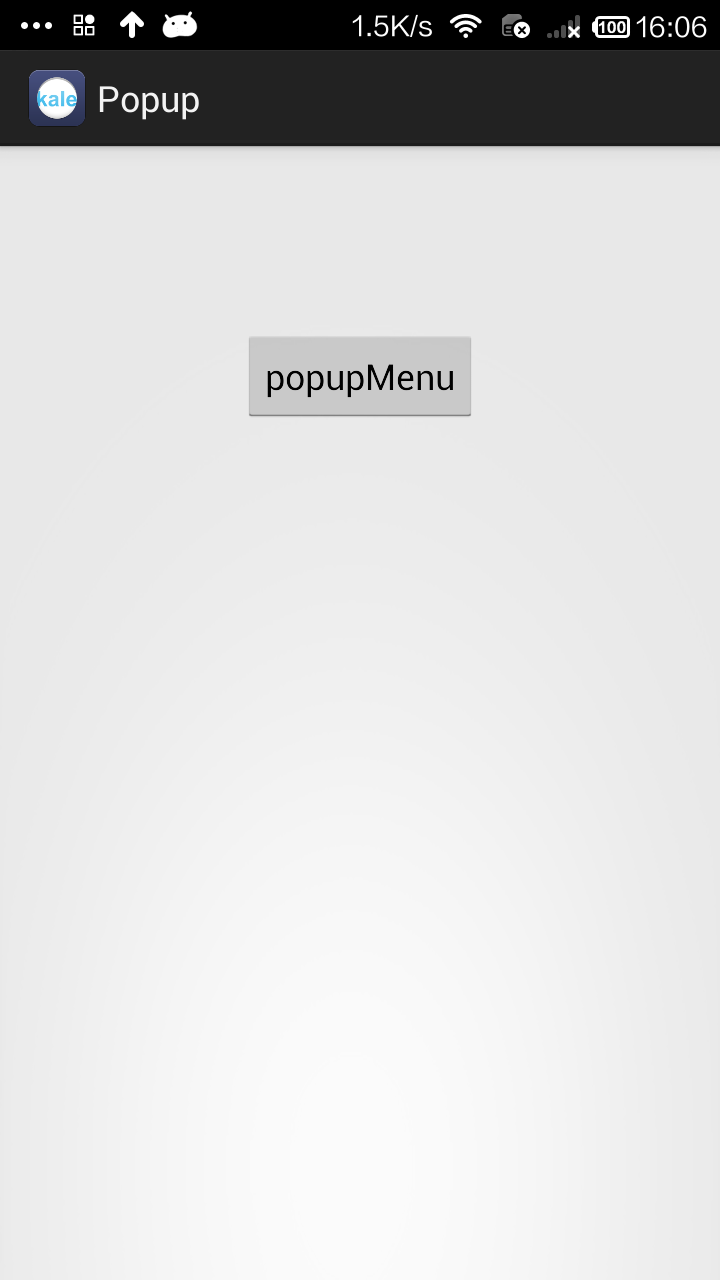
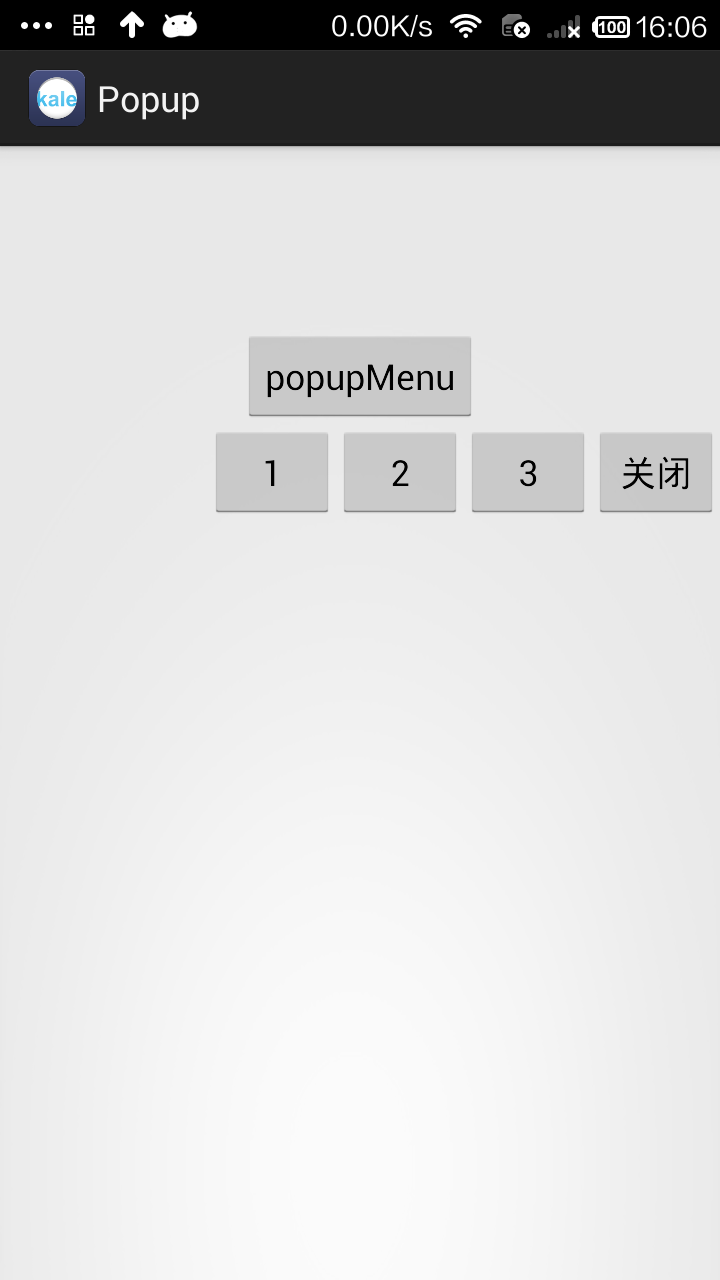
用PopupWindow实现弹出菜单是一个比较好的方式。当然我们还有一个类PopupMenu也能实现弹出菜单,但那个太过于局限了,所以不是很推荐。
这个实例的效果是这样的:点击按钮后,一个菜单从屏幕的右边滑入到屏幕中,点击按钮/空白处后菜单消失。
布局文件时一个按钮,我就不贴出代码了。下面是菜单的布局:
<?xml version="1.0" encoding="utf-8"?>

<LinearLayout xmlns:android="http://schemas.android.com/apk/res/android"

    android:layout_width="match_parent"

    android:layout_height="match_parent"

    android:orientation="horizontal" >

    <Button

        android:id="@+id/button1"

        android:layout_width="wrap_content"

        android:layout_height="wrap_content"

        android:text="1" />

    <Button

        android:id="@+id/button2"

        android:layout_width="wrap_content"

        android:layout_height="wrap_content"

        android:text="2" />

    <Button

        android:id="@+id/button3"

        android:layout_width="wrap_content"

        android:layout_height="wrap_content"

        android:text="3" />

    <Button

        android:id="@+id/closet_btn"

        android:layout_width="wrap_content"

        android:layout_height="wrap_content"

        android:text="关闭" />

</LinearLayout>
MainActivity.java
package com.kale.popup;

import android.app.Activity;

import android.content.Context;

import android.graphics.drawable.ColorDrawable;

import android.os.Bundle;

import android.view.LayoutInflater;

import android.view.View;

import android.view.View.OnClickListener;

import android.view.ViewGroup.LayoutParams;

import android.widget.Button;

import android.widget.PopupWindow;

import android.widget.Toast;

public class MainActivity extends Activity implements OnClickListener{

    LayoutInflater inflater = null;

    private PopupWindow popupWindow;

    @Override

    protected void onCreate(Bundle savedInstanceState) {

        super.onCreate(savedInstanceState);

        setContentView(R.layout.activity_main);

        inflater = (LayoutInflater)getSystemService(Context.LAYOUT_INFLATER_SERVICE);

        initPopWindow();

    }

    /**

     * 初始化popWindow

     * */

    private void initPopWindow() {

        View popView = inflater.inflate(R.layout.menu, null);

        popupWindow = new PopupWindow(popView, LayoutParams.WRAP_CONTENT, LayoutParams.WRAP_CONTENT);

        popupWindow.setBackgroundDrawable(new ColorDrawable(0));

        //设置popwindow出现和消失动画

        popupWindow.setAnimationStyle(R.style.PopMenuAnimation);

        Button btn01 = (Button)popView.findViewById(R.id.button1);

        btn01.setOnClickListener(this);

        Button btn02 = (Button)popView.findViewById(R.id.button2);

        btn02.setOnClickListener(this);

        Button btn03 = (Button)popView.findViewById(R.id.button3);

        btn03.setOnClickListener(this);

        Button closetBtn = (Button)popView.findViewById(R.id.closet_btn);

        closetBtn.setOnClickListener(this);

    }

    public void buttonListener(View v) {

        showPop(v, 0, 0, 0);

    }

    /**

     * 显示popWindow

     * */

    public void showPop(View parent, int x, int y,int postion) {

        //设置popwindow显示位置

        popupWindow.showAsDropDown(parent);

        //获取popwindow焦点

        popupWindow.setFocusable(true);

        //设置popwindow如果点击外面区域,便关闭。

        popupWindow.setOutsideTouchable(true);

        popupWindow.update();

    }

    @Override

    public void onClick(View v) {

        Button btn = (Button) v;

        Toast.makeText(MainActivity.this, btn.getText(), 0).show();

        popupWindow.dismiss();

    }

}
菜单的动画
style.xml
    <style name="PopMenuAnimation" parent="@android:style/Animation">

        <item name="android:windowEnterAnimation">@anim/slide_left_in</item>

        <item name="android:windowExitAnimation">@anim/slide_right_out</item>

    </style>
slide_left_in.xml
<?xml version="1.0" encoding="utf-8"?>

<set xmlns:android="http://schemas.android.com/apk/res/android" >

    <translate

        android:duration="200"

        android:fromXDelta="100.0%p"

        android:toXDelta="0.0" />

</set>
slide_right_out.xml
<?xml version="1.0" encoding="utf-8"?>

<set xmlns:android="http://schemas.android.com/apk/res/android" >

    <translate

        android:duration="100"

        android:fromXDelta="0.0"

        android:toXDelta="100.0%p" />

</set>
用PopupWindow实现弹出菜单(弹出的菜单采用自定义布局)的更多相关文章
- android PopupWindow实现从底部弹出或滑出选择菜单或窗口
本实例弹出窗口主要是继承PopupWindow类来实现的弹出窗体,布局可以根据自己定义设计.弹出效果主要使用了translate和alpha样式实现,具体实习如下: 第一步:设计弹出窗口xml: &l ...
- Android 仿 新闻阅读器 菜单弹出效果(附源码DEMO)
这一系列博文都是:(android高仿系列)今日头条 --新闻阅读器 (一) 开发中碰到问题之后实现的,觉得可能有的开发者用的到或则希望独立成一个小功能DEMO,所以就放出来这么一个DEMO. 原本觉 ...
- Android中PopupWindow中有输入框时无法弹出输入法的解决办法
PopupWindow window=new PopupWindow(view, LayoutParams.FILL_PARENT, LayoutParams.FILL_PARENT); //必须让p ...
- 云笔记项目-笔记列表弹出"分享移动删除"子菜单
业务需求: 笔记列表里还有一个按钮可以弹出子菜单,要求做到以下几点: (1)点击选中的笔记行的弹出按钮后,弹出子菜单,再次点击,子菜单收回. (2)选中其他笔记后,子菜单消失.效果如下图所示: 业务分 ...
- 小白jquery横向菜单弹出菜单制作
<!DOCTYPE html PUBLIC "-//W3C//DTD XHTML 1.0 Transitional//EN" "http://www.w3.org/ ...
- 在Winform框架的多文档界面中实现双击子窗口单独弹出或拖出及拽回的处理
在基于DevExpress的多文档窗口界面中,我们一般使用XtraTabbedMdiManager来管理多文档窗口的一些特性,如顶部菜单,页面的关闭按钮处理,以及一些特殊的设置,本篇随笔介绍这些特点, ...
- javascript的alert()的消息框不弹出或者弹出信息有误
有时不知道什么,有时javascript的alert()的消息框不弹出或者弹出信息有误,代码是这么写的: //提示信息 public static void alert(TemplateControl ...
- 原生Js封装的弹出框-弹出窗口-页面居中-多状态可选
原生Js封装的弹出框-弹出窗口-页面居中-多状态可选 实现了一下功能: 1.title可自定义 可拖拽 2.width height可以自定义 3.背景遮罩和透明度可以自定义 4.可以自己编辑弹出 ...
- 弹出视图/弹出模态presentViewController与presentModalViewController
一.主要用途 弹出模态ViewController是IOS变成中很有用的一个技术,UIKit提供的一些专门用于模态显示的ViewController,如UIImagePickerController等 ...
随机推荐
- 搭建项目vue + vue-router + vuex + vue-i18n + element-ui + egg + sequelize
vue + vue-router + vuex + vue-i18n + element-ui + egg + sequelize https://www.cnblogs.com/wuguanglin ...
- 017.Zabbix宏介绍
一 宏介绍 Zabbix宏的作用是便于在模板.Items.Trigger中的引用,名称为{$名称},宏的字符范围为:A~Z/0~9/_. 如:net.tcp.service[ssh,{$SSH_POR ...
- 001.WordPress建站部署
一 WordPress简介 WordPress是一种使用PHP语言开发的博客平台,用户可以在支持PHP和MySQL数据库的服务器上架设属于自己的网站.也可以把 WordPress当作一个内容管理系统( ...
- 007.SMB其他应用
一 目录权限 系统权限需要对共享目录生效 samba服务器权限也会对共享目录生效 当用户过多权限交叉的时候,建议使用系统权限控制共享目录权限,而不建议采用samba权限来控制 例如: [work] p ...
- ASCII UTF-8 编码
1. ASCII码 我们知道,在计算机内部,所有的信息最终都表示为一个二进制的字符串.每一个二进制位(bit)有0和1两种状态,因此八个二进制位就可以组合出256种状态,这被称为一个字节(byte). ...
- 最长子回文字符串(Manacher’s Algorithm)
# # 大佬博客: https://www.cnblogs.com/z360/p/6375514.html https://blog.csdn.net/zuanfengxiao/article/det ...
- flask 中的request
request.args 从URL地址中的参数request.form POST请求时 从FormData中获取参数reque ...
- windows下elasticsearch启动
windows下启动elasticsearch,依赖于配置好JAVA_HOME D:\Program Files\Java\jdk1.7.0_71 命令行启动elasticsearch.bat即可实现 ...
- HDU.5181.numbers(DP)
题目链接 参考. \(Description\) 将\(1,2,\cdots,n(n\leq 300)\)依次入栈/出栈,并满足\(m(m\leq 90000)\)个形如\(x\)要在\(y\)之前出 ...
- mysql 日期 字符串 时间戳转换
#时间转字符串 select date_format(now(), '%Y-%m-%d'); -02-27 #时间转时间戳 select unix_timestamp(now()); #字符串转时间 ...