
Magento2 php商城在windows10上安装
magento2
下载地址:https://github.com/magento/magento2/archive/develop.zip
参考地址: 版本要求 这个magento2 要选择好php的版本 下载综合版服务器时看好这个服务器支持的具体版本 下边的网站有具体的版本要求页,在此就不列出了
https://www.magentochina.org/blog/download-install-magento.html
XAMPP 版本上边明确提示里边带有php的版本.我选的是支持 php 7.0.6的版本
下载地址, https://jaist.dl.sourceforge.net/project/xampp/XAMPP%20Windows/7.0.6/xampp-win32-7.0.6-0-VC14-installer.exe
如果php 版本没选择好,则进行 安装时会出现版本不正确的提示,导致失败
第二:报错2:打开安装页提示
Vendor autoload is not found. Please run 'composer install' under application root directory.

没安装composer 是php的依赖项下载服务吧.个人理解,总之需要安装. 运行xammpp 里边的 命令行 cd 进入htdoc目录 composer install
结果又报错:
# composer install

Loading composer repositories with package information

Installing dependencies (including require-dev) from lock file

Your requirements could not be resolved to an installable set of packages.

  Problem

    - The requested PHP extension ext-intl * is missing from your system. Install or enable PHP's intl extension.

  Problem

    - The requested PHP extension ext-xsl * is missing from your system. Install or enable PHP's xsl extension.
这是提示,php.ini 没有把上边要求的注释掉的内容打开,这两个intl 和xsl 都有相关的dll 库在php的ext 目录下.
extension=php_intl.dll
extension=php_xsl.dll
在重新运行composer install 问题解决
# composer install

Loading composer repositories with package information

Updating dependencies (including require-dev)

Package operations:  installs,  updates,  removals

  - Installing magento/magento-composer-installer (0.1.): Downloading (%)

  - Installing zendframework/zend-stdlib (2.7.): Downloading (%)

  - Installing zendframework/zend-hydrator (1.1.): Downloading (%)

  - Installing psr/container (1.0.): Downloading (%)

  - Installing container-interop/container-interop (1.2.): Downloading (%)

  - Installing zendframework/zend-validator (2.9.): Downloading (%)

  - Installing zendframework/zend-escaper (2.5.): Downloading (%)

  - Installing zendframework/zend-uri (2.5.): Downloading (%)

  - Installing zendframework/zend-eventmanager (2.6.): Downloading (%)

  - Installing zendframework/zend-code (3.1.): Downloading (%)

  - Installing zendframework/zend-server (2.7.): Downloading (%)

  - Installing zendframework/zend-soap (2.6.): Downloading (%)

  - Installing zendframework/zend-math (2.7.): Downloading (%)

  - Installing zendframework/zend-crypt (2.6.): Downloading (%)

  - Installing zendframework/zend-console (2.6.): Downloading (%)

  - Installing zendframework/zend-filter (2.7.): Downloading (%)

  - Installing zendframework/zend-inputfilter (2.7.): Downloading (%)

  - Installing zendframework/zend-form (2.10.): Downloading (%)

  - Installing zendframework/zend-servicemanager (2.7.): Downloading (%)

  - Installing zendframework/zend-mvc (2.6.): Downloading (%)

  - Installing zendframework/zend-text (2.6.): Downloading (%)

  - Installing zendframework/zend-di (2.6.): Downloading (%)

  - Installing zendframework/zend-loader (2.5.): Downloading (%)

  - Installing zendframework/zend-http (2.6.): Downloading (%)

  - Installing zendframework/zend-db (2.8.): Downloading (%)

  - Installing paragonie/random_compat (v2.0.10): Downloading (%)

  - Installing zendframework/zend-captcha (2.7.): Downloading (%)

  - Installing colinmollenhour/credis (1.6): Downloading (%)

  - Installing colinmollenhour/php-redis-session-abstract (v1.2.2): Downloading (%)

  - Installing symfony/polyfill-mbstring (v1.4.0): Downloading (%)

  - Installing psr/log (1.0.): Downloading (%)

  - Installing symfony/debug (v3.0.9): Downloading (%)

  - Installing symfony/console (v2.8.22): Downloading (%)

  - Installing colinmollenhour/cache-backend-redis (1.10.): Downloading (%)

  - Installing colinmollenhour/cache-backend-file (1.4): Downloading (%)

  - Installing pelago/emogrifier (v0.1.1): Downloading (%)

  - Installing tubalmartin/cssmin (v3.0.0): Downloading (%)

  - Installing braintree/braintree_php (3.22.): Downloading (%)

  - Installing tedivm/jshrink (v1.1.0): Downloading (%)

  - Installing symfony/process (v2.8.22): Downloading (%)

  - Installing symfony/finder (v3.3.2): Downloading (%)

  - Installing symfony/filesystem (v3.3.2): Downloading (%)

  - Installing seld/phar-utils (1.0.): Downloading (%)

  - Installing seld/jsonlint (1.6.): Downloading (%)

  - Installing seld/cli-prompt (1.0.): Downloading (%)

  - Installing justinrainbow/json-schema (5.2.): Downloading (%)

  - Installing composer/spdx-licenses (1.1.): Downloading (%)

  - Installing composer/semver (1.4.): Downloading (%)

  - Installing composer/ca-bundle (1.0.): Downloading (%)

  - Installing composer/composer (1.4.): Downloading (%)

  - Installing magento/composer (1.2.): Downloading (%)

  - Installing ramsey/uuid (3.6.): Downloading (%)

  - Installing symfony/yaml (v2.8.22): Downloading (%)

  - Installing sebastian/version (1.0.): Downloading (%)

  - Installing sebastian/recursion-context (1.0.): Downloading (%)

  - Installing sebastian/exporter (1.2.): Downloading (%)

  - Installing sebastian/environment (1.3.): Downloading (%)

  - Installing sebastian/diff (1.4.): Downloading (%)

  - Installing sebastian/comparator (1.2.): Downloading (%)

  - Installing doctrine/instantiator (1.0.): Downloading (%)

  - Installing phpunit/php-text-template (1.2.): Downloading (%)

  - Installing phpunit/phpunit-mock-objects (2.3.): Downloading (%)

  - Installing phpunit/php-timer (1.0.): Downloading (%)

  - Installing phpunit/php-file-iterator (1.3.): Downloading (%)

  - Installing phpunit/php-token-stream (1.4.): Downloading (%)

  - Installing phpunit/php-code-coverage (2.2.): Downloading (%)

  - Installing phpunit/phpunit (4.1.): Downloading (%)
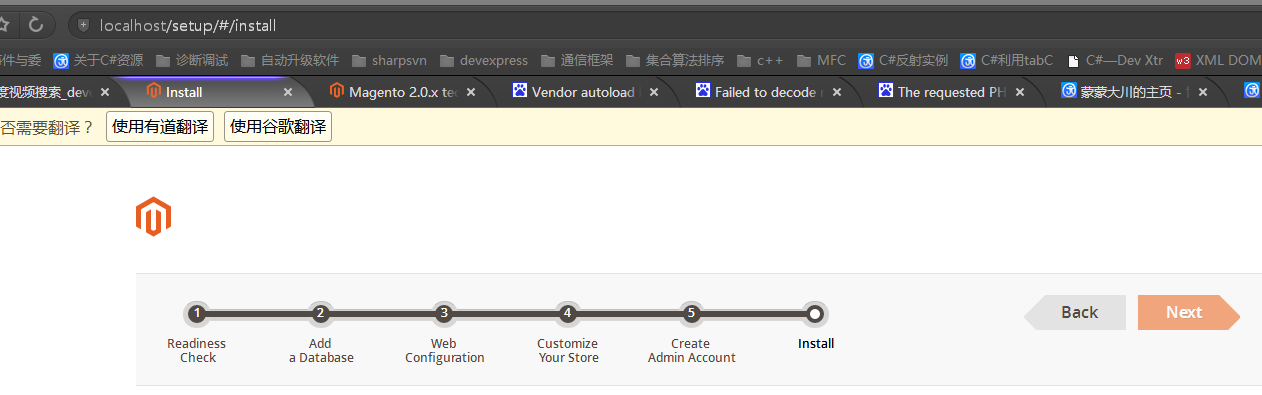
成功:
Magento2 php商城在windows10上安装的更多相关文章
- 在windows10上安装caffe和tensorflow
最近在Windows10上安装了caffe和tensorflow,折腾了好久.在此记录一下. 安装caffe的过程已在另一篇博客中进行了记录,在此不再赘述.而tensorflow也是非常简单的,也不再 ...
- 在Ubuntu16.04.4和Windows10上安装jdk
在Ubuntu16.04.4和Windows10上安装jdk 一.在Ubuntu16.04.4上安装jdk 1.下载jdk安装包 首先我们在oracle官网上下载jdk-8u161-linu ...
- windows10上安装mysql详细图文教程
在windows10上安装mysql详细图文教程 这篇文章主要介绍了在windows10上安装mysql详细图文教程,本文介绍的非常详细,具有参考借鉴价值,感兴趣的朋友一起看看吧 环境:windw ...
- Windows10上安装Linux子系统(WSL2,Ubuntu),配合Windows Terminal使用
Linux 的 Windows 子系统可让开发人员按原样运行 GNU/Linux 环境 - 包括大多数命令行工具.实用工具和应用程序 - 且不会产生传统虚拟机或双启动设置开销. WSL 说白了安装Li ...
- Windows10上安装EDEM2.7
这次我们来安装EDEM2.7. 安装软件来自于互联网,本文仅作学习交流之用,工程应用请购买正版. 1 软件准备 从网上找到EDEM2.7安装包,解压后里面包含两个文件,如下图所示. 2 软件安装 鼠标 ...
- windows10上安装 .NET Framework 3.5
在安装一些软件时,需要 .NET Framework3.5.按照windows给的提示下载不了.在官方网站上给了解决方案: 运行 DISM 工具 从屏幕右边缘向中间轻扫,然后点击“搜索”.(如果使用的 ...
- windows10上安装mysql(详细步骤)
2016年09月06日 08:09:34 阅读数:46198 环境:windwos 10(1511) 64bit.mysql 5.7.14 时间:2016年9月5日 一.下载mysql 1. 在浏览器 ...
- MPI 在Windows10 上安装,使用VS2013编译生成可执行程序
原文地址:http://www.cnblogs.com/leijin0211/p/6851789.html 参考博客: http://www.cnblogs.com/shixiangwan/p/662 ...
- Windows10上安装Keras 和 TensorFlow-GPU
安装环境: Windows 10 64bit GPU: GeForce gt 720 Python: 3.5.3 CUDA: 8 首先下载Anaconda3的Win10 64bit版,安装Python ...
随机推荐
- Android-json解析:原生JSONObject+JSONArray的使用【转】
原文地址:https://blog.csdn.net/sinat_31057219/article/details/71518123 一.JSONObject和JSONArray的数据表示形式 JSO ...
- java第一课总结
转眼间开学了,我们也正式进入了大二.心里既有激动,又有些感慨,还带有一些担忧.激动的是我们褪去了大一的稚气成为了一名大二的学长了,第一次体会到了大学学长的感觉,心里很是激动.感慨的是我们又成长了一岁, ...
- Feign Hystrix
1.Feign整合Hystrix 添加依赖 编写接口与实现回退 1.1.调用者引入依赖 <!-- Feign --> <dependency> <groupId>o ...
- SimpleAdapter用法
[SimpleAdapter用法] public class TestSimpleAdapter extends Activity { @Override protected void onCreat ...
- springboot logback
/resources/logback-spring.xml <configuration> <appender name="stdout" class=" ...
- UltraEdit窗口布局重新设置
解决办法:工具栏中的视图-->环境-->左边小框里选择“编程员”,再点选择环境 转载:https://blog.csdn.net/u011650048/article/details/18 ...
- zabbix3.0.4安装部署与SendEmail报警配置
MySQL:5.6.21 nginx:1.62 PHP:5.7 pcre:8.32 zabbix:3.0.4 LNMP安装步骤略过 # tar xvf zabbix-3.0.4.tar.gz # cd ...
- df.dropna()函数和df.ix(),df.at(),df.loc()
- c# 键值对的方式post提交
DataContractJsonSerializer jsQcData = new DataContractJsonSerializer(typeof(DATA<data>));//DAT ...
- Unity3D无限奔跑者Playmaker v1.5
这款功能丰富的移动准备包内含使您自己的各种各样的3D游戏运行的一切要素.无需编程! 功能 1 - 响应式滑动控制2 - 投掷炮弹3 - 可破坏物体4 - 能力提升道具- 金币磁铁- 护盾- 继续密钥- ...