
windows文件备份到linux:windows定时任务+cwrsync+ssh免密码认证
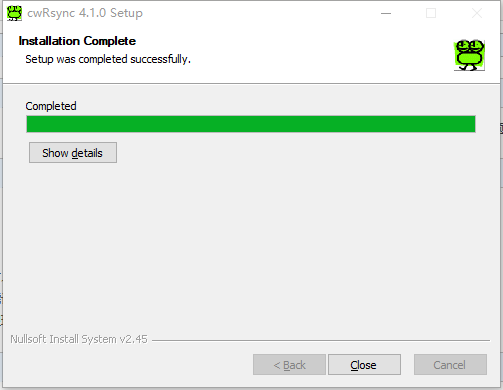
一、安装cwrsync
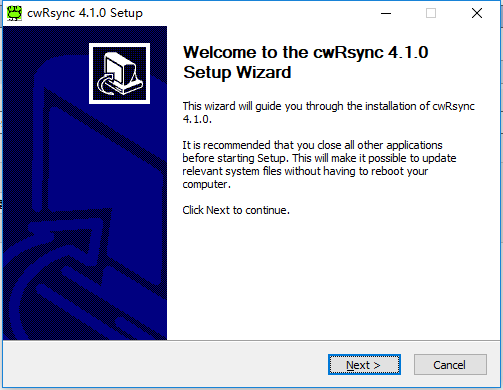

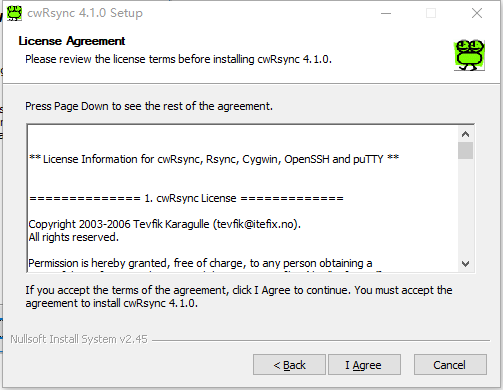
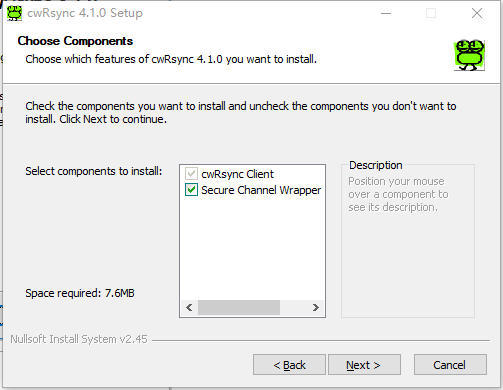
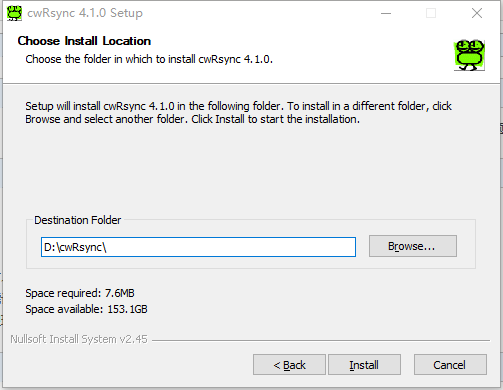
二、创建密钥对,实现ssh免密码验证
linux服务器上
[root@zabbix ~]# ssh-keygen
Generating public/private rsa key pair.
Enter file in which to save the key (/root/.ssh/id_rsa):       ###回车
Created directory '/root/.ssh'.
Enter passphrase (empty for no passphrase):
Enter same passphrase again:         ###回车
Your identification has been saved in /root/.ssh/id_rsa.
Your public key has been saved in /root/.ssh/id_rsa.pub.
The key fingerprint is:      ####回车
fc::::fd:d4:7f:3b:e7:::ed:e2:c0:a9: root@zabbix.suffergtf.com
The key's randomart image is:
+--[ RSA ]----+
|                 |
|                 |
|                 |
|       .         |
|        S        |
|       . + . o   |
|      o = E * . o|
|       =   * ..=*|
|          . ...*@|
+-----------------+

[root@zabbix ~]# ssh-copy-id root@localhostThe authenticity of host 'localhost (::1)' can't be established.ECDSA key fingerprint is e5:07:2a:f0:9f:c5:df:64:70:61:6a:7a:31:bf:21:7a.Are you sure you want to continue connecting (yes/no)? yes/usr/bin/ssh-copy-id: INFO: attempting to log in with the new key(s), to filter out any that are already installed/usr/bin/ssh-copy-id: INFO: 1 key(s) remain to be installed -- if you are prompted now it is to install the new keysroot@localhost's password:

Number of key(s) added: 1

Now try logging into the machine, with:   "ssh 'root@localhost'"and check to make sure that only the key(s) you wanted were added.

[root@zabbix ~]# ls .ssh/authorized_keys  id_rsa  id_rsa.pub  known_hosts###########将id_rsa下载到本地
三、编辑远程copy脚本
 SETLOCAL
 SET CWRSYNCHOME=D:\cwRsync    ####cwrsync安装路径
 SET HOME=D:\cwRsync      ######服务器密钥rd_rsa路径,我的路径为D:\cwRsync\.ssh
 SET CWOLDPATH=%PATH%
 SET PATH=%CWRSYNCHOME%\BIN;%PATH% cd D:\cwRsync\bin rsync -avz --delete /cygdrive/d/test root@192.168.127.250:/tmp    ######/cygdrive是路径格式,我的实际路径为d:/test。#########首次运行脚本需要手动输入一次密码########
四、定时运行
- 创建基本任务
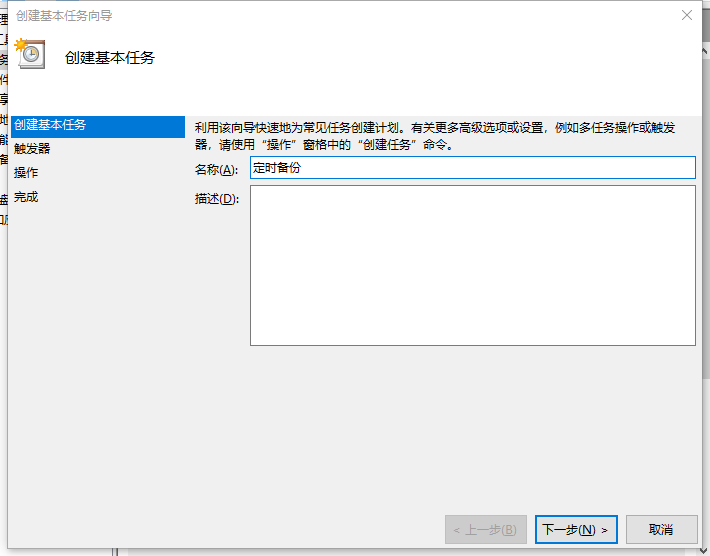
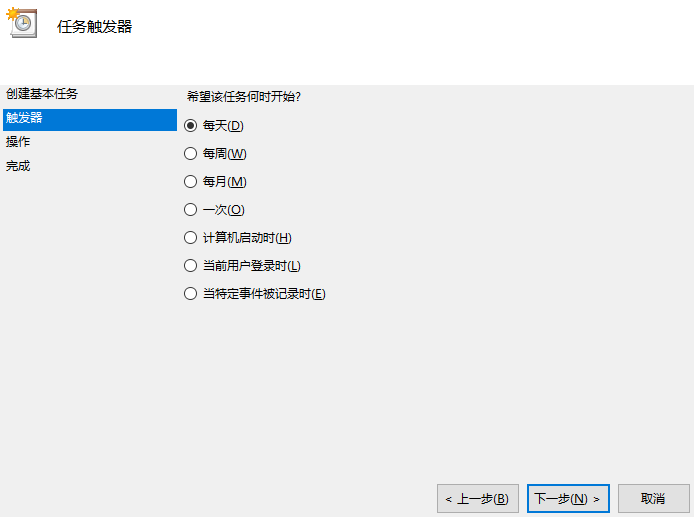
- 创建触发器,任务执行条件
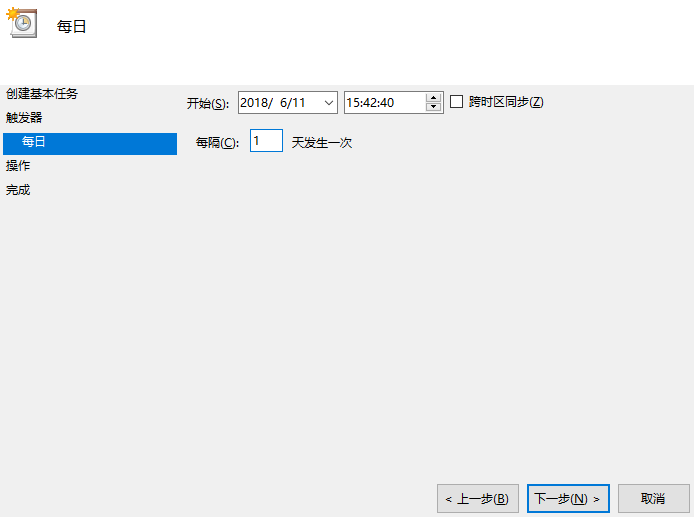
- 具体执行时间
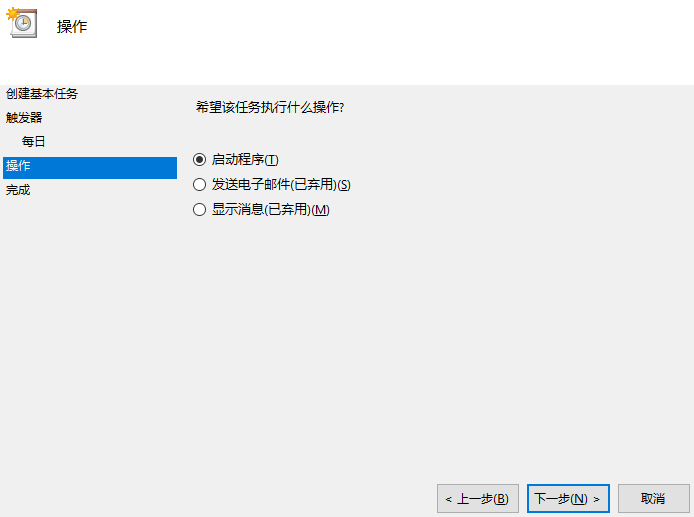
- 触发条件后需要做哪些操作
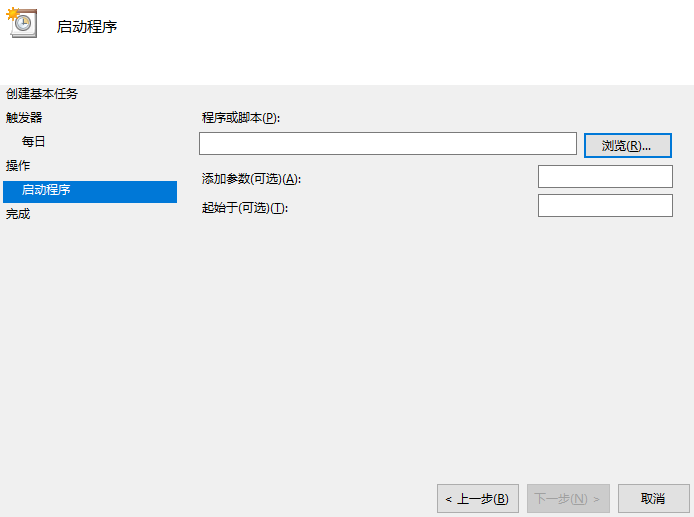
- 如果是打开程序,运行脚本,请选择程序、脚本路径
windows文件备份到linux:windows定时任务+cwrsync+ssh免密码认证的更多相关文章
- ssh免密码认证
举例:有机器PC_A(172.0.246),PC_B(172.0.1.140).现想A通过ssh免密码登录到B. 1.在PC_A主机下生成公钥/私钥对 [comodo@PC_A ~]$ ssh-key ...
- SSH 免密码认证登陆
检查是否已安装ssh rpm -qa |grep ssh 如未安装可以重新安装 yum install -y openssl openssh-server 修改配置 vim /etc/ssh/ssh ...
- linux下设置了SSH免密码登录但还是需要输入密码的解决办法
今天在设置linux的免密码登录后,仍然需要输入密码,后来找到了原因,是因为用户没有权限修改.ssh目录下的know_hosts文件导致的. 具体情况是这样的: 在/home/username/.ss ...
- Linux 服务器用户间ssh免密码登录
1.本脚本为服务器用户间密码互信登录脚本 2.依赖 需要安装expect工具 3.使用 sh CreateUserssh.sh hadoop hadoop /home/hadoop/.ssh 三个带入 ...
- 用expect解决批量Linux集群机器间SSH免密码访问
转自:http://blog.csdn.net/aichaoguy/article/details/11693269#!/bin/bash #check whether package 'expect ...
- linux 非root用户 ssh 免密码登录
之所以要把这个记录下来 是因为它的确和root用户不一样root用户 不需要改动什么权限问题 只要生成私钥/公钥对 即可 但是一样的操作在普通用户上就出了问题了 折腾了老半天 ssh-keygen ...
- Linux 配置ssh 免密码登录
在平常应用中,我们经常会登录到其他主机,比如说服务器,每次都需要用户名和密码. 我们可以通过ssh免密码登录服务器而不需要输入密码. 现在有一台ubuntu的阿里云服务器,称之为 server. 公 ...
- 【Linux】文件权限,ssh免密登录
1.文件/文件夹权限 例子: -rw-r--r--. 1 root root 12288 Aug 21 09:50 aliases.db drwxr-xr-x. 2 root root 4096 Au ...
- Linux下SSH免密码登录
转自:http://haitao.iteye.com/blog/1744272 ssh配置 主机A:10.0.5.199 主机B:10.0.5.198 需要配置主机A无密码登录主机A,主机B 先确保所 ...
随机推荐
- layui前端框架实例(修复官网数据接口异常问题)
layui前端框架实例,官网的实例会提示数据接口异常,已修复. 主要是修改数据表格,做一个可以用的实例,可以选中,编辑,删除等. gitee地址:https://gitee.com/pingg2019 ...
- 连接php/mysql
1 安装php5.6 首先确保mysql已安装 ./configure --prefix=/app/php-5.6.36 --with-mysql=mysqlnd --enable-mysqlnd - ...
- scikit-learning教程(三)使用文本数据
使用文本数据 本指南的目标是探讨scikit-learn 一个实际任务中的一些主要工具:分析二十个不同主题的文本文档(新闻组帖子)集合. 在本节中,我们将看到如何: 加载文件内容和类别 提取适用于机器 ...
- 修改dns访问android.com
1.几个常用dns服务器 8.8.8.8 美国 加利福尼亚州圣克拉拉县山景市谷歌公司DNS服务器 8.8.4.4 美国 加利福尼亚州圣克拉拉县山景市谷歌公司DNS服务器 8.8.4.3 美国 加利福尼 ...
- jQuery attr() 源码解读
我们知道,$().attr()实质上是内部调用了jQuery.access方法,在调用时jQuery.attr作为回调传入.在通过种种判断(参看jQuery.access()方法)之后,取值和赋值最后 ...
- PHP连接数据操作步骤
数据库的操作步骤: 端口号:0到65535 3306:mysql数据库的默认端口号(可修改) mysql_connect(“本机地址”,“用户名”,“密码”,); new_link:如果用同样的参数第 ...
- ionic back 返回按钮不正常显示&&二级路由点击返回按钮失效无法返回到上一级页面的问题
很多时候,app不只有一两级路由,还要三四级路由,但是在ionic中,给出的返回键三级或四级无法使用,所以得自定义方法设置返回. 直接贴代码: <ion-nav-buttons side=&qu ...
- Oracle 十大SQL语句
oracle数据库十大SQL语句 操作对象(object) /*创建对象 table,view,procedure,trigger*/ create object object ...
- AJPFX简述abstract class和interface的区别
含有abstract修饰符的class即为抽象类,abstract类不能创建的实例对象.含有abstract方法的类必须定义为abstract class,abstract class类中的方法不必是 ...
- Android源码分析笔记--Handler机制
#Handler机制# Handler机制实际就是实现一个 异步消息循环处理器 Handler的真正意义: 异步处理 Handler机制的整体表述: 消息处理线程: 在Handler机制中,异步消息处 ...