
Jquery分享插件
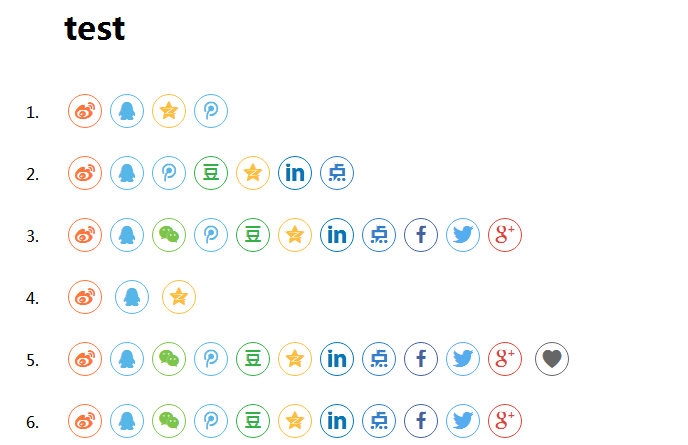
效果图如下:
代码如下:
<!DOCTYPE HTML>
<html style="padding-bottom: 54px;">
<head>
<meta charset="utf-8">
<meta name="viewport" content="width=device-width, initial-scale=1">
<meta http-equiv="X-UA-Compatible" content="IE=edge">
<meta name="renderer" content="webkit">
<title>jQuery分享插件jquery.share.js</title>
<meta name="description" content="jQuery分享插件jquery.share.js享到QQ、微信、微博、google、in、tweeter等" />
<meta name="keywords" content="分享插件,社会化分享,jquery.share.js,jquery,jquery插件" />
<link rel="Shortcut icon" href="http://www.jq22.com/favicon.ico" />
<link href="css/demo.css?v3" rel="stylesheet" media="all" />
<!--[if IE]> <style type="text/css">
li.purchase a {
padding-top: 5px;
background-position: 0px -4px;
} li.remove_frame a {
padding-top: 5px;
background-position: 0px -3px;
}
</style> <![endif]-->
<style>
.fdad a {
color: #000;
display: inline-block;
overflow: hidden;
text-overflow: ellipsis;
white-space: nowrap;
} .fdad {
top: 66px;
} .xgcj li {
font-size: 14px;
line-height: 20px;
list-style-type: none;
transition: all 1s ease 0s;
border-radius: 5px;
} .xgcj li:hover {
background-color: #e4e4e4;
} .xgcj {
background-color: rgba(255,255,255,.3);
overflow-x: hidden;
} .xgcj ul {
padding: 10px
} .xgcj h3 {
line-height: 30px;
} .xgcj p {
padding-left: 20px;
font-size: 13px;
display: none;
} .xgcj span {
font-family: "宋体";
} .xgcj li:hover p {
display: block;
}
</style>
<script type="text/javascript">
var txt = "http://www.jq22.com/demo/myshare201704242303";
window.g1 = txt.substr(0, 3);
window.g2 = txt.substr(0, 19);
</script>
<script src="js/pace.min.js" charset="gbk"></script>
<link href="css/pace-theme-barber-shop.css" rel="stylesheet" />
<script src="http://libs.baidu.com/jquery/1.7.0/jquery.min.js"></script>
<script src="js/jquery.qrcode.min.js"></script>
<script type="text/javascript"> var theme_list_open = false; $(document).ready(function () {
function fixHeight() {
var headerHeight = $("#switcher").height();
$("#iframe").attr("height", $(window).height() - 54 + "px");
}
$(window).resize(function () {
fixHeight();
}).resize(); $('.icon-monitor').addClass('active'); $(".icon-mobile-3").click(function () {
$("#by").css("overflow-y", "auto");
$('#iframe-wrap').removeClass().addClass('mobile-width-3');
$('.icon-tablet,.icon-mobile-1,.icon-monitor,.icon-mobile-2,.icon-mobile-3').removeClass('active');
$(this).addClass('active');
return false;
}); $(".icon-mobile-2").click(function () {
$("#by").css("overflow-y", "auto");
$('#iframe-wrap').removeClass().addClass('mobile-width-2');
$('.icon-tablet,.icon-mobile-1,.icon-monitor,.icon-mobile-2,.icon-mobile-3').removeClass('active');
$(this).addClass('active');
return false;
}); $(".icon-mobile-1").click(function () {
$("#by").css("overflow-y", "auto");
$('#iframe-wrap').removeClass().addClass('mobile-width');
$('.icon-tablet,.icon-mobile,.icon-monitor,.icon-mobile-2,.icon-mobile-3').removeClass('active');
$(this).addClass('active');
return false;
}); $(".icon-tablet").click(function () {
$("#by").css("overflow-y", "auto");
$('#iframe-wrap').removeClass().addClass('tablet-width');
$('.icon-tablet,.icon-mobile-1,.icon-monitor,.icon-mobile-2,.icon-mobile-3').removeClass('active');
$(this).addClass('active');
return false;
}); $(".icon-monitor").click(function () {
$("#by").css("overflow-y", "hidden");
$('#iframe-wrap').removeClass().addClass('full-width');
$('.icon-tablet,.icon-mobile-1,.icon-monitor,.icon-mobile-2,.icon-mobile-3').removeClass('active');
$(this).addClass('active');
return false;
});
});
</script>
<script type="text/javascript">
function Responsive($a) {
if ($a == true) $("#Device").css("opacity", "100");
if ($a == false) $("#Device").css("opacity", "0");
$('#iframe-wrap').removeClass().addClass('full-width');
$('.icon-tablet,.icon-mobile-1,.icon-monitor,.icon-mobile-2,.icon-mobile-3').removeClass('active');
$(this).addClass('active');
return false;
};
</script>
</head>
<body id="by" style="overflow-y: hidden">
<div id="switcher">
<div class="center">
<ul>
<li class="logoTop" id="sj2"><a href="http://www.jq22.com/jquery-info13612">jQuery分享插件jquery.share.js</a></li>
<div id="Device">
<li class="device-monitor"><a href="javascript:">
<div class="icon-monitor">
</div>
</a></li>
<li class="device-mobile"><a href="javascript:">
<div class="icon-tablet">
</div>
</a></li>
<li class="device-mobile"><a href="javascript:">
<div class="icon-mobile-1">
</div>
</a></li>
<li class="device-mobile-2"><a href="javascript:">
<div class="icon-mobile-2">
</div>
</a></li>
<li class="device-mobile-3"><a href="javascript:">
<div class="icon-mobile-3">
</div>
</a></li>
</div>
<li class="top2" id="sj"><a href="#">手机二维码预览</a><div class="vm">
<div id="output"></div>
<p style="color: #808080">扫一扫,直接在手机上打开</p>
</div>
</li>
<script>
jQuery('#output').qrcode({ width: 150, height: 150, text: window.location.href });
</script>
<li class="remove_frame" style="display:n"><a href="http://www.jq22.com/demo/myshare201704242303" title="移除框架"></a></li>
</ul>
</div>
</div>
<div id="iframe-wrap">
<iframe id="iframe" src="http://www.jq22.com/demo/myshare201704242303" frameborder="0" width="100%"></iframe>
</div>
<div class="fdad">
<div class="fdl">Advertisement</div>
<div class="fdr">x</div>
<div class="fdadnr">
<script async src="//pagead2.googlesyndication.com/pagead/js/adsbygoogle.js"></script> <ins class="adsbygoogle" style="display:inline-block;width:336px;height:280px" data-ad-client="ca-pub-2935286260943234" data-ad-slot="6063645905"></ins>
<script>
(adsbygoogle = window.adsbygoogle || []).push({});
</script>
<div class="xgcj">
<ul>
<div style="width:100%">
<div style="float:left"><h3>相关插件</h3></div>
<div style="clear: left;"></div>
</div>
<li>
<a href="http://www.jq22.com/jquery-info18298"><span>></span> jQuery前端excel导入插件xlsx.core.js</a>
<p>此插件作用可以把excel表,导入到网页中用table显示出来</p>
</li>
<li>
<a href="http://www.jq22.com/jquery-info14085"><span>></span> jQuery社会华分享插件</a>
<p>jQuery社会华分享插件支持微信,QQ,新浪,人人等</p>
</li>
<li>
<a href="http://www.jq22.com/jquery-info761"><span>></span> jQuery网站引导插件joyride</a>
<p>jQuery网站引导插件joyride</p>
</li>
<li>
<a href="http://www.jq22.com/jquery-info9389"><span>></span> html5读取二维码</a>
<p>手机端web调用摄像头读取解析二维码</p>
</li>
<li>
<a href="http://www.jq22.com/jquery-info17899"><span>></span> CSS3开关切换按钮</a>
<p>多组超具创意的CSS3开关切换按钮</p>
</li>
</ul>
</div>
</div>
<script type="text/javascript">
$(document).ready(function () {
$(".fdr").click(function () {
$(".fdad").hide();
});
});
</script>
<script>
var _hmt = _hmt || [];
(function () {
var hm = document.createElement("script");
hm.src = "//hm.baidu.com/hm.js?b3a3fc356d0af38b811a0ef8d50716b8";
var s = document.getElementsByTagName("script")[0];
s.parentNode.insertBefore(hm, s);
})();
</script>
</body>
</html>
Jquery分享插件的更多相关文章
- 分享7款非常实用的jQuery/CSS3插件演示和源码
上次我们分享了15款效果很酷的最新jQuery/CSS3特效,非常不错,今天要分享7个非常实用的jQuery/CSS3插件演示和源码,一起来看看. 1.jQuery ajax点击地图显示商家网点分布 ...
- 分享8款绚丽的HTML5/jQuery特效插件
有几天没有分享前端资源了,今天要向大家分享15款非常给力的HTML5/jQuery特效插件,废话少说,一起来看看. 1.CSS3图片重力感应特效 很酷的一款CSS3模拟重力感应特效,你可以拖动图片来甩 ...
- 分享一款页面视差滚动切换jquery.localscroll插件
今天给大家分享一款页面视差滚动切换jquery.localscroll插件. 滚动鼠标液动条看下页面的切换效果.该插件适用浏览器:IE8.360.FireFox.Chrome.Safari.Opera ...
- 分享在MVC3.0中使用jQuery DataTable 插件
前不久在网络上看见一个很不错的jQuery的DataTable表格插件.后来发现在MVC中使用该插件的文章并不多.本文将介绍在MVC3.0如何使用该插件.在介绍该插件之前先简单介绍一下,推荐该插件的原 ...
- 分享JQuery动画插件Velocity.js的六种列表加载特效
分享JQuery动画插件Velocity.js的六种列表加载特效.在这款实例中给中六种不同的列表加载效果.分别为从上飞入.从右侧飞入.从左侧飞入.和渐显.一起看下效果图: 在线预览 源码下载 实现 ...
- 《JQuery常用插件教程》系列分享专栏
<JQuery常用插件教程>已整理成PDF文档,点击可直接下载至本地查阅https://www.webfalse.com/read/201719.html 文章 使用jquery插件实现图 ...
- 15 款 jQuery 社交分享插件
过去几年中社交媒体越来越流行了,能够分享音乐.视频.图像甚至是其他的 docs 文档到互联网上去,这样子还能够提高页面的点击量.通常,一些社交媒体插件都能允许你的用户分享你网站上的内容到其他的社交平台 ...
- 雷林鹏分享:jQuery EasyUI 插件
jQuery EasyUI 插件 jQuery EasyUI 提供了用于创建跨浏览器网页的完整的组件集合,包括功能强大的 datagrid(数据网格).treegrid(树形表格). panel(面板 ...
- 使用jQuery.form插件,实现完美的表单异步提交
传送门:异步编程系列目录…… 时间真快,转眼一个月快结束了,一个月没写博客了!手开始生了,怎么开始呢…… 示例下载:使用jQuery.form插件,实现完美的表单异步提交.rar 月份的尾巴,今天的主 ...
随机推荐
- CSS魔法(五)项目实战
三大标签--title.description.keyword 淘宝网 <title>淘宝网 - 淘!我喜欢</title> <meta name="spm ...
- 12个实用的 JavaScript 框架分享给前端开发者
JavaScript库是预先编写的 JavaScript 工具代码,让开发者可以更容易开发 JavaScript 应用.这个列表我们列出了2017年1月份功能丰富的 JavaScript 库,可以帮助 ...
- springboot 02-PropertiesFile 自定义配置属性,多环境配置
application.properties: # 自定义配置 test.hello.world = HelloWorld test.person.name = 哈哈 test.person.sex ...
- hashMap源码分析1--翻译
* Hash table based implementation of the <tt>Map</tt> interface. This* implementation pr ...
- fail2ban 防爆破,防止CC 攻击
fail2ban fail2ban监视检测日志文件,根据匹配日志的错误信息(正则式匹配)执行相应的屏蔽动作. 可用来放置爆破 和 CC 攻击. 安装: yum install fail2ban -y ...
- visual studio code运行时报错,无法将“cnpm”项识别为 cmdlet、函数、脚本文件或可运行程序的名称,Cannot find module 'webpack'
前言 因公司技术需求,这段时间成功进入了Vue 2.0 的坑,刚用起Visual Studio Code,却发现问题很多,发现一个错误:cnpm : 无法将“cnpm”项识别为 cmdlet.函数.脚 ...
- ssm框架所需jar包整理及各jar包的作用
以下是我目前新搭建的ssm项目的pom.xml 之后如果需要其他的话再加 <?xml version="1.0" encoding="UTF-8"?> ...
- Spring整合Web项目原理-理解不了,忽略
- 主线程中的Looper.loop()一直无限循环为什么不会造成ANR
待归纳 https://www.jianshu.com/p/cfe50b8b0a41 https://blog.csdn.net/cjh94520/article/details/71022883 那 ...
- SpringBoot多模块搭建,依赖管理
1.创建springboot-multi-module父工程 File→New→Project 然后,Next,选择POM,其他名称自定义 Next→Finish. 说明:打开父工程的pom.xml ...