
关于Selenium WebDriver的geckodriver
下载Selenium的最新版本地址:http://selenium-release.storage.googleapis.com/index.html
友情提示:如果一直下载不了,可能是浏览器与下载工具的没有兼容,或者没安装下载工具的插件。用IE浏览器打开,可以完整下载。如果没有这个问题就忽略。
时至今日,Selenium已经到了3.3.1版了(2017年3月7日)。

自从Selenium3发布以来,火狐浏览器(Selenium支持火狐的技术最为成熟,因为可以方便获取从而控制网页信息,也是测试人员最喜欢用的浏览器之一)成为了一个普遍的问题。
因为Selenium3不支持向前支持火狐浏览器了,太高版本的火狐,运行会出现问题。
例如Java代码:(实现打开浏览器,输入"WebDriver",搜索后,关闭浏览器)
package com.selenium.test;

import org.openqa.selenium.By;

import org.openqa.selenium.WebDriver;

import org.openqa.selenium.WebElement;

import org.openqa.selenium.firefox.FirefoxDriver;

public class seleniumHello {

    public static void main(String[] args) {

        //如果火狐浏览器没有默认安装在C盘,需要自己确定其路径

        System.setProperty("webdriver.firefox.bin", "D:/Program Files/Mozilla Firefox/firefox.exe");

        //定义驱动对象为 FirefoxDriver 对象

        WebDriver driver = new FirefoxDriver();

        //打开的网址

        driver.get("http://www.baidu.com/");

        //定位输入框元素

        WebElement txtbox = driver.findElement(By.name("wd"));

        //在输入框输入文本

        txtbox.sendKeys("WebDriver");

        //定位按钮元素

        WebElement btn = driver.findElement(By.id("su"));

        //点击按钮

        btn.click();

        //关闭驱动

        driver.close();

    }

}</span>
友情提示:如果运行后,你发现只打开了浏览器,而没有打开网址。那么多数是版本问题:Selenium版本为3,或者火狐版本太高,一般Selenium2支持46以下的。
目前火狐版本是:50
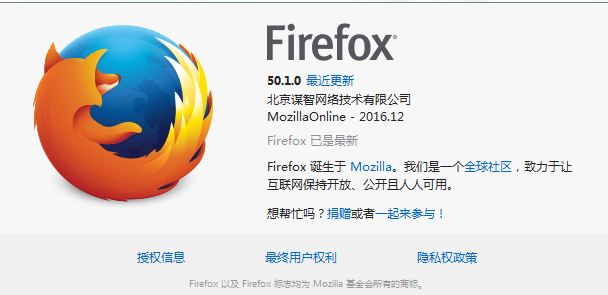
现在运行会发现问题,在console中出现的提示是:
Exception in thread "main" java.lang.IllegalStateException: The path to the driver executable must be set by the webdriver.gecko.driver system property; for more information, see https://github.com/mozilla/geckodriver. The latest version can be downloaded from https://github.com/mozilla/geckodriver/releases
这就是要求要安装geckodriver了(支持3.3.1)。
之前版本的Selenium客户端,遵循:W3C WebDriver specification 链接:https://w3c.github.io/webdriver/webdriver-spec.html
解决的办法就是:
1、到官网上下载与系统相应的最新版本geckodriver:https://github.com/mozilla/geckodriver/releases
从2015年4月9日的wires V0.1.0版,直到2017年3月8日的最新V0.15.0,走过了15次的版本更新。
2、解压后,将文件存放在自己设置的一个目录里。
例如,我下载的是windows版本,将其放在D:\selenium目录下,文件名为:geckodriver.exe
3、将代码改为如下:
package com.selenium.test;

import org.openqa.selenium.By;

import org.openqa.selenium.WebDriver;

import org.openqa.selenium.WebElement;

import org.openqa.selenium.firefox.FirefoxDriver;

public class seleniumHello {

    public static void main(String[] args){

        System.setProperty("webdriver.gecko.driver", "D:\\selenium\\geckodriver.exe");

        WebDriver driver=new FirefoxDriver();

        driver.get("http://www.baidu.com/");

        driver.manage().window().maximize();

        WebElement txtbox=driver.findElement(By.name("wd"));

        txtbox.sendKeys("WebDriver");

        WebElement btn=driver.findElement(By.id("su"));

        btn.click();

        driver.close();

    }

}
执行后,在控制台显示:
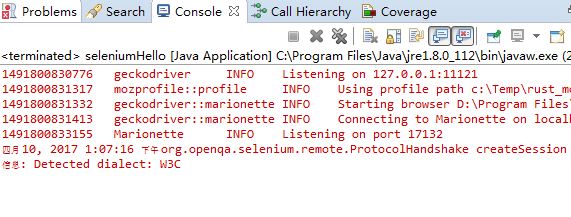
浏览器正常启动,并执行了搜索。

什么是Gecko和Gecko Driver
Gecko是由Mocilla开发的许多应用程序中的Web浏览器引擎。
Gecko则是一种介于你的Selenium的测试代码与Firfox浏览器之间的链接,是使用W3C
WebDriver兼容客户端的一种代理与Gecko核心浏览器交互。
火狐浏览器用可执行程序GeckoDriver.exe的方式执行WebDriver协议。所有的测试脚本都通过GeckoDriver来执行。
其他浏览器:Chrome
平时用的四款浏览器:Chrome、360、IE和火狐。
平时使用的话从稳定、速度实用的角度,推荐Chrome,打开谷歌也更稳定和顺畅。
这里也顺便提一下,Selenium webDriver 如何连上Chrome
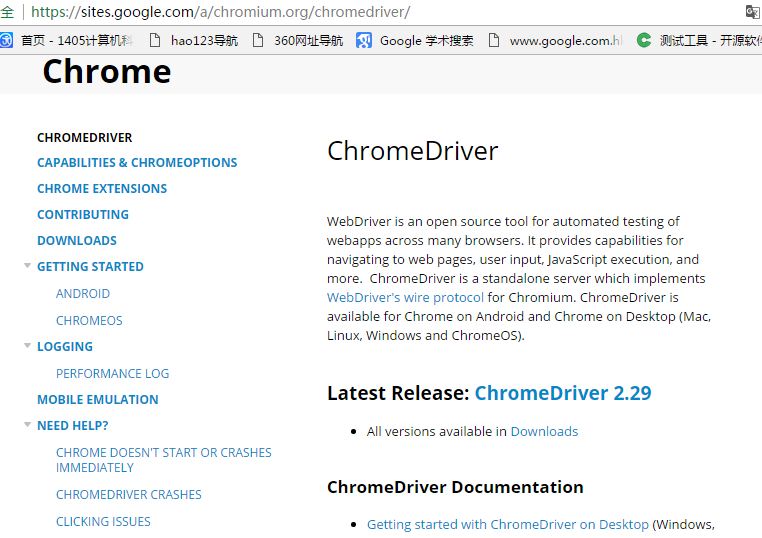
Chrome浏览器要下载一个ChromeDriver.exe
下载地址:https://sites.google.com/a/chromium.org/chromedriver/,目前最新版本是2.29
代码写为如下:
package com.selenium.test;

import org.openqa.selenium.By;

import org.openqa.selenium.WebDriver;

import org.openqa.selenium.WebElement;

import org.openqa.selenium.chrome.ChromeDriver;

public class seleniumHello {

    public static void main(String[] args){

        System.setProperty("webdriver.chrome.driver", "D:\\selenium\\ChromeDriver.exe");

        WebDriver driver=new ChromeDriver();

        driver.get("http://www.baidu.com/");

        driver.manage().window().maximize();

        WebElement txtbox=driver.findElement(By.name("wd"));

        txtbox.sendKeys("WebDriver");

        WebElement btn=driver.findElement(By.id("su"));

        btn.click();

        try {

            Thread.sleep(5000);

        } catch (InterruptedException e) {

            e.printStackTrace();

        }

        driver.close();

    }

}
就可以正常打开Chrome并进行搜索了。
关于Selenium WebDriver的geckodriver的更多相关文章
- 【转】Selenium WebDriver + Python 环境
转自:http://www.myext.cn/webkf/a_11878.html 1. 下载必要工具及安装包 1.1 [Python开发环境] 下载并安装Python 2.7.x版本 下载地址:ht ...
- selenium webdriver 启动三大浏览器Firefox,Chrome,IE
selenium webdriver 启动三大浏览器Firefox,Chrome,IE 1.安装selenium 在联网的情况下,在Windows命令行(cmd)输入pip install selen ...
- Java 学习笔记 (二) Selenium WebDriver Java 弹出框
下面这段实例实现了以下功能: 1. profile使用用户本地电脑上的 (selenium 3有问题.因为selenium 3把profile复制到一个temp文件夹里,但并不复制回去.所以每次打开仍 ...
- 【自动化测试&爬虫系列】Selenium Webdriver
文章来源:公众号-智能化IT系统. 一. Selenium Webdriver技术介绍 1. 简介 selenium Webdriver是一套针对不同浏览器而开发的web应用自动化测试代码库.使用这套 ...
- Python+selenium+webdriver 安装与环境配置
1.python安装:访问python.org/download,下载最新版本,安装过程与其他windows软件类似.记得下载后设置path环境变量,然后Windows命令行就可以调用: 2.Sele ...
- python2.7运行selenium webdriver api报错Unable to find a matching set of capabilities
在火狐浏览器33版本,python2.7运行selenium webdriver api报错:SessionNotCreatedException: Message: Unable to find a ...
- selenium webdriver操作各浏览器
描述 本文主要是针对Chrome 62 , firefox57 ,和IE11 三个版本的操作.相关的driver .可点击以下链接.所有的driver 建议放在浏览器的目录下,本文中所有的driver ...
- Selenium WebDriver的多浏览器测试
1. IE浏览器,需要配合下载IEDriverSever.exe的驱动程序,目前selenium支持IE9以上. (驱动程序下载链接:https://pan.baidu.com/s/1YpaUsIs1 ...
- selenium webdriver从安装到使用(python语言),显示等待和隐性等待用法,切换窗口或者frame,弹框处理,下拉菜单处理,模拟鼠标键盘操作等
selenium的用法 selenium2.0主要包含selenium IDE 和selenium webDriver,IDE有点类似QTP和LoadRunner的录制功能,就是firefox浏览器的 ...
随机推荐
- Django form表单功能的引用(注册,复写form.clean方法 增加 验证密码功能)
1. 在app下 新建 forms.py 定义表单内容,类型models from django import forms class RegisterForm(forms.Form): userna ...
- Java反射基础知识
反射机制就是可以把一个类,类的成员(属性.方法)当成一个对象来操作,也就是说,类,类的成员,我们在运行的时候可以动态的去操作它们. 所有的Java类都继承了Object类,在Object类中定义了一个 ...
- 监控服务器配置(三)-----Node_exporter安装配置
此安装主要是为了监控服务器运行状况 1.下载node_exporter安装包(linux版)到 /opt/minitor/node_exporter . 下载地址:https://download.c ...
- Tornado创建一个web服务
import tornado.web import tornado.ioloop import tornado.httpserver import tornado.options import con ...
- 20175325 《JAVA程序设计》实验二《JAVA开发环境的熟悉》实验报告
20175325 <JAVA程序设计>实验二<JAVA开发环境的熟悉>实验报告 一.实验报告封面 课程:Java程序设计 班级:1753班 姓名:石淦铭 学号:20175325 ...
- Codeforces 524 解题报告
打的很快乐的一次比赛hiahiahia, 才A掉4题rating就涨了100+ 距离比赛\(3\)天了, 由于博主实在太颓, 又补掉了\(E\)题, 到现在才发解题报告 A. 语法题, 读入输出就行了 ...
- 20172306 2018-2019-2 《Java程序设计与数据结构》第七周学习总结
20172306 2018-2019-2 <Java程序设计与数据结构>第七周学习总结 教材学习内容总结 概述 二叉查找树是一种含有附加属性的二叉树,即其左孩子小于父结点,而父结点又小于或 ...
- JAVA实现等腰三角形
class Triangle { public static void main(String[] args) { for(int a=0; b<5; a++)//这个代表只有四行 { for( ...
- C#的app.Config文件中设置,可以选择执行环境(左配置,有程序),app.Config中的appSettings首字母必须小写,符合源码要求
- 使用git提交项目到码云
1.下载git客户端工具(.exe) 点击安装 2.找到你存放项目的根目录(例如:e:/gittest) 3.在该根目录下,右键,选择“Git Bash Here” 4.出现命令行,输入初始化命令: ...