
Java调用FFmpeg进行视频处理及Builder设计模式的应用
1、FFmpeg是什么
2、Java调用FFmpeg

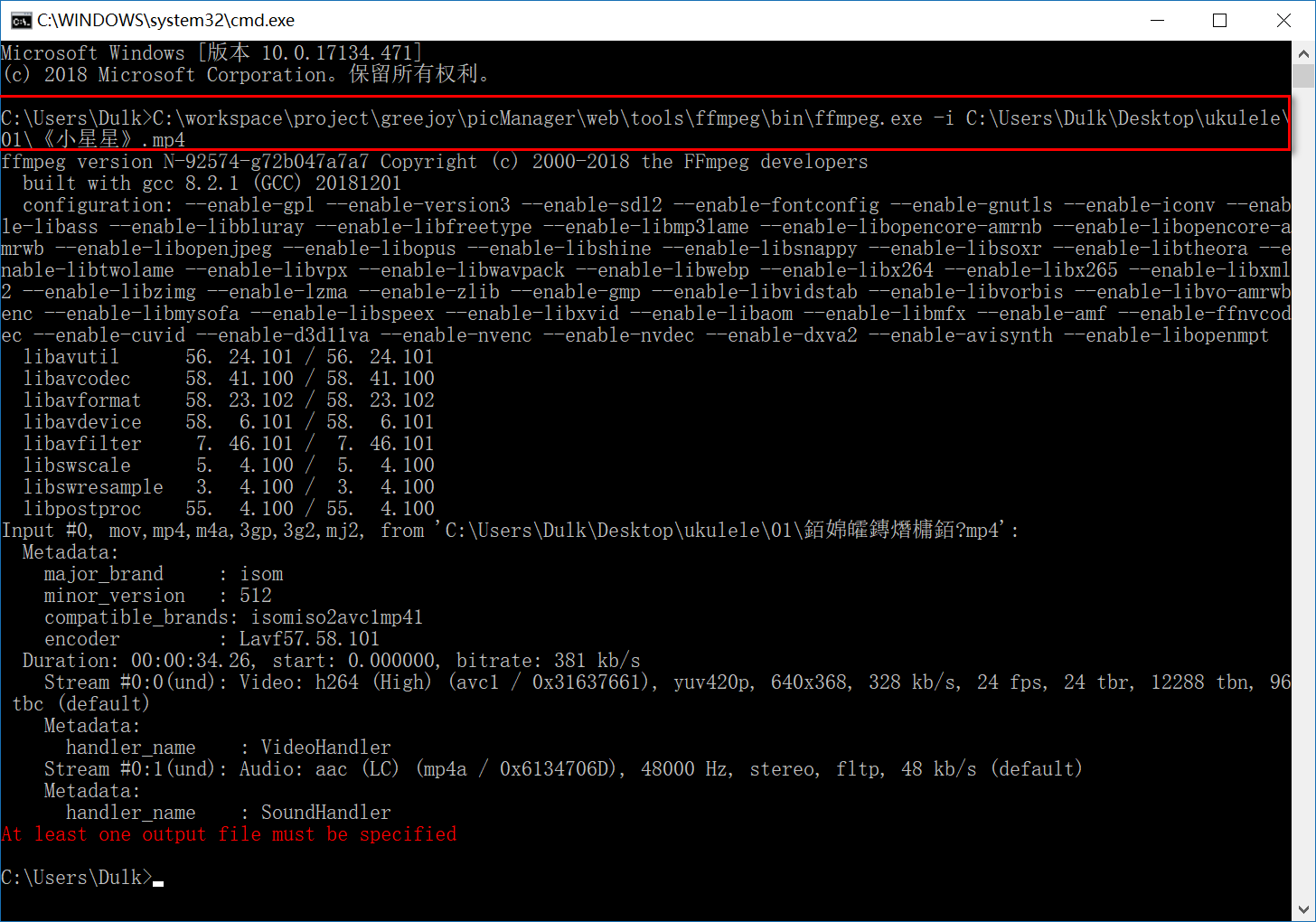
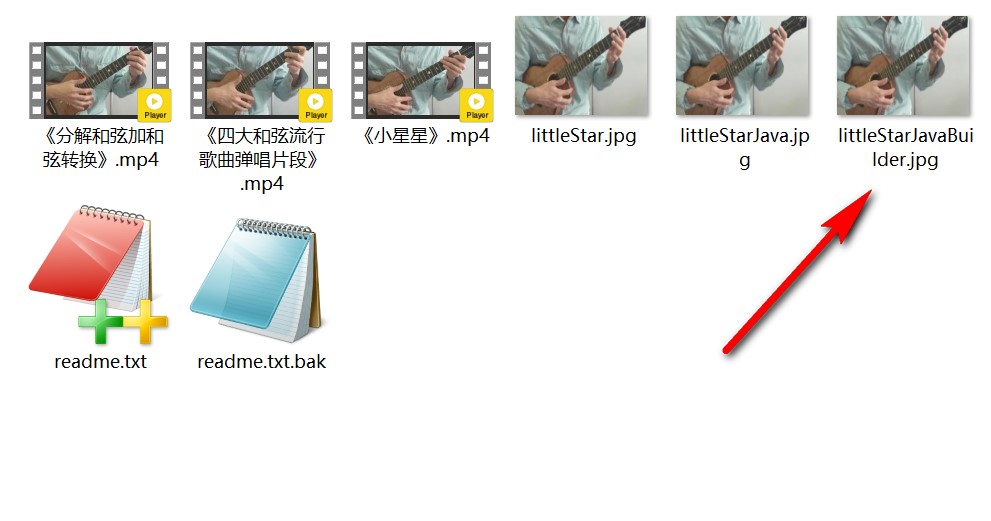
C:\workspace\project\greejoy\picManager\web\tools\ffmpeg\bin\ffmpeg.exe -i C:\Users\Dulk\Desktop\ukulele\01\《小星星》.mp4 -f image2 -ss 10 -t 0.001 -s 320*240 C:\Users\Dulk\Desktop\ukulele\01\littleStar.jpgC:\workspace\project\greejoy\picManager\web\tools\ffmpeg\bin\ffmpeg.exe -i C:\Users\Dulk\Desktop\ukulele\01\《小星星》.mp4 -f image2 -ss 10 -t 0.001 -s 320*240 C:\Users\Dulk\Desktop\ukulele\01\littleStar.jpg
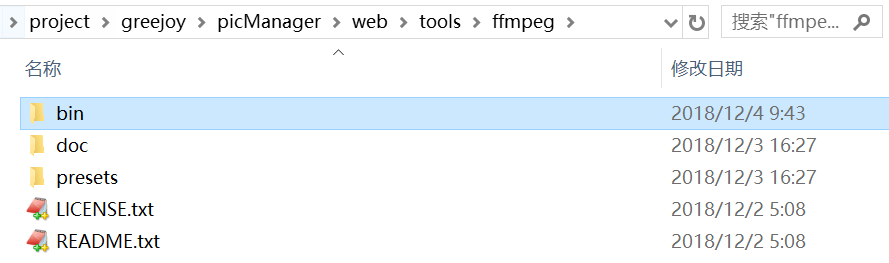
- C:\workspace\project\greejoy\picManager\web\tools\ffmpeg\bin\ffmpeg.exe 指 ffmpeg.exe 的路径
- C:\Users\Dulk\Desktop\ukulele\01\《小星星》.mp4 指源视频路径
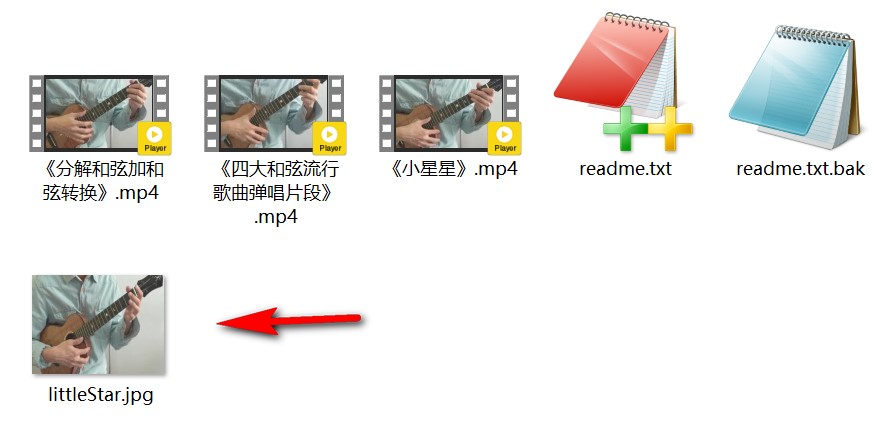
- C:\Users\Dulk\Desktop\ukulele\01\littleStar.jpg 指截图的输出路径
- -i 表示输入文件的命令
- -f 表示输出格式,image2表示输出为图片
- -ss 表示指定的起始位置,这里设置为10,即10s处
- -t 表示设置录制/转码时长,既然截图就0.001就足够了
- -s 表示size,设置帧大小
public class FFmpegTest {

    public static void main(String[] args) {

        String ffmpegExePath = "C:\\workspace\\project\\greejoy\\picManager\\web\\tools\\ffmpeg\\bin\\ffmpeg.exe";

        String inputFilePath = "C:\\Users\\Dulk\\Desktop\\ukulele\\01\\《小星星》.mp4";

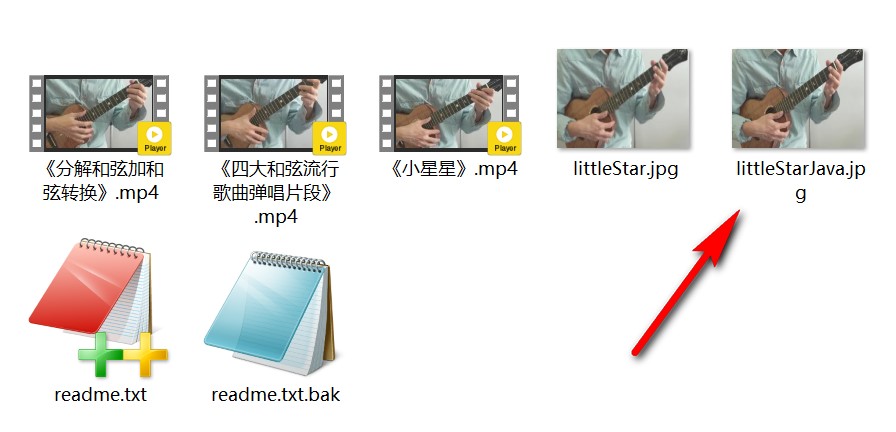
        String outputFilePath = "C:\\Users\\Dulk\\Desktop\\ukulele\\01\\littleStarJava.jpg";

        List<String> command = new ArrayList<String>();

        command.add(ffmpegExePath);

        command.add("-i");

        command.add(inputFilePath);

        command.add("-f");

        command.add("image2");

        command.add("-ss");

        command.add("10");

        command.add("-t");

        command.add("0.001");

        command.add("-s");

        command.add("320*240");

        command.add(outputFilePath);

        ProcessBuilder builder = new ProcessBuilder();

        builder.command(command);

        //正常信息和错误信息合并输出

        builder.redirectErrorStream(true);

        try {

            //开始执行命令

            Process process = builder.start();

            //如果你想获取到执行完后的信息,那么下面的代码也是需要的

            StringBuffer sbf = new StringBuffer();

            String line = null;

            BufferedReader br = new BufferedReader(new InputStreamReader(process.getInputStream()));

            while ((line = br.readLine()) != null) {

                sbf.append(line);

                sbf.append(" ");

            }

            String resultInfo = sbf.toString();

            System.out.println(resultInfo);

        } catch (IOException e) {

            e.printStackTrace();

        }

    }

}public class FFmpegTest {
public static void main(String[] args) {
String ffmpegExePath = "C:\\workspace\\project\\greejoy\\picManager\\web\\tools\\ffmpeg\\bin\\ffmpeg.exe";
String inputFilePath = "C:\\Users\\Dulk\\Desktop\\ukulele\\01\\《小星星》.mp4";
String outputFilePath = "C:\\Users\\Dulk\\Desktop\\ukulele\\01\\littleStarJava.jpg";
List<String> command = new ArrayList<String>();

command.add(ffmpegExePath);

command.add("-i");

command.add(inputFilePath);

command.add("-f");

command.add("image2");

command.add("-ss");

command.add("10");

command.add("-t");

command.add("0.001");

command.add("-s");

command.add("320*240");

command.add(outputFilePath);
ProcessBuilder builder = new ProcessBuilder();
builder.command(command);
//正常信息和错误信息合并输出
builder.redirectErrorStream(true);
try {
//开始执行命令
Process process = builder.start();
//如果你想获取到执行完后的信息,那么下面的代码也是需要的
StringBuffer sbf = new StringBuffer();
String line = null;
BufferedReader br = new BufferedReader(new InputStreamReader(process.getInputStream()));
while ((line = br.readLine()) != null) {
sbf.append(line);
sbf.append(" ");
}
String resultInfo = sbf.toString();
System.out.println(resultInfo);
} catch (IOException e) {
e.printStackTrace();
}
}
}

- 操作执行信息的读取是分为正常信息和错误信息,分别需要使用 getInputStream() 和 getErrorStream() 读取,上例使用了 builder.redirectErrorStream(true); 将两者合并输出
- 如果要使用 Process.waitFor() 则需要小心阻塞问题,此处不展开(FFmpeg在JAVA中的使用以及Process.waitFor()引发的阻塞问题)
3、Builder设计模式的应用
List<String> command = new ArrayList<String>();
command.add(ffmpegExePath);
command.add("-i");
command.add(inputFilePath);
command.add("-f");
command.add("image2");
command.add("-ss");
command.add("10");
command.add("-t");
command.add("0.001");
command.add("-s");
command.add("320*240");
command.add(outputFilePath);List<String> command = new ArrayList<String>();
command.add(ffmpegExePath);
command.add("-i");
command.add(inputFilePath);
command.add("-f");
command.add("image2");
command.add("-ss");
command.add("10");
command.add("-t");
command.add("0.001");
command.add("-s");
command.add("320*240");
command.add(outputFilePath);
/**

 * FFmpeg命令的封装类

 */

public class FFmpegCommand {

    private List<String> command;

    public FFmpegCommand(List<String> command) {

        this.command = command == null ? new ArrayList<String>() : command;

    }

    public List<String> getCommand() {

        return command;

    }

    public void setCommand(List<String> command) {

        this.command = command;

    }

    /**

     * 开始执行命令

     *

     * @param callback 回调

     * @return 命令的信息输出

     * @throws FFmpegCommandException

     */

    public String start(FFmpegCallback callback) throws FFmpegCommandException {

        BufferedReader br = null;

        StringBuffer sbf = new StringBuffer();

        String resultInfo = null;

        try {

            ProcessBuilder builder = new ProcessBuilder();

            builder.command(command);

            //正常信息和错误信息合并输出

            builder.redirectErrorStream(true);

            //开启执行子线程

            Process process = builder.start();

            String line = null;

            br = new BufferedReader(new InputStreamReader(process.getInputStream()));

            while ((line = br.readLine()) != null) {

                sbf.append(line);

                sbf.append(" ");

            }

            resultInfo = sbf.toString();

            //等待命令子线程执行完成

            int exitValue = process.waitFor();

            //完成后执行回调

            if (exitValue == 0 && callback != null) {

                callback.complete(resultInfo);

            }

            //销毁子线程

            process.destroy();

        } catch (IOException e) {

            e.printStackTrace();

            throw new FFmpegCommandException(e.getMessage());

        } catch (InterruptedException e) {

            e.printStackTrace();

            throw new FFmpegCommandException("线程阻塞异常:" + e.getMessage());

        } finally {

            try {

                if (br != null) {

                    br.close();

                }

            } catch (IOException e) {

                e.printStackTrace();

            }

        }

        return resultInfo;

    }

}/**
* FFmpeg命令的封装类
*/
public class FFmpegCommand {
private List<String> command;
public FFmpegCommand(List<String> command) {
this.command = command == null ? new ArrayList<String>() : command;
}
public List<String> getCommand() {
return command;
}
public void setCommand(List<String> command) {
this.command = command;
}
/**
* 开始执行命令
*
* @param callback 回调
* @return 命令的信息输出
* @throws FFmpegCommandException
*/
public String start(FFmpegCallback callback) throws FFmpegCommandException {
BufferedReader br = null;
StringBuffer sbf = new StringBuffer();
String resultInfo = null;
try {
ProcessBuilder builder = new ProcessBuilder();
builder.command(command);
//正常信息和错误信息合并输出
builder.redirectErrorStream(true);
//开启执行子线程
Process process = builder.start();
String line = null;
br = new BufferedReader(new InputStreamReader(process.getInputStream()));
while ((line = br.readLine()) != null) {
sbf.append(line);
sbf.append(" ");
}
resultInfo = sbf.toString();
//等待命令子线程执行完成
int exitValue = process.waitFor();
//完成后执行回调
if (exitValue == 0 && callback != null) {
callback.complete(resultInfo);
}
//销毁子线程
process.destroy();
} catch (IOException e) {
e.printStackTrace();
throw new FFmpegCommandException(e.getMessage());
} catch (InterruptedException e) {
e.printStackTrace();
throw new FFmpegCommandException("线程阻塞异常:" + e.getMessage());
} finally {
try {
if (br != null) {
br.close();
}
} catch (IOException e) {
e.printStackTrace();
}
}
return resultInfo;
}
}
public class FFmpegCommandBuilder {

    List<String> command = new ArrayList<String>();

    public FFmpegCommandBuilder(String exePath) {

        if (exePath == null) {

            throw new FFmpegCommandRuntimeException("ffmpeg.exe 路径不得为空");

        }

        //添加命令的exe执行文件位置

        command.add(exePath);

    }

    /**

     * 添加输入文件的路径

     *

     * @param inputFilePath

     */

    public FFmpegCommandBuilder input(String inputFilePath) {

        if (inputFilePath != null) {

            command.add("-i");

            command.add(inputFilePath);

        }

        return this;

    }

    /**

     * 添加输出文件的路径

     *

     * @param outputFilePath

     */

    public FFmpegCommandBuilder output(String outputFilePath) {

        if (outputFilePath != null) {

            command.add(outputFilePath);

        }

        return this;

    }

    /**

     * 覆盖输出文件

     */

    public FFmpegCommandBuilder override() {

        command.add("-y");

        return this;

    }

    /**

     * 强制输出格式

     *

     * @param format 输出格式

     */

    public FFmpegCommandBuilder format(FFmpegCommandFormatEnum format) {

        if (format != null) {

            command.add("-f");

            command.add(format.getValue());

        }

        return this;

    }

    /**

     * 设置录制/转码的时长

     *

     * @param duration 形如 0.001 表示0.001秒,hh:mm:ss[.xxx]格式的记录时间也支持

     */

    public FFmpegCommandBuilder duration(String duration) {

        if (duration != null) {

            command.add("-t");

            command.add(duration);

        }

        return this;

    }

    /**

     * 搜索到指定的起始时间

     *

     * @param position 形如 17 表示17秒,[-]hh:mm:ss[.xxx]的格式也支持

     */

    public FFmpegCommandBuilder position(String position) {

        if (position != null) {

            command.add("-ss");

            command.add(position);

        }

        return this;

    }

    /**

     * 设置帧大小

     *

     * @param size 形如 xxx*xxx

     * @return

     */

    public FFmpegCommandBuilder size(String size) {

        if (size != null) {

            command.add("-s");

            command.add(size);

        }

        return this;

    }

    /**

     * 创建FFmpegCommand命令封装类

     *

     * @return FFmpegCommand

     */

    public FFmpegCommand build() {

        return new FFmpegCommand(command);

    }

}public class FFmpegCommandBuilder {
List<String> command = new ArrayList<String>();
public FFmpegCommandBuilder(String exePath) {
if (exePath == null) {
throw new FFmpegCommandRuntimeException("ffmpeg.exe 路径不得为空");
}
//添加命令的exe执行文件位置
command.add(exePath);
}
/**
* 添加输入文件的路径
*
* @param inputFilePath
*/
public FFmpegCommandBuilder input(String inputFilePath) {
if (inputFilePath != null) {
command.add("-i");
command.add(inputFilePath);
}
return this;
}
/**
* 添加输出文件的路径
*
* @param outputFilePath
*/
public FFmpegCommandBuilder output(String outputFilePath) {
if (outputFilePath != null) {
command.add(outputFilePath);
}
return this;
}
/**
* 覆盖输出文件
*/
public FFmpegCommandBuilder override() {
command.add("-y");
return this;
}
/**
* 强制输出格式
*
* @param format 输出格式
*/
public FFmpegCommandBuilder format(FFmpegCommandFormatEnum format) {
if (format != null) {
command.add("-f");
command.add(format.getValue());
}
return this;
}
/**
* 设置录制/转码的时长
*
* @param duration 形如 0.001 表示0.001秒,hh:mm:ss[.xxx]格式的记录时间也支持
*/
public FFmpegCommandBuilder duration(String duration) {
if (duration != null) {
command.add("-t");
command.add(duration);
}
return this;
}
/**
* 搜索到指定的起始时间
*
* @param position 形如 17 表示17秒,[-]hh:mm:ss[.xxx]的格式也支持
*/
public FFmpegCommandBuilder position(String position) {
if (position != null) {
command.add("-ss");
command.add(position);
}
return this;
}
/**
* 设置帧大小
*
* @param size 形如 xxx*xxx
* @return
*/
public FFmpegCommandBuilder size(String size) {
if (size != null) {
command.add("-s");
command.add(size);
}
return this;
}
/**
* 创建FFmpegCommand命令封装类
*
* @return FFmpegCommand
*/
public FFmpegCommand build() {
return new FFmpegCommand(command);
}
}
public class FFmpegBuilderTest {

    public static void main(String[] args) {

        String ffmpegExePath = "C:\\workspace\\project\\greejoy\\picManager\\web\\tools\\ffmpeg\\bin\\ffmpeg.exe";

        String inputFilePath = "C:\\Users\\Dulk\\Desktop\\ukulele\\01\\《小星星》.mp4";

        String outputFilePath = "C:\\Users\\Dulk\\Desktop\\ukulele\\01\\littleStarJavaBuilder.jpg";

        FFmpegCommandBuilder builder = new FFmpegCommandBuilder(ffmpegExePath);

        builder.input(inputFilePath).format(FFmpegCommandFormatEnum.IMAGE)

               .position("10").duration("0.001").size("320*240").output(outputFilePath);

        FFmpegCommand command = builder.build();

        try {

            String result = command.start(null);

            System.out.println(result);

        } catch (FFmpegCommandException e) {

            e.printStackTrace();

        }

    }

}public class FFmpegBuilderTest {
public static void main(String[] args) {
String ffmpegExePath = "C:\\workspace\\project\\greejoy\\picManager\\web\\tools\\ffmpeg\\bin\\ffmpeg.exe";
String inputFilePath = "C:\\Users\\Dulk\\Desktop\\ukulele\\01\\《小星星》.mp4";
String outputFilePath = "C:\\Users\\Dulk\\Desktop\\ukulele\\01\\littleStarJavaBuilder.jpg";
FFmpegCommandBuilder builder = new FFmpegCommandBuilder(ffmpegExePath);
builder.input(inputFilePath).format(FFmpegCommandFormatEnum.IMAGE)
.position("10").duration("0.001").size("320*240").output(outputFilePath);
FFmpegCommand command = builder.build();
try {
String result = command.start(null);
System.out.println(result);
} catch (FFmpegCommandException e) {
e.printStackTrace();
}
}
}

Java调用FFmpeg进行视频处理及Builder设计模式的应用的更多相关文章
- java调用ffmpeg获取视频文件信息的一些参数
一.下载ffmpeg http://www.ffmpeg.org/download.html 主要需要bin目录下的ffmpeg可执行文件 二.java代码实现 package com.aw.util ...
- Java调用ffmepg+mencoder视频格式转换(*)
PS: 建议大家在官网下载最新的资源 其他格式转FLV格式,可以用Java调用ffmpeg和memcoder实现 ffmepg: D:\ffmpeg\bin\ffmpeg.exe -i E:\1.mp ...
- Java使用FFmpeg处理视频文件指南
Java使用FFmpeg处理视频文件指南 本文主要讲述如何使用Java + FFmpeg实现对视频文件的信息提取.码率压缩.分辨率转换等功能: 之前在网上浏览了一大圈Java使用FFmpeg处理音视频 ...
- Java使用FFmpeg处理视频文件的方法教程
这篇文章主要给大家介绍了关于Java使用FFmpeg处理视频文件的相关资料,文中通过示例代码介绍的非常详细,对大家的学习或者工作具有一定的参考学习价值,需要的朋友们下面来一起学习学习吧 前言 本文主要 ...
- Java+Windows+ffmpeg实现视频转换
最近由于项目需要,研究了一下如何用Java实现视频转换,“着实”废了点心思,整理整理,写出给自己备忘下. 思路 由于之前没有没法过相关功能的经验,一开始来真不知道从哪里入手.当然,这个解决,googl ...
- java调用ffmpeg命令行推流遇到的问题
1.Java调用命令行,如果没有额外环境变量,不指定工作路径,Runtime有两个方法 public Process exec(String command) public Process exec( ...
- NET 2.0(C#)调用ffmpeg处理视频的方法
另外:ffmpeg的net封装库 http://www.intuitive.sk/fflib/ NET 2.0 调用FFMPEG,并异步读取输出信息的代码...public void ConvertV ...
- .Net调用ffmpeg对视频截图
2019/10/27, .Net c#代码片段 摘要:借助ffmpeg对视频/图片截图.生成缩略图,使用命令行调用ffmpeg工具,支持Linux和Windows 网上很多版本都是需要等待4s的做法, ...
- java调用FFmpeg及mencoder转换视频为FLV并截图
Conver.java package com.ll19.flv; public class Conver { public void run() { try { // 转换并截图 String fi ...
随机推荐
- SQL分组函数
分组函数是对表中的多行进行操作,而每组返回一个计算结果.常用的分组函数包括: 函数 语法格式 函数描述以及注意事项 AVG AVG([distinct|all] expr) 返回一个数字列或计算列的平 ...
- mybatis的三种批量插入以及次效率比较
1.表结构 CREATE TABLE `t_user` ( `id` varchar(32) CHARACTER SET utf8 NOT NULL COMMENT '主键', `name` varc ...
- RobotFramework RobotFramework官方demo Quick Start Guide浅析
RobotFramework官方demo Quick Start Guide浅析 by:授客 QQ:1033553122 博客:http://blog.sina.com.cn/ishouk ...
- 腾讯云 Game-Tech 技术沙龙小游戏专场“空降”长沙
欢迎大家前往腾讯云+社区,获取更多腾讯海量技术实践干货哦~ 本文由腾讯游戏云发表于云+社区专栏 小游戏作为今年快速成长的新生态,在开放进入市场之后持续成为行业热点,获得了游戏开发商的高度关注与参与.在 ...
- Android广播机制的基本使用
一提到广播我们第一感觉就会联想到小时候村里面的广播,安卓的广播机制也是类似于大喇叭.有发送广播的地方,也有接收广播的地方.但是具体怎么操作呢,我们来一步一步的看下去~ 安卓的广播种类 系统发送的广播: ...
- DAY3(PYTHON)字符串切片
字符串调整: capitalize() #首字母大写 upper() #全大写 lower() #全小写 swapcase() #大小写翻转 字符串切片: 顾头不顾尾!!! ...
- mysql 执行语句
连接数据库: $con = mysql_connect(服务器地址,用户名,密码): 选择数据库: $select = mysql_select_db(数据库名称); $select = mysql_ ...
- Oracle解锁scott用户
解决: (1)conn sys/sys as sysdba;//以DBA的身份登录 (2)alter user scott account unlock;// 然后解锁 (3)conn scott/t ...
- OAF--基础
OAF是WEB界面,FORM是由JDK将FORM里面的东西插入到HTML UI里的: OAF由 Oracle Business Components for JAVA(BC4J)框架作为其模型部分,完 ...
- SqlServer-RBAC五表权限
这只是一个精简的SqlServer-RBAC五表权限,根据自身需求修改即可 --创建数据库-权限CREATE DATABASE RBACGOUSE RBACGO --1.权限表CREATE TABLE ...