
css未知宽高的盒子div居中的多种方法
不知道盒子大小、宽高时,如何让盒子上下左右居中?
应用场景:比如上传图片时,并不知道图片的大小,但要求图片显示在某盒子的正中央。
方法1:让4周的拉力均匀-常用
<!--

Author: XiaoWen

Create a file: 2017-01-13 13:46:47

Last modified: 2017-01-13 14:05:04

Start to work:

Finish the work:

Other information:

-->

<!DOCTYPE html>

<html lang="en">

<head>

  <meta charset="UTF-8">

  <title>Document</title>

  <style>

    *{

      margin:0;

      padding:0;

    }

    #box1{

      width: 100px;

      height: 100px;

      background: #ccc;

      position:relative;

    }

    #box2{

      width: 20px;

      height: 20px;

      background: #f00;

      position:absolute;

      top:0; /* 四周拉力相同 */

      right:0; /* 四周拉力相同 */

      bottom:0; /* 四周拉力相同 */

      left:0; /* 四周拉力相同 */

      margin:auto; /* 再设置 marign 自动 */

    }

  </style>

</head>

<body>

  <div id="box1">

    <div id="box2"></div>

  </div>

</body>

</html>
方法2:c3的属性,移动自己大小的一半
<!--

Author: XiaoWen

Create a file: 2017-01-13 13:46:47

Last modified: 2017-01-13 14:07:09

Start to work:

Finish the work:

Other information:

-->

<!DOCTYPE html>

<html lang="en">

<head>

  <meta charset="UTF-8">

  <title>Document</title>

  <style>

    *{

      margin:0;

      padding:0;

    }

    #box1{

      width: 100px;

      height: 100px;

      background: #ccc;

      position:relative;

    }

    #box2{

      width: 20px;

      height: 20px;

      background: #f00;

      position:absolute;

      top:50%;

      left:50%;

      transform:translate(-50%,-50%);

    }

  </style>

</head>

<body>

  <div id="box1">

    <div id="box2"></div>

  </div>

</body>

</html>
知道自身高度的情况下,使用负边距,-margin自身高度的一半
<!--

Author: XiaoWen

Create a file: 2017-01-13 13:46:47

Last modified: 2017-01-13 14:02:45

Start to work:

Finish the work:

Other information:

-->

<!DOCTYPE html>

<html lang="en">

<head>

  <meta charset="UTF-8">

  <title>Document</title>

  <style>

    *{

      margin:0;

      padding:0;

    }

    #box1{

      width: 100px;

      height: 100px;

      background: #ccc;

      position:relative;

    }

    #box2{

      width: 20px;

      height: 20px;

      background: #f00;

      position:absolute;

      left:50%;

      top:50%;

      margin-left:-10px; /* 知道自己大小的情况,自身高度的一半 */

      margin-top:-10px; /* 知道自己大小的情况,自身高度的一半 */

    }

  </style>

</head>

<body>

  <div id="box1">

    <div id="box2"></div>

  </div>

</body>

</html>
2017-03-18
看到这篇文章有这么多方法,保存一下。
原:http://www.cnblogs.com/hutuzhu/p/4450850.html
垂直居中是布局中十分常见的效果之一,为实现良好的兼容性,PC端实现垂直居中的方法一般是通过绝对定位,table-cell,负边距等方法。有了css3,针对移动端的垂直居中就更加多样化。
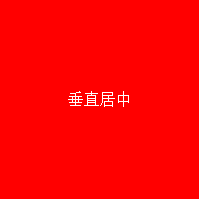
方法1:table-cell
html结构:
<div class="box box1">

		<span>垂直居中</span>

</div>
css:
.box1{

	display: table-cell;

	vertical-align: middle;

	text-align: center;

}
方法2:display:flex
.box2{

	display: flex;

	justify-content:center;

	align-items:Center;

}
方法3:绝对定位和负边距
.box3{position:relative;}
.box3 span{

            position: absolute;

            width:100px;

            height: 50px;

            top:50%;

            left:50%;

            margin-left:-50px;

            margin-top:-25px;

            text-align: center;

        }
方法4:绝对定位和0
.box4 span{

  width: 50%;

  height: 50%;

  background: #000;

  overflow: auto;

  margin: auto;

  position: absolute;

  top: 0; left: 0; bottom: 0; right: 0;

}
这种方法跟上面的有些类似,但是这里是通过margin:auto和top,left,right,bottom都设置为0实现居中,很神奇吧。不过这里得确定内部元素的高度,可以用百分比,比较适合移动端。
方法5:translate
.box6 span{

			position: absolute;

			top:50%;

			left:50%;

			width:100%;

			transform:translate(-50%,-50%);

			text-align: center;

		}
这实际上是方法3的变形,移位是通过translate来实现的。
方法6:display:inline-block
.box7{

  text-align:center;

  font-size:0;

}

.box7 span{

  vertical-align:middle;

  display:inline-block;

  font-size:16px;

}

.box7:after{

  content:'';

  width:0;

  height:100%;

  display:inline-block;

  vertical-align:middle;

}
这种方法确实巧妙...通过:after来占位。
方法7:display:flex和margin:auto
.box8{

	display: flex;

	text-align: center;

}

.box8 span{margin: auto;}
方法8:display:-webkit-box
.box9{

    display: -webkit-box;

    -webkit-box-pack:center;

    -webkit-box-align:center;

    -webkit-box-orient: vertical;

    text-align: center

}
css3博大精深,可以实现很多创造性的效果,需要好好研究下。
今天又发现一种方法,现在补上:
方法9:display:-webkit-box
这种方法,在 content 元素外插入一个 div。设置此 div height:50%; margin-bottom:-contentheight;。
content 清除浮动,并显示在中间。
<div class="floater"></div>

<div class="content"> Content here </div>
.floater {

    float:left;

    height:50%;

    margin-bottom:-120px;

}

.content {

    clear:both;

    height:240px;

    position:relative;

}
优点:
适用于所有浏览器
没有足够空间时(例如:窗口缩小) content 不会被截断,滚动条出现
缺点:
唯一我能想到的就是需要额外的空元素了(也没那么糟,又是另外一个话题)
css未知宽高的盒子div居中的多种方法的更多相关文章
- CSS未知宽高元素水平垂直居中
方法一 :table.cell-table 思路:显示设置父元素为:table,子元素为:cell-table,这样就可以使用vertical-align: center,实现水平居中优点:父元素(p ...
- css 宽高自适应的div 元素 如何居中 垂直居中
在我们 编写css 样式的时候经常会遇见一个问题 那就是一个 宽高未知的元素 要让他 垂直居中如何实现这个呢 下面是我常用的两种方法 上代码 下面的是 结构代码 <div class=" ...
- div+css实现未知宽高元素垂直水平居中
div+css实现未知宽高元素垂直水平居中.很多同学在面试的时候都会遇到这样的问题:怎么用div+css的方法实现一个未知宽高的弹出框(或者图片)垂直水平居中??如果用JS的话就好办了,但是JS的使用 ...
- 未知宽高div水平垂直居中3种方法
<!DOCTYPE html> <html> <head> <meta charset="utf-8" /> </head&g ...
- table-cell实现未知宽高图片,文本水平垂直居中在div
<BODY> <h1>未知宽高的图片水平垂直居中在div</h1> <!--box-outer--> <div class="box-o ...
- 已知宽高和未知宽高的div块的水平垂直居中
//已知宽高的情况 .div1_container{ border:1px solid #00ee00; height:300px; position:relative; } ...
- 前端之css(宽高)设置小技巧
一.css宽高自适应: 1.宽度自适应: 元素宽度设为100%(块状元素的默认宽度为100%) 注:应用在通栏效果中 2.高度自适应: height:auto;或者不设置高度 3.最小,最大高度,最小 ...
- js实现未知宽高的元素在指定元素中垂直水平居中
js实现未知宽高的元素在指定元素中垂直水平居中:本章节介绍一下如何实现未知宽高的元素在指定元素下实现垂直水平居中效果,下面就以span元素为例子,介绍一下如何实现span元素在div中实现水平垂直居中 ...
- DIV居中的经典方法
1. 实现DIV水平居中 设置DIV的宽高,使用margin设置边距0 auto,CSS自动算出左右边距,使得DIV居中. 1 div{ 2 width: 100px; 3 height: 100px ...
随机推荐
- python startswith() 函数
startswith() 作用:判断字符串是否以指定字符或子字符串开头 >>> s = "my name is ming" >>> >&g ...
- C#webBrowser使用代理服务器的方法winform
其实在C#中使用webBrowser大家应该都会了,论坛也有很多相前的例子大家可以查询一下就知道了但是像直接使用浏览器一样设置代理 的方法可能很多人还不知道吧.这个其实是调用一个Dll文件进行设置的, ...
- Selenium Webdriver——操作隐藏的元素(三)switchTo().frame()
在web 应用中经常会遇到frame 嵌套页面的应用,页WebDriver 每次只能在一个页面上识别元素,对于frame 嵌套内的页面上的元素,直接定位是定位是定位不到的.这个时候就需要通过switc ...
- 怎么在jquery里清空文本框的内容
$("input[name='test']").val("").focus(); // 将name=test的文本框清空并获得焦点,以便重新输入
- thinkphp 隐藏表单验证原理
function savetoken() //创建session('hash') ,然后在魔板中表单中加入隐藏域 getsession('hash'),提交表单验证值是否一样,如果一样验证通过,同时重 ...
- Perl中的输入输出流(三)
Perl中读取标准输入:<STDIN> foreach (<STDIN>) { print "I saw $_";} 钻石操作符<>:它的参数 ...
- 跑道标识和那些复杂的灯光系统 and 简介、编号、参数、标志及数量 and 飞机跑道标准与参数
http://www.360doc.com/content/16/0616/12/32670666_568219786.shtml http://news.carnoc.com/list/365/36 ...
- python+Django框架运用(三)
Django模型 模式指的是根据数据库中数据表的结构来创建出来的class,每一张表到Python中就是一个 class,表中的每一个列,到Python中就是class的一个属性. 在模型中可以完成对 ...
- pandas练习(三)------ 数据分组
探索酒类消费数据 相关数据见(github) 步骤1 - 导入pandas库 import pandas as pd 步骤2 - 数据集 path3 = "./data/drinks.csv ...
- web前端----响应式布局
响应式开发 为什么要进行响应式开发? 随着移动设备的流行,网页设计必须要考虑到移动端的设计.同一个网站为了兼容PC端和移动端显示,就需要进行响应式开发. 什么是响应式? 利用媒体查询,让同一个网站兼容 ...