
css未知宽高的盒子div居中的多种方法
不知道盒子大小、宽高时,如何让盒子上下左右居中?
应用场景:比如上传图片时,并不知道图片的大小,但要求图片显示在某盒子的正中央。
方法1:让4周的拉力均匀-常用
<!--

Author: XiaoWen

Create a file: 2017-01-13 13:46:47

Last modified: 2017-01-13 14:05:04

Start to work:

Finish the work:

Other information:

-->

<!DOCTYPE html>

<html lang="en">

<head>

  <meta charset="UTF-8">

  <title>Document</title>

  <style>

    *{

      margin:0;

      padding:0;

    }

    #box1{

      width: 100px;

      height: 100px;

      background: #ccc;

      position:relative;

    }

    #box2{

      width: 20px;

      height: 20px;

      background: #f00;

      position:absolute;

      top:0; /* 四周拉力相同 */

      right:0; /* 四周拉力相同 */

      bottom:0; /* 四周拉力相同 */

      left:0; /* 四周拉力相同 */

      margin:auto; /* 再设置 marign 自动 */

    }

  </style>

</head>

<body>

  <div id="box1">

    <div id="box2"></div>

  </div>

</body>

</html>
方法2:c3的属性,移动自己大小的一半
<!--

Author: XiaoWen

Create a file: 2017-01-13 13:46:47

Last modified: 2017-01-13 14:07:09

Start to work:

Finish the work:

Other information:

-->

<!DOCTYPE html>

<html lang="en">

<head>

  <meta charset="UTF-8">

  <title>Document</title>

  <style>

    *{

      margin:0;

      padding:0;

    }

    #box1{

      width: 100px;

      height: 100px;

      background: #ccc;

      position:relative;

    }

    #box2{

      width: 20px;

      height: 20px;

      background: #f00;

      position:absolute;

      top:50%;

      left:50%;

      transform:translate(-50%,-50%);

    }

  </style>

</head>

<body>

  <div id="box1">

    <div id="box2"></div>

  </div>

</body>

</html>
知道自身高度的情况下,使用负边距,-margin自身高度的一半
<!--

Author: XiaoWen

Create a file: 2017-01-13 13:46:47

Last modified: 2017-01-13 14:02:45

Start to work:

Finish the work:

Other information:

-->

<!DOCTYPE html>

<html lang="en">

<head>

  <meta charset="UTF-8">

  <title>Document</title>

  <style>

    *{

      margin:0;

      padding:0;

    }

    #box1{

      width: 100px;

      height: 100px;

      background: #ccc;

      position:relative;

    }

    #box2{

      width: 20px;

      height: 20px;

      background: #f00;

      position:absolute;

      left:50%;

      top:50%;

      margin-left:-10px; /* 知道自己大小的情况,自身高度的一半 */

      margin-top:-10px; /* 知道自己大小的情况,自身高度的一半 */

    }

  </style>

</head>

<body>

  <div id="box1">

    <div id="box2"></div>

  </div>

</body>

</html>
2017-03-18
看到这篇文章有这么多方法,保存一下。
原:http://www.cnblogs.com/hutuzhu/p/4450850.html
垂直居中是布局中十分常见的效果之一,为实现良好的兼容性,PC端实现垂直居中的方法一般是通过绝对定位,table-cell,负边距等方法。有了css3,针对移动端的垂直居中就更加多样化。
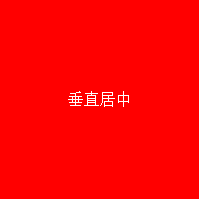
方法1:table-cell
html结构:
<div class="box box1">

		<span>垂直居中</span>

</div>
css:
.box1{

	display: table-cell;

	vertical-align: middle;

	text-align: center;

}
方法2:display:flex
.box2{

	display: flex;

	justify-content:center;

	align-items:Center;

}
方法3:绝对定位和负边距
.box3{position:relative;}
.box3 span{

            position: absolute;

            width:100px;

            height: 50px;

            top:50%;

            left:50%;

            margin-left:-50px;

            margin-top:-25px;

            text-align: center;

        }
方法4:绝对定位和0
.box4 span{

  width: 50%;

  height: 50%;

  background: #000;

  overflow: auto;

  margin: auto;

  position: absolute;

  top: 0; left: 0; bottom: 0; right: 0;

}
这种方法跟上面的有些类似,但是这里是通过margin:auto和top,left,right,bottom都设置为0实现居中,很神奇吧。不过这里得确定内部元素的高度,可以用百分比,比较适合移动端。
方法5:translate
.box6 span{

			position: absolute;

			top:50%;

			left:50%;

			width:100%;

			transform:translate(-50%,-50%);

			text-align: center;

		}
这实际上是方法3的变形,移位是通过translate来实现的。
方法6:display:inline-block
.box7{

  text-align:center;

  font-size:0;

}

.box7 span{

  vertical-align:middle;

  display:inline-block;

  font-size:16px;

}

.box7:after{

  content:'';

  width:0;

  height:100%;

  display:inline-block;

  vertical-align:middle;

}
这种方法确实巧妙...通过:after来占位。
方法7:display:flex和margin:auto
.box8{

	display: flex;

	text-align: center;

}

.box8 span{margin: auto;}
方法8:display:-webkit-box
.box9{

    display: -webkit-box;

    -webkit-box-pack:center;

    -webkit-box-align:center;

    -webkit-box-orient: vertical;

    text-align: center

}
css3博大精深,可以实现很多创造性的效果,需要好好研究下。
今天又发现一种方法,现在补上:
方法9:display:-webkit-box
这种方法,在 content 元素外插入一个 div。设置此 div height:50%; margin-bottom:-contentheight;。
content 清除浮动,并显示在中间。
<div class="floater"></div>

<div class="content"> Content here </div>
.floater {

    float:left;

    height:50%;

    margin-bottom:-120px;

}

.content {

    clear:both;

    height:240px;

    position:relative;

}
优点:
适用于所有浏览器
没有足够空间时(例如:窗口缩小) content 不会被截断,滚动条出现
缺点:
唯一我能想到的就是需要额外的空元素了(也没那么糟,又是另外一个话题)
css未知宽高的盒子div居中的多种方法的更多相关文章
- CSS未知宽高元素水平垂直居中
方法一 :table.cell-table 思路:显示设置父元素为:table,子元素为:cell-table,这样就可以使用vertical-align: center,实现水平居中优点:父元素(p ...
- css 宽高自适应的div 元素 如何居中 垂直居中
在我们 编写css 样式的时候经常会遇见一个问题 那就是一个 宽高未知的元素 要让他 垂直居中如何实现这个呢 下面是我常用的两种方法 上代码 下面的是 结构代码 <div class=" ...
- div+css实现未知宽高元素垂直水平居中
div+css实现未知宽高元素垂直水平居中.很多同学在面试的时候都会遇到这样的问题:怎么用div+css的方法实现一个未知宽高的弹出框(或者图片)垂直水平居中??如果用JS的话就好办了,但是JS的使用 ...
- 未知宽高div水平垂直居中3种方法
<!DOCTYPE html> <html> <head> <meta charset="utf-8" /> </head&g ...
- table-cell实现未知宽高图片,文本水平垂直居中在div
<BODY> <h1>未知宽高的图片水平垂直居中在div</h1> <!--box-outer--> <div class="box-o ...
- 已知宽高和未知宽高的div块的水平垂直居中
//已知宽高的情况 .div1_container{ border:1px solid #00ee00; height:300px; position:relative; } ...
- 前端之css(宽高)设置小技巧
一.css宽高自适应: 1.宽度自适应: 元素宽度设为100%(块状元素的默认宽度为100%) 注:应用在通栏效果中 2.高度自适应: height:auto;或者不设置高度 3.最小,最大高度,最小 ...
- js实现未知宽高的元素在指定元素中垂直水平居中
js实现未知宽高的元素在指定元素中垂直水平居中:本章节介绍一下如何实现未知宽高的元素在指定元素下实现垂直水平居中效果,下面就以span元素为例子,介绍一下如何实现span元素在div中实现水平垂直居中 ...
- DIV居中的经典方法
1. 实现DIV水平居中 设置DIV的宽高,使用margin设置边距0 auto,CSS自动算出左右边距,使得DIV居中. 1 div{ 2 width: 100px; 3 height: 100px ...
随机推荐
- vue之vue-cookies
vue之vue-cookies npm链接:https://www.npmjs.com/package/vue-cookies 安装: npm install vue-cookies --save 使 ...
- Spring boot Security 用于权限管理,用户添加等。
1:添加依赖: <dependency> <groupId>org.thymeleaf.extras</groupId> <artifactId>thy ...
- [LeetCode] 532. K-diff Pairs in an Array_Easy tag: Hash Table
Given an array of integers and an integer k, you need to find the number of unique k-diff pairs in t ...
- 浅谈Java中的初始化和清理
引言 这篇文章我们主要介绍Java初始化和清理的相关内容,这些内容虽然比较基础,但是还是在这边做一个简单的总结,方便以后查阅. 初始化过程 Java尽力保证:所有变量在使用之前都会得到恰当的初始化(对 ...
- php下载解决中文乱码问题
利用 iconv() 函数解决乱码 $file_name = iconv("utf-8","gb2312",$file_name); 具体下载代码如下: pub ...
- UVM中的regmodel建模(二)
UVM的寄存器模型,对一个寄存器bit中有两种数值,mirror值,尽可能的反映DUT中寄存器的值.expected值,尽可能的反映用户期望的值. 几种常用的操作: read/write:可以前门访问 ...
- tensorflow显存管理
在运行上面的blog的Tensorflow小程序的时候程序我们会遇到一个问题,当然这个问题不影响我们实际的结果计算,但是会给同样使用这台计算机的人带来麻烦,程序会自动调用所有能调用到的资源,并且全占满 ...
- Trove系列(二)—Trove 的架构和流程介绍
Trove主要逻辑目前Trove支持用户创建一个数据库服务实例,在实例里可以创建多个数据库并进行管理.数据库服务实例目前通过Nova API来创建,然后同样通过Nova API创建一个Volume(未 ...
- HDU 2235
这题说的是给了一个 平面 然后又很多的长方体柱子 问这个 容器的 容积是什么, 排序后 然后 进行 并查集 判断是否 可以有比他小的高度依靠他算体积,通过并查集去判断他的子集的个数. #include ...
- 论文笔记:Emotion Recognition From Speech With Recurrent Neural Networks
动机(Motivation) 在自动语音识别(Automated Speech Recognition, ASR)中,只是把语音内容转成文字,但是人们对话过程中除了文本还有其它重要的信息,比如语调,情 ...