
1.tTensorboard
Windows下坑太多......
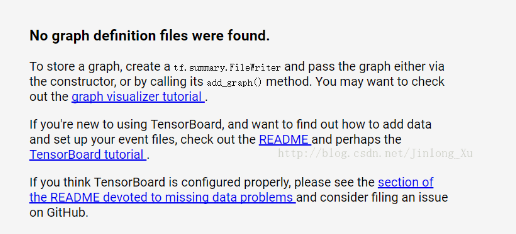
在启动TensorBoard的过程,还是遇到了一些问题。接下来简单的总结一下我遇到的坑。
查看指定端口并kill
也可以使用lsof命令:
lsof -i:8888
若要关闭使用这个端口的程序,使用kill + 对应的pid
kill -9 PID号

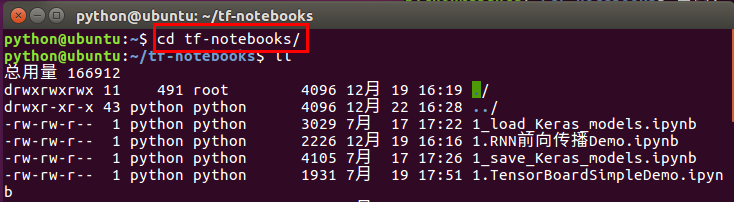
启动jupyter notebook
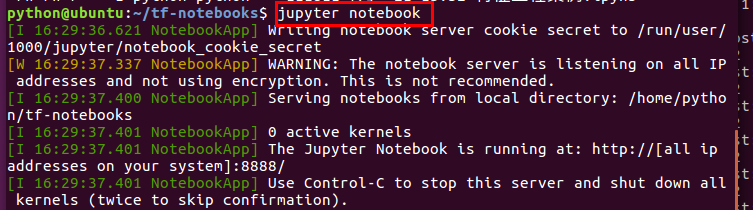
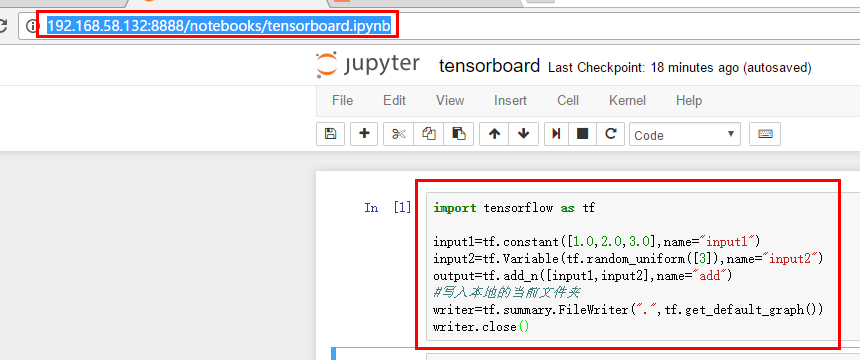
通过windows远程调用写一个Demo
启动tensorboard并通过web访问:
sudo tensorboard --logdir='.' --port=8811

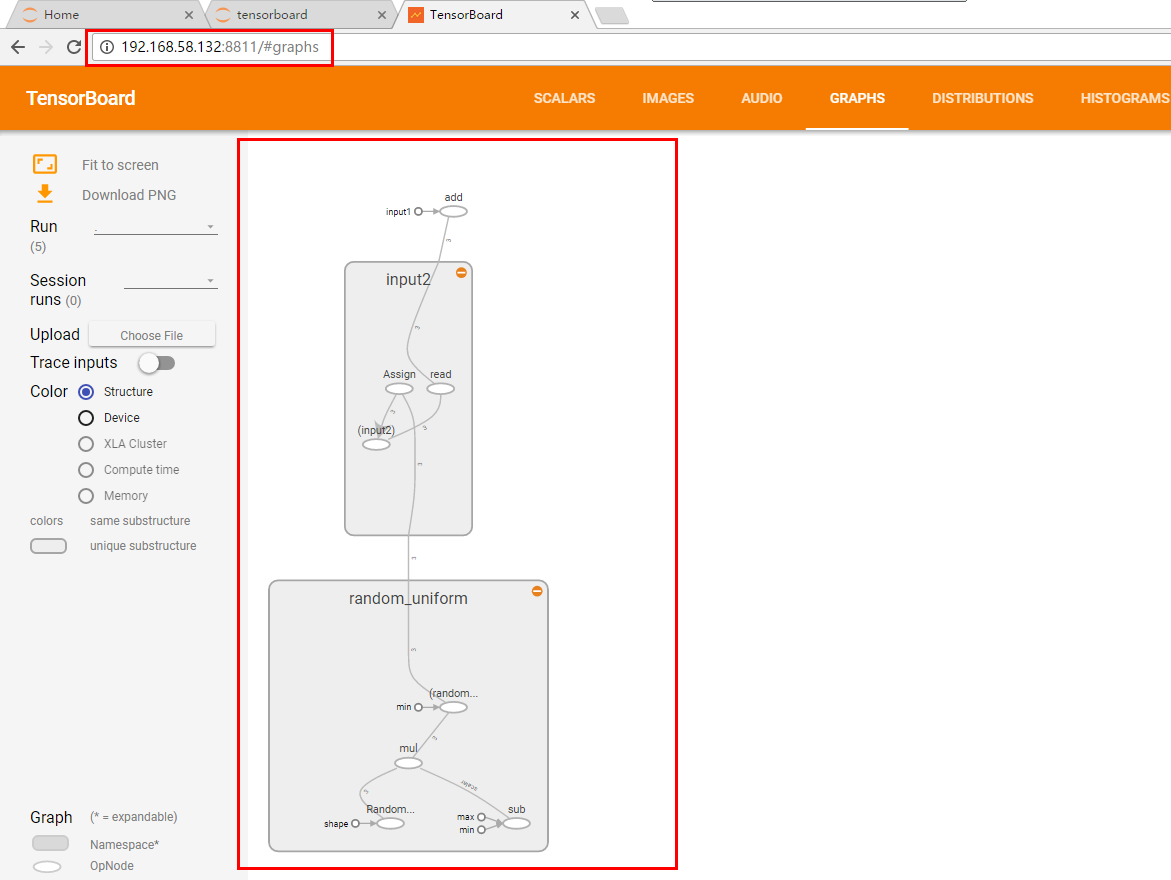
"""

Please note, this code is only for python 3+. If you are using python 2+, please modify the code accordingly.

"""

#-*-coding:utf8-*-

import tensorflow as tf

import numpy as np

def add_layer(inputs, in_size, out_size, n_layer, activation_function=None):

    # add one more layer and return the output of this layer

    layer_name = 'layer%s' % n_layer

    with tf.name_scope(layer_name):

        with tf.name_scope('weights'):

            Weights = tf.Variable(tf.random_normal([in_size, out_size]), name='W')

            tf.summary.histogram(layer_name + '/weights', Weights)

        with tf.name_scope('biases'):

            biases = tf.Variable(tf.zeros([1, out_size]) + 0.1, name='b')

            tf.summary.histogram(layer_name + '/biases', biases)

        with tf.name_scope('Wx_plus_b'):

            Wx_plus_b = tf.add(tf.matmul(inputs, Weights), biases)

        if activation_function is None:

            outputs = Wx_plus_b

        else:

            outputs = activation_function(Wx_plus_b, )

        tf.summary.histogram(layer_name + '/outputs', outputs)

    return outputs
# Make up some real data

x_data = np.linspace(-1, 1, 300)[:, np.newaxis]

noise = np.random.normal(0, 0.05, x_data.shape)

y_data = np.square(x_data) - 0.5 + noise

# define placeholder for inputs to network

with tf.name_scope('inputs'):

    xs = tf.placeholder(tf.float32, [None, 1], name='x_input')

    ys = tf.placeholder(tf.float32, [None, 1], name='y_input')

# add hidden layer

l1 = add_layer(xs, 1, 10, n_layer=1, activation_function=tf.nn.relu)

# add output layer

prediction = add_layer(l1, 10, 1, n_layer=2, activation_function=None)

# the error between prediciton and real data

with tf.name_scope('loss'):

    loss = tf.reduce_mean(tf.reduce_sum(tf.square(ys - prediction),

                                        reduction_indices=[1]))

    tf.summary.scalar('loss', loss)

with tf.name_scope('train'):

    train_step = tf.train.GradientDescentOptimizer(0.1).minimize(loss)

sess = tf.Session()

merged = tf.summary.merge_all()

writer = tf.summary.FileWriter("./tensorlogs/", sess.graph)

init = tf.global_variables_initializer()

sess.run(init)
下面代码在python3中正常,在python2中需要更改
for i in range(1000):

    sess.run(train_step, feed_dict={xs: x_data, ys: y_data})

    if i % 50 == 0:

        result = sess.run(merged,feed_dict={xs: x_data, ys: y_data})

        writer.add_summary(result, i)

# direct to the local dir and run this in terminal:

# $ tensorboard --logdir logs
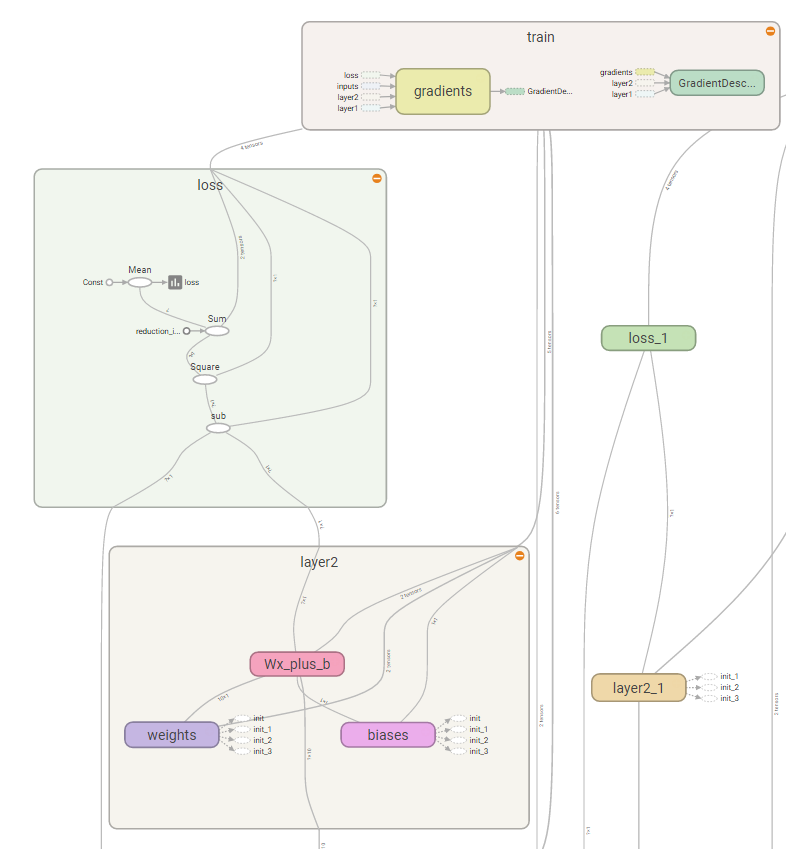
web页面显示
1.tTensorboard的更多相关文章
随机推荐
- SpringBoot------集成MyBatis
1.pom.xml文件添加MyBatis和MySQL等依赖 <project xmlns="http://maven.apache.org/POM/4.0.0" xmlns: ...
- 随笔 -- NIO -- 相关 -- 系统概述
.打开Selector .打开ServerSocketChannel .获取与此Channel关联的ServerSocket并绑定地址 .设置Channel为非阻塞 .将Channel注册到Selec ...
- window.open被拦截
1)直接调用window.open 或 点击的时候直接调用 window.open 是不会被拦截的 // 不会被拦截$('.btn-open').click(function(){ window.op ...
- 【代码审计】XIAOCMS_存在任意文件删除漏洞分析
0x00 环境准备 XIAOCMS官网: http://www.xiaocms.com/ 网站源码版本:XiaoCms (发布时间:2014-12-29) 程序源码下载:http://www.xi ...
- 【代码审计】EasySNS_V1.6 前台XSS跨站脚本漏洞分析
0x00 环境准备 EasySNS官网:http://www.imzaker.com/ 网站源码版本:EasySNS极简社区V1.60 程序源码下载:http://es.imzaker.com/ind ...
- Java使用dom4j读取xml时报错:org.dom4j.DocumentException: Error on line 2 of document : Invalid byte 2 of 2-byte UTF-8 sequence. Nested exception: Invalid byte 2 of 2-byte UTF-8 sequence
1.Java使用dom4j读取xml时报错: org.dom4j.DocumentException: Error on line 2 of document : Invalid byte 2 of ...
- java serialize 浅谈
对象的串行化(Serialization) 一.串行化的概念和目的 1.什么是串行化 对象的寿命通常随着生成该对象的程序的终止而终止.有时候,可能需要将对象的状态保存下来,在需要时再将对象恢复.我们把 ...
- AddComponentRecursively
class AddComponentRecursively extends ScriptableWizard { var componentName : String = ""; ...
- MQTT服务器搭建--Mosquitto用户名密码配置
Mosquitto用户认证配置 前言:基于Mosquitto服务器已经搭建成功,大部分都是采用默认的是允许匿名用户登录模式,正式上线的系统需要进行用户认证. 1.用户参数说明 Mosquitto服务器 ...
- 执行上下文、this
1.js中的执行上下文或者执行环境:execution context,简称EC; 2. console.log(a);//undefined var a=200; fn('lili'); funct ...