
elasticsearch数据基于snapshot的还原备份+版本升级
前言
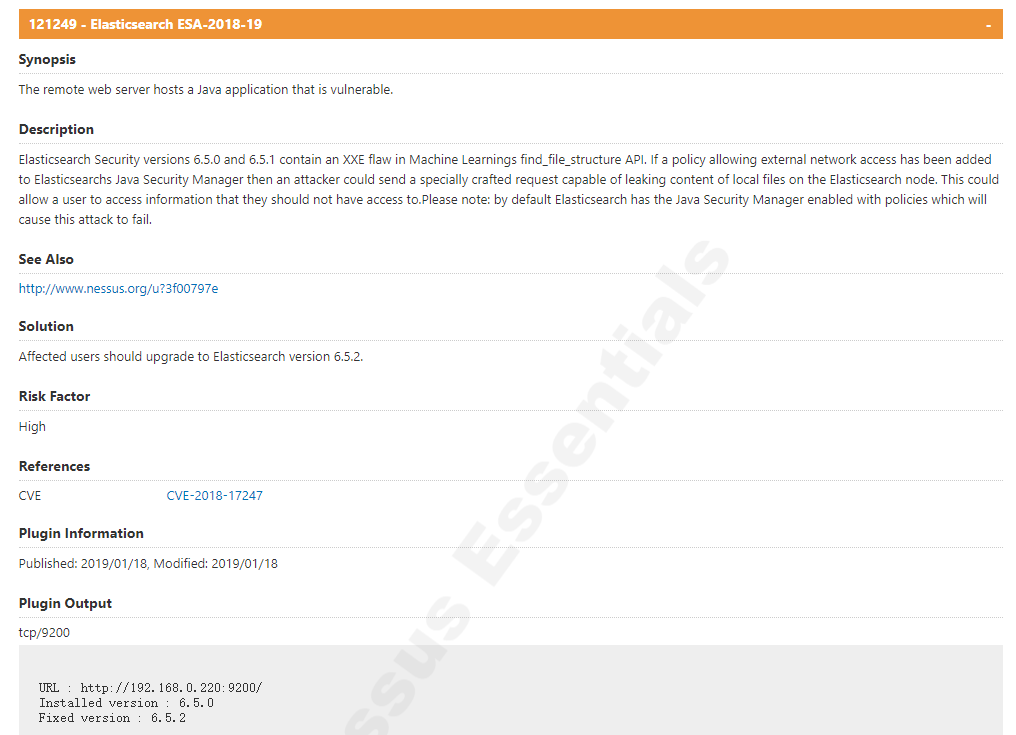
之前安装的是elasticsearch-6.5.0,漏洞扫描报The remote web server hosts a Java application that is vulnerable.,给出的解决方案是将版本升级到elasticsearch-6.5.2以上。
121249 - Elasticsearch ESA-2018-19-

Synopsis

The remote web server hosts a Java application that is vulnerable.

Description

Elasticsearch Security versions 6.5.0 and 6.5.1 contain an XXE flaw in Machine Learnings find_file_structure API. If a policy allowing external network access has been added to Elasticsearchs Java Security Manager then an attacker could send a specially crafted request capable of leaking content of local files on the Elasticsearch node. This could allow a user to access information that they should not have access to.Please note: by default Elasticsearch has the Java Security Manager enabled with policies which will cause this attack to fail.

See Also

http://www.nessus.org/u?3f00797e

Solution

Affected users should upgrade to Elasticsearch version 6.5.2.

Risk Factor

High

References

CVE    CVE-2018-17247

Plugin Information

Published: 2019/01/18, Modified: 2019/01/18

Plugin Output

tcp/9200

URL : http://192.168.0.220:9200/

Installed version : 6.5.0

Fixed version : 6.5.2
安装kibana
为了查看原来的数据,我先安装kibana
1、准备安装包
找安装包不做过多介绍

2、解压
tar -zxvf kibana-6.5.2-linux-x86_64.tar.gz

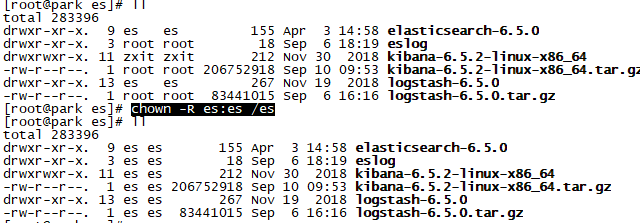
3、修改用户权限
chown -R es:es /es
4、修改配置文件
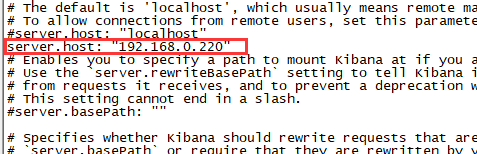
server.host默认是localhost,但我想在其他windows 上访问,所以需要改配置文件
vim /es/kibana-6.5.2-linux-x86_64/config/kibana.yml
#添加一行 server.host: "192.168.0.220"
5、启动
su es

/es/kibana-6.5.2-linux-x86_64/bin/kibana &
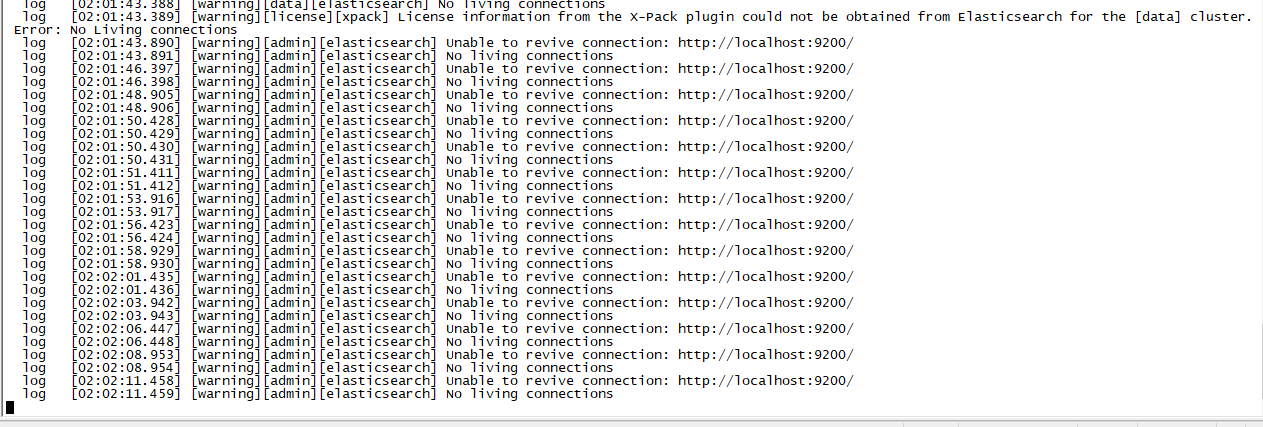
6、解决报错Unable to revive connection: http://localhost:9200/
【1】报错日志
【2】原因分析
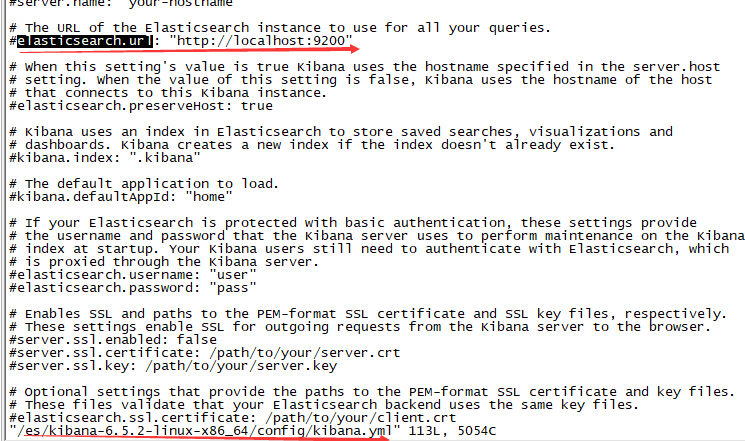
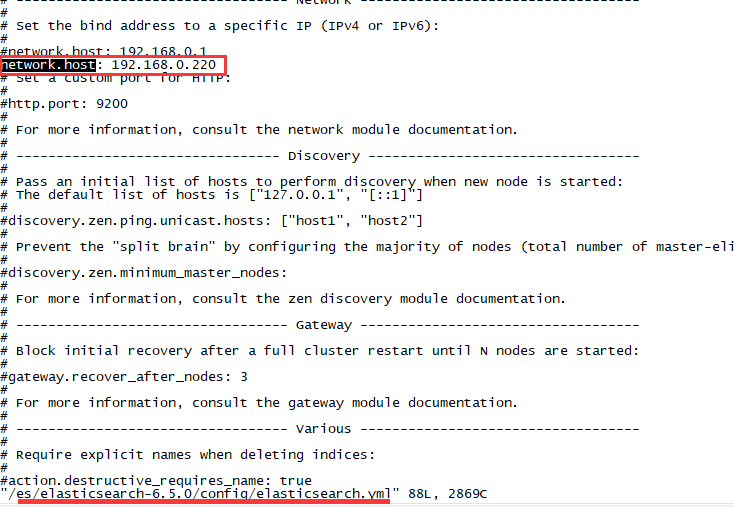
kibana配置文件kibana.yml指定的elasticsearch.url与network.host中指定的ip不匹配。
【3】解决方法
修改kibana.yml的elasticsearch.url
vim /es/kibana-6.5.2-linux-x86_64/config/kibana.yml

# 添加一行

elasticsearch.url: "http://192.168.0.220:9200"

# 重启
/es/kibana-6.5.2-linux-x86_64/bin/kibana &

7、查看数据
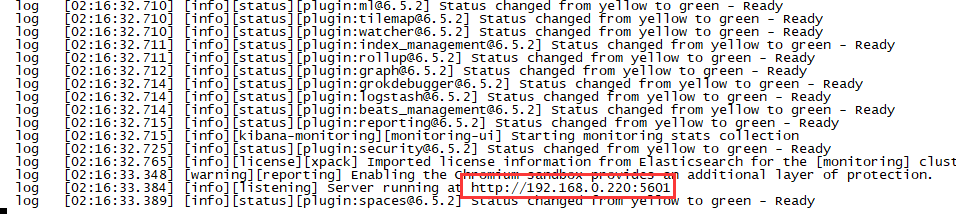
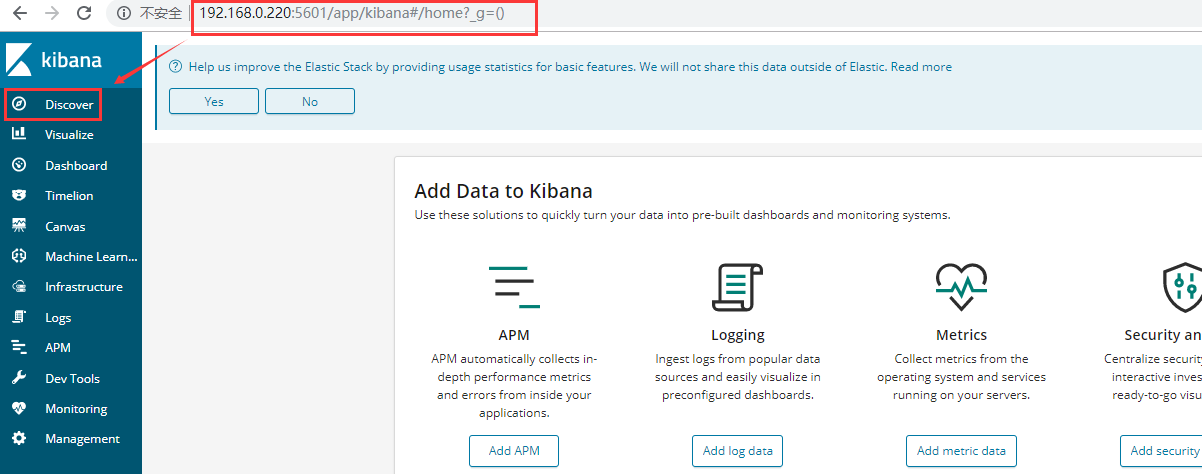
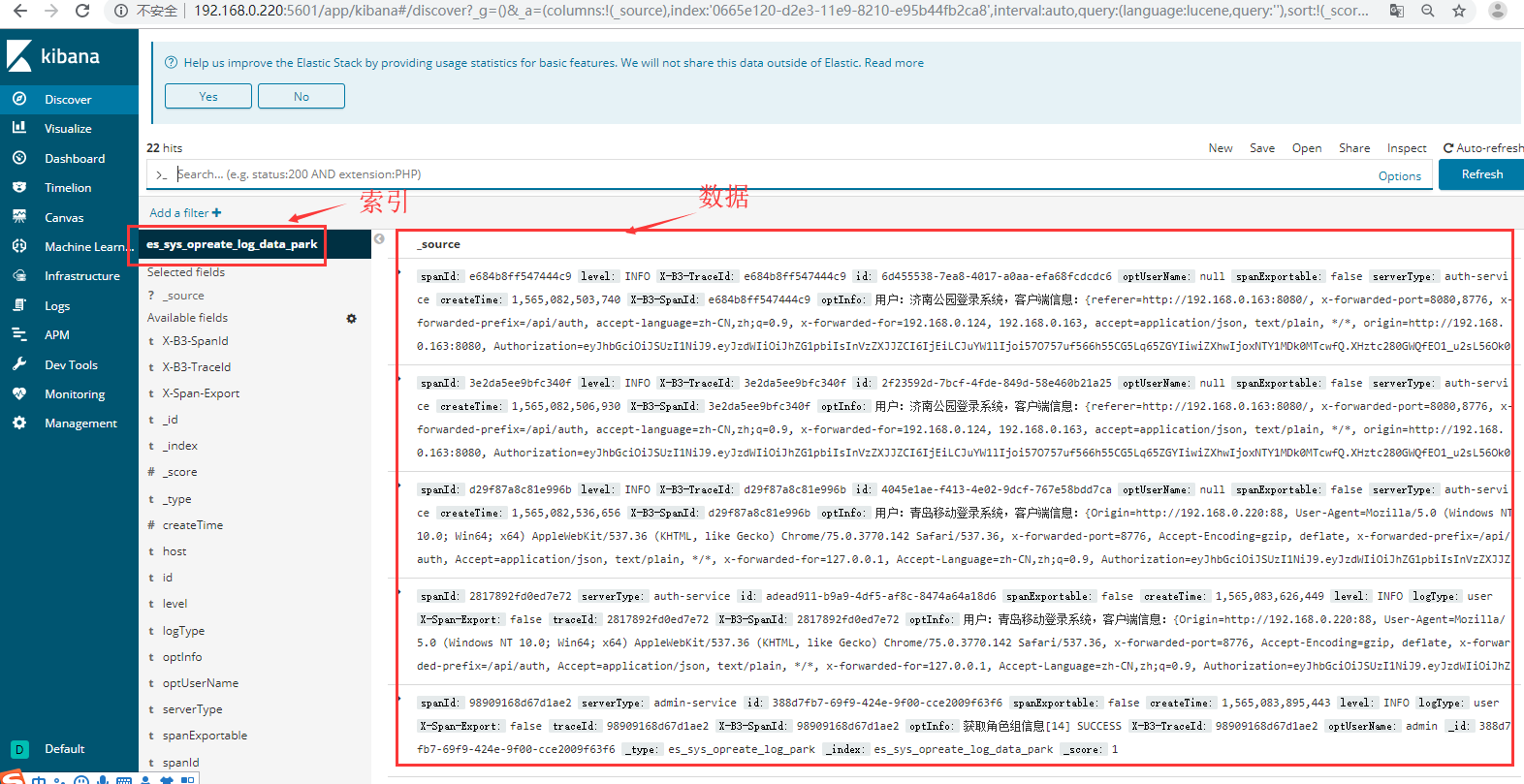
启动提示访问网址:http://192.168.0.220:5601,则表示成功了,直接在浏览器输入该地址即可访问
备份
1、注册创建快照仓库
当前启动的版本是6.5.0,为当前版本建仓库
 curl -XPUT "192.168.0.220:9200/_snapshot/my-es" -H 'Content-Type: application/json' -d'

 {

  "type": "fs",

  "settings": {

     "location": "/es/elasticsearch-6.5.0/backup"

   }

 }
'
2、解决报错
【1】报错日志
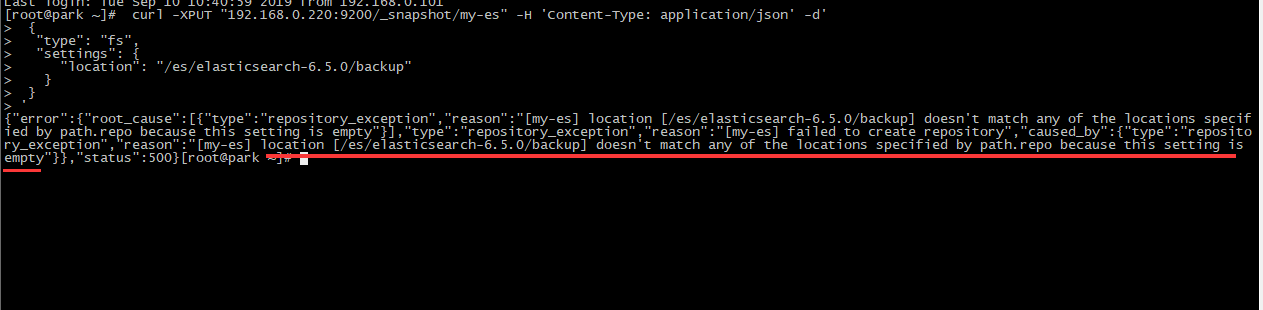
{"error":{"root_cause":[{"type":"repository_exception",
"reason":"[my-es] location [/es/elasticsearch-6.5.0/backup] doesn't match any of the locations specified by path.repo because this setting is empty"}],、

"type":"repository_exception","reason":"[my-es] failed to create repository",

"caused_by":{"type":"repository_exception",

"reason":"[my-es] location [/es/elasticsearch-6.5.0/backup] doesn't match any of the locations specified by path.repo because this setting is empty"}},

"status":500}
【2】原因分析
报错信息里面已经说明了,仓库位置不匹配,需要在配置文件里面配置仓库位置/es/elasticsearch-6.5.0/backup
【3】解决
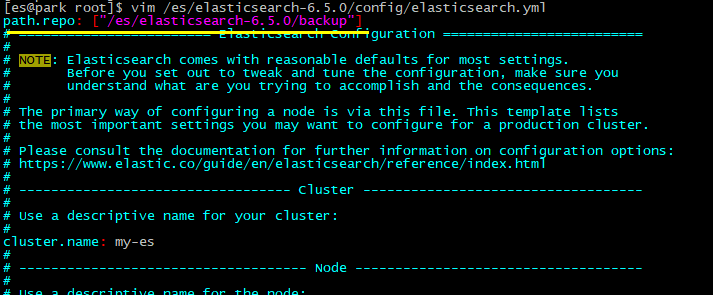
vim /es/elasticsearch-6.5.0/config/elasticsearch.yml

#添加以下内容

path.repo: ["/es/elasticsearch-6.5.0/backup"]
【4】再次创建
#重启

su es

/es/elasticsearch-6.5.0/bin/elasticsearch -d

#创建仓库

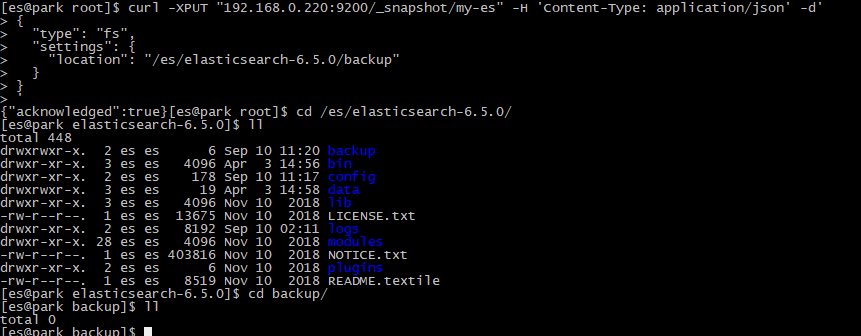
curl -XPUT "192.168.0.220:9200/_snapshot/my-es" -H 'Content-Type: application/json' -d'

{

  "type": "fs",

  "settings": {

    "location": "/es/elasticsearch-6.5.0/backup"

  }

}

'
3、查看已注册快照仓库
curl -XGET "192.168.0.220:9200/_snapshot/my-es/"

curl -XPOST "192.168.0.220:9200/_snapshot/my-es/_verify"

4、备份
这里es_sys_opreate_log_data_park是刚刚在kibana上看到的索引
#备份

curl -XPUT '192.168.0.220:9200/_snapshot/my-es/es_sys_opreate_log_data_park?wait_for_completion=true'

#查看备份数据
cd /es/elasticsearch-6.5.0/backup/

升级
1、准备安装包 elasticsearch-6.5.2.tar.gz

2、解压
tar -zxvf elasticsearch-6.5.2.tar.gz
3、修改配置文件
#进入配置文件目录

cd /es/elasticsearch-6.5.2/config/

#备份配置文件

mv elasticsearch.yml elasticsearch.yml.bak

#将6.5.0的配置文件复制过来

cp /es/elasticsearch-6.5.0/config/elasticsearch.yml ./

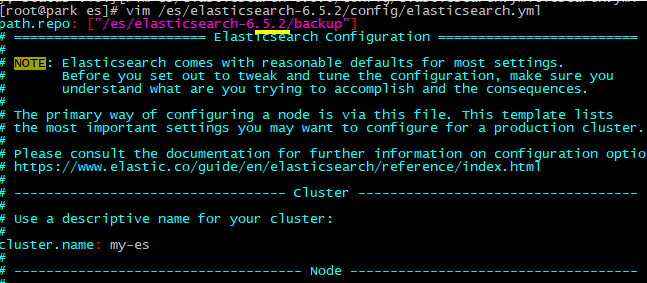
#修改仓库位置

vim /es/elasticsearch-6.5.2/config/elasticsearch.yml
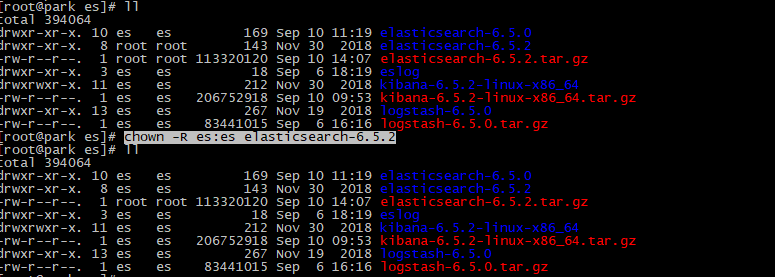
4、修改权限
chown -R es:es elasticsearch-6.5.2
5、启动新版本
启动之前,kill掉旧版本。
#重启

su es

/es/elasticsearch-6.5.2/bin/elasticsearch -d

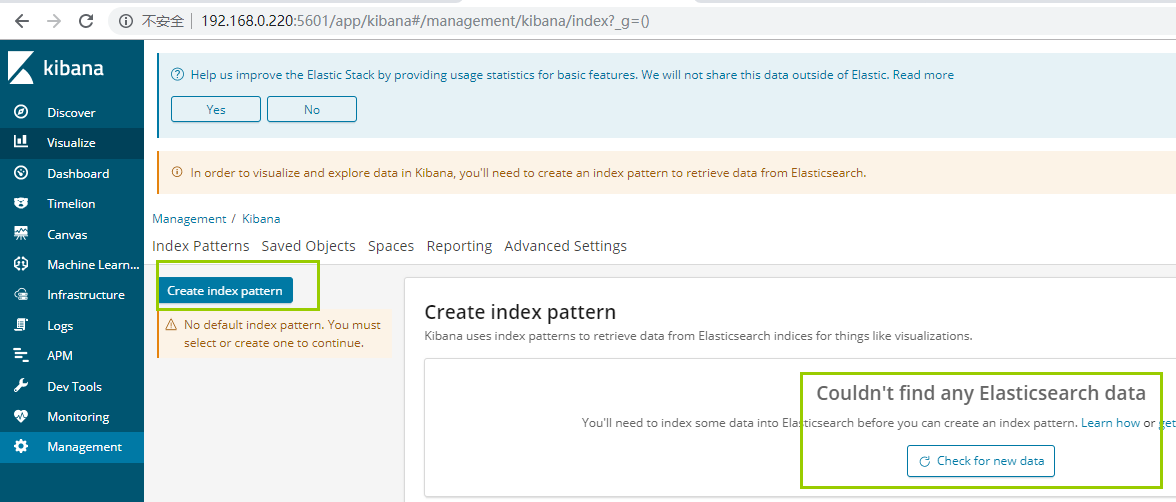
查看数据
用kibana查看数据,发现没有任何数据
还原数据
#新建6.5.2的仓库

curl -XPUT "192.168.0.220:9200/_snapshot/my-es" -H 'Content-Type: application/json' -d'

{

  "type": "fs",

  "settings": {

    "location": "/es/elasticsearch-6.5.2/backup"

  }

}

'

#将6.5.0的备份数据移动到6.5.2的仓库

cp -r /es/elasticsearch-6.5.0/backup/* /es/elasticsearch-6.5.2/backup/

#还原

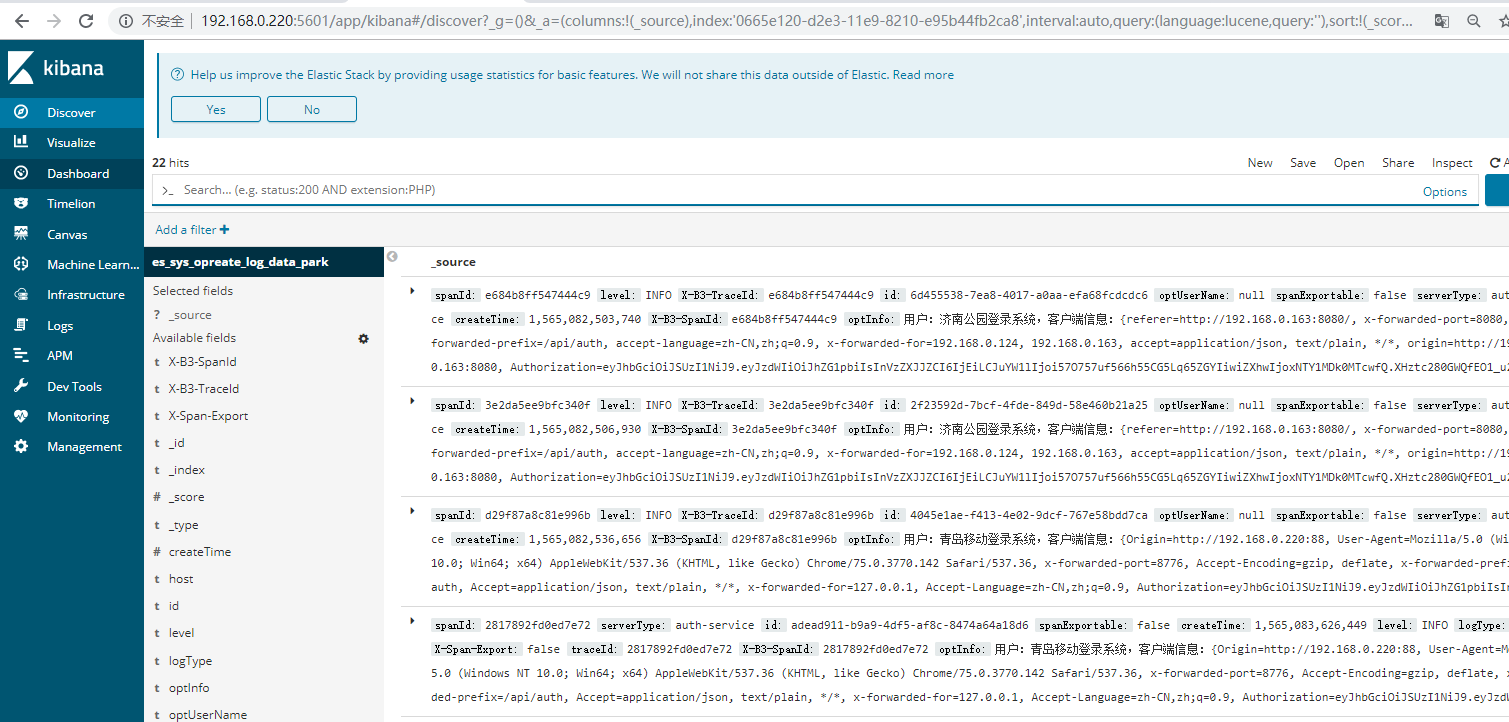
curl -XPOST 192.168.0.220:9200/_snapshot/my-es/es_sys_opreate_log_data_park/_restore

检查数据
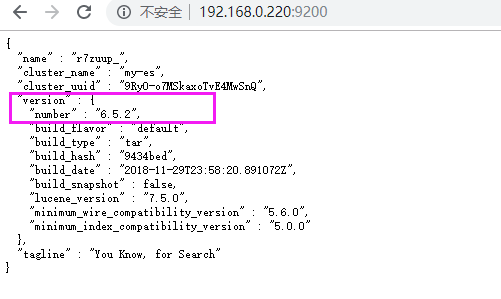
查看版本
注:
后面经测试,将老版本中的data文件夹移动到新版本中,同样能完成版本升级及数据的迁移。
补充:
logstash的启动
#切换用户

su es

#进入安装目录

cd logstash-6.5.0/bin/

#启动

./logstash -f ../config/logstash-sample.conf &
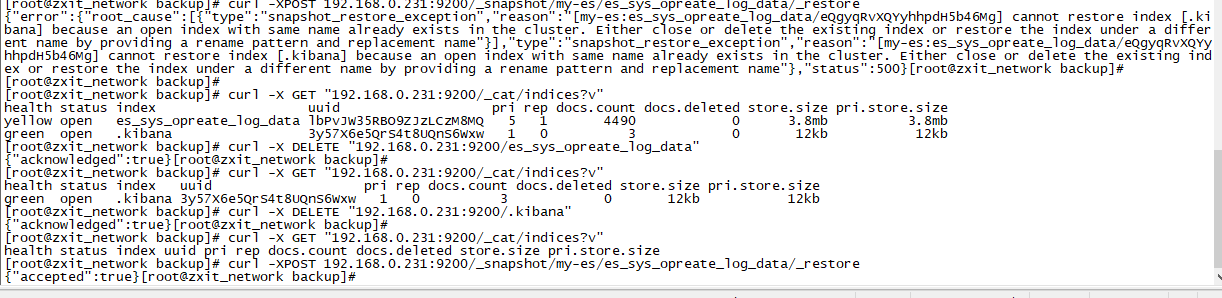
还原时,报index with same name already exists in the cluster
#还原

curl -XPOST 192.168.0.231:9200/_snapshot/my-es/es_sys_opreate_log_data/_restore

#报错信息

{"error":{"root_cause":[{"type":"snapshot_restore_exception","reason":"[my-es:es_sys_opreate_log_data/eQgyqRvXQYyhhpdH5b46Mg]
cannot restore index [.kibana] because an open index with same name already exists in the cluster.
 Either close or delete the existing index or restore the index under a different name by providing a rename pattern and replacement name"}],
"type":"snapshot_restore_exception","reason":"[my-es:es_sys_opreate_log_data/eQgyqRvXQYyhhpdH5b46Mg] cannot restore index [.kibana]
because an open index with same name already exists in the cluster. Either close or delete the existing index or restore the index under a different name
by providing a rename pattern and replacement name"},"status":500}

#查看当前所有索引

curl -X GET "192.168.0.231:9200/_cat/indices?v"

#删除索引

curl -X DELETE "192.168.0.231:9200/es_sys_opreate_log_data"
curl -X DELETE "192.168.0.231:9200/.kibana"
#再次还原
curl -XPOST 192.168.0.231:9200/_snapshot/my-es/es_sys_opreate_log_data/_restore
elasticsearch数据基于snapshot的还原备份+版本升级的更多相关文章
- elasticsearch数据备份还原
elasticsearch数据备份还原 1.在浏览器中运行http://XXX.XXX.XXX.XXX:9200/_flush,确保索引数据能保存到硬盘中. 2.原数据的备份.主要是elasticse ...
- MySQL数据库备份还原(基于binlog的增量备份)
MySQL数据库备份还原(基于binlog的增量备份) 一.简介 1.增量备份 增量备份 是指在一次全备份或上一次增量备份后,以后每次的备份只需备份与前一次相比增加或者被修改的文件.这就意味 ...
- 基于xtrabackup实现mysql备份还原
简介 Xtrabackup2.2版之前包括4个可执行文件: innobackupex: Perl 脚本 xtrabackup: C/C++ 编译的二进制 xbstream: 支持并发写的流文件格式 x ...
- SQL Server 大数据搬迁之文件组备份还原实战
一.本文所涉及的内容(Contents) 本文所涉及的内容(Contents) 背景(Contexts) 解决方案(Solution) 搬迁步骤(Procedure) 搬迁脚本(SQL Codes) ...
- dedecms还原数据时要选对备份目录 不然会提示function文件出错
小李子最近在学习dedecms,在网上下载了一个二次开发的系统,顺利安装后想要还原一下作者的备份数据,可一直没有成功,让ytkah查看一下什么情况.进到后台,点击还原,提示/e/class/funct ...
- 高效管理 Elasticsearch 中基于时间的索引——本质是在利用滚动模式做数据的冷热分离,热索引可以用ssd
高效管理 Elasticsearch 中基于时间的索引 转自:http://stormluke.me/es-managing-time-based-indices-efficiently/ 用 Ela ...
- 基于 MySQL Binlog 的 Elasticsearch 数据同步实践 原
一.背景 随着马蜂窝的逐渐发展,我们的业务数据越来越多,单纯使用 MySQL 已经不能满足我们的数据查询需求,例如对于商品.订单等数据的多维度检索. 使用 Elasticsearch 存储业务数据可以 ...
- SqlServer:SqlServer(xpath,字段约束,时间查询,数据文件查询及还原,压缩备份)
1.xpath --1.文档 select @data --2.任意级别是否存在price节点 select @data.exist('//price') --3.获取所有book节点 select ...
- 【原创】MapReduce备份Elasticsearch数据到HDFS(JAVA)
一.环境:JAVA8,Elasticsearch-5.6.2,Hadoop-2.8.1二.实现功能:mapreduce读elasticsearch数据.输出parquet文件.多输出路径三.主要依赖 ...
随机推荐
- css隐藏滚动条 兼容谷歌、火狐、IE等各个浏览器
项目中,页面效果需要展示一个页面的移动端效果,使用的是一个苹果手机样式背景图,咋也没用过苹果,咋也不敢形容. 如下图所示: 在谷歌浏览器如图一滚动条顺利隐藏,但是火狐就如图二了,有了滚动条丑的一批. ...
- AFNetworking2.0源码解析<二>
本篇我们继续来看看AFNetworking的下一个模块 — AFURLRequestSerialization. AFURLRequestSerialization用于帮助构建NSURLReque ...
- DRF之三大认证
一.用户认证Authorticatons 1.源码解析 第一步. 找入口 def dispatch(self, request, *args, **kwargs): # 1.首先我们进入的是APIVi ...
- Java全排列递归算法
Java全排列算法: 第一遍循环:将list数组index==0的元素依次与数组的每个元素交换,从而保证index==0的位置先后出现n个不同元素之一,实现对index==0位置的遍历. 第 i 遍循 ...
- vim查找和替换
https://www.cnblogs.com/huxinga/p/7942194.html %s/husband/丈夫/g
- WPF导出发布安装包,无法验证发行者解决办法
右击工程项目点发布->完成 此时在工程目录下生成了安装文件setup.exe 同时又在工程下生成了临时证书WpfApp1_TemporaryKey.pfx 如果此时强行安装会弹出如下警告 接下来 ...
- 教父郭盛华透露:PHP编程语言中多个代码执行缺陷
黑客无处不在,知名教父级网络安全专家郭盛华透露:“PHP编程语言其核心和捆绑库中的多个高严重性漏洞,其中最严重的漏洞可能允许黑客远程攻击者执行任意代码并破坏目标服务器. 超文本预处理器,通常称为PHP ...
- Python中decode与encode的区别
摘抄: 字符串在Python内部的表示是Unicode编码,因此,在做编码转换时,通常需要以unicode作为中间编码,即先将其他编码的字符解码(decode)成unicode,再从unicode编码 ...
- vue props父组件与子组件传值方法
/~~父组件 runshow.vue~~/ <template> <div> <conditions :fenxiConditonsList="propCond ...
- PHP培训教程 PHP里10个鲜为人知但却非常有用的函数
php里有非常丰富的内置函数,很多我们都用过,但仍有很多的函数我们大部分人都不熟悉,可它们却十分的有用.这篇文章里,兄弟连小编列举了一些鲜为人知但会让你眼睛一亮的PHP函数. levenshtein( ...