
ASP.NET Core快速入门(第6章:ASP.NET Core MVC)--学习笔记
课程链接:http://video.jessetalk.cn/course/explore
良心课程,大家一起来学习哈!
任务40:介绍
- 1.Individual authentication 模板
- 2.EF Core Migration
- 3.Identity MVC:UI
- 4.Identity MVC: EF + Identity实现
- 5.Identity MVC:注册逻辑实现
- 6.Identity MVC:登录逻辑实现
- 7.Identity MVC:ReturnUrl实现
- 8.Identity MVC:Model后端验证
- 9.Identity MVC:Model前端验证
- 10.Identity MVC:DbContextSeed初始化
任务41:Individual authentication 模板
dotnet new mvc --help
Options:

  -au|--auth                      The type of authentication to use

                                      None             - No authentication

                                      Individual       - Individual authentication

                                      IndividualB2C    - Individual authentication with Azure AD B2C

                                      SingleOrg        - Organizational authentication for a single tenant

                                      MultiOrg         - Organizational authentication for multiple tenants

                                      Windows          - Windows authentication

                                  Default: None
  -uld|--use-local-db             Whether to use LocalDB instead of SQLite. This option only applies if --auth Individual or --auth IndividualB2C is specified.

                                  bool - Optional

                                  Default: false / (*) true
解决VScode终端乱码
chcp 65001
dotnet new mvc -au Individual -uld --name IdentitySample
默认创建localdb,Identity
appsettings.json
  "ConnectionStrings": {

    "DefaultConnection": "Server=(localdb)\\mssqllocaldb;Database=aspnet-IdentitySample-40453418-3C8F-43D7-94F8-BD1BD20BDD96;Trusted_Connection=True;MultipleActiveResultSets=true"

  }
Startup.cs
            services.AddDbContext<ApplicationDbContext>(options =>

                options.UseSqlServer(

                    Configuration.GetConnectionString("DefaultConnection")));

            services.AddDefaultIdentity<IdentityUser>(options => options.SignIn.RequireConfirmedAccount = true)

                .AddEntityFrameworkStores<ApplicationDbContext>();
初始化数据库,根据Data/Migrations文件夹下的数据库文件创建更新数据库
dotnet ef database update
报错:
无法执行,因为找不到指定的命令或文件。

可能的原因包括:

  *你拼错了内置的 dotnet 命令。

  *你打算执行 .NET Core 程序,但 dotnet-ef 不存在。

  *你打算运行全局工具,但在路径上找不到名称前缀为 dotnet 的可执行文件。
在stackoverflow找到解决方法:
在csproj文件的ItemGroup中添加引用
<DotNetCliToolReference Include="Microsoft.EntityFrameworkCore.Tools.DotNet" Version="2.0.0-preview2-final" />
dotnet restore

dotnet ef database update

dotnet run
访问https://localhost:5001

点击Register进入注册页面
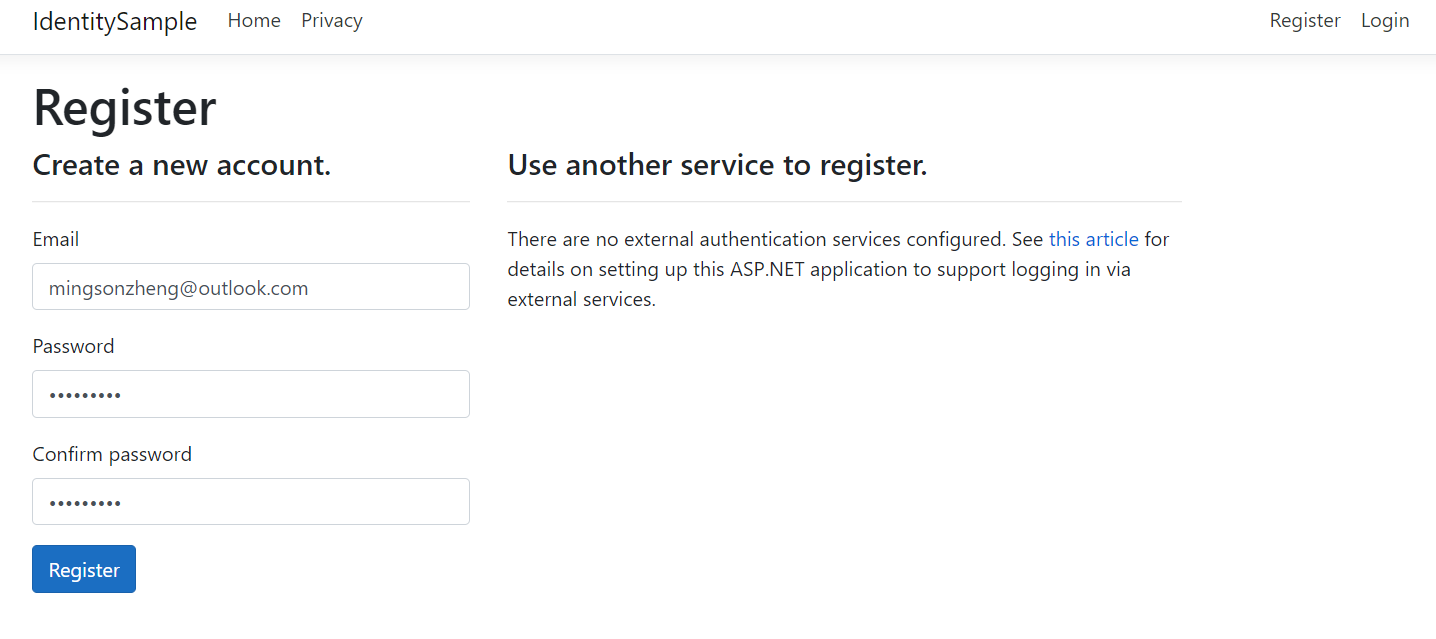
输入邮箱密码登陆

登陆成功

点击邮箱进入Manage your account
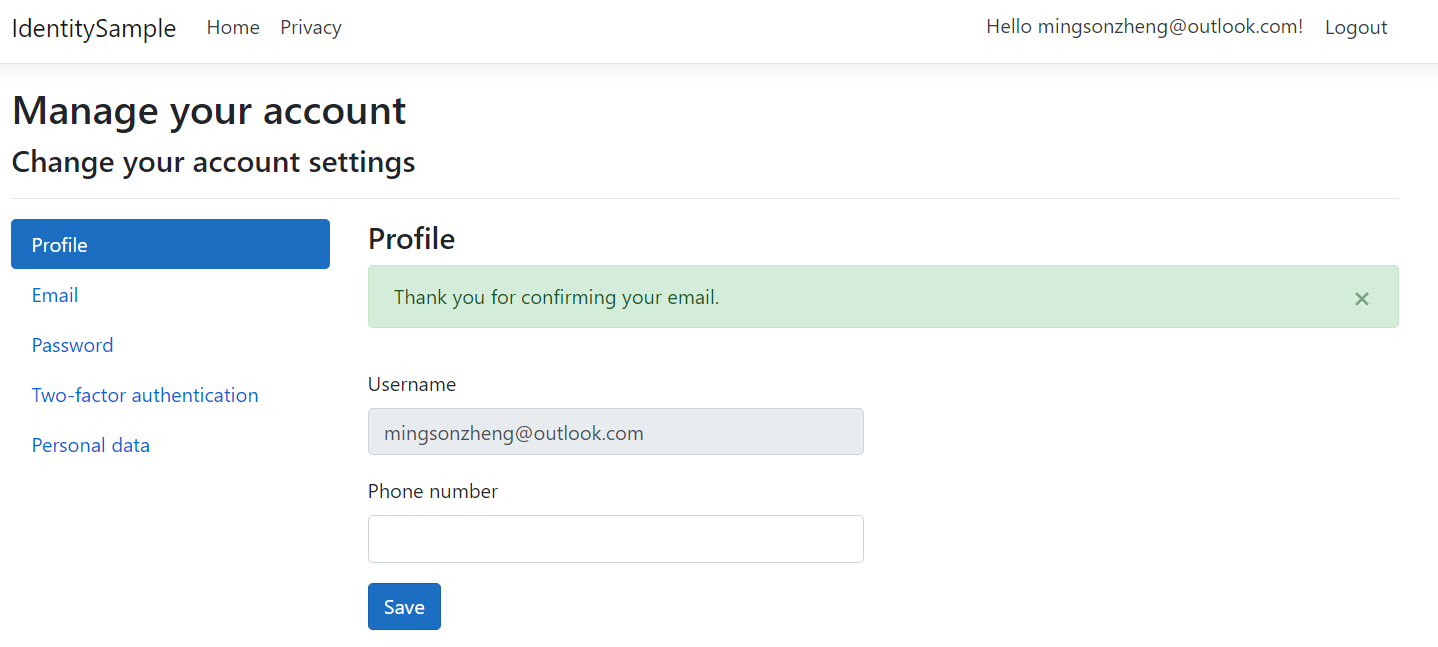
通过SSMS连接localdb
dotnet run
获取实例管道名称
& 'C:\Program Files\Microsoft SQL Server\130\Tools\Binn\SqlLocalDB.exe' info mssqllocaldb
解决PowerShell中文乱码问题,勾选UTF-8
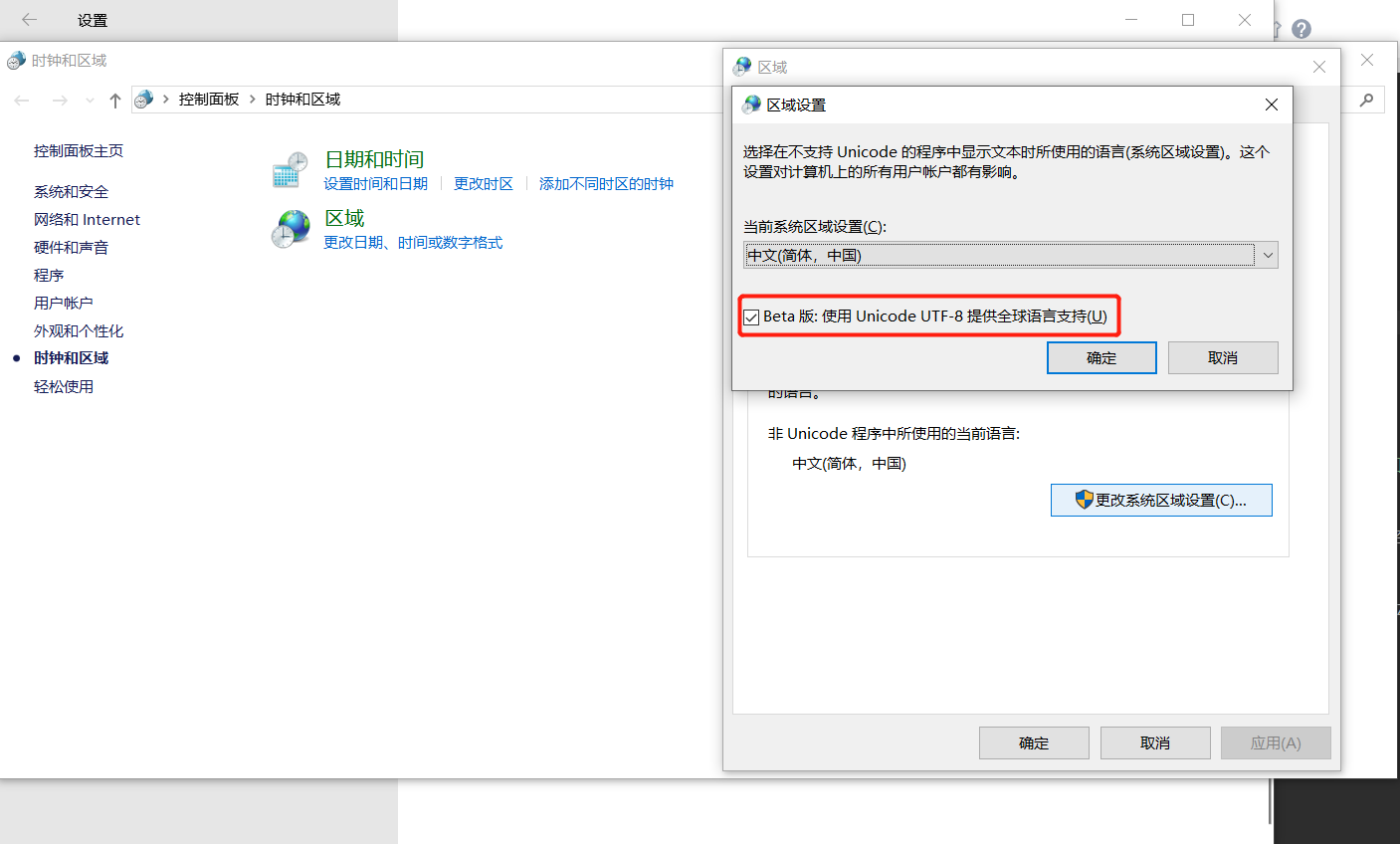
通过实例管道名称连接localdb
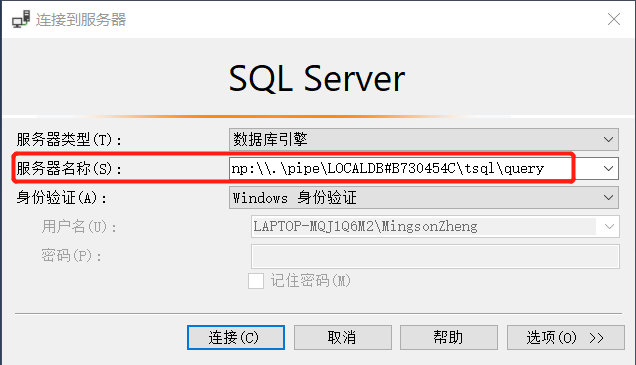

任务42:EF Core Migration
dotnet ef migrations add InitialCreat

dotnet ef database update

dotnet ef migrations remove

dotnet ef database update LastGoodMigration

dotnet ef migrations scrept
数据库新增
添加列之前

在Models文件夹下新增ApplicationUser.cs
using System;

using Microsoft.AspNetCore.Identity;

namespace IdentitySample.Models

{

    public class ApplicationUser : IdentityUser

    {

        public string NewColumn{get;set;}

    }

}
dotnet ef migrations add AddNewColumn
自动生成文件

dotnet ef database update
执行成功后刷新数据库,可以看到数据库中多了一列NewColumn
在ApplicationUser.cs中新增Address
public string Address{get;set;}
dotnet ef migrations add AddAddress

dotnet ef database update
执行成功后刷新数据库,可以看到数据库中多了一列Address
数据库回滚
dotnet ef database update AddNewColumn
执行成功后刷新数据库,可以看到数据库中Address不见了
dotnet ef migrations remove
执行成功后移除AddAddress.cs以及AddAddress.Designer.cs文件
生成sql脚本命令
dotnet ef migrations script
拷贝出来后可在数据库执行
任务43:Identity MVC:UI
以MvcCookieAuthSample项目为基础,通过ef core以及Identity实现注册登陆UI整个过程
AccountController.cs新增Register,Login
        public IActionResult Register()

        {

            return View();

        }

        public IActionResult Login()

        {

            return View();

        }

        public IActionResult MakeLogin()
在Views文件夹下新建Account文件夹,在Account文件夹下新增Register.cshtml以及Login.cshtml
Register.cshtml
@{

    ViewData["Title"] = "Register";

}

@using MvcCookieAuthSample.ViewModels;

@model RegisterViewModel;

<h2>@ViewData["Title"]</h2>

<h3>@ViewData["Message"]</h3>

<p>Use this area to provide additional information.</p>

<div class="row">

    <div class="col-md-4">

        <form id="registerForm" method="post" novalidate="novalidate">

            <h4>Create a new account.</h4>

            <hr>

            <div class="form-group">

                <label asp-for="Input_Email">Email</label>

                <input asp-for="Input_Email" class="form-control" type="email">

            </div>

            <div class="form-group">

                <label asp-for="Input_Password">Password</label>

                <input asp-for="Input_Password" class="form-control" type="password">

            </div>

            <div class="form-group">

                <label asp-for="Input_ConfirmPassword">Confirm password</label>

                <input asp-for="Input_ConfirmPassword" class="form-control" type="password">

            </div>

            <button id="registerSubmit" type="submit" class="btn btn-primary">Register</button>

        <input name="__RequestVerificationToken" type="hidden" value="CfDJ8HHmKd6uCEtOsAkKHNEfx50wHX7kOnWmAzVSUOOnXiiks-t4chi5eY9XThPYt70X-X6qtCV55TTEowbXbnCAW-91KSw1XVqXqBd48bMdGuVeGHFeZU61gw9jtNtAUDP7gCYnN9J_9d6o5w9sL12jw1E"></form>

    </div>

    <div class="col-md-6 col-md-offset-2">

        <section>

            <h4>Use another service to register.</h4>

            <hr>

                    <div>

                        <p>

                            There are no external authentication services configured. See <a href="https://go.microsoft.com/fwlink/?LinkID=532715">this article</a>

                            for details on setting up this ASP.NET application to support logging in via external services.

                        </p>

                    </div>

        </section>

    </div>

</div>
Login.cshtml
@{

    ViewData["Title"] = "Login";

}

@using MvcCookieAuthSample.ViewModels;

@model RegisterViewModel;

<div class="row">

    <div class="col-md-4">

        <section>

            <form id="account" method="post" novalidate="novalidate">

                <h4>Use a local account to log in.</h4>

                <hr>

                <div class="form-group">

                    <label asp-for="Input_Email">Email</label>

                    <input  asp-for="Input_Email" class="form-control" type="email">

                </div>

                <div class="form-group">

                    <label asp-for="Input_Password">Password</label>

                    <input asp-for="Input_Password" class="form-control" type="password">

                </div>

                <div class="form-group">

                    <button id="login-submit" type="submit" class="btn btn-primary">Log in</button>

                </div>

            <input name="__RequestVerificationToken" type="hidden" value="CfDJ8HHmKd6uCEtOsAkKHNEfx514_36YMa9FLgbR-vliay5DWvu05X4yejzvlNz6ULPfevJg9b12mlIjiWYP9ifLswnUdt43dzUmlvJzsanhL7RHmQMDAwrKRRTJWtaHJ4qbHUNyldkz95mHRrvivNTez9I"><input name="Input.RememberMe" type="hidden" value="false"></form>

        </section>

    </div>

</div>
新建ViewModels文件夹,在ViewModels文件夹下新建RegisterViewModel.cs
RegisterViewModel.cs
namespace MvcCookieAuthSample.ViewModels

{

    public class RegisterViewModel

    {

        public string Input_Email{get;set;}

        public string Input_Password{get;set;}

        public string Input_ConfirmPassword{get;set;}

    }

}
在Views/Shared目录下的_Layout.cshtml中增加Register以及Login
            <div class="navbar-collapse collapse">

                <ul class="nav navbar-nav">

                    <li><a asp-area="" asp-controller="Home" asp-action="Index">Home</a></li>

                    <li><a asp-area="" asp-controller="Home" asp-action="About">About</a></li>

                    <li><a asp-area="" asp-controller="Home" asp-action="Contact">Contact</a></li>

                </ul>

                <ul class="nav navbar-nav navbar-right">

                    <li><a asp-area="" asp-controller="Account" asp-action="Register">Register</a></li>

                    <li><a asp-area="" asp-controller="Account" asp-action="Login">Login</a></li>

                </ul>

            </div>
dotnet run
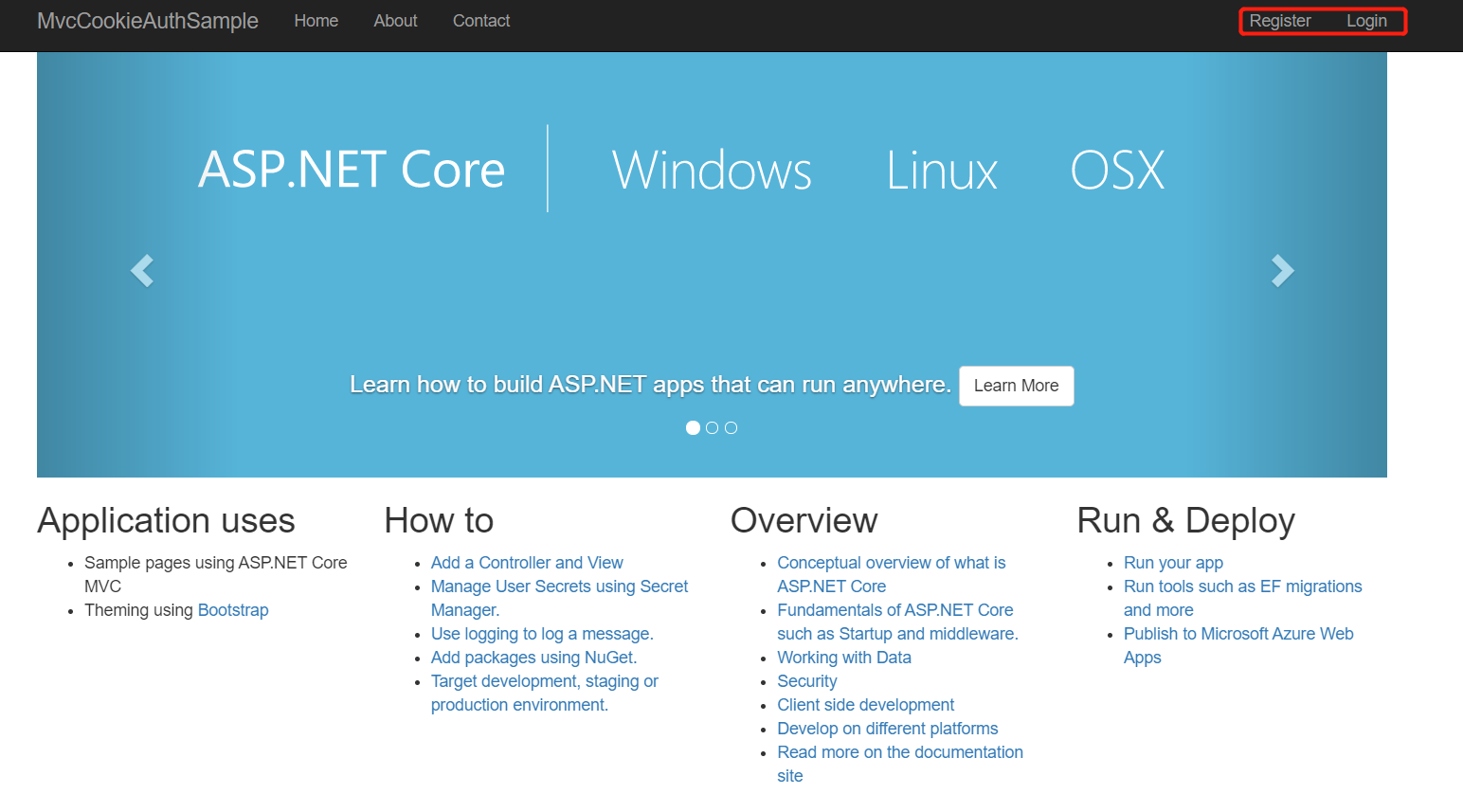
点击进入Register以及Login页面
任务44:Identity MVC: EF + Identity实现
在Models文件夹新增ApplicationUser.cs以及ApplicationUserRole.cs
ApplicationUser.cs
using Microsoft.AspNetCore.Identity;

namespace MvcCookieAuthSample.Models

{

    // 默认主键GUID,可通过泛型修改

    public class ApplicationUser : IdentityUser<int>

    {

    }

}
ApplicationUserRole.cs
using Microsoft.AspNetCore.Identity;

namespace MvcCookieAuthSample.Models

{

    // 默认主键GUID,可通过泛型修改

    public class ApplicationUserRole : IdentityRole<int>

    {

    }

}
新建Data文件夹,在Data文件夹下新建ApplicationDbContext.cs
using Microsoft.EntityFrameworkCore;

using Microsoft.AspNetCore.Identity.EntityFrameworkCore;

using MvcCookieAuthSample.Models;

namespace MvcCookieAuthSample.Data

{

    public class ApplicationDbContext : IdentityDbContext<ApplicationUser, ApplicationUserRole, int>

    {

        public ApplicationDbContext(DbContextOptions<ApplicationDbContext> options) : base(options)

        {

        }

    }

}
在appsettings.json中添加ConnectionStrings
{

  "Logging": {

    "LogLevel": {

      "Default": "Warning"

    }

  },

  "AllowedHosts": "*",

  "ConnectionStrings": {

    "DefaultConnection": "Server=(localdb)\\mssqllocaldb;Database=aspnet-IdentitySample-81D77053-883E-44D8-A94D-195B9C54C2B6;Trusted_Connection=True;MultipleActiveResultSets=true"

  }

}
Startup.cs添加以下内容
using MvcCookieAuthSample.Data;

using Microsoft.EntityFrameworkCore;

using MvcCookieAuthSample.Models;

using Microsoft.AspNetCore.Identity;

        public void ConfigureServices(IServiceCollection services)

        {

            // services.Configure<CookiePolicyOptions>(options =>

            // {

            //     // This lambda determines whether user consent for non-essential cookies is needed for a given request.

            //     options.CheckConsentNeeded = context => true;

            //     options.MinimumSameSitePolicy = SameSiteMode.None;

            // });

            services.AddDbContext<ApplicationDbContext>(options =>

            {

                options.UseSqlServer(Configuration.GetConnectionString("DefaultConnection"));

            });

            services.AddIdentity<ApplicationUser, ApplicationUserRole>()

                .AddEntityFrameworkStores<ApplicationDbContext>()

                .AddDefaultTokenProviders();

            // Addmvc之前AddAuthentication,AddCookie

            // services.AddAuthentication(CookieAuthenticationDefaults.AuthenticationScheme)

            // .AddCookie();

            services.AddAuthentication(CookieAuthenticationDefaults.AuthenticationScheme)

                .AddCookie(options =>

                {

                    options.LoginPath = "/Account/Login";

                });

            services.Configure<IdentityOptions>(options =>

            {

                options.Password.RequireLowercase = false;

                options.Password.RequireNonAlphanumeric = false;

                options.Password.RequireUppercase = false;

            });

            //services.AddMvc().SetCompatibilityVersion(CompatibilityVersion.Version_2_1);

            services.AddMvc();

        }
AccountController.cs添加以下内容
using MvcCookieAuthSample.ViewModels;

using Microsoft.AspNetCore.Identity;

    //[Authorize]

    public class AccountController : Controller

        private UserManager<ApplicationUser> _userManager;

        private SignInManager<ApplicationUser> _signInManager;

        public AccountController(UserManager<ApplicationUser> userManager, SignInManager<ApplicationUser> signInManager)

        {

            _userManager = userManager;

            _signInManager = signInManager;

        }

        [HttpPost]

        public async Task<IActionResult> Register(RegisterViewModel registerViewModel)

        {

            var identityUser = new ApplicationUser

            {

                Email = registerViewModel.Input_Email,

                UserName = registerViewModel.Input_Email,

                NormalizedEmail = registerViewModel.Input_Email

            };

            var identityResult = await _userManager.CreateAsync(identityUser, registerViewModel.Input_Password);

            if (identityResult.Succeeded)

            {

                return RedirectToAction("Index", "Home");

            }

            return View();

        }
添加nuget包:Microsoft.EntityFrameworkCore.Tools
VSCode报错:Versioning information could not be retrieved from the NuGet package repository. Please try again later.
使用Visual Studio添加nuget包
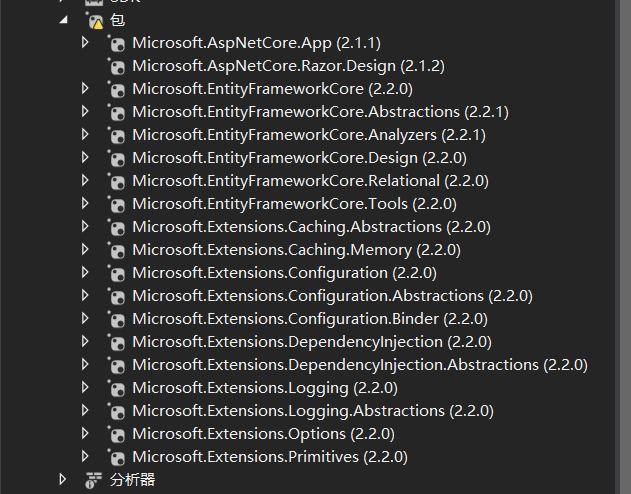
dotnet ef migrations add VSInit

dotnet ef database update
报错:There is already an object named 'AspNetRoles' in the database.
删除之前的数据库实例
dotnet ef migrations add VSInit

dotnet ef database update
主键为int
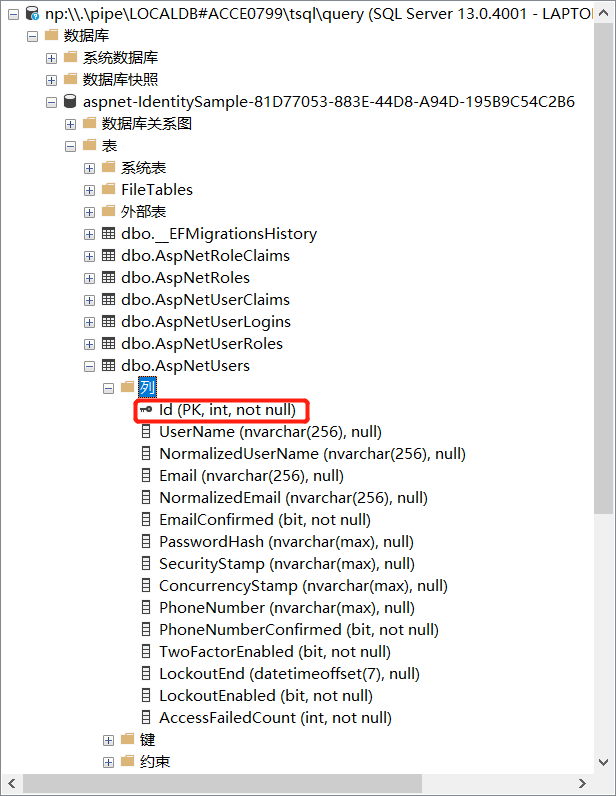
dotnet run
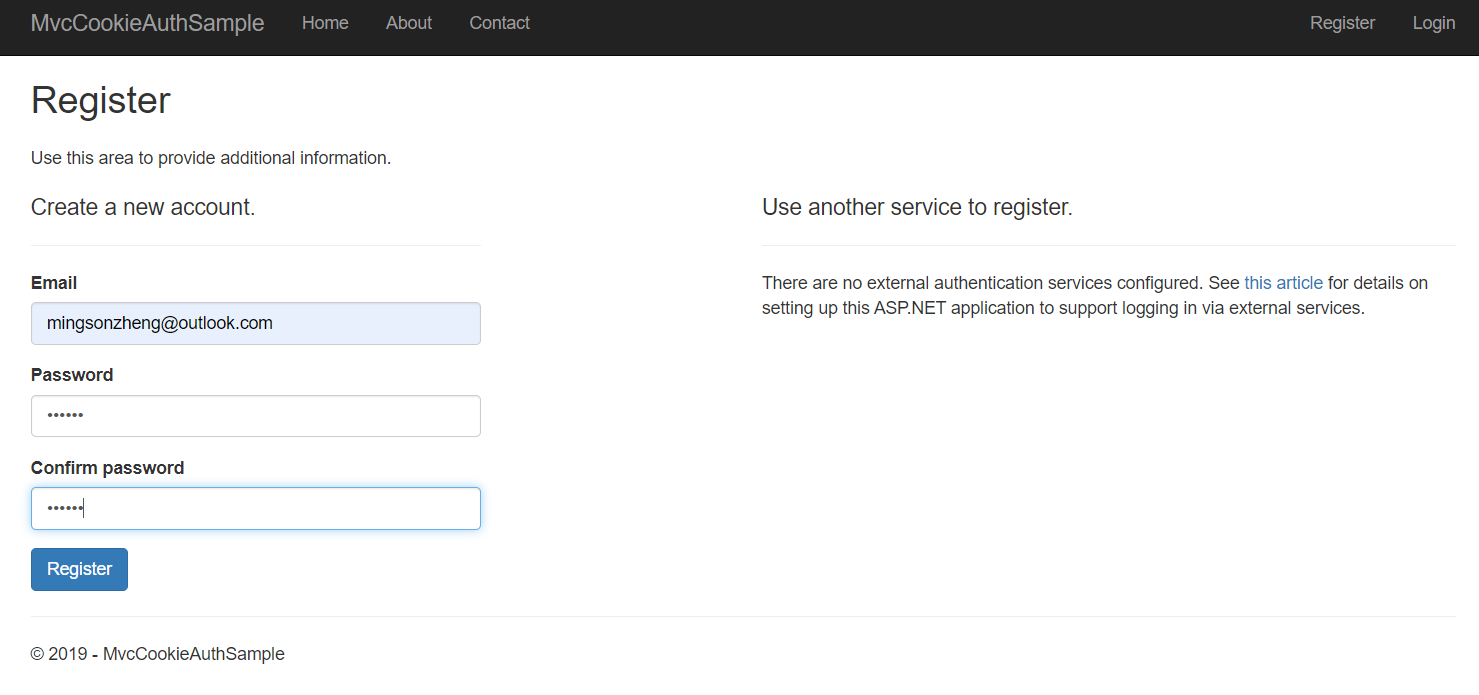
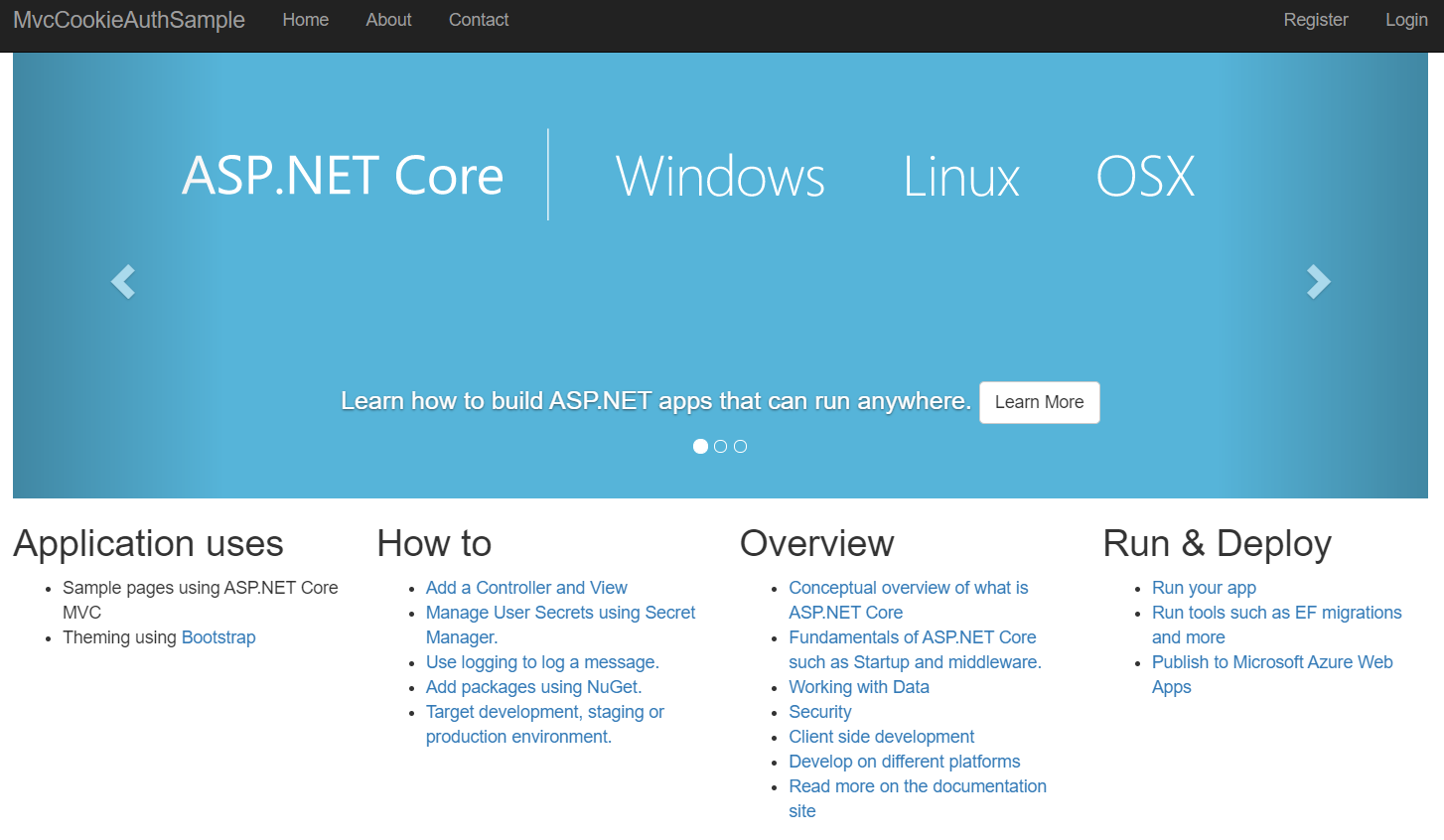
点击Register,成功跳回主页
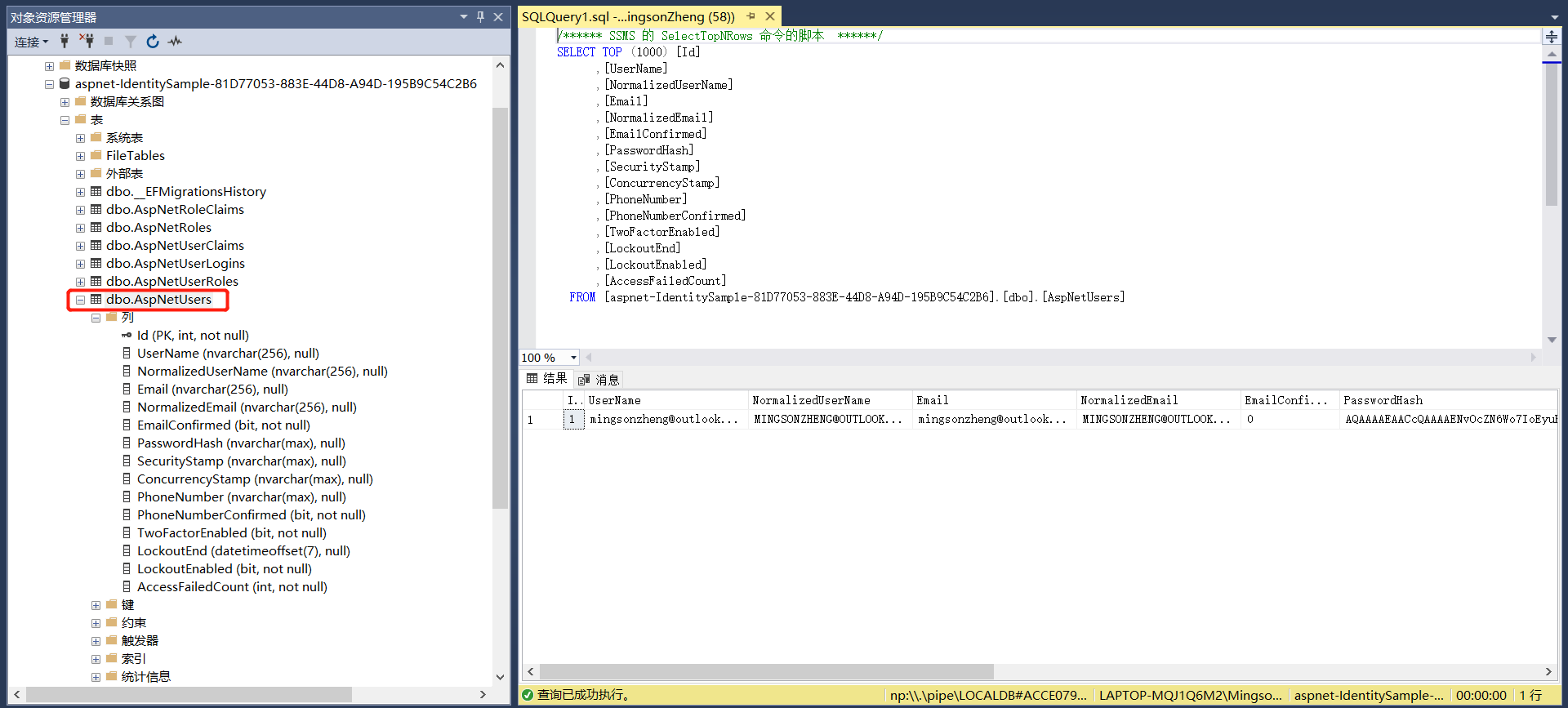
在数据库中查看数据
任务45:Identity MVC:注册逻辑实现
AccountController.cs
        [HttpPost]

        public async Task<IActionResult> Register(RegisterViewModel registerViewModel)

        {

            var identityUser = new ApplicationUser

            {

                Email = registerViewModel.Input_Email,

                UserName = registerViewModel.Input_Email,

                NormalizedEmail = registerViewModel.Input_Email

            };

            var identityResult = await _userManager.CreateAsync(identityUser, registerViewModel.Input_Password);

            if (identityResult.Succeeded)

            {

                // 封装了下面MakeLogin()方法中的HttpContext.SignInAsync(CookieAuthenticationDefaults.AuthenticationScheme,new ClaimsPrincipal(claimIdentity));

                await _signInManager.SignInAsync(identityUser, new AuthenticationProperties {IsPersistent = true});

                return RedirectToAction("Index", "Home");

            }

            return View();

        }
启动项目,重新注册一个

看到Cookie,登陆成功

修改Views/Shared文件夹下的_Layout.cshtml
            <div class="navbar-collapse collapse">

                <ul class="nav navbar-nav">

                    <li><a asp-area="" asp-controller="Home" asp-action="Index">Home</a></li>

                    <li><a asp-area="" asp-controller="Home" asp-action="About">About</a></li>

                    <li><a asp-area="" asp-controller="Home" asp-action="Contact">Contact</a></li>

                </ul>

                <ul class="nav navbar-nav navbar-right">

                    @if (User.Identity.IsAuthenticated)

                    {

                        <li>Welcome, @User.Identity.Name, <a asp-area="" asp-controller="Account" asp-action="Logout">Logout</a></li>

                    }

                    else

                    {

                        <li><a asp-area="" asp-controller="Account" asp-action="Register">Register</a></li>

                        <li><a asp-area="" asp-controller="Account" asp-action="Login">Login</a></li>

                    }

                </ul>

            </div>
启动项目

任务46:Identity MVC:登录逻辑实现
AccountController.cs
        [HttpPost]

        public async Task<IActionResult> Login(RegisterViewModel loginViewModel)

        {

            var user = await _userManager.FindByEmailAsync(loginViewModel.Input_Email);

            if (user == null)

            {

            }

            await _signInManager.SignInAsync(user, new AuthenticationProperties {IsPersistent = true});

            return RedirectToAction("Index", "Home");

        }

        public async Task<IActionResult> Logout()

        {

            await _signInManager.SignOutAsync();

            return RedirectToAction("Index", "Home");

        }

        //public IActionResult Logout()

        //{

        //    HttpContext.SignOutAsync(CookieAuthenticationDefaults.AuthenticationScheme);

        //    return Ok();

        //}
_Layout.cshtml
            <div class="navbar-collapse collapse">

                <ul class="nav navbar-nav">

                    <li><a asp-area="" asp-controller="Home" asp-action="Index">Home</a></li>

                    <li><a asp-area="" asp-controller="Home" asp-action="About">About</a></li>

                    <li><a asp-area="" asp-controller="Home" asp-action="Contact">Contact</a></li>

                </ul>

                @if (User.Identity.IsAuthenticated)

                {

                    <form asp-action="Logout" asp-controller="Account" method="post">

                        <ul class="nav navbar-nav navbar-right">

                            <li><a title="Welcome" asp-controller="Admin" asp-action="Index"> @User.Identity.Name, </a></li>

                            <li><button type="submit" class="btn btn-link navbar-btn navbar-link">Log out</button></li>

                        </ul>

                    </form>

                }

                else

                {

                    <ul class="nav navbar-nav navbar-right">

                        <li><a asp-area="" asp-controller="Account" asp-action="Register">Register</a></li>

                        <li><a asp-area="" asp-controller="Account" asp-action="Login">Login</a></li>

                    </ul>

                }

            </div>
Views/Account文件夹中的Login.cshtml
<form id="account" method="post" asp-controller="Account" asp-action="Login" novalidate="novalidate">
启动项目

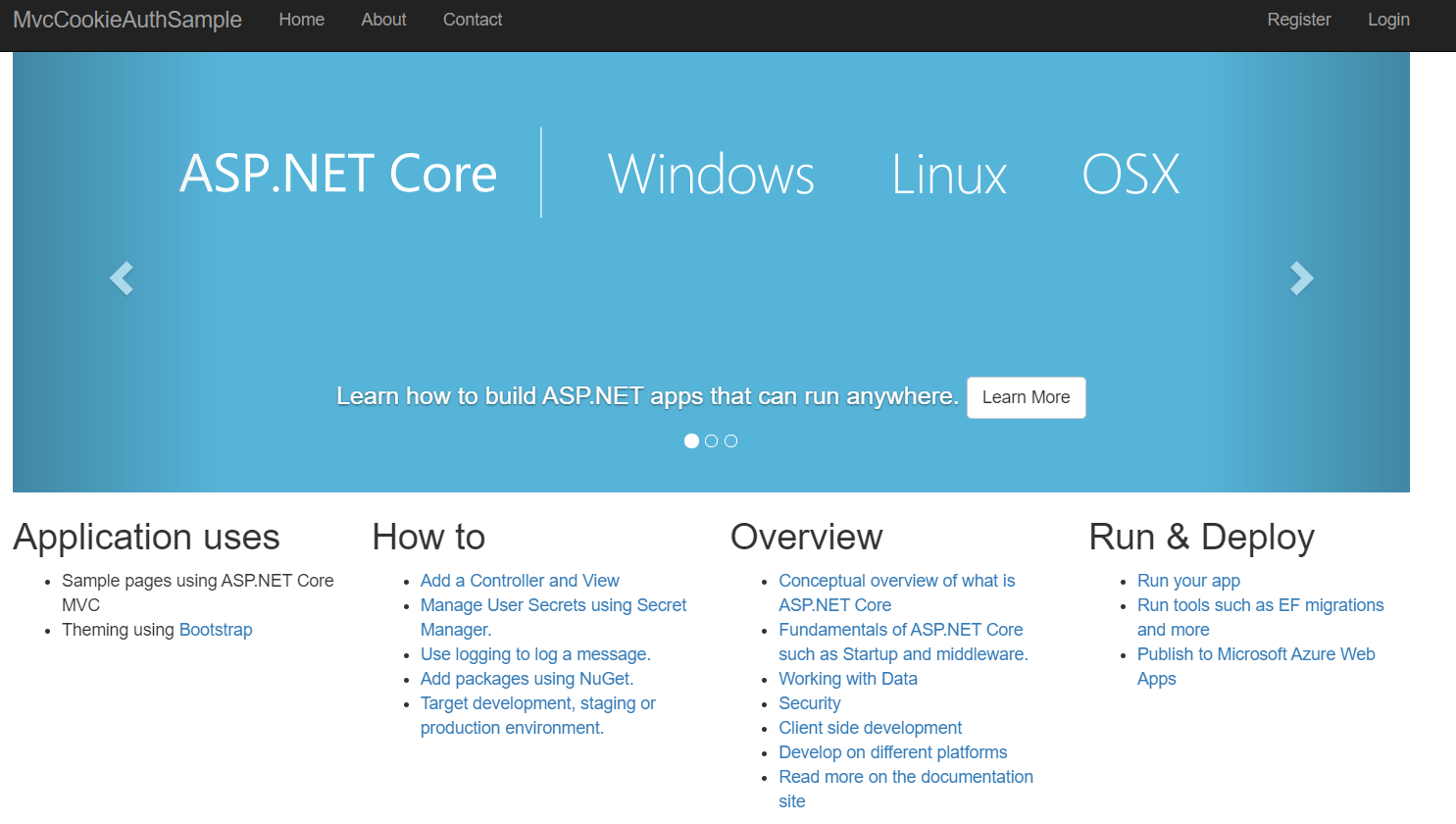
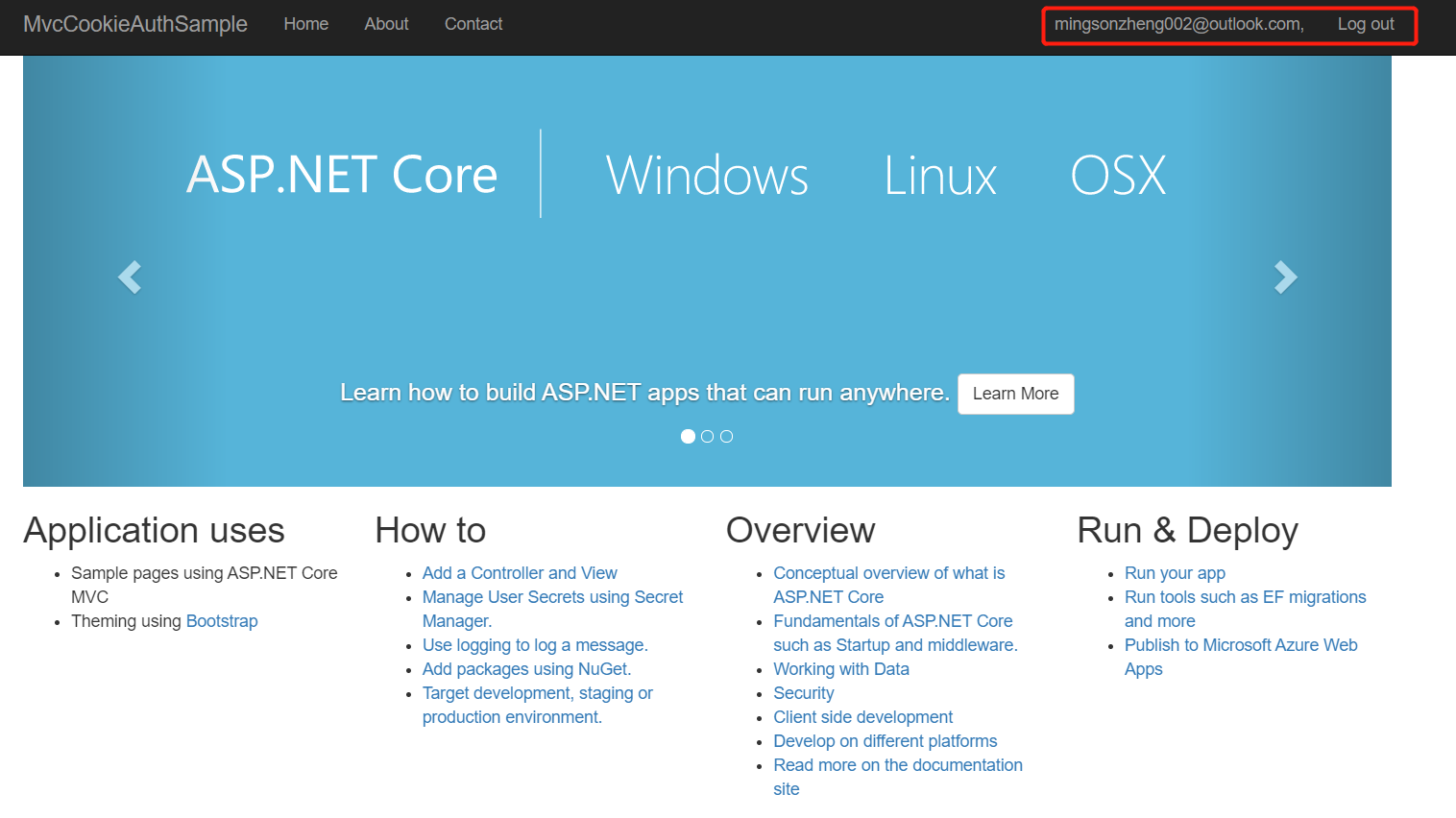
点击Log out,回到主页
点击Login

登陆成功
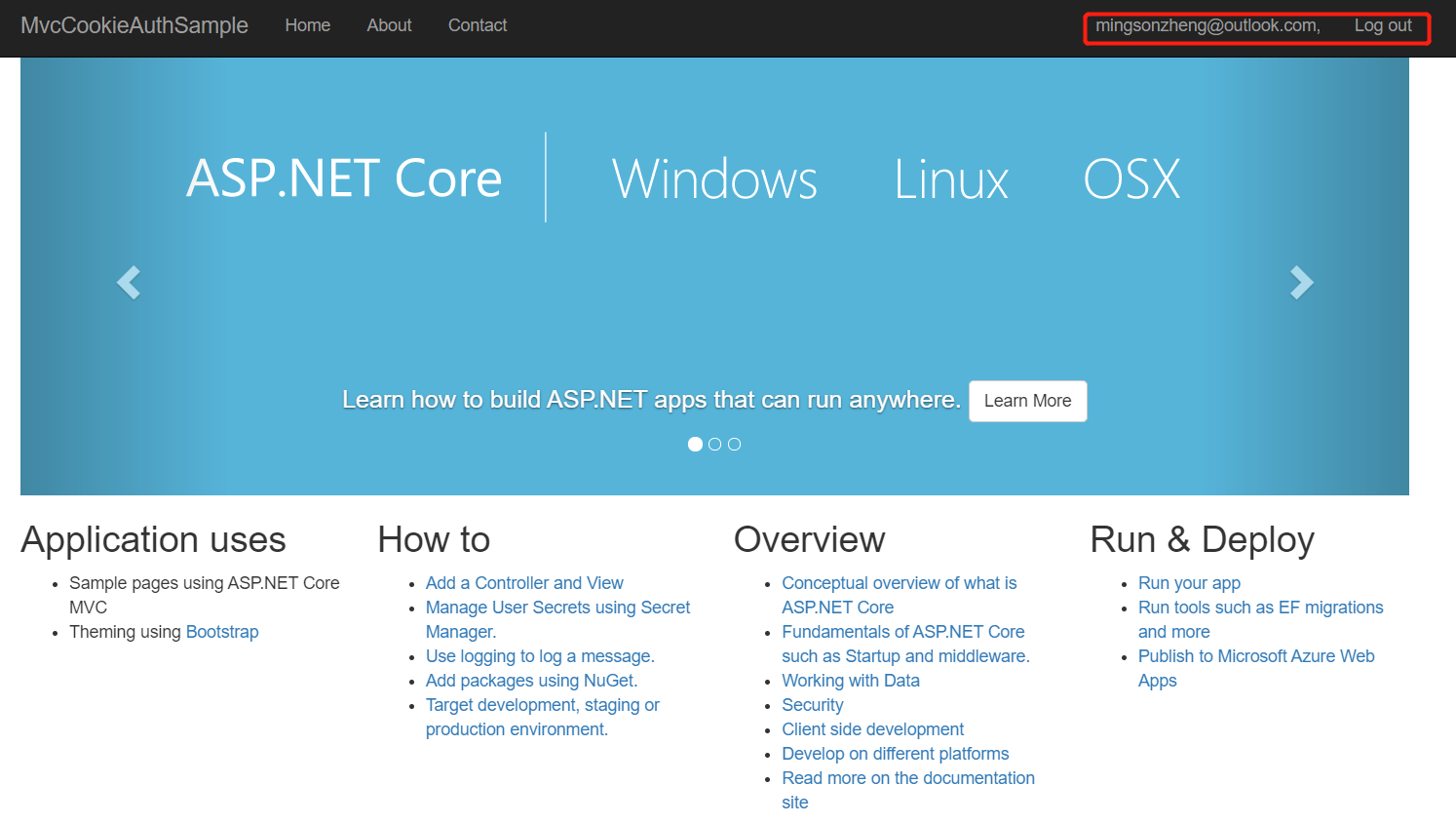
换另一个邮箱,登陆成功
任务47:Identity MVC:ReturnUrl实现
AccountController.cs
        private IActionResult RedirectToLocal(string returnUrl)

        {

            if (Url.IsLocalUrl(returnUrl))

                return Redirect(returnUrl);

            return RedirectToAction(nameof(HomeController.Index), "Home");

        }

        public IActionResult Register(string returnUrl = null)

        {

            ViewData["ReturnUrl"] = returnUrl;

            return View();

        }

        [HttpPost]

        public async Task<IActionResult> Register(RegisterViewModel registerViewModel, string returnUrl = null)

        {

            ViewData["ReturnUrl"] = returnUrl;

            var identityUser = new ApplicationUser

            {

                Email = registerViewModel.Input_Email,

                UserName = registerViewModel.Input_Email,

                NormalizedEmail = registerViewModel.Input_Email

            };

            var identityResult = await _userManager.CreateAsync(identityUser, registerViewModel.Input_Password);

            if (identityResult.Succeeded)

            {

                // 封装了下面MakeLogin()方法中的HttpContext.SignInAsync(CookieAuthenticationDefaults.AuthenticationScheme,new ClaimsPrincipal(claimIdentity));

                await _signInManager.SignInAsync(identityUser, new AuthenticationProperties {IsPersistent = true});

                //return RedirectToAction("Index", "Home");

                return RedirectToLocal(returnUrl);

            }

            return View();

        }

        public IActionResult Login(string returnUrl = null)

        {

            ViewData["ReturnUrl"] = returnUrl;

            return View();

        }

        [HttpPost]

        public async Task<IActionResult> Login(RegisterViewModel loginViewModel, string returnUrl = null)

        {

            ViewData["ReturnUrl"] = returnUrl;

            var user = await _userManager.FindByEmailAsync(loginViewModel.Input_Email);

            if (user == null)

            {

            }

            await _signInManager.SignInAsync(user, new AuthenticationProperties {IsPersistent = true});

            //return RedirectToAction("Index", "Home");

            return RedirectToLocal(returnUrl);

        }
Register.cshtml
<form id="registerForm" method="post" asp-route-returnUrl="@ViewData["ReturnUrl"]" novalidate="novalidate">
Login.cshtml
<form id="account" method="post" asp-controller="Account" asp-action="Login" asp-route-returnUrl="@ViewData["ReturnUrl"]" novalidate="novalidate">
启动项目,访问:https://localhost:44387/admin

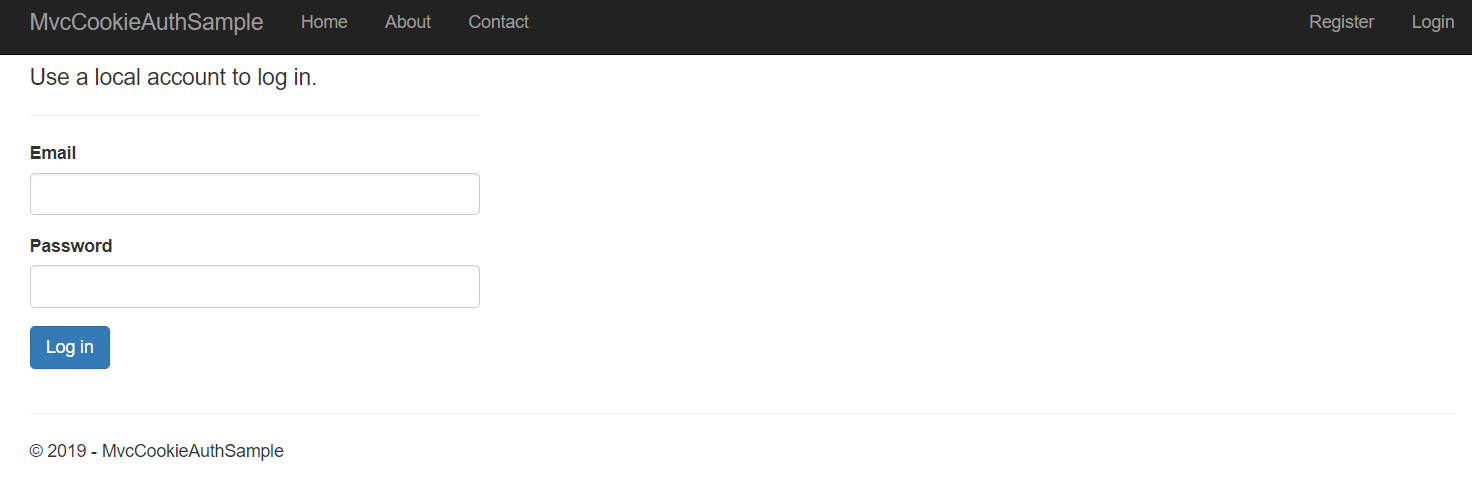
点击Log out,再次访问:https://localhost:44387/admin,跳转到登陆界面
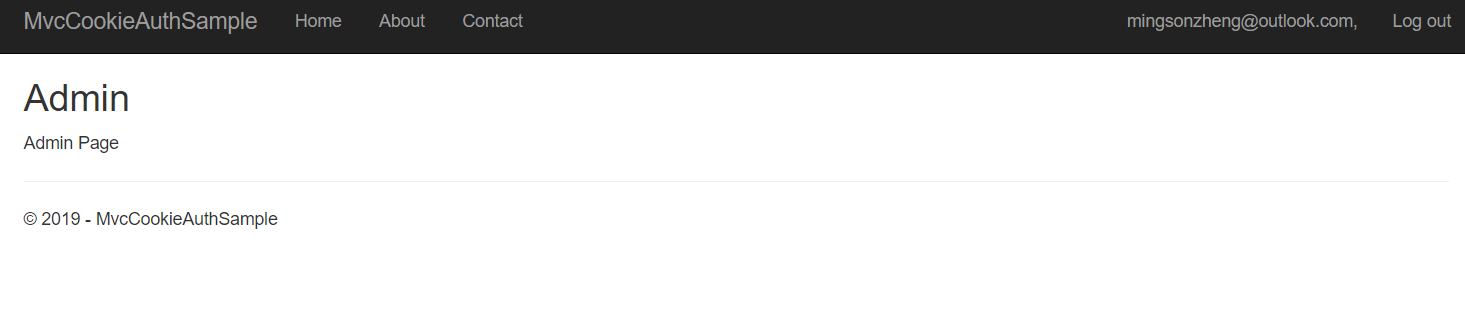
登陆之后直接到admin页面
任务48:Identity MVC:Model后端验证
RegisterViewModel.cs
using System.ComponentModel.DataAnnotations;

namespace MvcCookieAuthSample.ViewModels

{

    public class RegisterViewModel

    {

        [Required]

        [DataType(DataType.EmailAddress)]

        public string Input_Email{get;set;}

        [Required]

        [DataType(DataType.Password)]

        public string Input_Password{get;set;}

        [Required]

        [DataType(DataType.Password)]

        public string Input_ConfirmPassword{get;set;}

    }

}
在ViewModels文件夹下新增LoginViewModel.cs
using System;

using System.Collections.Generic;

using System.Linq;

using System.Threading.Tasks;

using System.ComponentModel.DataAnnotations;

namespace MvcCookieAuthSample.ViewModels

{

    public class LoginViewModel

    {

        [Required]

        [DataType(DataType.EmailAddress)]

        public string Input_Email { get; set; }

        [Required]

        [DataType(DataType.Password)]

        public string Input_Password { get; set; }

    }

}
AccountController.cs第一个参数类型由RegisterViewModel修改为LoginViewModel
        [HttpPost]

        public async Task<IActionResult> Login(LoginViewModel loginViewModel, string returnUrl = null)

        {

            if (ModelState.IsValid)

            {

                ViewData["ReturnUrl"] = returnUrl;

                var user = await _userManager.FindByEmailAsync(loginViewModel.Input_Email);

                if (user == null)

                {

                }

                await _signInManager.SignInAsync(user, new AuthenticationProperties { IsPersistent = true });

                //return RedirectToAction("Index", "Home");

                return RedirectToLocal(returnUrl);

            }

            return View();

        }
Login.cshtml
                <div class="form-group">

                    <label asp-for="Input_Email">Email</label>

                    <input  asp-for="Input_Email" class="form-control" type="email">

                    <span asp-validation-for="Input_Email" class="text-danger"></span>

                </div>

                <div class="form-group">

                    <label asp-for="Input_Password">Password</label>

                    <input asp-for="Input_Password" class="form-control" type="password">

                    <span asp-validation-for="Input_Password" class="text-danger"></span>

                </div>
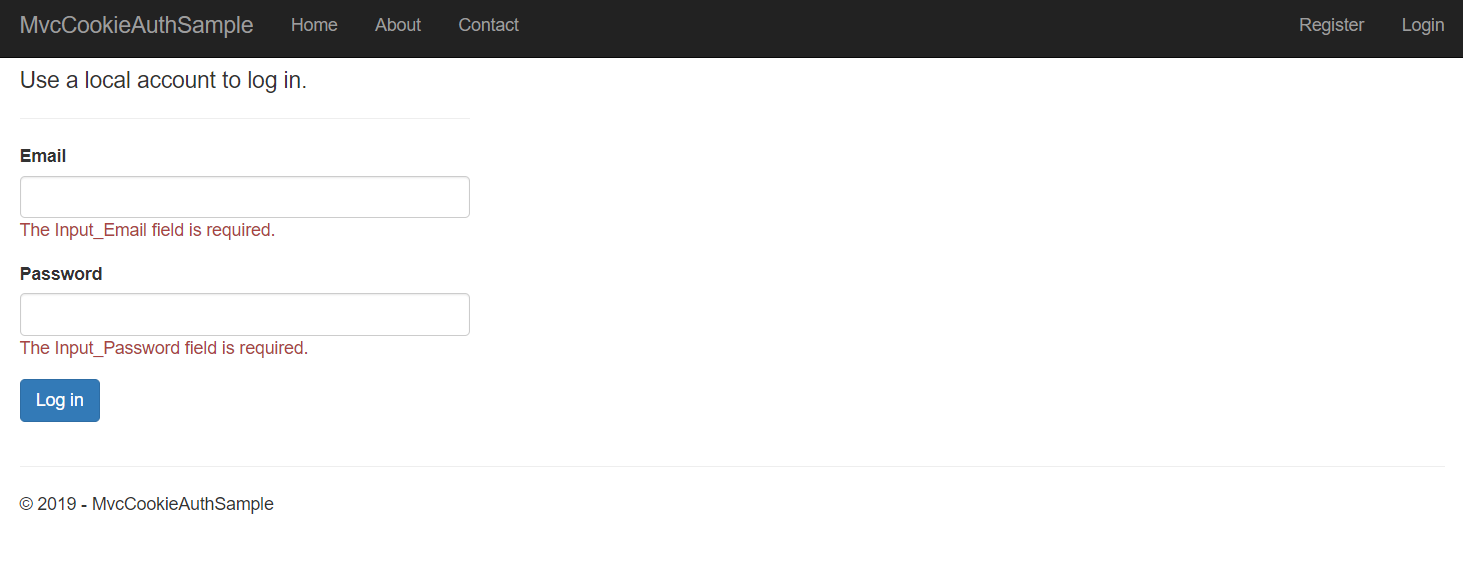
启动项目,不输入邮箱密码直接点击登陆
Register.cshtml
            <div class="form-group">

                <label asp-for="Input_Email">Email</label>

                <input asp-for="Input_Email" class="form-control" type="email">

                <span asp-validation-for="Input_Email" class="text-danger"></span>

            </div>

            <div class="form-group">

                <label asp-for="Input_Password">Password</label>

                <input asp-for="Input_Password" class="form-control" type="password">

                <span asp-validation-for="Input_Password" class="text-danger"></span>

            </div>

            <div class="form-group">

                <label asp-for="Input_ConfirmPassword">Confirm password</label>

                <input asp-for="Input_ConfirmPassword" class="form-control" type="password">

                <span asp-validation-for="Input_ConfirmPassword" class="text-danger"></span>

            </div>
AccountController.cs
        [HttpPost]

        public async Task<IActionResult> Register(RegisterViewModel registerViewModel, string returnUrl = null)

        {

            if (ModelState.IsValid)

            {

                ViewData["ReturnUrl"] = returnUrl;

                var identityUser = new ApplicationUser

                {

                    Email = registerViewModel.Input_Email,

                    UserName = registerViewModel.Input_Email,

                    NormalizedEmail = registerViewModel.Input_Email

                };

                var identityResult = await _userManager.CreateAsync(identityUser, registerViewModel.Input_Password);

                if (identityResult.Succeeded)

                {

                    // 封装了下面MakeLogin()方法中的HttpContext.SignInAsync(CookieAuthenticationDefaults.AuthenticationScheme,new ClaimsPrincipal(claimIdentity));

                    await _signInManager.SignInAsync(identityUser, new AuthenticationProperties { IsPersistent = true });

                    //return RedirectToAction("Index", "Home");

                    return RedirectToLocal(returnUrl);

                }

            }

            return View();

        }
启动项目,直接点击注册

Startup.cs
            services.Configure<IdentityOptions>(options =>

            {

                options.Password.RequireLowercase = true;

                options.Password.RequireNonAlphanumeric = true;

                options.Password.RequireUppercase = true;

                options.Password.RequiredLength = 12;

            });
Register.cshtml添加text-danger
            <h4>Create a new account.</h4>

            <hr>

            <div class="text-danger" asp-validation-summary="All"></div>
AccountController.cs
        private void AddErrors(IdentityResult result)

        {

            foreach (var error in result.Errors)

            {

                ModelState.AddModelError(string.Empty, error.Description);

            }

        }

        [HttpPost]

        public async Task<IActionResult> Register(RegisterViewModel registerViewModel, string returnUrl = null)

        {

            if (ModelState.IsValid)

            {

                ViewData["ReturnUrl"] = returnUrl;

                var identityUser = new ApplicationUser

                {

                    Email = registerViewModel.Input_Email,

                    UserName = registerViewModel.Input_Email,

                    NormalizedEmail = registerViewModel.Input_Email

                };

                var identityResult = await _userManager.CreateAsync(identityUser, registerViewModel.Input_Password);

                if (identityResult.Succeeded)

                {

                    // 封装了下面MakeLogin()方法中的HttpContext.SignInAsync(CookieAuthenticationDefaults.AuthenticationScheme,new ClaimsPrincipal(claimIdentity));

                    await _signInManager.SignInAsync(identityUser, new AuthenticationProperties { IsPersistent = true });

                    //return RedirectToAction("Index", "Home");

                    return RedirectToLocal(returnUrl);

                }

                else

                {

                    AddErrors(identityResult);

                }

            }

            return View();

        }
启动项目,随便输入密码123
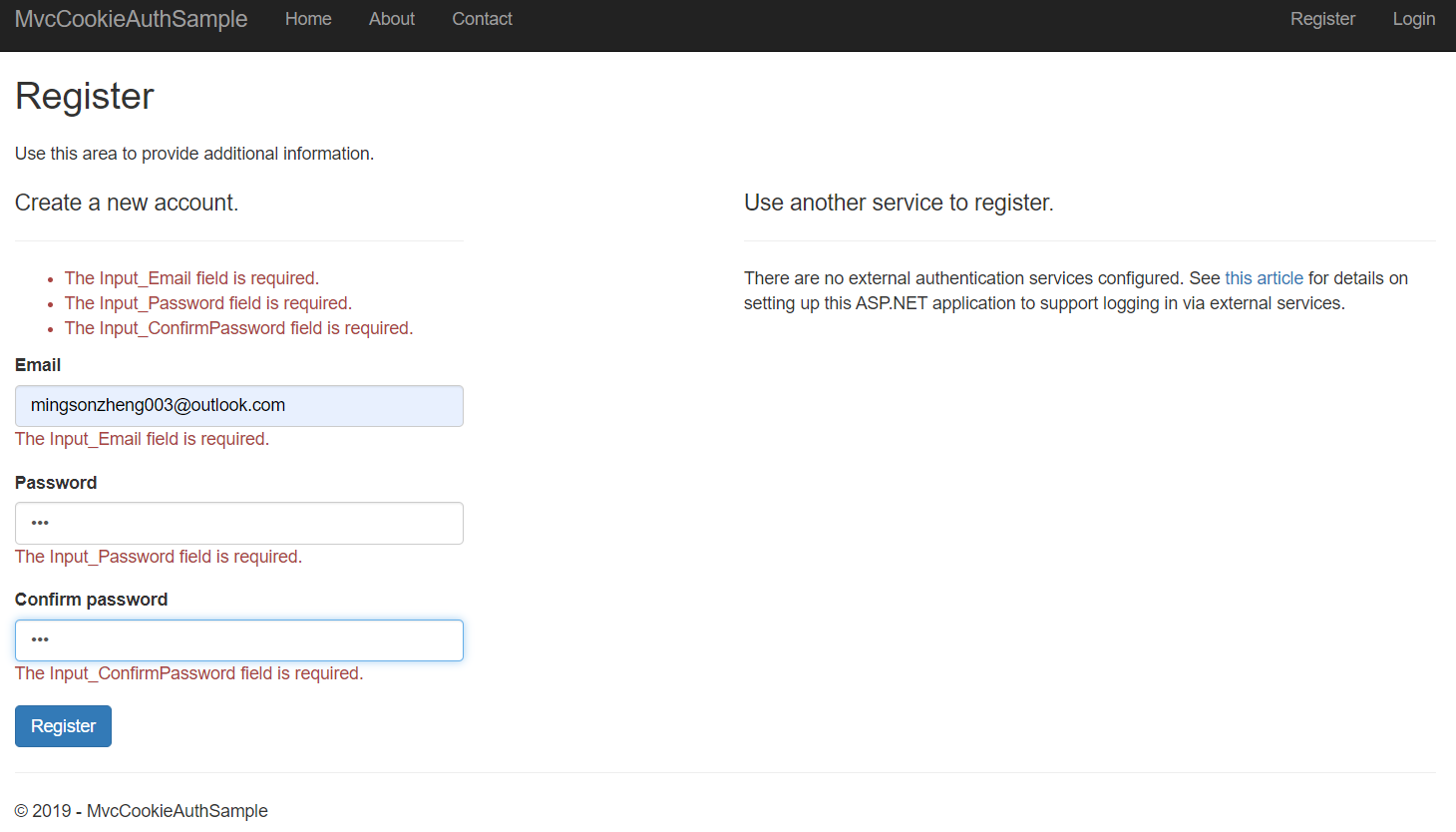
点击注册
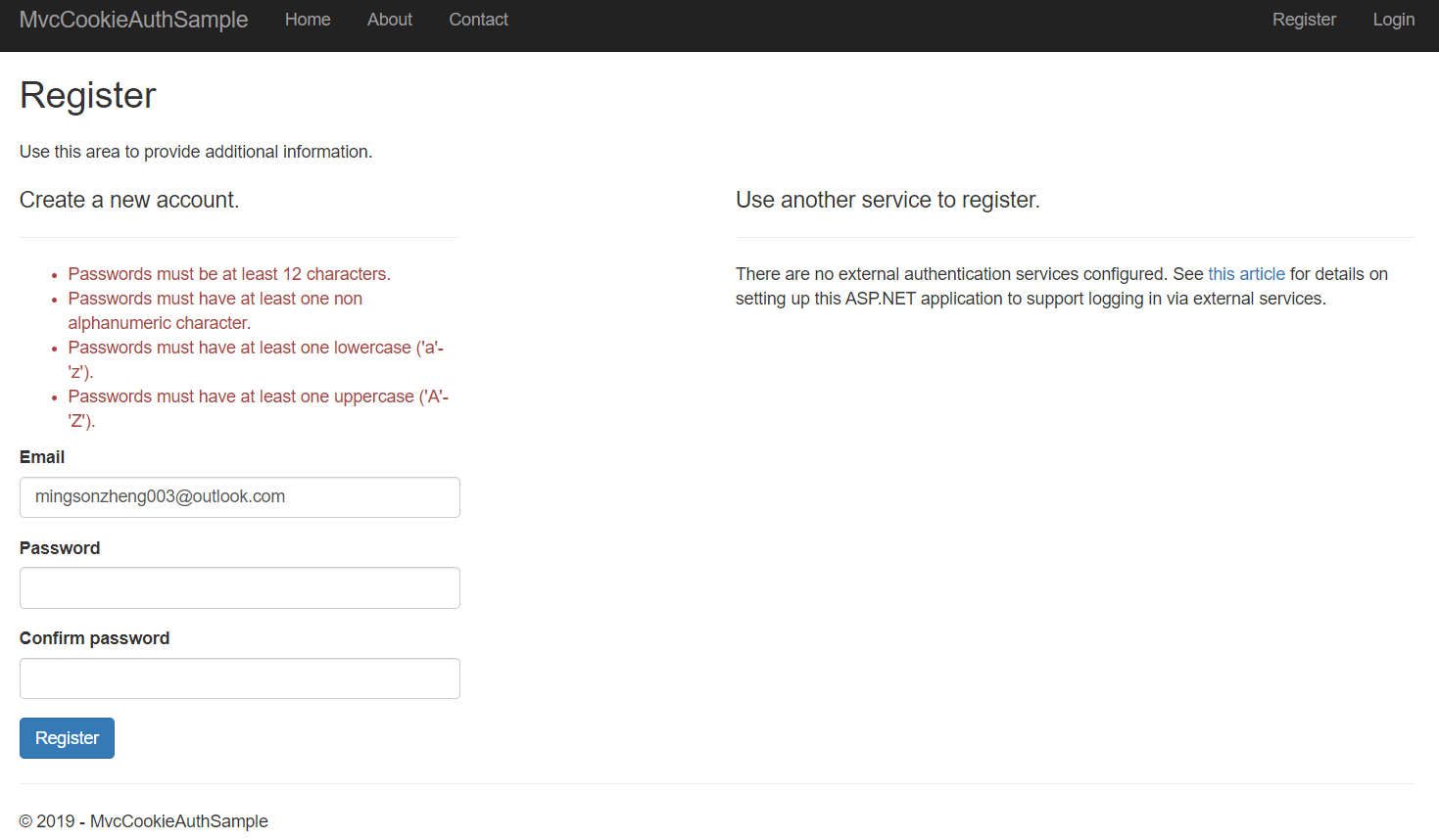
任务49:Identity MVC:Model前端验证
将Shared文件夹中的_ValidationScriptsPartial.cshtml的jquery.validate组件添加到Login.cshtml最下面以及Register.cshtml最下面
@section Scripts

{

    @await Html.PartialAsync("_ValidationScriptsPartial")

}
启动项目,直接点击登陆,注册,不会产生网络请求
任务50:Identity MVC:DbContextSeed初始化
启动的时候判断是否第一次执行,如果第一次执行则添加一个记录,比如用户账号第一次进来为管理员
在Data文件夹新增ApplicationDbContextSeed.cs
using System;

using System.Collections.Generic;

using System.Linq;

using System.Threading.Tasks;

using Microsoft.AspNetCore.Identity;

using MvcCookieAuthSample.Models;

using Microsoft.Extensions.DependencyInjection;

namespace MvcCookieAuthSample.Data

{

    public class ApplicationDbContextSeed

    {

        private UserManager<ApplicationUser> _userManager;

        public async Task SeedSync(ApplicationDbContext context, IServiceProvider services)

        {

            if (!context.Users.Any())

            {

                _userManager = services.GetRequiredService<UserManager<ApplicationUser>>();

                var defaultUser = new ApplicationUser

                {

                    UserName = "Administrator",

                    Email = "mingsonzheng003@outlook.com",

                    NormalizedUserName = "admin"

                };

                var result = await _userManager.CreateAsync(defaultUser, "Password$123");

                if (!result.Succeeded)

                    throw new Exception("初始默认用户失败");

            }

        }

    }

}
在Data文件夹新增扩展方法调用ApplicationDbContextSeed
WebHostMigrationExtensions.cs
using System;

using System.Collections.Generic;

using System.Linq;

using System.Threading.Tasks;

using Microsoft.AspNetCore.Hosting;

using Microsoft.EntityFrameworkCore;

using  Microsoft.Extensions.DependencyInjection;

using Microsoft.Extensions.Logging;

namespace MvcCookieAuthSample.Data

{

    public static class WebHostMigrationExtensions

    {

        public static IWebHost MigrateDbContext<TContext>(this IWebHost host, Action<TContext, IServiceProvider> sedder)

            where TContext : DbContext

        {

            using (var scope = host.Services.CreateScope())

            {

                var services = scope.ServiceProvider;

                var logger = services.GetRequiredService<ILogger<TContext>>();

                var context = services.GetService<TContext>();

                try

                {

                    context.Database.Migrate();

                    sedder(context, services);

                    logger.LogInformation($"执行DBContext { typeof(TContext).Name } seed执行成功");

                }

                catch (Exception ex)

                {

                    logger.LogInformation($"执行DBContext { typeof(TContext).Name } seed执行失败");

                }

            }

            return host;

        }

    }

}
Program.cs
using System;

using System.Collections.Generic;

using System.IO;

using System.Linq;

using System.Threading.Tasks;

using Microsoft.AspNetCore;

using Microsoft.AspNetCore.Hosting;

using Microsoft.Extensions.Configuration;

using Microsoft.Extensions.Logging;

using MvcCookieAuthSample.Data;

namespace MvcCookieAuthSample

{

    public class Program

    {

        public static void Main(string[] args)

        {

            CreateWebHostBuilder(args).Build()

                .MigrateDbContext<ApplicationDbContext>((context, services) =>

                {

                    new ApplicationDbContextSeed().SeedSync(context, services)

                        .Wait();

                })

                .Run();

        }

        public static IWebHostBuilder CreateWebHostBuilder(string[] args) =>

            WebHost.CreateDefaultBuilder(args)

                .UseStartup<Startup>();

    }

}
删除数据库

控制台方式启动项目,先进行数据库初始化,再启动WebHost

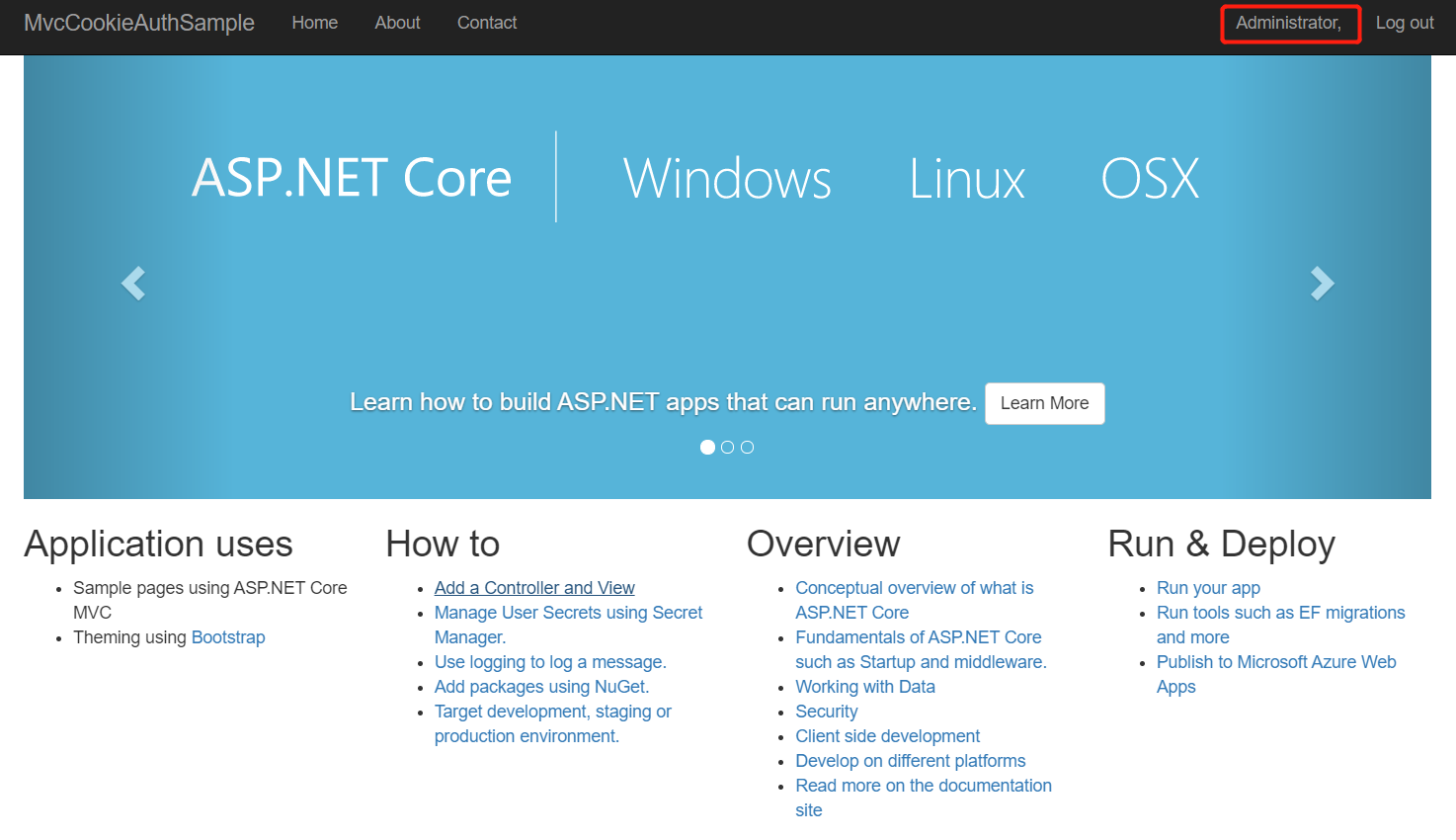
数据库自动插入数据
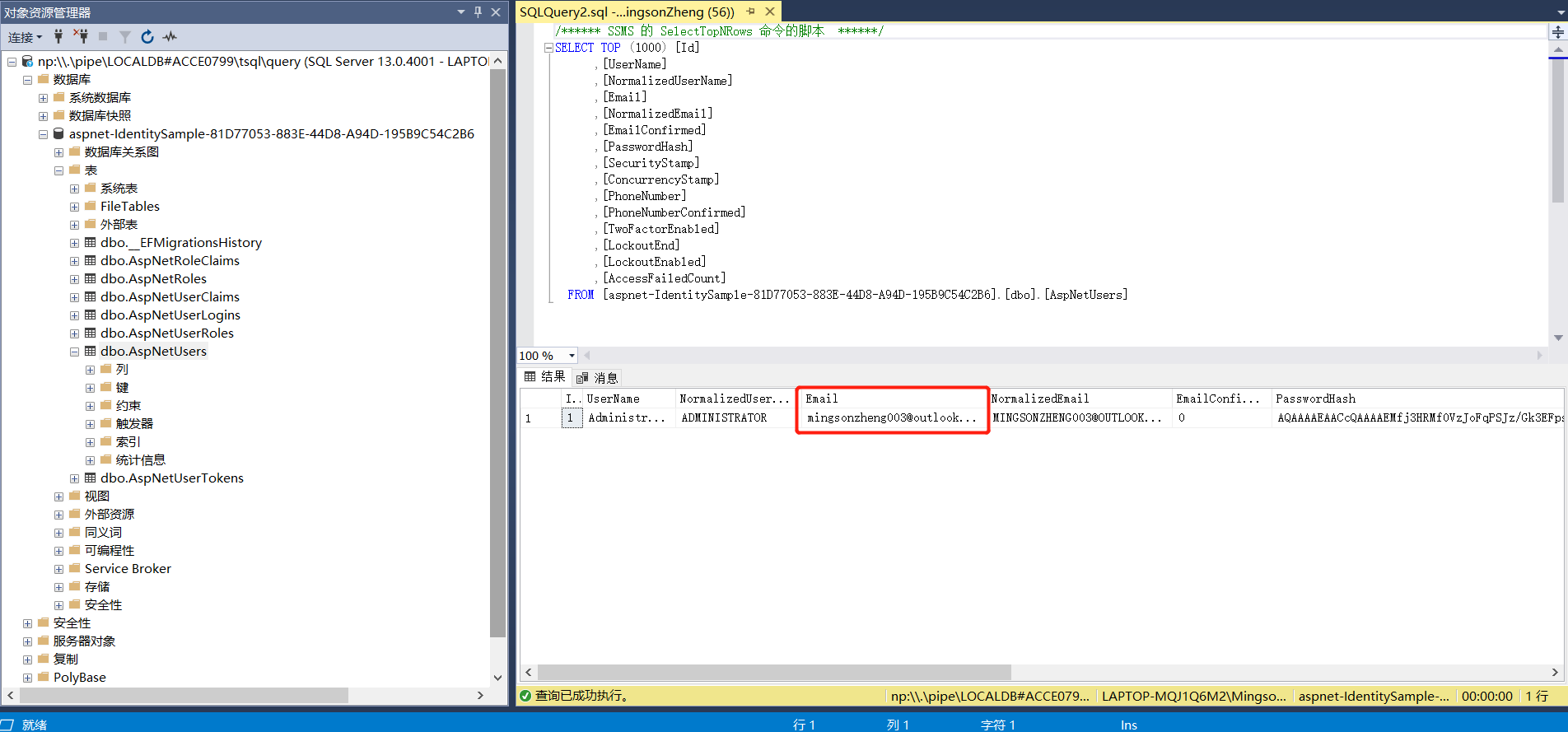
输入邮箱,密码:Password$123
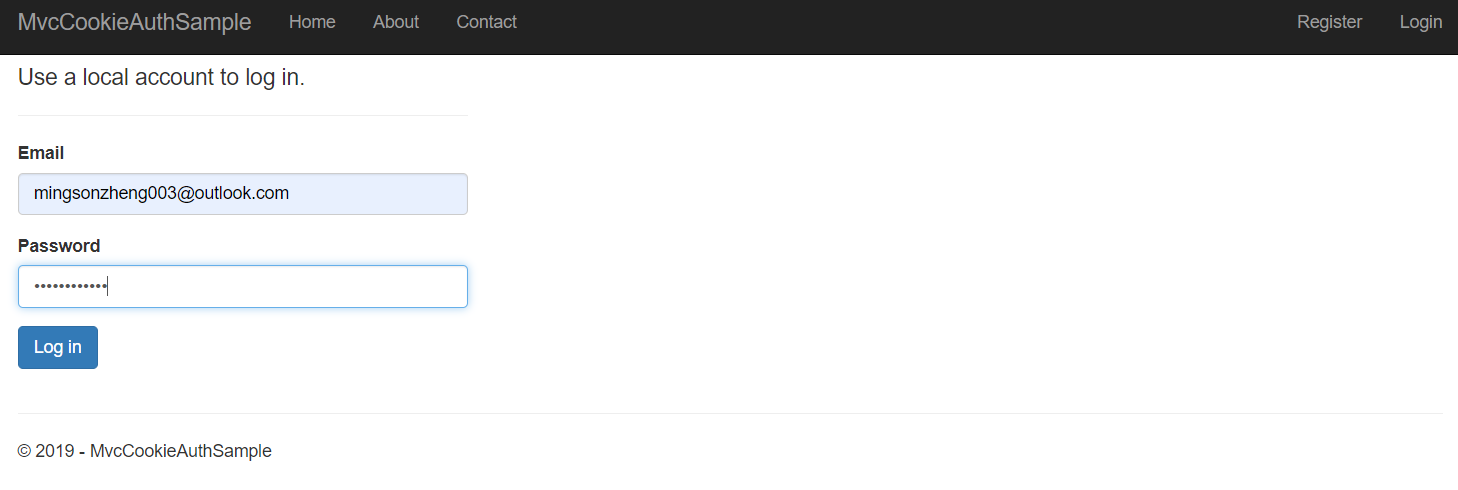
登陆

本作品采用知识共享署名-非商业性使用-相同方式共享 4.0 国际许可协议进行许可。
欢迎转载、使用、重新发布,但务必保留文章署名 郑子铭 (包含链接: http://www.cnblogs.com/MingsonZheng/ ),不得用于商业目的,基于本文修改后的作品务必以相同的许可发布。
如有任何疑问,请与我联系 (MingsonZheng@outlook.com) 。
ASP.NET Core快速入门(第6章:ASP.NET Core MVC)--学习笔记的更多相关文章
- ASP.NET Core 快速入门(Razor Pages + Entity Framework Core)
引子 自从 2009 年开始在博客园写文章,这是目前我写的最长的一篇文章了. 前前后后,我总共花了 5 天的时间,每天超过 3 小时不间断写作和代码调试.总共有 8 篇文章,每篇 5~6 个小结,总截 ...
- ASP.NET Core快速入门--学习笔记系列文章索引目录
课程链接:http://video.jessetalk.cn/course/explore 良心课程,大家一起来学习哈! 抓住国庆假期的尾巴完成了此系列课程的学习笔记输出! ASP.NET Core快 ...
- 【笔记目录2】【jessetalk 】ASP.NET Core快速入门_学习笔记汇总
当前标签: ASP.NET Core快速入门 共2页: 上一页 1 2 任务27:Middleware管道介绍 GASA 2019-02-12 20:07 阅读:15 评论:0 任务26:dotne ...
- 【笔记目录1】【jessetalk 】ASP.NET Core快速入门_学习笔记汇总
当前标签: ASP.NET Core快速入门 共2页: 1 2 下一页 任务50:Identity MVC:DbContextSeed初始化 GASA 2019-03-02 14:09 阅读:16 ...
- .NET Core 快速入门教程
.NET Core 快速学习.入门系列教程.这个入门系列教程主要跟大家聊聊.NET Core的前世今生,以及Windows.Linux(CentOS.Ubuntu)基础开发环境的搭建.第一个.NET ...
- .NET Core快速入门教程 2、我的第一个.NET Core App(Windows篇)
一.前言 本篇开发环境?1.操作系统: Windows 10 X642.SDK: .NET Core 2.0 Preview 二.安装 .NET Core SDK 1.下载 .NET Core下载地址 ...
- .NET Core快速入门教程 3、我的第一个.NET Core App (CentOS篇)
一.前言 本篇开发环境?1.操作系统:CentOS7(因为ken比较偏爱CentOS7)2.SDK版本:.NET Core 2.0 Preview 你可能需要的前置知识1.了解如何通过Hyper-V安 ...
- [Qt Creator 快速入门] 第2章 Qt程序编译和源码详解
一.编写 Hello World Gui程序 Hello World程序就是让应用程序显示"Hello World"字符串.这是最简单的应用,但却包含了一个应用程序的基本要素,所以 ...
- .NET Core快速入门教程 5、使用VS Code进行C#代码调试的技巧
一.前言 为什么要调试代码?通过调试可以让我们了解代码运行过程中的代码执行信息,比如变量的值等等.通常调试代码是为了方便我们发现代码中的bug.ken.io觉得熟练代码调试技巧是成为合格程序员的基本要 ...
- .NET Core快速入门教程 4、使用VS Code开发.NET Core控制台应用程序
一.前言 为什么选择VS Code?VS Code 是一款跨平台的代码编辑器,想想他的哥哥VS,并是微软出品的宇宙第一IDE,那作为VS的弟弟,VS Code 也不会差,毕竟微软出品.反正ken是这么 ...
随机推荐
- python基础(18):初识模块、re模块
1. 认识模块 常见的场景:一个模块就是一个包含了python定义和声明的文件,文件名就是模块名字加上.py的后缀. 但其实import加载的模块分为四个通用类别: 1.使用python编写的代码(. ...
- Linux问题记录——主机名变成了bogon
Linux问题记录——主机名变成了bogon 摘要:本文主要记录了主机名变成bogon的原因以及解决办法. 问题重现 主机名在一次登录后,变成了bogon,此后每次登录Linux系统时都是bogon. ...
- 同样是高并发,QQ/微博/12306的架构难度一样吗?
开篇 同一个用户并发扣款时,有一定概率出现数据不一致,可以使用CAS乐观锁的方式,在不降低吞吐量,保证数据的一致性: UPDATE t_yue SET money=$new_money WHERE u ...
- Docker关于镜像、容器的基本命令
镜像 1.获取镜像 docker pull 服务器:端口/仓库名称:镜像 ➜ ~ docker pull python Using default tag: latest 2.查看镜像信息 列出本机所 ...
- 图片在DIV里边水平垂直居中
图片在一个DIV中要垂直水平居中,首先定义一个DIV .wrap{ width: 600px; height: 400px; border: 1px #000 solid; } 插入图片 <di ...
- Word模板注入攻击
Word模板注入攻击 0x00 工具准备 phishery:https://github.com/ryhanson/phishery/releases office版本:office 2010 0x0 ...
- [转]HotSpot VM GC 的种类
原文地址:http://www.cnblogs.com/redcreen/archive/2011/05/04/2037029.html collector种类 GC在 HotSpot VM 5.0里 ...
- Oracle大数据解决方案》学习笔记5——Oracle大数据机的配置、部署架构和监控-1(BDA Config, Deployment Arch, and Monitoring)
原创预见未来to50 发布于2018-12-05 16:18:48 阅读数 146 收藏 展开 这章的内容很多,有的学了. 1. Oracle大数据机——灵活和可扩展的架构 2. Hadoop集群的 ...
- 02-Django项目创建
第一.Django项目创建 django-admin startproject 项目名 # 注意如果使用虚拟环境,创建应用必须先进入虚拟环境 进入项目目录,tree看项目结构(此时提示tree com ...
- 编译 lineageos 14.1 on OnePlus3
breakfast oneplus3 命令的主要作用是 1.执行 vendorsetup.sh 2. variant 默认设置为 userdebug 3. 根据机型判断 调用 lunch cm 或 ...