
Yolov5——训练目标检测模型
项目的克隆
打开yolov5官网(GitHub - ultralytics/yolov5 at v5.0),下载yolov5的项目:

环境的安装(免额外安装CUDA和cudnn)
打开anaconda的终端,创建新的名为yolov5的环境(python选择3.8版本):
conda create -n yolov5 python=3.8

执行如下命令,激活这个环境:
conda activate yolov5

打开pytorch的官网,选择自己显卡对应的pytorch版本(我的显卡为GTX1650,这里选择1.8.0pytorch版本):

选择CUDA版本(这里我选择10.2),复制命令到anaconda终端执行:

至此pytorch环境安装完成,接下来验证CUDA和cudnn版本,打开Ptcharm,执行如下代码:
import torch

print(torch.cuda.is_available())

print(torch.backends.cudnn.is_available())

print(torch.cuda_version)

print(torch.backends.cudnn.version())
输出如下结果表示安装成功:

利用labelimg标注数据集:
labelimg的安装:
打开cmd命令控制台,输入如下的命令下载labelimg相关的依赖:
pip install labelimg -i https://pypi.tuna.tsinghua.edu.cn/simple
数据准备:
新建一个名为VOC2007的文件夹,在里面创建一个名为JPEGImages的文件夹存放需要打标签的图片文件;再创建一个名为Annotations的文件夹存放标注的标签文件;最后创建一个名为 predefined_classes.txt 的txt文件来存放所要标注的类别名称(这里我的类别一共有6类,分别是fanbingbing,jiangwen,liangjiahui,liuyifei,zhangziyi,zhoujielun):


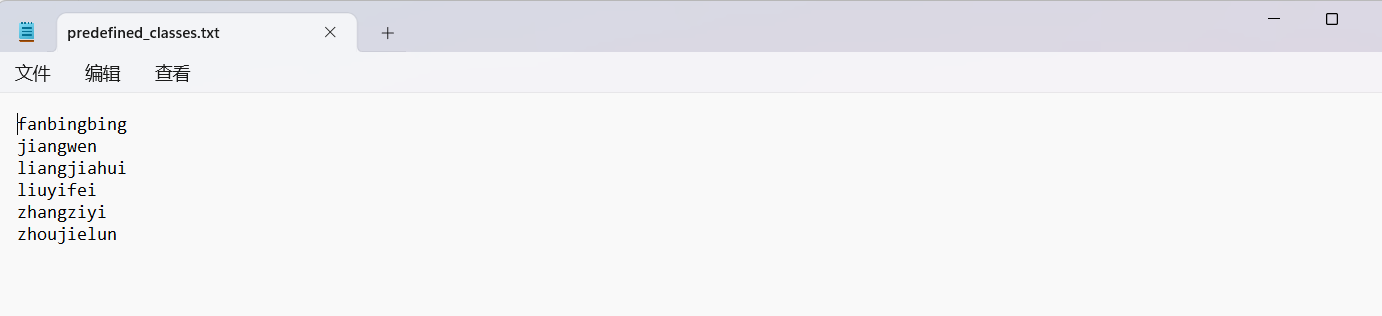
进入到刚刚创建的VOC2007路径,执行cmd命令:

输入如下的命令打开labelimg并初始化predefined_classes.txt里面定义的类:
labelimg JPEGImages predefined_classes.txt
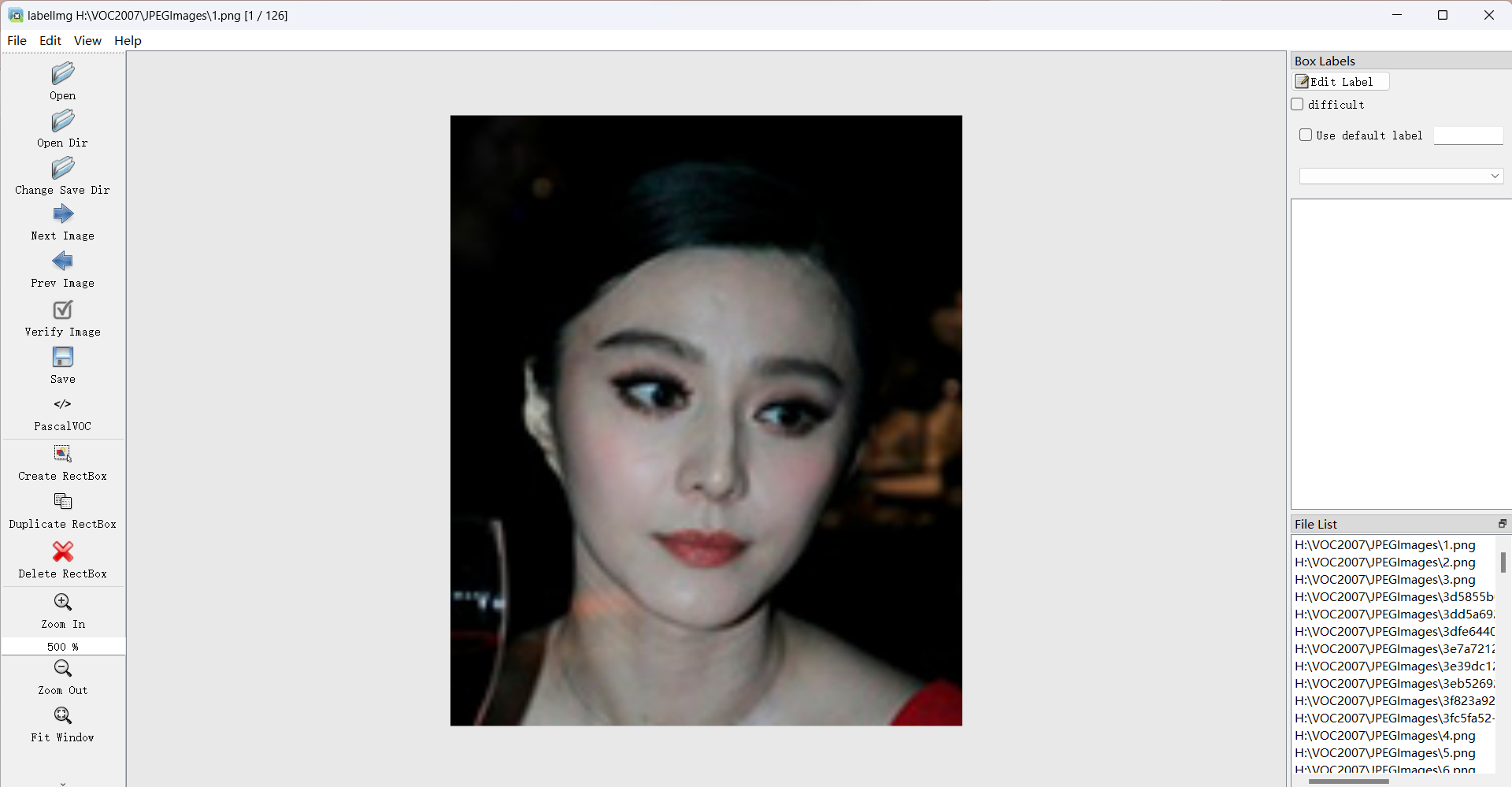
打开view设置,勾选如下选项(建议勾选):

标注数据:
按下快捷键W调出标注十字架,选择需要标注的对象区域,并定义自己要标注的类别:
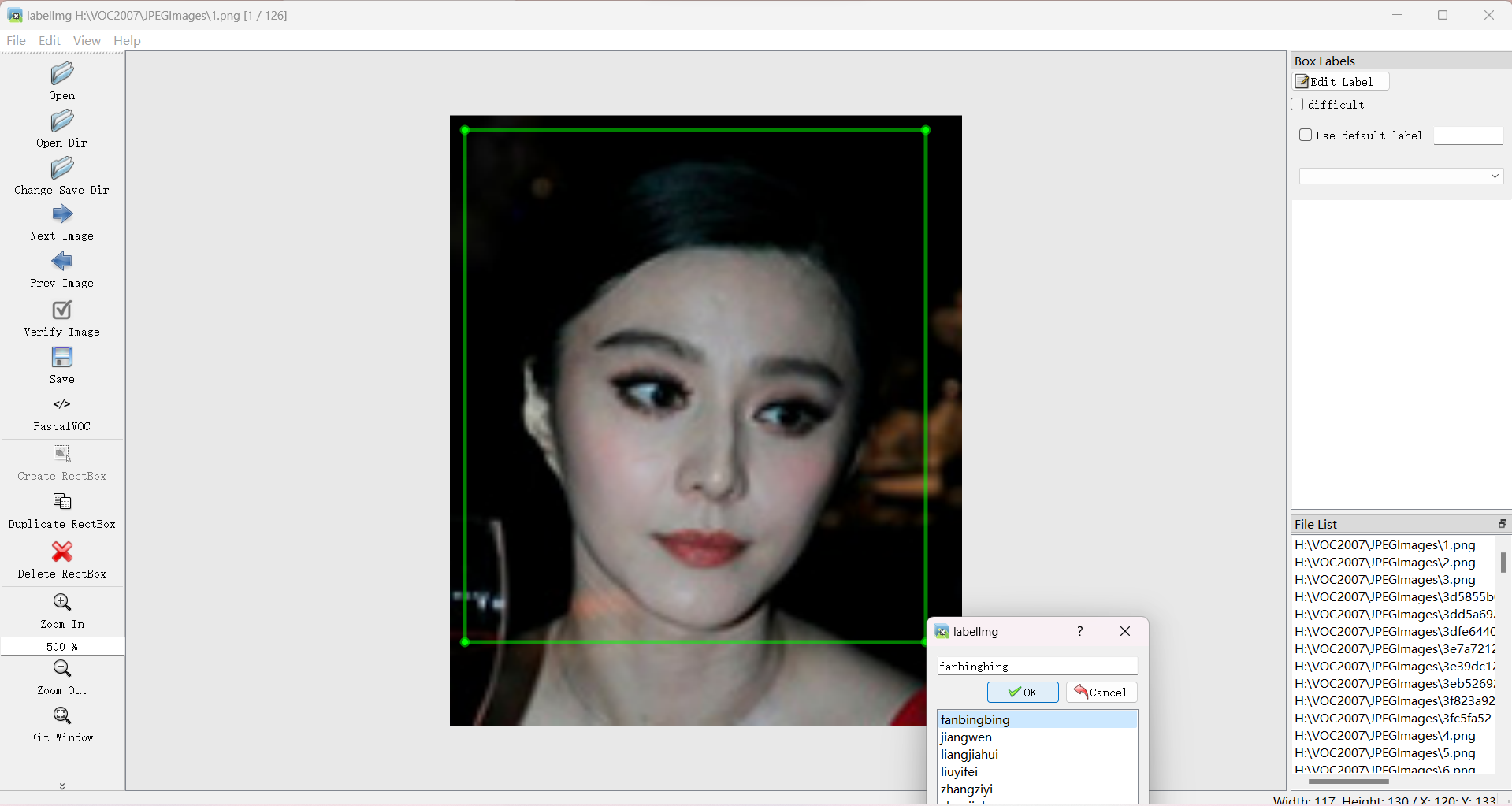
打完标签后的图片会在Annotations 文件夹下生成对应的xml文件:

数据集格式转化及训练集和验证集划分
利用pycharm打开从yolov5官网下载的yolov5项目,在该项目目录下创建名为VOCdevkit的文件夹,并将刚才的VOC2007文件夹放入:

在VOCdevkit的同级目录下创建新的python文件,执行如下代码:
(注:classes里面必须正确填写xml里面已经标注好的类这里为classes = ["fanbingbing", "jiangwen", "liangjiahui", "liuyifei", "zhangziyi", "zhoujielun"])
import xml.etree.ElementTree as ET

import pickle

import os

from os import listdir, getcwd

from os.path import join

import random

from shutil import copyfile

classes = ["fanbingbing", "jiangwen", "liangjiahui", "liuyifei", "zhangziyi", "zhoujielun"]

# classes=["ball"]

TRAIN_RATIO = 80

def clear_hidden_files(path):

    dir_list = os.listdir(path)

    for i in dir_list:

        abspath = os.path.join(os.path.abspath(path), i)

        if os.path.isfile(abspath):

            if i.startswith("._"):

                os.remove(abspath)

        else:

            clear_hidden_files(abspath)

def convert(size, box):

    dw = 1. / size[0]

    dh = 1. / size[1]

    x = (box[0] + box[1]) / 2.0

    y = (box[2] + box[3]) / 2.0

    w = box[1] - box[0]

    h = box[3] - box[2]

    x = x * dw

    w = w * dw

    y = y * dh

    h = h * dh

    return (x, y, w, h)

def convert_annotation(image_id):

    in_file = open("F:/Yolov5/yolov5_offical/yolov5-master/VOCdevkit/VOC2007/Annotations/%s.xml" % image_id)

    out_file = open('F:/Yolov5/yolov5_offical/yolov5-master/VOCdevkit/VOC2007/YOLOLabels/%s.txt' % image_id, 'w')

    tree = ET.parse(in_file)

    root = tree.getroot()

    size = root.find('size')

    w = int(size.find('width').text)

    h = int(size.find('height').text)

    for obj in root.iter('object'):

        difficult = obj.find('difficult').text

        cls = obj.find('name').text

        if cls not in classes or int(difficult) == 1:

            continue

        cls_id = classes.index(cls)

        xmlbox = obj.find('bndbox')

        b = (float(xmlbox.find('xmin').text), float(xmlbox.find('xmax').text), float(xmlbox.find('ymin').text),

             float(xmlbox.find('ymax').text))

        bb = convert((w, h), b)

        out_file.write(str(cls_id) + " " + " ".join([str(a) for a in bb]) + '\n')

    in_file.close()

    out_file.close()

wd = os.getcwd()

wd = os.getcwd()

data_base_dir = os.path.join(wd, "F:/Yolov5/yolov5_offical/yolov5-master/VOCdevkit/")

if not os.path.isdir(data_base_dir):

    os.mkdir(data_base_dir)

work_sapce_dir = os.path.join(data_base_dir, "VOC2007/")

if not os.path.isdir(work_sapce_dir):

    os.mkdir(work_sapce_dir)

annotation_dir = os.path.join(work_sapce_dir, "Annotations/")

if not os.path.isdir(annotation_dir):

    os.mkdir(annotation_dir)

clear_hidden_files(annotation_dir)

image_dir = os.path.join(work_sapce_dir, "JPEGImages/")

if not os.path.isdir(image_dir):

    os.mkdir(image_dir)

clear_hidden_files(image_dir)

yolo_labels_dir = os.path.join(work_sapce_dir, "YOLOLabels/")

if not os.path.isdir(yolo_labels_dir):

    os.mkdir(yolo_labels_dir)

clear_hidden_files(yolo_labels_dir)

yolov5_images_dir = os.path.join(data_base_dir, "images/")

if not os.path.isdir(yolov5_images_dir):

    os.mkdir(yolov5_images_dir)

clear_hidden_files(yolov5_images_dir)

yolov5_labels_dir = os.path.join(data_base_dir, "labels/")

if not os.path.isdir(yolov5_labels_dir):

    os.mkdir(yolov5_labels_dir)

clear_hidden_files(yolov5_labels_dir)

yolov5_images_train_dir = os.path.join(yolov5_images_dir, "train/")

if not os.path.isdir(yolov5_images_train_dir):

    os.mkdir(yolov5_images_train_dir)

clear_hidden_files(yolov5_images_train_dir)

yolov5_images_test_dir = os.path.join(yolov5_images_dir, "val/")

if not os.path.isdir(yolov5_images_test_dir):

    os.mkdir(yolov5_images_test_dir)

clear_hidden_files(yolov5_images_test_dir)

yolov5_labels_train_dir = os.path.join(yolov5_labels_dir, "train/")

if not os.path.isdir(yolov5_labels_train_dir):

    os.mkdir(yolov5_labels_train_dir)

clear_hidden_files(yolov5_labels_train_dir)

yolov5_labels_test_dir = os.path.join(yolov5_labels_dir, "val/")

if not os.path.isdir(yolov5_labels_test_dir):

    os.mkdir(yolov5_labels_test_dir)

clear_hidden_files(yolov5_labels_test_dir)

train_file = open(os.path.join(wd, "yolov5_train.txt"), 'w')

test_file = open(os.path.join(wd, "yolov5_val.txt"), 'w')

train_file.close()

test_file.close()

train_file = open(os.path.join(wd, "yolov5_train.txt"), 'a')

test_file = open(os.path.join(wd, "yolov5_val.txt"), 'a')

list_imgs = os.listdir(image_dir)  # list image files

prob = random.randint(1, 100)

print("Probability: %d" % prob)

for i in range(0, len(list_imgs)):

    path = os.path.join(image_dir, list_imgs[i])

    if os.path.isfile(path):

        image_path = image_dir + list_imgs[i]

        voc_path = list_imgs[i]

        (nameWithoutExtention, extention) = os.path.splitext(os.path.basename(image_path))

        (voc_nameWithoutExtention, voc_extention) = os.path.splitext(os.path.basename(voc_path))

        annotation_name = nameWithoutExtention + '.xml'

        annotation_path = os.path.join(annotation_dir, annotation_name)

        label_name = nameWithoutExtention + '.txt'

        label_path = os.path.join(yolo_labels_dir, label_name)

    prob = random.randint(1, 100)

    print("Probability: %d" % prob)

    if (prob < TRAIN_RATIO):  # train dataset

        if os.path.exists(annotation_path):

            train_file.write(image_path + '\n')

            convert_annotation(nameWithoutExtention)  # convert label

            copyfile(image_path, yolov5_images_train_dir + voc_path)

            copyfile(label_path, yolov5_labels_train_dir + label_name)

    else:  # test dataset

        if os.path.exists(annotation_path):

            test_file.write(image_path + '\n')

            convert_annotation(nameWithoutExtention)  # convert label

            copyfile(image_path, yolov5_images_test_dir + voc_path)

            copyfile(label_path, yolov5_labels_test_dir + label_name)

train_file.close()

test_file.close()
代码执行完成后目录结构如下:

下载预训练权重:
打开这个网址下载预训练权重,这里选择yolov5s.pt。
训练模型
修改数据配置文件:
找到data目录下的voc.yaml文件,将该文件复制一份,重命名为people.yaml:

打开people.yaml,修改相关参数(train,val,nc):

修改模型配置文件:
找到models目录下的yolov5s.yaml文件,将该文件复制一份,重命名为yolov5s_people.yaml:

打开yolov5_people.yaml,修改相关参数(nc):

训练模型:
打开irain.py,修改如下参数:
weights:权重的路径
cfg:yolov5s_people.yaml路径
data:people.yaml路径
epochs:训练的轮数
batch-size:每次输入图片数量(根据自己电脑情况修改)
workers:最大工作核心数(根据自己电脑情况修改)


运行train.py函数训练自己的模型。
tensorbord查看参数
打开pycharm的命令控制终端,运行如下命令:
tensorboard --logdir=runs/train


推理测试
模型训练完成后,会在主目录下产生一个名为runs的文件夹,在runs/train/exp/weights目录下会产生两个权重文件,一个是最后一轮的权重文件,一个是最好的权重文件。

打开detect.py文件,修改相关参数:
weights:权重路径(这里选择best.pt)
source:测试数据路径,可以是图片/视频,也可以是'0'(电脑自带摄像头)

行detect.py进行测试,测试结果会保存在runs/detect/exp目录下:

Yolov5——训练目标检测模型的更多相关文章
- 平均精度均值(mAP)——目标检测模型性能统计量
在机器学习领域,对于大多数常见问题,通常会有多个模型可供选择.当然,每个模型会有自己的特性,并会受到不同因素的影响而表现不同. 每个模型的好坏是通过评价它在某个数据集上的性能来判断的,这个数据集通常被 ...
- 目标检测模型的性能评估--MAP(Mean Average Precision)
目标检测模型中性能评估的几个重要参数有精确度,精确度和召回率.本文中我们将讨论一个常用的度量指标:均值平均精度,即MAP. 在二元分类中,精确度和召回率是一个简单直观的统计量,但是在目标检测中有所不同 ...
- 谷歌大脑提出:基于NAS的目标检测模型NAS-FPN,超越Mask R-CNN
谷歌大脑提出:基于NAS的目标检测模型NAS-FPN,超越Mask R-CNN 朱晓霞发表于目标检测和深度学习订阅 235 广告关闭 11.11 智慧上云 云服务器企业新用户优先购,享双11同等价格 ...
- PyTorch专栏(八):微调基于torchvision 0.3的目标检测模型
专栏目录: 第一章:PyTorch之简介与下载 PyTorch简介 PyTorch环境搭建 第二章:PyTorch之60分钟入门 PyTorch入门 PyTorch自动微分 PyTorch神经网络 P ...
- 微调torchvision 0.3的目标检测模型
微调torchvision 0.3的目标检测模型 本文将微调在 Penn-Fudan 数据库中对行人检测和分割的已预先训练的 Mask R-CNN 模型.它包含170个图像和345个行人实例,说明如何 ...
- 旷世提出类别正则化的域自适应目标检测模型,缓解场景多样的痛点 | CVPR 2020
论文基于DA Faster R-CNN系列提出类别正则化框架,充分利用多标签分类的弱定位能力以及图片级预测和实例级预测的类一致性,从实验结果来看,类该方法能够很好地提升DA Faster R-CNN系 ...
- 目标检测模型的评价标准-AP与mAP
目录 目录 目录 前言 一,精确率.召回率与F1 1.1,准确率 1.2,精确率.召回率 1.3,F1 分数 1.4,PR 曲线 1.4.1,如何理解 P-R 曲线 1.5,ROC 曲线与 AUC 面 ...
- 如何使用 Yolov4 训练人脸口罩检测模型
前言 疫情当下,出入医院等公共场所都被要求佩戴口罩.这篇博客将会介绍如何使用 Yolov4,训练一个人脸口罩检测模型(使用 Yolov4 的原因是目前只复现到了 v4 ),代码地址为 https:// ...
- (转)如何用TensorLayer做目标检测的数据增强
数据增强在机器学习中的作用不言而喻.和图片分类的数据增强不同,训练目标检测模型的数据增强在对图像做处理时,还需要对图片中每个目标的坐标做相应的处理.此外,位移.裁剪等操作还有可能使得一些目标在处理后只 ...
- 目标检测-基于Pytorch实现Yolov3(1)- 搭建模型
原文地址:https://www.cnblogs.com/jacklu/p/9853599.html 本人前段时间在T厂做了目标检测的项目,对一些目标检测框架也有了一定理解.其中Yolov3速度非常快 ...
随机推荐
- python学习笔记-初始python(1)
1.运行程序 python 使用cmd.exe 运行程序. 例子: python +[文件路径] 2.注释 当行注释:# 被注释内容 多行注释:'''被注释内容''',或者""& ...
- 管理名称空间资源(Kubernetes)
管理名称空间资源 名称空间(Namespace)是Kubernetes集群级别的资源,用于将集群分隔为多个隔离的逻辑分区以配置给不同的用户.租户.环境或项目使用.例如,可以为development.q ...
- 关于Docker容器内不能ping通外网
先在主机重启docker服务 systemctl stop docker systemctl start docker 然后再开启容器,进入容器 https://blog.csdn.net/qq_42 ...
- pycharm 安装步骤
1.双击安装包 2.点击next 3.选择安装目录后点击next进入下一步 4.根据你电脑的实际情况选择安装32位还是64位 5.勾选 .py 后即可点击next进入下一步 6.默认,直接next 7 ...
- react和vue的区别及优缺点
区别: vue是双向绑定的,采用template: react是单向的,采用jsx. Vue的优缺点: 简单.快速.强大.对模块友好,但不支持IE8. React的优缺点: 速度快.跨浏览器兼容.模块 ...
- windows jetbrains toolbox 无法修改应用安装目录(应用正在运行)的解决方案
打开 jetbrains toolbook安装目录/.settings.json 添加一行 "install_location": 指定的路径地址 解决方案来自 JetBrains ...
- 2月27日Android开发学习
App工程目录结构 App工程分为两个层次,第一个层次是项目,另一个层次是模块. 模块依附于项目,每个项目至少有一个模块.一般而言的"编译运行App",指的是运行某一模块,而非运行 ...
- mitudesk的pytorch基础
pytorch定义张量的方法和Numpy差不多 2. 标量才能对张量求导,代表其在各个方向上的偏导数,结果是一个张量 3. 在pyt中张量可以对张量求导,前提条件是求导时传一个1,1,1,1,进去,其 ...
- 实验3 C语言分支语句和循环语句编程应用
任务一 #include<math.h> #include<stdio.h> int main() { float a,b,c,x1,x2; float delta,real, ...
- consul 服务注册与更新
服务注册与发现是微服务架构中不可或缺的重要组件. 起初服务都是单节点的,不保障高可用性,也不考虑服务的压力承载,服务之间调用单纯的通过接口访问.直到后来出现了多个节点的分布式架构,起初的解决手段是在服 ...