
gridfs + nginx + mongodb 实现图片服务器
项目预览网址 : http://trans.waibaobao.cn/file/pics
安装:前提安装mongodb 作为文件储存库
1)nginx-gridfs安装
a、安装所用依赖包 yum -y install pcre-devel openssl-devel zlib-devel git gcc gcc-c++
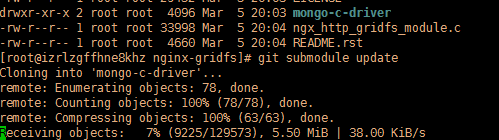
b、下载nginx-gridfs 源代码 git clone https://github.com/mdirolf/nginx-gridfs.git(前提安装git)
进入nginx-gridfs 后
git checkout v0.8
git branch
git submodule init
git submodule update

2)a、nginx 下载安装
wget http://nginx.org/download/nginx-1.14.2.tar.gz 解压 tar -zxvf nginx-1.14.2.tar.gz
b、进入nginx-1.14.2后
./configure --prefix=/usr/local/nginx --with-openssl=/usr/include/openssl --add-module=../nginx-mongodb/nginx-gridf
c、make -j8 && make install -j8 (此时会多个nginx目录)
我的报错了

d、vi objs/Makefile 把第3行的-Werror错误去后 make -j8 && make install -j8
e、进入nginx的配置文件更改
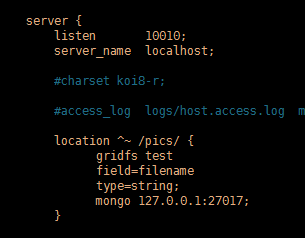
    server {

        listen       10010;

        server_name  localhost;

          location /pics/ {

            gridfs zrdb

            field=filename

            type=string;

            mongo 127.0.0.1:27017;

        }

    }
test 代表mongodb 数据库名
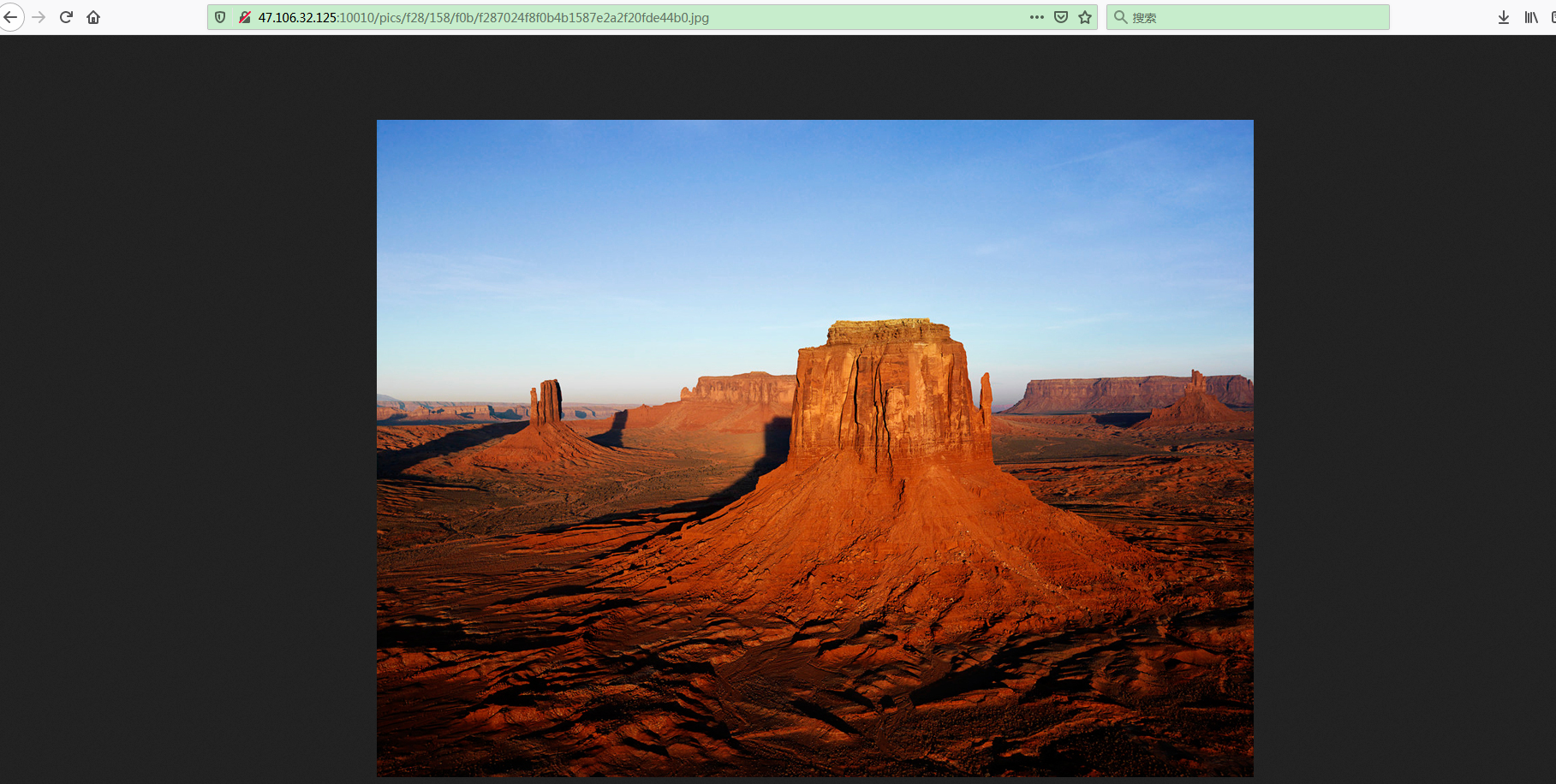
pics 为配置java 访问mongodb的访问路径
mongodb.url=http://47.106.32.125/pics/
ivs.mongodb.host=47.106.32.125
ivs.mongodb.port=27017
ivs.mongodb.database=test
ok!!!
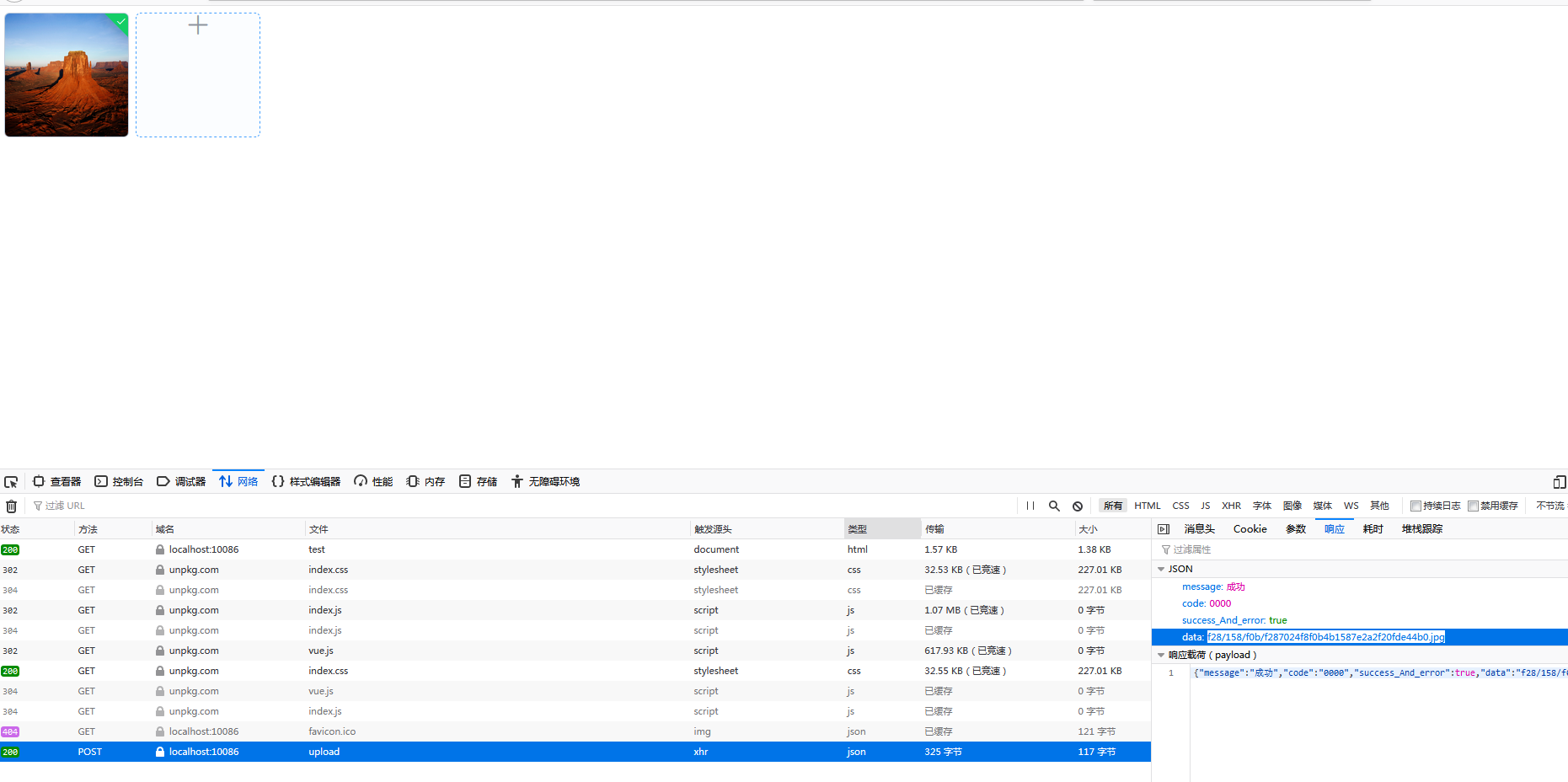
下面说下java 怎么实现连接mongodb 数据库
话不多说上代码:
1)配置类 加载mongodb dev 的配置文件
package com.fyun.tewebcore.config;

import com.fasterxml.jackson.core.JsonGenerator;

import com.fasterxml.jackson.core.JsonProcessingException;

import com.fasterxml.jackson.databind.JsonSerializer;

import com.fasterxml.jackson.databind.SerializerProvider;

import com.mongodb.MongoClientOptions;

import org.apache.commons.lang3.StringUtils;

import org.springframework.beans.factory.annotation.Value;

import org.springframework.context.annotation.Bean;

import org.springframework.context.annotation.Configuration;

import org.springframework.context.annotation.PropertySource;

import org.springframework.stereotype.Component;

import java.io.IOException;

@Component

@PropertySource("classpath:/config/mongodb-${spring.profiles.active:dev}.properties")

@Configuration

public class MongoConfig extends JsonSerializer<String> {

    public static String mongodbUrl;

    public static String urlKey = "mongodbUrl";

    @Override

    public void serialize(String String, JsonGenerator jsonGenerator, SerializerProvider serializerProvider) throws IOException, JsonProcessingException {

        if (StringUtils.isNotEmpty(String))

            jsonGenerator.writeString(mongodbUrl + String);

        else

            jsonGenerator.writeString(" ");

    }

    @Value("${mongodb.url}")

    public void setMongodbUrl(String mongodbUrl) {

        MongoConfig.mongodbUrl = mongodbUrl;

    }

    @Bean

    public MongoClientOptions mongoOptions(){

        return MongoClientOptions.builder().maxConnectionIdleTime(3000).build();

    }

}
2)写一个文件上传controller
package com.fyun.tewebcore.Controller.file;

import com.fyun.common.model.base.CommonResponse;

import com.fyun.common.model.base.SystemCode;

import com.fyun.common.utils.file.MongoGridfsServiceImpl;

import com.fyun.common.utils.util.StringUtils;

import io.swagger.annotations.Api;

import io.swagger.annotations.ApiOperation;

import org.slf4j.Logger;

import org.slf4j.LoggerFactory;

import org.springframework.beans.factory.annotation.Autowired;

import org.springframework.stereotype.Controller;

import org.springframework.web.bind.annotation.*;

import org.springframework.web.multipart.MultipartFile;

import org.springframework.web.multipart.commons.CommonsMultipartFile;

import javax.servlet.http.HttpServletResponse;

/**

 * @author zhourui

 * @create 2019/12/31

 */

@Api("文件上传处理器")

@RestController

@RequestMapping("/file")

public class FileController {

    private static final Logger logger= LoggerFactory.getLogger(FileController.class);

    @Autowired

    private MongoGridfsServiceImpl mongoGridfsService;

    @ApiOperation(value = "文件上传")

    @RequestMapping(value = "/upload", method = RequestMethod.POST)

    @ResponseBody

    public CommonResponse upload(@RequestParam(value = "file",required = false) MultipartFile commonsMultipartFile, HttpServletResponse responses) {

        responses.addHeader("Access-Control-Allow-Origin", "*");

        CommonResponse response = new CommonResponse();

        logger.info("#commonsMultipartFile==getOriginalFilename入参" +commonsMultipartFile.getOriginalFilename());

        logger.info("#commonsMultipartFile==入参" +commonsMultipartFile);

        logger.info("#commonsMultipartFile入参" +commonsMultipartFile.getContentType());

        try {

            String fileName = StringUtils.getFileName(commonsMultipartFile.getOriginalFilename().substring(commonsMultipartFile.getOriginalFilename().lastIndexOf(".")));

            logger.info("#文件名称=="+fileName);

            mongoGridfsService.save(commonsMultipartFile.getInputStream(),fileName);

            response.setCode(SystemCode.SYSTEM_SUCCESS.getCode());

            response.setMessage(SystemCode.SYSTEM_SUCCESS.getMessage());

            response.setData(fileName);

            return response;

        } catch (Exception e) {

            logger.error("未知异常");

            response.setCode(SystemCode.FILE_UPLOAD_EXCEPTION.getCode());

            response.setMessage(SystemCode.FILE_UPLOAD_EXCEPTION.getMessage()+e.getMessage());

            return response;

        }

    }

}
3)调服务接口对gridfs实现增删改查
package com.fyun.common.utils.file;

import com.mongodb.BasicDBObject;

import com.mongodb.DB;

import com.mongodb.DBObject;

import com.mongodb.MongoClient;

import com.mongodb.gridfs.GridFS;

import com.mongodb.gridfs.GridFSDBFile;

import com.mongodb.gridfs.GridFSInputFile;

import org.apache.commons.lang3.StringUtils;

import org.apache.log4j.Logger;

import org.springframework.beans.factory.annotation.Value;

import org.springframework.context.annotation.PropertySource;

import org.springframework.stereotype.Service;

import javax.annotation.PostConstruct;

import java.io.*;

import java.util.List;

/**

 * Created by 78729 on 2017/7/7.

 */

@Service

@PropertySource("classpath:/config/mongodb-${spring.profiles.active:dev}.properties")

public class MongoGridfsServiceImpl {

    private static Logger logger = Logger.getLogger(MongoGridfsServiceImpl.class);

    private GridFS gridFS;

    private MongoClient mongoClient;

    @Value("${ivs.mongodb.host}")

    private String mongoDBServerUrl = "localhost";

    @Value("${ivs.mongodb.port}")

    private String portStr;

    private int port = 27017;

    @Value("${ivs.mongodb.database}")

    private String dataBase;

    public void setMongoDBServerUrl(String mongoDBServerUrl) {

        this.mongoDBServerUrl = mongoDBServerUrl;

    }

    public void setPort(int port) {

        this.port = port;

    }

    public void setDataBase(String dataBase) {

        this.dataBase = dataBase;

    }

    @PostConstruct

    public void init() {

        try {

            mongoClient = new MongoClient(mongoDBServerUrl, port);

            DB db = mongoClient.getDB(dataBase);

            gridFS = new GridFS(db);

        } catch (Exception e) {

            logger.error("mongoClient:UnknownHostException", e);

        }

    }

    public void saveById(InputStream in, String id) {

        GridFSDBFile gridFSDBFile = getById(id);

        if (gridFSDBFile != null) {

            logger.error(String.format("%s,文件已经存在", gridFSDBFile.getFilename()));

            return;

        }

        GridFSInputFile gridFSInputFile = gridFS.createFile(in);

        gridFSInputFile.setId(id);

        gridFSInputFile.save();

    }

    public void save(String filePath, String fileName) {

        GridFSDBFile gridFSDBFile = getByFileName(fileName);

        if (gridFSDBFile != null) {

            logger.error(String.format("%s,文件已经存在", gridFSDBFile.getFilename()));

            return;

        }

        try {

            FileInputStream in = new FileInputStream(new File(filePath));

            byte[] buffer = new byte[in.available()];

            InputStream input = new ByteArrayInputStream(buffer);

            GridFSInputFile gridFSInputFile = gridFS.createFile(input, fileName);

            gridFSInputFile.setFilename(fileName);

            gridFSInputFile.save();

        } catch (Exception e) {

            logger.error(String.format("文件:%s,未找到", filePath), e);

        }

    }

    public void save(InputStream in, String fileName) {

        GridFSDBFile gridFSDBFile = getByFileName(fileName);

        if (gridFSDBFile != null) {

            logger.error(String.format("%s,文件已经存在", gridFSDBFile.getFilename()));

            return;

        }

        GridFSInputFile gridFSInputFile = gridFS.createFile(in, fileName);

        gridFSInputFile.setFilename(fileName);

        gridFSInputFile.save();

    }

    public void save(byte[] in, String saveFileName) {

        GridFSDBFile gridFSDBFile = getByFileName(saveFileName);

        if (gridFSDBFile != null) {

            logger.error(String.format("%s,文件已经存在", gridFSDBFile.getFilename()));

            return;

        }

        try {

            InputStream input = new ByteArrayInputStream(in);

            GridFSInputFile gridFSInputFile = gridFS.createFile(input, saveFileName);

            gridFSInputFile.setFilename(saveFileName);

            gridFSInputFile.save();

        } catch (Exception e) {

            logger.error(String.format("文件:%s,未找到", saveFileName), e);

        }

    }

    public void save(InputStream in, String fileName, boolean replace) {

        GridFSDBFile gridFSDBFile = getByFileName(fileName);

        if ((gridFSDBFile != null) && (replace)) {

            this.gridFS.remove(fileName);

        }

        GridFSInputFile gridFSInputFile = gridFS.createFile(in, fileName);

        gridFSInputFile.setFilename(fileName);

        gridFSInputFile.save();

    }

    public GridFSDBFile getById(String id, String outFilePath) {

        DBObject query = new BasicDBObject("_id", id);

        GridFSDBFile gridFSDBFile = gridFS.findOne(query);

        if ((gridFSDBFile != null) && (StringUtils.isNotEmpty(outFilePath))) {

            writeToFile(gridFSDBFile, outFilePath);

        }

        return gridFSDBFile;

    }

    public GridFSDBFile getById(String id) {

        DBObject query = new BasicDBObject("_id", id);

        return gridFS.findOne(query);

    }

    /**

     * 根据id查询文件并通过流的方式返回,

     *

     * @param id 文件ID

     * @return

     */

    public InputStream getStreamById(String id) {

        DBObject query = new BasicDBObject("_id", id);

        GridFSDBFile gridFSDBFile = gridFS.findOne(query);

        return gridFSDBFile.getInputStream();

    }

    public GridFSDBFile getByFileName(String fileName) {

        DBObject query = new BasicDBObject("filename", fileName);

        return gridFS.findOne(query);

    }

    public GridFSDBFile getByFileName(String fileName, String outFilePath) {

        DBObject query = new BasicDBObject("filename", fileName);

        GridFSDBFile gridFSDBFile = gridFS.findOne(query);

        if ((gridFSDBFile != null) && (StringUtils.isNotEmpty(outFilePath))) {

            writeToFile(gridFSDBFile, outFilePath);

        }

        return gridFSDBFile;

    }

    public List<GridFSDBFile> getListByFileName(String fileName) {

        DBObject query = new BasicDBObject("filename", fileName);

        List gridFSDBFileList = gridFS.find(query);

        return gridFSDBFileList;

    }

    public void removeById(String id) {

        DBObject remove = new BasicDBObject("_id", id);

        gridFS.remove(remove);

    }

    public void removeByFileName(String fileName) {

        gridFS.remove(fileName);

    }

    private void writeToFile(GridFSDBFile gridFSDBFile, String outFilePath) {

        try {

            gridFSDBFile.writeTo(outFilePath);

        } catch (IOException e) {

            logger.error(String.format("%s,文件输出异常", gridFSDBFile.getFilename()), e);

        }

    }

}
wget http://nginx.org/download/nginx-1.14.2.tar.gz
gridfs + nginx + mongodb 实现图片服务器的更多相关文章
- FastDFS 与 Nginx 实现分布式图片服务器
FastDFS 与 Nginx 实现分布式图片服务器 本人的 Ubuntu18.04 用户名为 jj 点我下载所有所需的压缩包文件 一.FastDFS安装 1.安装 fastdfs 依赖包 ① 解压 ...
- nginx+ftp搭建图片服务器(Windows Server服务器环境下)
几种图片服务器的对比 1.直接使用ftp服务器,访问图片路径为 ftp://账户:密码@192.168.0.106/31275-105.jpg 不采用这种方式,不安全容易暴露ftp账户信息 2.直接使 ...
- 转:Linux下使用Nginx搭建简单图片服务器
最近经常有人问图片上传怎么做,有哪些方案做比较好,也看到过有关于上传图片的做法,但是都不是最好的,今天再这里简单讲一下Nginx实现上传图片以及图片服务器的大致理念. 如果是个人项目或者企业小项目,仅 ...
- Nginx发布静态图片服务器
vir-hosts.conf内容 server { listen ; server_name _; location ~ .*\.(gif|jpg|jpeg|png)$ { expires 24h; ...
- windows版nginx+ftp实现图片服务器的搭建
配置图片服务器的一部分参数 resource.properties: #FTP\u76f8\u5173\u914d\u7f6e #FTP\u7684ip\u5730\u5740 FTP_ADDRESS ...
- Nginx+Nodejs搭建图片服务器
图片上传请求由Node处理,图片访问请求由Nginx处理. 1.Nginx配置 #user nobody; worker_processes 1; #error_log logs/error.log; ...
- Centos7 下nginx 搭建文件图片服务器
现在服务器部署nginx yum install -y epel-release yum install nginx -y 安装完成之后 访问ip 由此可见nginx服务是可用的 修改nginx的配置 ...
- Windows Server2012 r2 nginx反向代理图片服务器
1.下载nginx http://nginx.org/en/download.html,本人下载的1.18.0版本 2.下载 Windows Service Wrapper(winsw.exe) v ...
- Nginx+vsftpd搭建图片服务器
安装Nginx 参考:http://www.cnblogs.com/idefav2010/p/nginx-concat.html Nginx配置文件 location ~ .*\.(gif|jpg|j ...
- centos6.5安装配置fastdfs+nginx实现分布式图片服务器
一.准备 yum groupinstall -y "Development Tools"yum install -y wget libevent-devel pcre-devel ...
随机推荐
- 解决RockyLinux和Centos Stream 9中firefox无法播放HTML视频问题
如题在测试两种centos后续系统时,发现firefox无法播放HTML视频问题.经过一番折腾找到了解决的办法,具体解决如下: 首先下载VLC $sudo yum install vlc 而后重启浏览 ...
- python 数据迁移
Python数据库迁移 操作数据库 mysql uroot -p create database Python1031 charset=utf8; 数据迁移 from flask_migrate im ...
- netkit-telnet源码编译安装
介绍 Linux 下流行的 telnet 实现有两个: GNU inetutils: http://ftp.gnu.org/gnu/inetutils/ 哈佛netkit-telnet 源码包:htt ...
- 5、枚举Enum
枚举类会隐式的继承Enum类,无法再继承其它类(单继承机制) 一.无实参枚举类型: 1.定义: /** * 1.无实参枚举类型 */ public enum NoParamTypeEnums { SP ...
- 一问读懂Web3 架构
最近看了一些Web3.0的文章,总结了一些个人的理解: Web3.0 通过区块链基础设施管理用户数据,重构用户和互联网平台之间的关系和交互,重新定义了互联网应用的架构方式和交互模式. Web 1.0 ...
- LibreOJ 144. DFS 序 1
题面 给一棵有根树,这棵树由编号为 \(1\dots N\) 的 \(N\) 个结点组成.根结点的编号为 \(R\).每个结点都有一个权值,结点 \(i\) 的权值为 \(v_i\). 接下来有 \( ...
- 加速 Document AI (文档智能) 发展
在企业的数字工作流中充满了各种文档,包括信件.发票.表格.报告.收据等,我们无法自动提取它们的知识.如今随着文本.视觉和多模态人工智能的进步,我们有可能解锁这些知识,这篇文章向你展示了你的团队该如何使 ...
- inline的作用
1:inline可以跳过调用,直接引用,类似与直接将函数中的代码拿到当前函数中一样 2:在.h中函数重复的时候可以用inline来解决冲突问题
- Monkey 命令
1) 参数: -p 参数-p用于约束限制,用此参数指定一个或多个包(Package,即App).指定 包之后,Monkey将只允许系统启动指定的APP.如果不指定包,Monkey将允许系统启动设备中 ...
- python学习day 02
昨日内容回顾 typora软件 1.作为一款逐年火爆的文本编辑器,深受IT行业的喜爱. 2.下载与安装: windows用群里发的软件 macOS下载地址:https://mac.qdrayst.co ...