
react-route4 按需加载配置心得
const routes = {

        path: '/',

        component: AppCom,

        indexRoute: {

            component: Admin

        },

        childRoutes: [

            {

                path: 'edit/:id',

                getComponent: (nextState, cb) => {

                    require.ensure([], (require) => {

                        cb(null, require('../entry/admin/edit.jsx'))

                    })

                }

            }

        ]

    }

<Router routes={routes} history={hashHistory} />
import React from 'react';

export default class Bundle extends React.Component {

    constructor(props) {

        super(props);

        this.state = {

            mod: null

        };

    }

    componentWillMount() {

        this.load(this.props)

    }

    componentWillReceiveProps(nextProps) {

        if (nextProps.load !== this.props.load) {

            this.load(nextProps)

        }

    }

    load(props) {

        this.setState({

            mod: null

        });

        props.load().then((mod) => {

            this.setState({

                mod: mod.default ? mod.default : mod

            });

        });

    }

    render() {

        return this.state.mod ? this.props.children(this.state.mod) : null;

    }

}
import Bundle from './Bundle';

const routeObj = {

    url1:'url1/url1',

    url2:'url2/url2',

    url3:'url3/url3',

}

let components = {};

for(let route in routeObj){

    components[route] = (props) => (

        <Bundle load={() => import(`../entry/${routeObj[route]}`)}>

            {(Component) => <Component {...props}/>}

        </Bundle>

    );

}
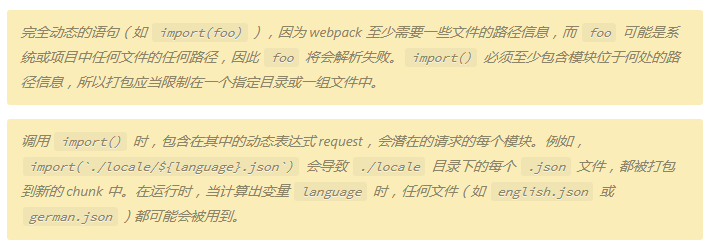
import(`../entry/${routeObj[route]}`)}
<Route exact path="/" component={components.url1}/>
output: {

    path: paths.appBuild,

    filename: '[name].bundle.js',

    chunkFilename: '[name].bundle.js'

 }
react-route4 按需加载配置心得的更多相关文章
- react antd样式按需加载配置以及与css modules模块化的冲突问题
通过create-react-app脚手架生成一个项目 然后运行npm run eject 把webpack的一些配置从react-scripts模块弹射出来, 方便自己手工增减,暴露出来的配置文件在 ...
- React Router 按需加载+服务器渲染的闪屏问题
伴随着React协议的『妥协』(v16采用MIT),React为项目的主体,这个在短期内是不会改变的了,在平时使用过程中发现了如下这个问题: 在服务器渲染的时候,刷新页面会出现闪屏的现象(白屏一闪而过 ...
- antd按需加载,配置babel-plugin-import插件,编译后报错.bezierEasingMixin()解决方案
报错如下: ./node_modules/antd/lib/button/style/index.less (./node_modules/css-loader??ref--6-oneOf-7-1!. ...
- react路由按需加载方法
使用router4之后以前的按需加载方法require.ensure 是不好使了. 所以我们改用react-loadable插件做按需加载. 第一步: yarn add react-loadable ...
- mybatis 启用延迟加载和按需加载配置
启用延迟加载和按需加载 Mybatis配置文件中通过两个属性lazyLoadingEnabled和aggressiveLazyLoading来控制延迟加载和按需加载. lazyLoadingEnabl ...
- Vuetify按需加载配置
自己配置vuetify按需加载的步骤,在此记录: 执行npm install vuetify –save 或 yarn add vuetify添加vuetify添加依赖执行npm install -- ...
- react CRA antd 按需加载配置 lessloader
webpack配置 webpack.config.dev.js, webpack.config.prod同理. 'use strict'; const autoprefixer = require(' ...
- 配置react / antd 按需加载 并且使用less(react v16)
1.开启项目 并且执行 yarn eject 下载好我们需要的插件(babel-plugin-import less less-loader antd react-loadable ...
- nuxt中iview按需加载配置
在plugins/iview.js中修改 初始代码如下 import Vue from 'vue' import iView from 'iview' import locale from 'ivie ...
随机推荐
- Docker私服仓库Harbor安装
Harbor安装那里还是很简单,就是在Docker Login那里掉坑里去了,搞半天,写博客的时候,又重新安装了一遍 1.准备两台服务器 centos7 harbor 10.19.46.15 clie ...
- 5. Longest Palindromic Substring[M]最长回文子串
题目 Given a string s, find the longest palindromic substring in s. You may assume that the maximum le ...
- centos7 usually use
firewall-cmd --permanent --add-rich-rule 'rule family=ipv4 source address=192.168.22.103 port port=8 ...
- 微信小程序-最新获取用户基本信息方案
如果只是单纯的展示用户信息,那么最简单的方案就是 文档中组件: <open-data type="groupName" open-gid="xxxxxx" ...
- java8 Lambad表达式自己的例子
service层方法 public <E> E outer(Function<Session, E> function) { return dao.outer(function ...
- Activity-任务栈和启动模式
为什么需要了解关于Activity的任务栈,其实最直接的体现就是提高用户交互友好性. 举个例子,当我们去浏览一个新闻客户端的时候,我们进入了新闻详情页,在这个页面有相隔两条的新闻标题,当我们去点击这个 ...
- OracleRef游标
提到个思考:怎样让游标作为参数传递? 解决这个问题就需要用到 REF Cursor . 1,什么是 REF游标? 动态关联结果集的临时对象.即在运行的时候动态决定执行查询. 2,REF 游标有什 ...
- 利用PBFunc在Powerbuilder中进行FTP操作
PBFunc.dll包含了FTP的操作,使用FTP时主要需要以下步骤: 1.调用of_Login函数登录Ftp服务器 2.调用FTP的各种方法 3.Ftp操作完毕后调用of_LoginOut方法进行注 ...
- 02《UML大战需求分析》阅读笔记之二
UML虽然是一种新的工具,但同时也代表了一种新的先进的思考方法,所以学习UML的关键不在于学习语法,而是要改变思维习惯.所以我觉得我还需要系统地培养几方面的能力,如书面表达能力,归纳总结能力,“面向对 ...
- set 集合————两个数组的交集
class Solution { public: vector<int> intersection(vector<int>& nums1, vector<int& ...