
day63-webservice 10.jquery的调用webservice小练习
客户端是采用jquery方式来做调用.但是这种调用,因为jquery这种调用你就得有消息体.我们得先拿到这种消息体.PersonService这个服务类有两个方法.
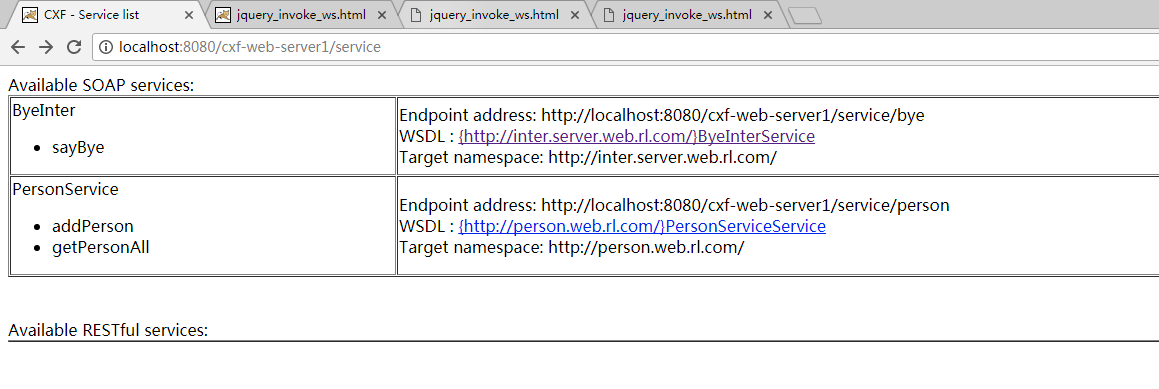
http://localhost:8080/cxf-web-server1/service/person?wsdl
http://localhost:8080/cxf-web-server1/service/person?wsdl是SOAP1.1才有用,SOAP1.2不行.


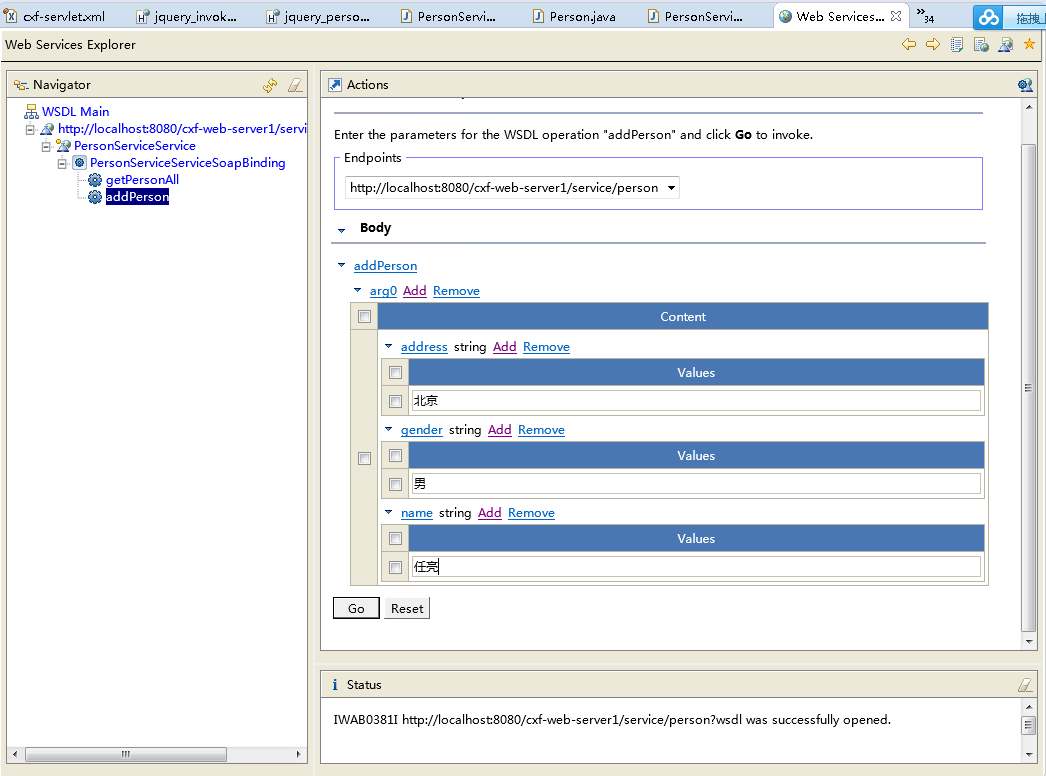
请求的消息体:
<soapenv:Envelope xmlns:soapenv="http://schemas.xmlsoap.org/soap/envelope/" xmlns:q0="http://person.web.rl.com/" xmlns:xsd="http://www.w3.org/2001/XMLSchema" xmlns:xsi="http://www.w3.org/2001/XMLSchema-instance">

  <soapenv:Body>

    <q0:addPerson>

      <arg0>

        <address>北京</address>

        <gender>男</gender>

        <name>任亮</name>

      </arg0>

    </q0:addPerson>

  </soapenv:Body>

</soapenv:Envelope>

响应的消息体,查询的时候的消息体.
<soap:Envelope xmlns:soap="http://schemas.xmlsoap.org/soap/envelope/"><soap:Body><ns2:getPersonAllResponse xmlns:ns2="http://person.web.rl.com/"><return><address>北京</address><gender>男</gender><name>任亮</name></return></ns2:getPersonAllResponse></soap:Body></soap:Envelope>
写客户端/cxf-web-4jquery-client/WebRoot/jquery_person_ws.html点添加的时候要调一次,点查询的时候又调一次.
服务的类的地址,服务的类的地址具体调哪一个方法.
上一节课的疑问,Ajax里面指定好了这是服务的类.但是没有指定具体我们要请求哪一个方法?直接从消息体就能分析出来我们是请求哪一个方法.
分析WSDL文档,从服务访问点集合PersonServiceService找到portType——PersonService之后.portType——PersonService就有了两个operation——addPerson和getPersonAll.每一个方法operation(报文)里面都有一个输入消息和输出消息.那么这个消息具体的约束是由谁约束?是由上面的这些Schema跟你做好了这种约束.那么它如何识别你调用哪个方法是根据消息来识别的.如果你传的是getPersonAll()这个消息,WebService它就知道能解析这个消息.addPerson正好对应着的是谁呢?它能解析addPerson这个东西.addPerson它代表了你调用的是哪个方法.
<arg0>

        <address>北京</address>

        <gender>男</gender>

        <name>任亮</name>

      </arg0>
<arg0></arg0>是方法main的参数.它是根据这个消息体addPerson来识别的.你在Ajax传这么一个消息它就知道你是调用addPerson这么一个消息.点添加添加成功之后
请求消息从这拿一下.getPersonAll的请求消息是
<soapenv:Envelope xmlns:soapenv="http://schemas.xmlsoap.org/soap/envelope/" xmlns:q0="http://person.web.rl.com/" xmlns:xsd="http://www.w3.org/2001/XMLSchema" xmlns:xsi="http://www.w3.org/2001/XMLSchema-instance">

  <soapenv:Body>

    <q0:getPersonAll/>

  </soapenv:Body>

</soapenv:Envelope>
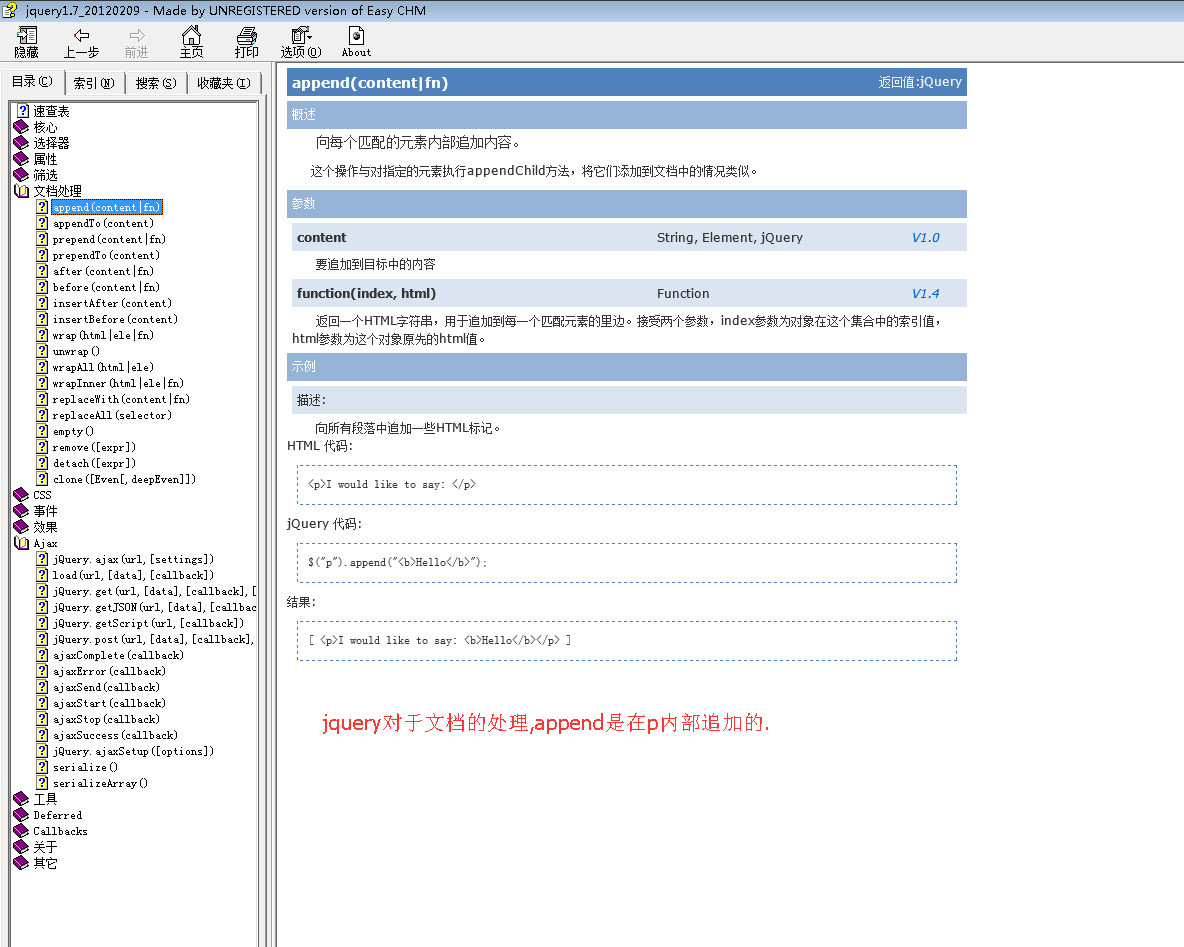

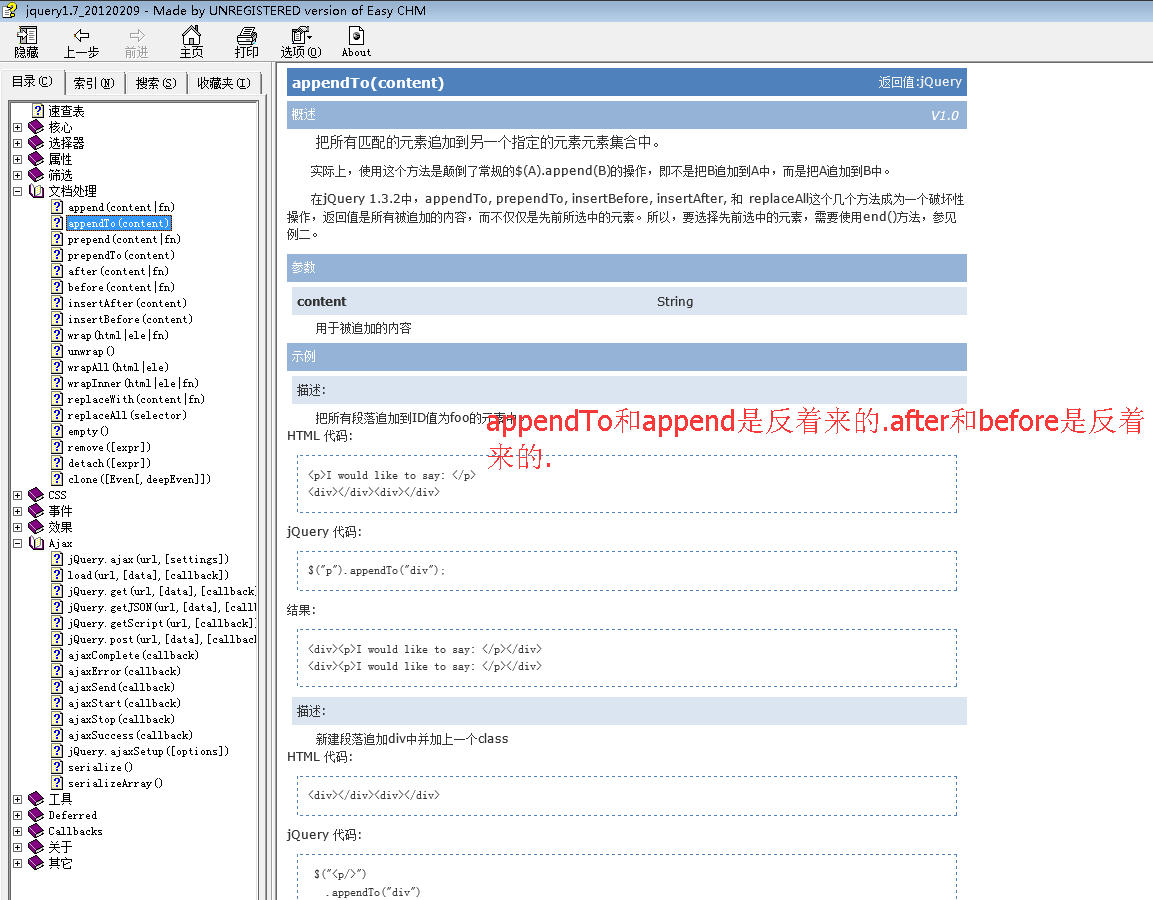
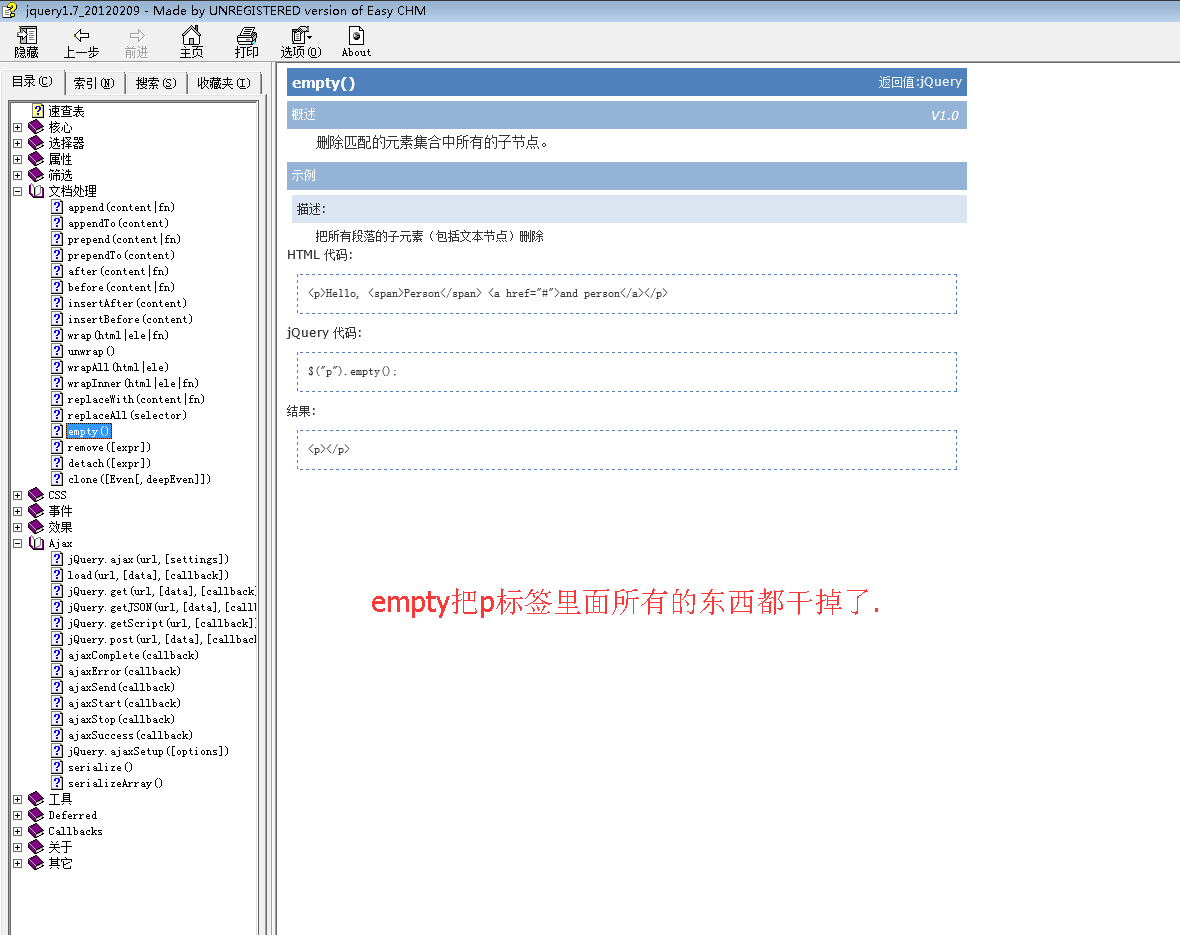
会一个其他都会了.append和appendTo啥区别呢?
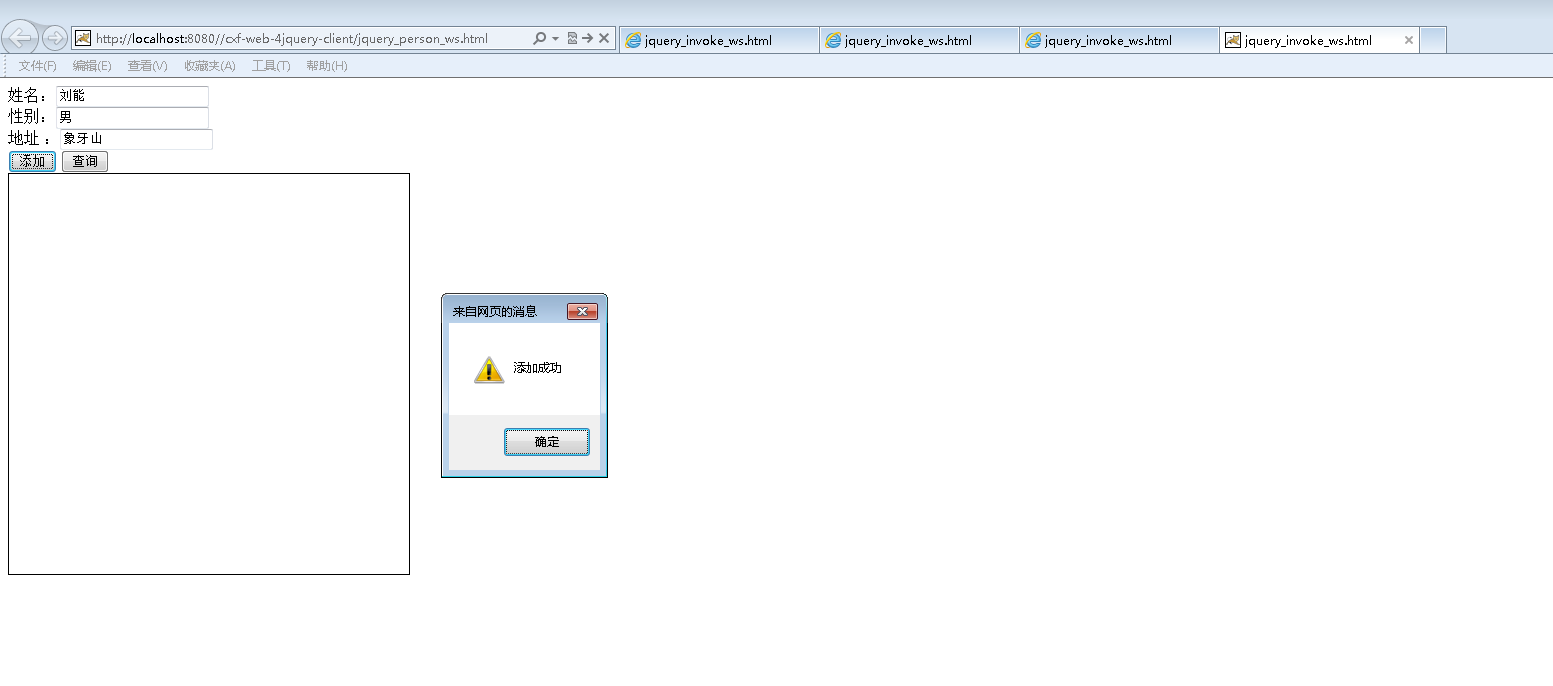

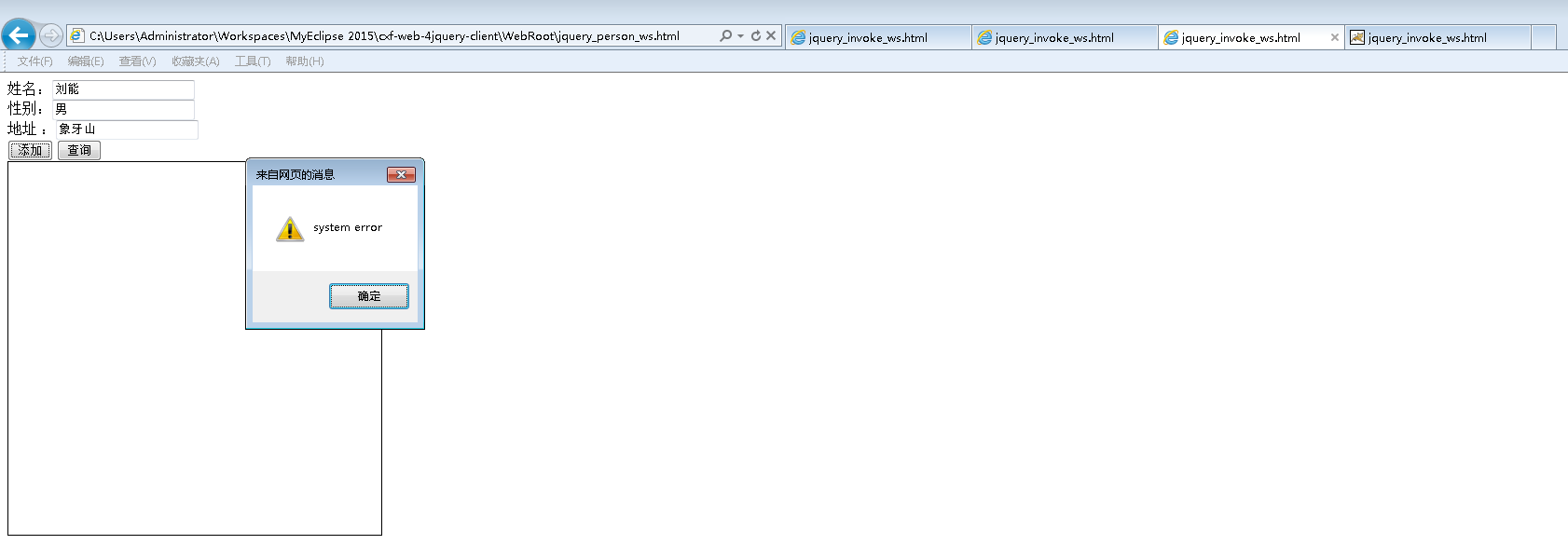
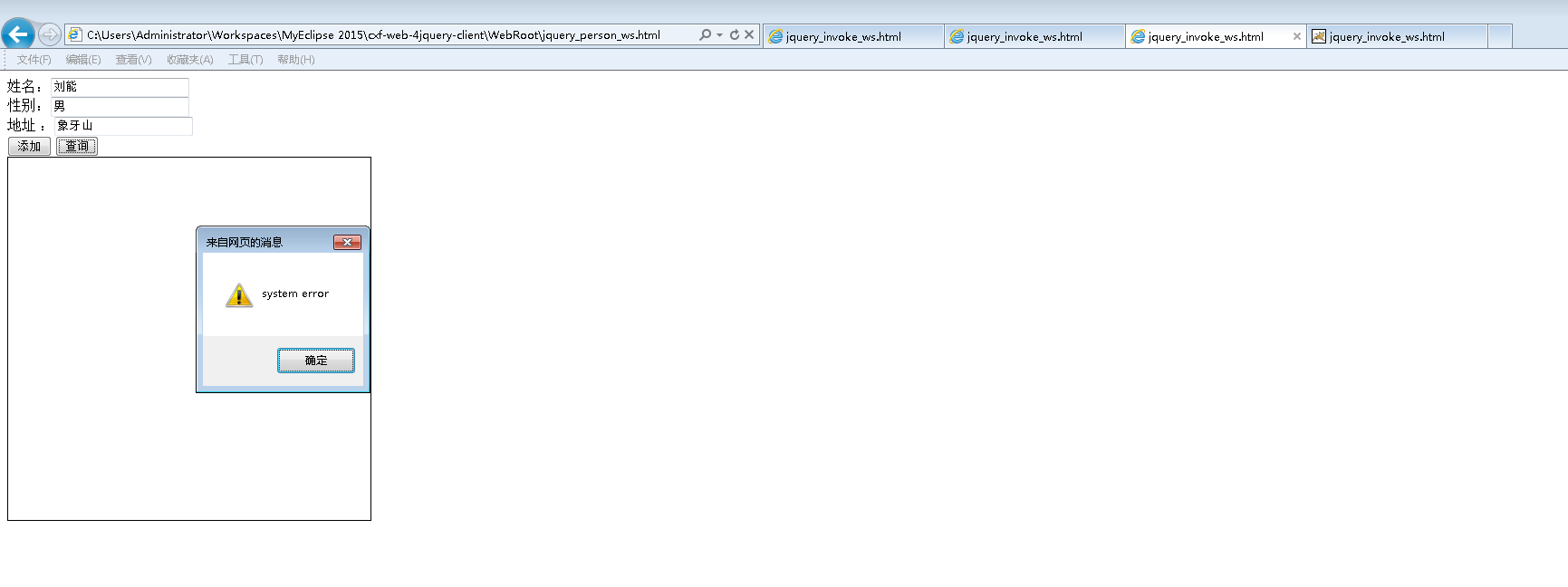
新版chrome浏览器需要添加Chrome插件/扩展程序Charset.


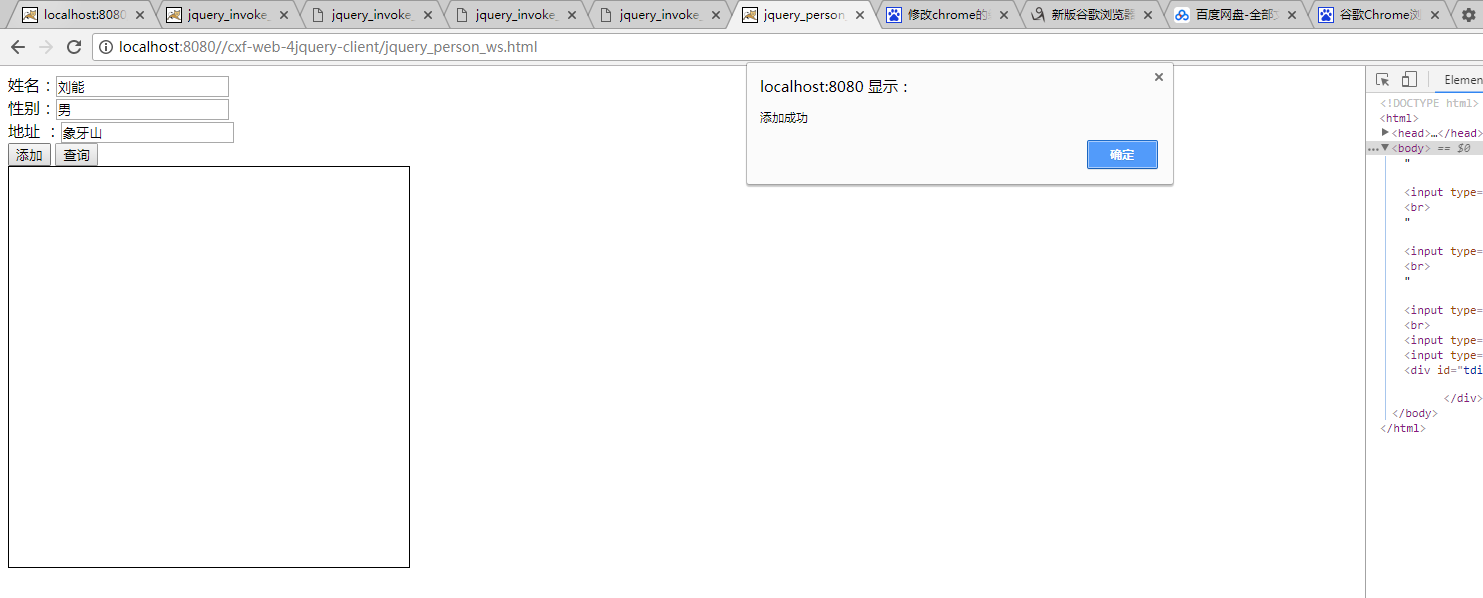
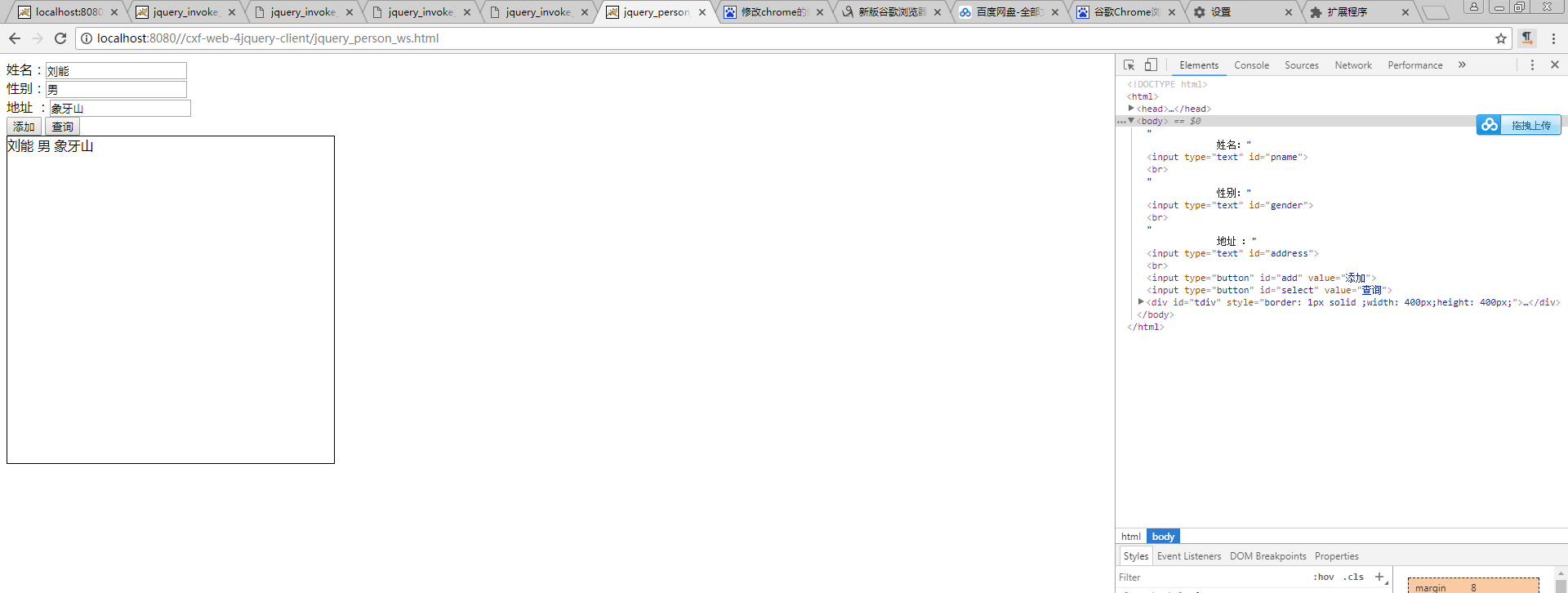
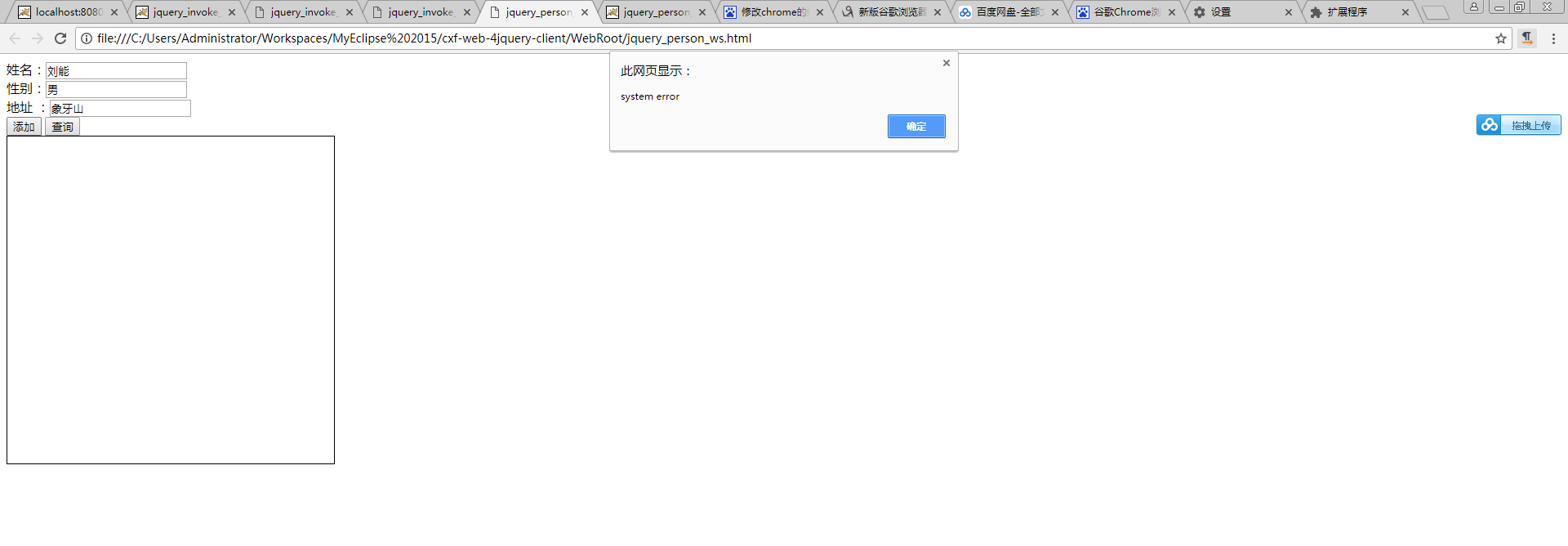

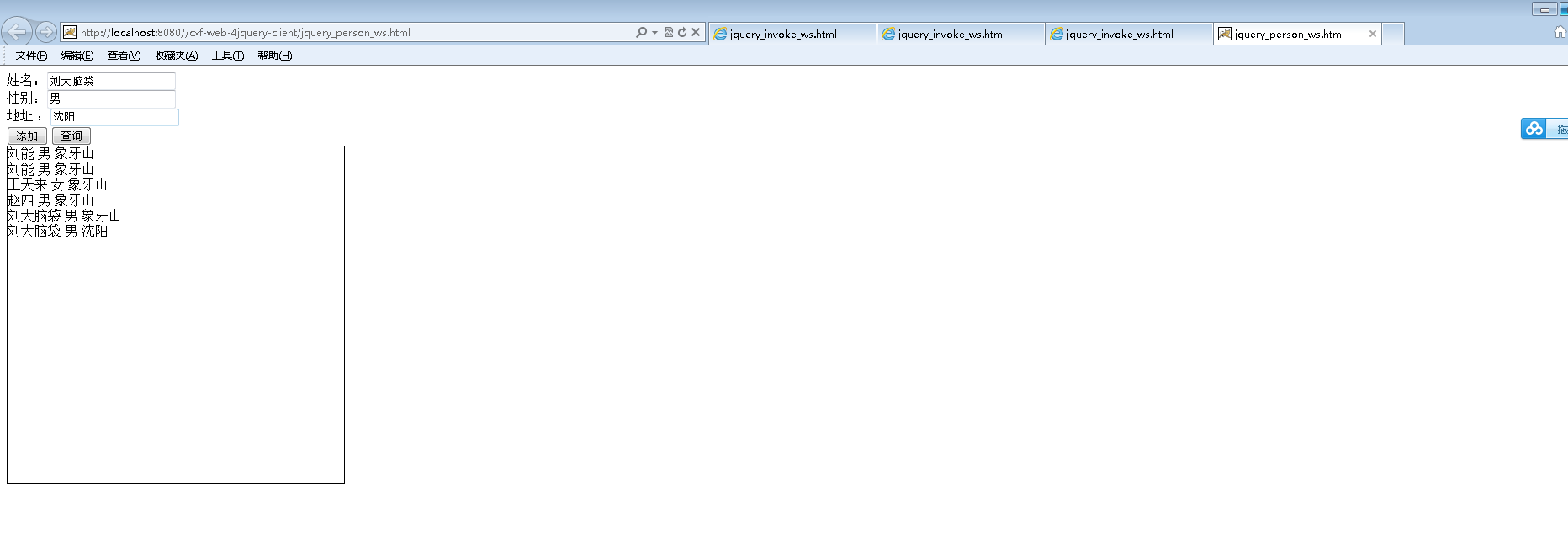
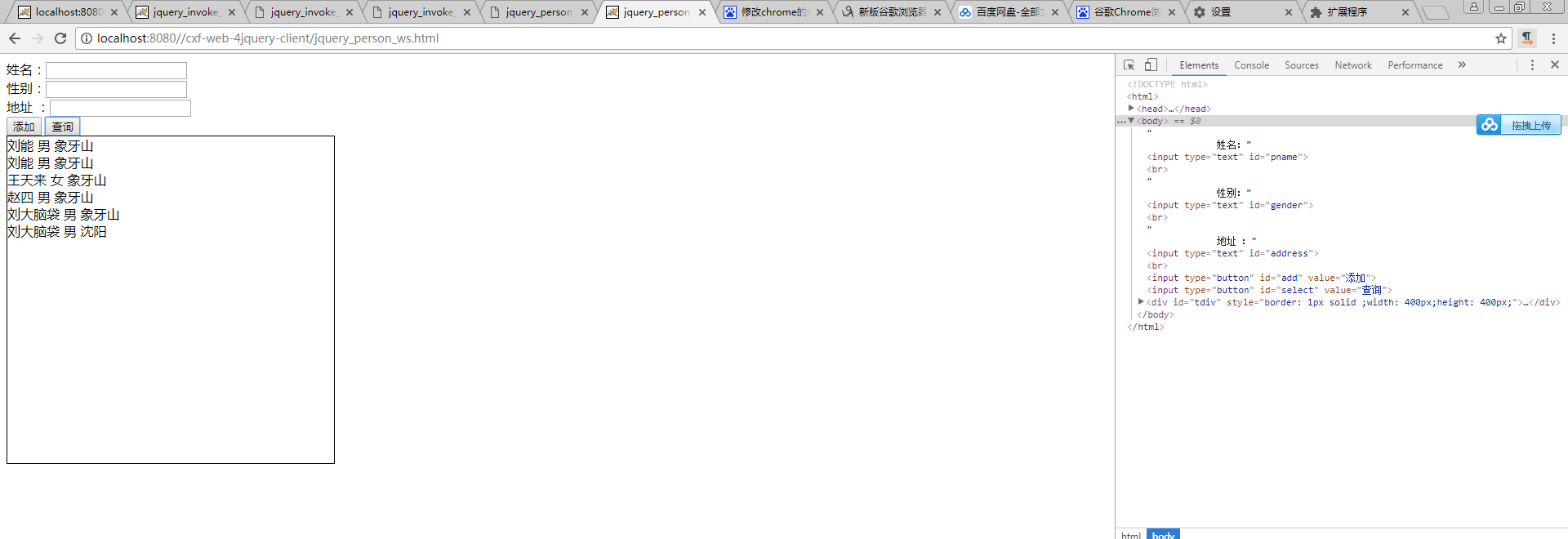
<!DOCTYPE html>

<html>

  <head>

    <meta name="content-type" content="text/html; charset=UTF-8">

    <title>jquery_person_ws.html</title>

    <!--<link rel="stylesheet" type="text/css" href="./styles.css">-->

  <script type="text/javascript" src="js/jquery.js"></script>

  <script type="text/javascript">

    $(function(){

    $("#add").click(function (){

       //获得Person基本数据

       var name = $("#pname").val();//name还是采用id选择器.

       var gender = $("#gender").val();

       var address = $("#address").val();

       //组装消息体

       var data =

        '<soapenv:Envelope xmlns:soapenv="http://schemas.xmlsoap.org/soap/envelope/" xmlns:q0="http://person.web.rl.com/" xmlns:xsd="http://www.w3.org/2001/XMLSchema" xmlns:xsi="http://www.w3.org/2001/XMLSchema-instance">'

                     + '<soapenv:Body>'

                     + '<q0:addPerson>'

                     + ' <arg0> '

                     + ' <address>'+address+'</address>'

                     + ' <gender>'+gender+'</gender>'

                     + ' <name>'+name+'</name>'

                     + '     </arg0>'

                     + '   </q0:addPerson>'

                     + '</soapenv:Body>'

                     + '</soapenv:Envelope>';//消息体

       $.ajax({

         //JSON对象

         url:'http://localhost:8080/cxf-web-server1/service/person',//服务的类的地址,服务的类的地址具体调哪一个方法.Ajax里面指定好了这是服务的类.但是没有具体指定我们要请求哪一个方法.具体要请求哪一个方法?

         type:'post',//请求方式

         dataType:'xml',//返回值的数据类型

         contentType:'text/xml;charset=UTF-8',//指定发送的数据类型

         data:data,//发送的消息体

         success:function(responseText){//返回的是XML文档类型.

                //解析消息体

                //var returnObj = $(responseText).find("return");//通过$把responseText换成jquery文档类型,jquery的文档类型.jquery的文档类型你用jquery来查找就更简单了.

                //通过jquery的方法来找return元素

                //alert(returnObj.text());

                alert("添加成功");//返回值就是void

             },

             error:function(){

                 alert('system error');//加分号规范一些

             }

       });

    });//点击事件

    $("#select").click(function (){

       //组装消息体

       var data =

        '<soapenv:Envelope xmlns:soapenv="http://schemas.xmlsoap.org/soap/envelope/" xmlns:q0="http://person.web.rl.com/" xmlns:xsd="http://www.w3.org/2001/XMLSchema" xmlns:xsi="http://www.w3.org/2001/XMLSchema-instance">'

        +'<soapenv:Body>'

        +'<q0:getPersonAll/>'

        +'</soapenv:Body>'

        +'</soapenv:Envelope>';//消息体

       $.ajax({

         //JSON对象

         url:'http://localhost:8080/cxf-web-server1/service/person',//服务的类的地址,服务的类的地址具体调哪一个方法.Ajax里面指定好了这是服务的类.但是没有具体指定我们要请求哪一个方法.具体要请求哪一个方法?

         //不用变,依然是请求的是这个服务类.

         type:'post',//请求方式

         dataType:'xml',//返回值的数据类型

         contentType:'text/xml;charset=UTF-8',//指定发送的数据类型

         data:data,//发送的消息体

         success:function(responseText){//返回的是XML文档类型.

                //解析消息体

                //把响应的消息解析一下,解析之后给它添加到这个div里面来.

                $("#tdiv").empty();

                var jqueryObj = $(responseText)//把responseText先转换成jquery对象,使用$把responseText转换成jquery object

                var returns = jqueryObj.find("return");//每一个return它是一个对象

                var result = '';

                returns.each(function() {

                            //循环它可以拿到每一个return,放到div里面去

                            //先把address等基本数据给它解析出来

                            var pname = $(this).find('name').text();

                            var address = $(this).find('address').text();

                            var gender = $(this).find('gender').text();

                            result = result + pname + "         " +gender  + "     " + address + "<br>";

                                });

                //returns不是一个对象,是一个数组

                $("#tdiv").append(result);//根据id选择器拿到div

             },

             error:function(){

                 alert('system error');//加分号规范一些

             }

       });

    });//点击事件

    });

  </script>

  </head>

  <body>

             姓名:<input type="text" id="pname"><br>

             性别:<input type="text" id="gender"><br>

             地址 :<input type="text" id="address"><br>

      <input type="button" id="add" value="添加">

      <input type="button" id="select" value="查询">

      <div id="tdiv" style="border: 1px solid ;width: 400px;height: 400px;">

      </div>

  </body>

</html>
<?xml version="1.0" encoding="UTF-8"?>

   <web-app  xmlns:xsi="http://www.w3.org/2001/XMLSchema-instance"

       xmlns="http://java.sun.com/xml/ns/javaee" xmlns:web="http://java.sun.com/xml/ns/javaee/web-app_2_5.xsd"

       xsi:schemaLocation="http://java.sun.com/xml/ns/javaee http://java.sun.com/xml/ns/javaee/web-app_2_5.xsd"

       id="WebApp_ID" version="2.5">

   <!-- 使用Spring的监听器 -->

   <listener>

      <listener-class>org.springframework.web.context.ContextLoaderListener</listener-class><!-- 初始化Spring的容器,cxf.xml本身就是一个Spring的容器.可以把cxf.xml作为Spring的容器进行加载. -->

      <!-- 能加载Spring文件的类,这个类叫什么? -->

   </listener>

   <context-param>

      <param-name>contextConfigLocation</param-name><!-- param-name不能再指定config-location,而是要指定ContextLoaderListener里面读取Spring文件的那个Key -->

      <param-value>classpath:cxf.xml</param-value>

   </context-param>

   <servlet>

       <servlet-name>cxf</servlet-name>

       <servlet-class>org.apache.cxf.transport.servlet.CXFServlet</servlet-class>

       <!--

       <init-param>

          <param-name>config-location</param-name>

          <param-value>classpath:cxf.xml</param-value>

       </init-param>

       <load-on-startup>1</load-on-startup>

       -->

   </servlet>

   <servlet-mapping>

       <servlet-name>cxf</servlet-name>

       <url-pattern>/service/*</url-pattern>  <!-- 拦截这种请求 -->

   </servlet-mapping>

</web-app>
<?xml version="1.0" encoding="UTF-8"?>

<beans xmlns="http://www.springframework.org/schema/beans"

    xmlns:xsi="http://www.w3.org/2001/XMLSchema-instance" xmlns:jaxws="http://cxf.apache.org/jaxws"

    xmlns:jaxrs="http://cxf.apache.org/jaxrs" xmlns:cxf="http://cxf.apache.org/core"

    xsi:schemaLocation="http://www.springframework.org/schema/beans

          http://www.springframework.org/schema/beans/spring-beans.xsd

            http://cxf.apache.org/jaxrs http://cxf.apache.org/schemas/jaxrs.xsd

            http://cxf.apache.org/jaxws http://cxf.apache.org/schemas/jaxws.xsd

            http://cxf.apache.org/core http://cxf.apache.org/schemas/core.xsd">

    <!-- 引入CXF Bean定义如下,早期的版本中使用 -->

    <import resource="classpath:META-INF/cxf/cxf.xml" />

    <import resource="classpath:META-INF/cxf/cxf-extension-soap.xml" />

    <import resource="classpath:META-INF/cxf/cxf-servlet.xml" />

    <!--

     =========================配置类的形式webservice服务==================================

       address:tomcat的host http://ip:port/projectName/service/后面的一端路径

       implementor:指定具体的服务的类

     -->

     <!--

     <jaxws:endpoint id="hello" address="/hello" implementor="com.rl.web.server.HelloService">

        -->

        <!-- 输入拦截器,打印输入的消息 -->

        <!--

        <jaxws:inInterceptors>

          <bean class="org.apache.cxf.interceptor.LoggingInInterceptor"></bean>

        </jaxws:inInterceptors>

        <jaxws:outInterceptors>

           <bean class="org.apache.cxf.interceptor.LoggingOutInterceptor"></bean>

        </jaxws:outInterceptors>

     </jaxws:endpoint>

     -->

          <!--

          =======================配置带有接口的webservice服务=========================================

           address:tomcat的host http://ip:port/projectName/service/后面的一端路径

           http://ip:port/projectName/service/bye

          implementor:指定具体的服务的类

          serviceClass:服务接口的类

          -->

          <!--

          <jaxws:server address="/bye" serviceClass="com.rl.web.server.inter.ByeInter">

          -->

          <!--

                      这里不是指定实例,而是指定实现类的类

                      服务接口的实现类

          -->

          <!--

          <jaxws:serviceBean>

              <bean class="com.rl.web.server.inter.ByeInterImpl"></bean>

          </jaxws:serviceBean>

          -->

          <!-- 输入拦截器,打印输入的消息 -->

        <!--

        <jaxws:inInterceptors>

          <bean class="org.apache.cxf.interceptor.LoggingInInterceptor"></bean>

        </jaxws:inInterceptors>

        <jaxws:outInterceptors>

           <bean class="org.apache.cxf.interceptor.LoggingOutInterceptor"></bean>

        </jaxws:outInterceptors>

     </jaxws:server>

           -->

      <jaxws:server address="/person" serviceClass="com.rl.web.person.PersonService">

          <!--

                      这里不是指定实例,而是指定实现类的类

                      服务接口的实现类

          -->

          <jaxws:serviceBean>

              <bean class="com.rl.web.person.PersonServiceImpl"></bean>

          </jaxws:serviceBean>

          <!-- 输入拦截器,打印输入的消息 -->

        <jaxws:inInterceptors>

          <bean class="org.apache.cxf.interceptor.LoggingInInterceptor"></bean>

        </jaxws:inInterceptors>

        <jaxws:outInterceptors>

           <bean class="org.apache.cxf.interceptor.LoggingOutInterceptor"></bean>

        </jaxws:outInterceptors>

     </jaxws:server>

     </beans>
<?xml version="1.0" encoding="UTF-8"?>

<beans xmlns="http://www.springframework.org/schema/beans"

    xmlns:xsi="http://www.w3.org/2001/XMLSchema-instance" xmlns:jaxws="http://cxf.apache.org/jaxws"

    xmlns:jaxrs="http://cxf.apache.org/jaxrs" xmlns:cxf="http://cxf.apache.org/core"

    xsi:schemaLocation="http://www.springframework.org/schema/beans

          http://www.springframework.org/schema/beans/spring-beans.xsd

            http://cxf.apache.org/jaxrs http://cxf.apache.org/schemas/jaxrs.xsd

            http://cxf.apache.org/jaxws http://cxf.apache.org/schemas/jaxws.xsd

            http://cxf.apache.org/core http://cxf.apache.org/schemas/core.xsd">

    <!-- 引入CXF Bean定义如下,早期的版本中使用 -->

    <import resource="classpath:META-INF/cxf/cxf.xml" />

    <import resource="classpath:META-INF/cxf/cxf-extension-soap.xml" />

    <import resource="classpath:META-INF/cxf/cxf-servlet.xml" />

    <!--

       =========================配置类的形式webservice服务==================================

       address:tomcat的host http://ip:port/projectName/service/后面的一端路径

       implementor:指定具体的服务的类

     -->

     <!--

     <jaxws:endpoint id="hello" address="/hello" implementor="com.rl.web.server.HelloService">

        -->

        <!-- 输入拦截器,打印输入的消息 -->

        <!--

        <jaxws:inInterceptors>

          <bean class="org.apache.cxf.interceptor.LoggingInInterceptor"></bean>

        </jaxws:inInterceptors>

        <jaxws:outInterceptors>

           <bean class="org.apache.cxf.interceptor.LoggingOutInterceptor"></bean>

        </jaxws:outInterceptors>

     </jaxws:endpoint>

     -->

     <!--

          =======================配置带有接口的webservice服务=========================================

           address:tomcat的host http://ip:port/projectName/service/后面的一端路径

           http://ip:port/projectName/service/bye

          implementor:指定具体的服务的类

          serviceClass:服务接口的类

      -->

 <!--

     <jaxws:server address="/bye" serviceClass="com.rl.web.server.inter.ByeInter">

     -->

          <!--

                      这里不是指定实例,而是指定实现类的类

                      服务接口的实现类

          -->

          <!--

          <jaxws:serviceBean>

              <bean class="com.rl.web.server.inter.ByeInterImpl"></bean>

          </jaxws:serviceBean>

          -->

          <!-- 输入拦截器,打印输入的消息 -->

          <!--

          <jaxws:inInterceptors>

          <bean class="org.apache.cxf.interceptor.LoggingInInterceptor"></bean>

        </jaxws:inInterceptors>

        <jaxws:outInterceptors>

           <bean class="org.apache.cxf.interceptor.LoggingOutInterceptor"></bean>

        </jaxws:outInterceptors>

     </jaxws:server>

     -->

     <!--

      <jaxws:server address="/person" serviceClass="com.rl.web.person.PersonService">

               -->

               <!--

                      这里不是指定实例,而是指定实现类的类

                      服务接口的实现类

          -->

          <!--

          <jaxws:serviceBean>

              <bean class="com.rl.web.person.PersonServiceImpl"></bean>

          </jaxws:serviceBean>

           -->

                    <!-- 输入拦截器,打印输入的消息 -->

                 <!--

        <jaxws:inInterceptors>

          <bean class="org.apache.cxf.interceptor.LoggingInInterceptor"></bean>

        </jaxws:inInterceptors>

        <jaxws:outInterceptors>

           <bean class="org.apache.cxf.interceptor.LoggingOutInterceptor"></bean>

        </jaxws:outInterceptors>

     </jaxws:server>

     -->

</beans>
day63-webservice 10.jquery的调用webservice小练习的更多相关文章
- Jquery ajax调用webservice总结
jquery ajax调用webservice(C#)要注意的几个事项: 1.web.config里需要配置2个地方 <httpHandlers> <remove verb ...
- Jquery Ajax 调用 WebService
原文:http://www.cnblogs.com/andiki/archive/2010/05/17/1737254.html jquery ajax调用webservice(C#)要注意的几个事项 ...
- Jquery AJAX 调用WebService服务
对Jquery+JSON+WebService的一点认识 文章不错:http://www.cnblogs.com/tyb1222/archive/2011/10/13/2210549.html Jqu ...
- 【学习篇:他山之石,把玉攻】jquery实现调用webservice
1.webservice端 using System; using System.Collections.Generic; using System.Web; using System.Web.Ser ...
- jquery实现调用webservice
1.webservice端 using System; using System.Collections.Generic; using System.Web; using System.Web.Ser ...
- Axis2 webservice 之使用java调用webservice
在上一篇中写了一个简单了webservice,实现了一个sayHello功能.那么webservice写好之后我们如何使用Java程序来调用webservice呢? 一.java调用的webservi ...
- Java动态调用webService,axis2动态调用webService
Java动态调用webService axis2动态调用webService >>>>>>>>>>>>>>>& ...
- 发布WebService到IIS和调用WebService
一:在项目上右键单击,选择发布,如图 二:可以单击重命名,自定义网站的名字,发布方式为:文件系统,目标路径为要发布的文件的位置,它需要放到IIS的目录下面的 三:打开IIS管理器,右键单击网站,添加网 ...
- JEECG(二) JEECG框架下调用webservice java springmvc maven 调用 webservice
JEECG系列教程二 如何在JEECG框架下使用webservice 本文所使用的webservice是c#开发的 其实无论是什么语言开发的webservice用法都一样 java springmvc ...
随机推荐
- CSS3 3D变换实例 滚动的正方体
笔记: 2D变换 transform 位移 translateX() translateY() 简写:translate(X值,Y值) 正值向右,负值向左 旋转 rotate() rotat ...
- 安卓通过UDP协议传输数据,中文乱码的问题
公司最近需要往智能家居方面发展,需要用到UDP协议传输数据,在网上找到了一些资料,但是发现传输中文的时候有乱码的现象,经过我多番捣鼓,终于解决了这个问题,下面贴上关键代码 客户端: public cl ...
- js实现“级联菜单”
<!DOCTYPE html PUBLIC "-//W3C//DTD XHTML 1.0 Transitional//EN" "http://www.w3.org/ ...
- System.Web.Caching.Cache类 Asp.Net缓存 各种缓存依赖
Cache类,是一个用于缓存常用信息的类.HttpRuntime.Cache以及HttpContext.Current.Cache都是该类的实例. 一.属性 属性 说明 Count 获取存储在缓存中的 ...
- java中的位运算及移位运算
为了方便对二进制位进行操作,Java给我们提供了以下四个二进制位操作符: & 按位与 | 按位或 ^ 按位异或 ~ 按位取反 Java中有三个移位运算符: 左移:&l ...
- 【sqli-labs】 less18 POST - Header Injection - Uagent field - Error based (基于错误的用户代理,头部POST注入)
这次username和password都进行了输入校验 但是ip和uagent没有校验 当我们用admin admin登陆成功后,就会一条插入语句 由于程序无条件的信任了浏览器的header信息,那么 ...
- GETDATE()
定义和用法 GETDATE() 函数从 SQL Server 返回当前的时间和日期. 语法 GETDATE() 实例 例子 1 使用下面的 SELECT 语句: SELECT GETDATE() AS ...
- python爬虫04 | 长江后浪推前浪,Reuqests库把urllib库拍在沙滩上
最近 有些朋友 看完小帅b的文章之后 把小帅b的表情包都偷了 还在我的微信 疯狂发表情包嘚瑟 我就呵呵了 只能说一句 盘他 还有一些朋友 看完文章不点好看 还来催更 小帅b也只能说一句 继续盘他 ...
- 2-SAT·hihoCoder音乐节
2-SAT·hihoCoder音乐节 时间限制:10000ms 单点时限:1000ms 内存限制:256MB 描述 hihoCoder音乐节由hihoCoder赞助商大力主办,邀请了众多嘉宾和知名乐队 ...
- hdu 4858 容器的简单模拟
我用临接表模拟容器超时 #include<stdio.h> #include<string.h> #include<vector> using namespace ...