
ipfs camp course c demo exercise 1
aim:
首先咱们把 broswer 和 自己的api 连接起来(要显示出来自己的本地ipfs id)
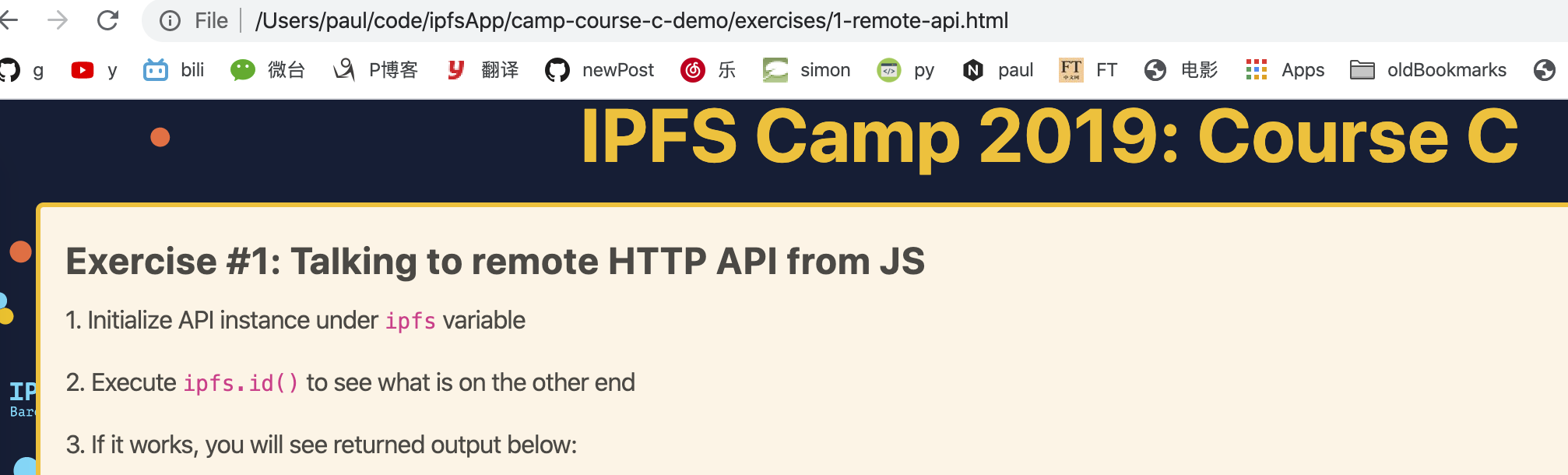
my bugs
- CROS
How to do cross-origin requests on IPFS
https://github.com/INFURA/tutorials/wiki/IPFS-and-CORS
参考: No 'Access-Control-Allow-Origin' header is present on the requested resource.'Ajax跨域访问解决方案
https://blog.csdn.net/zhoucheng05_13/article/details/53580683
No 'Access-Control-Allow-Origin' header is present on the requested resource.
当使用ajax访问远程服务器时,请求失败,浏览器报如上错误。这是出于安全的考虑,默认禁止跨域访问导致的。
在A网站中,我们希望使用Ajax来获得B网站中的特定内容。如果A网站与B网站不在同一个域中,那么就出现了跨域访问问题。你可以理解为两个域名之间不能跨过域名来发送请求或者请求数据,否则就是不安全的。跨域访问违反了同源策略,同源策略的详细信息可以点击如下链接:Same-origin_policy;
总而言之,同源策略规定,浏览器的ajax只能访问跟它的HTML页面同源(相同域名或IP)的资源。
解决ipfs 的 cros 问题的方法
ctrl- c退出ipfs

ipfs config --json API.HTTPHeaders.Access-Control-Allow-Methods '["PUT", "GET", "POST", "OPTIONS"]'

ipfs config --json API.HTTPHeaders.Access-Control-Allow-Origin '["*"]'
result
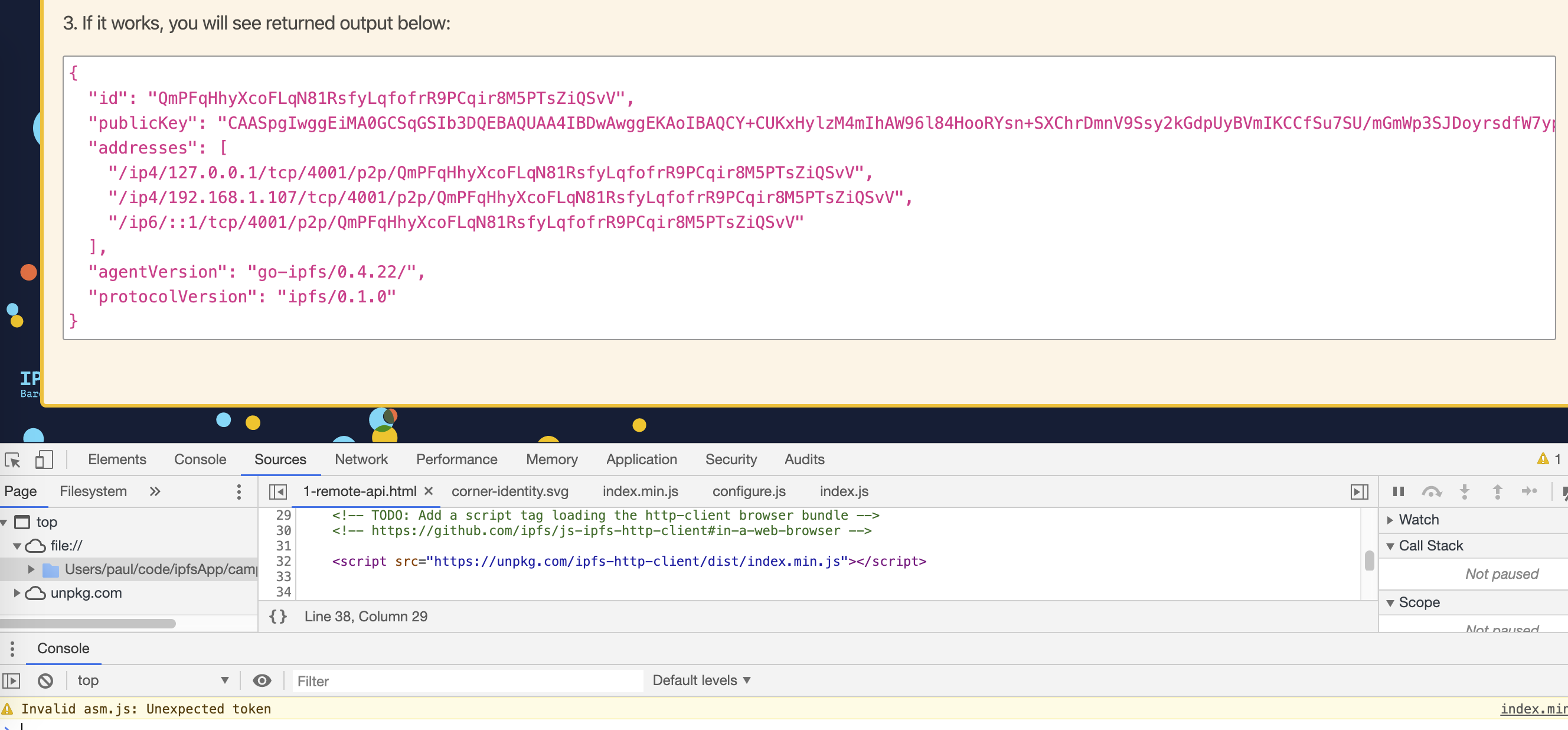
final code for c1
<!DOCTYPE html>

<html lang="en">

<head>

	<meta charset="UTF-8">

	<meta name="viewport" content="width=device-width, initial-scale=1.0">

	<meta http-equiv="X-UA-Compatible" content="ie=edge">

	<title>Course C Exercise</title>

	<link href="../assets/style.css" rel="stylesheet" />

</head>

<body>

	<header>

		<h1><a href="../index.html">IPFS Camp 2019: Course C</a></h1>

	</header>

	<div id="exercises" class="grid">

		<div id="exercise-1" class="exercise">

			<h2>Exercise #1: Talking to remote HTTP API from JS</h2>

			<p>1. Initialize API instance under <code>ipfs</code> variable</p>

			<p>2. Execute <code>ipfs.id()</code> to see what is on the other end</p>

			<p>3. If it works, you will see returned output below:</p>

			<p>

				<pre id="ipfsId">(result of "ipfs id" will appear here)</pre>

			</p>

		</div>

	</div>

	<div id="peerBoard-container"></div>

    <!-- TODO: Add a script tag loading the http-client browser bundle -->

    <!-- https://github.com/ipfs/js-ipfs-http-client#in-a-web-browser -->

    <script src="https://unpkg.com/ipfs-http-client/dist/index.min.js"></script>

    <script>

        // TODO: Create a ipfs-http-client instance and connect it to a remote daemon

        // https://github.com/ipfs/js-ipfs-http-client#in-a-web-browser

        const ipfs = window.IpfsHttpClient('/ip4/127.0.0.1/tcp/5001')

        const ipfsId = document.querySelector('#ipfsId')

        // ipfsId.textContent = JSON.stringify(id, null, 2)

        // TODO: use the http client to find the remote daemon ID

        // https://github.com/ipfs/interface-js-ipfs-core/blob/master/SPEC/MISCELLANEOUS.md#ipfsidcallback

        ipfs.id().then(id => ipfsId.textContent = JSON.stringify(id, null, 2))

    </script>

</body>

</html>
ipfs camp course c demo exercise 1的更多相关文章
- Java设计模式--观察者模式到监听器
观察者模式是对象的行为模式.又叫做发布-订阅模式.模型-视图模式.源-监听器模式. 抽象主题角色:主题角色将所有对观察者对象的引用到保存在一个集合里,每个主题都可以拥有任意数量的观察者.抽象主题提供一 ...
- Java数组倒置
Java数组之 -- 数组倒置 方法一 : package mytest; public class test2 { public static void main(String[] args ...
- Java数组最大值和最小值
package com.mybatis.demo.exercise; /** * @author yinsenxin */ public class ArrayMaxAndMin { public s ...
- Conway's Game of Life: An Exercise in WPF, MVVM and C#
This blog post was written for the Lockheed Martin Insight blog, sharing here for the external audie ...
- BZOJ1695 : [Usaco2007 Demo]Walk the Talk
观察单词表可以发现: 对于长度为3的单词,前两个字母相同的单词不超过7个 对于长度为4的单词,前两个字母相同的单词不超过35个 于是首先$O(26*26*nm)$预处理出 s1[x][i][j]表示( ...
- Modelsim的demo入门教程
写在前面的话学过MCU设计的朋友都知道,系统调试是多么的重要.而对于FPGA设计来说,仿真确实最重要的.一个完整的项目,必须有完整的仿真平台.有朋友说,按键仿真模型没法搞. 我只能说,你并不了解硬件及 ...
- IPFS星际文件系统
IPFS星际文件系统(InterPlanetary File System)是去中心化文件系统,本文介绍IPFS节点软件系统安装,环境搭建等简介入门教程,及学习如何使用ipfs-api和Node.js ...
- 如何在基于Bytom开发过程中集成IPFS
本文介绍了基于Bytom开发过程中集成IPFS. step1: 搭建bytom节点 比原相关资料:https://github.com/Bytom-Community/Bytom_Docs 搭建byt ...
- 使用ipns 解决ipfs 内容更新的问题
ipds 可以使用dnslink 解决域名访问的问题,但是内容变更我们就会有新的hashid 解决方法我们可以使用ipns ,同时解决dnslink 解决域名的问题 环境准备 docker-compo ...
随机推荐
- python-第三方库的理解及某个函数的源代码
第三方库,是一个总称,里面有各个模块,而具体使用的函数是模块里的. 库包含多个模块, 每个模块里包含多个函数. import AAAA 就是引用AAAA这个库,这个库里的模块函数都可以用,只是 ...
- codeforces div2 603 C. Everyone is a Winner!(二分)
题目链接:https://codeforces.com/contest/1263/problem/C 题意:给你一个数字n,求n/k有多少个不同的数 思路:首先K大于n时,n/k是0.然后k取值在1到 ...
- AndroidStudio3.3+OpenCV开发环境搭建
创建一个Android Studio普通项目 导入module 选择 File → New → Import Module 选择解压好的opencv-android-sdk下的sdk下的java,点O ...
- go使用错误概览
1. 解决:GO语言中要提供给外面访问的方法或是结构体必须是首字母大写.这个结构体只有结构体名大写了,而里面的字段没有首字母大写,而GO语言在模板调用时应该认为是两个不同的过程,所以找不到值.于是把结 ...
- ajax和promise及axios和promise的结合
链接:https://www.cnblogs.com/mmykdbc/p/10345108.html 链接2:https://blog.csdn.net/UtopiaOfArtoria/article ...
- js实现图片选中马上显示功能,选择后可以预览,即选即显
<!DOCTYPE html> <html> <head> <meta charset="UTF-8"> <title> ...
- Codeforces 1315A Dead Pixel (水题)
Screen resolution of Polycarp's monitor is a×ba×b pixels. Unfortunately, there is one dead pixel at ...
- FileOutputStream,BufferedOutputStream,FileWriter 效率比较
测试代码: /** * 写文件 * FileOutputStream, BufferedOutputStream, FileWriter * 三个流 效率比较 */ @Test public void ...
- Java - Test - TestNG: testng.xml 元素 class
Java - Test - TestNG: testng.xml 元素 class 1. 概述 class 相关的元素 classes class methods exclude include 2. ...
- html2canvas.js 图片不显示
html2canvas.js 图片不显示 在服务器端打开 就可以, 但是在本地就不显示图片. 查找百度,是因为图片不能跨域. 在给非编程人员使用的时候,建议把所有的图片,转化为base64,就可以直接 ...