
python实现微信打飞机游戏
环境:Ubuntu 16.04 LTS
Python 2.7.11 + Pygame + Pycharm
代码:
 # -*- coding: UTF-8 -*-

 import pygame, random

 from sys import exit

 class Plane:

     def restart(self):

         self.x = 200

         self.y = 600

     def __init__(self):

         self.restart()

         self.image = pygame.image.load('plane.png').convert_alpha()

     def move(self):

         x, y = pygame.mouse.get_pos()

         x -= self.image.get_width() / 2

         y -= self.image.get_height() / 2

         self.x = x

         self.y = y

 class Enemy:

     def start(self):

         self.speed = random.random() + 0.1

         self.x = random.randint(0, 450)

         self.y = 0

     def __init__(self):

         self.start()

         self.image = pygame.image.load('enemy.png').convert_alpha()

     def move(self):

         if self.y < 800:

             self.y += self.speed

         if self.y > 800:

             self.start()

 class Bullet:

     def __init__(self):

         self.x = 0

         self.y = 0

         self.image = pygame.image.load('bullet.png').convert_alpha()

         self.active = False

     def move(self):

         if self.active:

             self.y -= 3

         if self.y < 0:

             self.active = False

     def start(self):

         mouseX, mouseY = pygame.mouse.get_pos()

         self.x = mouseX - self.image.get_width() / 2

         self.y = mouseY - self.image.get_height() / 2

         self.active = True

 def Shoot(bullet, enemy):

     if (bullet.x > enemy.x and bullet.x < enemy.x + enemy.image.get_width()) and bullet.y > enemy.y and (

                 bullet.y < enemy.y + enemy.image.get_height()):

         bullet.active = False

         enemy.start()

         return True

     else:

         return False

 def Crash(plane, enemy):

     if (plane.x + 0.7 * plane.image.get_width() > enemy.x) and (

                     plane.x + 0.3 * plane.image.get_width() < enemy.x + enemy.image.get_width()) and (

                     plane.y + 0.7 * plane.image.get_height() > enemy.y) and (

                     plane.y + 0.3 * plane.image.get_height() < enemy.y + enemy.image.get_height()):

         return True

     else:

         return False

 pygame.init()

 screen = pygame.display.set_mode((450, 800), 0, 32)

 pygame.display.set_caption('World of plane craft')

 bg = pygame.image.load('bg.jpg').convert_alpha()

 bullet = Bullet()

 bullets = []

 for i in range(5):

     bullets.append(bullet)

 count_b = len(bullets)

 index_b = 0

 interval_b = 0

 enemy = Enemy()

 enemys = []

 for i in range(5):

     enemys.append(enemy)

 plane = Plane()

 gameover = False

 score = 0

 font = pygame.font.Font(None, 32)

 while True:

     for event in pygame.event.get():

         if event.type == pygame.QUIT:

             pygame.quit()

             exit()

         if gameover and event.type == pygame.MOUSEBUTTONUP:

             plane.restart()

             for e in enemys:

                 e.start()

             for b in bullets:

                 b.active = False

             score = 0

             gameover = False

     screen.blit(bg, (0, 0))

     if not gameover:

         interval_b -= 1

         if interval_b < 0:

             bullets[index_b].start()

             interval_b = 100

             index_b = (index_b + 1) % count_b

         for b in bullets:

             if b.active:

                 for e in enemys:

                     if Shoot(b, e):

                         score += 100

                 b.move()

                 screen.blit(b.image, (b.x, b.y))

         for e in enemys:

             if Crash(plane, e):

                 gameover = True

             e.move()

             screen.blit(e.image, (e.x, e.y))

         plane.move()

         screen.blit(plane.image, (plane.x, plane.y))

         text = font.render("Socre: %d" % score, 1, (0, 0, 0))

         screen.blit(text, (0, 0))

     else:

         text = font.render("Socre : %d" % score, 1, (0, 0, 0))

         screen.blit(text, (150, 300))

         text = font.render("Click mouse and restart", 1, (0, 0, 0))

         screen.blit(text, (100, 330))

     pygame.display.update()
运行所需图片: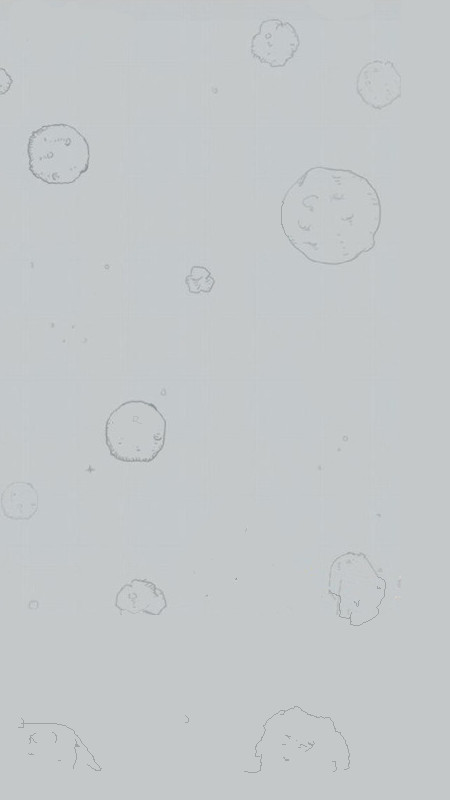


python实现微信打飞机游戏的更多相关文章
- python实现微信打飞机游戏(by crossin)
# -*- coding: utf-8 -*- import pygame from sys import exit import random pygame.init() screen = pyga ...
- pygame开发PC端微信打飞机游戏
pygame开发PC端微信打飞机游戏 一.项目简介 1. 介绍 本项目类似曾经火爆的微信打飞机游戏.游戏将使用Python语言开发,主要用到pygame的API.游戏最终将会以python源文件gam ...
- Pygame制作微信打飞机游戏PC版
使用Pygame制作微信打飞机游戏PC版 转至:http://www.cnblogs.com/dukeleo/p/3339780.html 前一阵子看了一篇文章:青少年如何使用Python开始游戏 ...
- 实例源码--IOS高仿微信打飞机游戏(完整功能)
下载源码 技术要点: 1. IOS游戏开发基础框架 2. 高仿打飞机游戏 3. 游戏背景音频技术 4.源码详细的中文注释 ……. 详细介绍: 1. IOS游戏开发基础框架 此套源码为涉及IOS游戏开发 ...
- 利用python实现微信小程序游戏跳一跳详细教程
利用python实现微信小程序游戏跳一跳详细教程 1 先安装python 然后再安装pip <a href="http://newmiracle.cn/wp-content/uploa ...
- 使用Pygame制作微信打飞机游戏PC版
前一阵子看了一篇文章:青少年如何使用Python开始游戏开发 .看完照葫芦画瓢写了一个,觉得挺好玩儿,相当于简单学了下Pygame库.这篇文章是个12岁小孩儿写的,国外小孩儿真心NB,想我12岁的时候 ...
- <Win32_20>纯c语言版的打飞机游戏出炉了^_^
经过昨天的苦战,终于完成了纯C版的打飞机游戏——使用微信打飞机游戏的素材,不过玩法有些不同,下面会有详述 一.概述游戏的玩法.实现效果 1. 游戏第一步,简单判断一下,给你一个准备的时间: 2.选择& ...
- python 之路,200行Python代码写了个打飞机游戏!
早就知道pygame模块,就是没怎么深入研究过,恰逢这周未没约到妹子,只能自己在家玩自己啦,一时兴起,花了几个小时写了个打飞机程序. 很有意思,跟大家分享下. 先看一下项目结构 "" ...
- Android原生游戏开发:使用JustWeEngine开发微信打飞机
使用JustWeEngine开发微信打飞机: 作者博客: 博客园 引擎地址:JustWeEngine 示例代码:EngineDemo JustWeEngine? JustWeEngine是托管在Git ...
随机推荐
- 分别向Set集合以及List集合中添加"A"、"a"、"c"、"C"、"a",观察重复值"a"能否添加成功
package lianxi; import java.util.*; public class JhSet { public static void main(String[] args) { Se ...
- C++ 函数后加const
1.非静态成员函数后面加const(加到非成员函数或静态成员后面会产生编译错误)2.表示成员函数隐含传入的this指针为const指针,决定了在该成员函数中, 任意修改它所在的类的成员的操作都是 ...
- Java代码规范性
---------------------------------------------------------------------------------------------------- ...
- 超强vim配置
在网上找vim的配置,自己配置的特别丑 安装起来也超级方便. #!/bin/bash echo "安装将花费一定时间,请耐心等待直到安装完成^_^" if which apt-ge ...
- QT 加载c语言编译的动态库
QLibrary lib("./libprint.so");//库的路径if(lib.load()){ typedef void(*AddFunction)(char *st ...
- TYPES、DATA、TYPE、LIKE、CONSTANTS、STATICS、TABLES
声明:原创作品,转载时请注明文章来自SAP师太技术博客( 博/客/园www.cnblogs.com):www.cnblogs.com/jiangzhengjun,并以超链接形式标明文章原始出处,否则将 ...
- Spark Streaming官方文档学习--上
官方文档地址:http://spark.apache.org/docs/latest/streaming-programming-guide.html Spark Streaming是spark ap ...
- yii::app(); 怎么得到module、controller、action的名字
$module = Yii::app()->controller->module->id; $controller = Yii::app()->controller->i ...
- jdk和eclipse位数不一致出错
32位的eclipse无法打开:找不64位jdk6的jvm.dll文件(64位的没有这个文件).网上说法可以通过设置eclipse初始化文件xxx.ini改变方式: 直接换成了同位数的了,没去试了.
- Android activity四种基本启动模式
standard:默认的模式,每次启动会新创建一个activity对象 singleTop:在当前任务栈中,判断栈顶是否为当前的activity,如果是,就直接使用,如果不是,就会创建新的activi ...