
[Vue]Vue keep-alive
keep-alive 包裹动态组件时,会缓存不活动的组件实例,而不是销毁它们。和 <transition> 相似,<keep-alive> 是一个抽象组件:它自身不会渲染一个 DOM 元素,也不会出现在父组件链中。
keep-alive生命周期钩子函数:activated、deactivated
使用<keep-alive>会将数据保留在内存中,如果要在每次进入页面的时候获取最新的数据,需要在activated阶段获取数据,承担原来created钩子中获取数据的任务。
一、prop:
- include: 字符串或正则表达式。只有匹配的组件会被缓存。
- exclude: 字符串或正则表达式。任何匹配的组件都不会被缓存。
// 组件

export default {

  name: 'test-keep-alive',

  data () {

    return {

        includedComponents: "test-keep-alive"

    }

  }

}
<keep-alive include="test-keep-alive">

  <!-- 将缓存name为test-keep-alive的组件 -->

  <component></component>

</keep-alive>

<keep-alive include="a,b">

  <!-- 将缓存name为a或者b的组件,结合动态组件使用 -->

  <component :is="view"></component>

</keep-alive>

<!-- 使用正则表达式,需使用v-bind -->

<keep-alive :include="/a|b/">

  <component :is="view"></component>

</keep-alive>

<!-- 动态判断 -->

<keep-alive :include="includedComponents">

  <router-view></router-view>

</keep-alive>

<keep-alive exclude="test-keep-alive">

  <!-- 将不缓存name为test-keep-alive的组件 -->

  <component></component>

</keep-alive>
二、结合router,缓存部分页面
使用$route.meta的keepAlive属性:
<keep-alive>

    <router-view v-if="$route.meta.keepAlive"></router-view>

</keep-alive>

<router-view v-if="!$route.meta.keepAlive"></router-view>
需要在router中设置router的元信息meta:
//...router.js

export default new Router({

  routes: [

    {

      path: '/',

      name: 'Hello',

      component: Hello,

      meta: {

        keepAlive: false // 不需要缓存

      }

    },

    {

      path: '/page1',

      name: 'Page1',

      component: Page1,

      meta: {

        keepAlive: true // 需要被缓存

      }

    }

  ]

})
三、使用效果展示
以上面router的代码为例:
<!-- Page1页面 -->

<template>

  <div class="hello">

    <h1>Vue</h1>

    <h2>{{msg}}</h2>

    <input placeholder="输入框"></input>

  </div>

</template>
<!-- Hello页面 -->

<template>

  <div class="hello">

    <h1>{{msg}}</h1>

  </div>

</template>
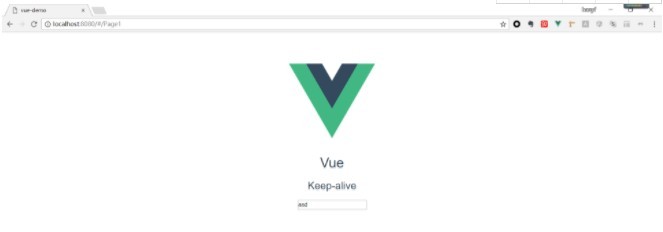
(1) 在Page1页面输入框输入“asd”,然后手动跳转到Hello页面;
(2)跳转到Hello页面

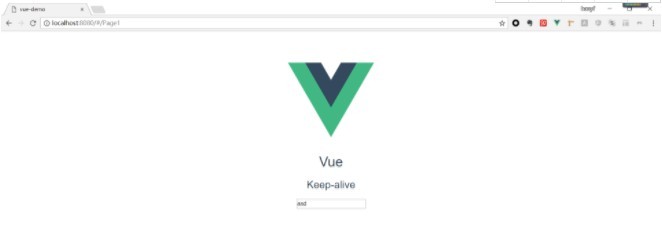
(3) 回到Page1页面发现之前输入的"asd"依然保留,说明页面信息成功保存在内存中;
四、以下问题的解决:
- 首页是A页面
- B页面跳转到A,A页面需要缓存
- C页面跳转到A,A页面不需要被缓存
思路是在每个路由的beforeRouteLeave(to, from, next)钩子中设置to.meta.keepAlive
//A的路由

{

    path: '/',

    name: 'A',

    component: A,

    meta: {

        keepAlive: true // 需要被缓存

    }

}
export default {

    data() {

        return {};

    },

    methods: {},

    beforeRouteLeave(to, from, next) {

         // 设置下一个路由的 meta

        to.meta.keepAlive = true;  // B 跳转到 A 时,让 A 缓存,即不刷新

        next();

    }

};
export default {

    data() {

        return {};

    },

    methods: {},

    beforeRouteLeave(to, from, next) {

        // 设置下一个路由的 meta

        to.meta.keepAlive = false; // C 跳转到 A 时让 A 不缓存,即刷新

        next();

    }

};
[Vue]Vue keep-alive的更多相关文章
- Javascript - Vue - vue对象
vue提供了一整套前端解决方案,可以提升企业开发效率 vue的处理过程 app.js 项目入口,所有请求最先进入此模块进行处理 route.js 由app.js调用,处理路由的分发 controlle ...
- Vue - vue.js 常用指令
Vue - vue.js 常用指令 目录: 一. vuejs模板语法之常用指令 1. 常用指令: v-html 2. 常用指令: v-text 3. 常用指令: v-for 4. 常用指令: v-if ...
- 前端开发 Vue Vue.js和Nodejs的关系
首先vue.js 是库,不是框架,不是框架,不是框架. Vue.js 使用了基于 HTML 的模版语法,允许开发者声明式地将 DOM 绑定至底层 Vue 实例的数据. Vue.js 的核心是一个允许你 ...
- [Vue] : Vue概述
什么是Vue.js Vue.js 是目前最火的一个前端框架,React是最流行的一个前端框架. Vue.js 是前端的主流框架之一,和Angular.js.React.js 一起,并成为前端三大主流框 ...
- Property 'validate' does not exist on type 'Element | Element[] | Vue | Vue[]'. Property 'valid...
使用vue-cli 3.0+Element-ui时候,调用form表单校验时候出现的问题是: Property 'validate' does not exist on type 'Element | ...
- Vue Vue.use() / Vue.component / router-view
Vue.use Vue.use 的作用是安装插件 Vue.use 接收一个参数 如果这个参数是函数的话,Vue.use 直接调用这个函数注册组件 如果这个参数是对象的话,Vue.use 将调用 ins ...
- vue & vue router & dynamic router
vue & vue router & dynamic router https://router.vuejs.org/guide/essentials/dynamic-matching ...
- vue & vue router & match bug
vue & vue router & match bug match bugs solution name must be router https://stackoverflow.c ...
- [Vue] vue中setInterval的问题
vue中使用setInterval this.chatTimer = setInterval(() => { console.log(this.chatTimer); this.chatMsg( ...
- [Vue] vue跳转外部链接
问题 vue 跳转外部链接问题,当跳转的时候会添加在当前地址后面 var url = 'www.baidu.com' //跳转1 window.localtion.href = url //跳转2 w ...
随机推荐
- OpenResty之replace-filter-nginx-module
原文: openresty/replace-filter-nginx-module 1. 概要 location /t { default_type text/html; echo abc; repl ...
- Java-JUC(零):Java:现有线程T1/T2/T3,如何确保T1执行完成之后执行T2,T3在T2执行完成之后执行。
要实现多个线程执行完成先后,就要知道如何实现线程之间的等待,java线程等待实现是join.java的jdk中join方法实现如下: public final synchronized void jo ...
- Spring StopWatch源码
import java.text.NumberFormat; import java.util.LinkedList; import java.util.List; public class Stop ...
- TreeSet和TreeMap不能存放重复元素?能不能存放null?其实不是这样的——灵活的二叉树
TreeSet和TreeMap不能存放重复元素?能不能存放null?其实不是这样的——灵活的二叉树 本文链接:https://blog.csdn.net/u010698072/article/de ...
- java调用科大讯飞流式(websocket)语音识别接口
要使用讯飞的能力,需先注册讯飞开发平台账号(讯飞官网参见https://www.xfyun.cn/). 再创建应用,点击右上角的控制台 -> 创建新应用: 每个应用都有一个appId,由这个ap ...
- 阶段5 3.微服务项目【学成在线】_day09 课程预览 Eureka Feign_11-课程详情页面静态化-课程信息模板设计
测试模板 页面的模板已经做好了 直接那来用 测试模板,把这个模板copy到这个测试freemarker的resources目录 远程调用 获取数据 返回模板的文件名 tomcat不支持ssr.ngin ...
- mysql 对应数据库服务器配置 所能承受的tps和qps
总结: 吞吐量实际涵盖了TPS 和 QPS TPS 是指产生事物的请求,比如对数据库 增.删.改 QTP 是对数据库查询动作,无逻辑非事物,比如 查询 假如脚本里面都是get请求,那么出来的吞吐量就是 ...
- Block pool ID needed, but service not yet registered with NN java.lang.Exception: trace 异常解决
以上为报错信息: 原因大概为:dd和nd关联的versionId不同导致, 解决方案,备份之前的current文件夹,让其自己生成新的.
- Vue-cli安装,创建Vue项目
1.安装脚手架: npm install -g vue-cli 2.查看vue: vue 3.查看可以使用的模板: vue list 4.创建项目sell: vue init webpack sell ...
- Core Data 的使用
一.概念 1.Core Data 是数据持久化存储的最佳方式 2.数据最终的存储类型可以是:SQLite数据库,XML,二进制,内存里,或自定义数据类型 在Mac OS X 10.5Leopard及以 ...