
【应用服务 App Service】 App Service Rewrite 实例 - 反向代理转发功能
问题描述
在使用Azure App Service(应用服务)时,有时候需要在不同的站点之间进行跳转,但是希望通过通过访问同一个域名的方式来实现反向代理。如果创建应用时候选择的是Window服务,这时候可以参考以下的方式配置IIS 的Proxy + Rewrie
如网站一为PHP站点,它的首页是:https://lbphptest.chinacloudsites.cn/, 网站二是Java站点,它的首页是:https://lbjavatest.chinacloudsites.cn/
|
站点一:PHP
|
站点二:JAVA
|
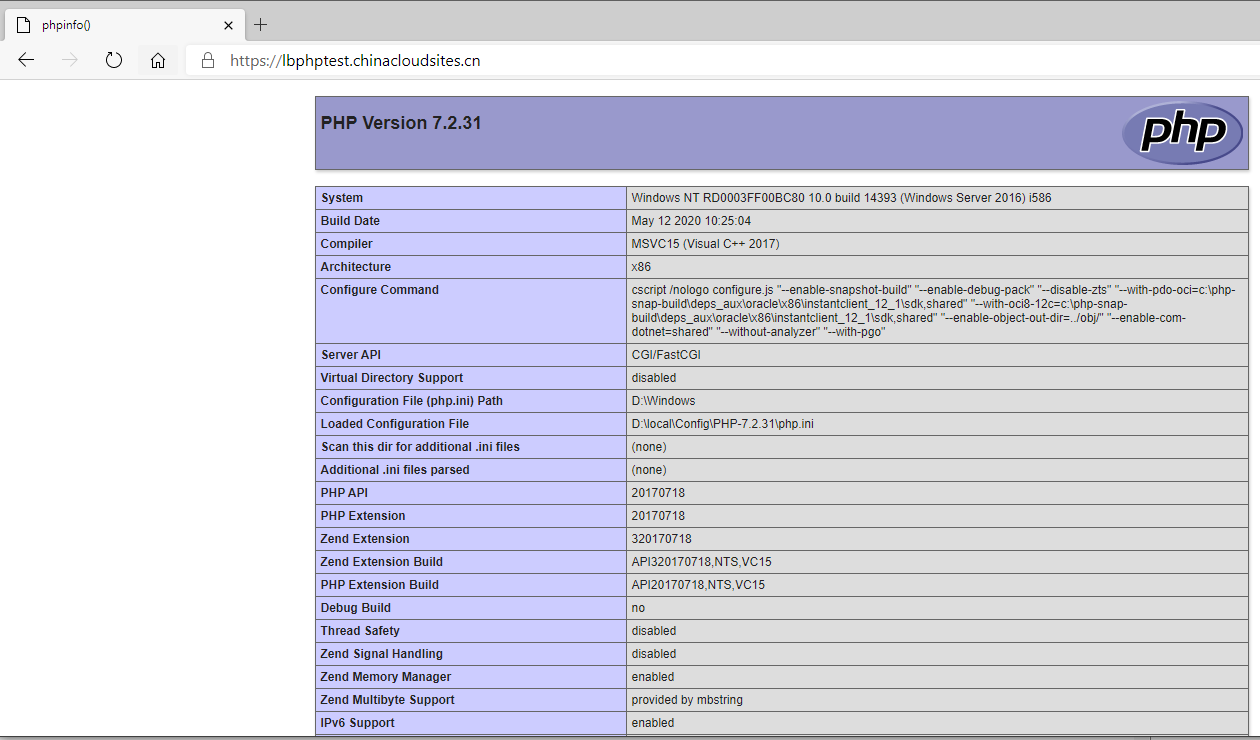
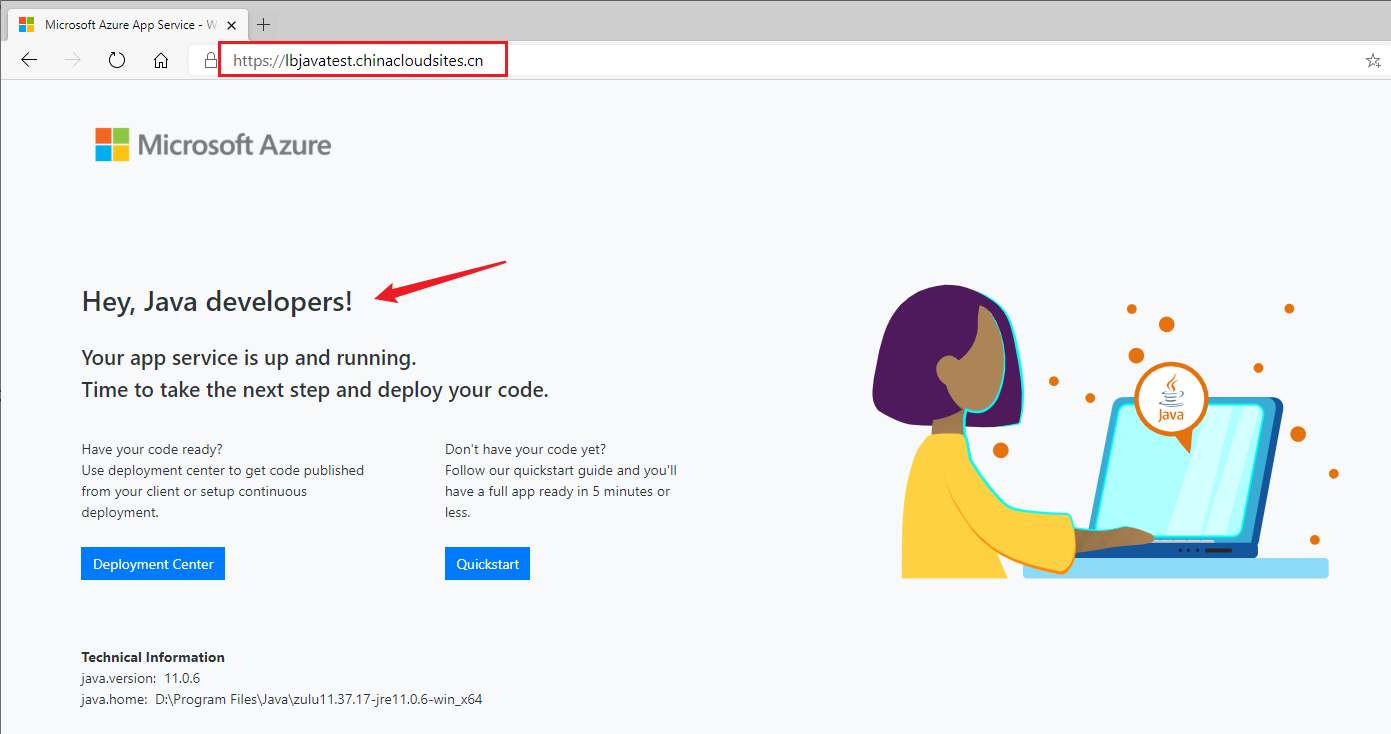
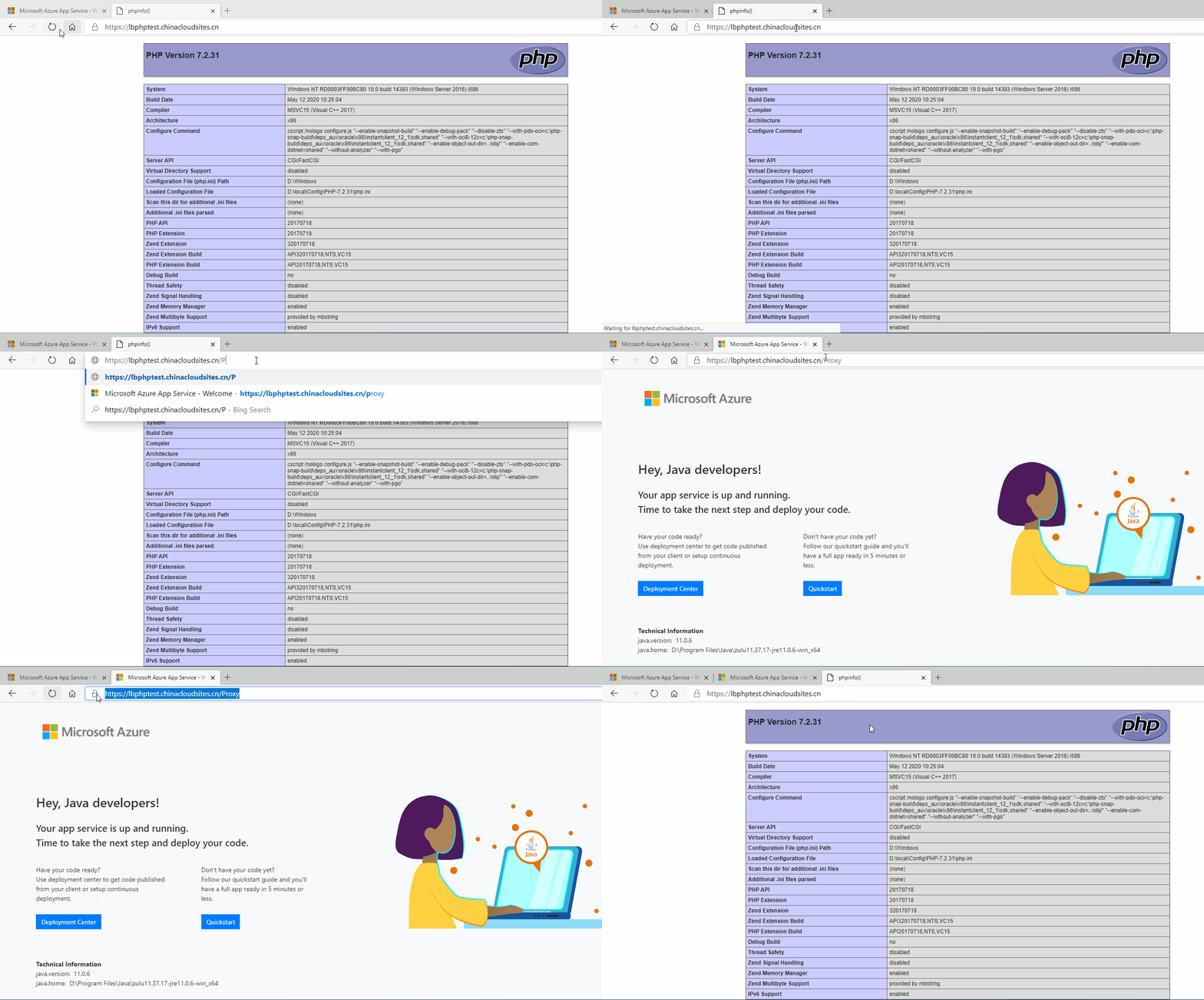
在使用反向代理后,在站点一种配置Proxy代理后,请求就会发送到Java站点,但是URL显示的依旧为PHP站点地址。
设置步骤
一: 准备好两个App Service站点
二:在需要做方向代理的站点种添加applicationHost.xdt和web.config 文件,如以上的例子中使用的是PHP站点作为代理站点。
- 添加ApplicationHost.xdt文件,开启Proxy enable属性为true。文件需要添加在D:\home\site下,与wwwroot目录同级
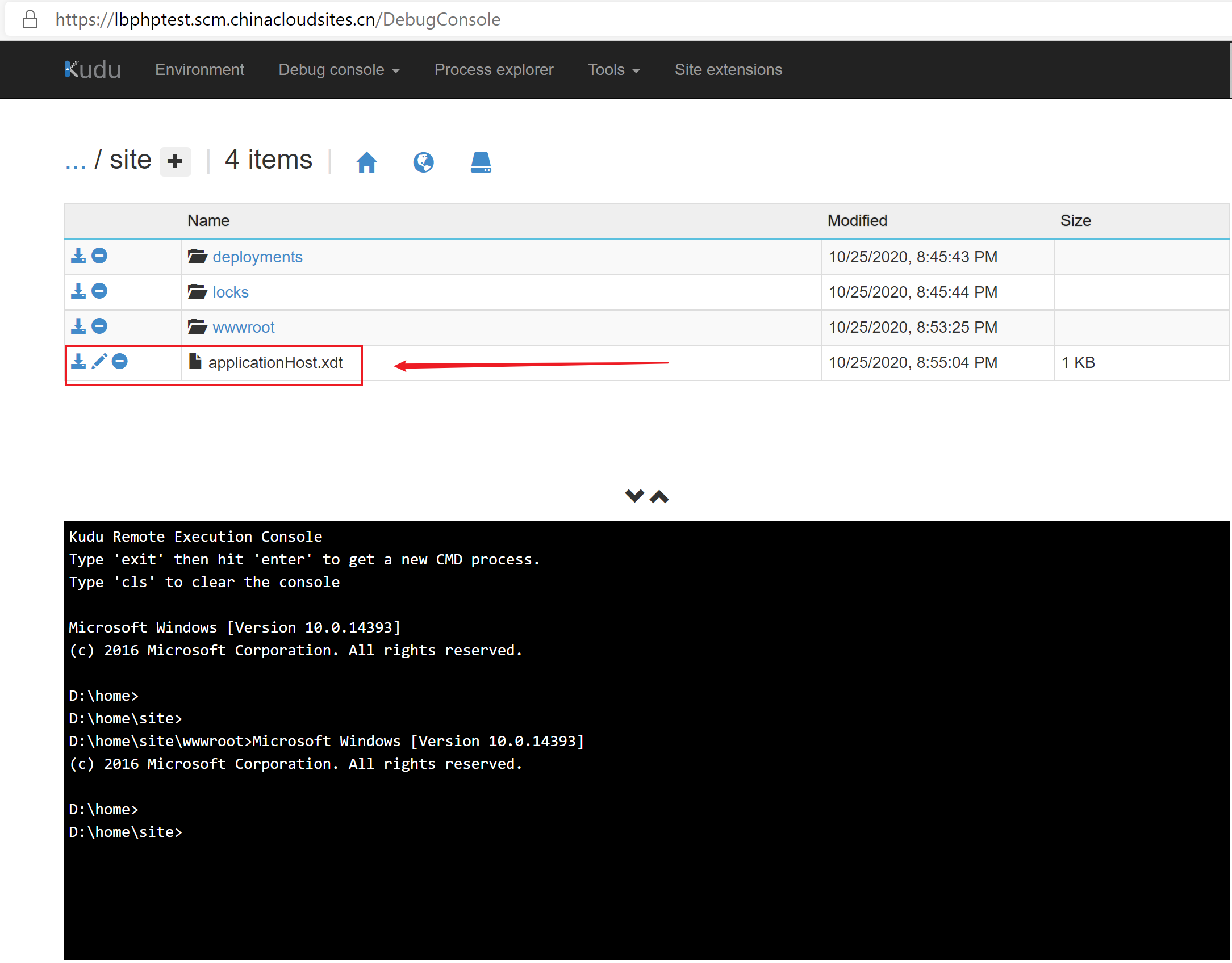
ApplicationHost.xdt的内容为:
<?xml version="1.0"?>

<configuration xmlns:xdt="http://schemas.microsoft.com/XML-Document-Transform">

    <system.webServer>

        <proxy xdt:Transform="InsertIfMissing" enabled="true" preserveHostHeader="false" reverseRewriteHostInResponseHeaders="false" />

    </system.webServer>

</configuration>
- 添加web.config文件,设置rewrite的规则。
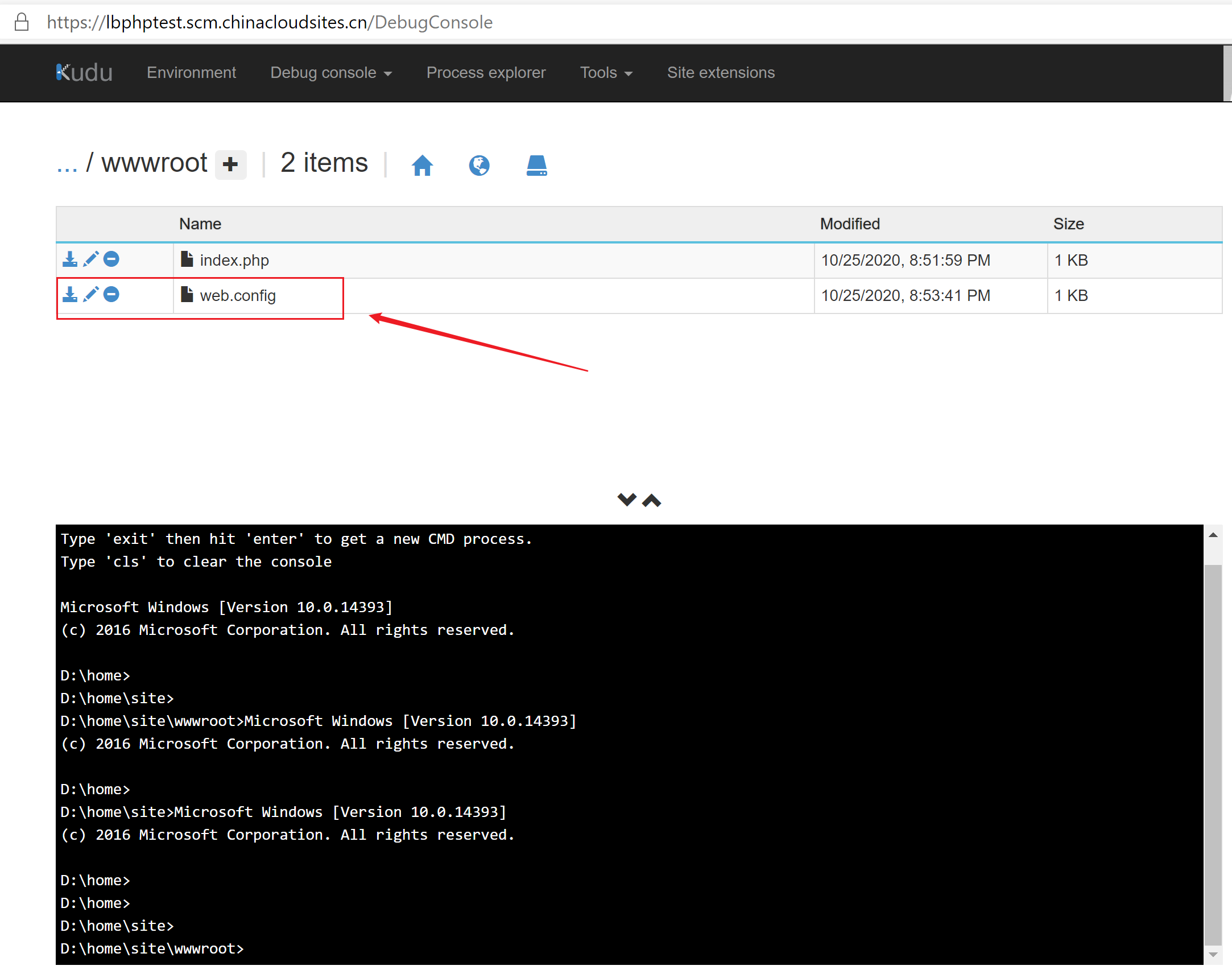
web.config的内容为(高亮部分即为需要配置的跳转站点):
<configuration>

<system.webServer>

<rewrite>

<rules>

<rule name="Proxy" stopProcessing="true">

<match url="^proxy/?(.*)" />

<action type="Rewrite" url="http://lbjavatest.chinacloudsites.cn/{R:1}" />

</rule>

</rules>

</rewrite>

</system.webServer>

</configuration>
注:完成以上步骤后,需要重启PHP站点。
参考资料
Web 应用如何实现反向代理转发功能:https://docs.azure.cn/zh-cn/articles/azure-operations-guide/app-service-web/aog-app-service-web-howto-realize-reverse-proxy-and-forward-function
URL Rewrite Module Configuration Reference:https://docs.microsoft.com/en-us/iis/extensions/url-rewrite-module/url-rewrite-module-configuration-reference#redirect-action
Rewrite Rules Overview
A rewrite rule defines the logic of what to compare or match the request URL with, and what to do if the comparison is successful.
Rewrite rules consists of the following parts:
- Pattern – The rule pattern is used to specify either the regular expression or a wildcard pattern that is used to match URL strings.
- Conditions – The optional conditions collection is used to specify additional logical operations to perform if a URL string matches the rule pattern. Within the conditions, you can check for certain values of HTTP headers or server variables, or verify if the requested URL corresponds to a file or directory on a physical file system.
- Action – The action is used to specify what to do if the URL string matches the rule pattern and all the rule conditions are met.
【应用服务 App Service】 App Service Rewrite 实例 - 反向代理转发功能的更多相关文章
- Nginx配置实例-反向代理实例:根据访问的路径跳转到不同端口的服务中
场景 Ubuntu Server 16.04 LTS上怎样安装下载安装Nginx并启动: https://blog.csdn.net/BADAO_LIUMANG_QIZHI/article/detai ...
- upstream模块实现反向代理的功能
nginx平台初探(100%) — Nginx开发从入门到精通 http://tengine.taobao.org/book/chapter_02.html#id6 nginx的模块化体系结构¶ ng ...
- 记录Nginx实现内容重定向的两种方式:rewrite和反向代理
第一种:rewrite server { listen 80; server_name www.test.org; root /te ...
- nginx之rewrite重写,反向代理,负载均衡
rewrite重写(伪静态): 在地址栏输入xx.com/user-xxx.html, 实际上访问的就是xxx.com/user.php?id=xxx rewrite就这么简单 附上ecshop re ...
- Nginx配置实例-反向代理实现浏览器请求Nginx跳转到服务器某页面
场景 Ubuntu Server 16.04 LTS上怎样安装下载安装Nginx并启动: https://blog.csdn.net/BADAO_LIUMANG_QIZHI/article/detai ...
- nginx 配置实例-反向代理
反向代理实例一 虚拟机IP:192.168.116.129实现效果:使用 nginx 反向代理,访问 www.123.com 直接跳转到 虚拟机的192.168.116.129:8080 实验代码 ...
- Nginx 笔记(三)nginx 配置实例 - 反向代理、负载均衡、动静分离
个人博客网:https://wushaopei.github.io/ (你想要这里多有) 一.反向代理 反向代理准备工作: (1)在 liunx 系统安装 tomcat,使用默认端口 8080 ...
- nginx证书制作以及配置https并设置访问http自动跳转https(反向代理转发jboss)
nginx证书制作以及配置https并设置访问http自动跳转https 默认情况下ssl模块并未被安装,如果要使用该模块则需要在编译时指定–with-http_ssl_module参数,安装模块依赖 ...
- 【转】Nginx反向代理转发tomcat
http://blog.csdn.net/mlc1218559742/article/details/53117520 最近刚接触nginx,在网上查阅了相关资料,看到最多的形容nginx的词就是反向 ...
随机推荐
- golang defer 以及 函数栈和return
defer 作为延迟函数存在,在函数执行结束时才会正式执行,一般用于资源释放等操作 参考一段代码https://mp.weixin.qq.com/s/yfH0CBnUBmH0oxfC2evKBA来分析 ...
- 结构体排序中sort的自定义函数cmp()
水题链接 #include<iostream> #include<cstdio> #include<algorithm> using namespace std; ...
- linux学习(一)认识阿里云
一.简介 阿里云,全球领先的云计算服务平台,阿里巴巴集团旗下公司.致力于打造公共.开放的云计算服务平台.提供云服务器ECS.关系型数据库服务RDS.开放存储服务OSS.内容分发网络CDN.对象存储OS ...
- kubeadm单集群部署k8s1.15.1&flannel网络
说明 本次实验在Windows下的VMware进行 系统配置及初始化配置在所有的主机执行 容器镜像全部替换为国内可拉取的 pod网络采用flannel 实验环境 主机名 IP地址 角色 OS CPU/ ...
- Java源码赏析(一)Object 类
写这个系列的原因,其实网上已经有无数源码分析的文章了,多一篇不多,少一篇不少,但为什么还要写这部分文章呢?于私,其一,上班族已经很久没有打过完整的一整段有意义的话,算是锻炼个人的书写.总结能力,其二, ...
- java经典算法40题-附带解决代码
前一段时间工作比较闲,每天没有代码敲的日子有点无聊,于是为了保证自己的编程逻辑力的日常清醒,故百度了一些经典的java算法,然后自己思考编程解决问题,虽然那些东西比较基础了,但是有些题目小编看到了也是 ...
- python学习笔记1之-python简介及其环境安装
python学习笔记之-python简介及其环境安装 最近几年python之火不用多说,最近开始利用时间自学python,在学习的过程中,按照自己的思路和理解记录下学习的过程,并分享出来,如果正好你也 ...
- Tomcat 8.5安装
安装 打开Tomcat官网:http://tomcat.apache.org/,下载tar.gz压缩文件,下载后文件名是apache-tomcat- 8.5.23.tar.gz.使用root用户安装, ...
- Python练习题 033:Project Euler 005:最小公倍数
本题来自 Project Euler 第5题:https://projecteuler.net/problem=5 # Project Euler: Problem 5: Smallest multi ...
- 安装zabbix3.0以及升级到5.0过程
关闭防火墙: systemctl stop firewalld.service systemctl disable firewalld.service 需要关闭 selinux,一定要关闭这个,开启s ...