
使用 js 和 Beacon API 实现一个简易版的前端埋点监控 npm 包
使用 js 和 Beacon API 实现一个简易版的前端埋点监控 npm 包
前端监控,埋点,数据收集,性能监控
Beacon API

优点,请求发送是非阻塞的 post ,用户体验好;支持多种数据格式;
缺点,IE 不支持,使用 XHR 作为 fallback 方案
"use strict";

/**

 *

 * @author xgqfrms

 * @license MIT

 * @copyright xgqfrms

 * @created 2020-01-01

 * @modified

 *

 * @description

 * @difficulty Easy Medium Hard

 * @complexity O(n)

 * @augments

 * @example

 * @link

 * @solutions

 *

 * @best_solutions

 *

 */

const log = console.log;

let startTime = performance.now();

window.addEventListener(`load`, (e) => {

  log(`window load`);

  log(`page is fully loaded`);

});

window.addEventListener(`DOMContentLoaded`, (e) => {

  log(`window DOMContentLoaded`);

  // log(`DOM fully loaded and parsed`);

});

const logVisit = (url = ``) => {

  // Test that we have support

  if (!navigator.sendBeacon) {

    // XHR fallback

    return true;

  } else {

  // URL to send the data to, e.g.

  // let url = `/api/log`;

  // Data to send

  let data = new FormData();

  data.append(`start`, startTime);

  data.append(`end`, performance.now());

  data.append(`url`, document.URL);

  // Let`s go!

  navigator.sendBeacon(url, data);

  }

};

// 将日志记录封装到一个函数中,则可以在页面卸载时调用它。

  //  good place for sendBeacon ???

window.addEventListener(`beforeunload`, (e) => {

  log(`window beforeunload`);

  //  bad place for sendBeacon

  logVisit(`/api/log`);

});

window.addEventListener(`unload`, (e) => {

  log(`window unload`);

  //  bad place for sendBeacon

  // logVisit(`/api/log`);

});

// navigator.sendBeacon(`https://www.xgqfrms.xyz/`, `hello `);
W3C & Beacon
W3C Candidate Recommendation 13 April 2017
W3C Editor's Draft 30 January 2020
demos
test
异常关闭浏览器窗口(强制退出 Chrome 进程),验证请求是否会发送成功?
KOA server
React client
WebSocket
load & DOMContentLoaded
https://developer.mozilla.org/en-US/docs/Web/API/Window/load_event
https://developer.mozilla.org/en-US/docs/Web/API/Window/DOMContentLoaded_event
readystate: interactive
DOMContentLoaded
readystate: complete
load
window.addEventListener('load', (event) => {

    log.textContent = log.textContent + 'load\n';

});

document.addEventListener('readystatechange', (event) => {

    log.textContent = log.textContent + `readystate: ${document.readyState}\n`;

});

document.addEventListener('DOMContentLoaded', (event) => {

    log.textContent = log.textContent + `DOMContentLoaded\n`;

});
visibilitychange & pagehide
https://developer.mozilla.org/en-US/docs/Web/API/Document/visibilitychange_event
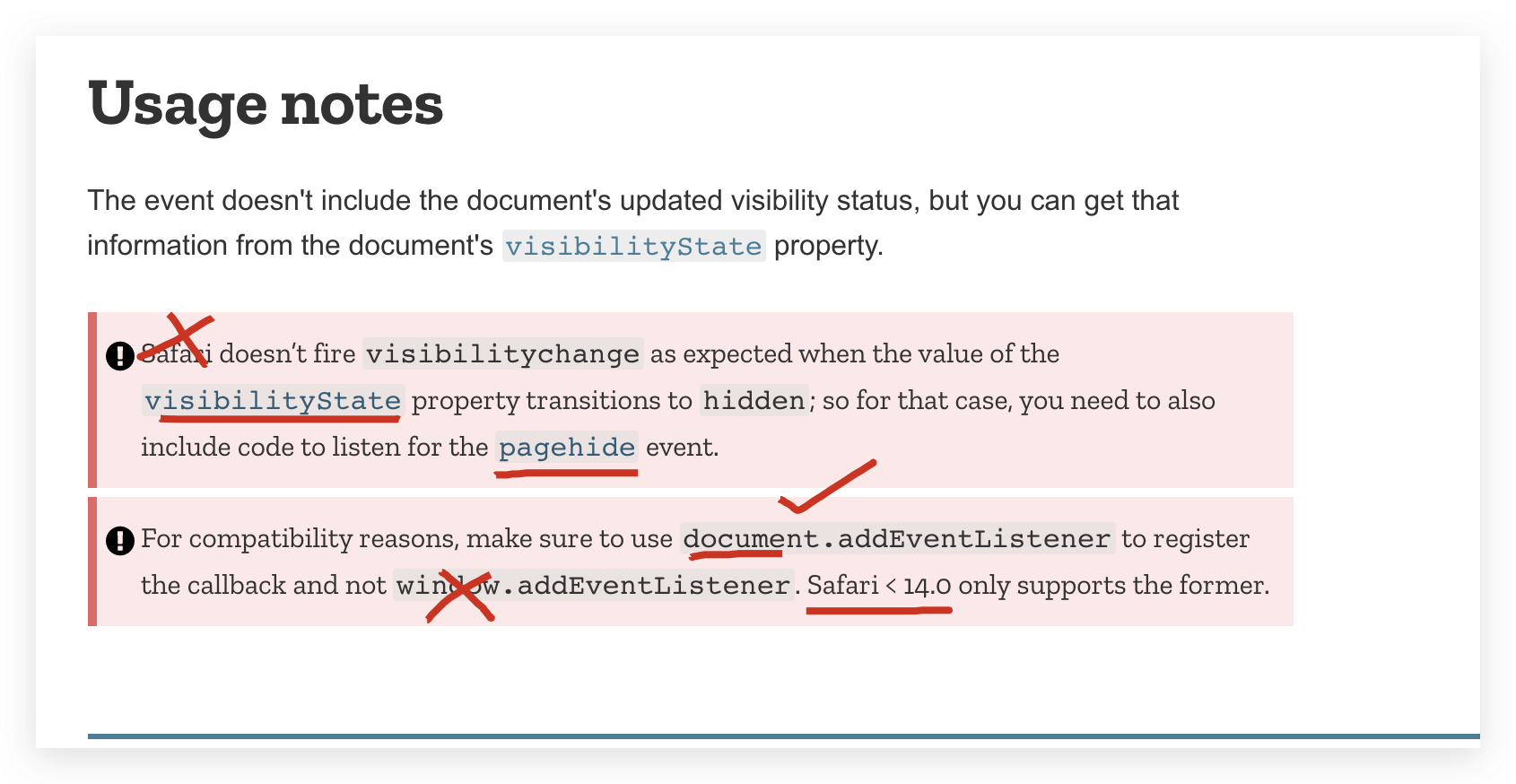
"use strict";

/**

 *

 * @author xgqfrms

 * @license MIT

 * @copyright xgqfrms

 * @created 2020-11-11

 * @modified

 *

 * @description

 * @difficulty Easy Medium Hard

 * @complexity O(n)

 * @augments

 * @example

 * @link

 * @solutions

 *

 * @best_solutions

 *

 */

const log = console.log;

let startTime = performance.now();

window.addEventListener(`load`, (e) => {

  log(`window load`);

  log(`page is fully loaded`);

});

window.addEventListener(`DOMContentLoaded`, (e) => {

  log(`window DOMContentLoaded`);

  // log(`DOM fully loaded and parsed`);

});

const logVisit = (url = ``) => {

  // Test that we have support

  if (!navigator.sendBeacon) {

    // XHR fallback

    return true;

  } else {

  // URL to send the data to, e.g.

  // let url = `/api/log`;

  // Data to send

  let data = new FormData();

  data.append(`start`, startTime);

  data.append(`end`, performance.now());

  data.append(`url`, document.URL);

  // Let`s go!

  navigator.sendBeacon(url, data);

  }

};

// 将日志记录封装到一个函数中,则可以在页面卸载时调用它。

window.addEventListener(`pagehide`, (e) => {

  log(`window beforeunload`);

  //  good place for sendBeacon

  logVisit(`/api/log`);

  if (event.persisted) {

    /* the page isn't being discarded, so it can be reused later */

  }

}, false);

document.addEventListener(`visibilitychange`, (e) => {

// window.addEventListener(`visibilitychange`, (e) => {

  log(`document.visibilityState`, document.visibilityState);

  // if (document.visibilityState === `hidden`) {

  // if (document.visibilityState === `visible`) {

  //   backgroundMusic.play();

  // } else {

  //   backgroundMusic.pause();

  // }

  // log(`window visibilitychange`);

  //  good place for sendBeacon

  logVisit(`/api/log`);

});

window.addEventListener(`beforeunload`, (e) => {

  log(`window beforeunload`);

  //  bad place for sendBeacon

  // logVisit(`/api/log`);

});

window.addEventListener(`unload`, (e) => {

  log(`window unload`);

  //  bad place for sendBeacon

  // logVisit(`/api/log`);

});

// navigator.sendBeacon(`https://www.xgqfrms.xyz/`, `hello `);
https://developer.mozilla.org/en-US/docs/Web/API/Window/pagehide_event
window.addEventListener("pagehide", event => {

  if (event.persisted) {

    /* the page isn't being discarded, so it can be reused later */

  }

}, false);
beforeunload & unload
https://developer.mozilla.org/en-US/docs/Web/API/Window/beforeunload_event
window.addEventListener('beforeunload', (event) => {

  // Cancel the event as stated by the standard.

  event.preventDefault();

  // Older browsers supported custom message

  event.returnValue = '';

});
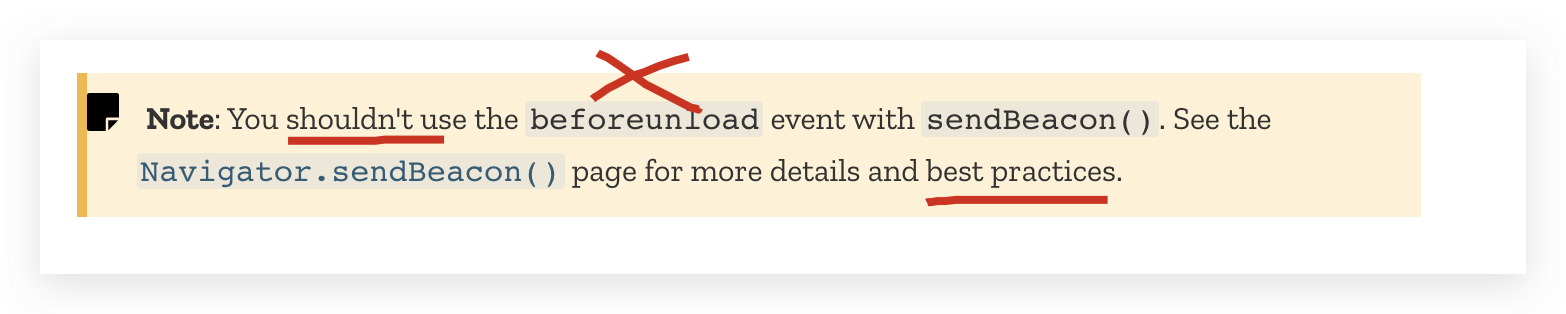
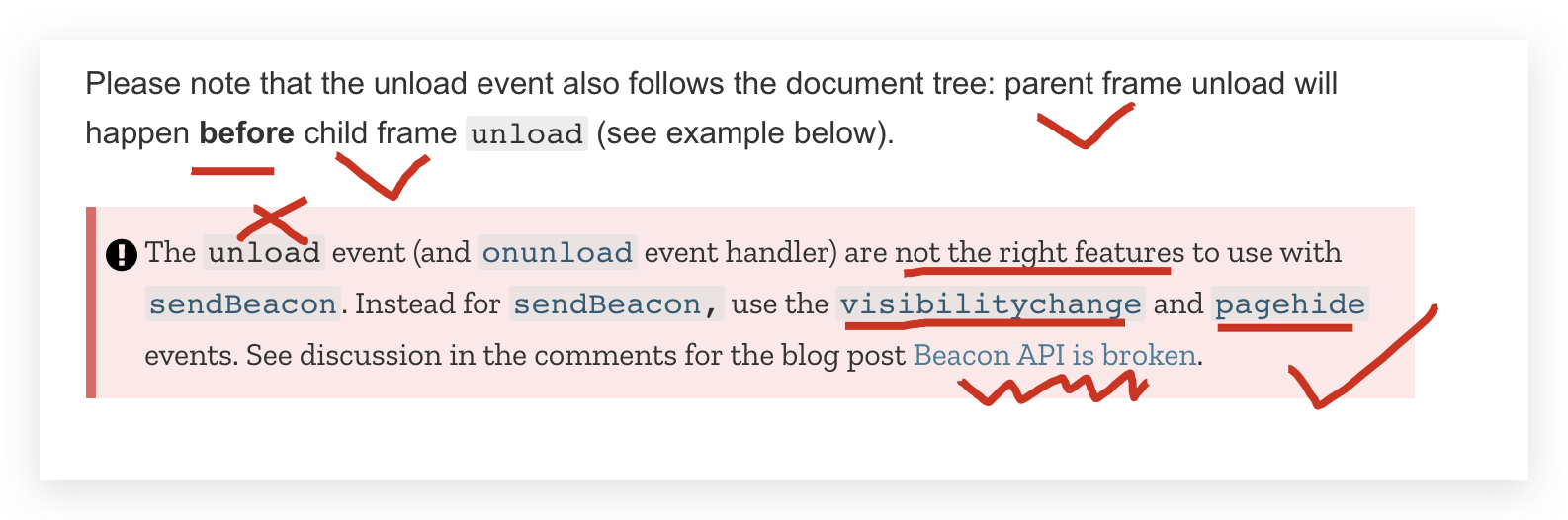
https://developer.mozilla.org/en-US/docs/Web/API/Window/unload_event
refs
MDN
https://developer.mozilla.org/en-US/docs/Web/API/Beacon_API
https://developer.mozilla.org/en-US/docs/Glossary/beacon
https://developer.mozilla.org/en-US/docs/Web/API/Navigator/sendBeacon
xgqfrms 2012-2020
www.cnblogs.com 发布文章使用:只允许注册用户才可以访问!
使用 js 和 Beacon API 实现一个简易版的前端埋点监控 npm 包的更多相关文章
- 使用 js 实现一个简易版的 GIPHY 动图搜索 web 应用程序
使用 js 实现一个简易版的 GIPHY 动图搜索 web 应用程序 具有挑战性的前端面试题 API JAMstack refs https://www.infoq.cn/article/0NUjpx ...
- 使用 js 实现一个简易版的模版引擎
使用 js 实现一个简易版的模版引擎 regex (function test() { this.str = str; })( window.Test = ...; format() { let ar ...
- 使用 js 实现一个简易版的 drag & drop 库
使用 js 实现一个简易版的 drag & drop 库 具有挑战性的前端面试题 H5 DnD js refs https://www.infoq.cn/article/0NUjpxGrqRX ...
- 使用 js 实现一个简易版的动画库
使用 js 实现一个简易版的动画库 具有挑战性的前端面试题 animation css refs https://www.infoq.cn/article/0NUjpxGrqRX6Ss01BLLE x ...
- 使用 js 实现一个简易版的 async 库
使用 js 实现一个简易版的 async 库 具有挑战性的前端面试题 series & parallel 串行,并行 refs https://www.infoq.cn/article/0NU ...
- 使用 js 实现一个简易版的 vue 框架
使用 js 实现一个简易版的 vue 框架 具有挑战性的前端面试题 refs https://www.infoq.cn/article/0NUjpxGrqRX6Ss01BLLE xgqfrms 201 ...
- .NET Core的文件系统[5]:扩展文件系统构建一个简易版“云盘”
FileProvider构建了一个抽象文件系统,作为它的两个具体实现,PhysicalFileProvider和EmbeddedFileProvider则分别为我们构建了一个物理文件系统和程序集内嵌文 ...
- DI 原理解析 并实现一个简易版 DI 容器
本文基于自身理解进行输出,目的在于交流学习,如有不对,还望各位看官指出. DI DI-Dependency Injection,即"依赖注入":对象之间依赖关系由容器在运行期决定, ...
- 依赖注入[5]: 创建一个简易版的DI框架[下篇]
为了让读者朋友们能够对.NET Core DI框架的实现原理具有一个深刻而认识,我们采用与之类似的设计构架了一个名为Cat的DI框架.在<依赖注入[4]: 创建一个简易版的DI框架[上篇]> ...
随机推荐
- 实用 nginx.conf 用法大全
服务器拒绝非GET方式请求保障安全性,因为 DELETE.POST.PUT 是可以修改数据的. Nginx 解决方案 在 nginx.conf 配置文件的网站配置区域中添加如下代码片段: 非 GET ...
- chmod a+w . 权限控制 su、sudo 修改文件所有者和文件所在组 添加用户到sudoer列表中 当前用户信息
对当前目录对所有用户开放读写权限 chmod a+r . $ sudo chmod -R a+w /usr/lib/python2.7 所有用户添加文件的写权限 [linux]su.sudo.sudo ...
- mysql本地中127.0.0.1连接不上数据库怎么办
首先在本地使用Navicat for MySQL建立一个bai数据库.在dreamweaver中建立一个PHP格式的网页,方便链接测试.测试发du现,如果zhi无法使用localhost链接mysql ...
- Postman 的 Post 请求方式的四种类型的数据
Postman 的 Post 请求方式的四种类型的数据 1. form-data 2. x-www-form-urlencoded 3. raw 4. binary 1. form-data 就是 H ...
- spark SQL (二) 聚合
聚合内置功能DataFrames提供共同聚合,例如count(),countDistinct(),avg(),max(),min(),等.虽然这些功能是专为DataFrames,spark SQL还拥 ...
- sqlite安装与封装后编译
========================安装sqlite=================官网下载安装包*.tar.gz格式./configure --prefix=/usr/server/s ...
- 负载均衡之LVS与Nginx对比
今天总结一下负载均衡中LVS与Nginx的区别,好几篇博文一开始就说LVS是单向的,Nginx是双向的,我个人认为这是不准确的,LVS三种模式中,虽然DR模式以及TUN模式只有请求的报文经过Direc ...
- Codeforces Round #594 (Div. 2) D1 - The World Is Just a Programming Task
思路:枚举换的位置i,j 然后我们要先判断改序列能否完全匹配 如果可以 那我们就需要把差值最大的位置换过来 然后直接判断就行
- Codeforces Round #626 (Div. 2) E. Instant Noodles(二分图,最大公因数)
题意: 给你一个二分图,求左侧端点的所有可能子集中的点相连的右侧端点的权值的和的最大公因数. 题解: 若所有右侧端点均不在同一左侧子集中,则求所有权值的最大公因数即可 . 否则,将在相同左侧子集中的右 ...
- 2019牛客多校 Round7
Solved:5 Rank:296 E Find the median (线段树) 题意:最开始一个空的数组 4e5次操作 每次把Li,Ri中的每个数插入进来 问当前的中位数 题解:把这n个区间离散化 ...