
VuePress plugins All In One
VuePress plugins All In One
VuePress & element-ui & docs
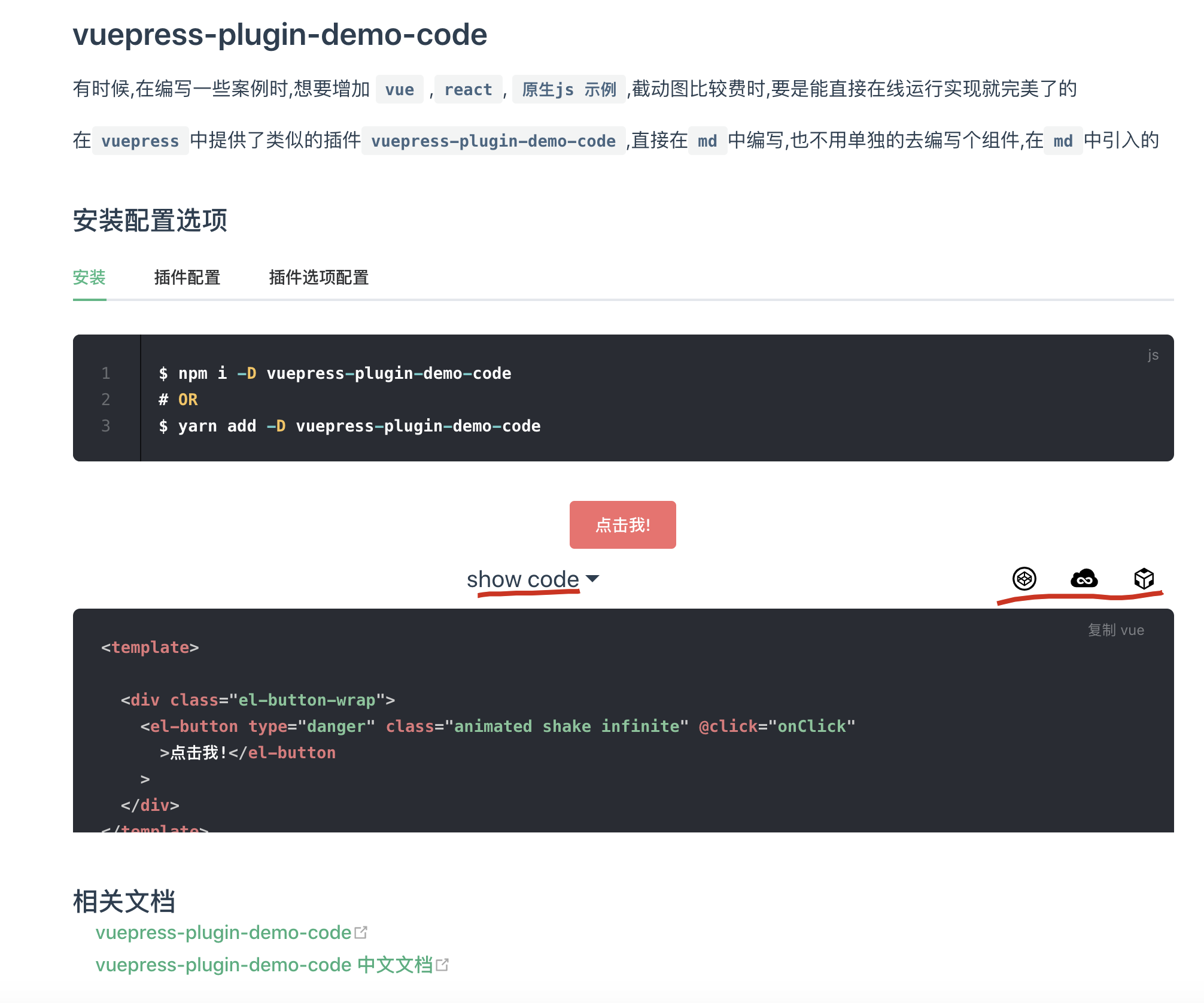
$ yarn add -D vuepress-plugin-demo-code
module.exports = {

  plugins: ['demo-code'],

};
module.exports = {

    plugins: [

        ['demo-code', {

            jsLibs: [

                // umd

                'https://unpkg.com/tua-storage/dist/TuaStorage.umd.js',

            ],

            cssLibs: [

                'https://unpkg.com/animate.css@3.7.0/animate.min.css',

            ],

            showText: 'show code',

            hideText: 'hide',

            styleStr: 'text-decoration: underline;',

            minHeight: 200,

            onlineBtns: {

                codepen: true,

                jsfiddle: true,

                codesandbox: true,

            },

            codesandbox: {

                deps: { 'lodash': 'latest' },

                json: '',

                query: '',

                embed: '',

            },

            demoCodeMark: 'demo-code',

            copyOptions: { ... },

        }]

    ],

}
refs
https://github.com/xiguaxigua/vuepress-plugin-demo-block
https://github.com/itclanCode/blogcode
https://coder.itclan.cn/fontend/tools/markdown-use-guide/#vuepress-plugin-demo-code
cname.sh
# cname.sh

#!/usr/bin/env sh

set -e

echo 'doc.xgqfrms.xyz' > docs/.vuepress/dist/CNAME
deploy.sh
https://github.com/itclanCode/blogcode/blob/master/deploy.sh
#!/usr/bin/env sh

# 确保脚本抛出遇到的错误

# set -e

# 生成静态文件

npm run docs:build

# 进入生成的文件夹

cd docs/.vuepress/dist

# 如果是发布到自定义域名

echo 'doc.xgqfrms.xyz' > CNAME

git init

git add -A

git commit -m '部署doc.xgqfrms.xyz'

# 如果发布到 https://<USERNAME>.github.io

git push -f https://github.com/xgqfrms/xgqfrms.github.io.git  master

# 如果发布到 https://<USERNAME>.github.io/<REPO>

# git push -f git@github.com:<USERNAME>/<REPO>.git master:gh-pages

cd -
SEO, 文章关注后, 解锁 , 文章付费阅读,文章试看
博客导流公众号

做自媒体,用 OpenWrite 自媒体助手
》 OpenWrite ,做最懂自媒体的工具平台
主要是群发软件、博客导流公众号-阅读全文工具、媒体发布平台、博客群发平台、软文推广平台、软文推广发布、博客发布官网引流科技小工具、微信公众号Markdown编辑器、多平台免费图床配置、Markdown 编辑器的免费简洁流畅、文章一键群发等的免费自媒体运营工具助手
http://admin.openwrite.cn/#/diffusion/home
留言
http://itclancoder.mikecrm.com/WkvRFA4
http://itclancoder.mikecrm.com/r.php?t=WkvRFA4
xgqfrms 2012-2020
www.cnblogs.com 发布文章使用:只允许注册用户才可以访问!
VuePress plugins All In One的更多相关文章
- VuePress 最新教程
VuePress 最新教程 https://vuepress.vuejs.org/ https://github.com/vuejs/vuepress VuePress plugins 插件通常会为 ...
- Leader 让我做 CMS 帮助中心的技术选型,我撸了 VuePress 和 GitBook,然后选择...
前言 因为自己平时经常写博客,也有博客网站,所以 Leader 叫我做一个 CMS 的帮助中心的技术选型,CMS 的帮助中心的功能:是通过文章来教用户如何使用我们的项目. 所以笔者要做一个静态网站的技 ...
- 创建 VuePress + GithubPages + TravisCI 在线文档
目录 最终效果 思路 总体 过程 用到的东西 相关 创建Github仓库 创建Github仓库 SSH密钥链接Github 生成SSH密钥 Github添加SSH密钥 测试SSH密钥 配置VuePre ...
- VuePress博客美化之reco主题
vuepress博客主题-vuepress-theme-reco是一款简洁而优雅的 vuepress博客&文档主题.它既可以成为简洁而又不失美观的主题,又可以书写你的项目文档,看起来更有逼格. ...
- 如何使用 Vuepress
项目结构 ├─docs │ ├─.vuepress --vuepress相关文件路径 (主要配置) │ │ ├─dist --build 打包生成路径 (自定义) │ │ ├─nav --导航条配置 ...
- VuePress config All In One
VuePress config All In One docs/.vuepress/config.js const { title, description, } = require('../../p ...
- 试着给VuePress添加渐进式Web应用(PWA)支持,基于vuepress/plugin-pwa,点亮离线访问
背景 有时候,我们也希望VuePress构建的文档中心能支持离线访问,这时候我们需要给他添加渐进式Web应用(PWA,Progressive Web App)的支持,根据官方文档指引,我们可以借助插件 ...
- 试着给VuePress添加全局禁止爬取支持,基于vuepress-plugin-robots
背景 有时候,我们有些内部网站希望不被外部抓取,那么我们可以借助vuepress-plugin-robots来生成robots.txt文件,来告诉爬虫不要抓取页面. 安装 npm install vu ...
- 以VuePress的v1.x为基础开发-用户手册
首先配置.vuepress中的config.js module.exports = { title:"用户手册", description: '用户手册', evergreen: ...
随机推荐
- linux在终端中按下键盘立马反应
想在终端中做个小应用,按下上下左右键能立刻作出反应. 测试程序见下: 1 #include <stdio.h> 2 #include <unistd.h> 3 #include ...
- 前端面试准备笔记之JavaScript(03)
01. 变量声明提升 在预解析的时候,成员变量和函数,被提升到最高的位置,方便其他程序访问. 可以先使用后声明. 只提升变量名,不提升变量值 let const 声明的变量不具有变量声明提升. // ...
- 使用cacti监控linux主机
介绍:使用cacti监控linux主机,需要在linux主机上面安装snmp服务,并修改snmpd.conf文件,指定cacti服务器的地址,然后在cacti的前台界面添加此主机即可,此处以监控cen ...
- cisco asa 5525 思科防火墙设置拨号访问内网以及外网
WZ-2A10-SAS5525-0938# show running-config : Saved : : Serial Number: FCH17307098 : Hardware: ASA5525 ...
- (04)-Python3之--字典(dict)操作
1.定义 字典的关键字:dict 字典由多个键和其对应的值构成的 键-值 对组成,每个键值对用冒号 : 分割,每个键值对之间用逗号 , 分割,整个字典包括在花括号 {} 中. {key1:value1 ...
- ldf和mdf文件怎么还原到sqlserver数据库
1.把mdf文件和ldf文件拷贝到数据库的默认路径C:\Program Files\Microsoft SQL Server\MSSQL10.MSSQLSERVER\MSSQL\DATA里:2.在sq ...
- jQuery 多选与清除
<!DOCTYPE html> <html> <head> <meta charset="UTF-8"> <title> ...
- Slack 的想法很好啊,很有创新,牛。
[原]https://www.leiphone.com/news/201411/aXHUpe4ZFI2sSwpb.html 由于以往一些用于办公的应用反响平平,因此对迅速崛起的办公交流应用Slack, ...
- Building a Robust Live Reloader with WebSockets and Go — Brandur Leach https://brandur.org/live-reload
Building a Robust Live Reloader with WebSockets and Go - Brandur Leach https://brandur.org/live-relo ...
- Linux常用命令:文件操作命令
Linux系统命令主要包括文件操作.网络命令和性能命令,本文介绍常用文件操作命令. 修改文件属性 文件类型: 普通文件:- 目录文件:d 块设备文件:b,硬盘 字符设备: c,串行端口的接口设备,例如 ...