
python爬虫---从零开始(四)BeautifulSoup库
BeautifulSoup是什么?
BeautifulSoup是一个网页解析库,相比urllib、Requests要更加灵活和方便,处理高校,支持多种解析器。
利用它不用编写正则表达式即可方便地实现网页信息的提取。
BeautifulSoup的安装:直接输入pip3 install beautifulsoup4即可安装。4也就是它的最新版本。
BeautifulSoup的用法:
解析库:
| 解析器 | 使用方法 | 优势 | 不足 |
| Python标准库 | BeautifulSoup(markup,"html.parser") | python的内置标准库、执行速度适中、文档容错能力强 | Python2.7.3 or 3.2.2之前的版本容错能力较差 |
| lxml HTML解析库 | BeautifulSoup(markup,"lxml") | 速度快、文档容错能力强 | 需要安装C语言库 |
| lxml XML解析库 | BeautifulSoup(markup,"xml") | 速度快、唯一支持XML的解析器 | 需要安装C语言库 |
| html5lib | BeautifulSoup(markup,"html5lib") | 最好的容错性、以浏览器的方式解析文档、生成HTML5格式的文档 | 速度慢、不依赖外部扩展 |
基本使用:
html = """

<html><head><title>The Dormouse's story</head>

<body>

<p class="title" name="dromouse"><b>The Dormouse's story</b></p>

<p class="story">Once upon a time there were three little sisters;and their names were

<a href ="http://example.com/elsie" class="sister" id="link1"><!-- Elsie --></a>

<a href ="http://example.com/lacle" class="sister" id="link2">Lacie</a> and

<a href ="http://example.com/title" class="sister" id="link3">Title</a>; and they lived at the boottom of a well.</p>

<p class="story">...</p>

"""

from bs4 import BeautifulSoup

soup = BeautifulSoup(html,'lxml')

print(soup.prettify())

print(soup.title.string)
我们可以看到,html这次参数是一段html代码,但是该代码并不完成,我们来看下下面的运行结果。
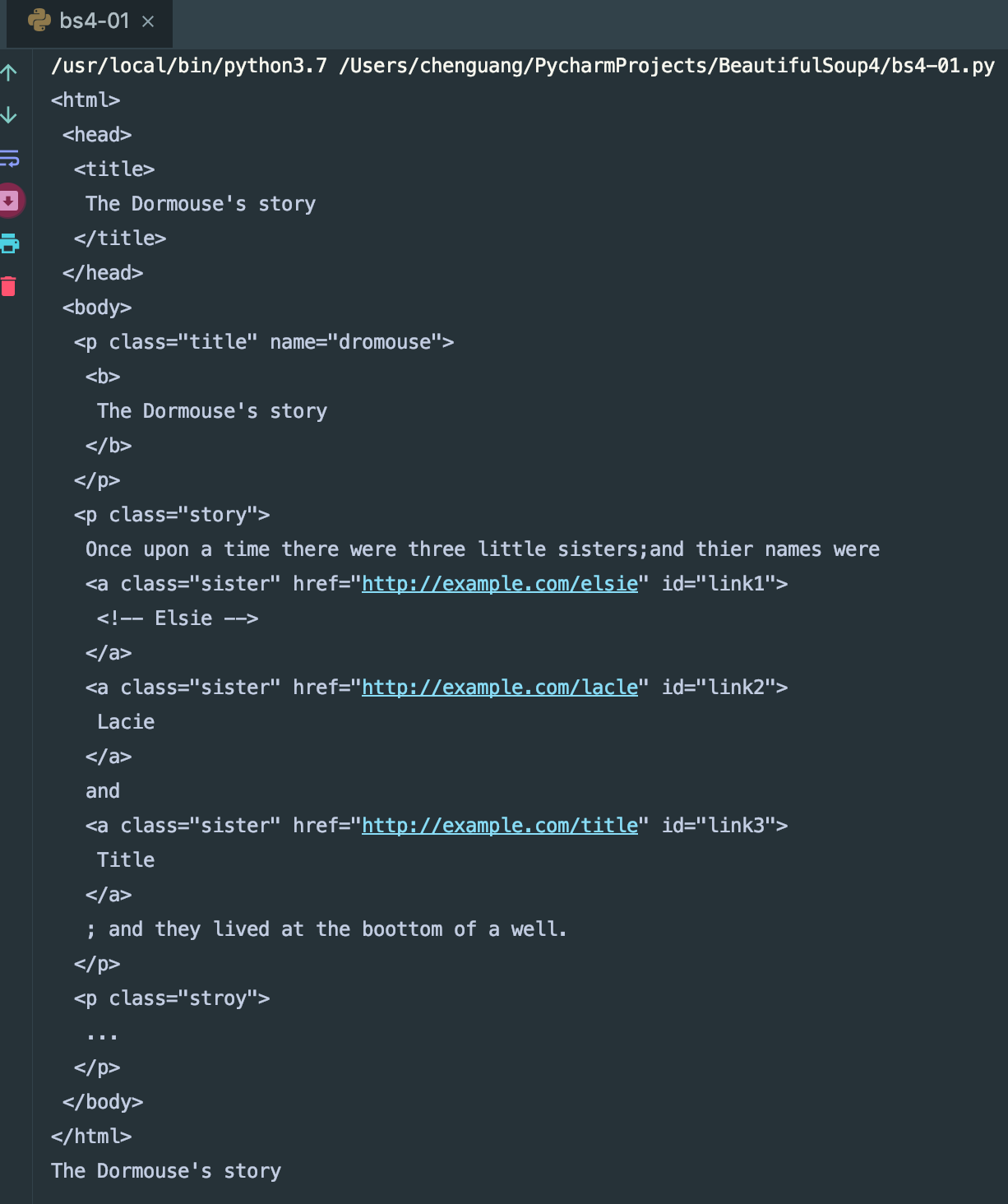
我们可以看到结果,BeautifulSoup将我们的代码自动补全了,并且帮我们自动格式化了html代码。
标签选择器:
选择元素
html = """

<html><head><title>The Dormouse's story</head>

<body>

<p class="title" name="dromouse"><b>The Dormouse's story</b></p>

<p class="story">Once upon a time there were three little sisters;and thier names were

<a href ="http://example.com/elsie" class="sister" id="link1"><!-- Elsie --></a>

<a href ="http://example.com/lacle" class="sister" id="link2">Lacie</a> and

<a href ="http://example.com/title" class="sister" id="link3">Title</a>; and they lived at the boottom of a well.</p>

<p class="story">...</p>

"""

from bs4 import BeautifulSoup

soup = BeautifulSoup(html,'lxml')

print(soup.title)

print(type(soup.title))

print(soup.head)

print(soup.p)
我们先来看下运行结果
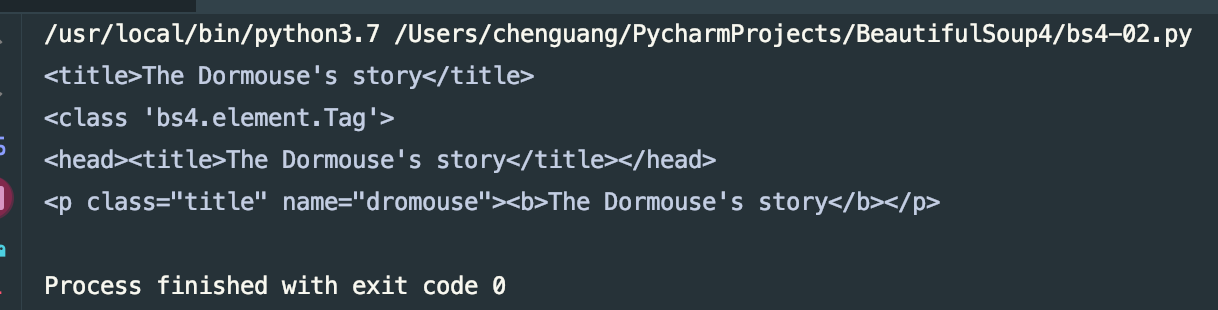
我们可以到看,.title方法将整个title标签全部提取出来了, .head也是如此的,但是p标签有很多,这里会默认只取第一个标签
获取名称 :
#!/usr/bin/env python

# -*- coding: utf-8 -*-

html = """

<html><head><title>The Dormouse's story</head>

<body>

<p class="title" name="dromouse"><b>The Dormouse's story</b></p>

<p class="story">Once upon a time there were three little sisters;and thier names were

<a href ="http://example.com/elsie" class="sister" id="link1"><!-- Elsie --></a>

<a href ="http://example.com/lacle" class="sister" id="link2">Lacie</a> and

<a href ="http://example.com/title" class="sister" id="link3">Title</a>; and they lived at the boottom of a well.</p>

<p class="story">...</p>

"""

from bs4 import BeautifulSoup

soup = BeautifulSoup(html,'lxml')

print(soup.title.name)
输出结果为title 。.name方法获取该标签的名称(并非name属性的值)
获取属性:
#!/usr/bin/env python

# -*- coding: utf-8 -*-

html = """

<html><head><title>The Dormouse's story</head>

<body>

<p class="title" name="dromouse"><b>The Dormouse's story</b></p>

<p class="story">Once upon a time there were three little sisters;and thier names were

<a href ="http://example.com/elsie" class="sister" id="link1"><!-- Elsie --></a>

<a href ="http://example.com/lacle" class="sister" id="link2">Lacie</a> and

<a href ="http://example.com/title" class="sister" id="link3">Title</a>; and they lived at the boottom of a well.</p>

<p class="story">...</p>

"""

from bs4 import BeautifulSoup

soup = BeautifulSoup(html,'lxml')

print(soup.p.attrs['name'])

print(soup.p['name'])
我们尝试运行以后会发现,结果都为dromouse,也就是说两中方式都可以娶到name属性的值,但是只匹配第一个标签。
获取内容:
#!/usr/bin/env python

# -*- coding: utf-8 -*-

html = """

<html><head><title>The Dormouse's story</head>

<body>

<p class="title" name="dromouse"><b>The Dormouse's story</b></p>

<p class="story">Once upon a time there were three little sisters;and thier names were

<a href ="http://example.com/elsie" class="sister" id="link1"><!-- Elsie --></a>

<a href ="http://example.com/lacle" class="sister" id="link2">Lacie</a> and

<a href ="http://example.com/title" class="sister" id="link3">Title</a>; and they lived at the boottom of a well.</p>

<p class="story" name="pname">...</p>

"""

from bs4 import BeautifulSoup

soup = BeautifulSoup(html,'lxml')

print(soup.p.string)
输入标签.string方法即可取到该标签下的内容,得到的输出结果为:

我们可以看到我们获取到的是第一个p标签下的文字内容。
嵌套获取:
#!/usr/bin/env python

# -*- coding: utf-8 -*-

html = """

<html><head><title>The Dormouse's story</head>

<body>

<p class="title" name="dromouse"><b>The Dormouse's story</b></p>

<p class="story">Once upon a time there were three little sisters;and thier names were

<a href ="http://example.com/elsie" class="sister" id="link1"><!-- Elsie --></a>

<a href ="http://example.com/lacle" class="sister" id="link2">Lacie</a> and

<a href ="http://example.com/title" class="sister" id="link3">Title</a>; and they lived at the boottom of a well.</p>

<p class="story" name="pname">...</p>

"""

from bs4 import BeautifulSoup

soup = BeautifulSoup(html,'lxml')

print(soup.head.title.string)
运行结果为:

我们可以嵌套其子节点继续选择获取标签的内容。
获得子节点和子孙节点:
#!/usr/bin/env python

# -*- coding: utf-8 -*-

html = """

<html><head><title>The Dormouse's story</head>

<body>

<p class="title" name="dromouse"><b>The Dormouse's story</b></p>

<p class="story">Once upon a time there were three little sisters;and thier names were

<a href ="http://example.com/elsie" class="sister" id="link1"><!-- Elsie --></a>

<a href ="http://example.com/lacle" class="sister" id="link2">Lacie</a> and

<a href ="http://example.com/title" class="sister" id="link3">Title</a>; and they lived at the boottom of a well.</p>

<p class="story" name="pname">...</p>

"""

from bs4 import BeautifulSoup

soup = BeautifulSoup(html,'lxml')

print(soup.body.contents)
获取的结果为一个类型的数据,换行符也占用一个位置,我们来看一下输出结果:

另外还有一个方法也可以获得子节点.children也可以获取子节点:
#!/usr/bin/env python

# -*- coding: utf-8 -*-

html = """

<html><head><title>The Dormouse's story</head>

<body>

<p class="title" name="dromouse"><b>The Dormouse's story</b></p>

<p class="story">Once upon a time there were three little sisters;and thier names were

<a href ="http://example.com/elsie" class="sister" id="link1"><!-- Elsie --></a>

<a href ="http://example.com/lacle" class="sister" id="link2">Lacie</a> and

<a href ="http://example.com/title" class="sister" id="link3">Title</a>; and they lived at the boottom of a well.</p>

<p class="story" name="pname">...</p>

"""

from bs4 import BeautifulSoup

soup = BeautifulSoup(html,'lxml')

print(type(soup.body.children))

for i,child in enumerate(soup.body.children):

    print(i,child)
输出结果如下:
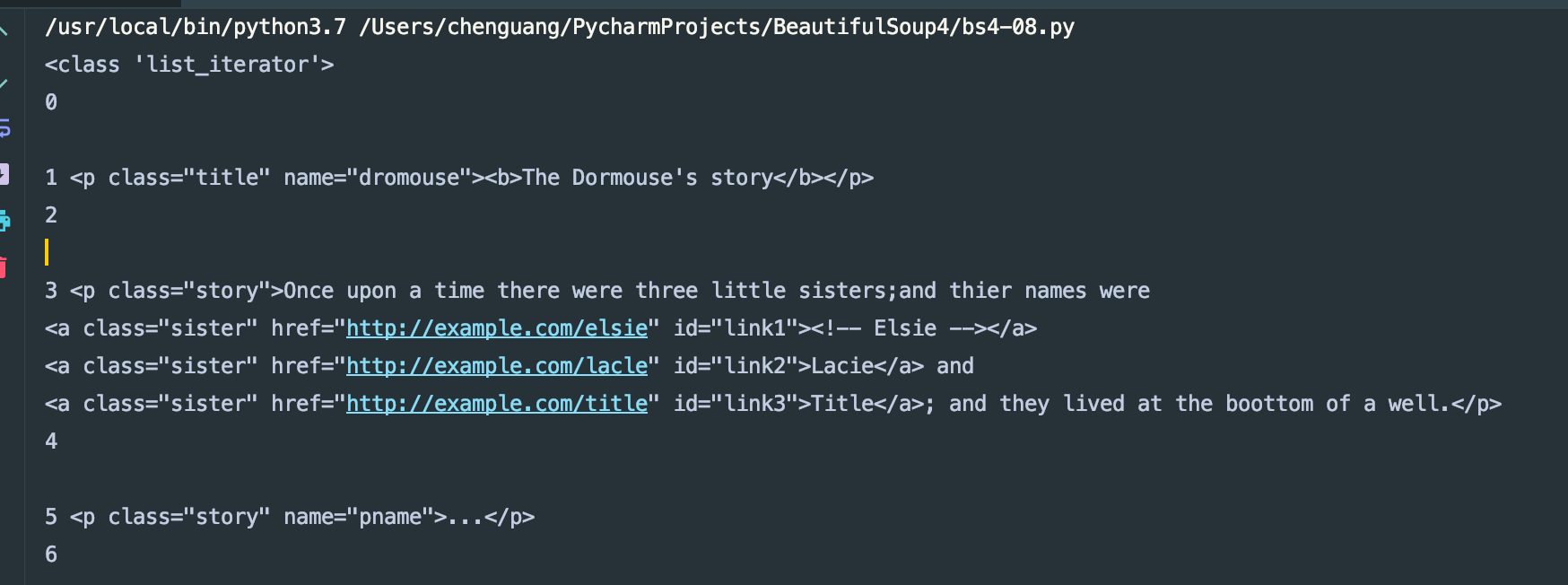
用.children方法得到的是一个可以迭代的类型数据。
通过descendas可以获得其子孙节点:
#!/usr/bin/env python

# -*- coding: utf-8 -*-

html = """

<html><head><title>The Dormouse's story</head>

<body>

<p class="title" name="dromouse"><b>The Dormouse's story</b></p>

<p class="story">Once upon a time there were three little sisters;and thier names were

<a href ="http://example.com/elsie" class="sister" id="link1"><!-- Elsie --></a>

<a href ="http://example.com/lacle" class="sister" id="link2">Lacie</a> and

<a href ="http://example.com/title" class="sister" id="link3">Title</a>; and they lived at the boottom of a well.</p>

<p class="story" name="pname">...</p>

"""

from bs4 import BeautifulSoup

soup = BeautifulSoup(html,'lxml')

print(type(soup.body.descendants))

for i,child in enumerate(soup.body.descendants):

    print(i,child)
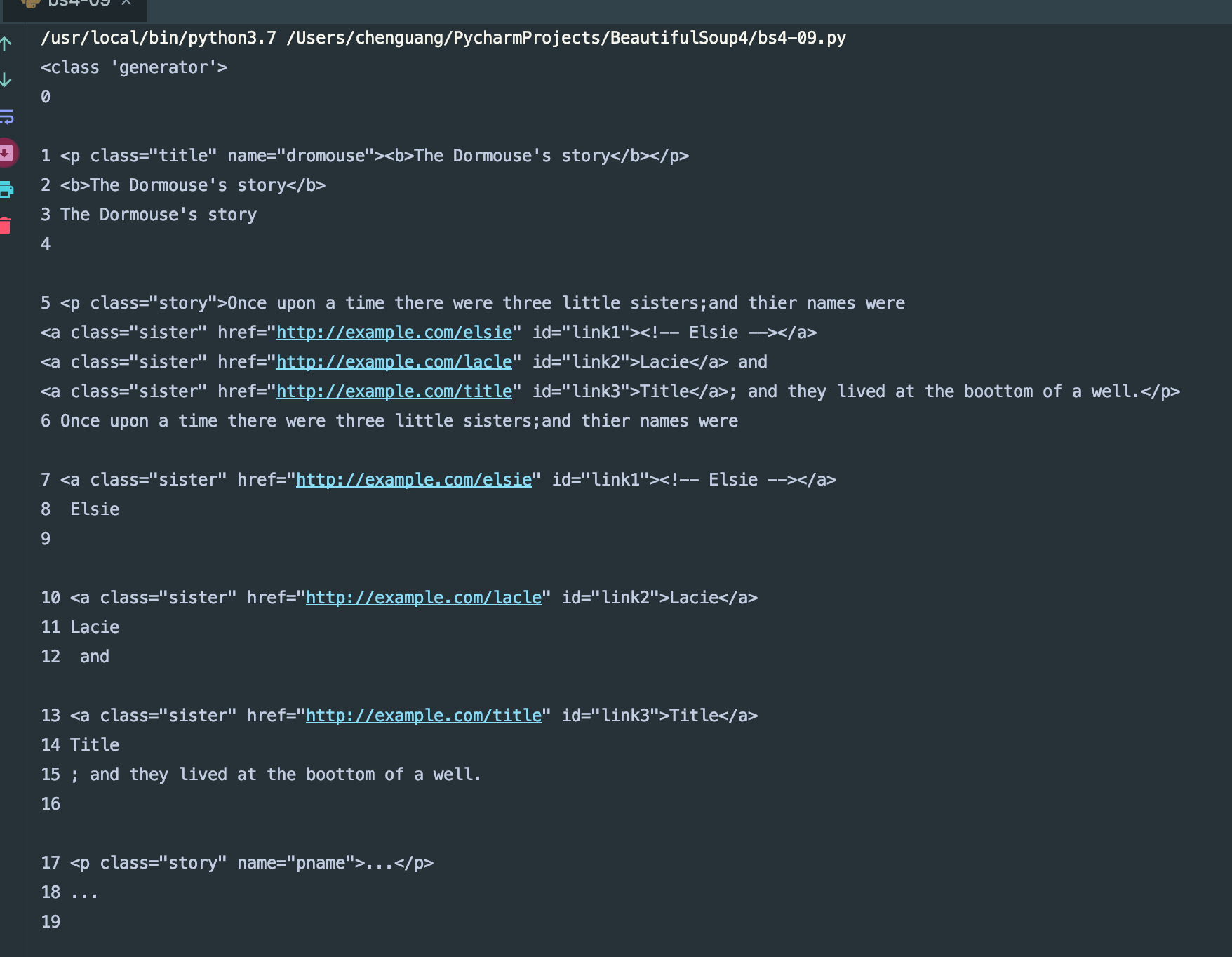
我们来看一下运行结果:
获取父节点和祖先节点:
#!/usr/bin/env python

# -*- coding: utf-8 -*-

html = """

<html>

    <head>

        <title>The Dormouse's story</title>

    </head>

    <body>

        <p class="story" name="pname">Once upo a time were three little sister;and theru name were

            <a href="http://example.com/elsie" class="sister" id="link1">

                <span>Elsie</span>

            </a>

            <a href="http://example.com/elsie" class="sister" id="link2">Lacie</a>

            and

            <a href="http://example.com/elsie" class="sister" id="link3">Title</a>

        </p>

        <p class="story">...</p>

"""

from bs4 import BeautifulSoup

soup = BeautifulSoup(html,'lxml')

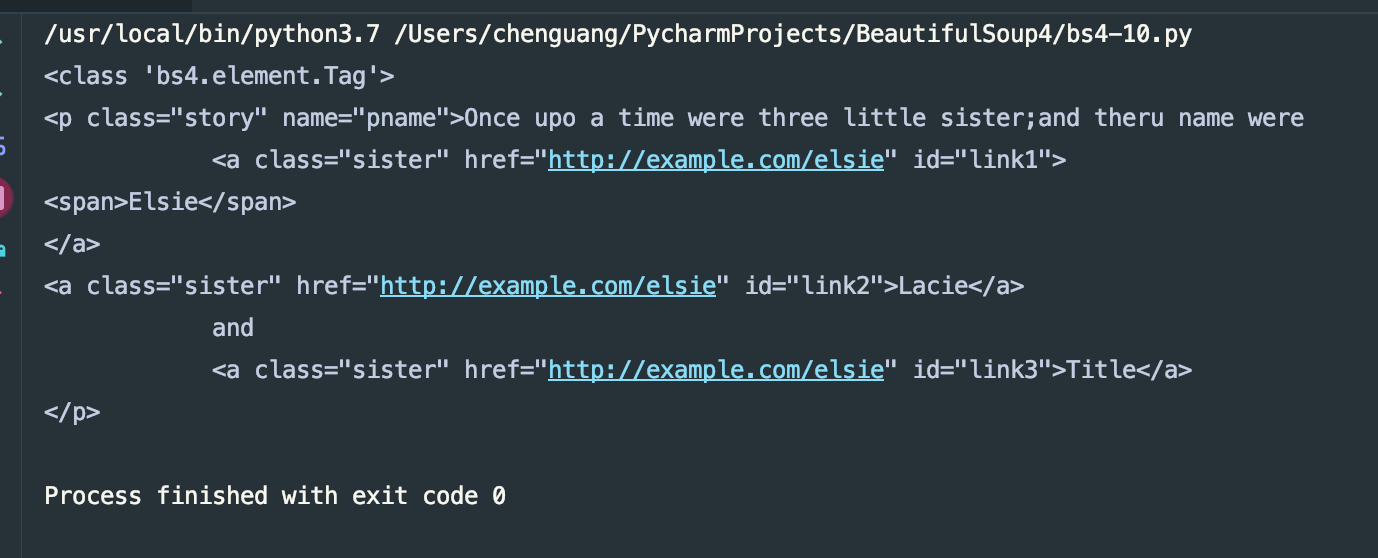
print(type(soup.a.parent))

print(soup.a.parent)
我们来看一下运行结果:
获取其祖先节点:
#!/usr/bin/env python

# -*- coding: utf-8 -*-

html = """

<html>

    <head>

        <title>The Dormouse's story</title>

    </head>

    <body>

        <p class="story" name="pname">Once upo a time were three little sister;and theru name were

            <a href="http://example.com/elsie" class="sister" id="link1">

                <span>Elsie</span>

            </a>

            <a href="http://example.com/elsie" class="sister" id="link2">Lacie</a>

            and

            <a href="http://example.com/elsie" class="sister" id="link3">Title</a>

        </p>

        <p class="story">...</p>

"""

from bs4 import BeautifulSoup as bs4

soup = bs4(html,'lxml')

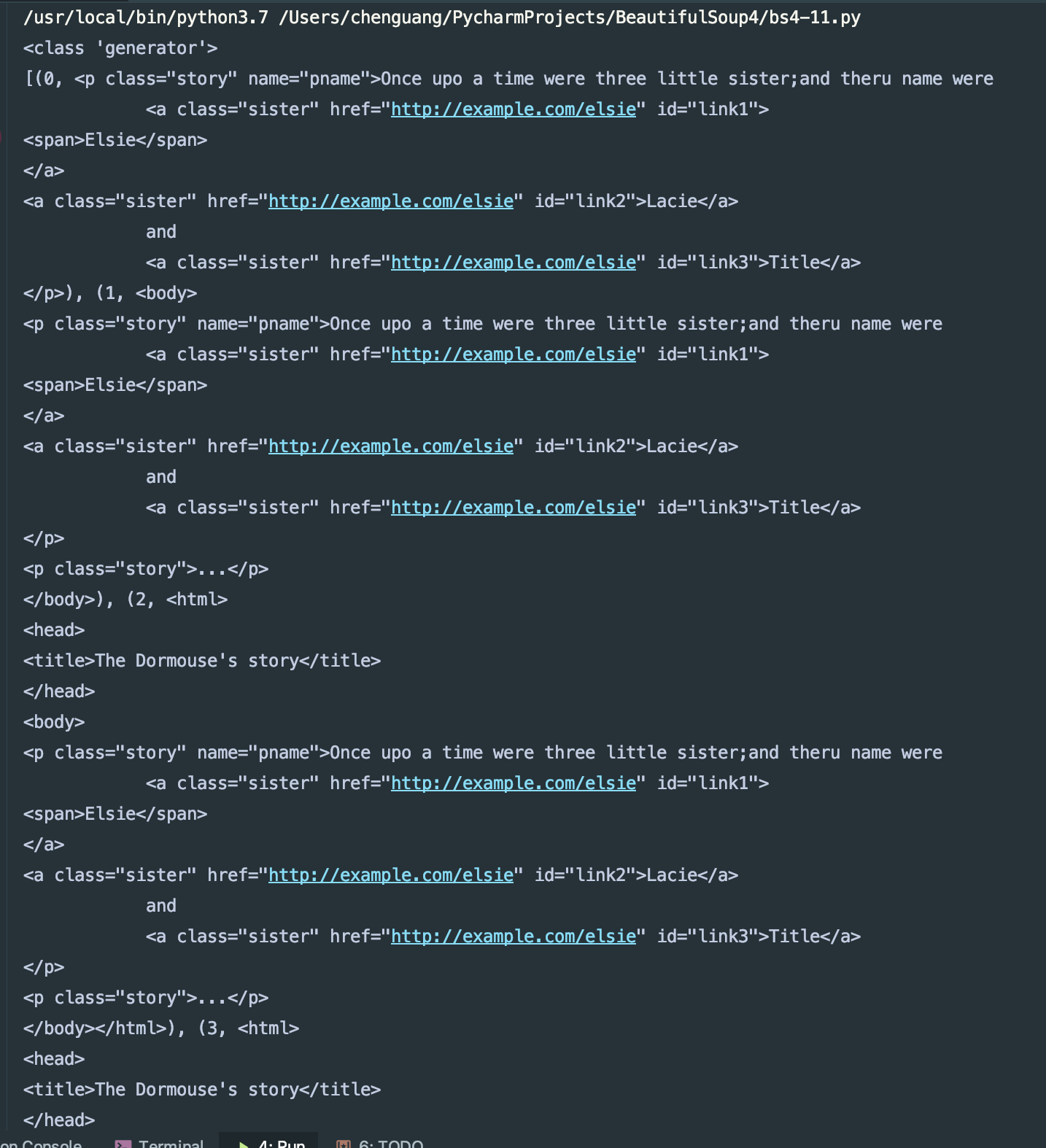
print(type(soup.a.parents))

print(list(enumerate(soup.a.parents)))
我们来看下结果:
兄弟节点:
#!/usr/bin/env python

# -*- coding: utf-8 -*-

html = """

<html>

    <head>

        <title>The Dormouse's story</title>

    </head>

    <body>

        <p class="story" name="pname">Once upo a time were three little sister;and theru name were

            <a href="http://example.com/elsie" class="sister" id="link1">

                <span>Elsie</span>

            </a>

            <a href="http://example.com/elsie" class="sister" id="link2">Lacie</a>

            and

            <a href="http://example.com/elsie" class="sister" id="link3">Title</a>

        </p>

        <p class="story">...</p>

"""

from bs4 import BeautifulSoup as bs4

soup = bs4(html,'lxml')

print(list(enumerate(soup.a.next_siblings)))

print(list(enumerate(soup.a.previous_siblings)))
我们来看一下结果:

next_siblings获得后面的兄弟节点,previous_siblings获得前面的兄弟节点。
以前就是我们用最简单的方式来获取了内容,也是标签选择器,选择速度很快的,但是这种选择器过于单一,不能满足我们的解析需求,下面我们来看一下标准选择器。
  标准选择器:
find_all(name,attrs,recursive,text,**kwargs)可以根据标签名,属性,内容查找文档。
我们来看一下具体的用法。
根据name来查找:
#!/usr/bin/env python

# -*- coding: utf-8 -*-

html = """

<html>

    <head>

        <title>The Dormouse's story</title>

    </head>

    <body>

        <p class="story" name="pname">Once upo a time were three little sister;and theru name were

            <a href="http://example.com/elsie" class="sister" id="link1">

                <span>Elsie</span>

            </a>

            <a href="http://example.com/elsie" class="sister" id="link2">Lacie</a>

            and

            <a href="http://example.com/elsie" class="sister" id="link3">Title</a>

        </p>

        <p class="story">...</p>

"""

from bs4 import BeautifulSoup as bs4

soup = bs4(html,'lxml')

print(soup.find_all('p'))

print(soup.find_all('p')[0])
我们看下结果:
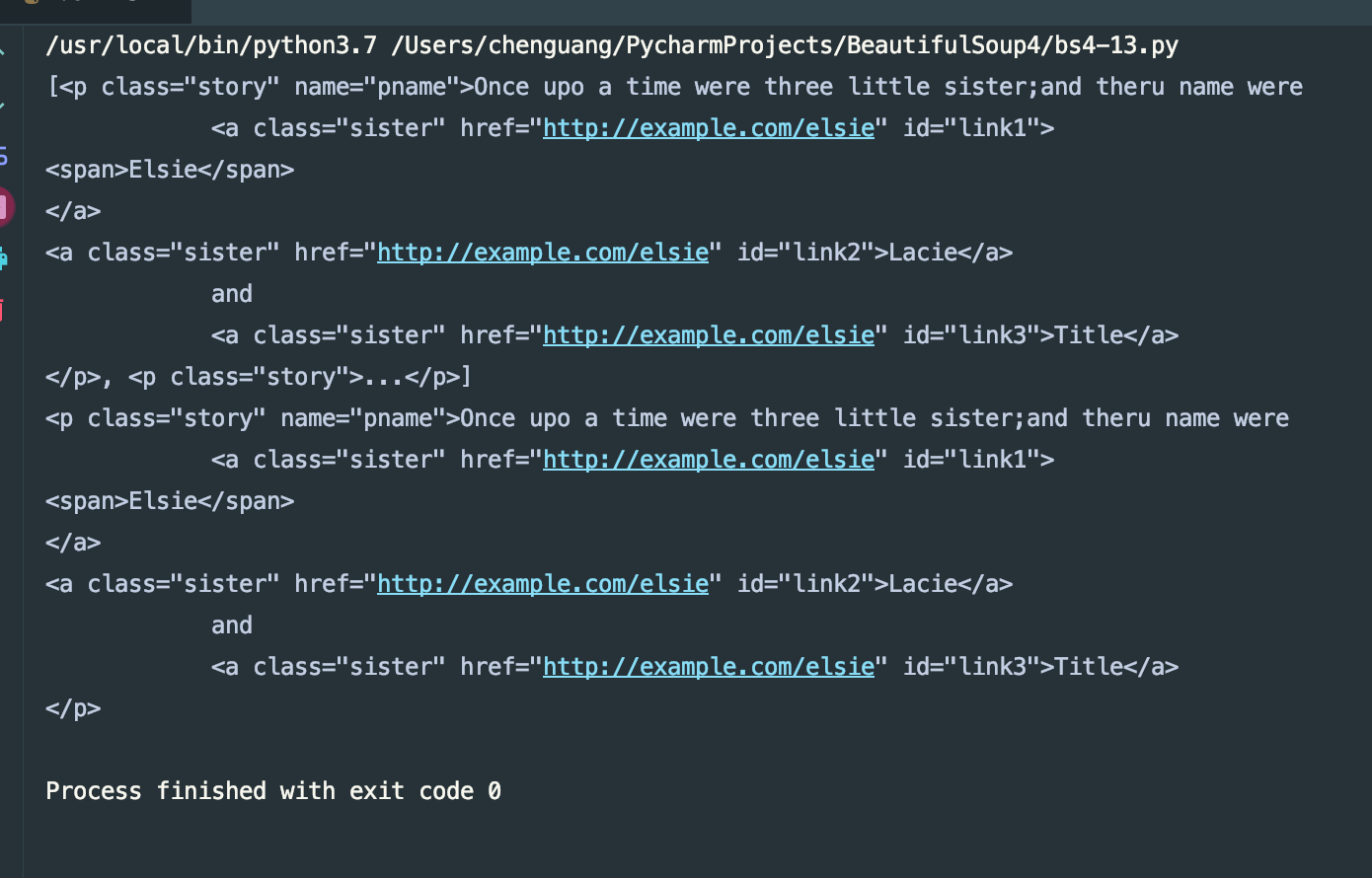
我们通过find_all得到了一组数据,通过其索引得到每一项的标签。也可以用嵌套的方式来查找
attrs方式:
#!/usr/bin/env python

# -*- coding: utf-8 -*-

html = """

<html>

    <head>

        <title>The Dormouse's story</title>

    </head>

    <body>

        <p class="story" name="pname">Once upo a time were three little sister;and theru name were

            <a href="http://example.com/elsie" class="sister" id="link1">

                <span>Elsie</span>

            </a>

            <a href="http://example.com/elsie" class="sister" id="link2">Lacie</a>

            and

            <a href="http://example.com/elsie" class="sister" id="link3">Title</a>

        </p>

        <p class="story">...</p>

"""

from bs4 import BeautifulSoup as bs4

soup = bs4(html,'lxml')

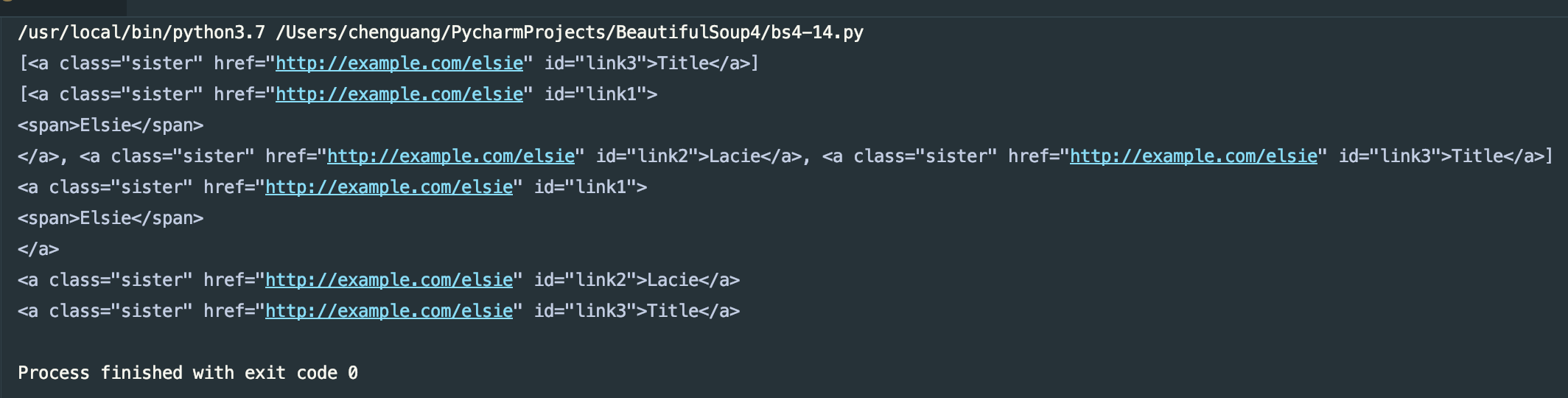
print(soup.find_all(attrs={'id':'link3'}))

print(soup.find_all(attrs={'class':'sister'}))

for i in soup.find_all(attrs={'class':'sister'}):

    print(i)
运行结果:
我也可以这样来写:
#!/usr/bin/env python

# -*- coding: utf-8 -*-

html = """

<html>

    <head>

        <title>The Dormouse's story</title>

    </head>

    <body>

        <p class="story" name="pname">Once upo a time were three little sister;and theru name were

            <a href="http://example.com/elsie" class="sister" id="link1">

                <span>Elsie</span>

            </a>

            <a href="http://example.com/elsie" class="sister" id="link2">Lacie</a>

            and

            <a href="http://example.com/elsie" class="sister" id="link3">Title</a>

        </p>

        <p class="story">...</p>

"""

from bs4 import BeautifulSoup as bs4

soup = bs4(html,'lxml')

print(soup.find_all(id='link3'))

print(soup.find_all(class_='sister'))

for i in soup.find_all(class_='sister'):

    print(i)
对于特殊类型的我们可以直接用其属性来查找,例如id,class等。attrs更便于我们的查找了。
用text选择:
#!/usr/bin/env python

# -*- coding: utf-8 -*-

html = """

<html>

    <head>

        <title>The Dormouse's story</title>

    </head>

    <body>

        <p class="story" name="pname">Once upo a time were three little sister;and theru name were

            <a href="http://example.com/elsie" class="sister" id="link1">

                <span>Elsie</span>

            </a>

            <a href="http://example.com/elsie" class="sister" id="link2">Lacie</a>

            and

            <a href="http://example.com/elsie" class="sister" id="link3">Title</a>

            <a href="http://example.com/elsie" class="body" id="link4">Title</a>

        </p>

        <p class="story">...</p>

"""

from bs4 import BeautifulSoup as bs4

soup = bs4(html,'lxml')

print(soup.find_all(text='Title'))
运行结果:
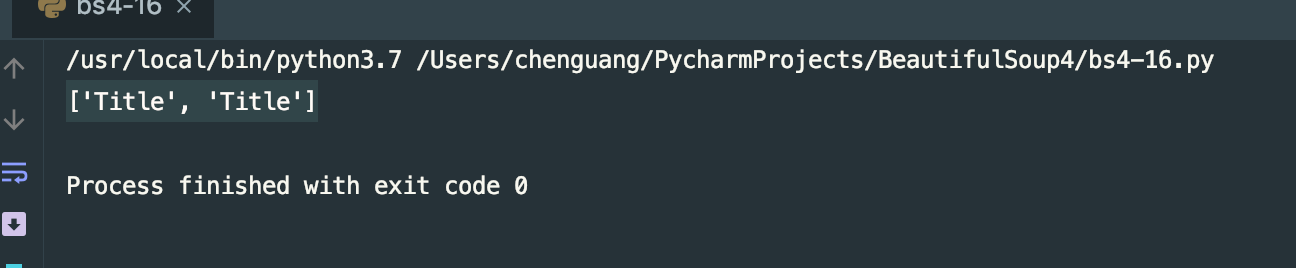
find(name,attrs,recursive,text,**kwargs)可以根据标签名,属性,内容查找文档。和find_all用法完全一致,不同于find返回单个标签(第一个),find_all返回所有标签。
还有很多类似的方法:
#!/usr/bin/env python

# -*- coding: utf-8 -*-

html = """

<html>

    <head>

        <title>The Dormouse's story</title>

    </head>

    <body>

        <p class="story" name="pname">Once upo a time were three little sister;and theru name were

            <a href="http://example.com/elsie" class="sister" id="link1">

                <span>Elsie</span>

            </a>

            <a href="http://example.com/elsie" class="sister" id="link2">Lacie</a>

            and

            <a href="http://example.com/elsie" class="sister" id="link3">Title</a>

            <a href="http://example.com/elsie" class="body" id="link4">Title</a>

        </p>

        <p class="story">...</p>

"""

from bs4 import BeautifulSoup as bs4

soup = bs4(html,'lxml')

# find

print(soup.find(class_='sister'))

# find_parents() 和find_parent()

print(soup.find_parents(class_='sister')) # 返回祖先节点

print(soup.find_parent(class_='sister')) # 返回父节点

# find_next_siblings() ,find_next_sibling()

print(soup.find_next_siblings(class_='sister')) # 返回后面所有的兄弟节点

print(soup.find_next_sibling(class_='sister')) # 返回后面第一个兄弟节点

# find_previous_siblings() ,find_previous_sibling()

print(soup.find_previous_siblings(class_='sister')) # 返回前面所有的兄弟节点

print(soup.find_previous_sibling(class_='sister')) # 返回前面第一个兄弟节点

# find_all_next() ,find_next()

print(soup.find_all_next(class_='sister')) # 返回节点后所有符合条件的节点

print(soup.find_next(class_='sister')) # 返回节点后第一个满足条件的节点

# find_all_previous,find_all_previous

print(soup.find_all_previous(class_='sister')) # 返回节点后所有符合条件的节点

print(soup.find_all_previous(class_='sister')) # 返回节点后第一个满足条件的节点
在这里不在一一列举。
CSS选择器:通过select()直接传入CSS选择器即可完成选择
#!/usr/bin/env python

# -*- coding: utf-8 -*-

html = """

<html>

    <head>

        <title>The Dormouse's story</title>

    </head>

    <body>

        <p class="story" name="pname">Once upo a time were three little sister;and theru name were

            <a href="http://example.com/elsie" class="sister" id="link1">

                <span>Elsie</span>

            </a>

            <a href="http://example.com/elsie" class="sister" id="link2">Lacie</a>

            and

            <a href="http://example.com/elsie" class="sister" id="link3">Title</a>

            <a href="http://example.com/elsie" class="body" id="link4">Title</a>

        </p>

        <p class="story">...</p>

"""

from bs4 import BeautifulSoup as bs4

soup = bs4(html,'lxml')

print(soup.select('.body'))

print(soup.select('a'))

print(soup.select('#link3'))
我们select()的方法和jquery差不多的,选择class的前面加一个"." 选择id的前面加一个"#" 不加入任何的是标签选择器,我们来看下结果:

获取属性:
输入get_text()就可以获得到里面的文本了。
#!/usr/bin/env python

# -*- coding: utf-8 -*-

html = """

<html>

    <head>

        <title>The Dormouse's story</title>

    </head>

    <body>

        <p class="story" name="pname">Once upo a time were three little sister;and theru name were

            <a href="http://example.com/elsie" class="sister" id="link1">

                <span>Elsie</span>

            </a>

            <a href="http://example.com/elsie" class="sister" id="link2">Lacie</a>

            and

            <a href="http://example.com/elsie" class="sister" id="link3">Title</a>

            <a href="http://example.com/elsie" class="body" id="link4">Title</a>

        </p>

        <p class="story">...</p>

"""

from bs4 import BeautifulSoup as bs4

soup = bs4(html,'lxml')

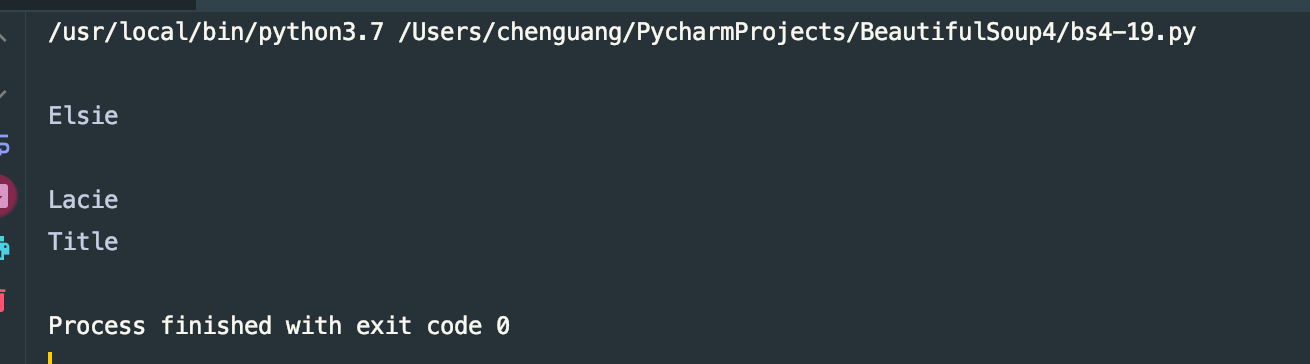
for i in soup.select('.sister'):

    print(i.get_text())
运行结果:
总结:
- 推荐使用lxml解析库,必要时使用html.parser库
- 标签选择筛选功能弱但是速度快
- 建议使用find()、find_all()查询匹配单个结果或者多个结果
- 如果对CSS选择器熟悉的建议使用select()
- 记住常用的获取属性和文本值的方法
代码地址:https://gitee.com/dwyui/BeautifulSoup.git
下一期我会来说一下pyQuery的使用,敬请期待。
感谢大家的阅读,不正确的地方,还希望大家来斧正,鞠躬,谢谢python爬虫---从零开始(四)BeautifulSoup库的更多相关文章
- Python爬虫利器:BeautifulSoup库
Beautiful Soup parses anything you give it, and does the tree traversal stuff for you. BeautifulSoup ...
- PYTHON 爬虫笔记五:BeautifulSoup库基础用法
知识点一:BeautifulSoup库详解及其基本使用方法 什么是BeautifulSoup 灵活又方便的网页解析库,处理高效,支持多种解析器.利用它不用编写正则表达式即可方便实现网页信息的提取库. ...
- Python爬虫入门四之Urllib库的高级用法
1.设置Headers 有些网站不会同意程序直接用上面的方式进行访问,如果识别有问题,那么站点根本不会响应,所以为了完全模拟浏览器的工作,我们需要设置一些Headers 的属性. 首先,打开我们的浏览 ...
- 转 Python爬虫入门四之Urllib库的高级用法
静觅 » Python爬虫入门四之Urllib库的高级用法 1.设置Headers 有些网站不会同意程序直接用上面的方式进行访问,如果识别有问题,那么站点根本不会响应,所以为了完全模拟浏览器的工作,我 ...
- Python爬虫入门之Urllib库的高级用法
1.设置Headers 有些网站不会同意程序直接用上面的方式进行访问,如果识别有问题,那么站点根本不会响应,所以为了完全模拟浏览器的工作,我们需要设置一些Headers 的属性. 首先,打开我们的浏览 ...
- python爬虫之re正则表达式库
python爬虫之re正则表达式库 正则表达式是用来简洁表达一组字符串的表达式. 编译:将符合正则表达式语法的字符串转换成正则表达式特征 操作符 说明 实例 . 表示任何单个字符 [ ] 字符集,对单 ...
- Python爬虫实战四之抓取淘宝MM照片
原文:Python爬虫实战四之抓取淘宝MM照片其实还有好多,大家可以看 Python爬虫学习系列教程 福利啊福利,本次为大家带来的项目是抓取淘宝MM照片并保存起来,大家有没有很激动呢? 本篇目标 1. ...
- Python爬虫进阶四之PySpider的用法
审时度势 PySpider 是一个我个人认为非常方便并且功能强大的爬虫框架,支持多线程爬取.JS动态解析,提供了可操作界面.出错重试.定时爬取等等的功能,使用非常人性化. 本篇内容通过跟我做一个好玩的 ...
- Python爬虫--- 1.1请求库的安装与使用
来说先说爬虫的原理:爬虫本质上是模拟人浏览信息的过程,只不过他通过计算机来达到快速抓取筛选信息的目的所以我们想要写一个爬虫,最基本的就是要将我们需要抓取信息的网页原原本本的抓取下来.这个时候就要用到请 ...
随机推荐
- 10.22~10.28一周经典题目整理(meeting,BZOJ4377,POJ3659)
meeting:给正n边形每个点染上黑色或者白色,问有多少个同色的等腰三角形. 以正五边形为例这里将最上面的点作为顶点,得到若干对相等的腰 ,注意到以最上面的点作为顶点的等腰三角形的个数,等于颜色相等 ...
- 1-1 课程导学 & 1-2 项目需求分析,技术分解.
1-1 课程导学 1-2 项目需求分析,技术分解. 要有一定的dart基础,了解安卓和ios的一些普通的开发
- Codeforces277A 【dfs联通块】
题意: 给出n个人会的语言类型,然后问这n个人里面还需要几个人学习一下语言就可以n个直接互通了.a会1,2,b会2,3,c会4,那么只要C学一下1或者2,或者3就好了...大致就是这个意思. 思路: ...
- Codeforces Round #324 (Div. 2)C. Marina and Vasya
A的万般无奈...后来跑了大牛的这份代码发现, 题意是求一个序列与给定的两个序列有t个不同. 只要保证...对应位置就行了.. 所以处理起来非常方便.............. 可是没有感觉是对应位置 ...
- 解决 CentOS 7 添加用户设置家目录出现 useradd cannot set SELinux context for home directory 问题
问题描述 直接贴下代码吧~ [root@localhost ~]# useradd -d /tmp/heheda4 heheda4 useradd: cannot set SELinux contex ...
- 黑客攻防技术宝典web实战篇:定制攻击自动化习题
猫宁!!! 参考链接:http://www.ituring.com.cn/book/885 随书答案. 1. 指出使用自动技巧在应用程序中枚举标识符时用到的 3 个标识符“触点”. (a) HTTP ...
- Python 字符串太长分行写
原文:https://blog.csdn.net/peng__dada/article/details/79138135 #第一种:三个单引号 print '''我是一个程序员 我刚开始学 ...
- video.py OpenCv例程阅读
#!/usr/bin/env python ''' Video capture sample. Sample shows how VideoCapture class can be used to a ...
- Educational Codeforces Round 46 (Rated for Div. 2) A. Codehorses T-shirts
Bryce1010模板 http://codeforces.com/problemset/problem/1000/A 题意: 问你将一种类型的衣服转换成另一种的最小次数. #include<b ...
- set有关的函数的用法(The SetStack Computer UVA - 12096)
#include<bits/stdc++.h> using namespace std; typedef set<int> Set; map<Set,int> ID ...