
svg make a face

1.创建项目
#使用simple模板

vue init webpack-simple vue-svg

#安装依赖

cd vue-svg/

npm i

#安装d3

npm i d3 --save
2.代码
重复性代码未做整理.
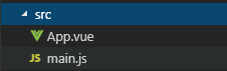
App.vue
<template>

  <div id="app">

    <svg id="svg"></svg>

  </div>

</template>

<script>

import * as d3 from "d3";

export default {

  name: "app",

  data() {

    return {

      msg: "Welcome to Your Vue.js App"

    };

  },

  methods: {

    draw() {

      console.log(d3);

      const svg = d3.select("#svg");

      const face = svg

        .append("circle")

        .attr("r", 200)

        .attr("fill", "yellow")

        .attr("cx", 200)

        .attr("cy", 200)

        .attr("stroke", "black");

      const leftEye = svg

        .append("circle")

        .attr("r", 30)

        .attr("fill", "black")

        .attr("cx", 100)

        .attr("cy", 140);

      const rightEye = svg

        .append("circle")

        .attr("r", 30)

        .attr("fill", "black")

        .attr("cx", 300)

        .attr("cy", 140);

      const leftEyebrow = svg

        .append("rect")

        .attr("x", 70)

        .attr("y", 80)

        .attr("height", 10)

        .attr("width", 60)

        .transition()

        .duration(1000)

        .attr("y", 60)

        .transition()

        .duration(1000)

        .attr("y", 80);

      const rightEyebrow = svg

        .append("rect")

        .attr("x", 270)

        .attr("y", 80)

        .attr("height", 10)

        .attr("width", 60)

        .transition()

        .duration(1000)

        .attr("y", 60)

        .transition()

        .duration(1000)

        .attr("y", 80);

      const mouth = svg

        .append("path")

        .attr(

          "d",

          d3.arc()({

            innerRadius: 140,

            outerRadius: 150,

            startAngle: Math.PI / 2,

            endAngle: (Math.PI * 3) / 2

          })

        )

        .attr("transform", "translate(200,200)");

    }

  },

  mounted() {

    this.draw();

  }

};

</script>

<style>

#app {

  height: 500px;

  width: 100%;

}

#svg {

  height: 100%;

  width: 100%;

}

* {

  margin: 0;

  padding: 0;

}

</style>
3.打包
#编译

npm run build

#全局安装server

npm i http-server -g

#运行server, 当前目录作为server的根目录

http-server
svg make a face的更多相关文章
- 【Web动画】SVG 实现复杂线条动画
在上一篇文章中,我们初步实现了一些利用基本图形就能完成的线条动画: [Web动画]SVG 线条动画入门 当然,事物都是朝着熵增焓减的方向发展的,复杂线条也肯定比有序线条要多. 很多时候,我们无法人工去 ...
- 【Web动画】SVG 线条动画入门
通常我们说的 Web 动画,包含了三大类. CSS3 动画 javascript 动画(canvas) html 动画(SVG) 个人认为 3 种动画各有优劣,实际应用中根据掌握情况作出取舍,本文讨论 ...
- SVG:textPath深入理解
SVG的文本可以沿着一条自定义的Path来排布,比如曲线.圆形等等,使用方式如下所示(来源MDN): <svg viewBox="0 0 1000 300" xmlns=&q ...
- SVG:linearGradient渐变在直线上失效的问题解决方案
SVG开发里有个较为少见的问题. 对x1=x2或者y1=y2的直线(line以及path),比如: <path d="M200,10 200,100" stroke=&quo ...
- HTML5_05之SVG扩展、地理定位、拖放
1.SVG绘图总结: ①方法一:已有svg文件,<img src="x.svg"> 方法二:<body><svg></svg>&l ...
- HTML5_04之SVG绘图
1.关于Canvas绘制图像: 问题:需要绘制多张图片时,必须等待所有图片加载完成才能开始绘制:而每张图片都是异步请求,彼此没有先后顺序,哪一张先加载完成完全无法预测: 方案: var progres ...
- 关于SVG的viewBox
在SVG中,通过svg标记的 width和height可以规定这段SVG代码所表达的数据在绘制时所占用的空间大小 如下代码svg设置了宽度与高度,rect同样,所以结果自然是全屏 <svg wi ...
- JavaScript权威设计--jQuery,Ajax.animate,SVG(简要学习笔记二十)[完结篇]
1.$和jquery在全局命名空间中定义的唯一两个变量. 2.jquery是工厂函数,不是构造函数.他返回一个新创建的对象. 3.jquery的四种调用方式: <1>传递C ...
- Notes:SVG(4)基于stroke-dasharray和stroke-dashoffset圆形进度条
stroke-dasharray:定义描边的虚线长度,如果提供奇数个,则会自动复制该值成偶数 stroke-dashoffset:定义虚线描边的偏移量(在路径开始的前面,看不到) 实现如下所示 svg ...
- Notes:SVG(3)---滤镜和渐变
SVG滤镜使用filter标签来定义,该标签必须嵌套在defs元素里面,并且必须指定一个ID,以供引用. 在 SVG 中,可用的滤镜有: feBlend feColorMatrix feCompone ...
随机推荐
- New Concept English Two 15 37
listening speaking reading writing and translating $课文35 捉贼! 355. Roy Trenton used to drive a taxi. ...
- 汉诺塔的c++实现
void hanNuoTa(int n,int a,int b,int c) { ) return; hanNuoTa(n - , a, c, b); cout << n << ...
- BZOJ4350: 括号序列再战猪猪侠【区间DP】
Description 括号序列与猪猪侠又大战了起来. 众所周知,括号序列是一个只有(和)组成的序列,我们称一个括号序列S合法,当且仅当: 1.( )是一个合法的括号序列. 2.若A是合法的括号序列, ...
- 文档内容类似项处理-Shingling
版权声明:本文为博主原创文章,未经博主同意不得转载. https://blog.csdn.net/jituotianxia2009/article/details/25339807 集合的Jaccar ...
- socket编程---SCTP
sctp_sndrcvinfo结构体 sctp_event_subscribe结构体 更多的关于SCTP的结构体http://aisxyz.iteye.com/blog/2408978 SCTP套接字 ...
- Android 查看Android版本的方法
1.通过源码查看 Android 版本 路径:build/core/version_defaults.mk PLATFORM_VERSION := 2.通过编译时终端输出查看 ============ ...
- SpringCloud初体验:四、API GateWay 服务网关
网关服务很多,比如:Zuul.Kong.spring cloud gateway ……, 这里不纠结哪种性能好,本次体验是用的 spring cloud gateway 更多网关比较可以了解这篇文章: ...
- xargs命令学习
1.xargs复制文件 目录下文件结构为: . ├── demo1 │ ├── test.lua │ ├── test.php │ └── test.txt └── demo2 执行命令: find ...
- 安全关闭MySQL
想要安全关闭 mysqld 服务进程,建议按照下面的步骤来进行: 0.用具有SUPER.ALL等最高权限的账号连接MySQL,最好是用 unix socket 方式连接: 1.在5.0及以上版本,设置 ...
- VB中Excel 2010的导入导出操作
VB中Excel 2010的导入导出操作 编写人:左丘文 2015-4-11 近来这已是第二篇在讨论VB的相关问题,今天在这里,我想与大家一起分享一下在VB中如何从Excel中导入数据和导出数据到Ex ...