
[SpringBoot] - 配置文件的多种形式及JSR303数据校验
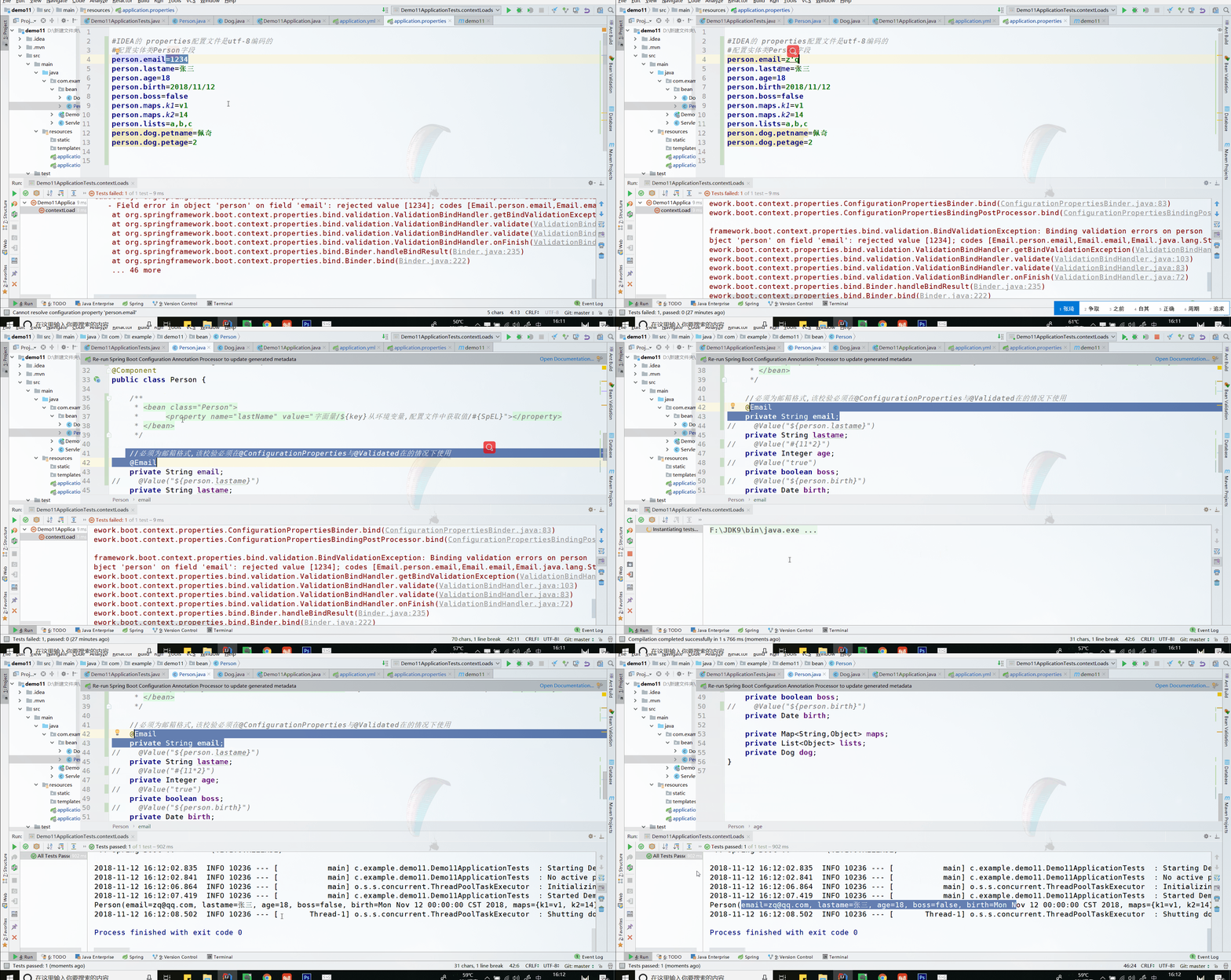
Springboot配置文件: application.yml application.properties(自带)
yml的格式写起来稍微舒服一点
在application.properties中数据是下面的样子:
#IDEA的 properties配置文件是utf-8编码的

#配置实体类Person字段

person.lastame=张三

person.age=18

person.birth=2018/11/12

person.boss=false

person.maps.k1=v1

person.maps.k2=14

person.lists=a,b,c

person.dog.petname=佩奇

person.dog.petage=2
如果跑测试出错,说明在IDEA的settings中file encoding没有设置为utf-8
在bean中:
package com.example.demo11.bean; import lombok.AllArgsConstructor;
import lombok.Data;
import lombok.NoArgsConstructor;
import org.springframework.beans.factory.annotation.Value;
import org.springframework.boot.context.properties.ConfigurationProperties;
import org.springframework.stereotype.Component;
import org.springframework.validation.annotation.Validated; import javax.validation.constraints.Email;
import java.util.Date;
import java.util.List;
import java.util.Map; /**
* 将配置文件中配置的每一个属性的值,映射到这个组件中
* @ConfigurationProperties 告诉SpringBoot将本类中的所有属性和配置文件中相关的配置进行绑定;
* prefix = "person"; 配置文件中哪个下面的所有属性进行一一映射
*
* 只有这个组件是容器中的组件,才能使用容器提供的@ConfigurationProperties功能;
*/ @Data
@NoArgsConstructor
@AllArgsConstructor
@ConfigurationProperties(prefix = "person")
@Validated //配合ConfigurationProperties注解进行JSR303数据校验
@Component
public class Person { /**
* <bean class="Person">
* <property name="lastName" value="字面量/${key}从环境变量,配置文件中获取值/#{SpEL}"></property>
* </bean>
*/ //必须为邮箱格式,该校验必须在@ConfigurationProperties与@Validated在的情况下使用
private String email;
// @Value("${person.lastame}")
private String lastame;
// @Value("#{11*2}")
private Integer age;
// @Value("true")
private boolean boss;
// @Value("${person.birth}")
private Date birth; private Map<String,Object> maps;
private List<Object> lists;
private Dog dog;
}
@Value的方式也能对应properties中的对应的值.但其只是对应单个数据比较有效,例如写一个controller,获取姓名:
controller: (这时候的bean中不使用@ConfigurationProperties和@Validated 而使用lastname)
@Value("${person.lastame}")
private String lastame;
package com.example.demo11.controller;

import org.springframework.beans.factory.annotation.Value;

import org.springframework.web.bind.annotation.RequestMapping;

import org.springframework.web.bind.annotation.RestController;

@RestController

public class HelloController {

    @Value("${person.lastame}")

    private String name;

    @RequestMapping("/sayHello")

    public String sayHello(){

        return "Hello , " + name;

    }

}
运行主程序,(非测试) 查看路径可以获取到bean中person的lastname属性值.
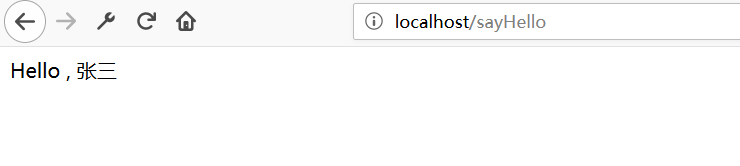
还挺方便.
>
|
>
简单说下SpringBoot的测试类:
package com.example.demo11;

import com.example.demo11.bean.Person;

import org.junit.Test;

import org.junit.runner.RunWith;

import org.springframework.beans.factory.annotation.Autowired;

import org.springframework.boot.test.context.SpringBootTest;

import org.springframework.test.context.junit4.SpringRunner;

@RunWith(SpringRunner.class)

@SpringBootTest

public class Demo11ApplicationTests {

    @Autowired

    private Person person;

    @Test

    public void contextLoads() {

        System.out.println(person);

    }

}
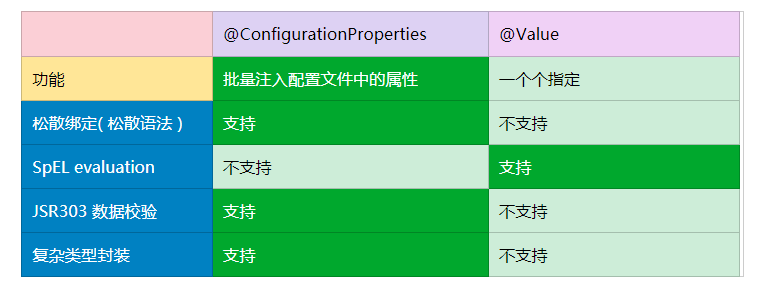
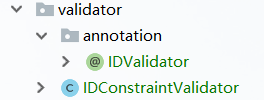
注意,使用建立class的方式,将class改为@interface
详见 https://www.ibm.com/developerworks/cn/java/j-lo-jsr303/ 创建一个包含验证逻辑的简单应用(基于 JSP)下面的  >>  定制化的 constraint
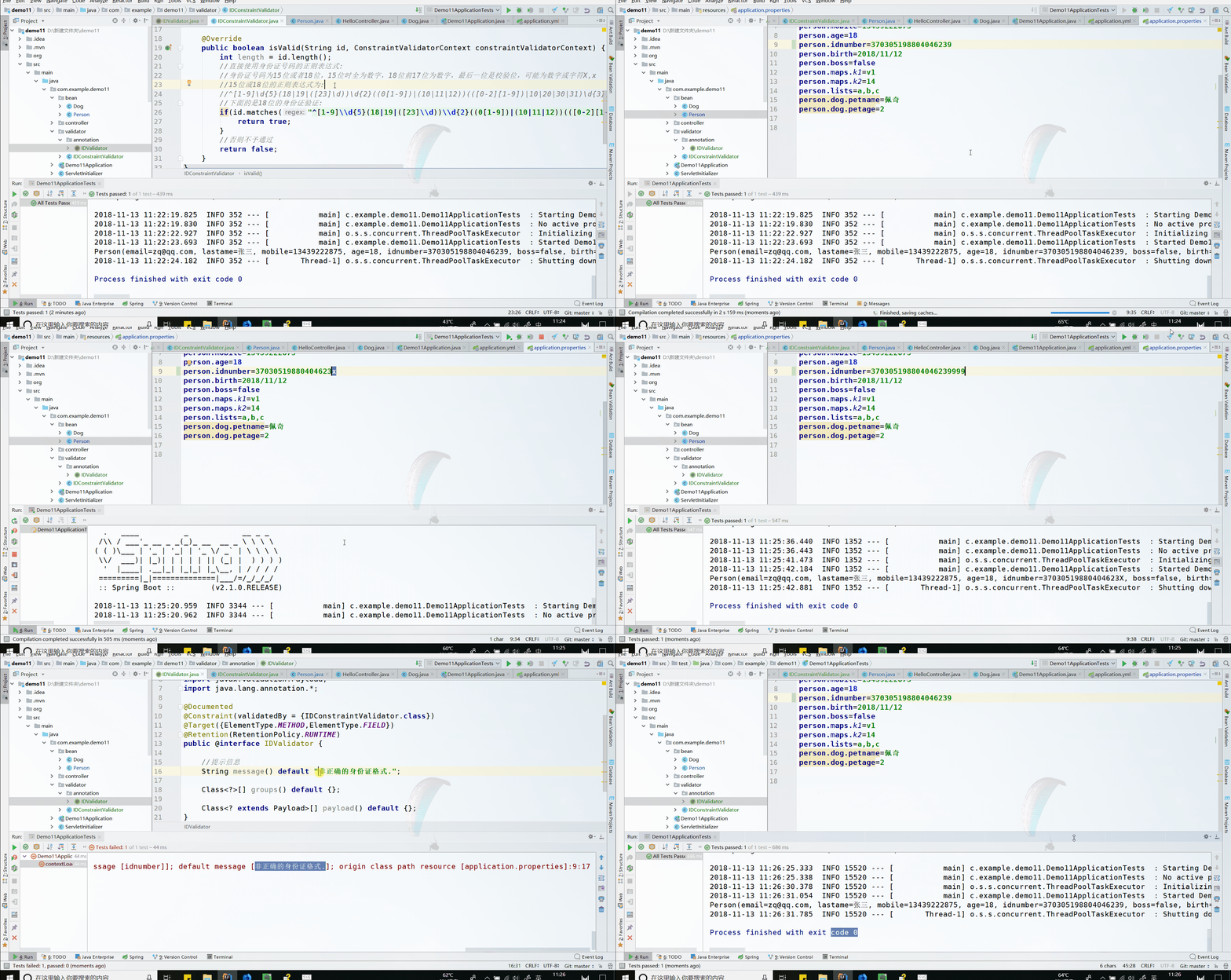
IDValidator : (Annotation)
package com.example.demo11.validator.annotation;

import com.example.demo11.validator.IDConstraintValidator;

import javax.validation.Constraint;

import javax.validation.Payload;

import java.lang.annotation.*;

@Documented

@Constraint(validatedBy = {IDConstraintValidator.class})

@Target({ElementType.METHOD,ElementType.FIELD})

@Retention(RetentionPolicy.RUNTIME)

public @interface IDValidator {

    //提示信息

    String message() default "身份证号长度需要在15或18位,并全为阿拉伯数字.";

    Class<?>[] groups() default {};

    Class<? extends Payload>[] payload() default {};

}
IDConstraintValidator:(定义一个类用来处理具体的验证逻辑)
package com.example.demo11.validator;

import com.example.demo11.validator.annotation.IDValidator;

import javax.validation.ConstraintValidator;

import javax.validation.ConstraintValidatorContext;

public class IDConstraintValidator implements ConstraintValidator<IDValidator,String> {

    @Override

    public void initialize(IDValidator constraintAnnotation) {

    }

    @Override

    public boolean isValid(String id, ConstraintValidatorContext constraintValidatorContext) {

        int length = id.length();

        //验证id全为数字,长度为15位或18位.(现在估计全是18位了?)

        if ((id.matches("^[0-9]*$")) && (length == 15 || length == 18)){

            //验证成功

            return true;

        }

        //否则不予通过

        return false;

    }

}
之后在bean中加入属性:
@IDValidator
private String idnumber;
身份证号码为15位或者18位,15位时全为数字,18位前17位为数字,最后一位是校验位,可能为数字或字符X IDConstraintValidator:
package com.example.demo11.validator;

import com.example.demo11.validator.annotation.IDValidator;

import javax.validation.ConstraintValidator;

import javax.validation.ConstraintValidatorContext;

public class IDConstraintValidator implements ConstraintValidator<IDValidator,String> {

    @Override

    public void initialize(IDValidator constraintAnnotation) {

    }

    @Override

    public boolean isValid(String id, ConstraintValidatorContext constraintValidatorContext) {

        int length = id.length();

        //直接使用身份证号码的正则表达式:

        //身份证号码为15位或者18位,15位时全为数字,18位前17位为数字,最后一位是校验位,可能为数字或字符X,x

        //15位或18位的正则表达式为:

        //^[1-9]\d{5}(18|19|([23]\d))\d{2}((0[1-9])|(10|11|12))(([0-2][1-9])|10|20|30|31)\d{3}[0-9Xx]$)|(^[1-9]\d{5}\d{2}((0[1-9])|(10|11|12))(([0-2][1-9])|10|20|30|31)\d{2}$

        //下面的是18位的身份证验证:

        if(id.matches("^[1-9]\\d{5}(18|19|([23]\\d))\\d{2}((0[1-9])|(10|11|12))(([0-2][1-9])|10|20|30|31)\\d{3}[0-9Xx]$")){

            return true;

        }

        //否则不予通过

        return false;

    }

}
同样提示message也更改为: 注解 - IDValidator 中:
//提示信息

    String message() default "非正确的身份证格式.";


[SpringBoot] - 配置文件的多种形式及JSR303数据校验的更多相关文章
- springboot配置(yami配置文件,JSR303数据校验,多环境配置)
yami配置文件 YAML是 "YAML Ain't a Markup Language" (YAML不是一种标记语言)的递归缩写.在开发的这种语言时,YAML 的意思其实是:&q ...
- Springboot:JSR303数据校验(五)
@Validated //开启JSR303数据校验注解 校验规则如下: [一]空检查 @Null 验证对象是否为null @NotNull 验证对象是否不为null, 无法查检长度为0的字符串 @No ...
- YAML语法使用,JSR303数据校验
YAML YAML是 "YAML Ain't a Markup Language" (YAML不是一种置标语言)的递归缩写 # yaml配置 server: prot: YAML语 ...
- SpringBoot 之 JSR303 数据校验
使用示例: @Component @ConfigurationProperties(prefix = "person") @Validated //使用数据校验注解 public ...
- SpringMVC框架07——服务器端JSR303数据校验
1.数据校验概述 数据校验分为客户端校验和服务器端校验,客户端主要是通过过滤正常用户的误操作,是第一道防线,一般使用JavaScript代码实现.但是只有客户端校验是不够的,攻击者可以绕过客户端验证直 ...
- springMVC使用JSR303数据校验
JSR303注解 hibernate validate是jsr 303的一个参考实现,除支持所有的标准校验注解外,他还支持扩展注解 spring4.0拥有自己独立的数据校验框架,同时支持jsr 303 ...
- SpringBoot 2 快速整合 | Hibernate Validator 数据校验
概述 在开发RESTFull API 和普通的表单提交都需要对用户提交的数据进行校验,例如:用户姓名不能为空,年龄必须大于0 等等.这里我们主要说的是后台的校验,在 SpringBoot 中我们可以通 ...
- JSR303数据校验
Springboot中可以用@validated来校验数据,如果数据异常则会统一抛出异常,方便异常中心统一处理. 导入依赖: <dependency> <groupId>org ...
- JSR-303 数据校验学习
一.JSR-303简介JSR-303 是 JAVA EE 6 中的一项子规范,叫做 Bean Validation,官方参考实现是Hibernate Validator. 此实现与 Hibernate ...
随机推荐
- jquery类似方法的比较(三)
属性选择器 1.$("div[class|='test']")可以选择 class为test的div 和 class以“test-”开头的div. 2.$("div[cl ...
- 配置项目使用weblogic的JNDI数据源
项目结构构:Spring Framework + SpirngMVC + SpringData JPA + Maven 1.在weblogic的控制台界面中配置数据源(假定我们配置的数据源的名称为da ...
- 【BZOJ4372】烁烁的游戏 动态树分治+线段树
[BZOJ4372]烁烁的游戏 Description 背景:烁烁很喜欢爬树,这吓坏了树上的皮皮鼠.题意:给定一颗n个节点的树,边权均为1,初始树上没有皮皮鼠.烁烁他每次会跳到一个节点u,把周围与他距 ...
- OC开发_Storyboard——iPad开发
iPad开发(Universal Applications) 一.iPad 1.判断是否在iPad上 BOOL iPad = ([[UIDevice currentDevice] userInterf ...
- OC开发_Storyboard——NaviationController简单例子
一个简单的Navigation的例子,demo里面用到了上一个demo的MVC,可以参考下:http://www.cnblogs.com/daomul/p/4426063.html 建立一个Nav其实 ...
- R的替换sub和gsub
sub(pattern, replacement, x, ignore.case = FALSE, perl = FALSE, fixed = FALSE, useBytes = FALSE) gsu ...
- Spring 加载配置文件的方式
我们常用的加载context文件的方法有如下三个: 1.FileSystemXmlApplicationContext 这个方法是从文件绝对路径加载配置文件,例如: ApplicationContex ...
- List<Map<String, Object>> 与 json 互转
近期做指纹识别,需要用到缓存文件,数据量并不大,用redis不合适,所以用到了txt文件. 思路是 1.定时查询指纹,存到txt缓存文件中. 2.新增或删除指纹时,查询指纹,存到txt缓存文 ...
- CH5E07 划分大理石【多重背包】
5E07 划分大理石 0x5E「动态规划」练习描述有价值分别为1..6的大理石各a[1..6]块,现要将它们分成两部分,使得两部分价值之和相等,问是否可以实现.其中大理石的总数不超过20000. 输入 ...
- android中的验证码倒计时
1.如图所示,要实现一个验证码的倒计时的效果 2.实现 图中获取验证码那块是一个button按钮 关键部分,声明一个TimeCount,继承自C ...