
Win10 pip安装pycocotools报错解决方法(cl: 命令行 error D8021 :无效的数值参数“/Wno-cpp”)
参考:
https://blog.csdn.net/chixia1785/article/details/80040172
https://blog.csdn.net/gxiaoyaya/article/details/78363391
Mask_RCNN用COCO数据集训练需要用到pycocotools这个第三方库,在命令行用 pip install pycocotools会报错
安装pycocotools
1、获取源码:
(base) G:\>git clone https://github.com/pdollar/coco.git
2、安装
(base) G:\>cd coco/PythonAPI
(base) G:\coco\PythonAPI>python setup.py build_ext --inplace
发现报错,主要内容为:
cl: 命令行 error D8021 :无效的数值参数“/Wno-cpp”
error: command 'H:\\VisualStudio2017\\install\\VC\\Tools\\MSVC\\14.15.26726\\bin\\HostX86\\x64\\cl.exe' failed with exit status 2
(base) G:\>pip install pycocotools
Collecting pycocotools
Downloading https://files.pythonhosted.org/packages/96/84/9a07b1095fd8555ba3f3d519517c8743c2554a245f9476e5e39869f948d2/pycocotools-2.0.0.tar.gz (1.5MB)
100% |████████████████████████████████| 1.5MB 3.7MB/s
Building wheels for collected packages: pycocotools
Running setup.py bdist_wheel for pycocotools ... error
Complete output from command f:\anaconda3\python.exe -u -c "import setuptools, tokenize;__file__='C:\\Users\\new\\AppData\\Local\\Temp\\pip-install-dhenr2zw\\pycocotools\\setup.py';f=getattr(tokenize, 'open', open)(__file__);code=f.read().replace('\r\n', '\n');f.close();exec(compile(code, __file__, 'exec'))" bdist_wheel -d C:\Users\new\AppData\Local\Temp\pip-wheel-_9g45pb4 --python-tag cp36:
running bdist_wheel
running build
running build_py
creating build
creating build\lib.win-amd64-3.6
creating build\lib.win-amd64-3.6\pycocotools
copying pycocotools\coco.py -> build\lib.win-amd64-3.6\pycocotools
copying pycocotools\cocoeval.py -> build\lib.win-amd64-3.6\pycocotools
copying pycocotools\mask.py -> build\lib.win-amd64-3.6\pycocotools
copying pycocotools\__init__.py -> build\lib.win-amd64-3.6\pycocotools
running build_ext
building 'pycocotools._mask' extension
creating build\temp.win-amd64-3.6
creating build\temp.win-amd64-3.6\Release
creating build\temp.win-amd64-3.6\Release\pycocotools
creating build\temp.win-amd64-3.6\Release\common
H:\VisualStudio2017\install\VC\Tools\MSVC\14.15.26726\bin\HostX86\x64\cl.exe /c /nologo /Ox /W3 /GL /DNDEBUG /MD -If:\anaconda3\lib\site-packages\numpy\core\include -Icommon -If:\anaconda3\include -If:\anaconda3\include -IH:\VisualStudio2017\install\VC\Tools\MSVC\14.15.26726\ATLMFC\include -IH:\VisualStudio2017\install\VC\Tools\MSVC\14.15.26726\include "-IC:\Program Files (x86)\Windows Kits\NETFXSDK\4.6.1\include\um" "-IC:\Program Files (x86)\Windows Kits\10\include\10.0.17134.0\ucrt" "-IC:\Program Files (x86)\Windows Kits\10\include\10.0.17134.0\shared" "-IC:\Program Files (x86)\Windows Kits\10\include\10.0.17134.0\um" "-IC:\Program Files (x86)\Windows Kits\10\include\10.0.17134.0\winrt" "-IC:\Program Files (x86)\Windows Kits\10\include\10.0.17134.0\cppwinrt" /Tcpycocotools/_mask.c /Fobuild\temp.win-amd64-3.6\Release\pycocotools/_mask.obj -Wno-cpp -Wno-unused-function -std=c99
cl: 命令行 error D8021 :无效的数值参数“/Wno-cpp”
error: command 'H:\\VisualStudio2017\\install\\VC\\Tools\\MSVC\\14.15.26726\\bin\\HostX86\\x64\\cl.exe' failed with exit status 2
----------------------------------------
Failed building wheel for pycocotools
Running setup.py clean for pycocotools
Failed to build pycocotools
Installing collected packages: pycocotools
Running setup.py install for pycocotools ... error
Complete output from command f:\anaconda3\python.exe -u -c "import setuptools, tokenize;__file__='C:\\Users\\new\\AppData\\Local\\Temp\\pip-install-dhenr2zw\\pycocotools\\setup.py';f=getattr(tokenize, 'open', open)(__file__);code=f.read().replace('\r\n', '\n');f.close();exec(compile(code, __file__, 'exec'))" install --record C:\Users\new\AppData\Local\Temp\pip-record-e6xfvts6\install-record.txt --single-version-externally-managed --compile:
running install
running build
running build_py
creating build
creating build\lib.win-amd64-3.6
creating build\lib.win-amd64-3.6\pycocotools
copying pycocotools\coco.py -> build\lib.win-amd64-3.6\pycocotools
copying pycocotools\cocoeval.py -> build\lib.win-amd64-3.6\pycocotools
copying pycocotools\mask.py -> build\lib.win-amd64-3.6\pycocotools
copying pycocotools\__init__.py -> build\lib.win-amd64-3.6\pycocotools
running build_ext
building 'pycocotools._mask' extension
creating build\temp.win-amd64-3.6
creating build\temp.win-amd64-3.6\Release
creating build\temp.win-amd64-3.6\Release\pycocotools
creating build\temp.win-amd64-3.6\Release\common
H:\VisualStudio2017\install\VC\Tools\MSVC\14.15.26726\bin\HostX86\x64\cl.exe /c /nologo /Ox /W3 /GL /DNDEBUG /MD -If:\anaconda3\lib\site-packages\numpy\core\include -Icommon -If:\anaconda3\include -If:\anaconda3\include -IH:\VisualStudio2017\install\VC\Tools\MSVC\14.15.26726\ATLMFC\include -IH:\VisualStudio2017\install\VC\Tools\MSVC\14.15.26726\include "-IC:\Program Files (x86)\Windows Kits\NETFXSDK\4.6.1\include\um" "-IC:\Program Files (x86)\Windows Kits\10\include\10.0.17134.0\ucrt" "-IC:\Program Files (x86)\Windows Kits\10\include\10.0.17134.0\shared" "-IC:\Program Files (x86)\Windows Kits\10\include\10.0.17134.0\um" "-IC:\Program Files (x86)\Windows Kits\10\include\10.0.17134.0\winrt" "-IC:\Program Files (x86)\Windows Kits\10\include\10.0.17134.0\cppwinrt" /Tcpycocotools/_mask.c /Fobuild\temp.win-amd64-3.6\Release\pycocotools/_mask.obj -Wno-cpp -Wno-unused-function -std=c99
cl: 命令行 error D8021 :无效的数值参数“/Wno-cpp”
error: command 'H:\\VisualStudio2017\\install\\VC\\Tools\\MSVC\\14.15.26726\\bin\\HostX86\\x64\\cl.exe' failed with exit status 2
----------------------------------------
Command "f:\anaconda3\python.exe -u -c "import setuptools, tokenize;__file__='C:\\Users\\new\\AppData\\Local\\Temp\\pip-install-dhenr2zw\\pycocotools\\setup.py';f=getattr(tokenize, 'open', open)(__file__);code=f.read().replace('\r\n', '\n');f.close();exec(compile(code, __file__, 'exec'))" install --record C:\Users\new\AppData\Local\Temp\pip-record-e6xfvts6\install-record.txt --single-version-externally-managed --compile" failed with error code 1 in C:\Users\new\AppData\Local\Temp\pip-install-dhenr2zw\pycocotools\
(base) G:\coco\PythonAPI>
(base) G:\coco\PythonAPI>
====================解决方法
打开coco\PythonAPI目录下的 setup.py文件,修改ext_modules extra_compile_args=['-Wno-cpp', '-Wno-unused-function', '-std=c99'],
修改如下:
--------------------------------------------------------------
from setuptools import setup, Extension
import numpy as np
# To compile and install locally run "python setup.py build_ext --inplace"
# To install library to Python site-packages run "python setup.py build_ext install"
ext_modules = [
Extension(
'pycocotools._mask',
sources=['../common/maskApi.c', 'pycocotools/_mask.pyx'],
include_dirs = [np.get_include(), '../common'],
#修改位置,去掉
#extra_compile_args=['-Wno-cpp', '-Wno-unused-function', '-std=c99'],
extra_compile_args=['', '', ''],
)
]
setup(
name='pycocotools',
packages=['pycocotools'],
package_dir = {'pycocotools': 'pycocotools'},
install_requires=[
'setuptools>=18.0',
'cython>=0.27.3',
'matplotlib>=2.1.0'
],
version='2.0',
ext_modules= ext_modules
)
--------------------------------------------------------------
然后保存setup.py文件
然后继续执行
(base) G:\coco\PythonAPI>python setup.py build_ext --inplace
控制台输出:
==================================
running build_ext
skipping 'pycocotools\_mask.c' Cython extension (up-to-date)
building 'pycocotools._mask' extension
H:\VisualStudio2017\install\VC\Tools\MSVC\14.15.26726\bin\HostX86\x64\cl.exe /c /nologo /Ox /W3 /GL /DNDEBUG /MD -IF:\Anaconda3\lib\site-packages\numpy\core\include -I../common -IF:\Anaconda3\include -IF:\Anaconda3\include -IH:\VisualStudio2017\install\VC\Tools\MSVC\14.15.26726\ATLMFC\include -IH:\VisualStudio2017\install\VC\Tools\MSVC\14.15.26726\include "-IC:\Program Files (x86)\Windows Kits\NETFXSDK\4.6.1\include\um" "-IC:\Program Files (x86)\Windows Kits\10\include\10.0.17134.0\ucrt" "-IC:\Program Files (x86)\Windows Kits\10\include\10.0.17134.0\shared" "-IC:\Program Files (x86)\Windows Kits\10\include\10.0.17134.0\um" "-IC:\Program Files (x86)\Windows Kits\10\include\10.0.17134.0\winrt" "-IC:\Program Files (x86)\Windows Kits\10\include\10.0.17134.0\cppwinrt" /Tc../common/maskApi.c /Fobuild\temp.win-amd64-3.6\Release\../common/maskApi.obj
maskApi.c
H:\VisualStudio2017\install\VC\Tools\MSVC\14.15.26726\bin\HostX86\x64\cl.exe /c /nologo /Ox /W3 /GL /DNDEBUG /MD -IF:\Anaconda3\lib\site-packages\numpy\core\include -I../common -IF:\Anaconda3\include -IF:\Anaconda3\include -IH:\VisualStudio2017\install\VC\Tools\MSVC\14.15.26726\ATLMFC\include -IH:\VisualStudio2017\install\VC\Tools\MSVC\14.15.26726\include "-IC:\Program Files (x86)\Windows Kits\NETFXSDK\4.6.1\include\um" "-IC:\Program Files (x86)\Windows Kits\10\include\10.0.17134.0\ucrt" "-IC:\Program Files (x86)\Windows Kits\10\include\10.0.17134.0\shared" "-IC:\Program Files (x86)\Windows Kits\10\include\10.0.17134.0\um" "-IC:\Program Files (x86)\Windows Kits\10\include\10.0.17134.0\winrt" "-IC:\Program Files (x86)\Windows Kits\10\include\10.0.17134.0\cppwinrt" /Tcpycocotools\_mask.c /Fobuild\temp.win-amd64-3.6\Release\pycocotools\_mask.obj
_mask.c
f:\anaconda3\lib\site-packages\numpy\core\include\numpy\npy_1_7_deprecated_api.h(12) : Warning Msg: Using deprecated NumPy API, disable it by #defining NPY_NO_DEPRECATED_API NPY_1_7_API_VERSION
pycocotools\_mask.c(3162): warning C4244: “=”: 从“Py_ssize_t”转换到“siz”,可能丢失数据
pycocotools\_mask.c(3586): warning C4244: “函数”: 从“npy_intp”转换到“siz”,可能丢失数据
pycocotools\_mask.c(7016): warning C4244: “=”: 从“npy_intp”转换到“siz”,可能丢失数据
pycocotools\_mask.c(7819): warning C4244: “=”: 从“Py_ssize_t”转换到“siz”,可能丢失数据
pycocotools\_mask.c(15677): warning C4244: “初始化”: 从“double”转换到“float”,可能丢失数据
pycocotools\_mask.c(15683): warning C4244: “初始化”: 从“double”转换到“float”,可能丢失数据
creating G:\coco\PythonAPI\build\lib.win-amd64-3.6
creating G:\coco\PythonAPI\build\lib.win-amd64-3.6\pycocotools
H:\VisualStudio2017\install\VC\Tools\MSVC\14.15.26726\bin\HostX86\x64\link.exe /nologo /INCREMENTAL:NO /LTCG /DLL /MANIFEST:EMBED,ID=2 /MANIFESTUAC:NO /LIBPATH:F:\Anaconda3\libs /LIBPATH:F:\Anaconda3\PCbuild\amd64 /LIBPATH:H:\VisualStudio2017\install\VC\Tools\MSVC\14.15.26726\ATLMFC\lib\x64 /LIBPATH:H:\VisualStudio2017\install\VC\Tools\MSVC\14.15.26726\lib\x64 "/LIBPATH:C:\Program Files (x86)\Windows Kits\NETFXSDK\4.6.1\lib\um\x64" "/LIBPATH:C:\Program Files (x86)\Windows Kits\10\lib\10.0.17134.0\ucrt\x64" "/LIBPATH:C:\Program Files (x86)\Windows Kits\10\lib\10.0.17134.0\um\x64" /EXPORT:PyInit__mask build\temp.win-amd64-3.6\Release\../common/maskApi.obj build\temp.win-amd64-3.6\Release\pycocotools\_mask.obj /OUT:build\lib.win-amd64-3.6\pycocotools\_mask.cp36-win_amd64.pyd /IMPLIB:build\temp.win-amd64-3.6\Release\../common\_mask.cp36-win_amd64.lib
正在创建库 build\temp.win-amd64-3.6\Release\../common\_mask.cp36-win_amd64.lib 和对象 build\temp.win-amd64-3.6\Release\../common\_mask.cp36-win_amd64.exp
正在生成代码
已完成代码的生成
copying build\lib.win-amd64-3.6\pycocotools\_mask.cp36-win_amd64.pyd -> pycocotools
==================================
(base) G:\coco\PythonAPI>
(base) G:\coco\PythonAPI>
(base) G:\coco\PythonAPI>
然后执行:python setup.py build_ext install
(base) G:\coco\PythonAPI>python setup.py build_ext install
running build_ext
skipping 'pycocotools\_mask.c' Cython extension (up-to-date)
running install
running bdist_egg
running egg_info
creating pycocotools.egg-info
writing pycocotools.egg-info\PKG-INFO
writing dependency_links to pycocotools.egg-info\dependency_links.txt
writing requirements to pycocotools.egg-info\requires.txt
writing top-level names to pycocotools.egg-info\top_level.txt
writing manifest file 'pycocotools.egg-info\SOURCES.txt'
reading manifest file 'pycocotools.egg-info\SOURCES.txt'
writing manifest file 'pycocotools.egg-info\SOURCES.txt'
installing library code to build\bdist.win-amd64\egg
running install_lib
running build_py
copying pycocotools\coco.py -> build\lib.win-amd64-3.6\pycocotools
copying pycocotools\cocoeval.py -> build\lib.win-amd64-3.6\pycocotools
copying pycocotools\mask.py -> build\lib.win-amd64-3.6\pycocotools
copying pycocotools\__init__.py -> build\lib.win-amd64-3.6\pycocotools
creating build\bdist.win-amd64
creating build\bdist.win-amd64\egg
creating build\bdist.win-amd64\egg\pycocotools
copying build\lib.win-amd64-3.6\pycocotools\coco.py -> build\bdist.win-amd64\egg\pycocotools
copying build\lib.win-amd64-3.6\pycocotools\cocoeval.py -> build\bdist.win-amd64\egg\pycocotools
copying build\lib.win-amd64-3.6\pycocotools\mask.py -> build\bdist.win-amd64\egg\pycocotools
copying build\lib.win-amd64-3.6\pycocotools\_mask.cp36-win_amd64.pyd -> build\bdist.win-amd64\egg\pycocotools
copying build\lib.win-amd64-3.6\pycocotools\__init__.py -> build\bdist.win-amd64\egg\pycocotools
byte-compiling build\bdist.win-amd64\egg\pycocotools\coco.py to coco.cpython-36.pyc
byte-compiling build\bdist.win-amd64\egg\pycocotools\cocoeval.py to cocoeval.cpython-36.pyc
byte-compiling build\bdist.win-amd64\egg\pycocotools\mask.py to mask.cpython-36.pyc
byte-compiling build\bdist.win-amd64\egg\pycocotools\__init__.py to __init__.cpython-36.pyc
creating stub loader for pycocotools\_mask.cp36-win_amd64.pyd
byte-compiling build\bdist.win-amd64\egg\pycocotools\_mask.py to _mask.cpython-36.pyc
creating build\bdist.win-amd64\egg\EGG-INFO
copying pycocotools.egg-info\PKG-INFO -> build\bdist.win-amd64\egg\EGG-INFO
copying pycocotools.egg-info\SOURCES.txt -> build\bdist.win-amd64\egg\EGG-INFO
copying pycocotools.egg-info\dependency_links.txt -> build\bdist.win-amd64\egg\EGG-INFO
copying pycocotools.egg-info\requires.txt -> build\bdist.win-amd64\egg\EGG-INFO
copying pycocotools.egg-info\top_level.txt -> build\bdist.win-amd64\egg\EGG-INFO
writing build\bdist.win-amd64\egg\EGG-INFO\native_libs.txt
zip_safe flag not set; analyzing archive contents...
pycocotools.__pycache__._mask.cpython-36: module references __file__
creating dist
creating 'dist\pycocotools-2.0-py3.6-win-amd64.egg' and adding 'build\bdist.win-amd64\egg' to it
removing 'build\bdist.win-amd64\egg' (and everything under it)
Processing pycocotools-2.0-py3.6-win-amd64.egg
creating f:\anaconda3\lib\site-packages\pycocotools-2.0-py3.6-win-amd64.egg
Extracting pycocotools-2.0-py3.6-win-amd64.egg to f:\anaconda3\lib\site-packages
Adding pycocotools 2.0 to easy-install.pth file
Installed f:\anaconda3\lib\site-packages\pycocotools-2.0-py3.6-win-amd64.egg
Processing dependencies for pycocotools==2.0
Searching for matplotlib==2.2.2
Best match: matplotlib 2.2.2
Adding matplotlib 2.2.2 to easy-install.pth file
Using f:\anaconda3\lib\site-packages
Searching for Cython==0.28.2
Best match: Cython 0.28.2
Adding Cython 0.28.2 to easy-install.pth file
Installing cygdb-script.py script to F:\Anaconda3\Scripts
Installing cygdb.exe script to F:\Anaconda3\Scripts
Installing cython-script.py script to F:\Anaconda3\Scripts
Installing cython.exe script to F:\Anaconda3\Scripts
Installing cythonize-script.py script to F:\Anaconda3\Scripts
Installing cythonize.exe script to F:\Anaconda3\Scripts
Using f:\anaconda3\lib\site-packages
Searching for setuptools==39.1.0
Best match: setuptools 39.1.0
Adding setuptools 39.1.0 to easy-install.pth file
Installing easy_install-script.py script to F:\Anaconda3\Scripts
Installing easy_install.exe script to F:\Anaconda3\Scripts
Using f:\anaconda3\lib\site-packages
Searching for kiwisolver==1.0.1
Best match: kiwisolver 1.0.1
Adding kiwisolver 1.0.1 to easy-install.pth file
Using f:\anaconda3\lib\site-packages
Searching for six==1.11.0
Best match: six 1.11.0
Adding six 1.11.0 to easy-install.pth file
Using f:\anaconda3\lib\site-packages
Searching for pytz==2018.4
Best match: pytz 2018.4
Adding pytz 2018.4 to easy-install.pth file
Using f:\anaconda3\lib\site-packages
Searching for python-dateutil==2.7.3
Best match: python-dateutil 2.7.3
Adding python-dateutil 2.7.3 to easy-install.pth file
Using f:\anaconda3\lib\site-packages
Searching for pyparsing==2.2.0
Best match: pyparsing 2.2.0
Adding pyparsing 2.2.0 to easy-install.pth file
Using f:\anaconda3\lib\site-packages
Searching for cycler==0.10.0
Best match: cycler 0.10.0
Adding cycler 0.10.0 to easy-install.pth file
Using f:\anaconda3\lib\site-packages
Searching for numpy==1.14.3
Best match: numpy 1.14.3
Adding numpy 1.14.3 to easy-install.pth file
Using f:\anaconda3\lib\site-packages
Finished processing dependencies for pycocotools==2.0
(base) G:\coco\PythonAPI>
(base) G:\coco\PythonAPI>
(base) G:\coco\PythonAPI>
(base) G:\coco\PythonAPI>
(base) G:\coco\PythonAPI>
安装完毕!
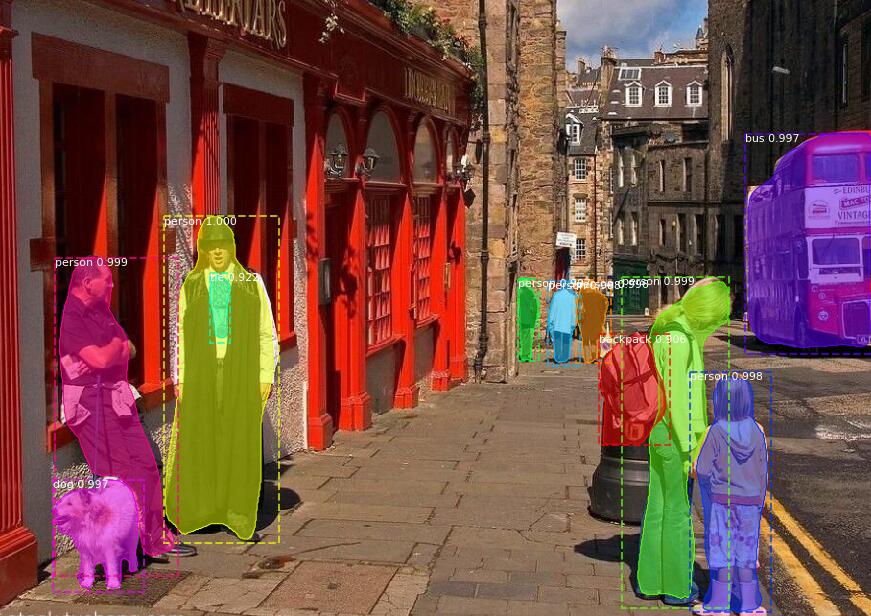
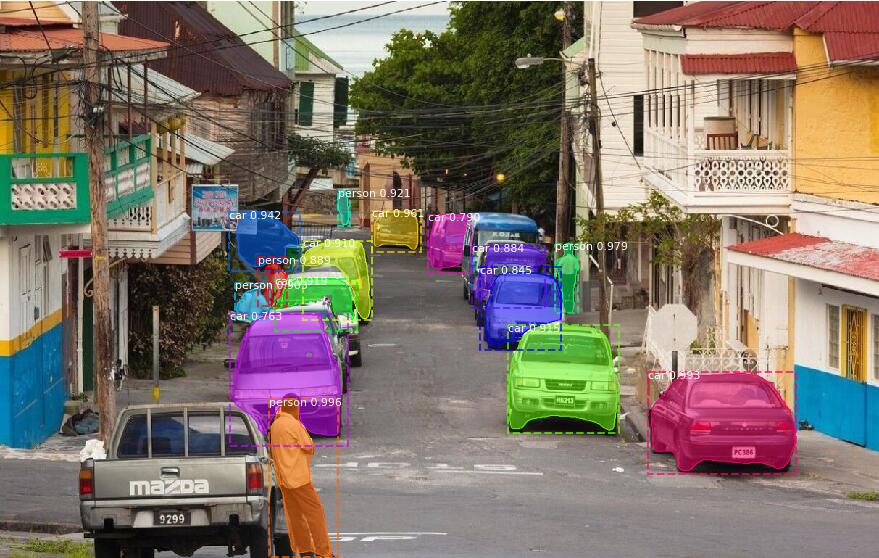
然后执行Mask_RCNN测试代码




Win10 pip安装pycocotools报错解决方法(cl: 命令行 error D8021 :无效的数值参数“/Wno-cpp”)的更多相关文章
- 安装APK报错解决方法【转】
本文转载自:http://blog.csdn.net/zy1235678/article/details/38122827 adb install xxx.apk 报错,安装APK报错:INSTALL ...
- ubuntu pip 安装django报错解决
系统版本 ubuntu Kylin 16.04 LTS 安装pip3 安装 Django 总是提示time out,无法安装. 逛了好多论坛终于遭到了解决办法,分享保存: sudo pi ...
- Ubuntu16.04上使用Anaconda3的Python3.6的pip安装UWSGI报错解决办法
具体报错信息: lto1: fatal error: bytecode stream generated with LTO version 6.0 instead of the expected 4. ...
- Python中pip install MySQL-python报错解决方法
环境 Centos 7(其他Centos或者RHEL一样) 问题 在执行 pip install MySQL-python 时报错如: Command "python setup.py eg ...
- pip 安装模块报错解决
系统版本 ubuntu Kylin 16.04 LTS 报错1:安装pip3 安装 Django 总是提示time out,无法安装. 改用国内源: 豆瓣源: sudo pip3 install - ...
- pip install win32api报错解决方法
在安装pywinauto模块,导入模块后,提示缺少:win32api 但是在使用pip install安装win32api后,居然报错 错误信息如下: Could not find a version ...
- 安装 unixbench 报错解决方法
一.准备工作 1.首先使用root用户登陆. 2.运行Unixbeanch需要GCC的支持,在安装Unixbeanch之前,需要先安装GCC,在Debian中,直接执行如下命令: 复制代码 代码如下: ...
- Anaconda 安装 pytorch报错解决方法
一.安装Pytorch: # -c 指定用pytorch镜像源下载软件conda install pytorch torchvision cpuonly -c pytorch 报错: 二.配置: ch ...
- mac上安装webpack报错解决方法Hit error EACCES: permission denied, mkdir '/usr/local/lib/node_modules/webpack
node-pre-gyp WARN Using needle for node-pre-gyp https download node-pre-gyp WARN Pre-built binaries ...
随机推荐
- MYSQL 重新设置自增值
说明:当一张有auto_increment主键的表中存有10条数据,现删除5-10条数据, 再insert数据的时候auto_increment将从11开始. 现在我们改变它设为从6开始. ALTER ...
- hexo搭建个人主页托管于github
之前学习了 如何利用Github免费搭建个人主页,今天利用hexo来快速生成个人网页托管于github上. hexo系列教程:(一)hexo介绍 什么是hexo hexo是一个基于Node.js的静态 ...
- 在IIS站点中使用数字证书
1. SSL解析(内容来自百度百科) SSL(Secure Sockets Layer 安全套接层),及其继任者传输层安全(Transport Layer Security,TLS)是为网络通信提供安 ...
- python 的os的总结
转:http://www.cnblogs.com/BeginMan/p/3327291.html
- 学习动态性能表(3)--v$sql&v$sql_plan
学习动态性能表 第三篇-(1)-v$sq 2007.5.25 V$SQL中存储具体的SQL语句. 一条语句可以映射多个cursor,因为对象所指的cursor可以有不同用户(如例1).如果有多个cur ...
- 参数化防SQL注入
private void AddStudent(){ string strName =txtName.Text.Trim(); string strPwd = txtPwd.Text.Trim(); ...
- 多线程设计模式(三):Master-Worker模式
Master-Worker模式是常用的并行模式之一,它的核心思想是,系统有两个进程协作工作:Master进程,负责接收和分配任务:Worker进程,负责处理子任务.当Worker进程将子任务处理完成后 ...
- 分布式锁之三:mysql实现-待整理
下面我们来看下开源dubbo推荐的业界成熟的zookeeper做为注册中心, zookeeper是hadoop的一个子项目是分布式系统的可靠协调者,他提供了配置维护,名字服务,分布式同步等服务.对于z ...
- thread_local变量
thread_local变量是C++ 11新引入的一种存储类型.它会影响变量的存储周期(Storage duration),C++中有4种存储周期: automatic static dynamic ...
- Windows + Ubuntu 双系统安装
前言:本篇文章是对之前文章的更新,更新的主内容是把原来用手机拍摄的图片换成了虚拟机的截图,以及对磁盘划分的新的见解和一些使用感受,原本是打算删除之前的那篇Win + Ubuntu双系统的文章的,后来想 ...